
Section 3 4 Interactive programs using Scanner objects
Section 3. 4 Interactive programs using Scanner objects Interactive programs • We have written programs that print console output. • It is also possible to read input from the console. – The user types the input into the console. – We can capture the input and use it in our program. – Such a program is called an interactive program. • Interactive programs can be challenging: – Computers and users think in very different ways. – Users tend to make errors. 1
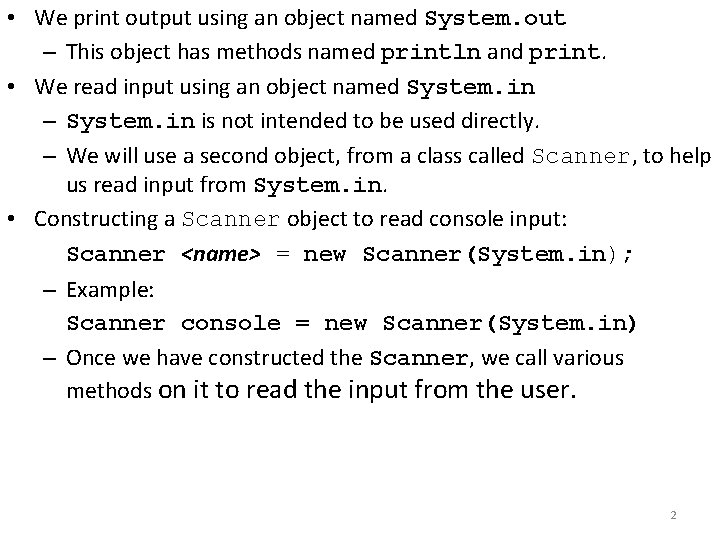
• We print output using an object named System. out – This object has methods named println and print. • We read input using an object named System. in – System. in is not intended to be used directly. – We will use a second object, from a class called Scanner, to help us read input from System. in. • Constructing a Scanner object to read console input: Scanner <name> = new Scanner(System. in); – Example: Scanner console = new Scanner(System. in) – Once we have constructed the Scanner, we call various methods on it to read the input from the user. 2
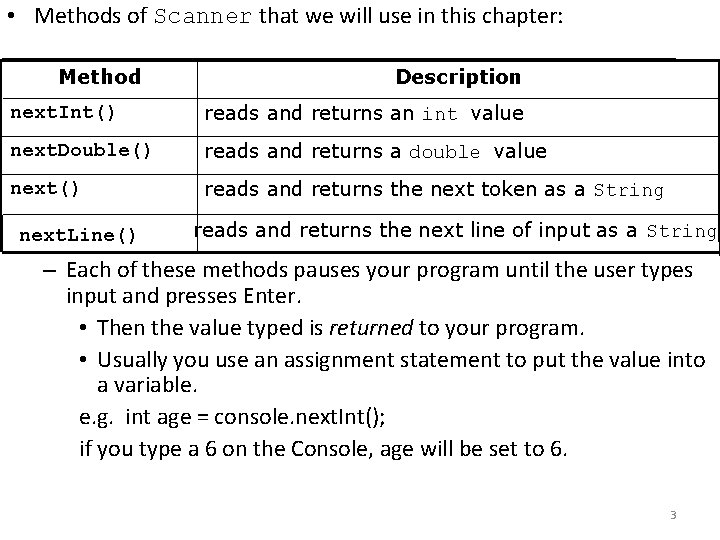
• Methods of Scanner that we will use in this chapter: Method Description next. Int() reads and returns an int value next. Double() reads and returns a double value next() reads and returns the next token as a String next. Line() reads and returns the next line of input as a String – Each of these methods pauses your program until the user types input and presses Enter. • Then the value typed is returned to your program. • Usually you use an assignment statement to put the value into a variable. e. g. int age = console. next. Int(); if you type a 6 on the Console, age will be set to 6. 3
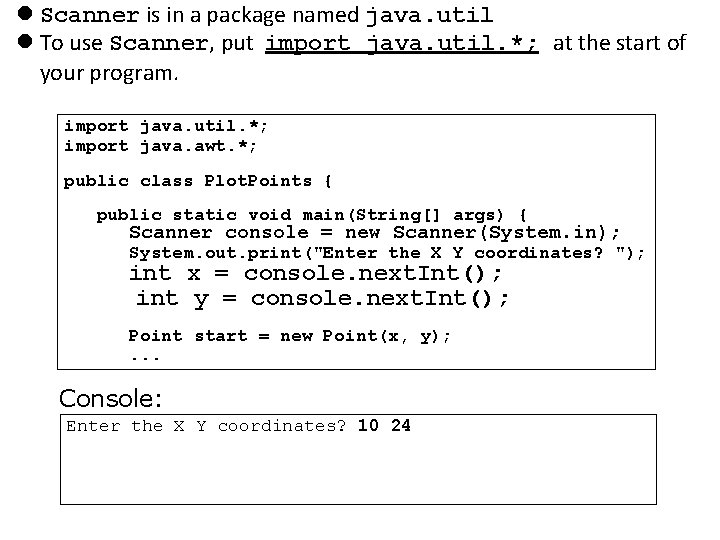
Scanner is in a package named java. util To use Scanner, put import java. util. *; at the start of your program. import java. util. *; import java. awt. *; public class Plot. Points { public static void main(String[] args) { Scanner console = new Scanner(System. in); System. out. print("Enter the X Y coordinates? "); int x = console. next. Int(); int y = console. next. Int(); Point start = new Point(x, y); . . . Console: Enter the X Y coordinates? 10 24
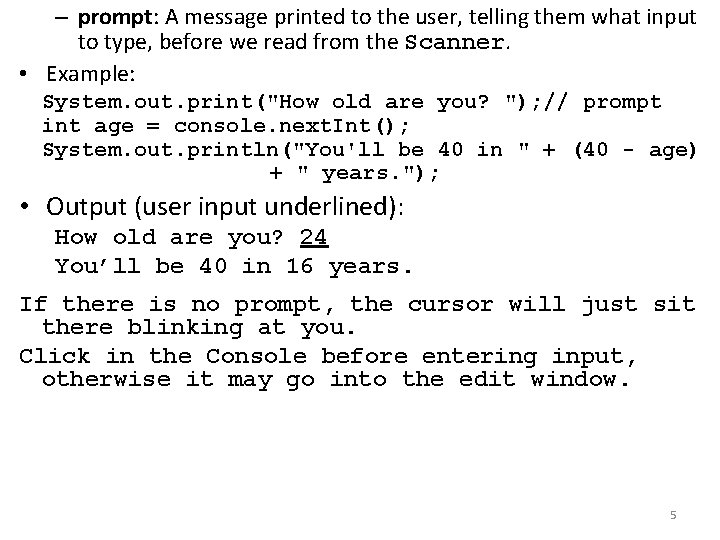
– prompt: A message printed to the user, telling them what input to type, before we read from the Scanner. • Example: System. out. print("How old are you? "); // prompt int age = console. next. Int(); System. out. println("You'll be 40 in " + (40 - age) + " years. "); • Output (user input underlined): How old are you? 24 You’ll be 40 in 16 years. If there is no prompt, the cursor will just sit there blinking at you. Click in the Console before entering input, otherwise it may go into the edit window. 5
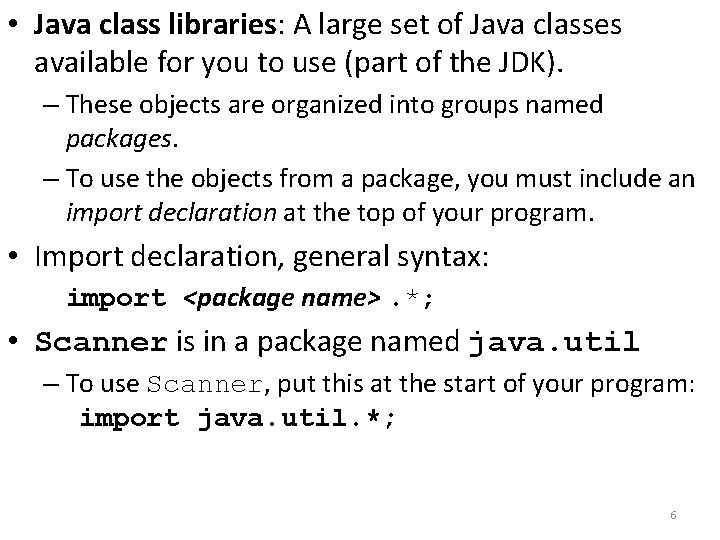
• Java class libraries: A large set of Java classes available for you to use (part of the JDK). – These objects are organized into groups named packages. – To use the objects from a package, you must include an import declaration at the top of your program. • Import declaration, general syntax: import <package name>. *; • Scanner is in a package named java. util – To use Scanner, put this at the start of your program: import java. util. *; 6
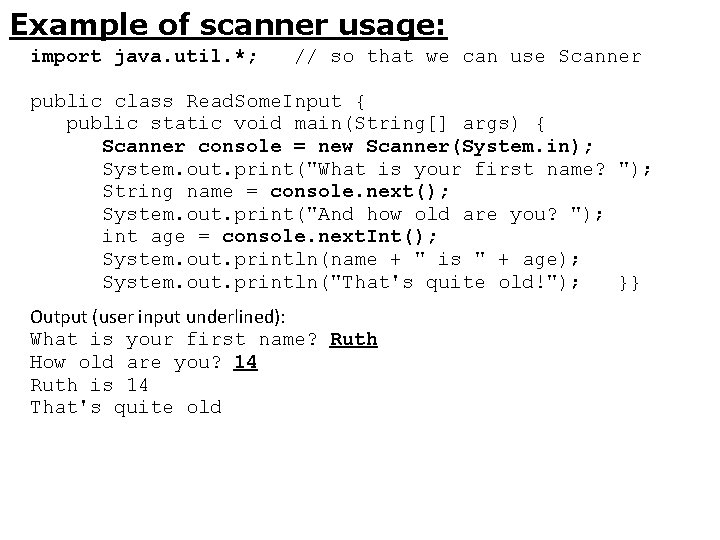
Example of scanner usage: import java. util. *; // so that we can use Scanner public class Read. Some. Input { public static void main(String[] args) { Scanner console = new Scanner(System. in); System. out. print("What is your first name? "); String name = console. next(); System. out. print("And how old are you? "); int age = console. next. Int(); System. out. println(name + " is " + age); System. out. println("That's quite old!"); }} Output (user input underlined): What is your first name? Ruth How old are you? 14 Ruth is 14 That's quite old
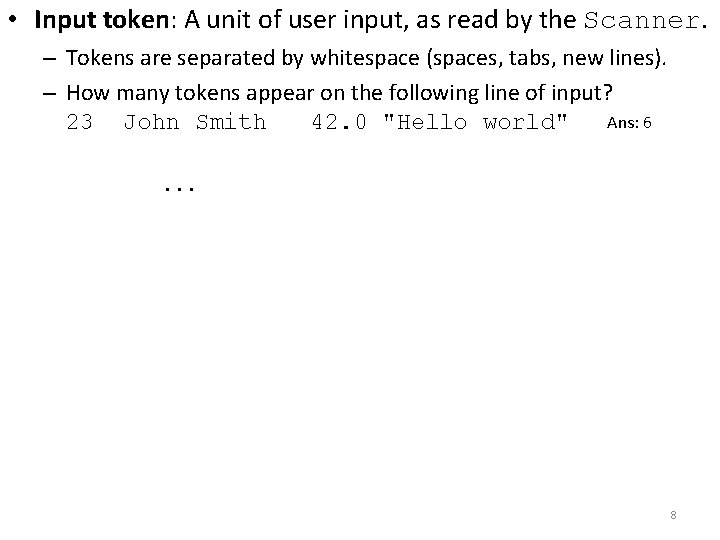
• Input token: A unit of user input, as read by the Scanner. – Tokens are separated by whitespace (spaces, tabs, new lines). – How many tokens appear on the following line of input? Ans: 6 23 John Smith 42. 0 "Hello world". . . 8
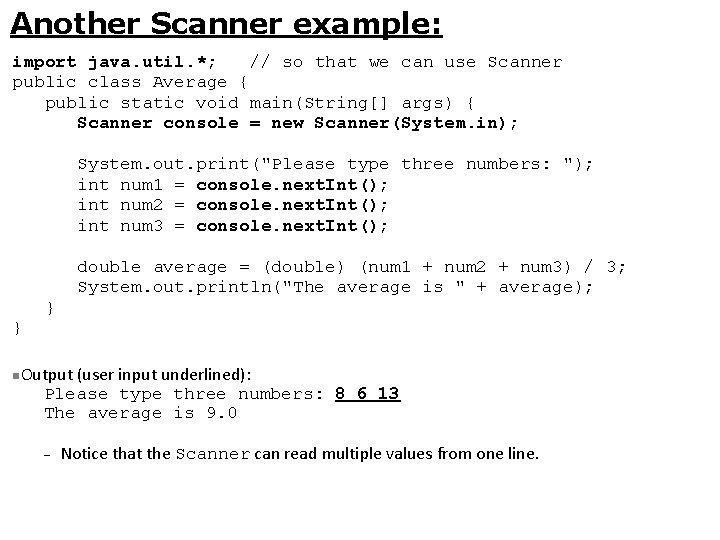
Another Scanner example: import java. util. *; // so that we can use Scanner public class Average { public static void main(String[] args) { Scanner console = new Scanner(System. in); System. out. print("Please type three numbers: "); int num 1 = console. next. Int(); int num 2 = console. next. Int(); int num 3 = console. next. Int(); double average = (double) (num 1 + num 2 + num 3) / 3; System. out. println("The average is " + average); } } Output (user input underlined): Please type three numbers: 8 6 13 The average is 9. 0 Notice that the Scanner can read multiple values from one line.
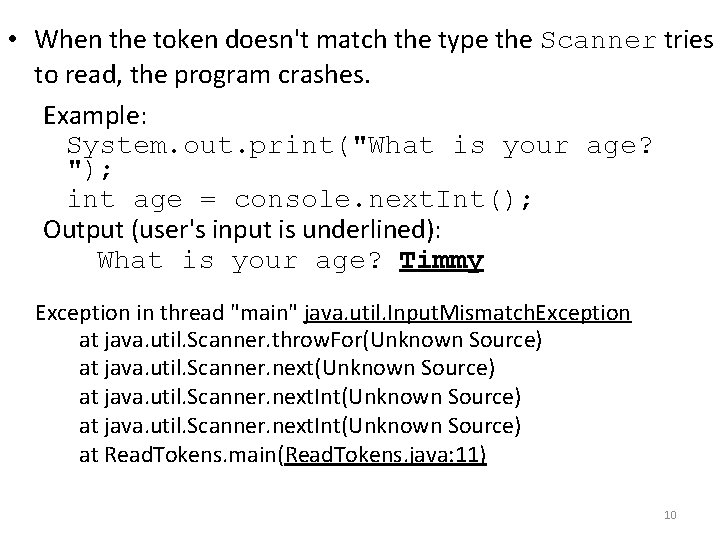
• When the token doesn't match the type the Scanner tries to read, the program crashes. Example: System. out. print("What is your age? "); int age = console. next. Int(); Output (user's input is underlined): What is your age? Timmy Exception in thread "main" java. util. Input. Mismatch. Exception at java. util. Scanner. throw. For(Unknown Source) at java. util. Scanner. next. Int(Unknown Source) at Read. Tokens. main(Read. Tokens. java: 11) 10
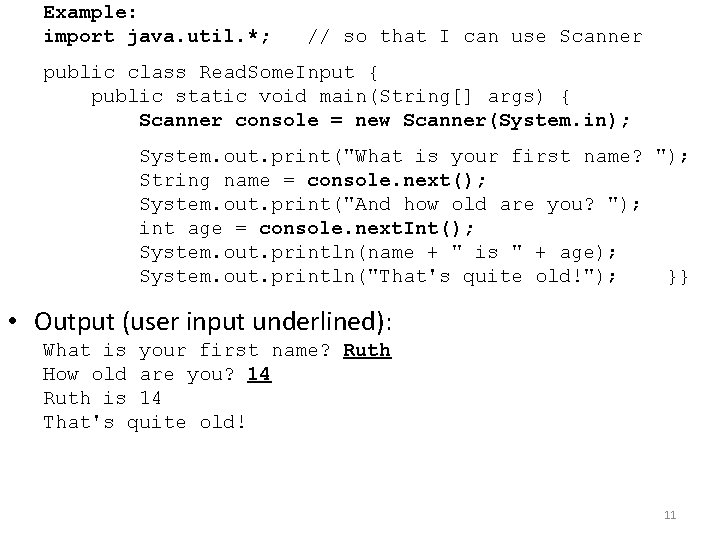
Example: import java. util. *; // so that I can use Scanner public class Read. Some. Input { public static void main(String[] args) { Scanner console = new Scanner(System. in); System. out. print("What is your first name? "); String name = console. next(); System. out. print("And how old are you? "); int age = console. next. Int(); System. out. println(name + " is " + age); System. out. println("That's quite old!"); }} • Output (user input underlined): What is your first name? Ruth How old are you? 14 Ruth is 14 That's quite old! 11
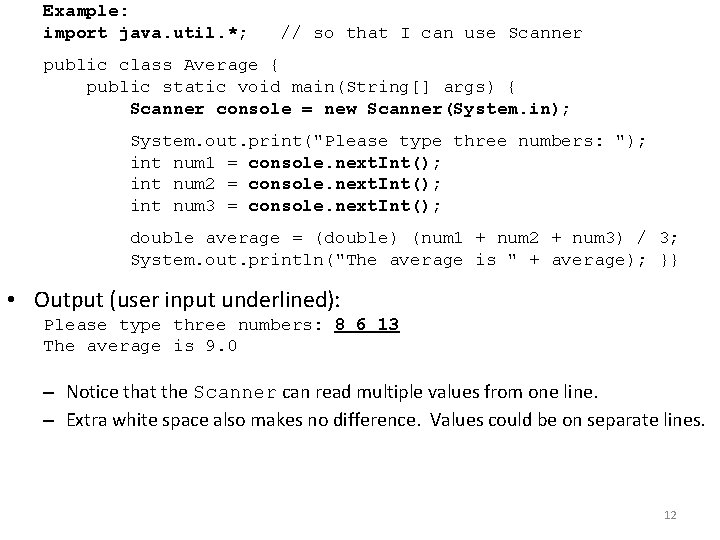
Example: import java. util. *; // so that I can use Scanner public class Average { public static void main(String[] args) { Scanner console = new Scanner(System. in); System. out. print("Please type three numbers: "); int num 1 = console. next. Int(); int num 2 = console. next. Int(); int num 3 = console. next. Int(); double average = (double) (num 1 + num 2 + num 3) / 3; System. out. println("The average is " + average); }} • Output (user input underlined): Please type three numbers: 8 6 13 The average is 9. 0 – Notice that the Scanner can read multiple values from one line. – Extra white space also makes no difference. Values could be on separate lines. 12
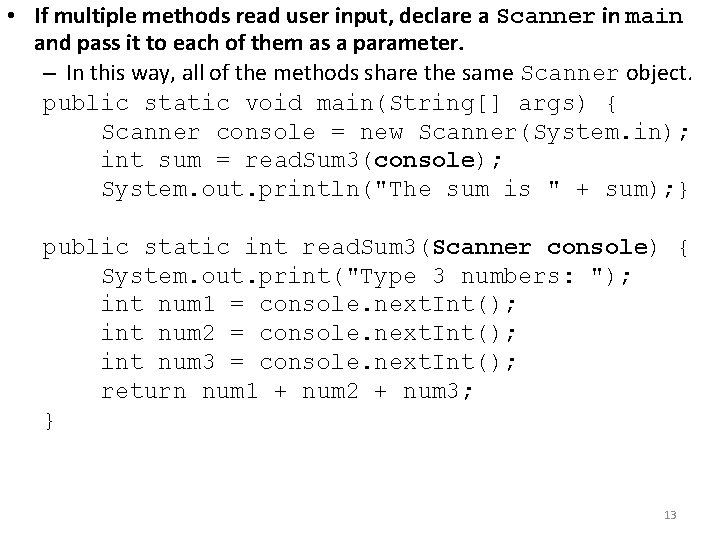
• If multiple methods read user input, declare a Scanner in main and pass it to each of them as a parameter. – In this way, all of the methods share the same Scanner object. public static void main(String[] args) { Scanner console = new Scanner(System. in); int sum = read. Sum 3(console); System. out. println("The sum is " + sum); } public static int read. Sum 3(Scanner console) { System. out. print("Type 3 numbers: "); int num 1 = console. next. Int(); int num 2 = console. next. Int(); int num 3 = console. next. Int(); return num 1 + num 2 + num 3; } 13
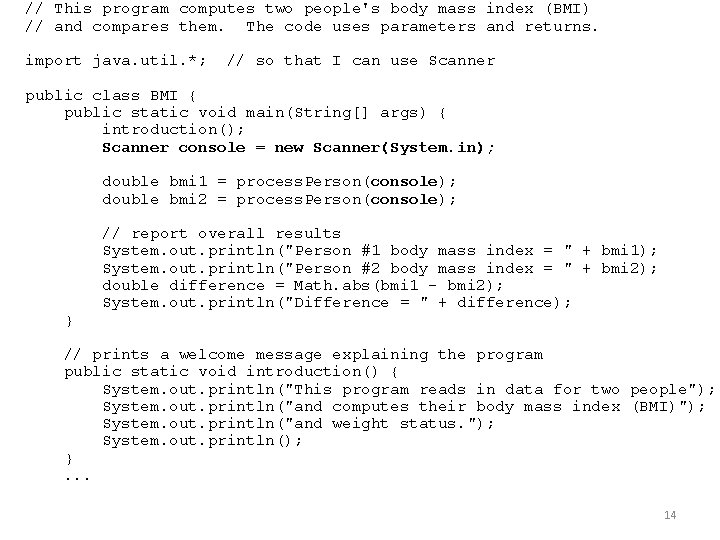
// This program computes two people's body mass index (BMI) // and compares them. The code uses parameters and returns. import java. util. *; // so that I can use Scanner public class BMI { public static void main(String[] args) { introduction(); Scanner console = new Scanner(System. in); double bmi 1 = process. Person(console); double bmi 2 = process. Person(console); } // report overall results System. out. println("Person #1 body mass index = " + bmi 1); System. out. println("Person #2 body mass index = " + bmi 2); double difference = Math. abs(bmi 1 - bmi 2); System. out. println("Difference = " + difference); // prints a welcome message explaining the program public static void introduction() { System. out. println("This program reads in data for two people"); System. out. println("and computes their body mass index (BMI)"); System. out. println("and weight status. "); System. out. println(); }. . . 14
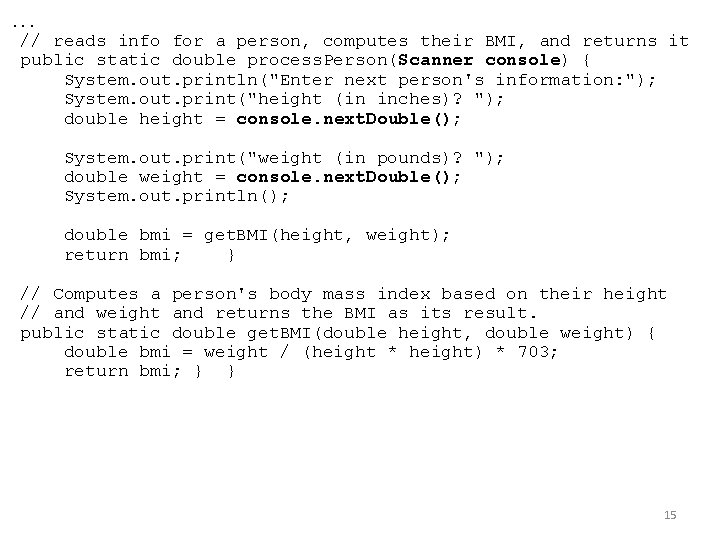
. . . // reads info for a person, computes their BMI, and returns it public static double process. Person(Scanner console) { System. out. println("Enter next person's information: "); System. out. print("height (in inches)? "); double height = console. next. Double(); System. out. print("weight (in pounds)? "); double weight = console. next. Double(); System. out. println(); double bmi = get. BMI(height, weight); return bmi; } // Computes a person's body mass index based on their height // and weight and returns the BMI as its result. public static double get. BMI(double height, double weight) { double bmi = weight / (height * height) * 703; return bmi; } } 15
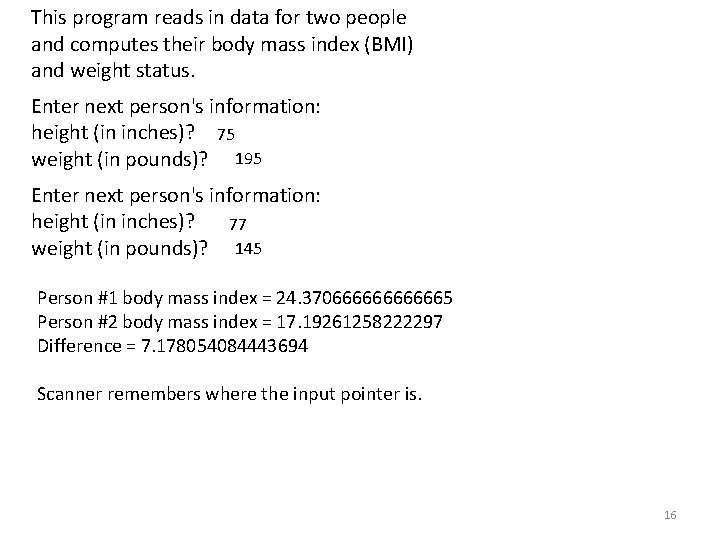
This program reads in data for two people and computes their body mass index (BMI) and weight status. Enter next person's information: height (in inches)? 75 weight (in pounds)? 195 Enter next person's information: height (in inches)? 77 weight (in pounds)? 145 Person #1 body mass index = 24. 3706666665 Person #2 body mass index = 17. 19261258222297 Difference = 7. 178054084443694 Scanner remembers where the input pointer is. 16
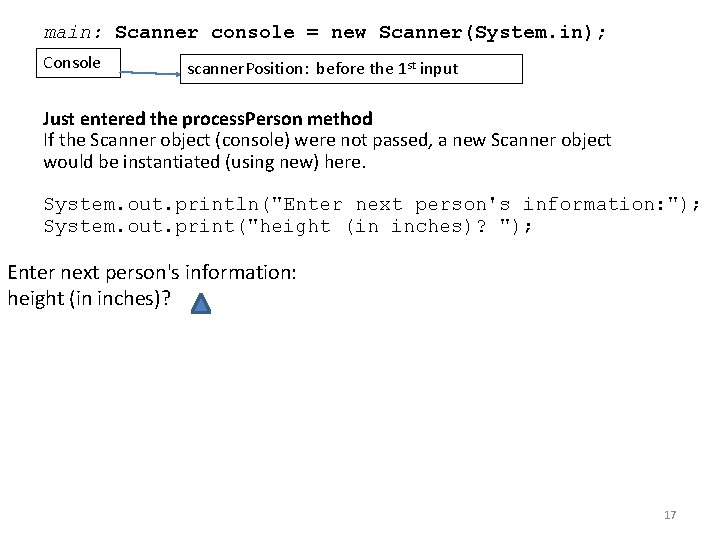
main: Scanner console = new Scanner(System. in); Console scanner. Position: before the 1 st input Just entered the process. Person method If the Scanner object (console) were not passed, a new Scanner object would be instantiated (using new) here. System. out. println("Enter next person's information: "); System. out. print("height (in inches)? "); Enter next person's information: height (in inches)? 17
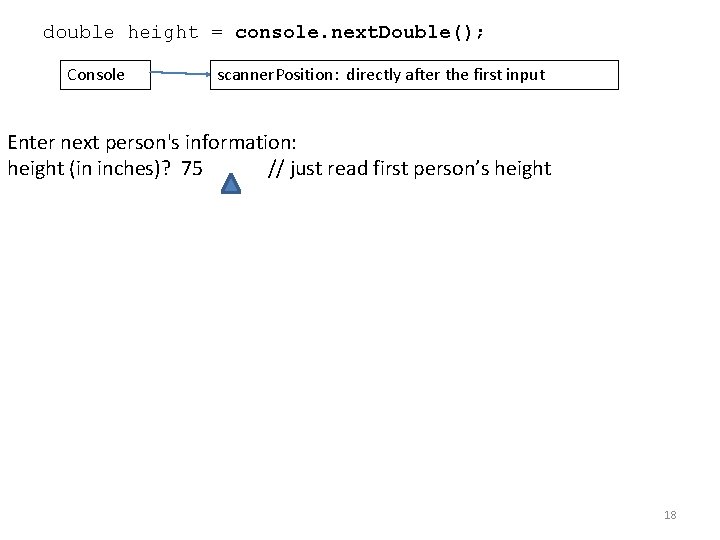
double height = console. next. Double(); Console scanner. Position: directly after the first input Enter next person's information: height (in inches)? 75 // just read first person’s height 18
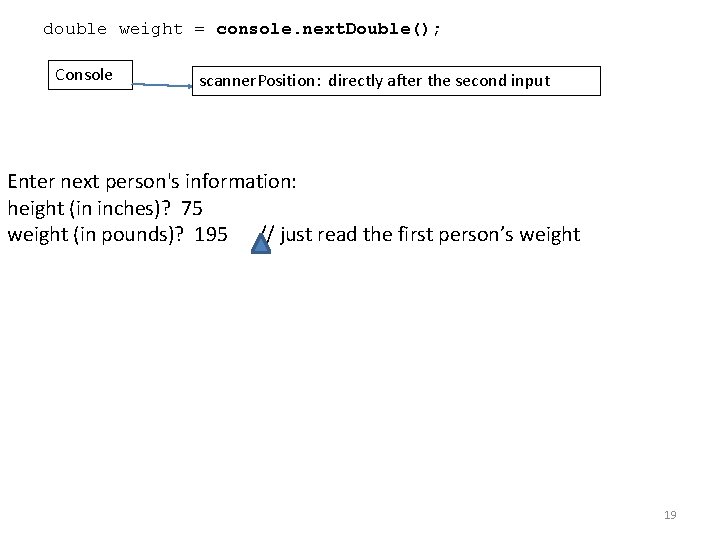
double weight = console. next. Double(); Console scanner. Position: directly after the second input Enter next person's information: height (in inches)? 75 weight (in pounds)? 195 // just read the first person’s weight 19
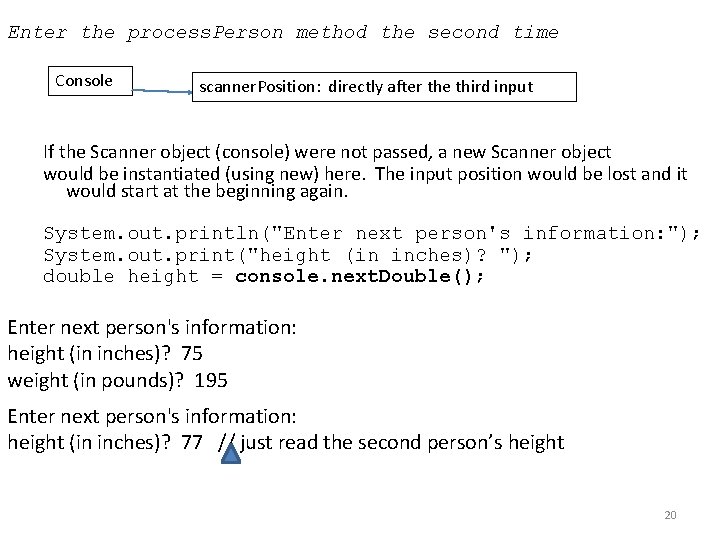
Enter the process. Person method the second time Console scanner. Position: directly after the third input If the Scanner object (console) were not passed, a new Scanner object would be instantiated (using new) here. The input position would be lost and it would start at the beginning again. System. out. println("Enter next person's information: "); System. out. print("height (in inches)? "); double height = console. next. Double(); Enter next person's information: height (in inches)? 75 weight (in pounds)? 195 Enter next person's information: height (in inches)? 77 // just read the second person’s height 20
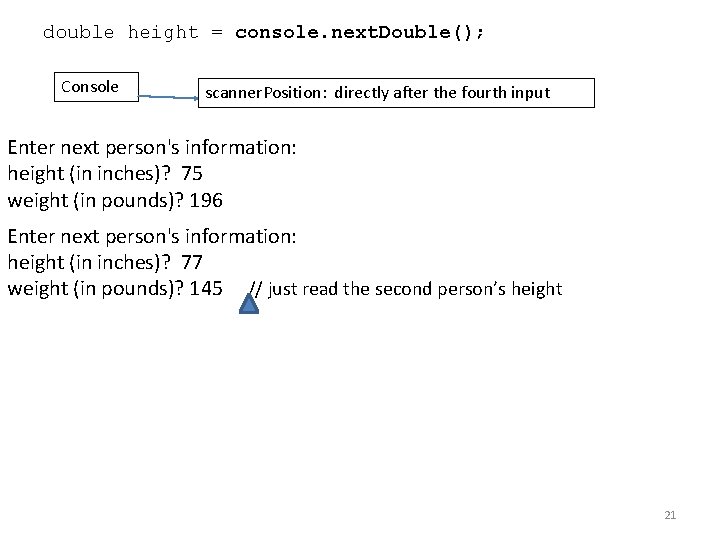
double height = console. next. Double(); Console scanner. Position: directly after the fourth input Enter next person's information: height (in inches)? 75 weight (in pounds)? 196 Enter next person's information: height (in inches)? 77 weight (in pounds)? 145 // just read the second person’s height 21
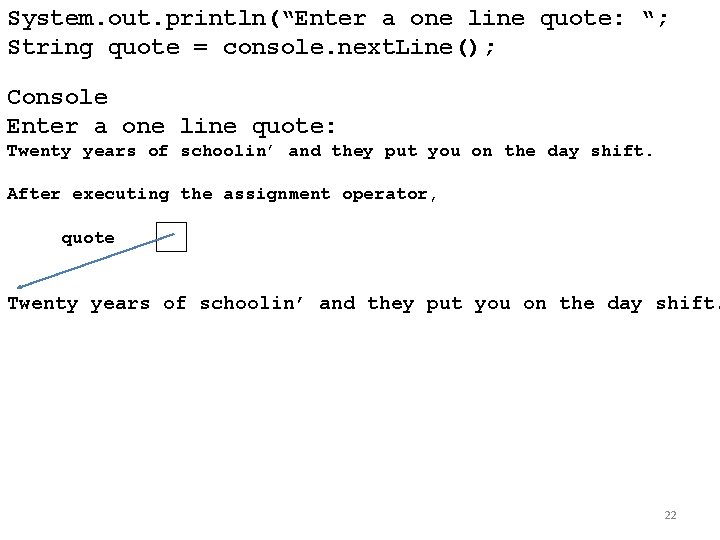
System. out. println(“Enter a one line quote: “; String quote = console. next. Line(); Console Enter a one line quote: Twenty years of schoolin’ and they put you on the day shift. After executing the assignment operator, quote Twenty years of schoolin’ and they put you on the day shift. 22
![import java. util. *; public class All. In. One { public static void main(String[]](http://slidetodoc.com/presentation_image_h2/303d9b6bdbb53904f4ffe3b5f4b55e98/image-23.jpg "import java. util. *; public class All. In. One { public static void main(String[]")
import java. util. *; public class All. In. One { public static void main(String[] args) { Scanner console = new Scanner(System. in); System. out. print("Find the sum of integersnfrom: "); int low = console. next. Int(); System. out. print("to: "); int high = console. next. Int(); System. out. println("The sum of the integers from " + low + " to " + high + " is " + int. Sum(low, high)); System. out. println("By finding sum(1, " + high + ") minus sum(1, " + (low - 1) + "), the sum is " + (int. Sum(high) - int. Sum(low - 1))); } Find the sum of integers from: 50 to: 100 The sum of the integers from 50 to 100 is 3825. 0 By finding sum(1, 100) minus sum(1, 49), the sum is 3825. 0 23
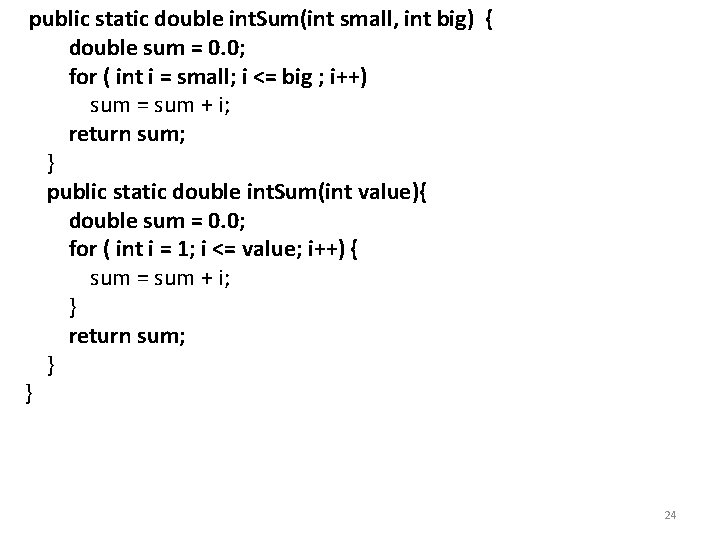
public static double int. Sum(int small, int big) { double sum = 0. 0; for ( int i = small; i <= big ; i++) sum = sum + i; return sum; } public static double int. Sum(int value){ double sum = 0. 0; for ( int i = 1; i <= value; i++) { sum = sum + i; } return sum; } } 24
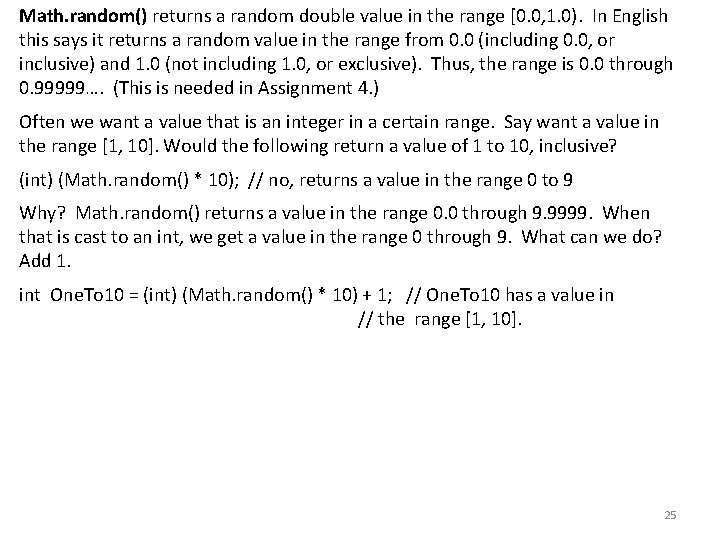
Math. random() returns a random double value in the range [0. 0, 1. 0). In English this says it returns a random value in the range from 0. 0 (including 0. 0, or inclusive) and 1. 0 (not including 1. 0, or exclusive). Thus, the range is 0. 0 through 0. 99999…. (This is needed in Assignment 4. ) Often we want a value that is an integer in a certain range. Say want a value in the range [1, 10]. Would the following return a value of 1 to 10, inclusive? (int) (Math. random() * 10); // no, returns a value in the range 0 to 9 Why? Math. random() returns a value in the range 0. 0 through 9. 9999. When that is cast to an int, we get a value in the range 0 through 9. What can we do? Add 1. int One. To 10 = (int) (Math. random() * 10) + 1; // One. To 10 has a value in // the range [1, 10]. 25
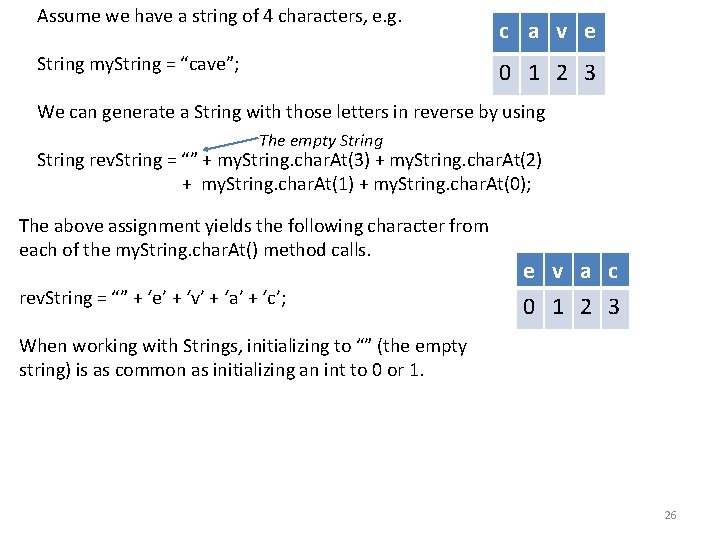
Assume we have a string of 4 characters, e. g. String my. String = “cave”; c a v e 0 1 2 3 We can generate a String with those letters in reverse by using The empty String rev. String = “” + my. String. char. At(3) + my. String. char. At(2) + my. String. char. At(1) + my. String. char. At(0); The above assignment yields the following character from each of the my. String. char. At() method calls. rev. String = “” + ‘e’ + ‘v’ + ‘a’ + ‘c’; e v a c 0 1 2 3 When working with Strings, initializing to “” (the empty string) is as common as initializing an int to 0 or 1. 26
- Slides: 26