
Section 13 1 Add a hit counter to
- Slides: 28
Section 13. 1 • Add a hit counter to a Web page • Identify the limitations of hit counters • Describe the information gathered by tracking systems • Create a guest book Section 13. 2 • Identify Web site search features • Add bookmarks to a Web page • Create a Web search form
Section 13. 3 • Describe database functions • Confirm a database connection • Identify database interface pages Section 13. 4 • Explain how frames work • Identify guidelines for frames pages • Create a frames-based page • Use frames on a site • Publish a Web site locally
13. 1 Tracking Visitors to a Site Guide to Reading Main Ideas Key Terms Hit counters and tracking software track the number of visitors to a Web site. Guest books allow visitors to make comments on the site in a public forum. hit counter hits tracking software guest book pp. 342 -345
13. 1 Tracking Visitors to a Site pp. 342 -345 Hit Counters E-commerce sites often include hit counters to help track Web traffic. But this only tracks that the user came to the page. Other tracking software can record other information about users. hits The number of times a browser requests a page from a Web server. (p. 342) hit counter A dynamic Web component that records the number of times visitors access a Web page. (p. 342) tracking software Records information about Web site visitors such as what browser they used, how they navigated to the site, and what country they are from. (p. 344)
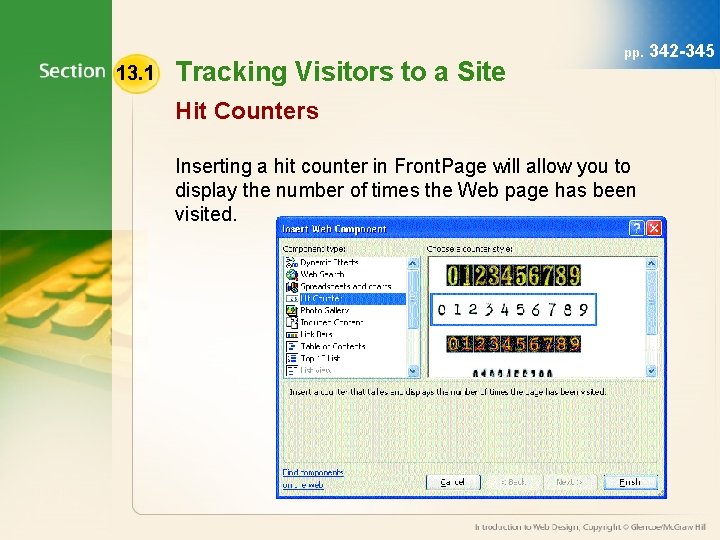
13. 1 Tracking Visitors to a Site pp. Hit Counters Inserting a hit counter in Front. Page will allow you to display the number of times the Web page has been visited. 342 -345
13. 1 Tracking Visitors to a Site pp. 342 -345 Guest Books A guest book gives visitors a place to record their experiences with a Web site. You can add form fields to a guest book to allow visitors to enter their names or other information. guest book A public record of comments from visitors to a Web site. (p. 344)
13. 1 Tracking Visitors to a Site • Activity 13 A – Adding a Hit Counter (p. 342) • Activity 13 B – Creating a Guest Book (p. 344) pp. 342 -345
13. 2 Making Information Easy to Find pp. Guide to Reading Main Ideas Key Terms Web developers uses tools such as site maps, tables of contents, and bookmarks to help visitors locate information on the site. Site search components enable visitors to find specific words or phrases on the site map table of contents frequently asked questions (FAQ) bookmark search capabilities 347 -350
13. 2 Making Information Easy to Find pp. 347 -350 Site Maps and Tables of Contents As Web sites become larger and more complex, information can be difficult to find. Two of the best features to make the information easier to find are: • Site maps • Table of contents site map A list of categories that organizes the content of large Web sites. (p. 347) table of contents A Web site element that allows visitors to see the contents and organization of the site in one glance; similar to the table of contents of a book. (p. 347)
13. 2 Making Information Easy to Find pp. 347 -350 Frequently Asked Questions Pages Frequently asked questions pages are great places to give information to visitors without them having to contact the Webmaster. Many FAQ pages include bookmarks to take visitors immediately to the information they are looking for. frequently asked questions (FAQ) A list of questions and answers to questions that visitors are likely to have about the Web site, the business, or a company’s products. (p. 348) bookmark A hyperlink to a specific document or another place in the same document; often used as intrapage links on long pages. (p. 348)
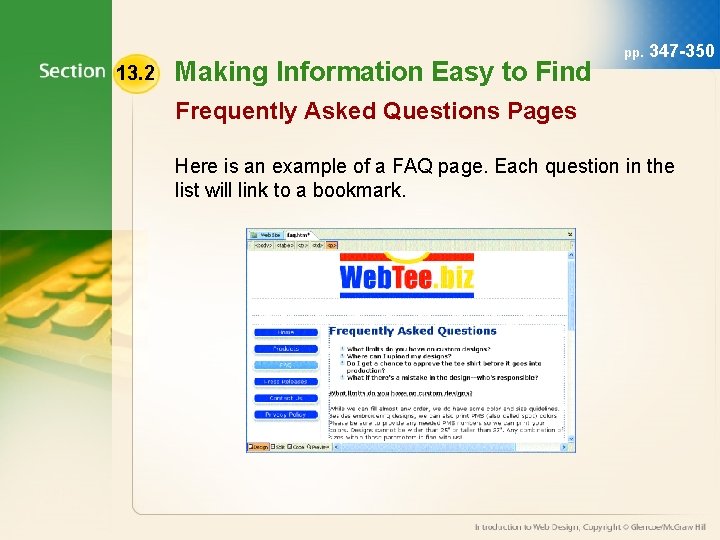
13. 2 Making Information Easy to Find pp. 347 -350 Frequently Asked Questions Pages Here is an example of a FAQ page. Each question in the list will link to a bookmark.
13. 2 Making Information Easy to Find pp. 347 -350 Search Capabilities Site maps, tables of contents, and bookmarks are tools Web developers use to make information easier to find. They can also include search capabilities to the site to allow users to look for specific information. search capabilities A Web site feature that allows visitors to find specific words or phrases in the site’s content. (p. 349)
13. 2 Making Information Easy to Find • Activity 13 C – Adding Bookmarks (p. 348) • Activity 13 D – Creating a Web Search Form (p. 350) pp. 347 -350
13. 3 Collecting and Storing Information pp. 351 -354 from Visitors Guide to Reading Main Ideas Key Terms Databases organize information by fields and records. Dynamic Web pages use database information. Database interface pages display database information so that it looks consistent with the Web site’s design. database record database driven database interface page
13. 3 Collecting and Storing Information pp. 351 -354 from Visitors Connecting Web Sites and Databases After visitors give their information, Web site owners must have a way to collect, organize, and store this information. Many companies use databases to maintain the records given by users. database A collection of information that is organized by fields and records for easy retrieval. (p. 351) record A group of related fields in a database that contain all the information gathered about a particular person or product. (p. 351)
13. 3 Collecting and Storing Information pp. 351 -354 from Visitors Connecting Web Sites and Databases Web site developers use static and dynamic pages to distinguish between pages with fixed information and those able to change. When dynamic pages pull information from a database, they are said to be database driven Dynamic page that uses a database for its source of information. (p. 351)
13. 3 Collecting and Storing Information pp. 351 -354 from Visitors Interacting with a Database The database must be published to the Web site to allow visitors to access the information. Web sites must have a database interface page to allow users to interact with the database through the browser. database interface page A Web page that connects to and interacts with a database. (p. 352)
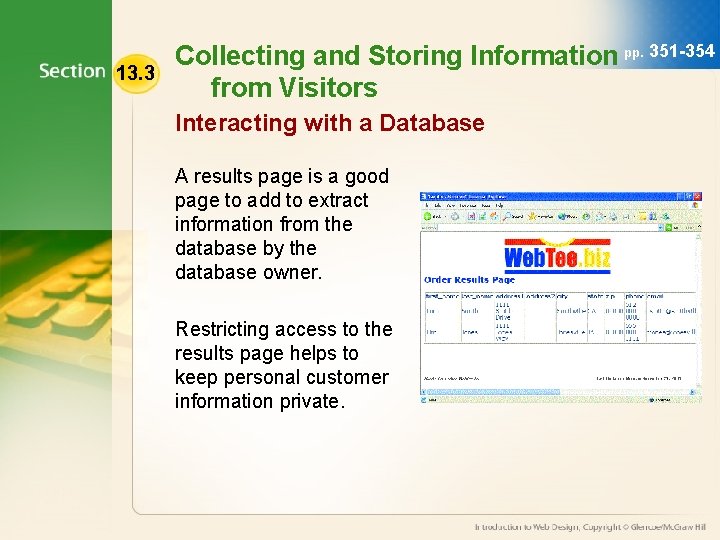
13. 3 Collecting and Storing Information pp. 351 -354 from Visitors Interacting with a Database A results page is a good page to add to extract information from the database by the database owner. Restricting access to the results page helps to keep personal customer information private.
13. 3 Collecting and Storing Information pp. 351 -354 from Visitors • Activity 13 E – Confirming a Database Connection (p. 353)
13. 4 pp. Frames 356 -362 Guide to Reading Main Ideas Key Terms Frames allow designers to control how individual areas of the screen display and scroll. Front. Page includes templates that make it relatively easy to create frames sites. frameset Set Initial Page button New Page button local Web site remote Web site
13. 4 Frames pp. 356 -362 How Frames Work Frames are designed to make navigation easier by keeping part of the site constant. To create a frames page, first create a single shell page called a frameset frame A separate region on a Web page that contains its own Web document. (p. 356) frameset A shell page in a frames-based site that contains information about the size and placement of the frames within the site. (p. 356)
13. 4 Frames pp. 356 -362 Guidelines for Frames Pages Frames pages can cause problems for some viewers. Follow these guidelines to make your frames pages more user-friendly: • Consider the number, placement, and size of the frames. • Consider your target audience, as many older browsers do not support frames.
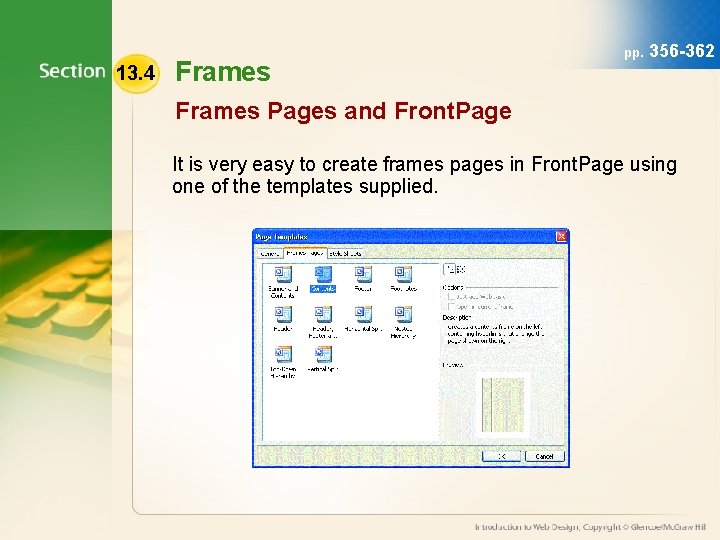
13. 4 Frames pp. 356 -362 Frames Pages and Front. Page It is very easy to create frames pages in Front. Page using one of the templates supplied.
13. 4 pp. Frames 356 -362 Frames Pages and Front. Page You can add content to a frame in two ways: • Selecting the Set Initial Page button allows you to link existing content to a frame. • Selecting the New Page button allows you to create new content in the frame. Set Initial Page button Front. Page tool that allows you to link existing content to a frame in a framesbased site. (p. 358) New Page button Front. Page tool that allows you to create new content in a frame. (p. 358)
13. 4 pp. Frames 356 -362 Publishing a Web Site Locally It is possible to publish a Web site locally. Doing this transfers the site’s files from where you created them (local Web site) site to another location on your computer or network (remote Web site). site This option allows you to test the publishing process, even if you do not have a Web host for the site. local Web site A Web site that resides on the hard drive or network drive where the site’s files were originally created. (p. 361) remote Web site A Web site that exists on a hard drive or network drive that is different from the location where the Web site was created. Transferring files from a local to a remote Web site allows you to test the publishing process. (p. 361)
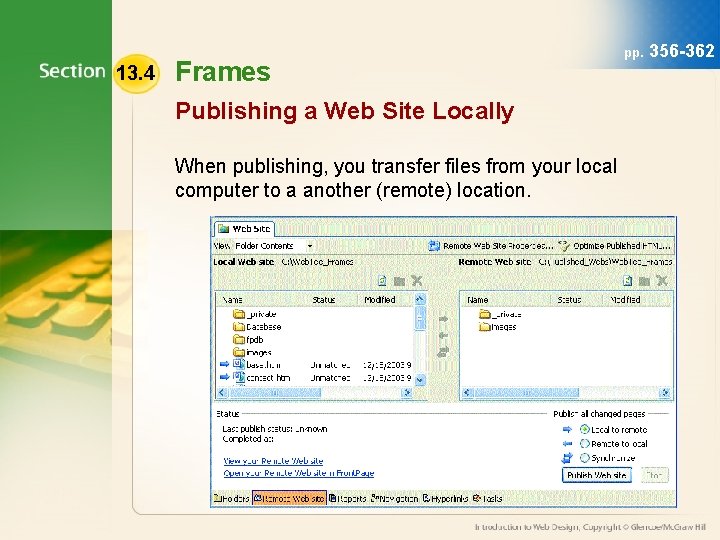
13. 4 Frames Publishing a Web Site Locally When publishing, you transfer files from your local computer to a another (remote) location. pp. 356 -362
13. 4 Frames • Activity 13 F – Using Frames on a Site (p. 358) • Activity 13 G – Publishing a Web Site Locally (p. 361) pp. 356 -362
Chapter 13 Resources For more resources on this chapter, go to the Introduction to Web Design Web site at webdesign. glencoe. com.