
Secondary Storage File System Hard Disk Drive Empty
- Slides: 20
Secondary Storage & File System
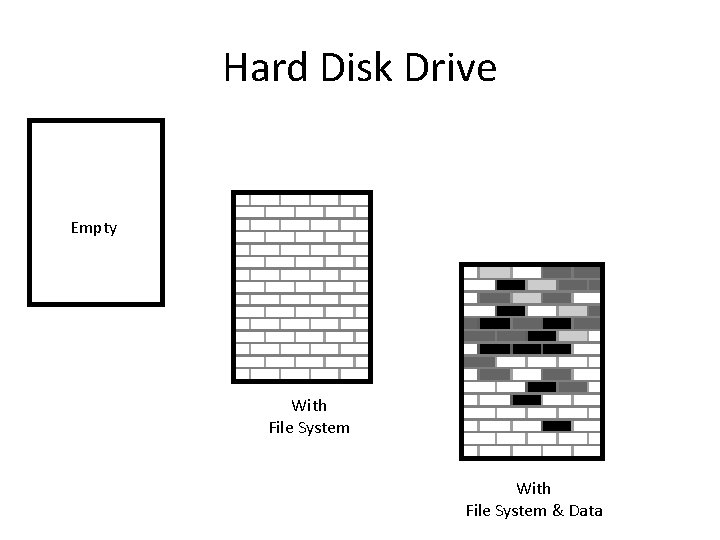
Hard Disk Drive Empty With File System & Data
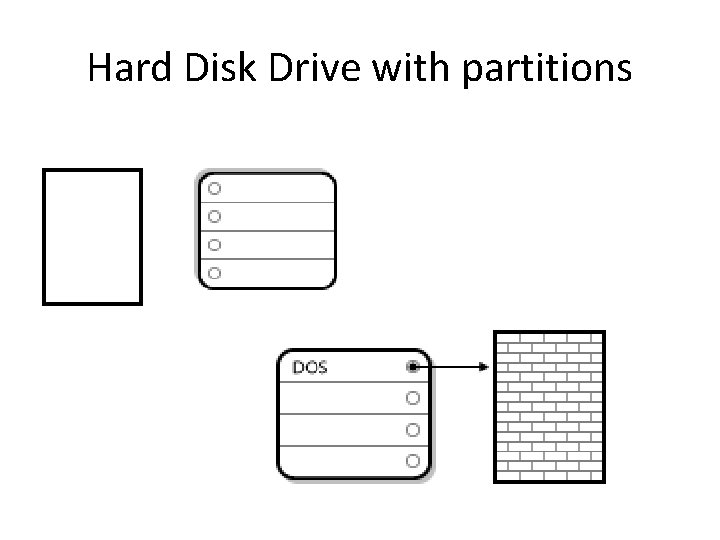
Hard Disk Drive with partitions
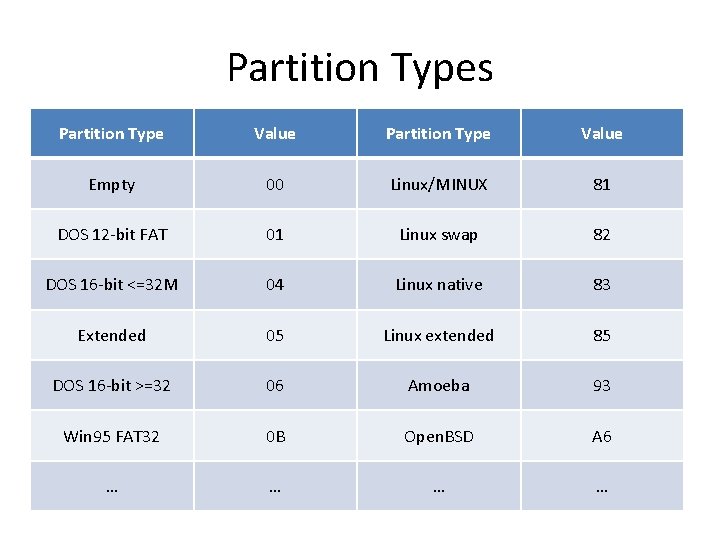
Partition Types Partition Type Value Empty 00 Linux/MINUX 81 DOS 12 -bit FAT 01 Linux swap 82 DOS 16 -bit <=32 M 04 Linux native 83 Extended 05 Linux extended 85 DOS 16 -bit >=32 06 Amoeba 93 Win 95 FAT 32 0 B Open. BSD A 6 … …
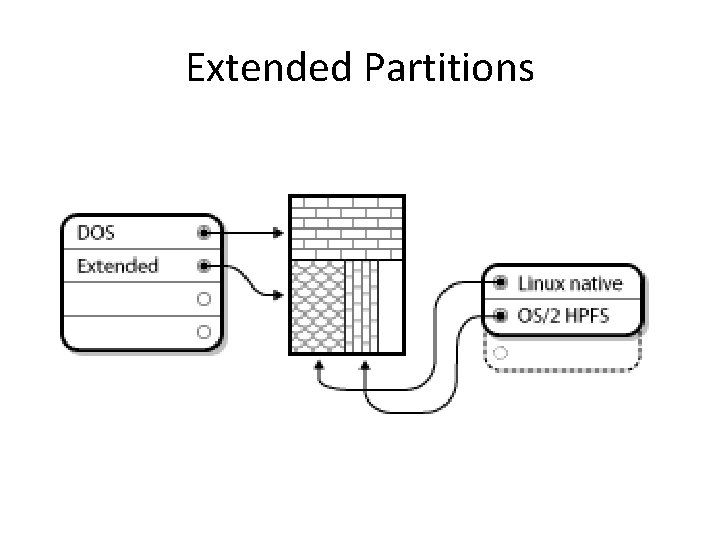
Extended Partitions
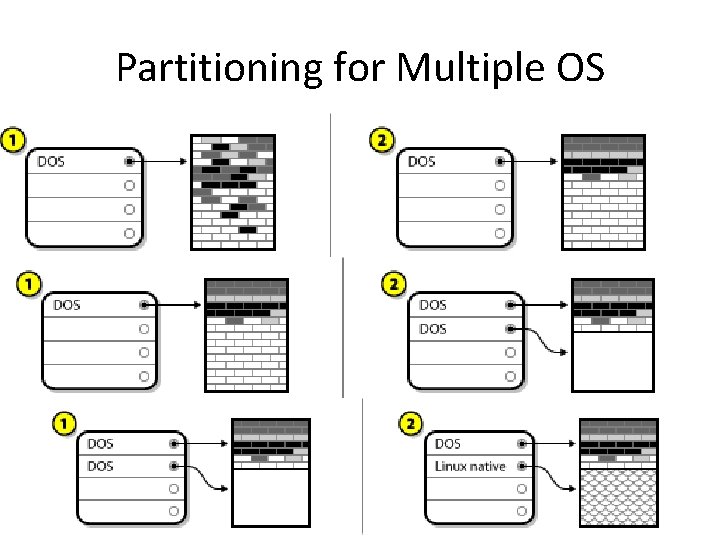
Partitioning for Multiple OS
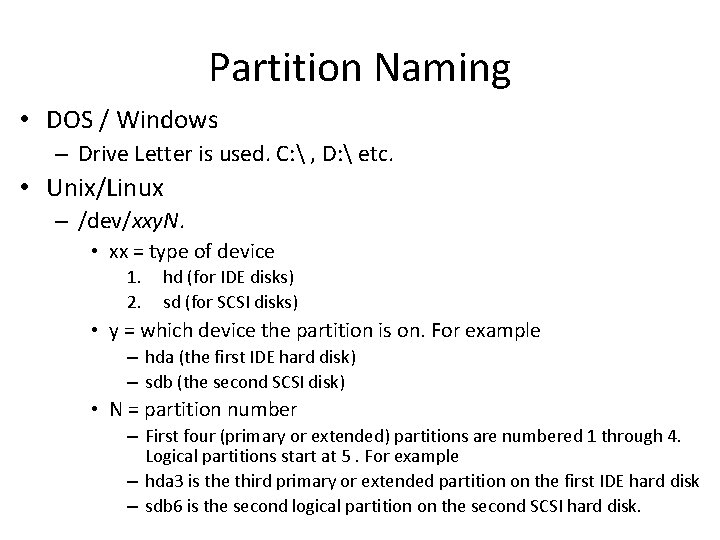
Partition Naming • DOS / Windows – Drive Letter is used. C: , D: etc. • Unix/Linux – /dev/xxy. N. • xx = type of device 1. 2. hd (for IDE disks) sd (for SCSI disks) • y = which device the partition is on. For example – hda (the first IDE hard disk) – sdb (the second SCSI disk) • N = partition number – First four (primary or extended) partitions are numbered 1 through 4. Logical partitions start at 5. For example – hda 3 is the third primary or extended partition on the first IDE hard disk – sdb 6 is the second logical partition on the second SCSI hard disk.
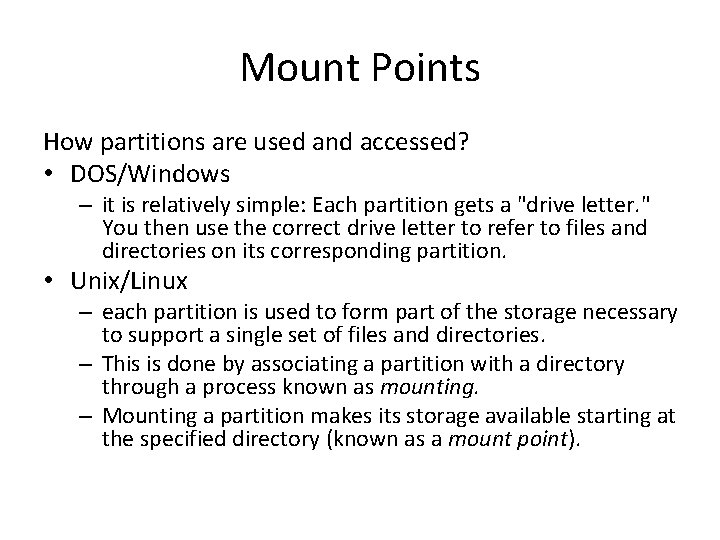
Mount Points How partitions are used and accessed? • DOS/Windows – it is relatively simple: Each partition gets a "drive letter. " You then use the correct drive letter to refer to files and directories on its corresponding partition. • Unix/Linux – each partition is used to form part of the storage necessary to support a single set of files and directories. – This is done by associating a partition with a directory through a process known as mounting. – Mounting a partition makes its storage available starting at the specified directory (known as a mount point).
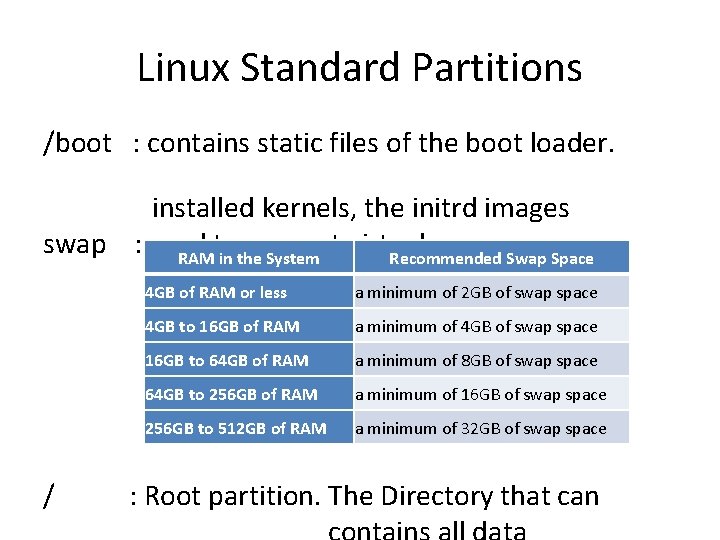
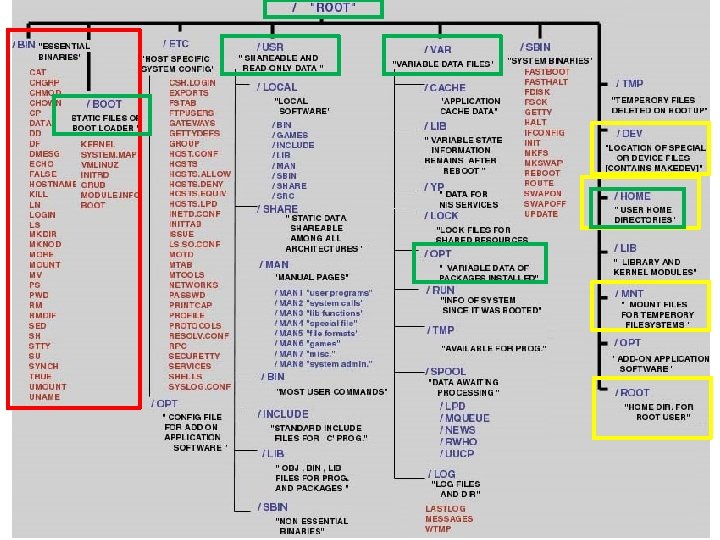
Linux Standard Partitions /boot : contains static files of the boot loader. installed kernels, the initrd images swap : used to support virtual memory. RAM in the System Recommended Swap Space / 4 GB of RAM or less a minimum of 2 GB of swap space 4 GB to 16 GB of RAM a minimum of 4 GB of swap space 16 GB to 64 GB of RAM a minimum of 8 GB of swap space 64 GB to 256 GB of RAM a minimum of 16 GB of swap space 256 GB to 512 GB of RAM a minimum of 32 GB of swap space : Root partition. The Directory that can
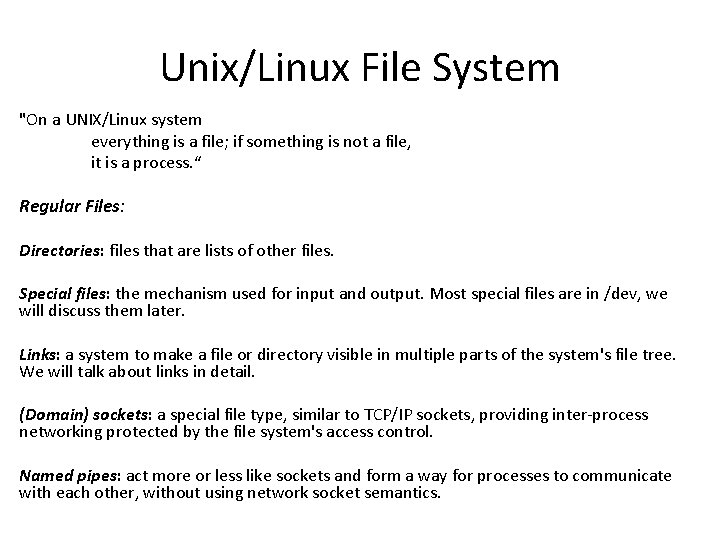
Unix/Linux File System "On a UNIX/Linux system everything is a file; if something is not a file, it is a process. “ Regular Files: Directories: files that are lists of other files. Special files: the mechanism used for input and output. Most special files are in /dev, we will discuss them later. Links: a system to make a file or directory visible in multiple parts of the system's file tree. We will talk about links in detail. (Domain) sockets: a special file type, similar to TCP/IP sockets, providing inter-process networking protected by the file system's access control. Named pipes: act more or less like sockets and form a way for processes to communicate with each other, without using network socket semantics.
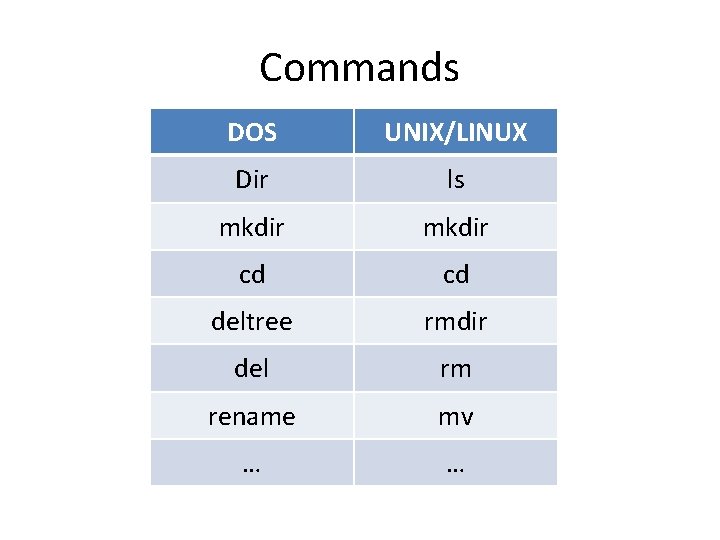
Commands DOS UNIX/LINUX Dir ls mkdir cd cd deltree rmdir del rm rename mv … …
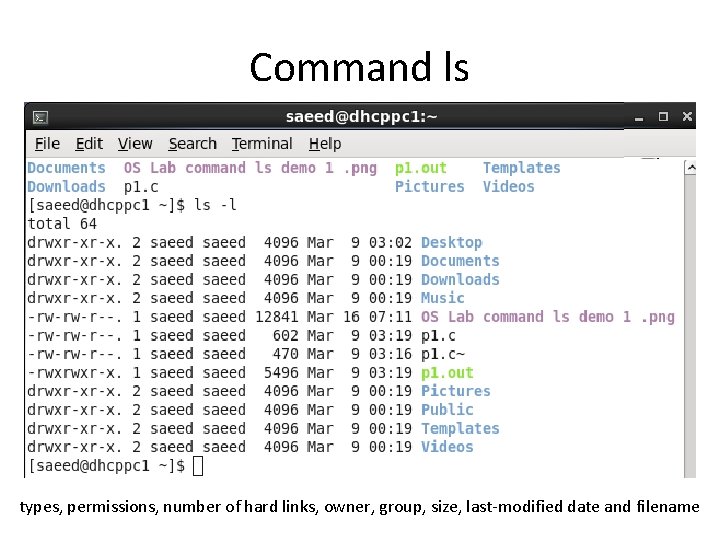
Command ls types, permissions, number of hard links, owner, group, size, last-modified date and filename
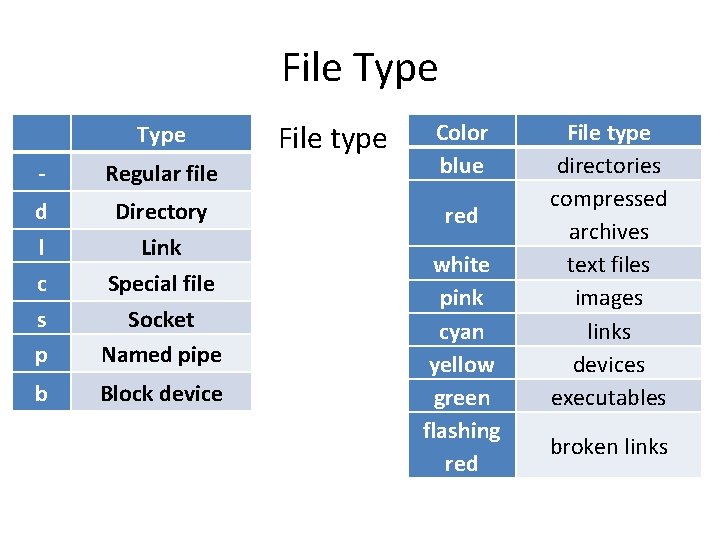
File Type - Regular file d l c s p Directory Link Special file Socket Named pipe b Block device File type Color blue red white pink cyan yellow green flashing red File type directories compressed archives text files images links devices executables broken links
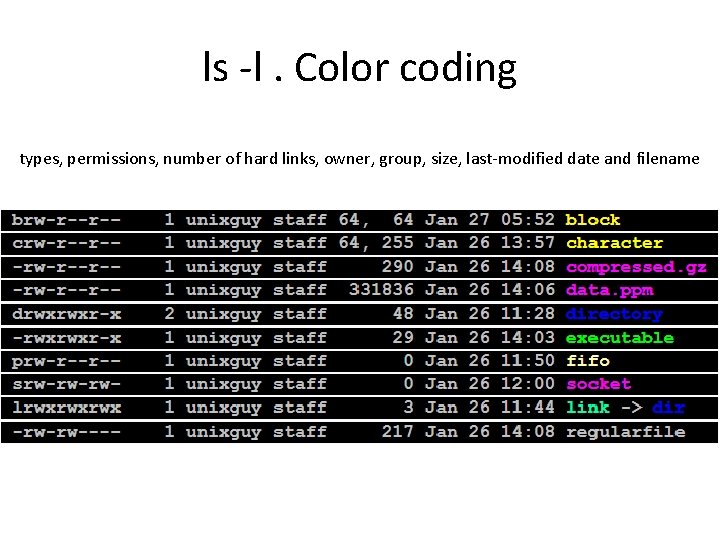
ls -l. Color coding types, permissions, number of hard links, owner, group, size, last-modified date and filename
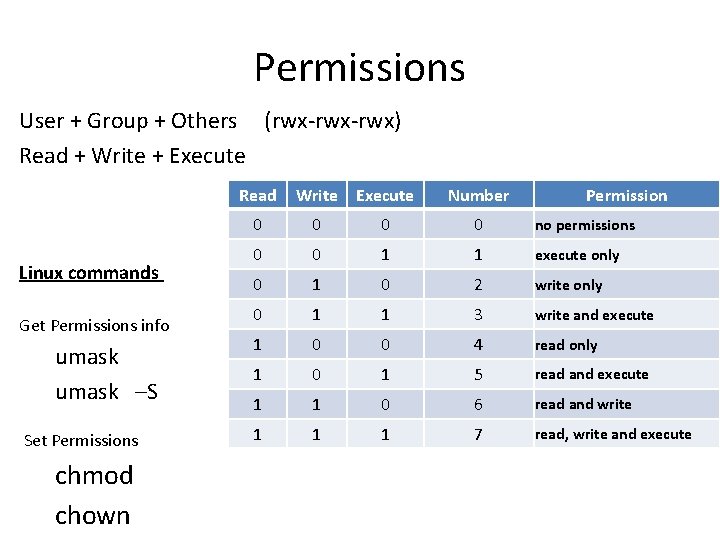
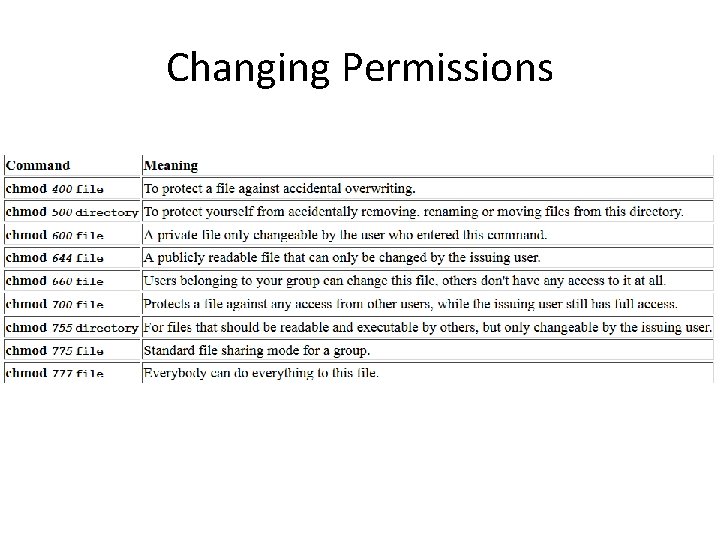
Permissions User + Group + Others (rwx-rwx) Read + Write + Execute Read Linux commands Get Permissions info umask –S Set Permissions chmod chown Write Execute Number Permission 0 0 no permissions 0 0 1 1 execute only 0 1 0 2 write only 0 1 1 3 write and execute 1 0 0 4 read only 1 0 1 5 read and execute 1 1 0 6 read and write 1 1 1 7 read, write and execute
Changing Permissions
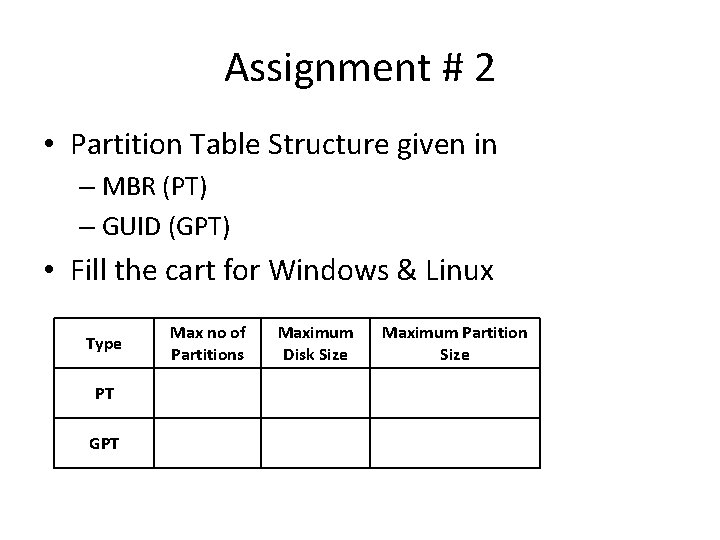
Assignment # 2 • Partition Table Structure given in – MBR (PT) – GUID (GPT) • Fill the cart for Windows & Linux Type PT GPT Max no of Partitions Maximum Disk Size Maximum Partition Size
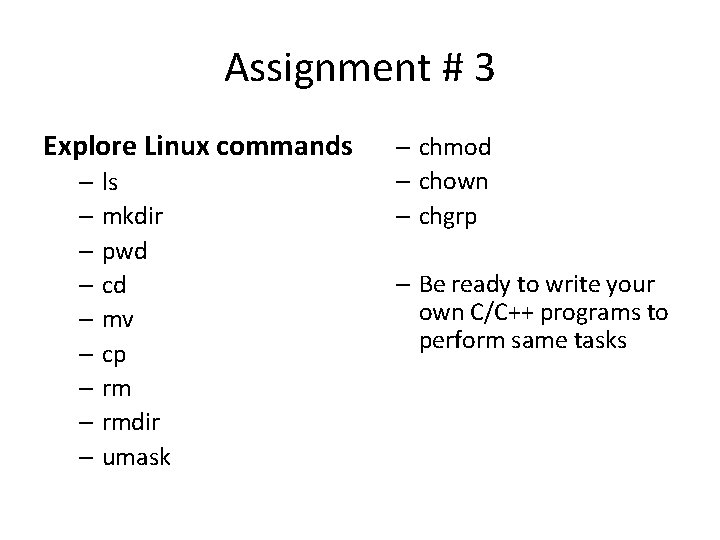
Assignment # 3 Explore Linux commands – ls – mkdir – pwd – cd – mv – cp – rmdir – umask – chmod – chown – chgrp – Be ready to write your own C/C++ programs to perform same tasks
References Red Hat Disk Drive and Partitioning • https: //access. redhat. com/site/documentation/en. US/Red_Hat_Enterprise_Linux/5/html/Installation_Guide/ch-partitions-x 86. html#s 2 -partitions-how -many-x 86 • https: //access. redhat. com/site/documentation/en. US/Red_Hat_Enterprise_Linux/5/html/Installation_Guide/s 2 -diskpartrecommend-x 86. html • https: //access. redhat. com/site/documentation/en. US/Red_Hat_Enterprise_Linux/6/html/Installation_Guide/Adding_Partitions-x 86. html File System • http: //tldp. org/LDP/intro-linux/html/sect_03_01. html All Commands • http: //en. wikipedia. org/wiki/Man_page