
Season 2 Session Guide to the Common APP


- Slides: 48
Season 2 Session Guide to the Common APP
Question of the day • Would you rather go to jail for 4 years for something you didn’t do or get away with something horrible you did but always live in fear of being caught?
Objectives • SWBAT recall the important information needed to create a common app. • SWBAT explore through the options in the common app. • SWBAT create a common app profile and know the steps of applying to a college.
YOUR GUIDE TO THE COMMON APP
What is the Common Application? One comprehensive application that can be sent to multiple schools • Used to apply to any of the 571 member colleges and universities • Used by most selective colleges •
What does it include? • • Student basic information Student activities Personal essay Supplemental questions for schools that require them
➔The Common App lets you apply to several colleges, and saves you from doing tons of extra work ➔You submit each college’s application separately ➔Each college will require supplemental questions, and often more writing ➔A few schools in MN that use Common App: St. Kate’s, U of M Twin Cities, Augsburg, St. Olaf etc.
GENERAL RULES OF THUMB 1. This application is important: Go slowly! 2. Read all instructions 3. Fill in everything you can (do not omit information) 4. Show me your application before you press submit 5. Use this guide to help you. Read the instructions on the application. If you still don’t understand something, ask me : )
Step 1. Go to http: //www. commonapp. org/ Step 2. Click create account
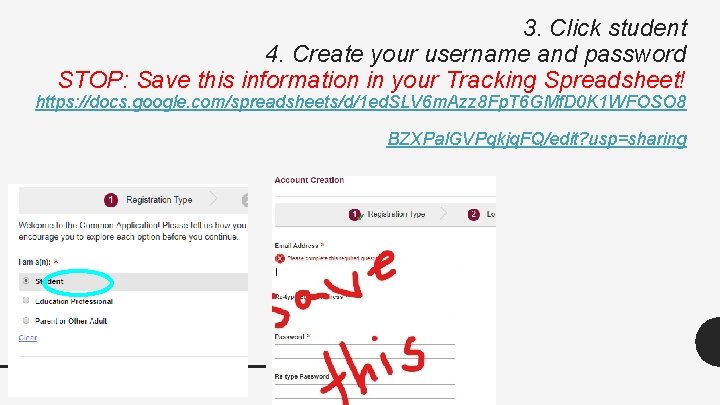
3. Click student 4. Create your username and password STOP: Save this information in your Tracking Spreadsheet! https: //docs. google. com/spreadsheets/d/1 ed. SLV 6 m. Azz 8 Fp. T 6 GMf. D 0 K 1 WFOSO 8 BZXPal. GVPqkjq. FQ/edit? usp=sharing
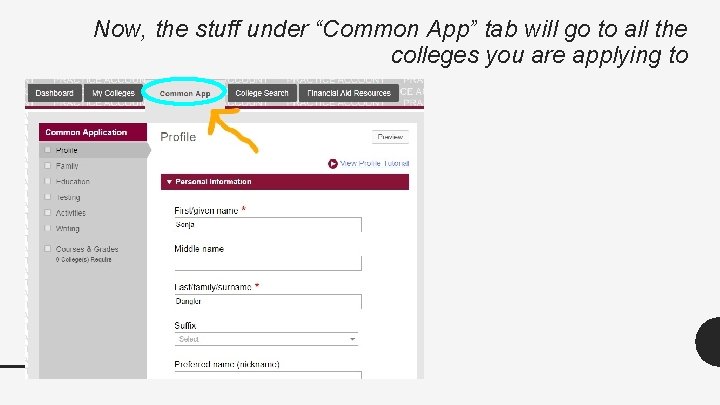
Now, the stuff under “Common App” tab will go to all the colleges you are applying to
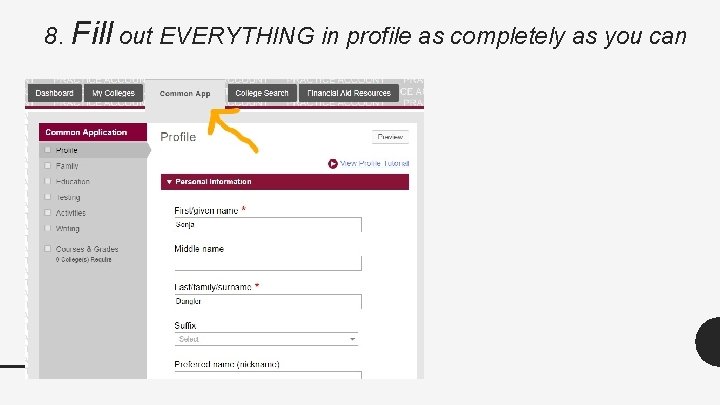
8. Fill out EVERYTHING in profile as completely as you can
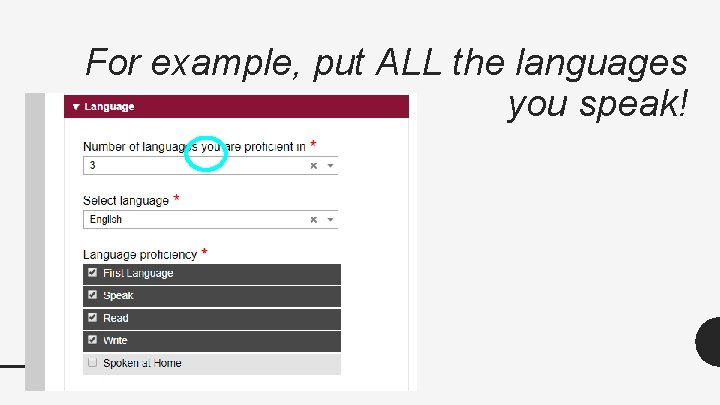
For example, put ALL the languages you speak!
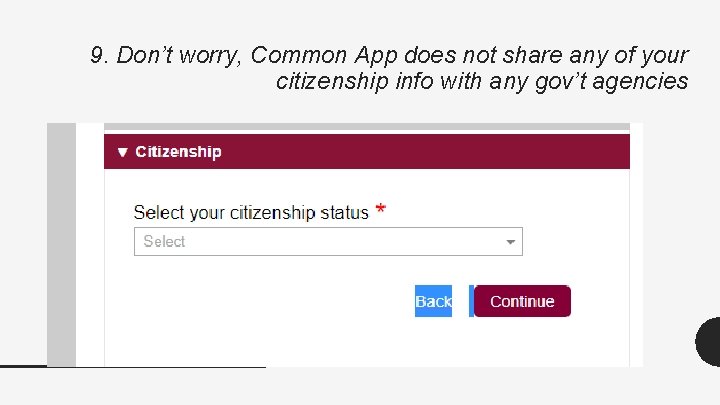
9. Don’t worry, Common App does not share any of your citizenship info with any gov’t agencies
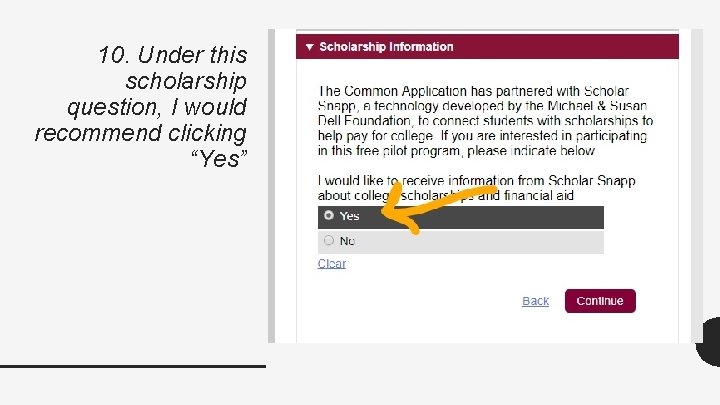
10. Under this scholarship question, I would recommend clicking “Yes”
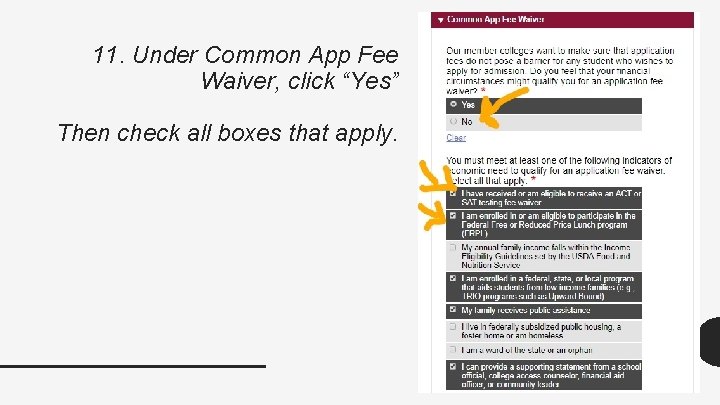
11. Under Common App Fee Waiver, click “Yes” Then check all boxes that apply.
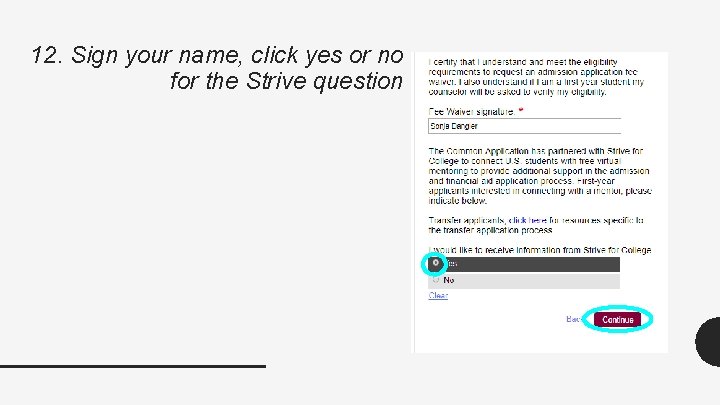
12. Sign your name, click yes or no for the Strive question
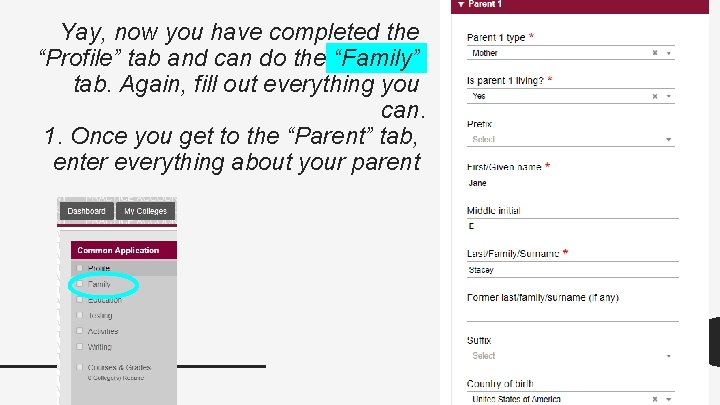
Yay, now you have completed the “Profile” tab and can do the “Family” tab. Again, fill out everything you can. 1. Once you get to the “Parent” tab, enter everything about your parent
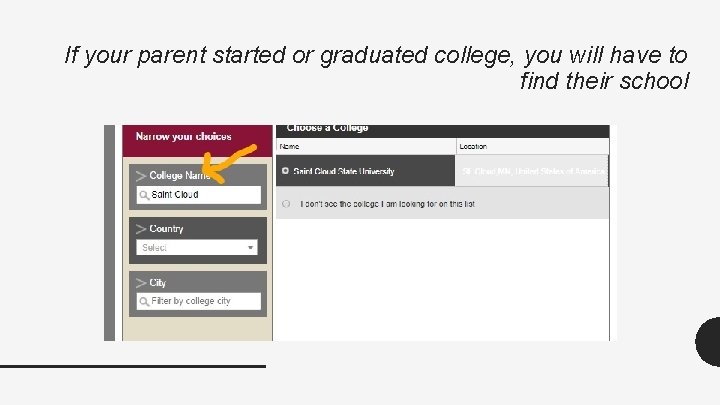
If your parent started or graduated college, you will have to find their school
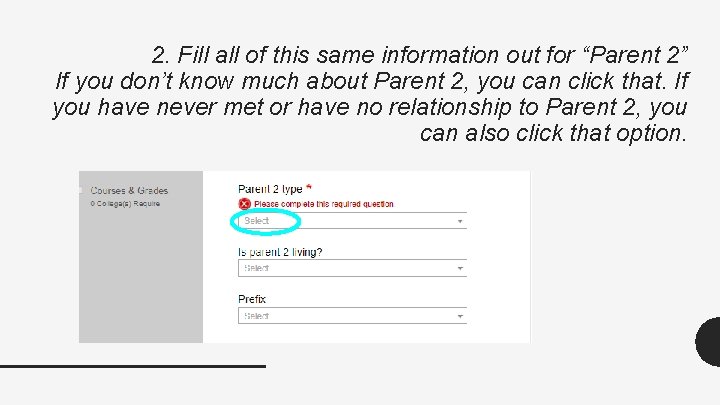
2. Fill all of this same information out for “Parent 2” If you don’t know much about Parent 2, you can click that. If you have never met or have no relationship to Parent 2, you can also click that option.
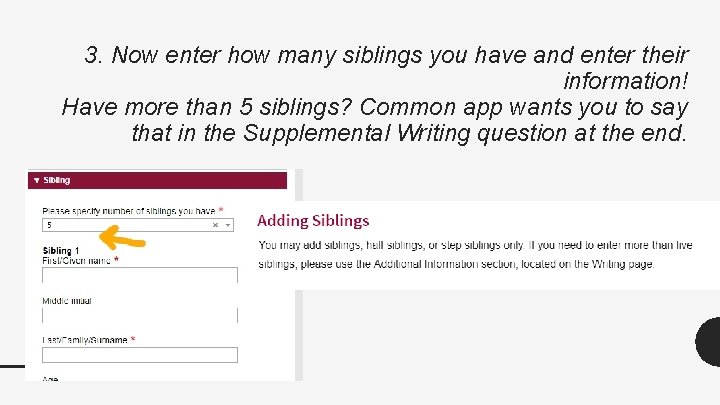
3. Now enter how many siblings you have and enter their information! Have more than 5 siblings? Common app wants you to say that in the Supplemental Writing question at the end.
YAY now you can do the “Education” part of your app
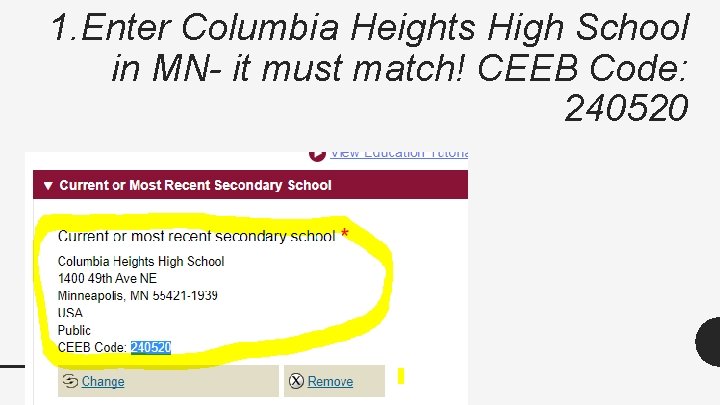
1. Enter Columbia Heights High School in MN- it must match! CEEB Code: 240520
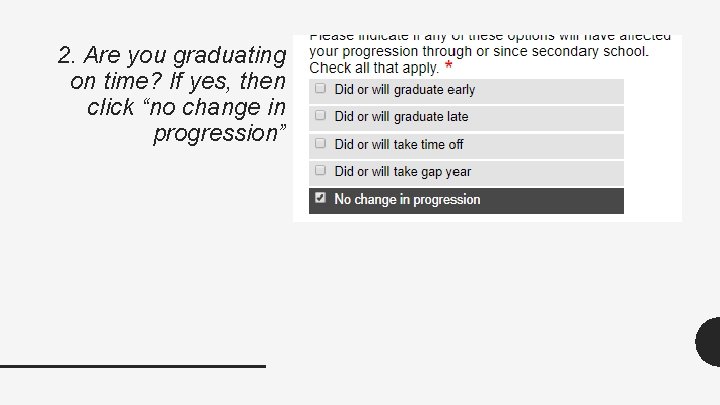
2. Are you graduating on time? If yes, then click “no change in progression”
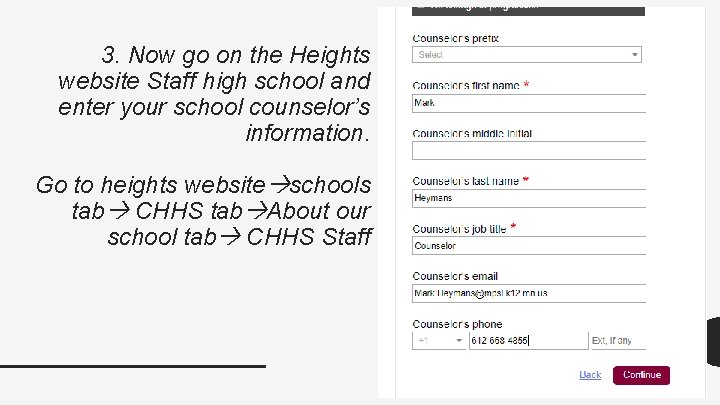
3. Now go on the Heights website Staff high school and enter your school counselor’s information. Go to heights website schools tab CHHS tab About our school tab CHHS Staff
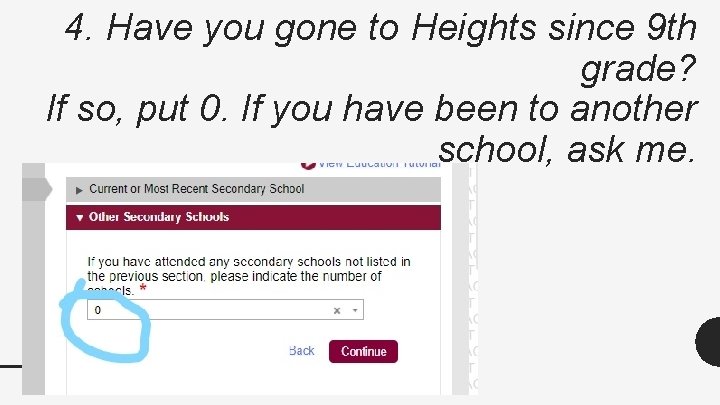
4. Have you gone to Heights since 9 th grade? If so, put 0. If you have been to another school, ask me.
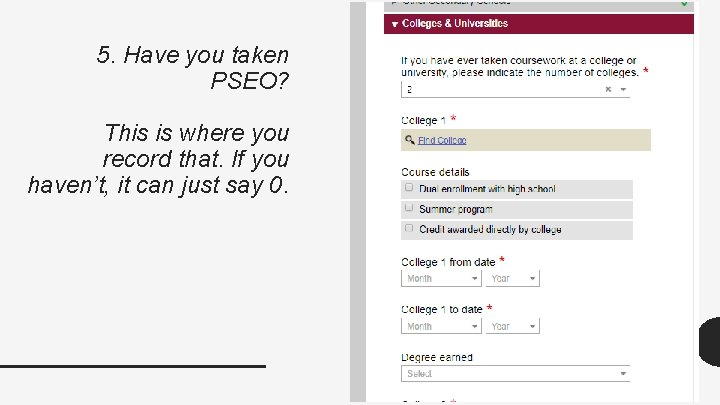
5. Have you taken PSEO? This is where you record that. If you haven’t, it can just say 0.
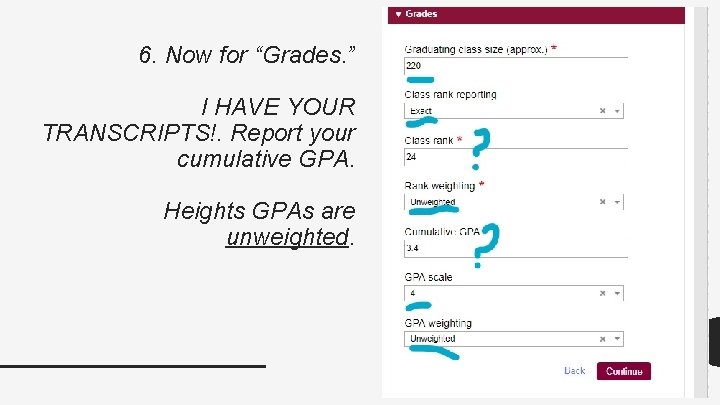
6. Now for “Grades. ” I HAVE YOUR TRANSCRIPTS!. Report your cumulative GPA. Heights GPAs are unweighted.
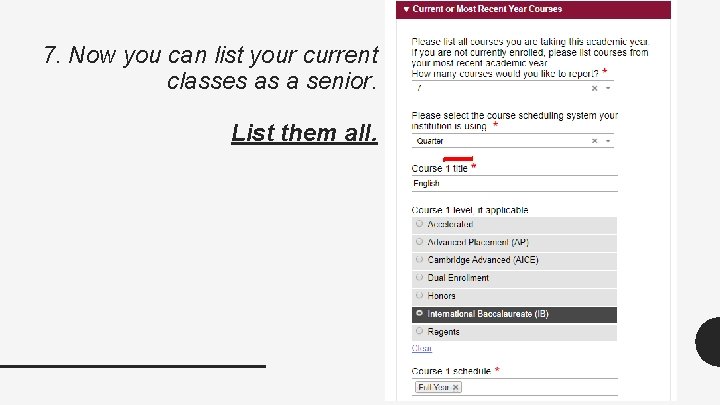
7. Now you can list your current classes as a senior. List them all.
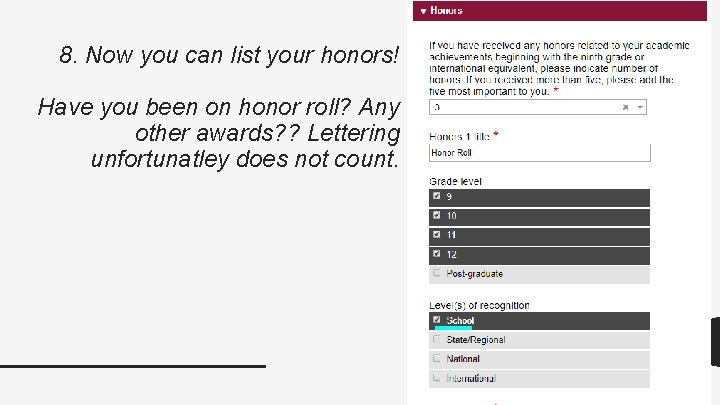
8. Now you can list your honors! Have you been on honor roll? Any other awards? ? Lettering unfortunatley does not count.
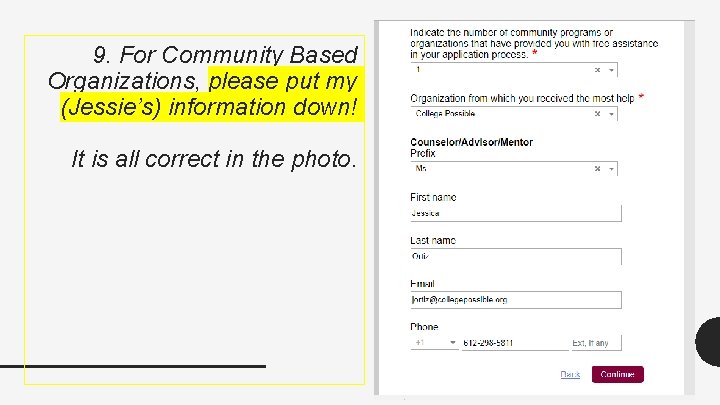
9. For Community Based Organizations, please put my (Jessie’s) information down! It is all correct in the photo.
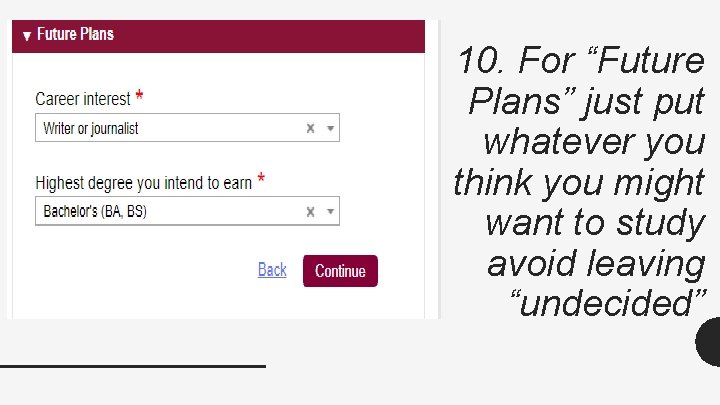
10. For “Future Plans” just put whatever you think you might want to study avoid leaving “undecided”
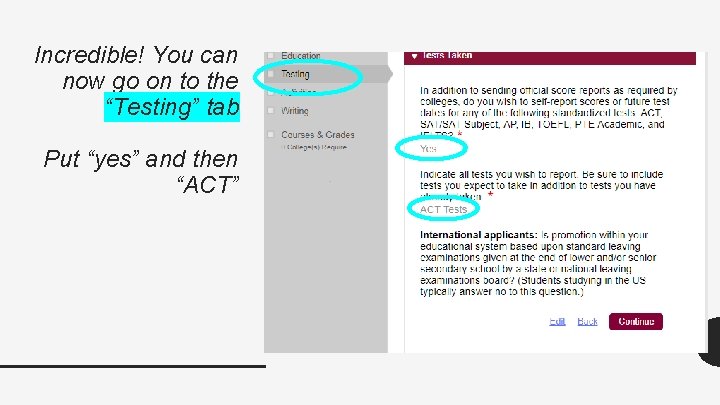
Incredible! You can now go on to the “Testing” tab Put “yes” and then “ACT”
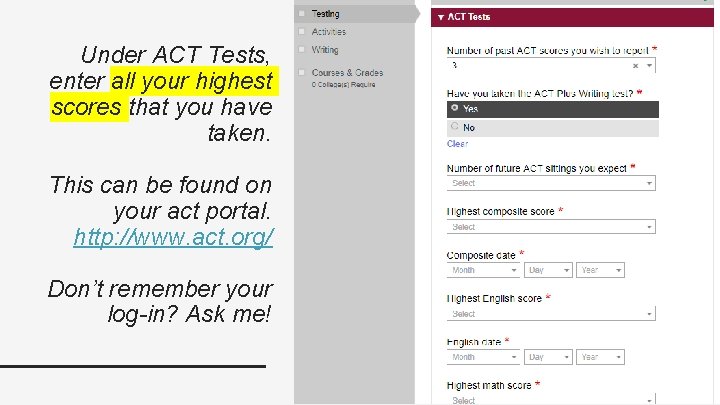
Under ACT Tests, enter all your highest scores that you have taken. This can be found on your act portal. http: //www. act. org/ Don’t remember your log-in? Ask me!
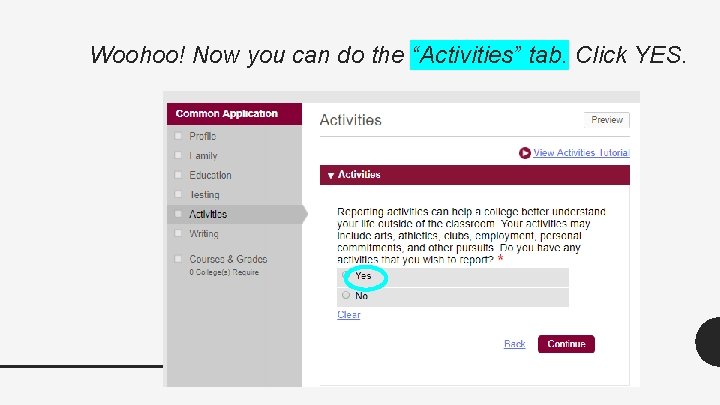
Woohoo! Now you can do the “Activities” tab. Click YES.
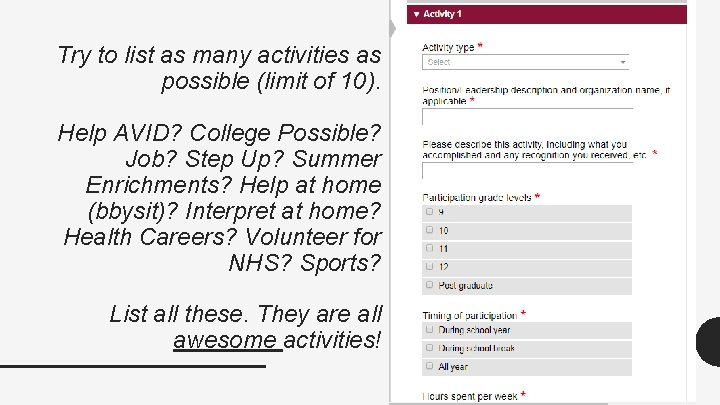
Try to list as many activities as possible (limit of 10). Help AVID? College Possible? Job? Step Up? Summer Enrichments? Help at home (bbysit)? Interpret at home? Health Careers? Volunteer for NHS? Sports? List all these. They are all awesome activities!
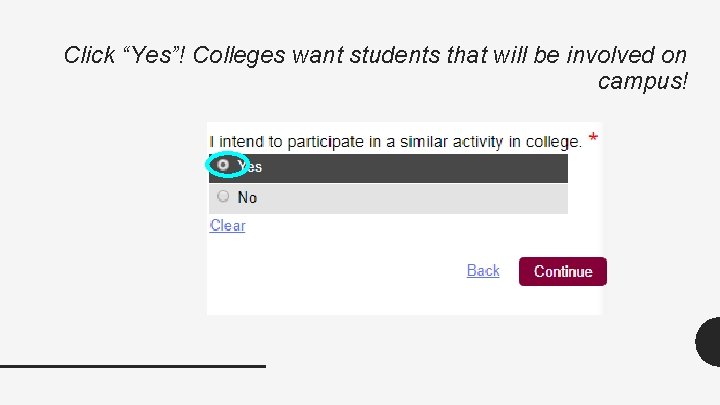
Click “Yes”! Colleges want students that will be involved on campus!
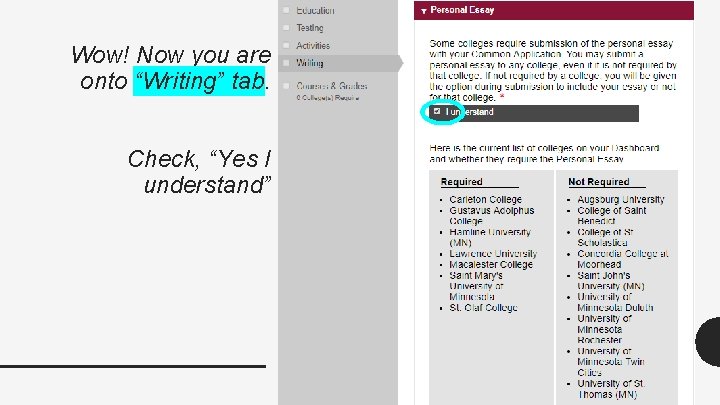
Wow! Now you are onto “Writing” tab. Check, “Yes I understand”
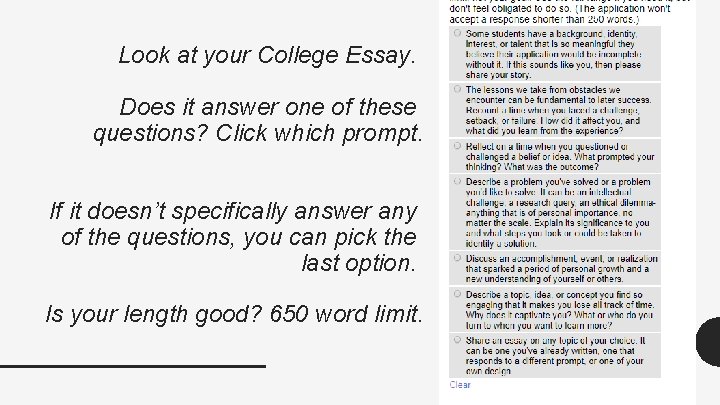
Look at your College Essay. Does it answer one of these questions? Click which prompt. If it doesn’t specifically answer any of the questions, you can pick the last option. Is your length good? 650 word limit.
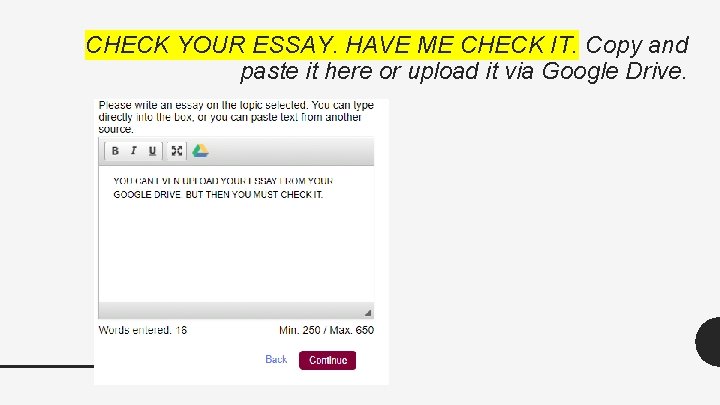
CHECK YOUR ESSAY. HAVE ME CHECK IT. Copy and paste it here or upload it via Google Drive.
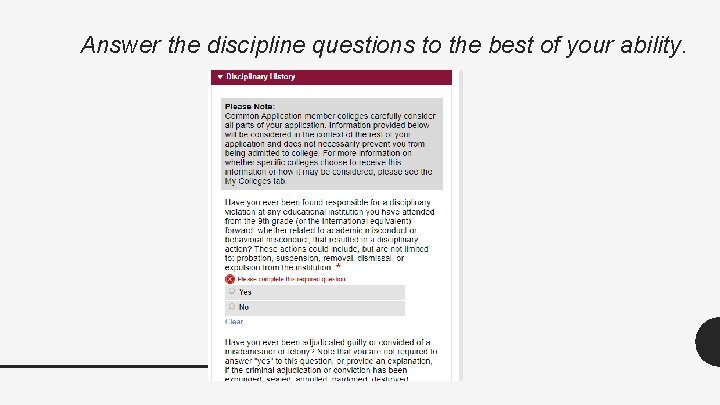
Answer the discipline questions to the best of your ability.
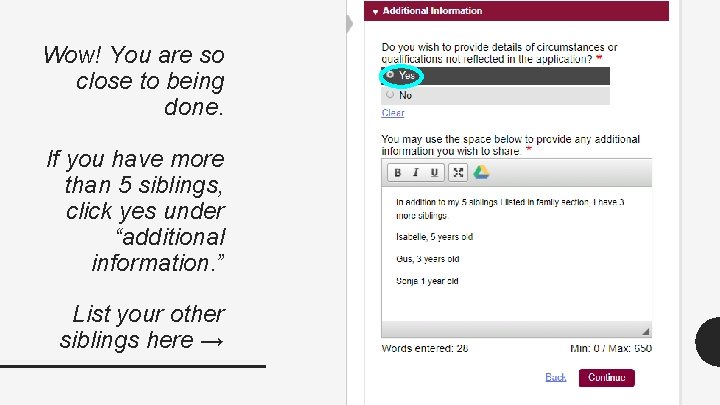
Wow! You are so close to being done. If you have more than 5 siblings, click yes under “additional information. ” List your other siblings here →
WOWWWWWWW! You have completed the main part of the Common App that will go to all the colleges you are applying to! Congratulations!!! Now. . . you need to look under the “My Colleges” section to complete the school specific questions. That’s also where you will submit it to the individual colleges.
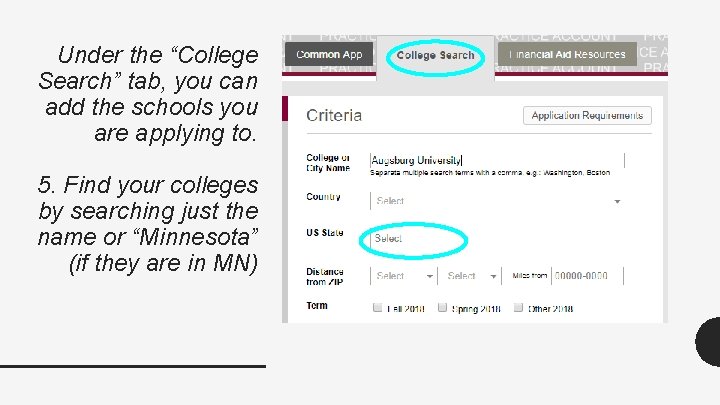
Under the “College Search” tab, you can add the schools you are applying to. 5. Find your colleges by searching just the name or “Minnesota” (if they are in MN)
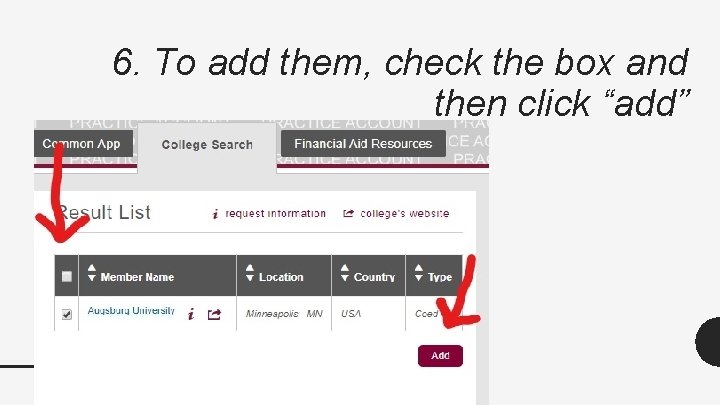
6. To add them, check the box and then click “add”
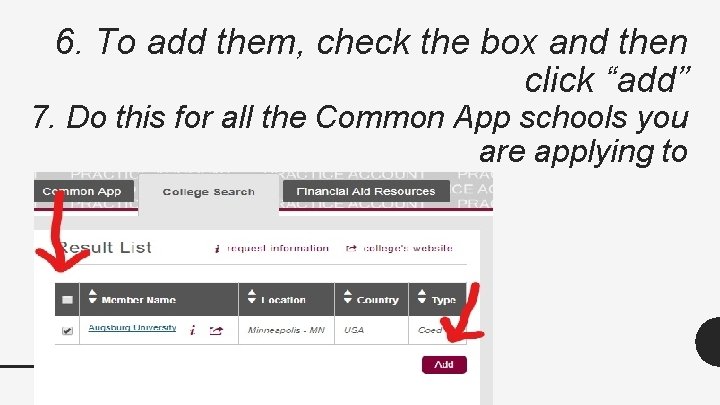
6. To add them, check the box and then click “add” 7. Do this for all the Common App schools you are applying to
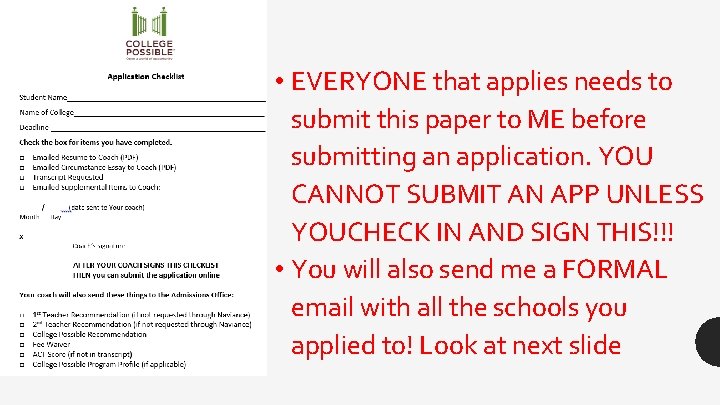
• EVERYONE that applies needs to submit this paper to ME before submitting an application. YOU CANNOT SUBMIT AN APP UNLESS YOUCHECK IN AND SIGN THIS!!! • You will also send me a FORMAL email with all the schools you applied to! Look at next slide
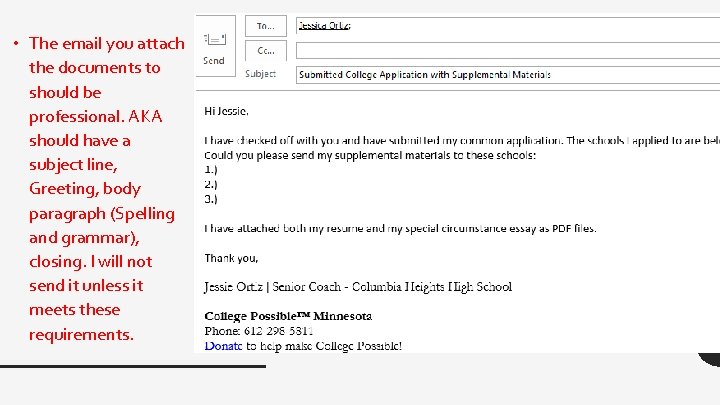
• The email you attach the documents to should be professional. AKA should have a subject line, Greeting, body paragraph (Spelling and grammar), closing. I will not send it unless it meets these requirements.