
SE 325425 Principles and Practices of Software Engineering

![Sample Notation Cardinality Min Max 0 1 1 1 0 M[any] 1 M[any]](https://slidetodoc.com/presentation_image_h/b89666b4d75a8821ef759db9680e77dc/image-31.jpg "Sample Notation Cardinality Min Max 0 1 1 1 0 M[any] 1 M[any]")
- Slides: 94
SE 325/425 Principles and Practices of Software Engineering Autumn 2008 James Nowotarski 25 September 2008
What is SE? Software Engineering Body of Knowledge Software requirements Software design Software construction Software testing Software maintenance Software configuration management Software engineering process Software engineering tools and methods Software quality tonight Source: Guide to the Software Engineering Body of Knowledge. (2004). IEEE. www. swebok. org 2
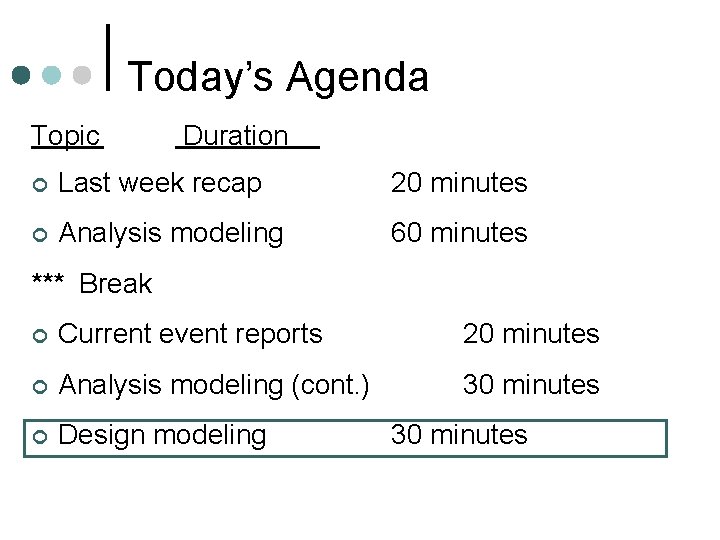
Today’s Agenda Topic Duration ¢ Last week recap 20 minutes ¢ Analysis modeling 60 minutes *** Break ¢ Current event reports 20 minutes ¢ Analysis modeling (cont. ) 30 minutes ¢ Design modeling 30 minutes
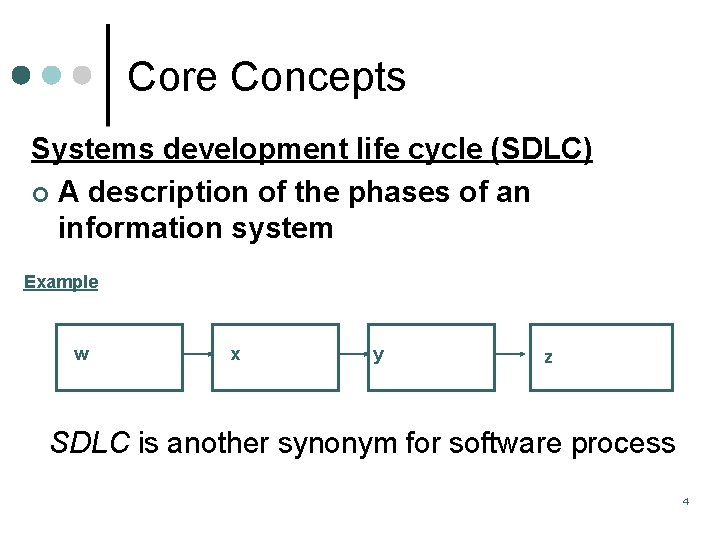
Core Concepts Systems development life cycle (SDLC) ¢ A description of the phases of an information system Example w x y z SDLC is another synonym for software process 4
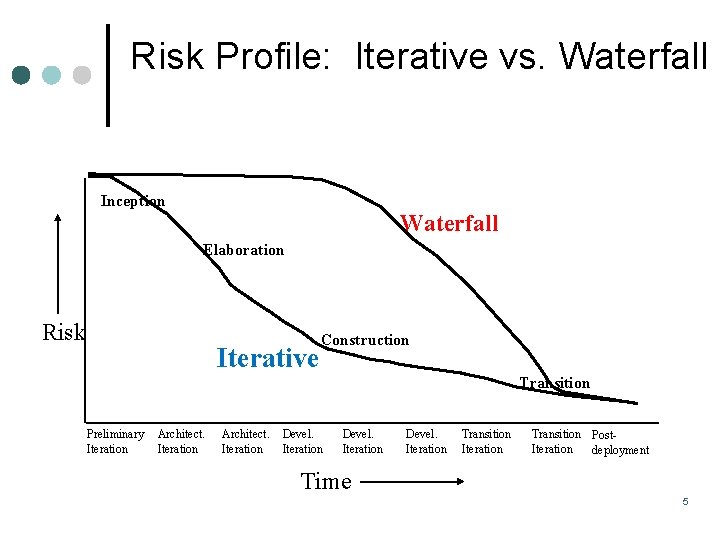
Risk Profile: Iterative vs. Waterfall Inception Waterfall Elaboration Risk Iterative Construction Transition Preliminary Iteration Architect. Iteration Devel. Iteration Transition Post. Iteration deployment Time Copyright © 1997 by Rational Software Corporation 5
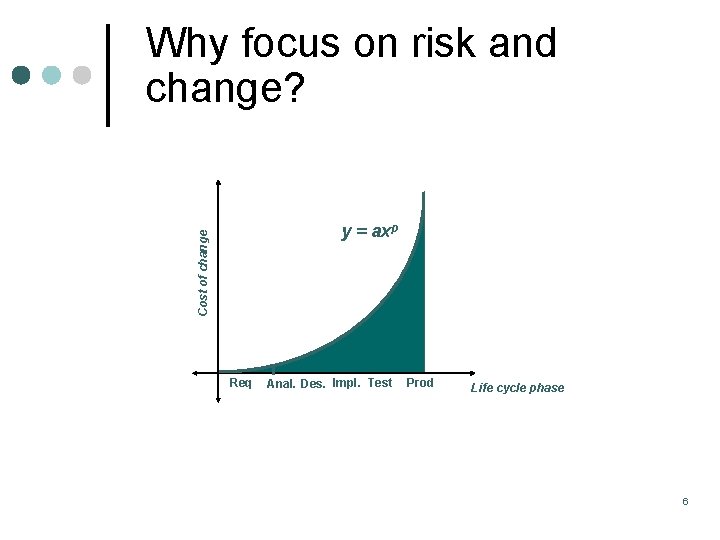
Why focus on risk and change? Cost of change y = axp Req Anal. Des. Impl. Test Prod Life cycle phase 6
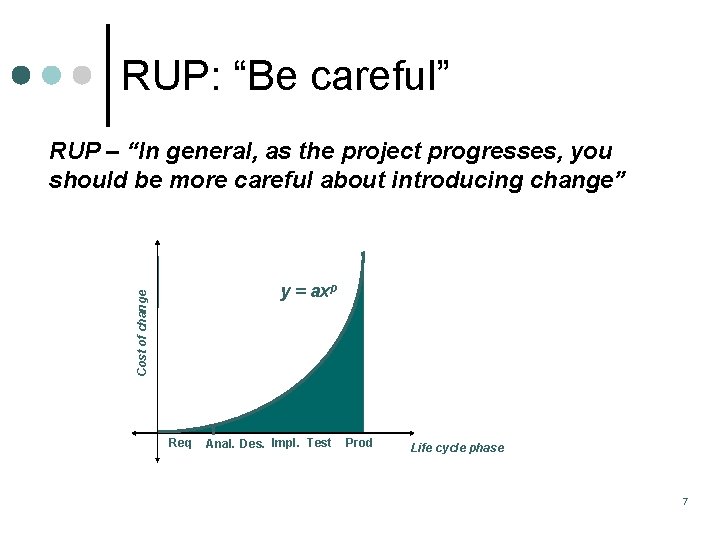
RUP: “Be careful” RUP – “In general, as the project progresses, you should be more careful about introducing change” Cost of change y = axp Req Anal. Des. Impl. Test Prod Life cycle phase 7
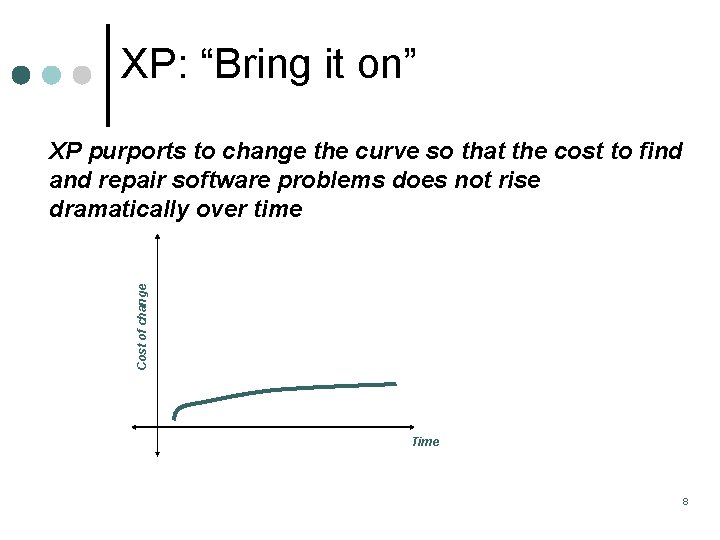
XP: “Bring it on” Cost of change XP purports to change the curve so that the cost to find and repair software problems does not rise dramatically over time Time 8
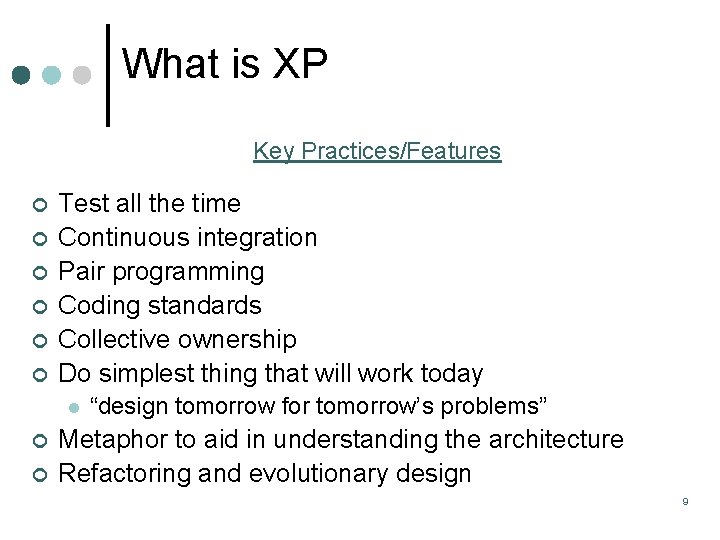
What is XP Key Practices/Features ¢ ¢ ¢ Test all the time Continuous integration Pair programming Coding standards Collective ownership Do simplest thing that will work today l ¢ ¢ “design tomorrow for tomorrow’s problems” Metaphor to aid in understanding the architecture Refactoring and evolutionary design 9
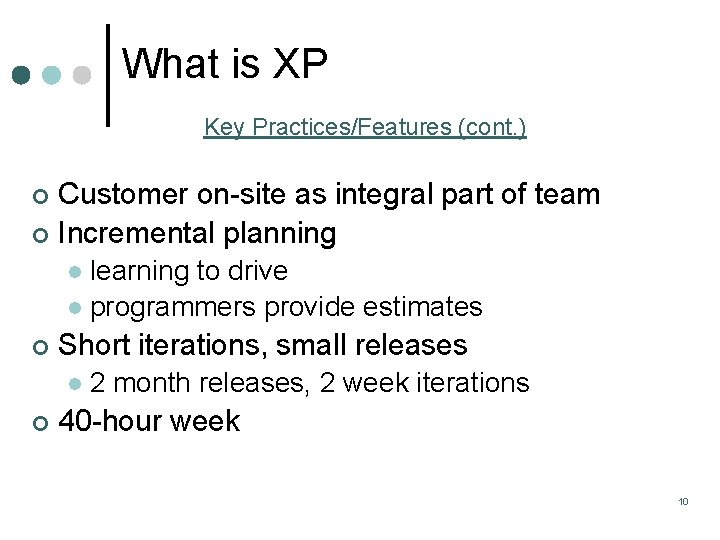
What is XP Key Practices/Features (cont. ) Customer on-site as integral part of team ¢ Incremental planning ¢ learning to drive l programmers provide estimates l ¢ Short iterations, small releases l ¢ 2 month releases, 2 week iterations 40 -hour week 10
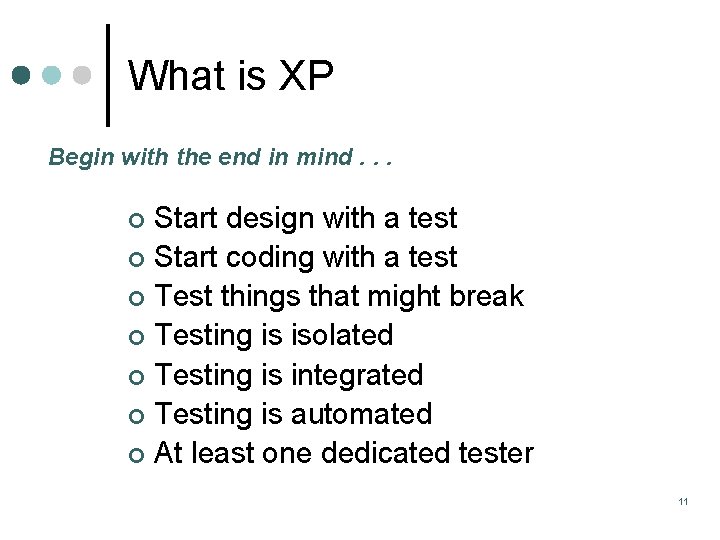
What is XP Begin with the end in mind. . . Start design with a test ¢ Start coding with a test ¢ Test things that might break ¢ Testing is isolated ¢ Testing is integrated ¢ Testing is automated ¢ At least one dedicated tester ¢ 11
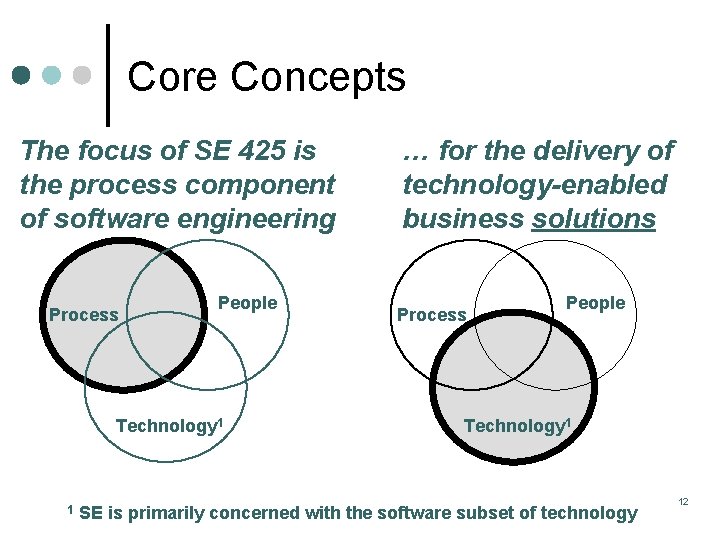
Core Concepts The focus of SE 425 is the process component of software engineering Process People Technology 1 1 … for the delivery of technology-enabled business solutions Process People Technology 1 SE is primarily concerned with the software subset of technology 12
People trump process “A successful software methodology (not new, others have suggested it): (1) Hire really smart people (2) Set some basic direction/goals (3) Get the hell out of the way In addition to the steps about, there's another key: RETENTION” http: //steve-yegge. blogspot. com/2006/09/good-agile-badagile_27. html
Today’s Agenda Topic Duration ¢ Last week recap 20 minutes ¢ Analysis modeling 60 minutes *** Break ¢ Current event reports 20 minutes ¢ Analysis modeling (cont. ) 30 minutes ¢ Design modeling 30 minutes
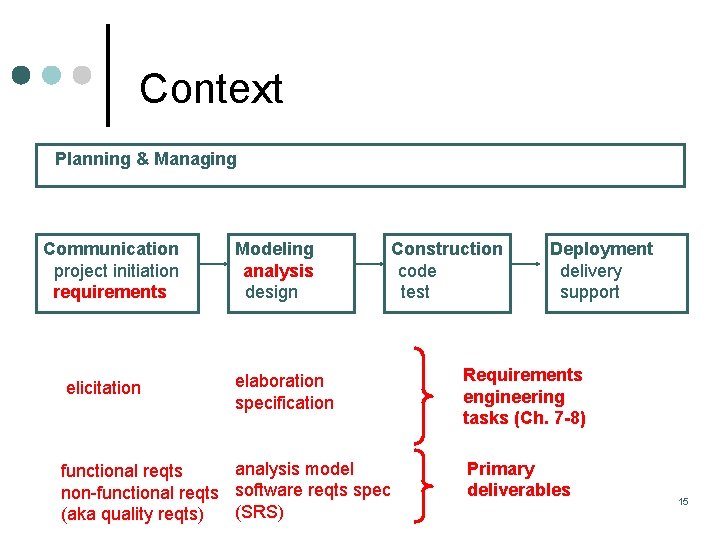
Context Planning & Managing Communication project initiation requirements elicitation Modeling analysis design Construction code test elaboration specification analysis model functional reqts non-functional reqts software reqts spec (SRS) (aka quality reqts) Deployment delivery support Requirements engineering tasks (Ch. 7 -8) Primary deliverables 15
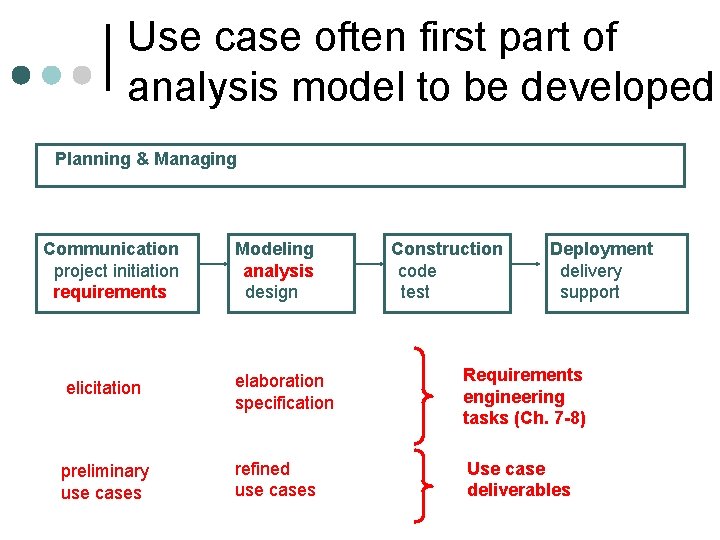
Use case often first part of analysis model to be developed Planning & Managing Communication project initiation requirements Modeling analysis design Construction code test Deployment delivery support elicitation elaboration specification Requirements engineering tasks (Ch. 7 -8) preliminary use cases refined use cases Use case deliverables
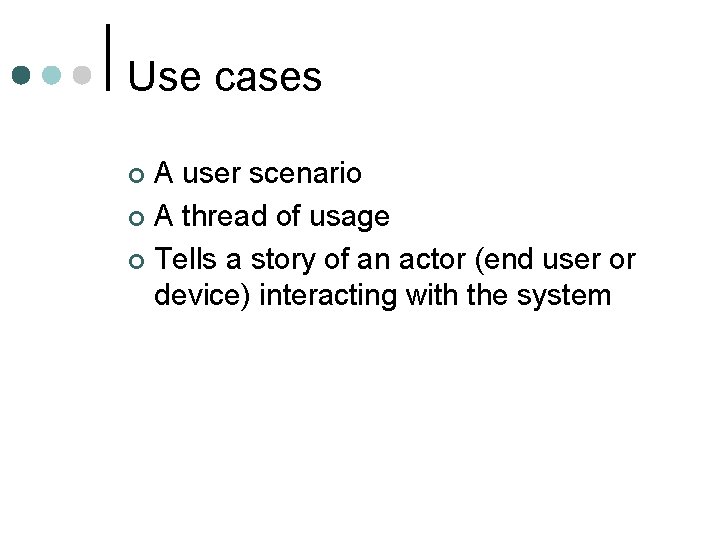
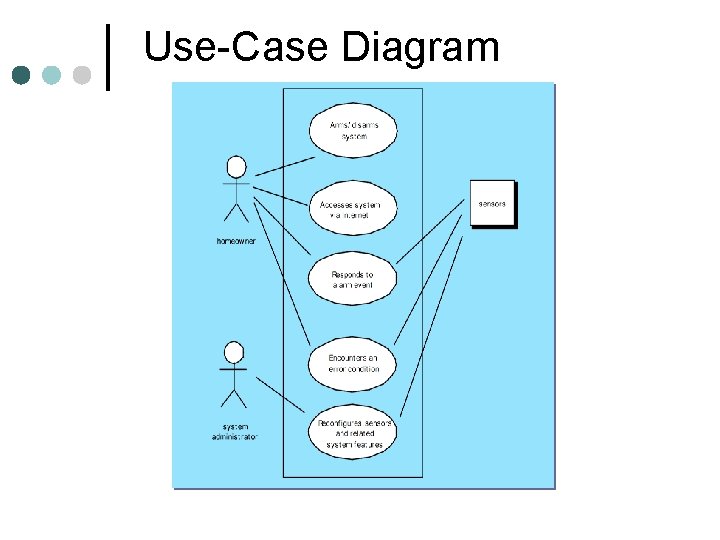
Use cases A user scenario ¢ A thread of usage ¢ Tells a story of an actor (end user or device) interacting with the system ¢
Use-Case Diagram
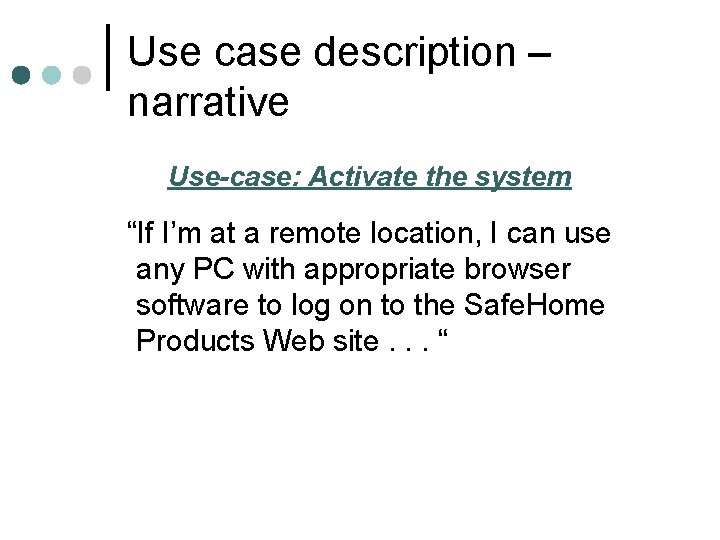
Use case description – narrative Use-case: Activate the system “If I’m at a remote location, I can use any PC with appropriate browser software to log on to the Safe. Home Products Web site. . . “
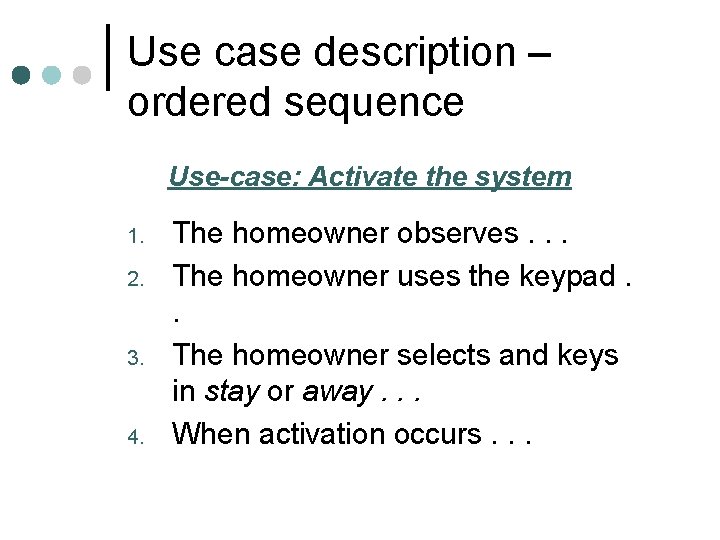
Use case description – ordered sequence Use-case: Activate the system 1. 2. 3. 4. The homeowner observes. . . The homeowner uses the keypad. . The homeowner selects and keys in stay or away. . . When activation occurs. . .
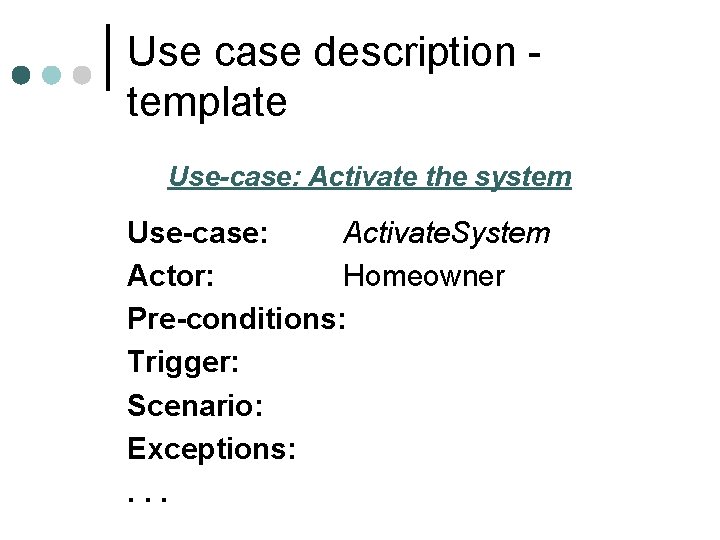
Use case description template Use-case: Activate the system Use-case: Activate. System Actor: Homeowner Pre-conditions: Trigger: Scenario: Exceptions: . . .
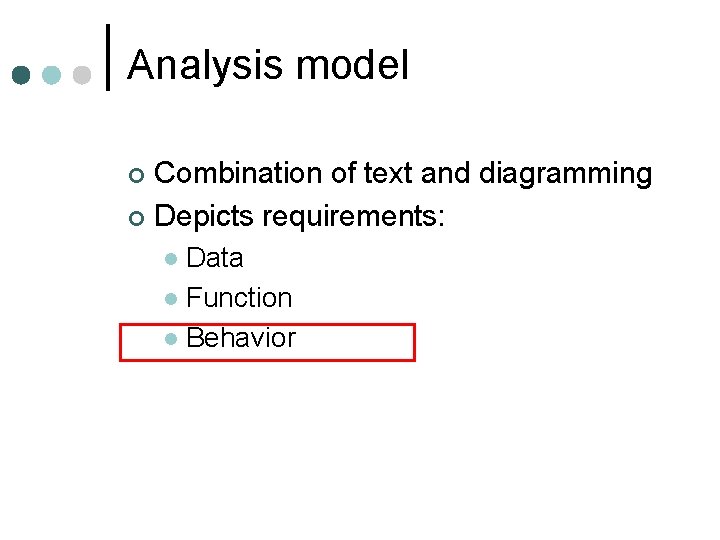
Analysis model Combination of text and diagramming ¢ Depicts requirements: ¢ Data l Function l Behavior l
Key Definitions ¢ A data model is a l ¢ Formal representation of the data to be used for a business system. A data model should illustrate: The people, places and things about which data is collected, l And how they are related to each other l
Data Modeling A logical data model deliverable includes an ERD and descriptions of entities, attributes, and relationships Components of a Logical Data Model Entity-relationship diagram (ERD) ¢ Entity descriptions ¢ Attribute descriptions ¢ Relationship descriptions ¢
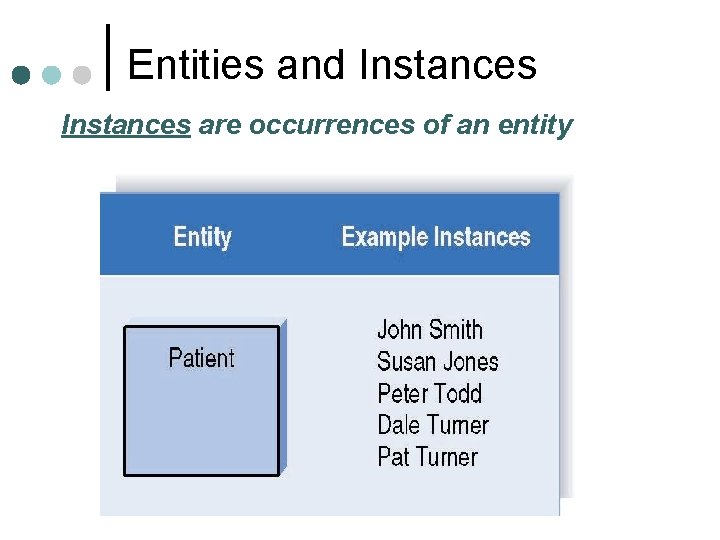
Entities and Instances are occurrences of an entity
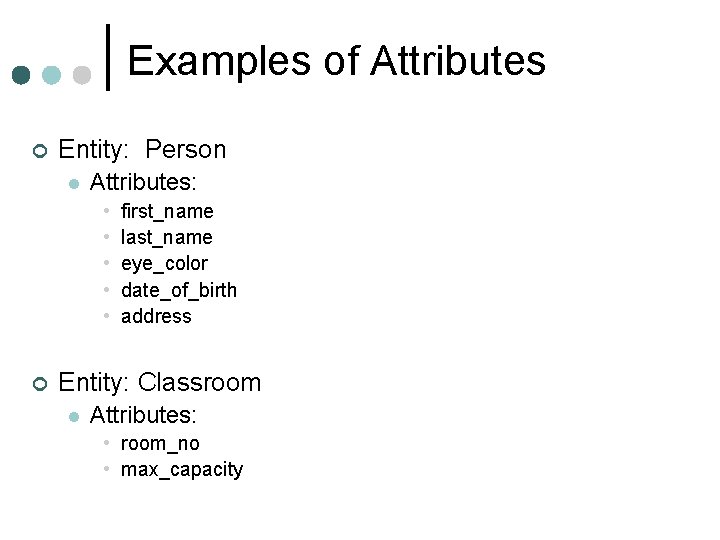
Examples of Attributes ¢ Entity: Person l Attributes: • • • ¢ first_name last_name eye_color date_of_birth address Entity: Classroom l Attributes: • room_no • max_capacity
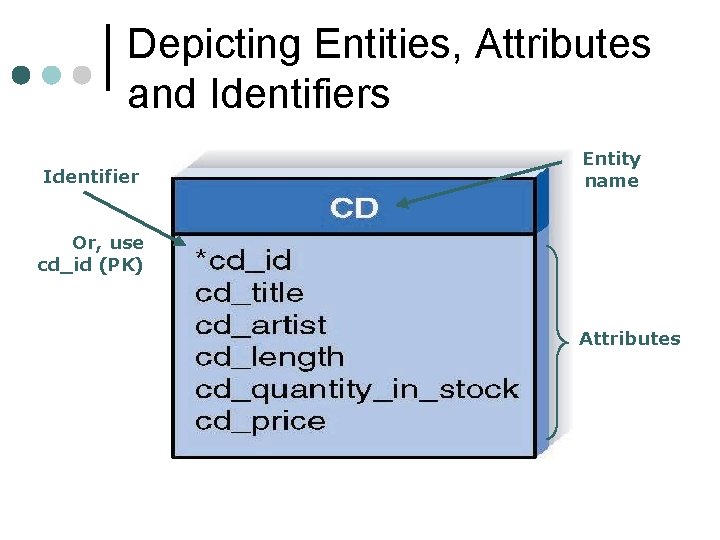
Depicting Entities, Attributes and Identifiers Identifier Entity name Or, use cd_id (PK) Attributes
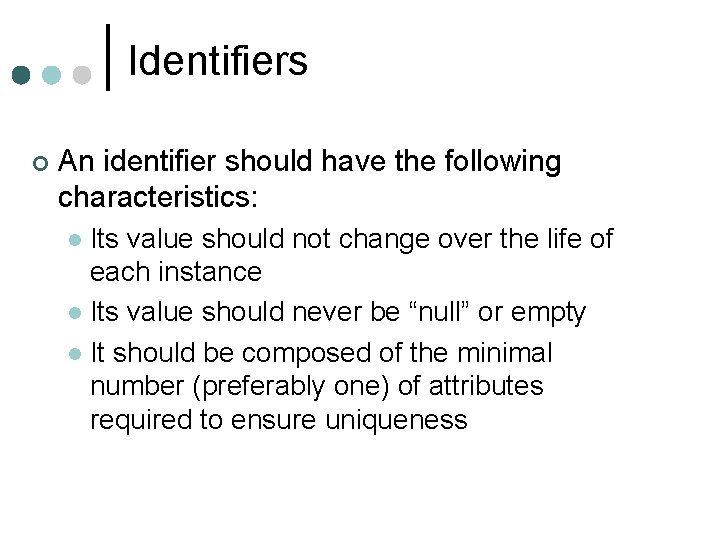
Identifiers ¢ An identifier should have the following characteristics: Its value should not change over the life of each instance l Its value should never be “null” or empty l It should be composed of the minimal number (preferably one) of attributes required to ensure uniqueness l
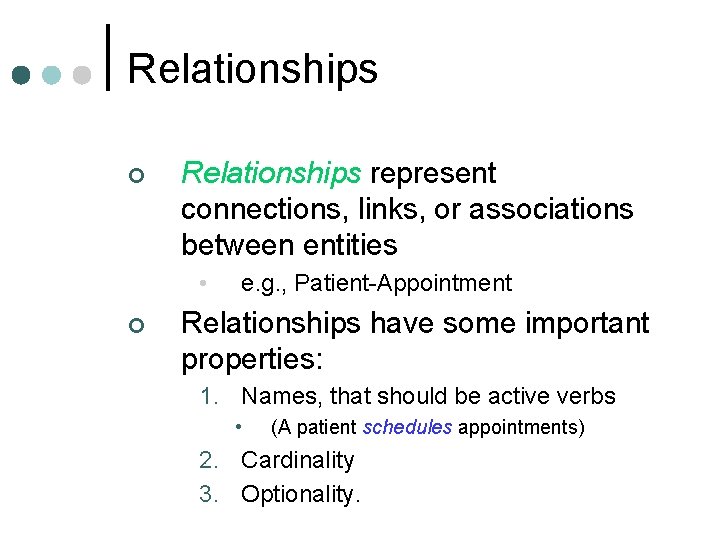
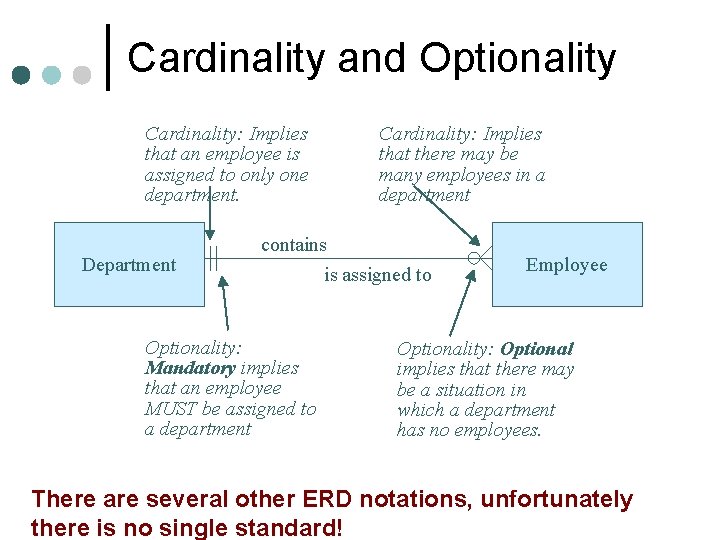
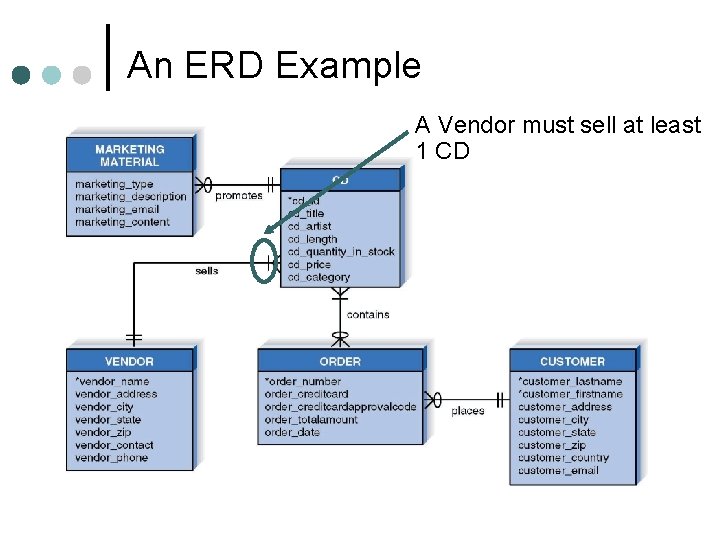
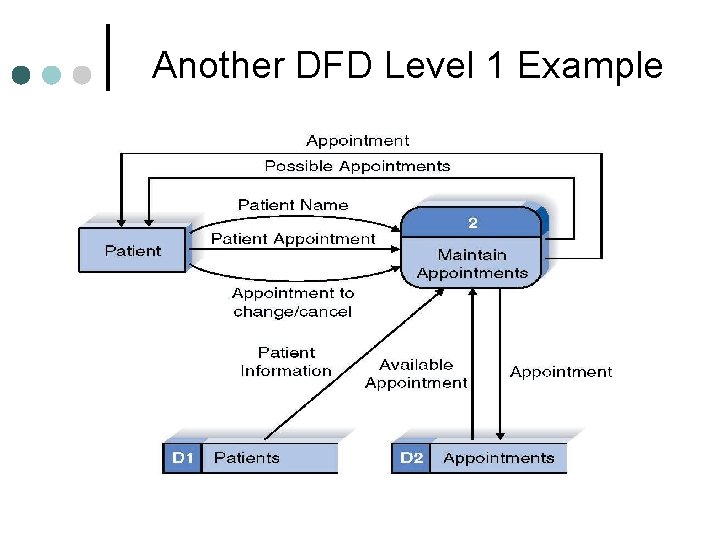
Relationships ¢ Relationships represent connections, links, or associations between entities • ¢ e. g. , Patient-Appointment Relationships have some important properties: 1. Names, that should be active verbs • (A patient schedules appointments) 2. Cardinality 3. Optionality.
Cardinality and Optionality Cardinality: Implies that an employee is assigned to only one department. Department Cardinality: Implies that there may be many employees in a department contains Optionality: Mandatory implies that an employee MUST be assigned to a department is assigned to Employee Optionality: Optional implies that there may be a situation in which a department has no employees. There are several other ERD notations, unfortunately there is no single standard!
Sample Notation Cardinality Min Max 0 1 1 1 0 M[any] 1 M[any]
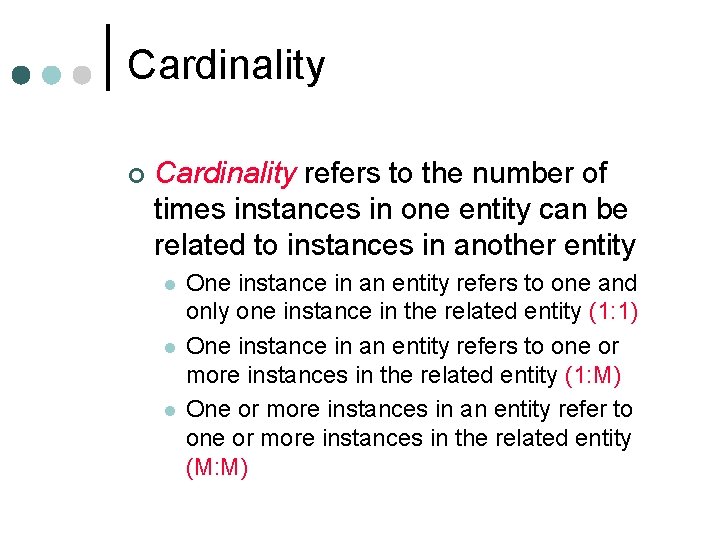
Cardinality ¢ Cardinality refers to the number of times instances in one entity can be related to instances in another entity l l l One instance in an entity refers to one and only one instance in the related entity (1: 1) One instance in an entity refers to one or more instances in the related entity (1: M) One or more instances in an entity refer to one or more instances in the related entity (M: M)
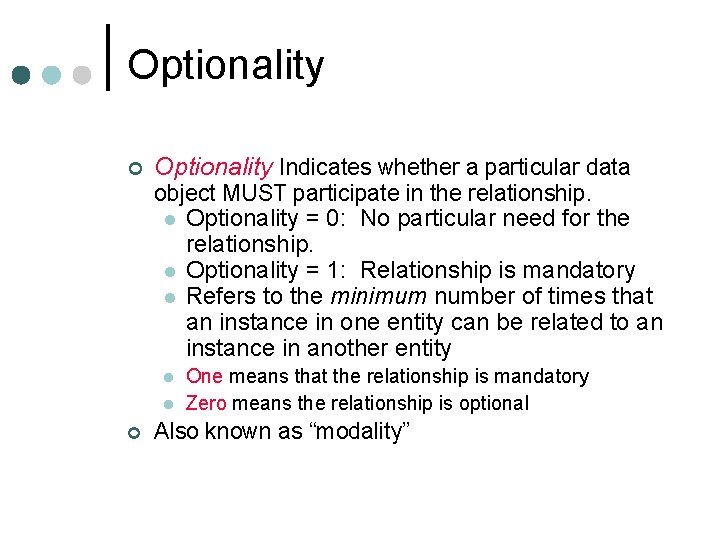
Optionality ¢ Optionality Indicates whether a particular data object MUST participate in the relationship. l Optionality = 0: No particular need for the relationship. l Optionality = 1: Relationship is mandatory l Refers to the minimum number of times that an instance in one entity can be related to an instance in another entity l l ¢ One means that the relationship is mandatory Zero means the relationship is optional Also known as “modality”
The Entity. Relationship Diagram (ERD)
An ERD Example A Vendor must sell at least 1 CD
What Is an ERD? ¢ A picture of the logical data model, l i. e. , an ERD shows the information created, stored, and used by a business system.
Entity Types 1. Independent 2. Dependent 3. Intersection
Independent Entities ¢ An independent entity exists without the help of another entity Common entities such as student, professors, customers, products l The identifier is created by the entity’s own attributes l Usually on the “ 1” side of a relationship l a. k. a. fundamental entity or strong entity l
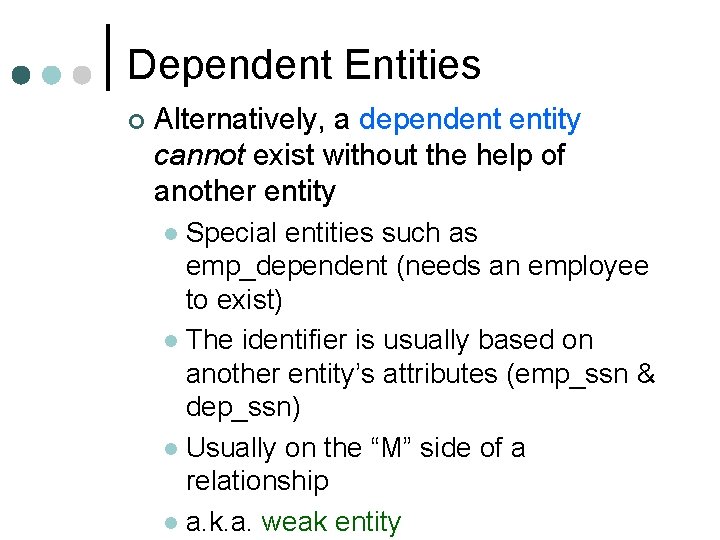
Dependent Entities ¢ Alternatively, a dependent entity cannot exist without the help of another entity Special entities such as emp_dependent (needs an employee to exist) l The identifier is usually based on another entity’s attributes (emp_ssn & dep_ssn) l Usually on the “M” side of a relationship l a. k. a. weak entity l
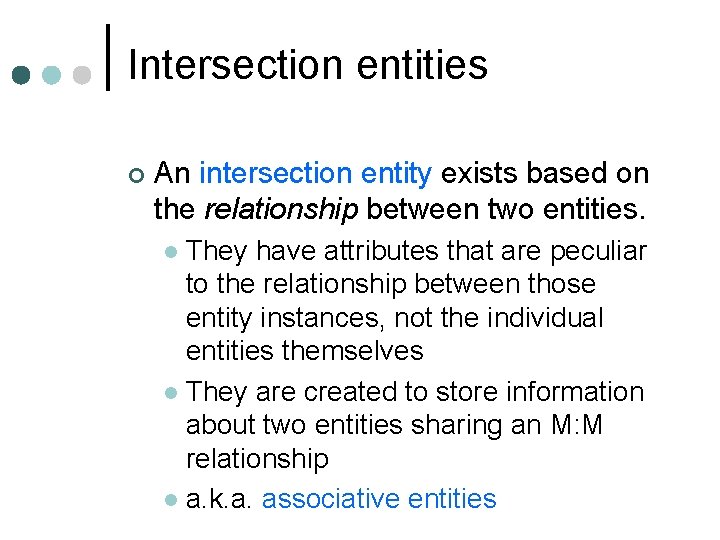
Intersection entities ¢ An intersection entity exists based on the relationship between two entities. They have attributes that are peculiar to the relationship between those entity instances, not the individual entities themselves l They are created to store information about two entities sharing an M: M relationship l a. k. a. associative entities l
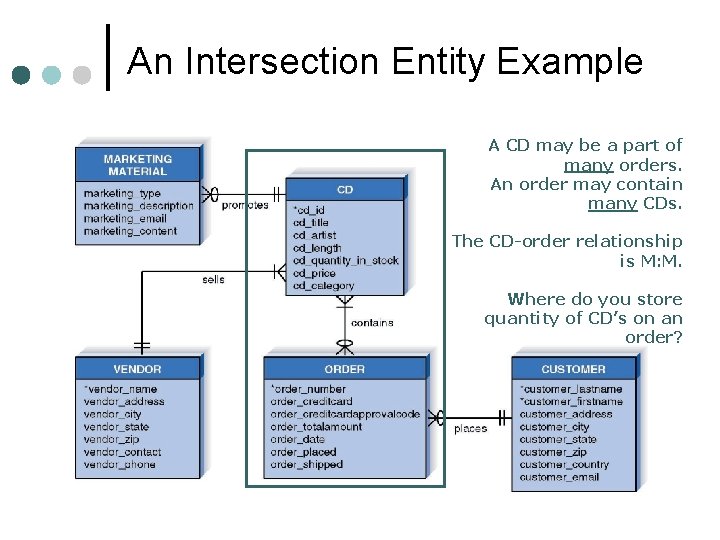
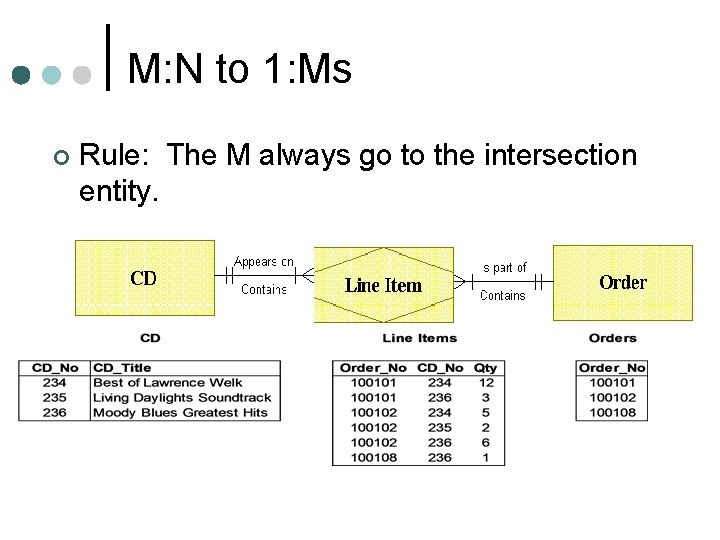
An Intersection Entity Example A CD may be a part of many orders. An order may contain many CDs. The CD-order relationship is M: M. Where do you store quantity of CD’s on an order?
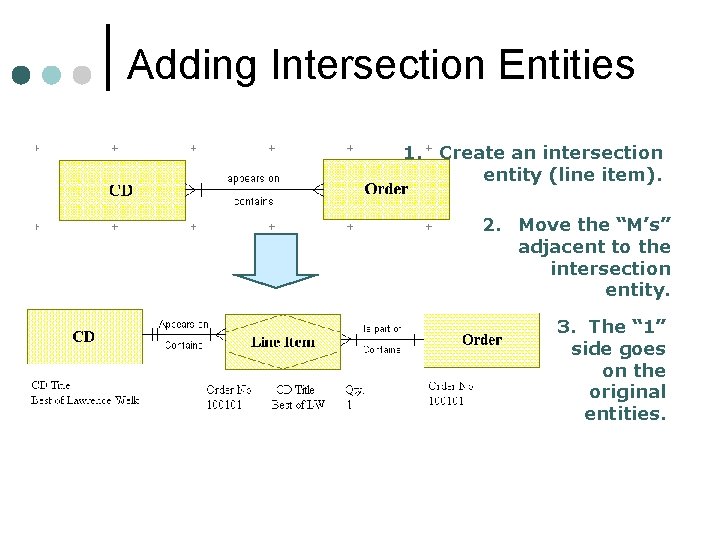
Adding Intersection Entities 1. Create an intersection entity (line item). 2. Move the “M’s” adjacent to the intersection entity. 3. The “ 1” side goes on the original entities.
M: N to 1: Ms ¢ Rule: The M always go to the intersection entity.
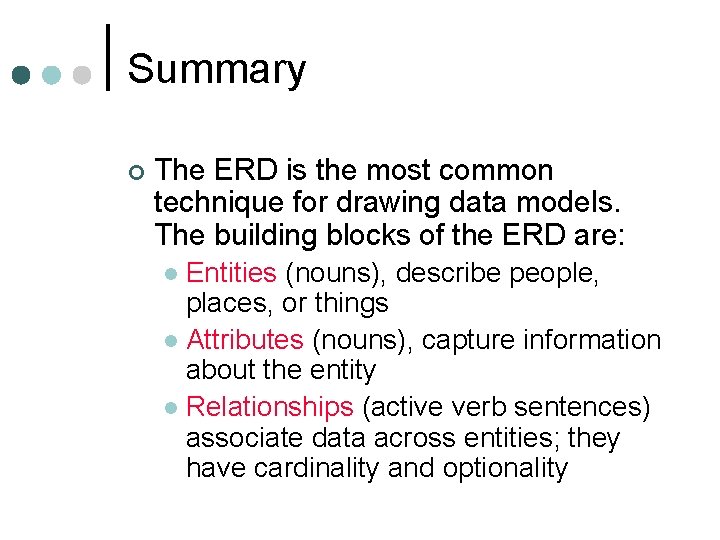
Summary ¢ The ERD is the most common technique for drawing data models. The building blocks of the ERD are: Entities (nouns), describe people, places, or things l Attributes (nouns), capture information about the entity l Relationships (active verb sentences) associate data across entities; they have cardinality and optionality l
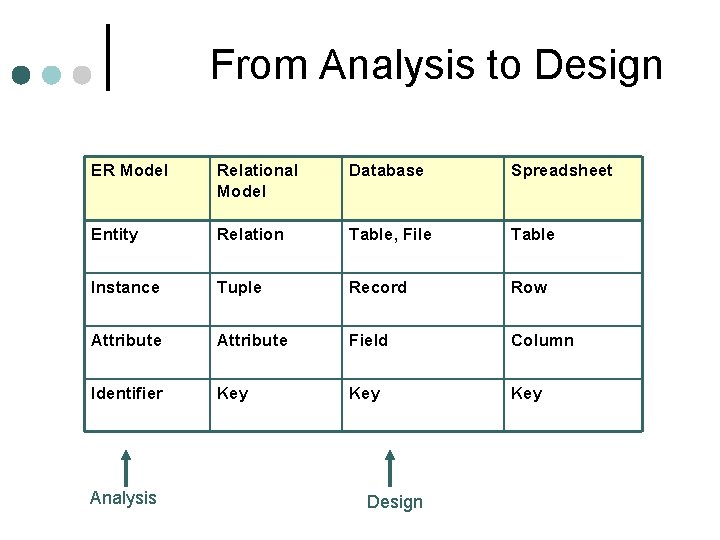
From Analysis to Design ER Model Relational Model Database Spreadsheet Entity Relation Table, File Table Instance Tuple Record Row Attribute Field Column Identifier Key Key Analysis Design
Analysis model Combination of text and diagramming ¢ Depicts requirements: ¢ Data l Function l Behavior l
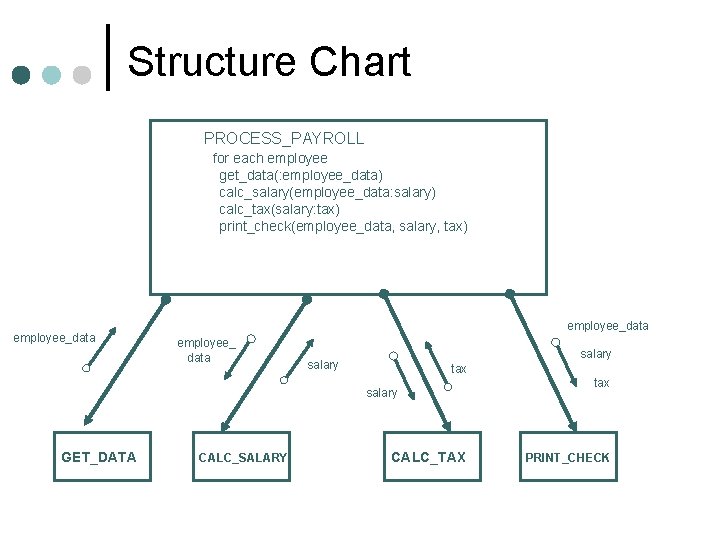
Structure Chart PROCESS_PAYROLL for each employee get_data(: employee_data) calc_salary(employee_data: salary) calc_tax(salary: tax) print_check(employee_data, salary, tax) employee_data employee_ data salary tax salary GET_DATA CALC_SALARY CALC_TAX tax PRINT_CHECK
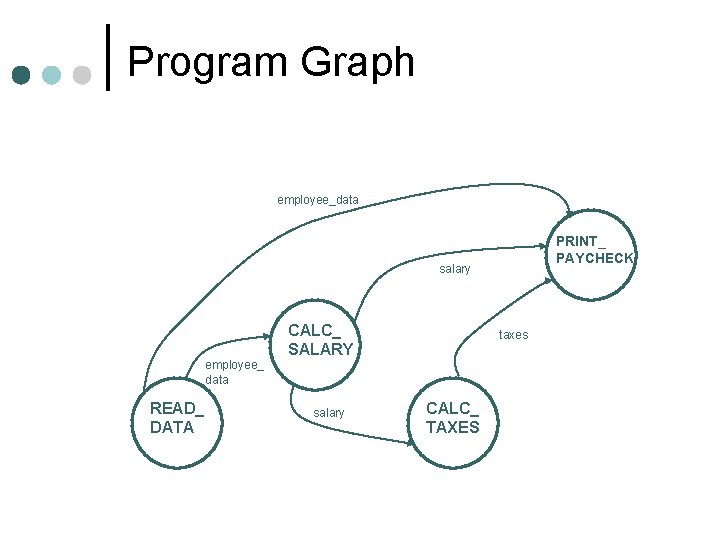
Program Graph employee_data PRINT_ PAYCHECK salary employee_ data READ_ DATA CALC_ SALARY salary taxes CALC_ TAXES
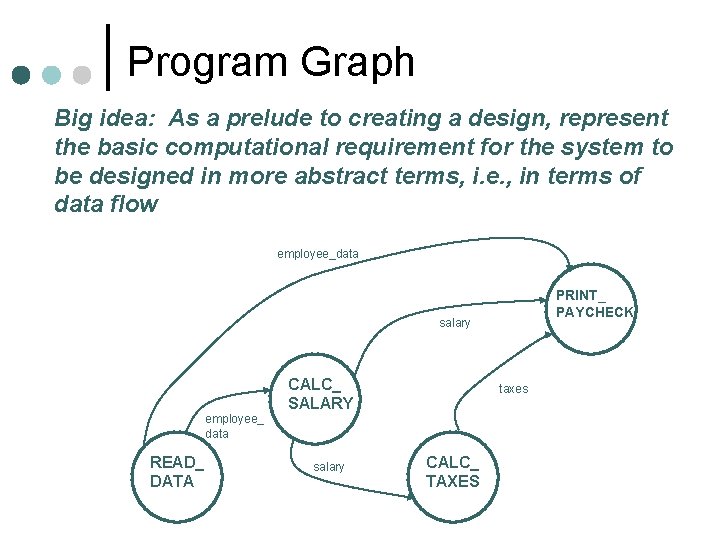
Program Graph Big idea: As a prelude to creating a design, represent the basic computational requirement for the system to be designed in more abstract terms, i. e. , in terms of data flow employee_data PRINT_ PAYCHECK salary employee_ data READ_ DATA CALC_ SALARY salary taxes CALC_ TAXES
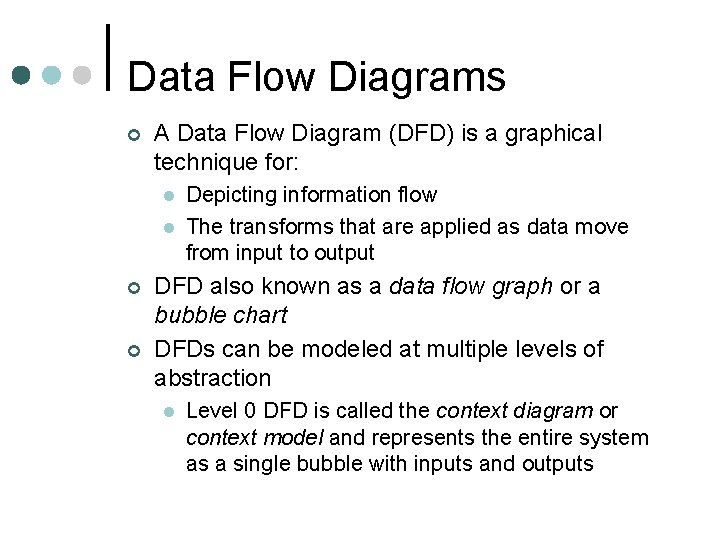
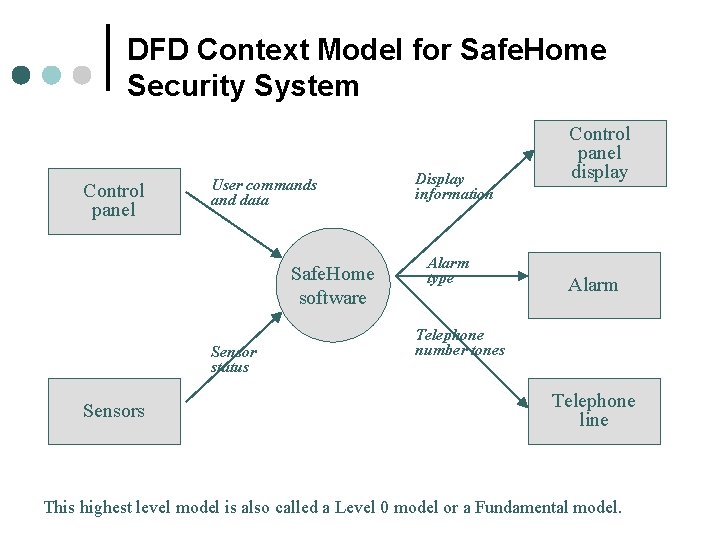
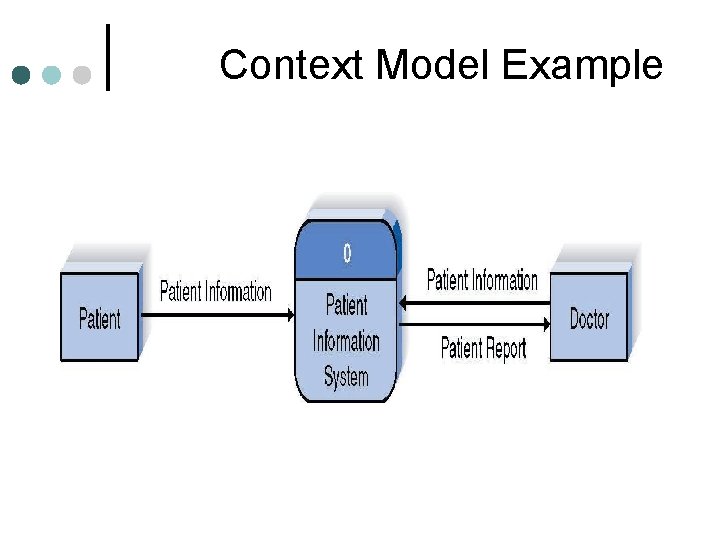
Data Flow Diagrams ¢ A Data Flow Diagram (DFD) is a graphical technique for: l l ¢ ¢ Depicting information flow The transforms that are applied as data move from input to output DFD also known as a data flow graph or a bubble chart DFDs can be modeled at multiple levels of abstraction l Level 0 DFD is called the context diagram or context model and represents the entire system as a single bubble with inputs and outputs
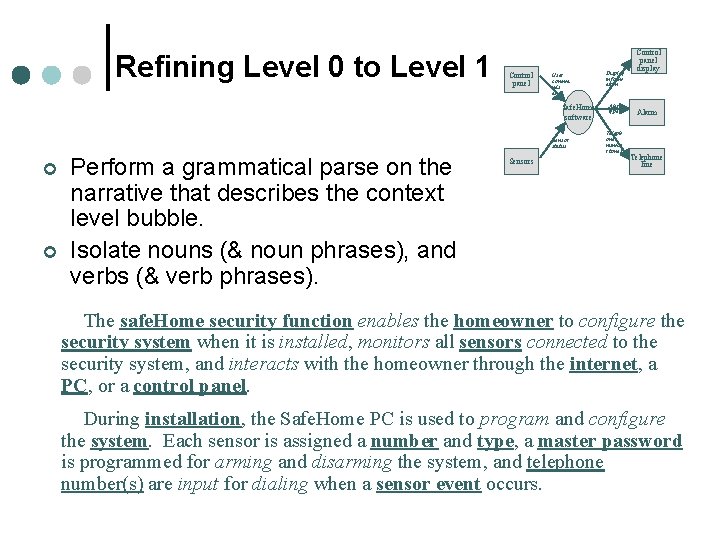
DFD Context Model for Safe. Home Security System Control panel User commands and data Safe. Home software Sensor status Sensors Display information Alarm type Control panel display Alarm Telephone number tones Telephone line This highest level model is also called a Level 0 model or a Fundamental model.
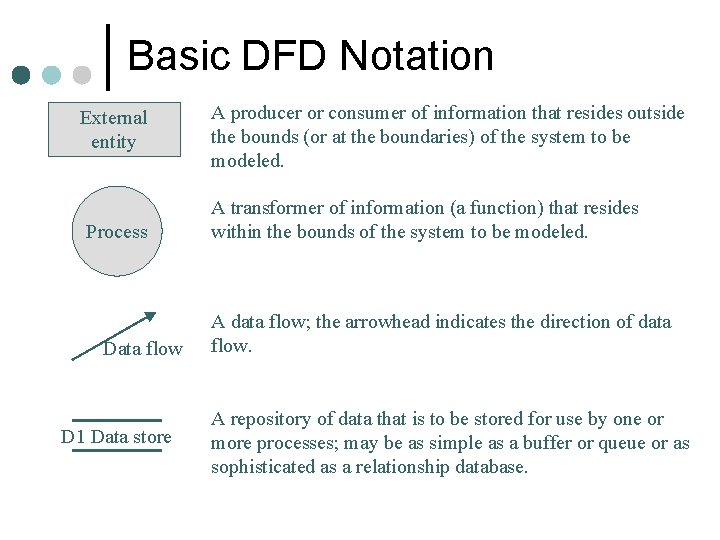
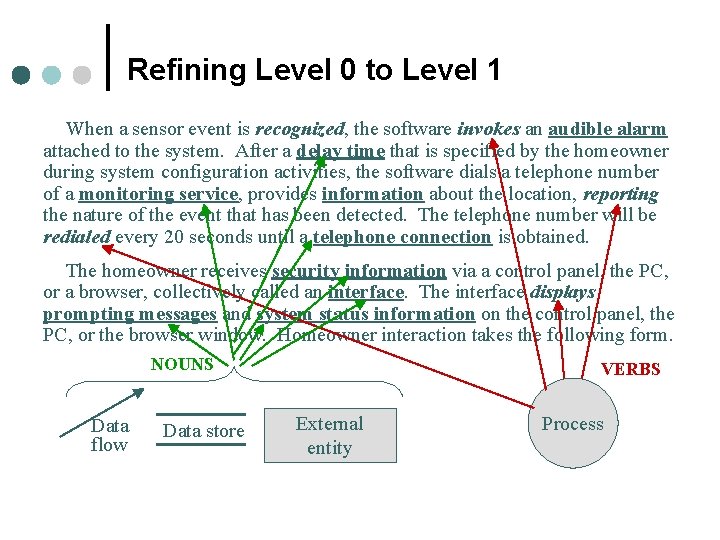
Basic DFD Notation External entity Process Data flow D 1 Data store A producer or consumer of information that resides outside the bounds (or at the boundaries) of the system to be modeled. A transformer of information (a function) that resides within the bounds of the system to be modeled. A data flow; the arrowhead indicates the direction of data flow. A repository of data that is to be stored for use by one or more processes; may be as simple as a buffer or queue or as sophisticated as a relationship database.
Context Model Example
DFD Tips Generally move from top to bottom, left to right ¢ Minimize crossed lines ¢ Iterate as needed ¢ l The DFD is often drawn many times before it is finished, even with very experienced systems analysts
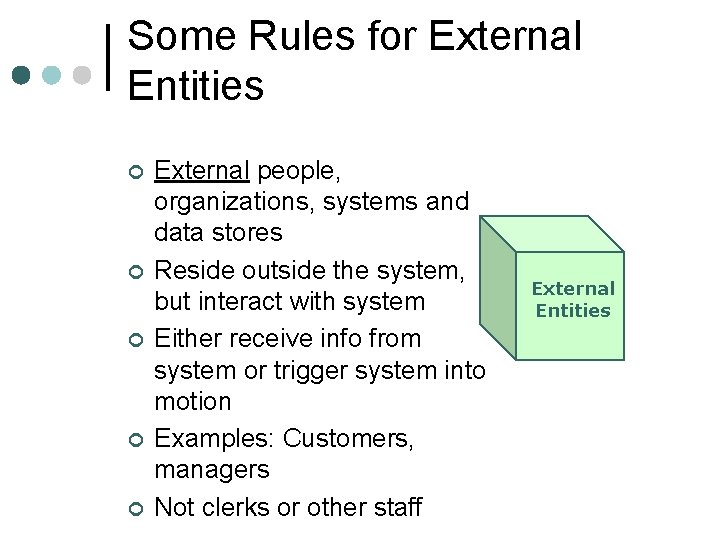
Some Rules for External Entities ¢ ¢ ¢ External people, organizations, systems and data stores Reside outside the system, but interact with system Either receive info from system or trigger system into motion Examples: Customers, managers Not clerks or other staff External Entities
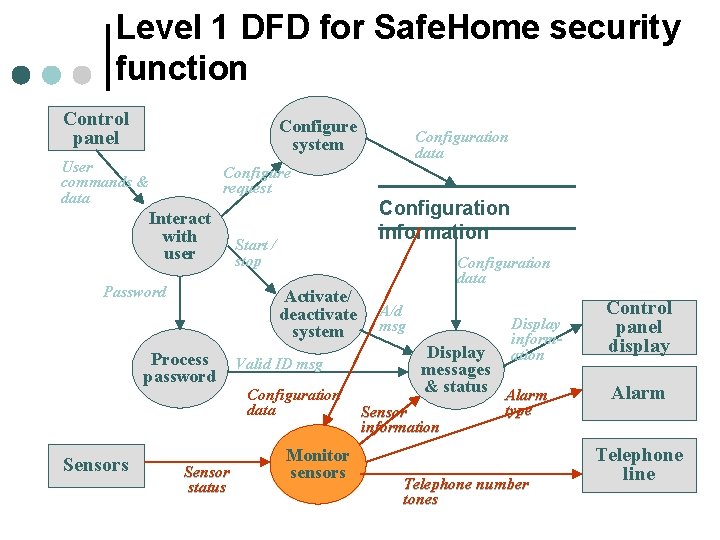
Refining Level 0 to Level 1 Control panel User comma nds and data Safe. Home software Sensor status ¢ ¢ Perform a grammatical parse on the narrative that describes the context level bubble. Isolate nouns (& noun phrases), and verbs (& verb phrases). Sensors Display inform ation Alarm type Teleph one numbe r tones Control panel display Alarm Telephone line The safe. Home security function enables the homeowner to configure the security system when it is installed, monitors all sensors connected to the security system, and interacts with the homeowner through the internet, a PC, or a control panel. During installation, the Safe. Home PC is used to program and configure the system. Each sensor is assigned a number and type, a master password is programmed for arming and disarming the system, and telephone number(s) are input for dialing when a sensor event occurs.
Refining Level 0 to Level 1 When a sensor event is recognized, the software invokes an audible alarm attached to the system. After a delay time that is specified by the homeowner during system configuration activities, the software dials a telephone number of a monitoring service, provides information about the location, reporting the nature of the event that has been detected. The telephone number will be redialed every 20 seconds until a telephone connection is obtained. The homeowner receives security information via a control panel, the PC, or a browser, collectively called an interface. The interface displays prompting messages and system status information on the control panel, the PC, or the browser window. Homeowner interaction takes the following form. NOUNS Data flow Data store VERBS External entity Process
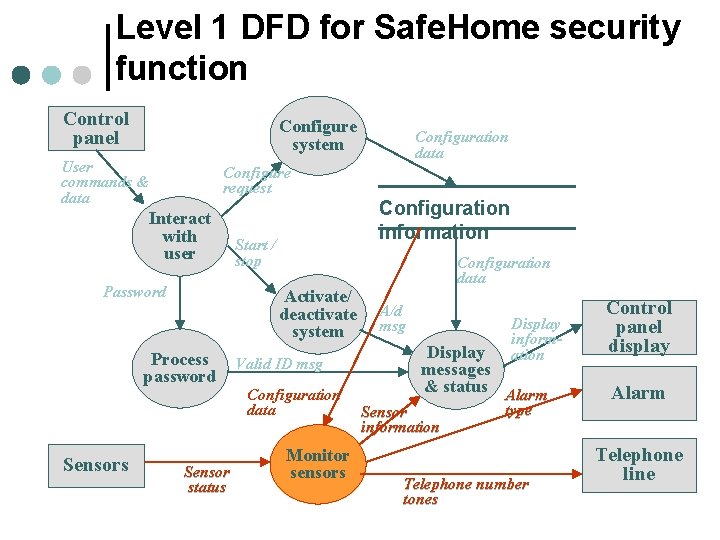
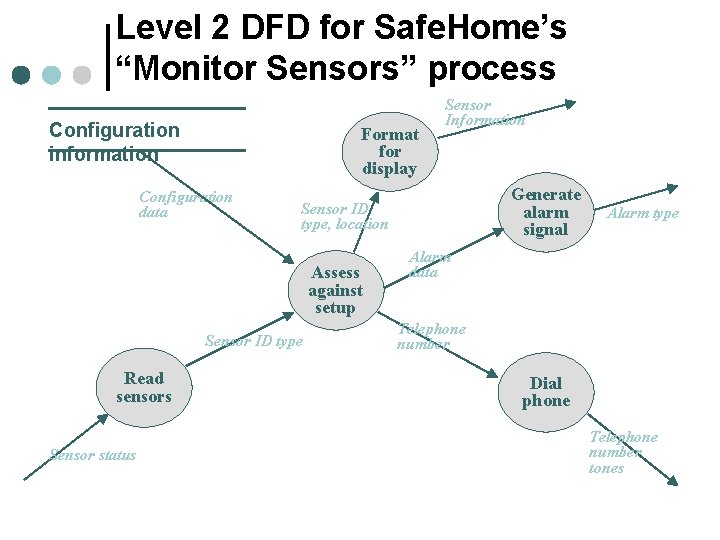
Level 1 DFD for Safe. Home security function Control panel Configure system User commands & data Configure request Interact with user Password Configuration information Start / stop Activate/ deactivate system Process password Sensors Configuration data Sensor status Valid ID msg Configuration data Monitor sensors Configuration data A/d msg Display information Display messages & status Alarm Sensor information type Telephone number tones Control panel display Alarm Telephone line
Level 2 DFD for Safe. Home’s “Monitor Sensors” process Configuration information Format for display Configuration data Sensor ID type Sensor status Generate alarm signal Sensor ID type, location Assess against setup Read sensors Sensor Information Alarm type Alarm data Telephone number Dial phone Telephone number tones
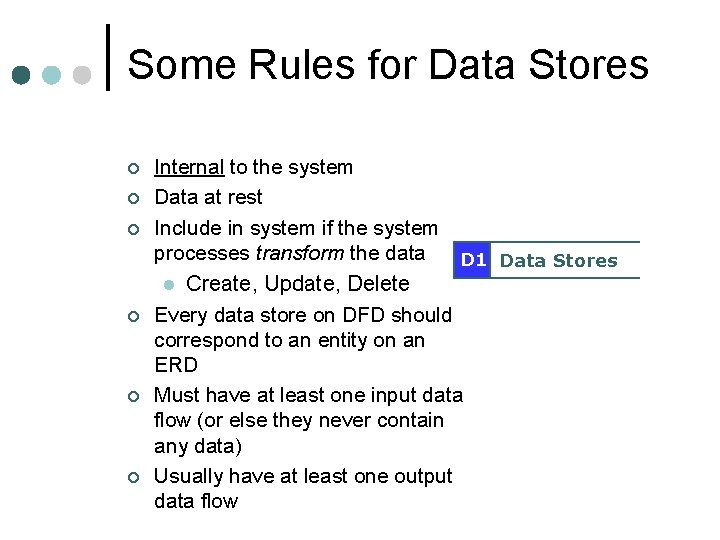
Some Rules for Data Stores ¢ ¢ ¢ Internal to the system Data at rest Include in system if the system processes transform the data D 1 Data Stores l Create, Update, Delete Every data store on DFD should correspond to an entity on an ERD Must have at least one input data flow (or else they never contain any data) Usually have at least one output data flow
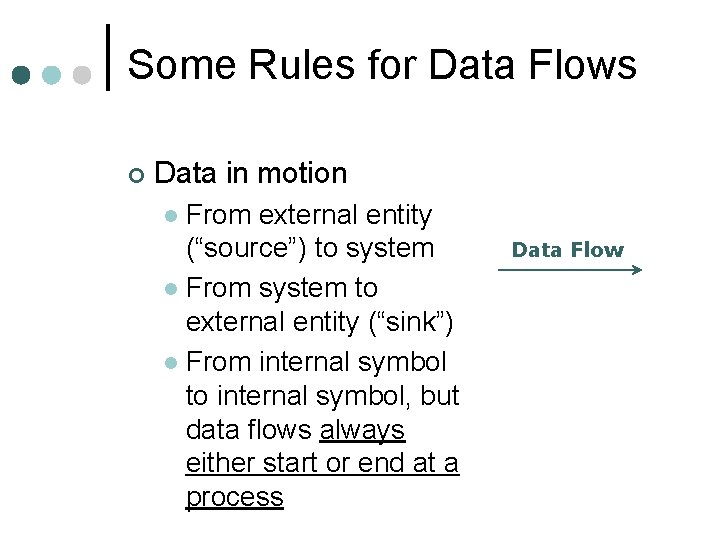
Some Rules for Data Flows ¢ Data in motion From external entity (“source”) to system l From system to external entity (“sink”) l From internal symbol to internal symbol, but data flows always either start or end at a process l Data Flow
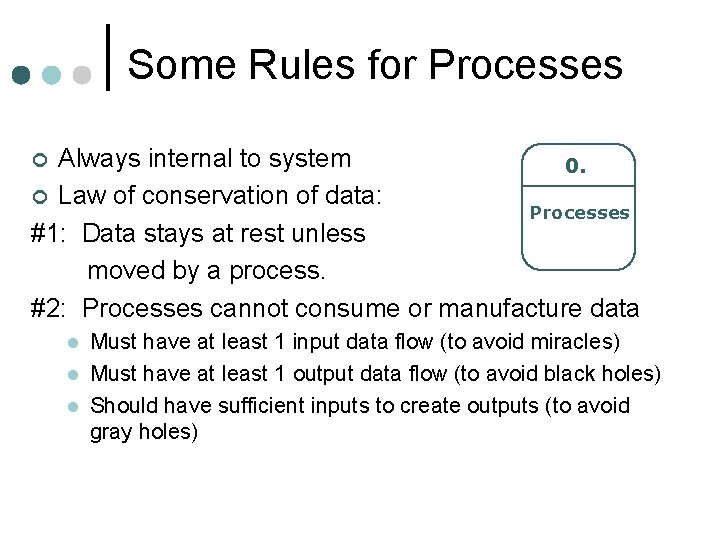
Some Rules for Processes Always internal to system 0. ¢ Law of conservation of data: Processes #1: Data stays at rest unless moved by a process. #2: Processes cannot consume or manufacture data ¢ l l l Must have at least 1 input data flow (to avoid miracles) Must have at least 1 output data flow (to avoid black holes) Should have sufficient inputs to create outputs (to avoid gray holes)
Another DFD Level 1 Example
Level 1 DFD for Safe. Home security function Control panel Configure system User commands & data Configure request Interact with user Password Configuration information Start / stop Activate/ deactivate system Process password Sensors Configuration data Sensor status Valid ID msg Configuration data Monitor sensors Configuration data A/d msg Display information Display messages & status Alarm Sensor information type Telephone number tones Control panel display Alarm Telephone line
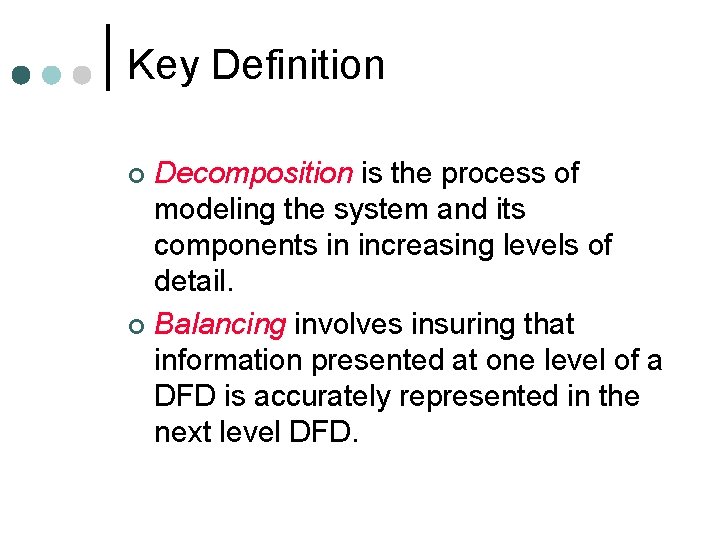
Key Definition Decomposition is the process of modeling the system and its components in increasing levels of detail. ¢ Balancing involves insuring that information presented at one level of a DFD is accurately represented in the next level DFD. ¢
Summary ¢ ¢ ¢ The Data Flow Diagram (DFD) is an essential tool for creating formal descriptions of business processes and data flows. Use cases record the input, transformation, and output of business processes. Eliciting scenario descriptions and modeling business processes are critically important skills for the software engineer to master.
Analysis model Combination of text and diagramming ¢ Depicts requirements: ¢ Data l Function l Behavior l
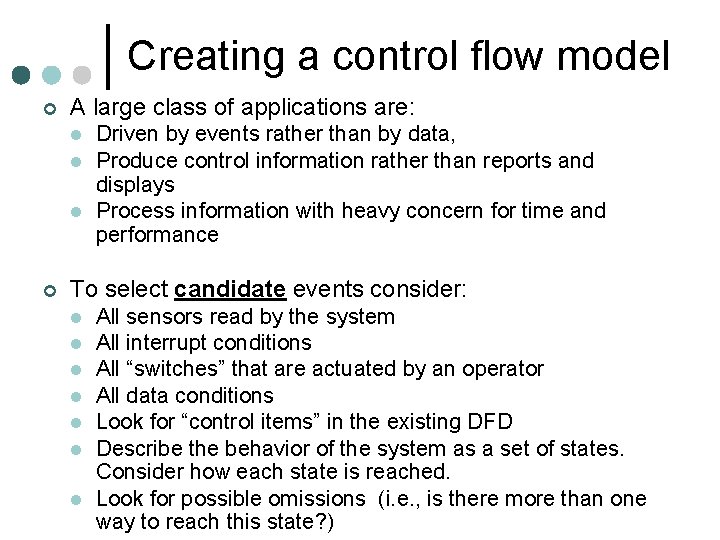
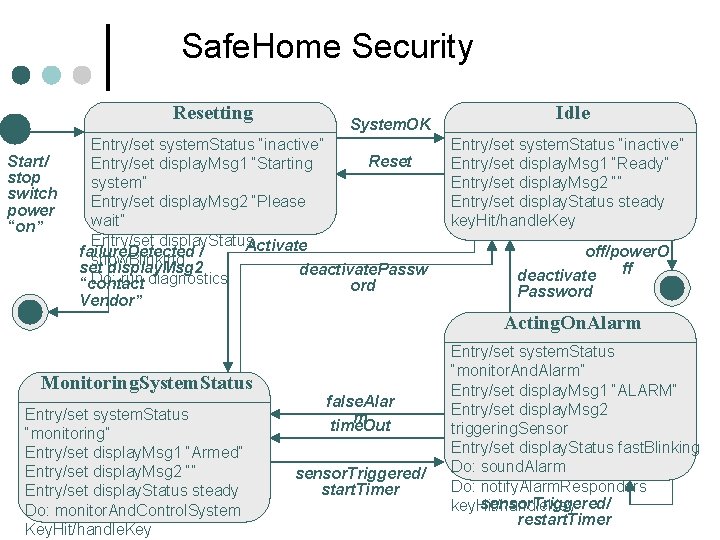
Creating a control flow model ¢ A large class of applications are: l l l ¢ Driven by events rather than by data, Produce control information rather than reports and displays Process information with heavy concern for time and performance To select candidate events consider: l l l l All sensors read by the system All interrupt conditions All “switches” that are actuated by an operator All data conditions Look for “control items” in the existing DFD Describe the behavior of the system as a set of states. Consider how each state is reached. Look for possible omissions (i. e. , is there more than one way to reach this state? )
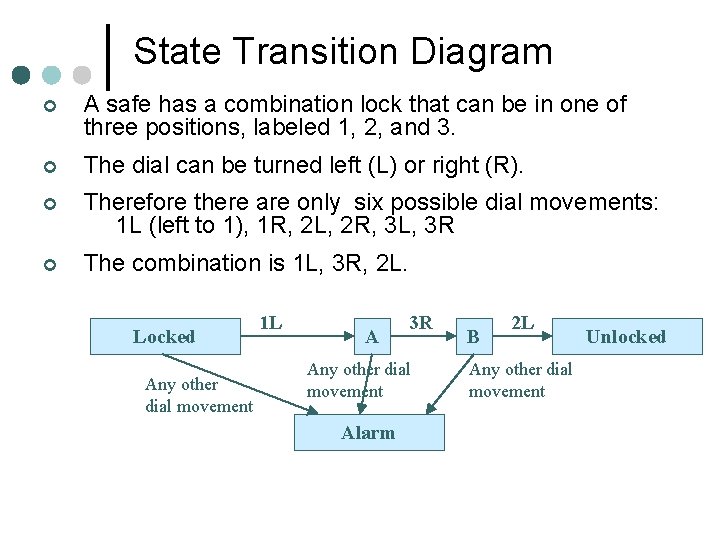
State Transition Diagram ¢ A safe has a combination lock that can be in one of three positions, labeled 1, 2, and 3. ¢ The dial can be turned left (L) or right (R). ¢ Therefore there are only six possible dial movements: 1 L (left to 1), 1 R, 2 L, 2 R, 3 L, 3 R ¢ The combination is 1 L, 3 R, 2 L. Locked Any other dial movement 1 L A 3 R Any other dial movement Alarm B 2 L Any other dial movement Unlocked
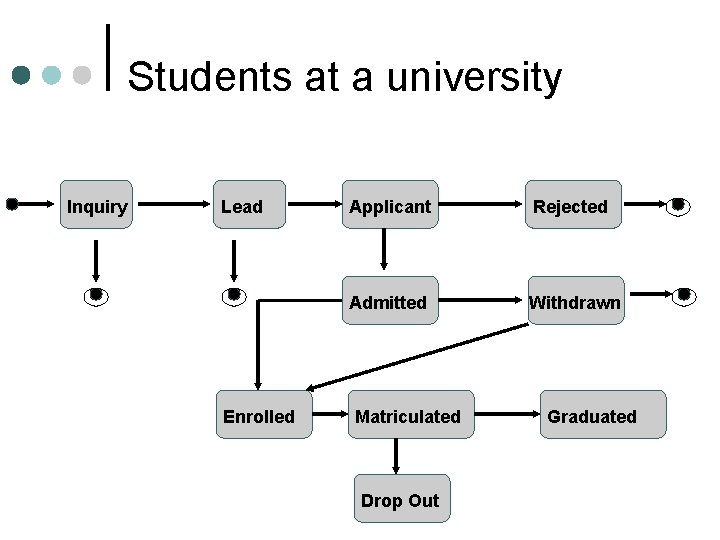
Students at a university Inquiry Lead Enrolled Applicant Rejected Admitted Withdrawn Matriculated Drop Out Graduated
Safe. Home Security Resetting Start/ stop switch power “on” System. OK Entry/set system. Status “inactive” Reset Entry/set display. Msg 1 “Starting system” Entry/set display. Msg 2 “Please wait” Entry/set display. Status Activate failure. Detected / show. Blinking set display. Msg 2 deactivate. Passw Do: run diagnostics “contact ord Vendor” Idle Entry/set system. Status “inactive” Entry/set display. Msg 1 “Ready” Entry/set display. Msg 2 “” Entry/set display. Status steady key. Hit/handle. Key off/power. O ff deactivate Password Acting. On. Alarm Monitoring. System. Status Entry/set system. Status “monitoring” Entry/set display. Msg 1 “Armed” Entry/set display. Msg 2 “” Entry/set display. Status steady Do: monitor. And. Control. System Key. Hit/handle. Key false. Alar m time. Out sensor. Triggered/ start. Timer Entry/set system. Status “monitor. And. Alarm” Entry/set display. Msg 1 “ALARM” Entry/set display. Msg 2 triggering. Sensor Entry/set display. Status fast. Blinking Do: sound. Alarm Do: notify. Alarm. Responders sensor. Triggered/ key. Hit/handle. Key restart. Timer
Analysis modeling activity
Today’s Agenda Topic Duration ¢ Last week recap 20 minutes ¢ Analysis modeling 60 minutes *** Break ¢ Current event reports 20 minutes ¢ Analysis modeling (cont. ) 30 minutes ¢ Design modeling 30 minutes
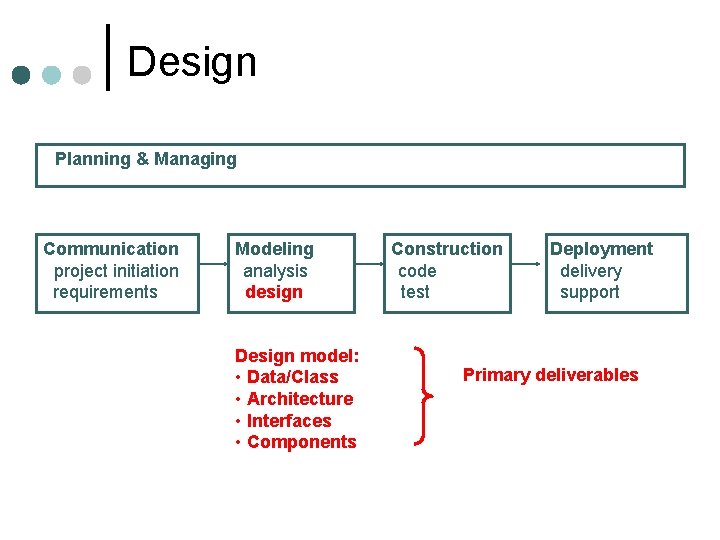
Design Planning & Managing Communication project initiation requirements Modeling analysis design Design model: • Data/Class • Architecture • Interfaces • Components Construction code test Deployment delivery support Primary deliverables
Key principles of architectural design Abstraction ¢ Modularity ¢ Reuse ¢
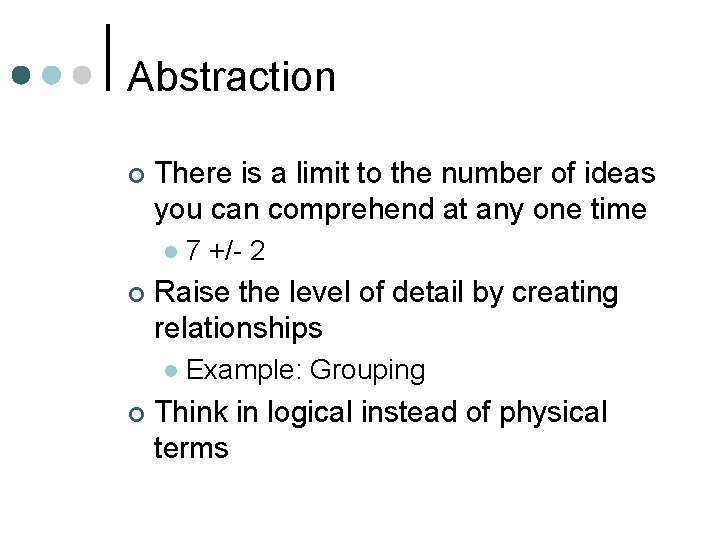
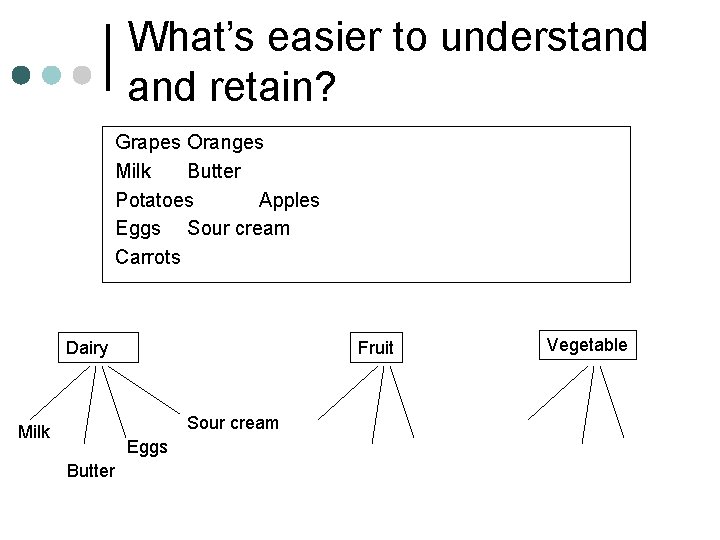
Abstraction ¢ There is a limit to the number of ideas you can comprehend at any one time l ¢ Raise the level of detail by creating relationships l ¢ 7 +/- 2 Example: Grouping Think in logical instead of physical terms
What’s easier to understand retain? Grapes Oranges Milk Butter Potatoes Apples Eggs Sour cream Carrots Dairy Fruit Sour cream Milk Eggs Butter Vegetable
Modularity ¢ Modular design l l l Reduces complexity Facilitates change Results in easier implementation by supporting parallel development of different parts of the system. ¢ Information hiding ¢ Functional independence
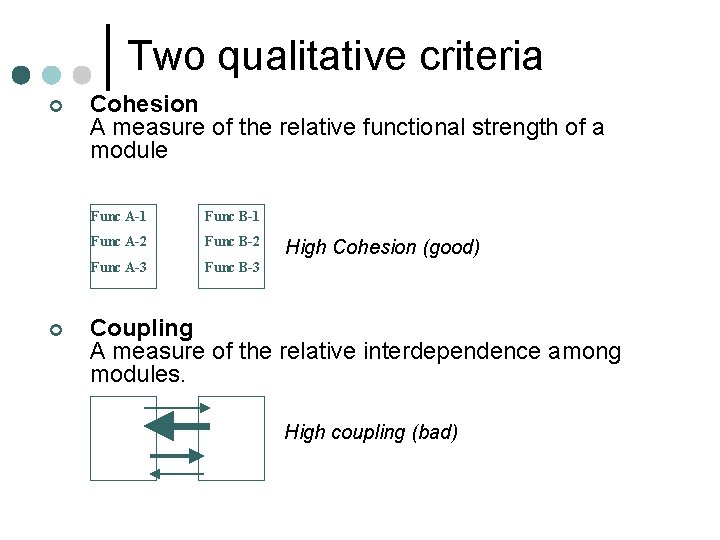
Two qualitative criteria ¢ ¢ Cohesion A measure of the relative functional strength of a module Func A-1 Func B-1 Func A-2 Func B-2 Func A-3 Func B-3 High Cohesion (good) Coupling A measure of the relative interdependence among modules. High coupling (bad)
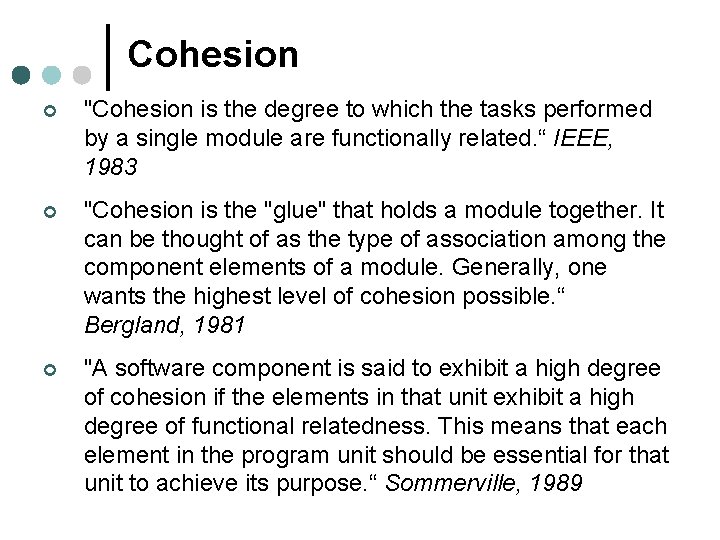
Cohesion ¢ "Cohesion is the degree to which the tasks performed by a single module are functionally related. “ IEEE, 1983 ¢ "Cohesion is the "glue" that holds a module together. It can be thought of as the type of association among the component elements of a module. Generally, one wants the highest level of cohesion possible. “ Bergland, 1981 ¢ "A software component is said to exhibit a high degree of cohesion if the elements in that unit exhibit a high degree of functional relatedness. This means that each element in the program unit should be essential for that unit to achieve its purpose. “ Sommerville, 1989
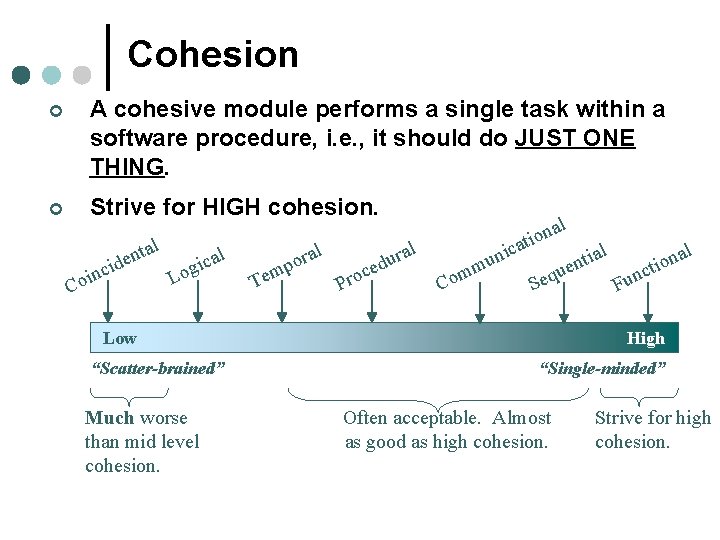
Cohesion ¢ A cohesive module performs a single task within a software procedure, i. e. , it should do JUST ONE THING. ¢ Strive for HIGH cohesion. al t n al e c d i i g o inc L o C Tem al r o p l c ra u d e Pro Co m ni u m c al n o ati al ial n t o n i ct ue n q e u S F Low “Scatter-brained” Much worse than mid level cohesion. High “Single-minded” Often acceptable. Almost as good as high cohesion. Strive for high cohesion.
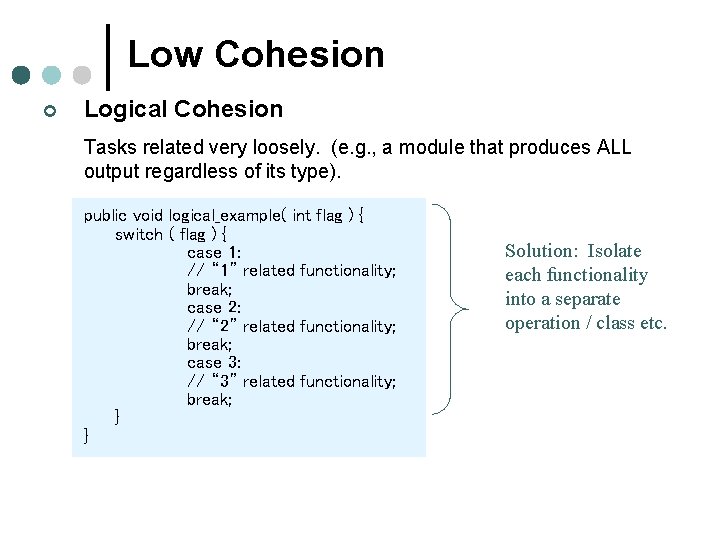
Low Cohesion ¢ Logical Cohesion Tasks related very loosely. (e. g. , a module that produces ALL output regardless of its type). public void logical_example( int flag ) { switch ( flag ) { case 1: // “ 1” related functionality; break; case 2: // “ 2” related functionality; break; case 3: // “ 3” related functionality; break; } } Solution: Isolate each functionality into a separate operation / class etc.
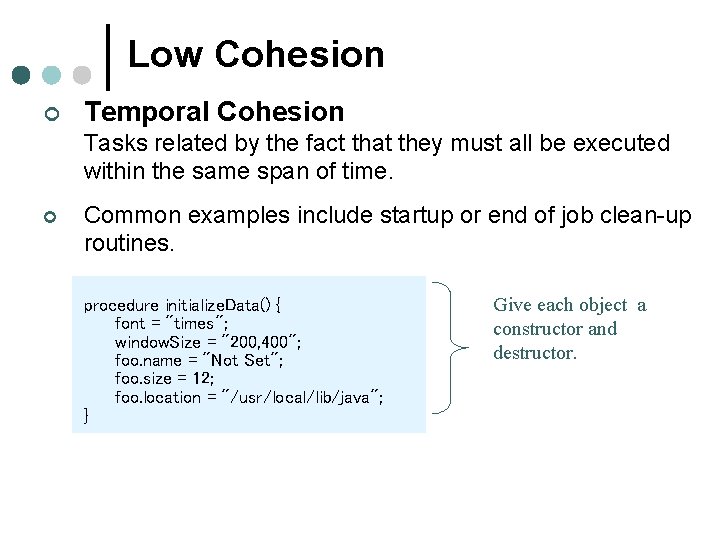
Low Cohesion ¢ Temporal Cohesion Tasks related by the fact that they must all be executed within the same span of time. ¢ Common examples include startup or end of job clean-up routines. procedure initialize. Data() { font = "times"; window. Size = "200, 400"; foo. name = "Not Set"; foo. size = 12; foo. location = "/usr/local/lib/java"; } Give each object a constructor and destructor.
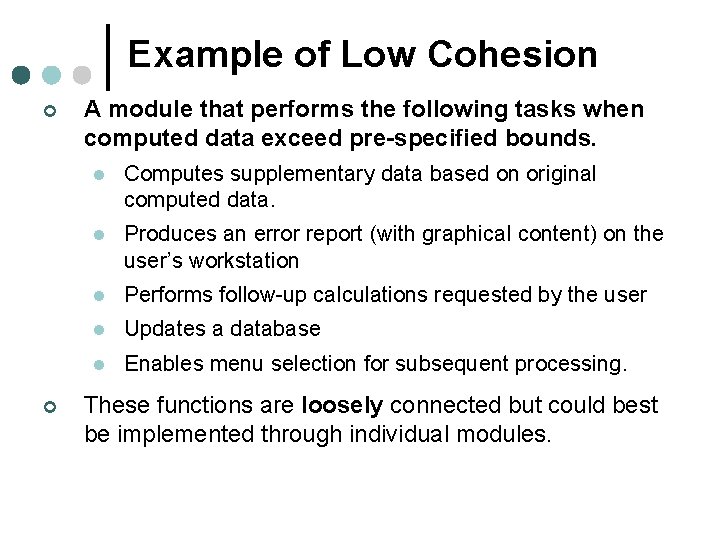
Example of Low Cohesion ¢ ¢ A module that performs the following tasks when computed data exceed pre-specified bounds. l Computes supplementary data based on original computed data. l Produces an error report (with graphical content) on the user’s workstation l Performs follow-up calculations requested by the user l Updates a database l Enables menu selection for subsequent processing. These functions are loosely connected but could best be implemented through individual modules.
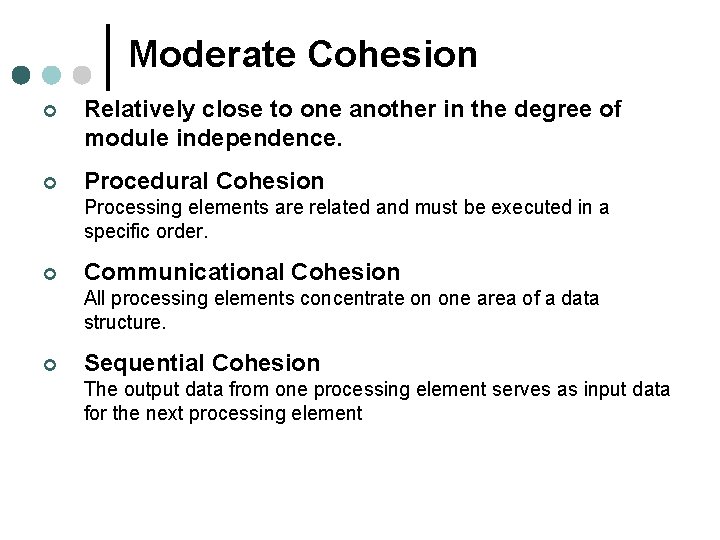
Moderate Cohesion ¢ Relatively close to one another in the degree of module independence. ¢ Procedural Cohesion Processing elements are related and must be executed in a specific order. ¢ Communicational Cohesion All processing elements concentrate on one area of a data structure. ¢ Sequential Cohesion The output data from one processing element serves as input data for the next processing element
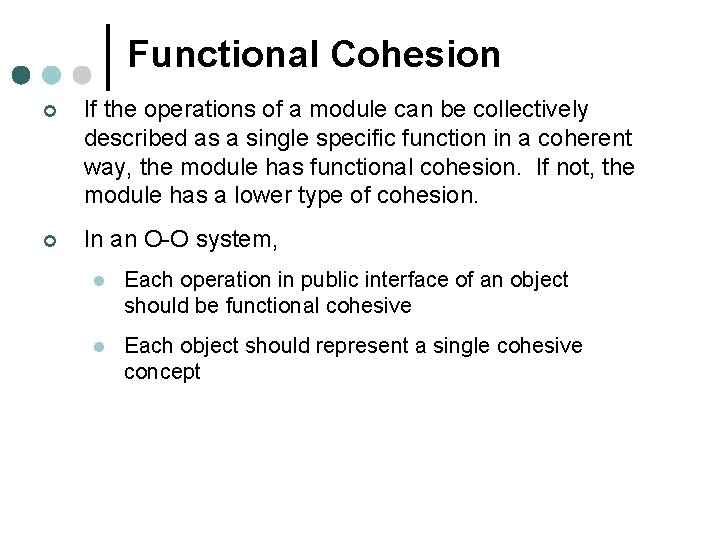
Functional Cohesion ¢ If the operations of a module can be collectively described as a single specific function in a coherent way, the module has functional cohesion. If not, the module has a lower type of cohesion. ¢ In an O-O system, l Each operation in public interface of an object should be functional cohesive l Each object should represent a single cohesive concept
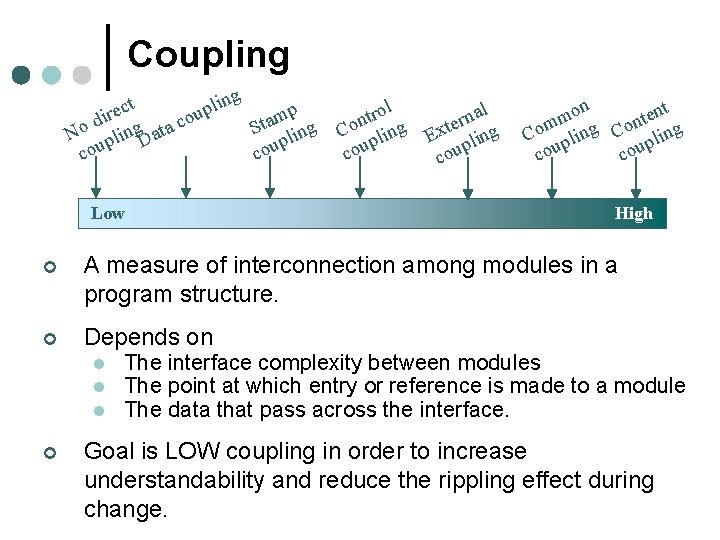
Coupling g n i t l c up ire mp o d a c t S ling No pling. Data p cou Low rol t n Co ling p cou al n r e Ext pling cou on nt e t m n m Co pling cou High ¢ A measure of interconnection among modules in a program structure. ¢ Depends on l l l ¢ The interface complexity between modules The point at which entry or reference is made to a module The data that pass across the interface. Goal is LOW coupling in order to increase understandability and reduce the rippling effect during change.
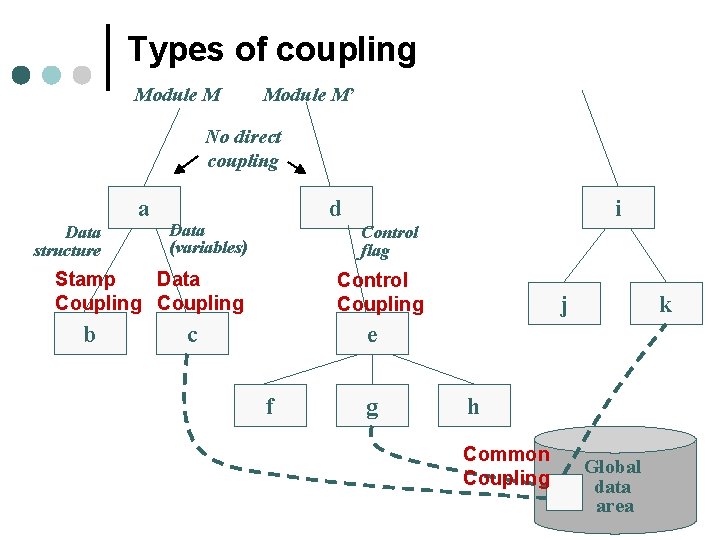
Types of coupling Module M’ No direct coupling a Data structure d Data (variables) Control flag Stamp Data Coupling b i Control Coupling c j k e f g h Common Coupling Global data area
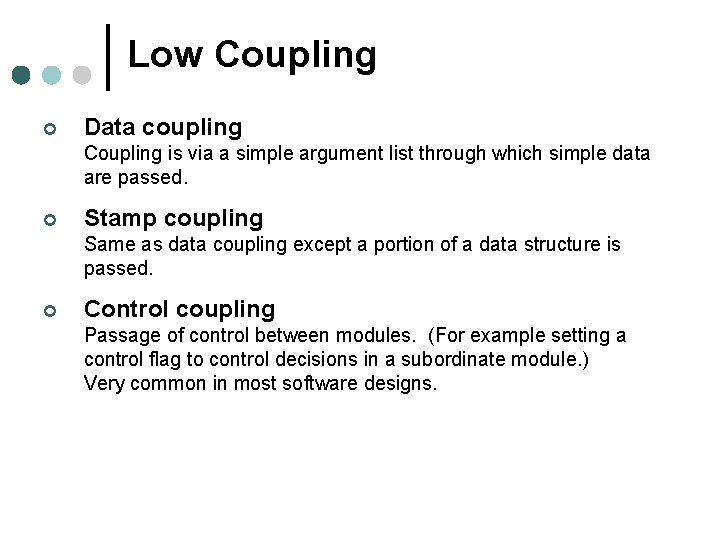
Low Coupling ¢ Data coupling Coupling is via a simple argument list through which simple data are passed. ¢ Stamp coupling Same as data coupling except a portion of a data structure is passed. ¢ Control coupling Passage of control between modules. (For example setting a control flag to control decisions in a subordinate module. ) Very common in most software designs.
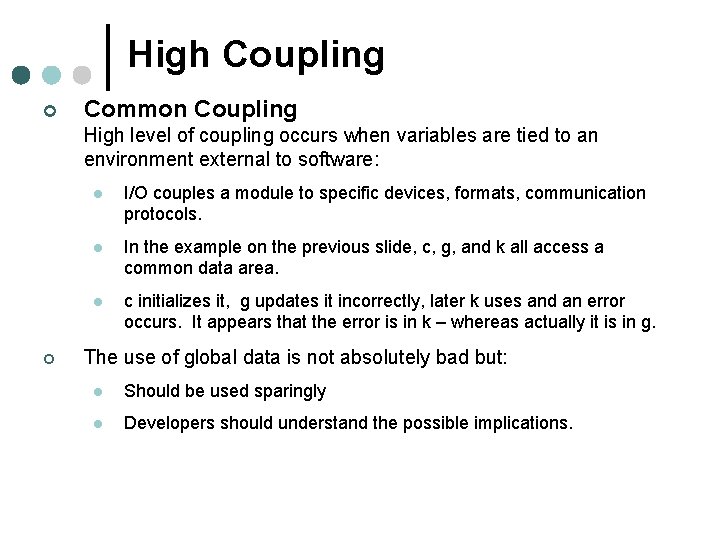
High Coupling ¢ Common Coupling High level of coupling occurs when variables are tied to an environment external to software: ¢ l I/O couples a module to specific devices, formats, communication protocols. l In the example on the previous slide, c, g, and k all access a common data area. l c initializes it, g updates it incorrectly, later k uses and an error occurs. It appears that the error is in k – whereas actually it is in g. The use of global data is not absolutely bad but: l Should be used sparingly l Developers should understand the possible implications.
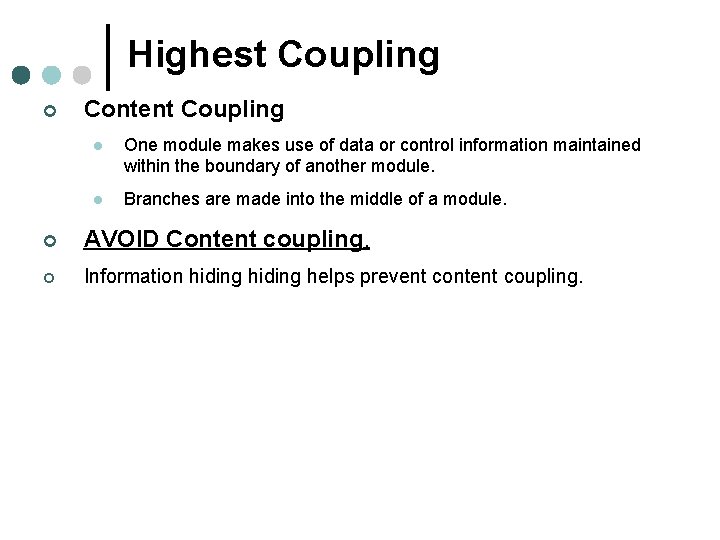
Highest Coupling ¢ Content Coupling l One module makes use of data or control information maintained within the boundary of another module. l Branches are made into the middle of a module. ¢ AVOID Content coupling. ¢ Information hiding helps prevent content coupling.
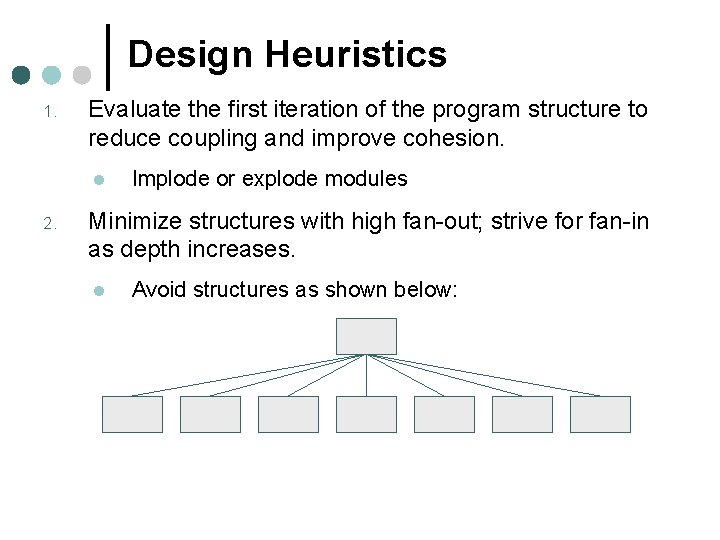
Design Heuristics 1. Evaluate the first iteration of the program structure to reduce coupling and improve cohesion. l 2. Implode or explode modules Minimize structures with high fan-out; strive for fan-in as depth increases. l Avoid structures as shown below:
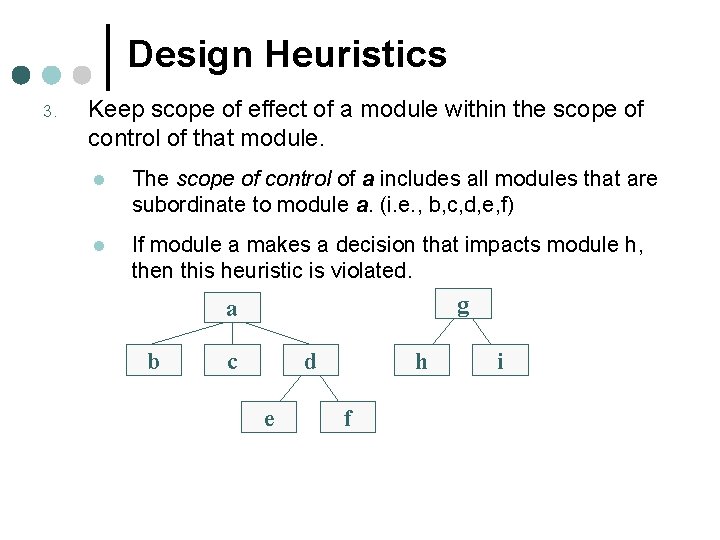
Design Heuristics 3. Keep scope of effect of a module within the scope of control of that module. l The scope of control of a includes all modules that are subordinate to module a. (i. e. , b, c, d, e, f) l If module a makes a decision that impacts module h, then this heuristic is violated. g a b c d e h f i
For October 2 ¢ ¢ ¢ Assignment 2 Read Pressman Chapters 13, 14, 26 Current event reports: l Poornima l Kelly (in-class) (DL) l Sean (DL) l Travis (DL)