
script commands 2 5 Feedback on screen Set
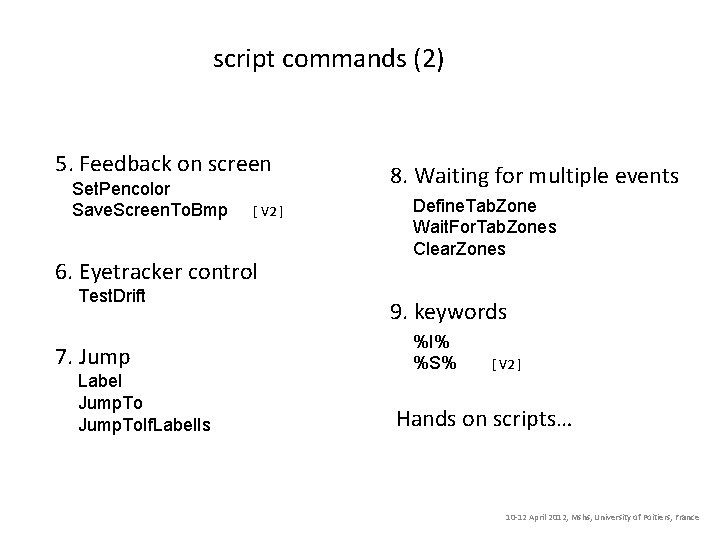
script commands (2) 5. Feedback on screen Set. Pencolor Save. Screen. To. Bmp [ V 2 ] 6. Eyetracker control Test. Drift 7. Jump Label Jump. To. If. Label. Is 8. Waiting for multiple events Define. Tab. Zone Wait. For. Tab. Zones Clear. Zones 9. keywords %I% %S% [ V 2 ] Hands on scripts… 10 -12 April 2012, Mshs, University of Poitiers, France
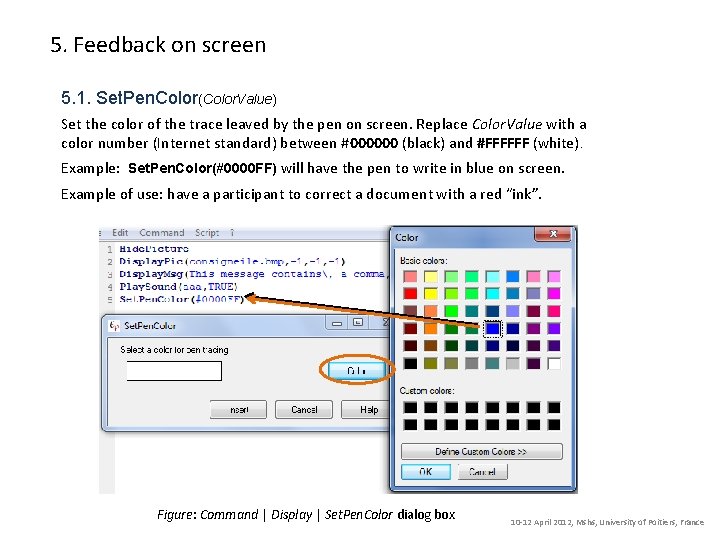
5. Feedback on screen 5. 1. Set. Pen. Color(Color. Value) Set the color of the trace leaved by the pen on screen. Replace Color. Value with a color number (Internet standard) between #000000 (black) and #FFFFFF (white). Example: Set. Pen. Color(#0000 FF) will have the pen to write in blue on screen. Example of use: have a participant to correct a document with a red “ink”. Figure: Command | Display | Set. Pen. Color dialog box 10 -12 April 2012, Mshs, University of Poitiers, France
![5. 2. Save. Screen. To. Bmp(Picture. File. Name) [ Eye and Pen 2 ]](http://slidetodoc.com/presentation_image_h2/a05247ba2e0be06a596ad45cb14ffe76/image-3.jpg "5. 2. Save. Screen. To. Bmp(Picture. File. Name) [ Eye and Pen 2 ]")
5. 2. Save. Screen. To. Bmp(Picture. File. Name) [ Eye and Pen 2 ] Saves the content of the screen into a BMP format picture file. Replace Picture. File. Name with a name for the file. Example: Save. Screen. To. Bmp(First. Page. bmp) The picture is saved in the Stimuli folder, enabling to use it later as a stimuli. Example of use: have a participant to correct its own production at a later time. 10 -12 April 2012, Mshs, University of Poitiers, France
6. Eyetracker control 6. 1. Test. Drift Pauses the script and launches the eye tracker coordinates drift test procedure, if any. Eye trackers behaves differently: Ø Eyelink: the test is run with a single point. Ø Eye. Puter: the entire calibration procedure is repeated. For Eye. Puter, you can also choose to test just one point. Ø ASL 504: the entire calibration procedure is repeated. 10 -12 April 2012, Mshs, University of Poitiers, France
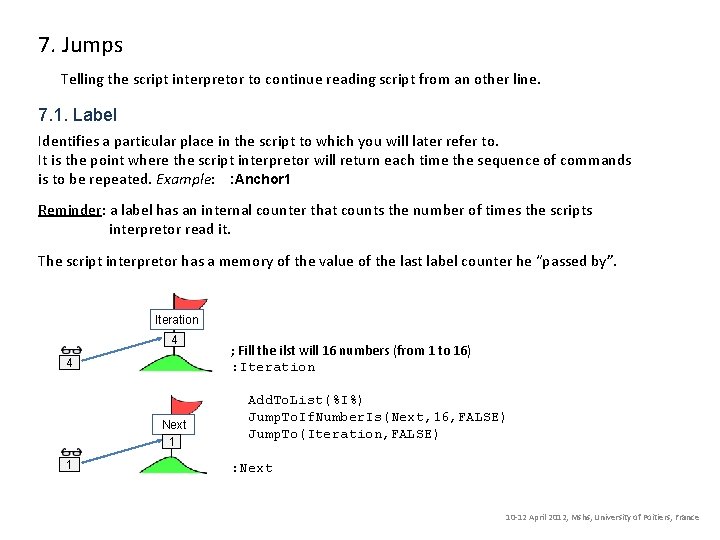
7. Jumps Telling the script interpretor to continue reading script from an other line. 7. 1. Label Identifies a particular place in the script to which you will later refer to. It is the point where the script interpretor will return each time the sequence of commands is to be repeated. Example: : Anchor 1 Reminder: a label has an internal counter that counts the number of times the scripts interpretor read it. The script interpretor has a memory of the value of the last label counter he “passed by”. Iteration 4 4 Next 1 1 ; Fill the ilst will 16 numbers (from 1 to 16) : Iteration Add. To. List(%I%) Jump. To. If. Number. Is(Next, 16, FALSE) Jump. To(Iteration, FALSE) : Next 10 -12 April 2012, Mshs, University of Poitiers, France
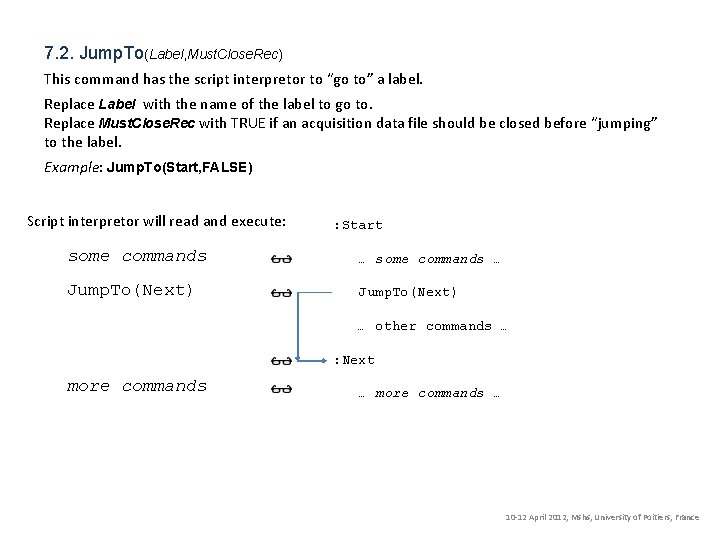
7. 2. Jump. To(Label, Must. Close. Rec) This command has the script interpretor to “go to” a label. Replace Label with the name of the label to go to. Replace Must. Close. Rec with TRUE if an acquisition data file should be closed before “jumping” to the label. Example: Jump. To(Start, FALSE) Script interpretor will read and execute: : Start some commands … Jump. To(Next) … other commands … : Next more commands … 10 -12 April 2012, Mshs, University of Poitiers, France
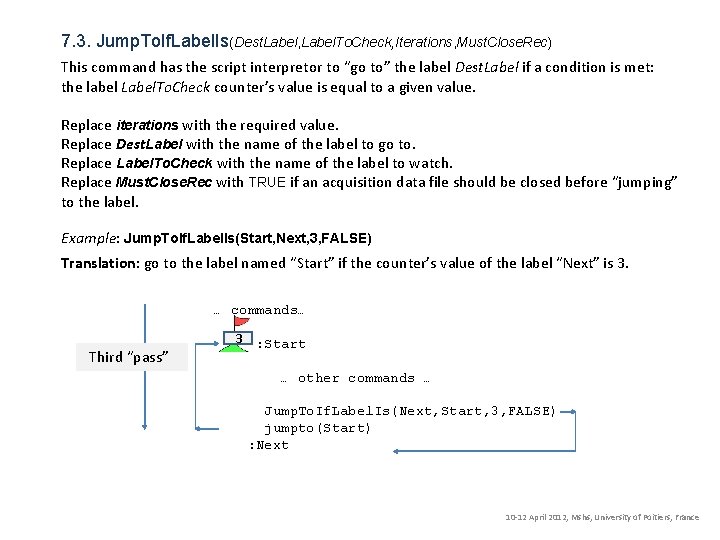
7. 3. Jump. To. If. Label. Is(Dest. Label, Label. To. Check, Iterations, Must. Close. Rec) This command has the script interpretor to “go to” the label Dest. Label if a condition is met: the label Label. To. Check counter’s value is equal to a given value. Replace iterations with the required value. Replace Dest. Label with the name of the label to go to. Replace Label. To. Check with the name of the label to watch. Replace Must. Close. Rec with TRUE if an acquisition data file should be closed before “jumping” to the label. Example: Jump. To. If. Label. Is(Start, Next, 3, FALSE) Translation: go to the label named “Start” if the counter’s value of the label “Next” is 3. … commands… 12 3 First “pass” Second Third “pass” : Start … other commands … Jump. To. If. Label. Is(Next, Start, 3, FALSE) jumpto(Start) : Next 10 -12 April 2012, Mshs, University of Poitiers, France
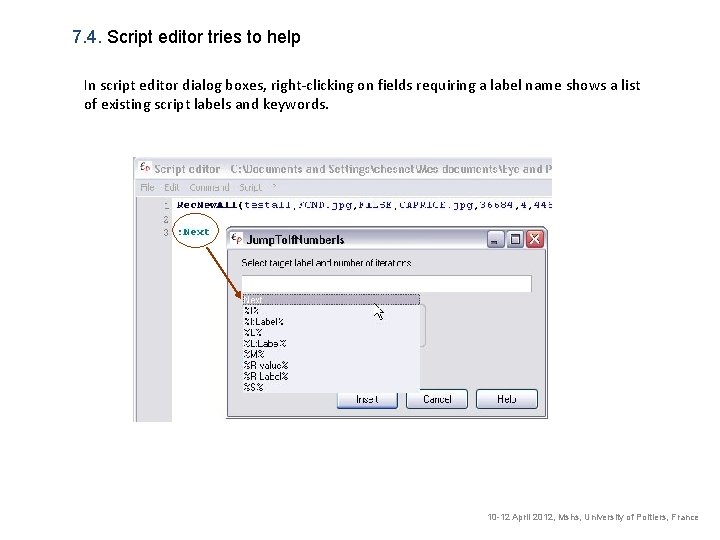
7. 4. Script editor tries to help In script editor dialog boxes, right-clicking on fields requiring a label name shows a list of existing script labels and keywords. 10 -12 April 2012, Mshs, University of Poitiers, France
8. Waiting for multiple events More than one tablet zone can be defined on the tablet, and each one can trigger an action. 8. 1. Define. Tab. Zone(x 1, y 1, x 2, y 2, Label) Associates a zone on the tablet with a label in script. Replace X 1, y 1, x 2, y 2 with the tablet coordinates of the new zone to consider. Replace Label with the name of the label associated with the new “trigger” (zone). 8. 2. Wait. For. Tab. Zones Stops script execution until the pentip is pressed into one of the zones defined with “Define. Tab. Zone”. The selection of a zone has the script interpretor to “go to” the label associated with the selected zone. This will act as a “Jump. To(Label)” instruction for the script interpretor. 8. 3. Clear. Zones Removes all previously defined zones. 10 -12 April 2012, Mshs, University of Poitiers, France
9. Keywords are special symbols, replaced with values fixed (calculated) when script is “run”. 9. 1. %I% Retrieves the value of the last label counter’s value read by the script interpretor (remember: script interpretor has a memory for this). 9. 2. %S% [ Eye and Pen 2 ] This keyword will be replaced with the participant’s Id. 10 -12 April 2012, Mshs, University of Poitiers, France
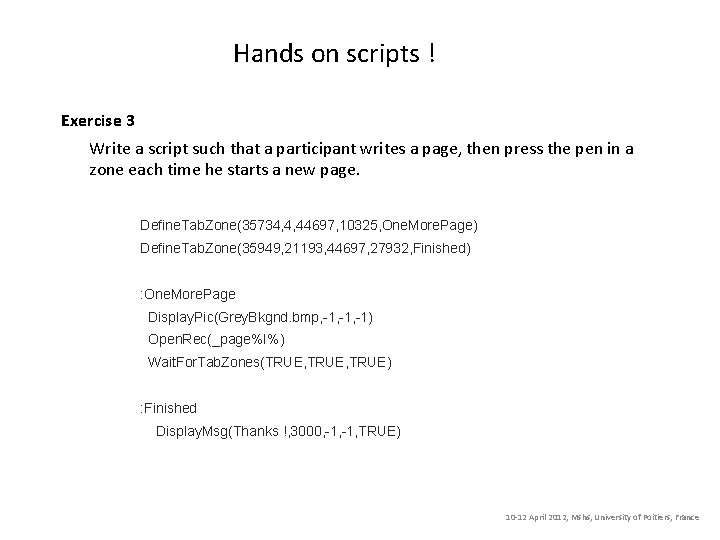
Hands on scripts ! Exercise 3 Write a script such that a participant writes a page, then press the pen in a zone each time he starts a new page. Define. Tab. Zone(35734, 4, 44697, 10325, One. More. Page) Define. Tab. Zone(35949, 21193, 44697, 27932, Finished) : One. More. Page Display. Pic(Grey. Bkgnd. bmp, -1, -1) Open. Rec(_page%I%) Wait. For. Tab. Zones(TRUE, TRUE) : Finished Display. Msg(Thanks !, 3000, -1, TRUE) 10 -12 April 2012, Mshs, University of Poitiers, France
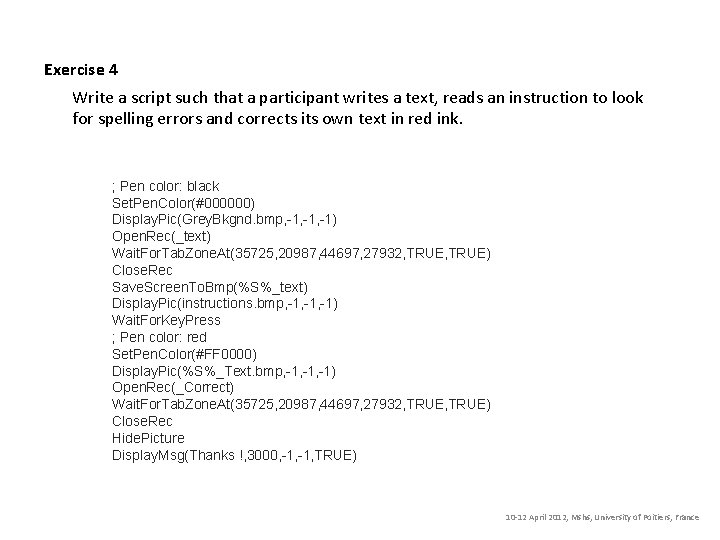
Exercise 4 Write a script such that a participant writes a text, reads an instruction to look for spelling errors and corrects its own text in red ink. ; Pen color: black Set. Pen. Color(#000000) Display. Pic(Grey. Bkgnd. bmp, -1, -1) Open. Rec(_text) Wait. For. Tab. Zone. At(35725, 20987, 44697, 27932, TRUE) Close. Rec Save. Screen. To. Bmp(%S%_text) Display. Pic(instructions. bmp, -1, -1) Wait. For. Key. Press ; Pen color: red Set. Pen. Color(#FF 0000) Display. Pic(%S%_Text. bmp, -1, -1) Open. Rec(_Correct) Wait. For. Tab. Zone. At(35725, 20987, 44697, 27932, TRUE) Close. Rec Hide. Picture Display. Msg(Thanks !, 3000, -1, TRUE) 10 -12 April 2012, Mshs, University of Poitiers, France
- Slides: 12