
Screen Capture How to quickly capture a diffraction
- Slides: 9
Screen Capture How to quickly capture a diffraction image KLB Crystallography Club Meeting | Sept. 29, 2004 | Thayumanasamy Somasundaram Sept. 28, 2004
Programs l l l Linux/UNIX Xdisplay. F (HKL) Adxv Ksnapshot xwd Gimp Image Magick (display) Sept. 28, 2004 l l MS Windows Print. Screen Paint Shop Pro © 2004 Thayumanasamy Somasundaram 2
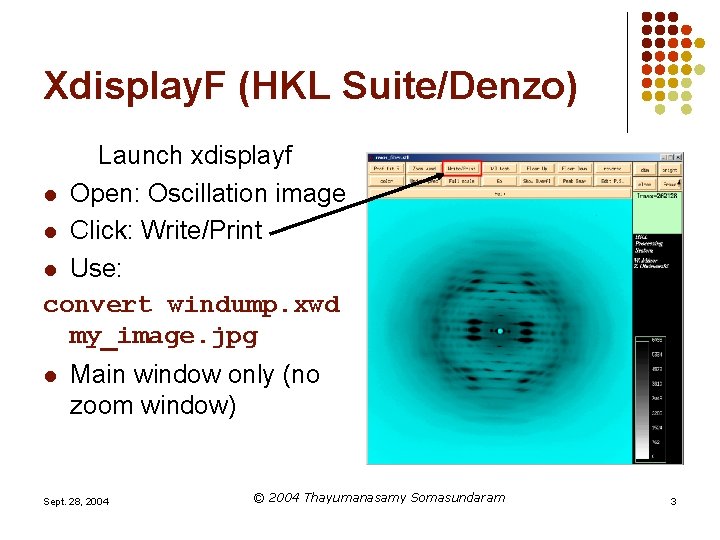
Xdisplay. F (HKL Suite/Denzo) Launch xdisplayf l Open: Oscillation image l Click: Write/Print l Use: convert windump. xwd my_image. jpg l Main window only (no zoom window) Sept. 28, 2004 © 2004 Thayumanasamy Somasundaram 3
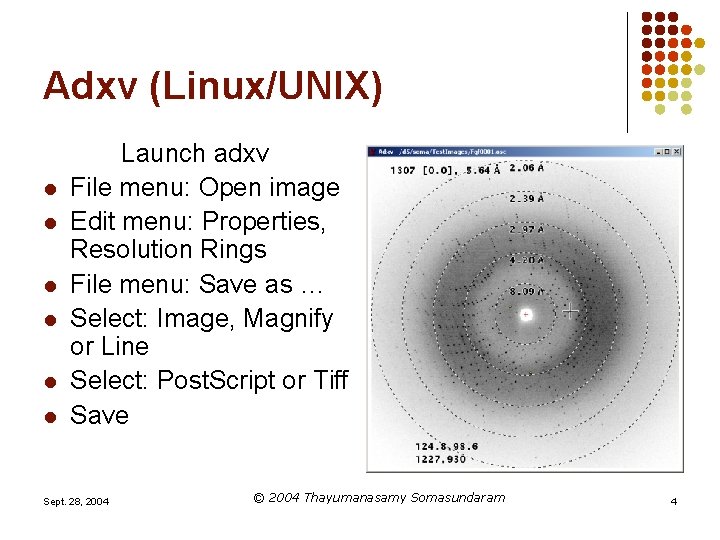
Adxv (Linux/UNIX) l l l Launch adxv File menu: Open image Edit menu: Properties, Resolution Rings File menu: Save as … Select: Image, Magnify or Line Select: Post. Script or Tiff Save Sept. 28, 2004 © 2004 Thayumanasamy Somasundaram 4
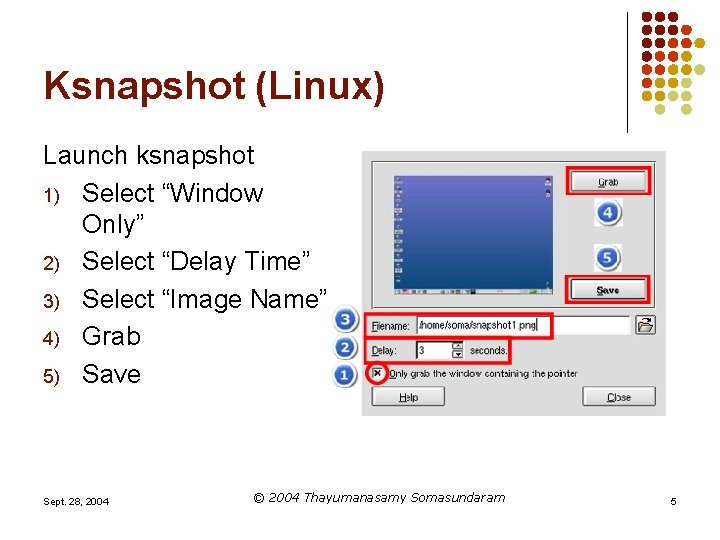
Ksnapshot (Linux) Launch ksnapshot 1) Select “Window Only” 2) Select “Delay Time” 3) Select “Image Name” 4) Grab 5) Save Sept. 28, 2004 © 2004 Thayumanasamy Somasundaram 5
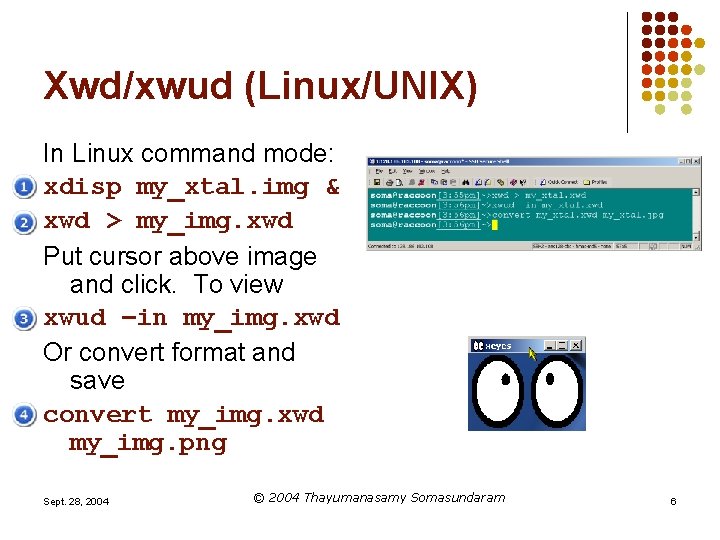
Xwd/xwud (Linux/UNIX) In Linux command mode: xdisp my_xtal. img & xwd > my_img. xwd Put cursor above image and click. To view xwud –in my_img. xwd Or convert format and save convert my_img. xwd my_img. png Sept. 28, 2004 © 2004 Thayumanasamy Somasundaram 6
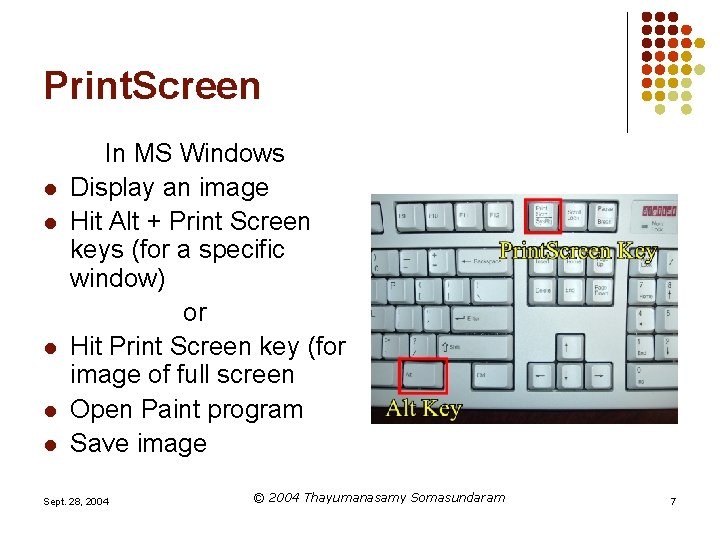
Print. Screen l l l In MS Windows Display an image Hit Alt + Print Screen keys (for a specific window) or Hit Print Screen key (for image of full screen Open Paint program Save image Sept. 28, 2004 © 2004 Thayumanasamy Somasundaram 7
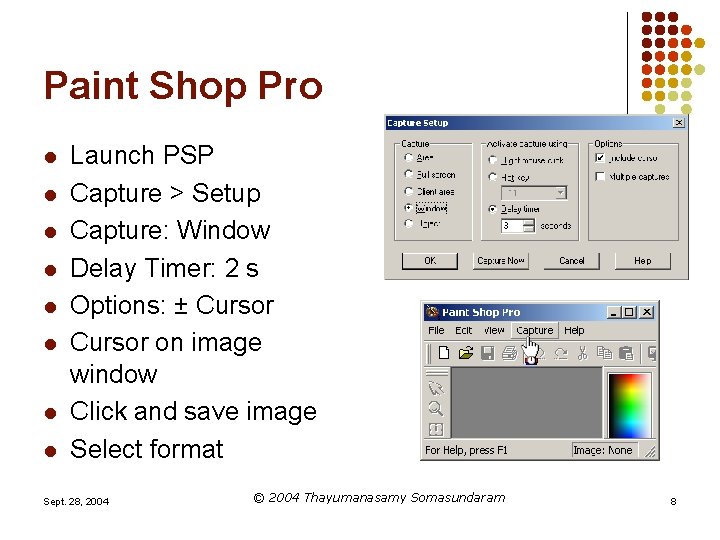
Paint Shop Pro l l l l Launch PSP Capture > Setup Capture: Window Delay Timer: 2 s Options: ± Cursor on image window Click and save image Select format Sept. 28, 2004 © 2004 Thayumanasamy Somasundaram 8
Information l l l http: //www. sb. fsu. edu/~xray/Manuals/Screen Capture. html Thayumana “Soma”sundaram 644 -6448 | soma@sb. fsu. edu | KLB 414 X-Ray Facility KLB 410 A Sept. 28, 2004 © 2004 Thayumanasamy Somasundaram 9