
Scratch Racing Overview We will be creating a

Scratch Racing
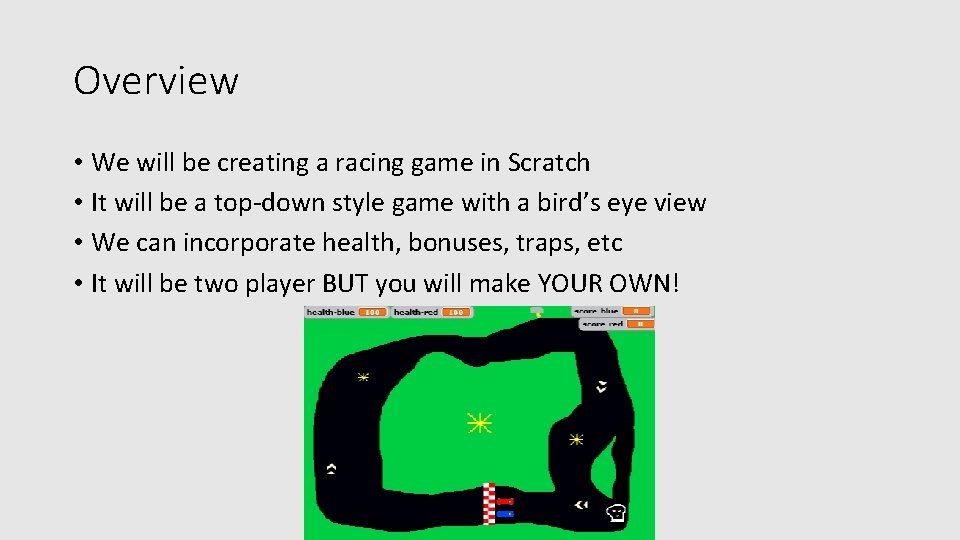
Overview • We will be creating a racing game in Scratch • It will be a top-down style game with a bird’s eye view • We can incorporate health, bonuses, traps, etc • It will be two player BUT you will make YOUR OWN!
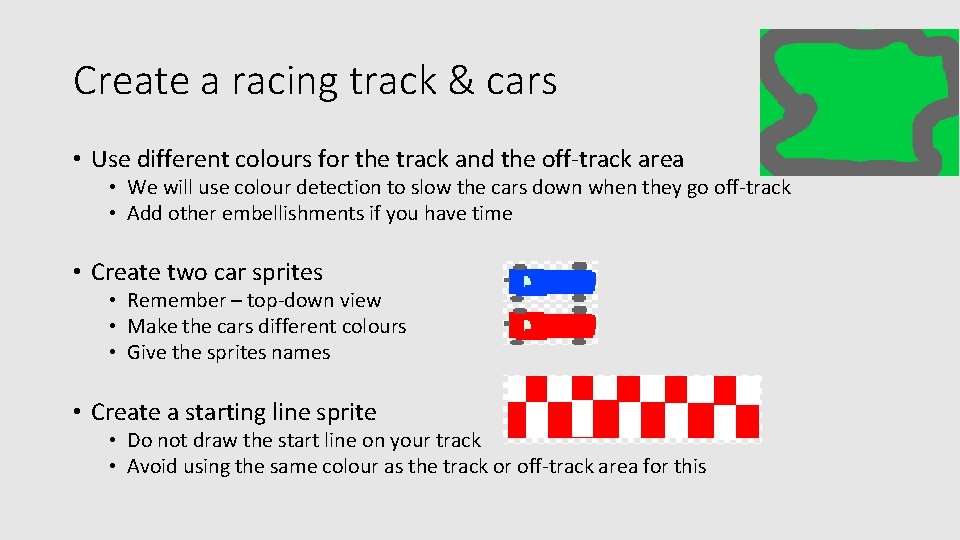
Create a racing track & cars • Use different colours for the track and the off-track area • We will use colour detection to slow the cars down when they go off-track • Add other embellishments if you have time • Create two car sprites • Remember – top-down view • Make the cars different colours • Give the sprites names • Create a starting line sprite • Do not draw the start line on your track • Avoid using the same colour as the track or off-track area for this
Movement • Add keys to get one car moving – arrow keys are good • Left and right are straight-forward

Movement continued • Accelerate and brake • • Create two variables to tell the program how fast the cars move Red-speed Blue-speed We do this using the Make a variable button in the Variables section
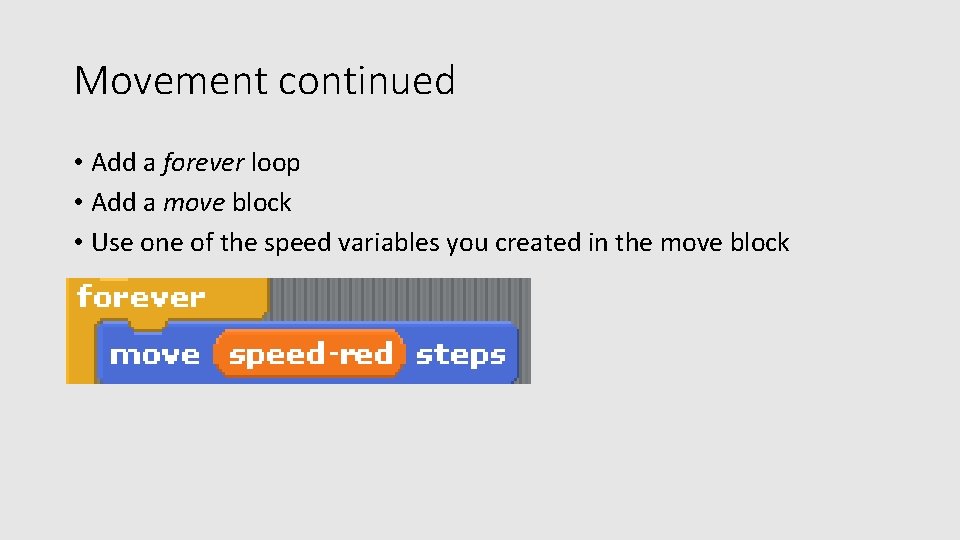
Movement continued • Add a forever loop • Add a move block • Use one of the speed variables you created in the move block
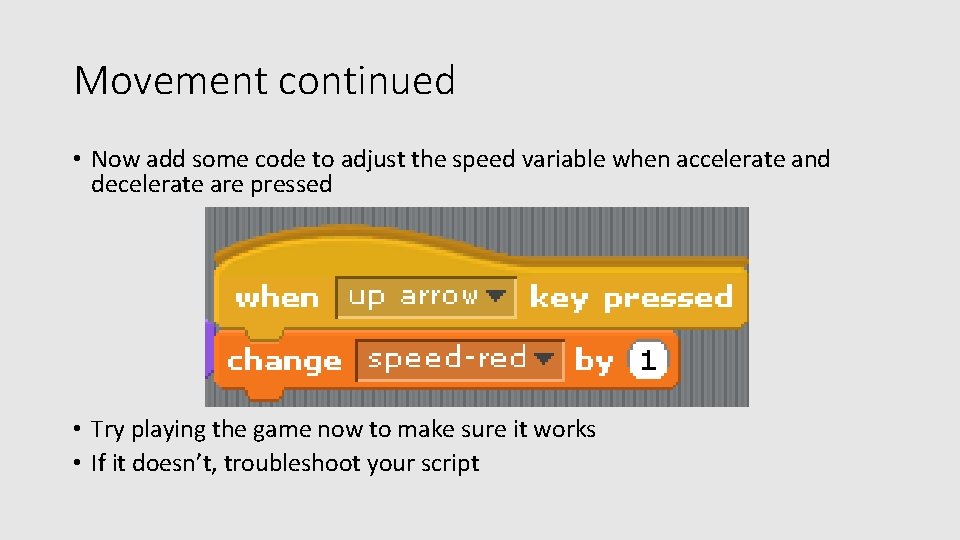
Movement continued • Now add some code to adjust the speed variable when accelerate and decelerate are pressed • Try playing the game now to make sure it works • If it doesn’t, troubleshoot your script
Scoring • Add a lap counter • This will need variables to keep track of laps for each car • When the start line is touching a car sprite, increase score
Hazards & Bonuses • Can you think of some hazards and bonuses to add to your track?
Peer Review • Swap chairs with someone and play their game • WWW • EBI
- Slides: 10