
Scratch Programming Brian Cain What is Programming or
Scratch Programming Brian Cain
What is Programming or Software Engineering? • • • The process of turning an idea or concept into a working and often interactive system Often used to solve a goal or accomplish a task (i. e. problem solving) Examples? o o o Cars, Planes, Space Rockets. . . Facebook, Google, Twitter, Amazon. . . i. OS, Android, Windows, Mac OS X, Linux Accounting software , Statistics software, Mathematics software. . . and even more!
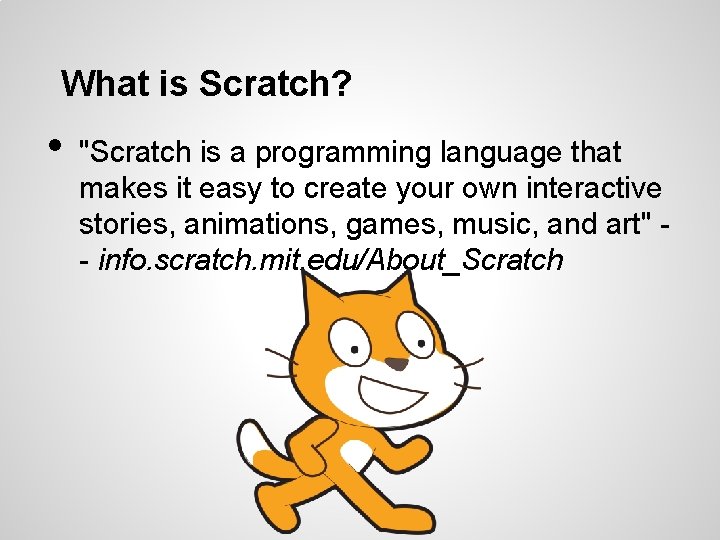
What is Scratch? • "Scratch is a programming language that makes it easy to create your own interactive stories, animations, games, music, and art" - info. scratch. mit. edu/About_Scratch
What is Scratch? • • • A visual way to introduce programming to students Works in a similar way to jigsaw puzzles Makes creating interactive software like video games, storyboards, or study software easy
Scratch Examples
Short Tutorial with the Basics • • We're going to make our first Scratch game Open up Scratch and follow the instructions to follow
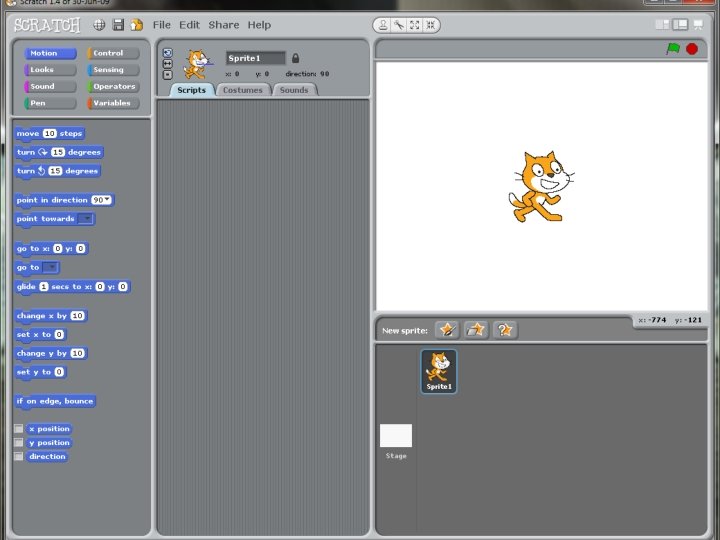

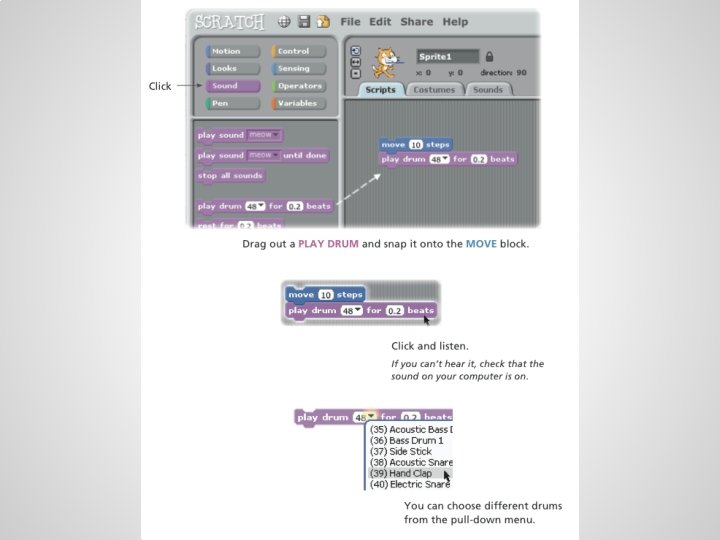
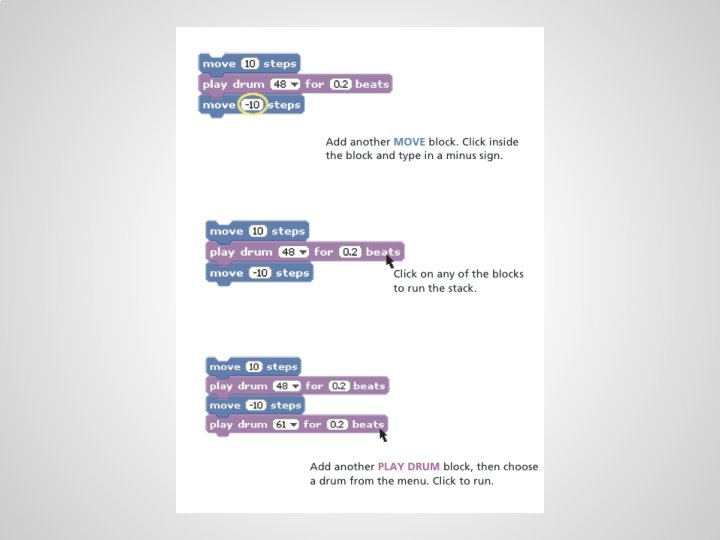
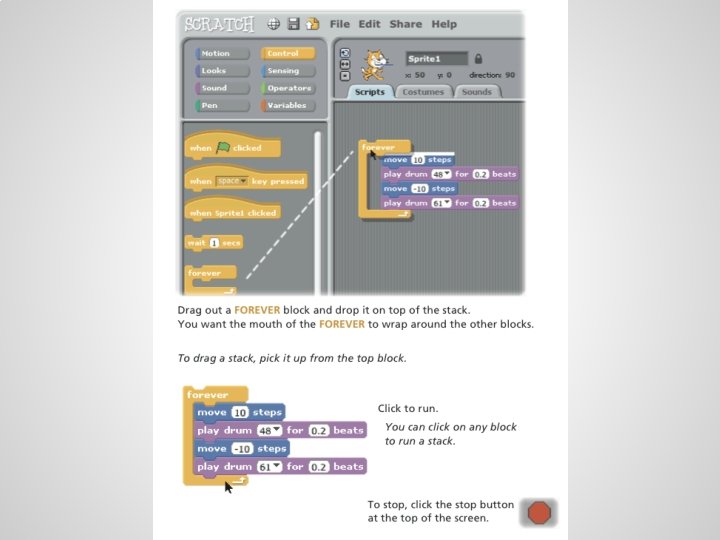
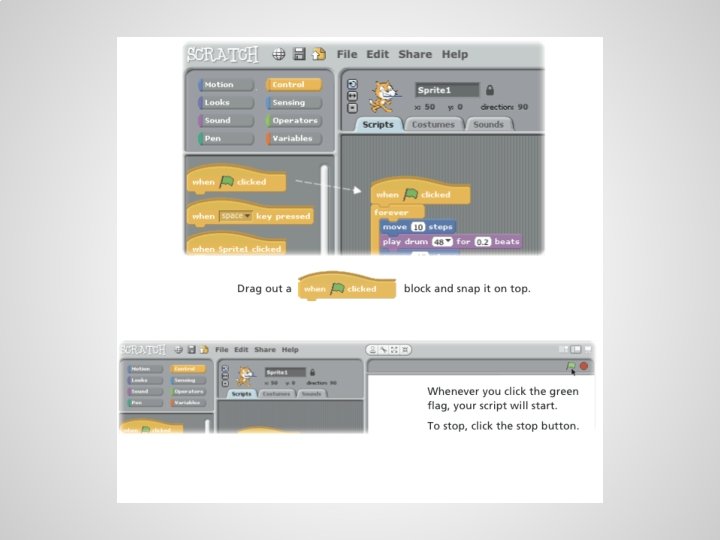
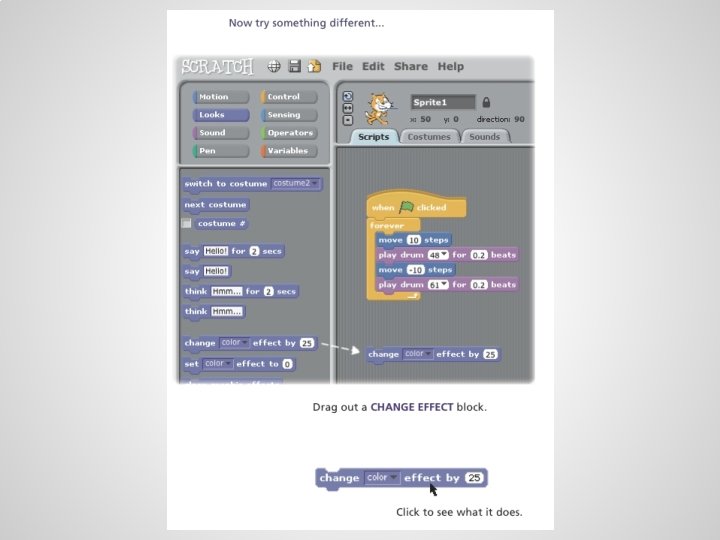
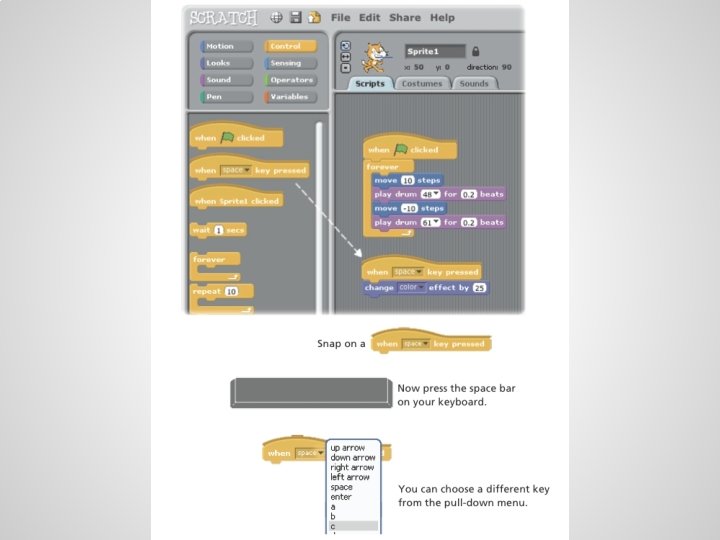
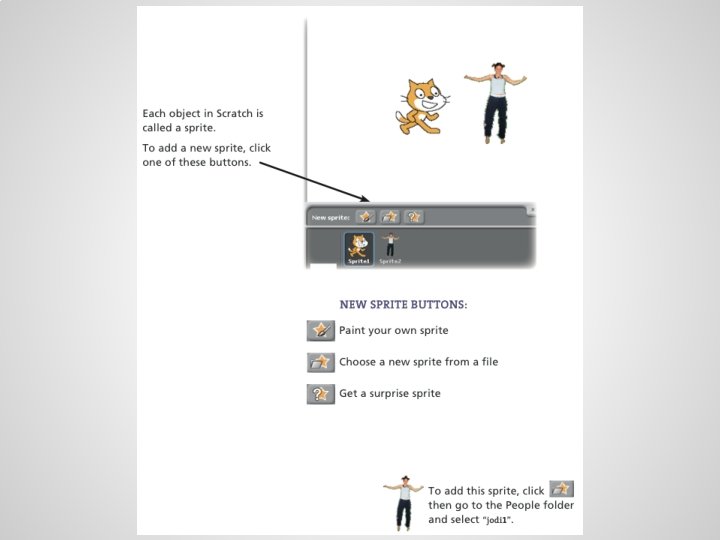
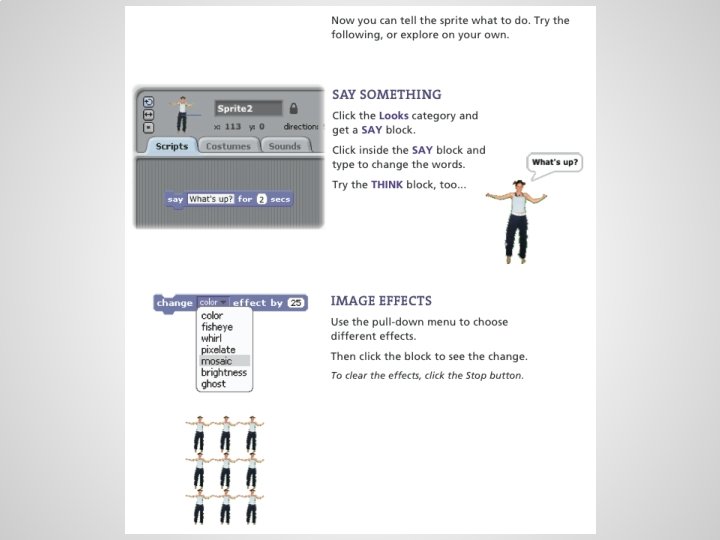
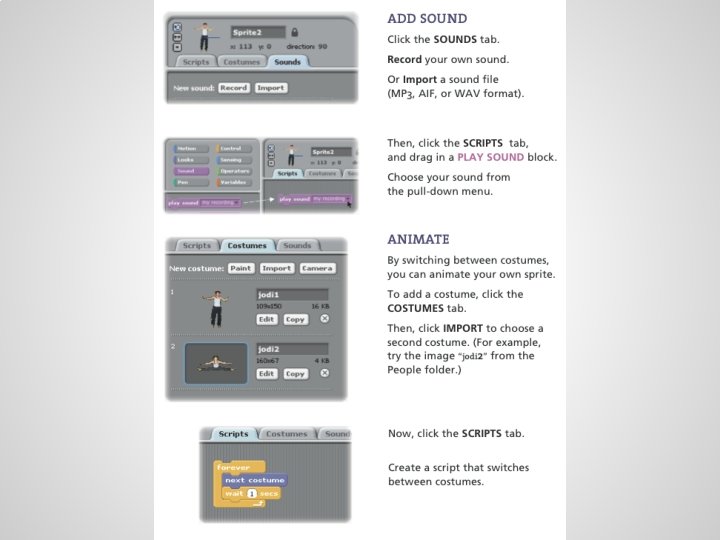
Try on your own • • Take a look at the first example of a Scratch program and go through the instructions See if you can complete the program like the instructions have
Making a Quiz First, let's take a look at the completed example. . .
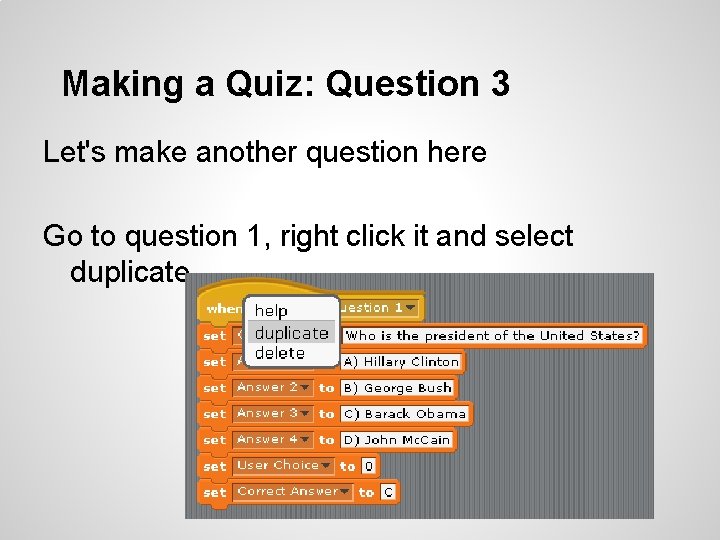
Making a Quiz: Question 3 Let's make another question here Go to question 1, right click it and select duplicate
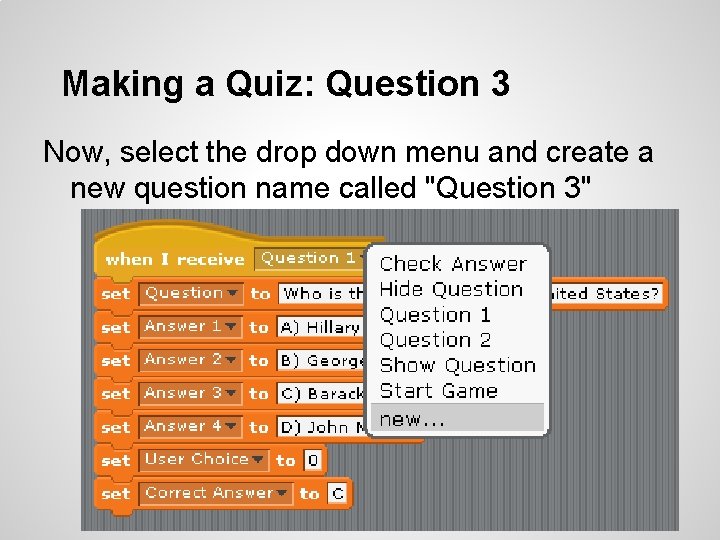
Making a Quiz: Question 3 Now, select the drop down menu and create a new question name called "Question 3"
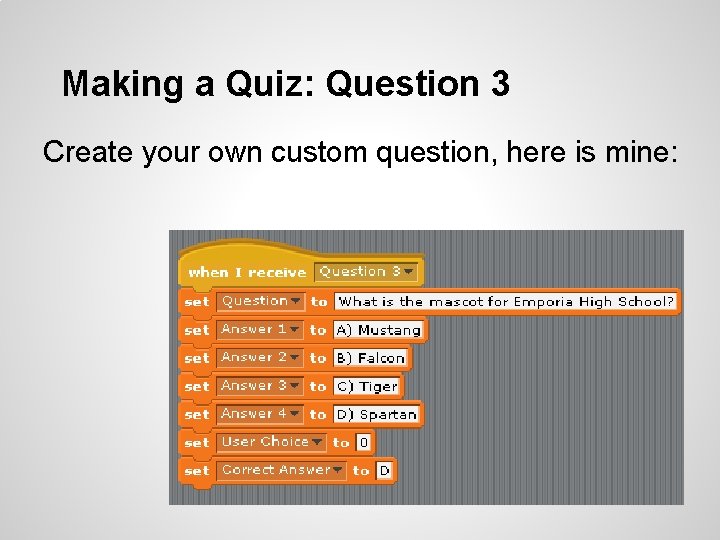
Making a Quiz: Question 3 Create your own custom question, here is mine:
Making a Quiz: Question 3 Now let's mess with the main logic, and add our question to the quiz. First, let's break apart that big block:
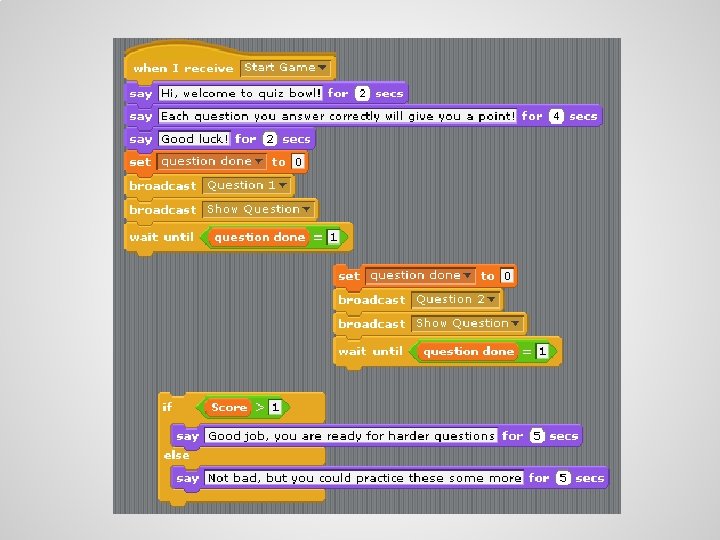
Making a Quiz: Question 3 • • • Now that you have broken apart that large block, copy the block "set question done to 0" block and duplicate it for your third question In the newly made piece, make sure the second yellow block is "broadcast Question 3", so that the quiz doesn't ask question 2 twice Now place the new block, plus the old block, in order
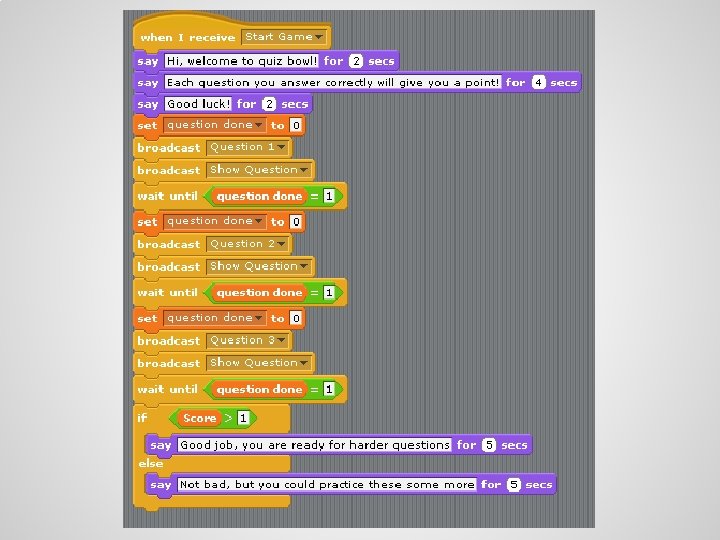
Making a Quiz: Question ? ? If you'd like to add more questions, and make your own custom quiz, follow these steps. Remember to add your new questions to the program so that it can ask the user!
Conclusion • • Make a quiz relating to your first exam to help you and your fellow peers study If you want this program at home, it's free! Just go to scratch. mit. edu/ to download and install it.
References • • info. scratch. mit. edu - For the quotes, and short tutorial included in these slides (http: //info. scratch. mit. edu/sites/infoscratch. media. mit. edu/docs/Scratch. Getting. Startedv 1 4. pdf) Scott Bell, former GK-12 fellow who got me started making the Scratch quizzes
- Slides: 29