
Scratch Dance Routine Make a Card 1 Fold
- Slides: 12
+ Scratch Dance Routine
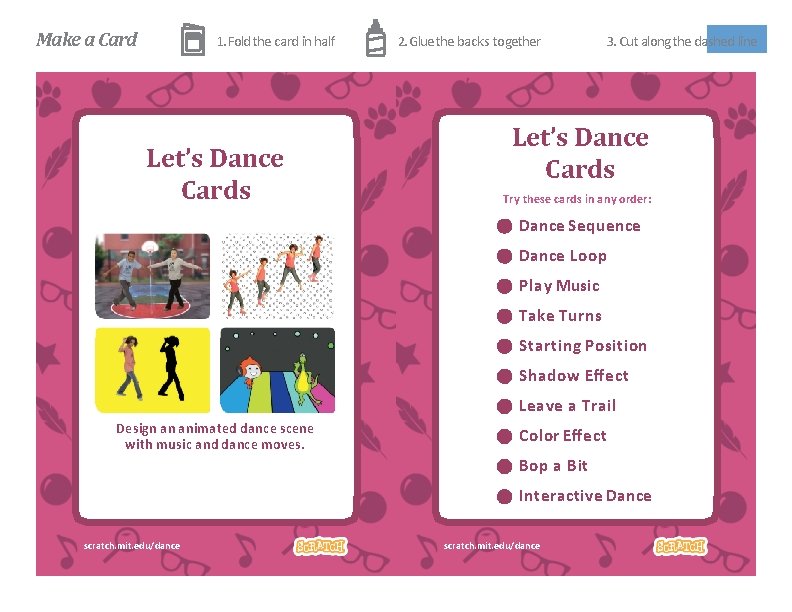
Make a Card 1. Fold the card in half 2. Glue the backs together 3. Cut along the dashed line Let’s Dance Cards Try these cards in any order: Dance Sequence Dance Loop Play Music Take Turns Starting Position Shadow Effect Leave a Trail Design an animated dance scene with music and dance moves. Color Effect Bop a Bit Interactive Dance scratch. mit. edu/dance Let’s Dance
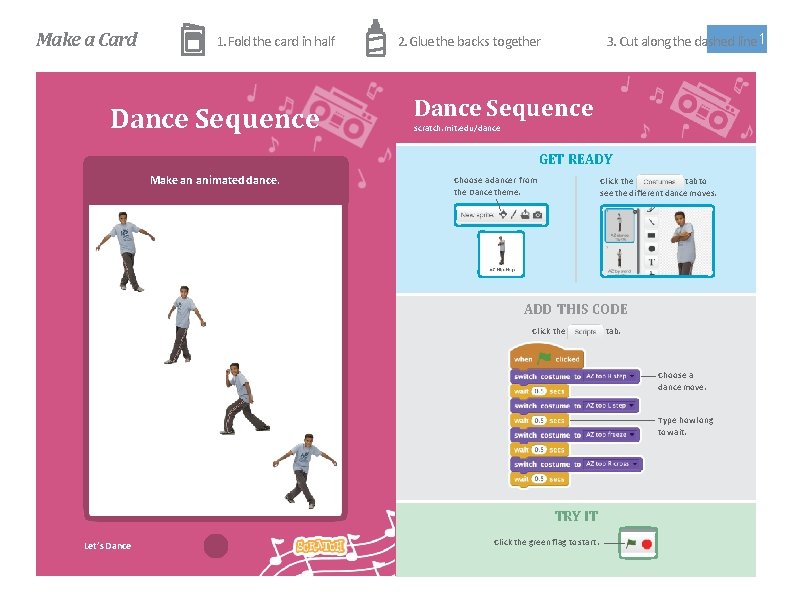
Make a Card 1. Fold the card in half Dance Sequence 3. Cut along the dashed line 1 2. Glue the backs together Dance Sequence scratch. mit. edu/dance GET READY Make an animated dance. Choose a dancer from the Dance theme. Click the tab to see the different dance moves. ADD THIS CODE Click the tab. Choose a dance move. Type how long to wait. TRY IT Click the green flag to start. Let’s Dance Party!
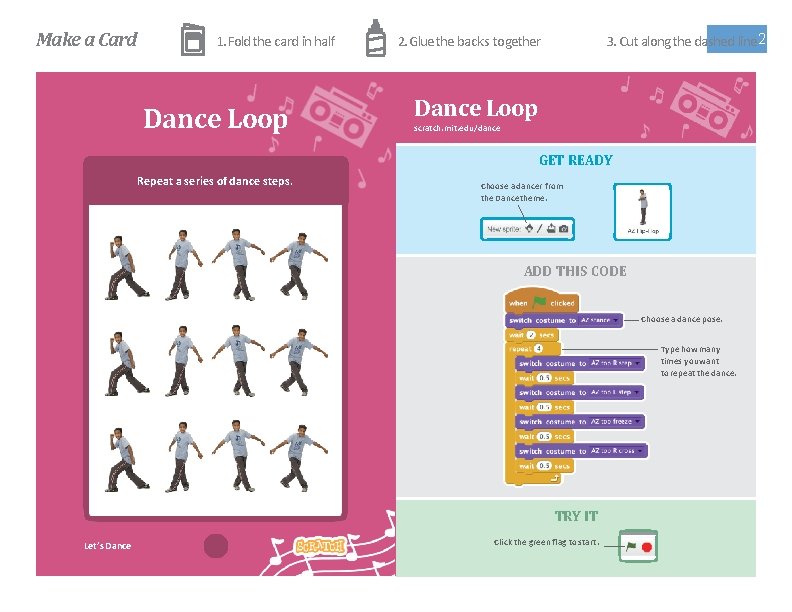
Make a Card 1. Fold the card in half Dance Loop 3. Cut along the dashed line 2 2. Glue the backs together Dance Loop scratch. mit. edu/dance GET READY Repeat a series of dance steps. Choose a dancer from the Dance theme. ADD THIS CODE Choose a dance pose. Type how many times you want to repeat the dance. TRY IT Click the green flag to start. Let’s Dance Party!
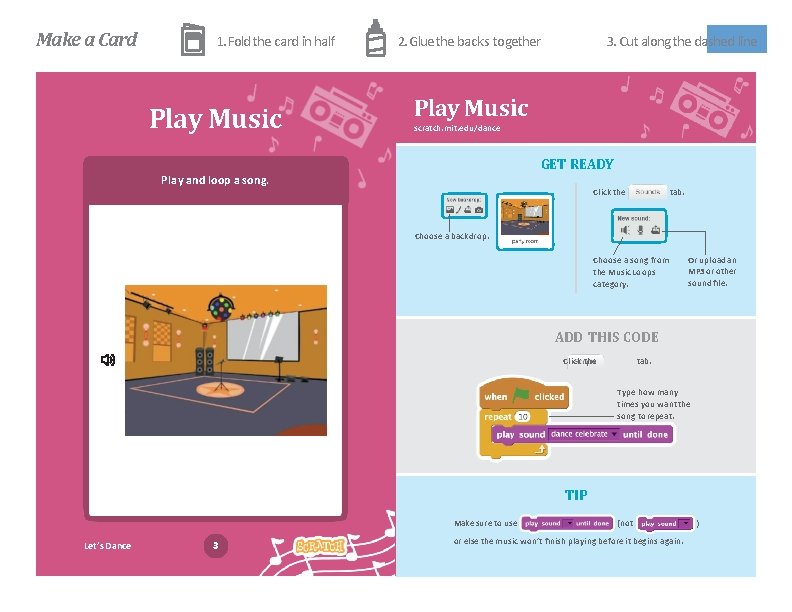
Make a Card 1. Fold the card in half Play Music 2. Glue the backs together 3. Cut along the dashed line Play Music scratch. mit. edu/dance GET READY Play and loop a song. Click the tab. Choose a backdrop. Choose a song from the Music Loops category. Or upload an MP 3 or other sound file. ADD THIS CODE Click the tab. Type how many times you want the song to repeat. TIP Make sure to use Let’s Dance 3 Dance Party! (not or else the music won’t finish playing before it begins again. )
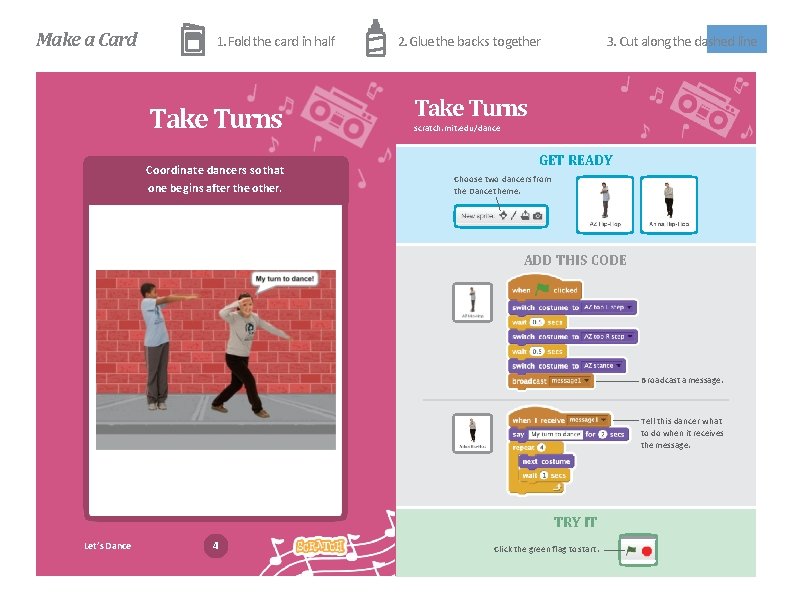
Make a Card 1. Fold the card in half Take Turns Coordinate dancers so that one begins after the other. 2. Glue the backs together 3. Cut along the dashed line Take Turns scratch. mit. edu/dance GET READY Choose two dancers from the Dance theme. ADD THIS CODE Broadcast a message. Tell this dancer what to do when it receives the message. TRY IT Let’s Dance 4 Dance Party! Click the green flag to start.
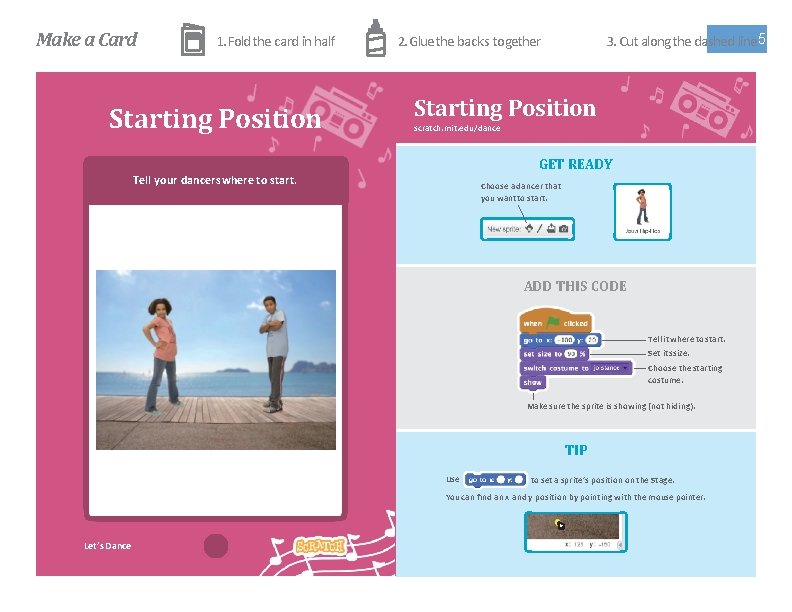
Make a Card 1. Fold the card in half Starting Position 3. Cut along the dashed line 5 2. Glue the backs together Starting Position scratch. mit. edu/dance GET READY Tell your dancers where to start. Choose a dancer that you want to start. ADD THIS CODE Tell it where to start. Set its size. Choose the starting costume. Make sure the sprite is showing (not hiding). TIP Use to set a sprite’s position on the Stage. You can find an x and y position by pointing with the mouse pointer. Let’s Dance Party!
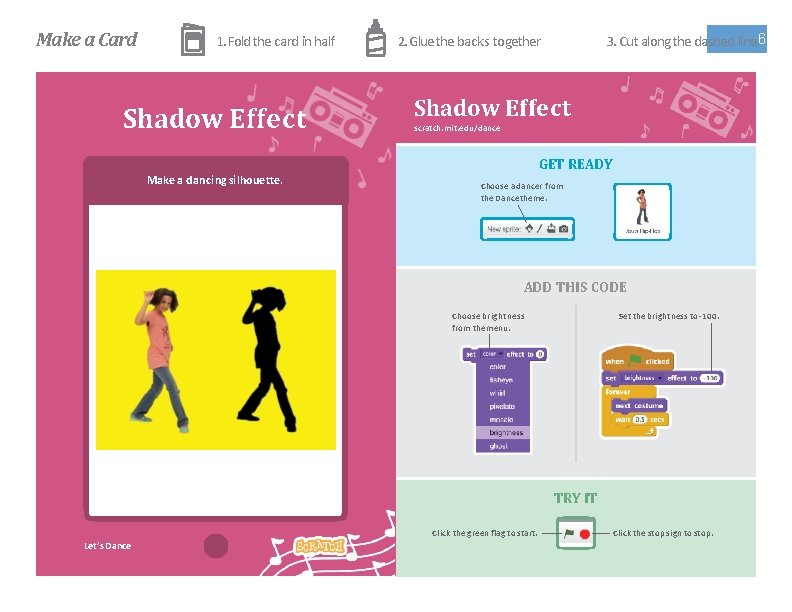
Make a Card 1. Fold the card in half Shadow Effect 3. Cut along the dashed line 6 2. Glue the backs together Shadow Effect scratch. mit. edu/dance GET READY Make a dancing silhouette. Choose a dancer from the Dance theme. ADD THIS CODE Choose brightness from the menu. Set the brightness to -100. TRY IT Click the green flag to start. Let’s Dance Party! Click the stop sign to stop.
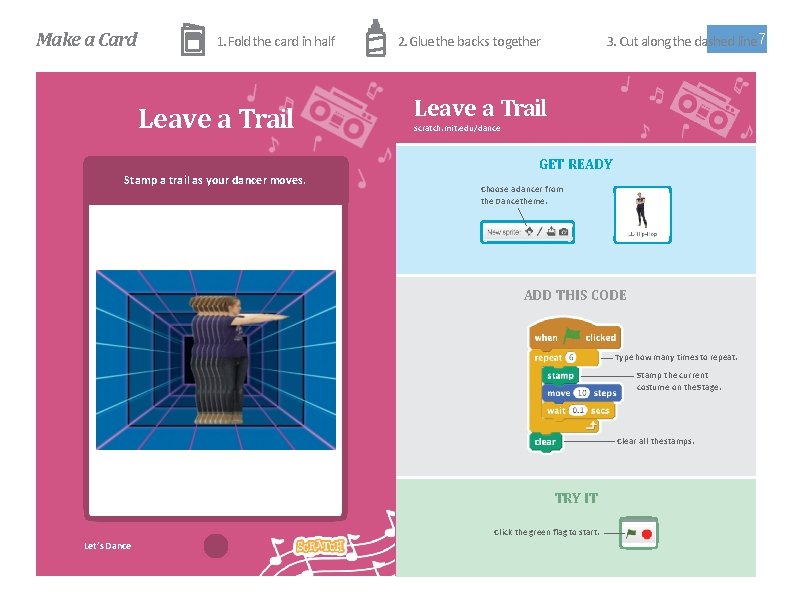
Make a Card 1. Fold the card in half Leave a Trail 3. Cut along the dashed line 7 2. Glue the backs together Leave a Trail scratch. mit. edu/dance GET READY Stamp a trail as your dancer moves. Choose a dancer from the Dance theme. ADD THIS CODE Type how many times to repeat. Stamp the current costume on the Stage. Clear all the stamps. TRY IT Click the green flag to start. Let’s Dance Party!
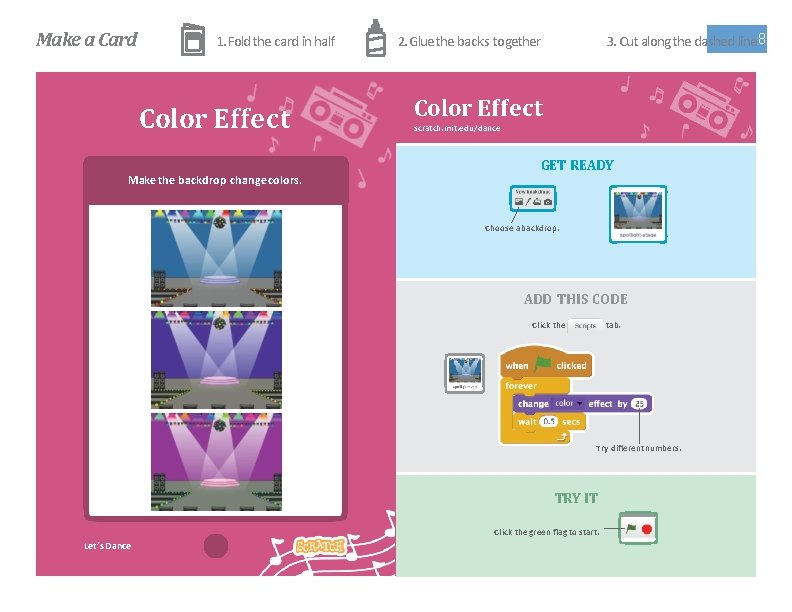
Make a Card 1. Fold the card in half Color Effect Make the backdrop change colors. 3. Cut along the dashed line 8 2. Glue the backs together Color Effect scratch. mit. edu/dance GET READY Choose a backdrop. ADD THIS CODE Click the tab. Try different numbers. TRY IT Click the green flag to start. Let’s Dance Party!
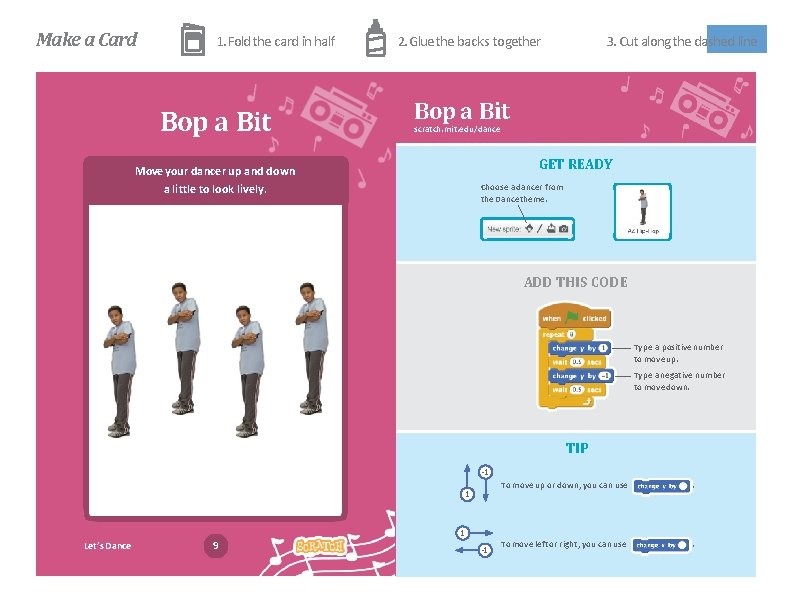
Make a Card 1. Fold the card in half Bop a Bit 2. Glue the backs together 3. Cut along the dashed line Bop a Bit scratch. mit. edu/dance GET READY Move your dancer up and down Choose a dancer from the Dance theme. a little to look lively. ADD THIS CODE Type a positive number to move up. Type a negative number to move down. TIP -1 1 To move up or down, you can use . To move left or right, you can use . 1 Let’s Dance 9 Dance Party! -1
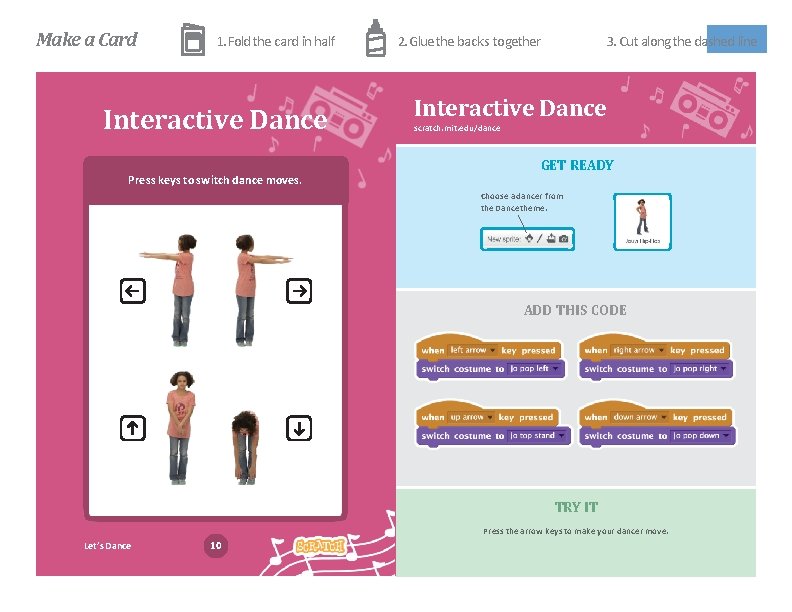
Make a Card 1. Fold the card in half Interactive Dance Press keys to switch dance moves. 2. Glue the backs together 3. Cut along the dashed line Interactive Dance scratch. mit. edu/dance GET READY Choose a dancer from the Dance theme. ADD THIS CODE TRY IT Press the arrow keys to make your dancer move. Let’s Dance 10 Dance Party!