
Scopus Other Your article Citation Analysis Jill Otto
- Slides: 31
Scopus Other? Your article Citation Analysis Jill Otto Rhodes Library Services Altmetrics In. Cites
2 Citation Analysis – what is it all about? And why would you care? Why would you want to know if your work is cited? v To prepare for promotion v To apply for funding v To look for possible collaborators v Someone has read your work This presentation will cover the following: H-Index Scopus: Citation Analysis & Journal Impact Factors Web of Science: Citation Analysis & Journal Impact Factors Altmetrics – briefly! 2
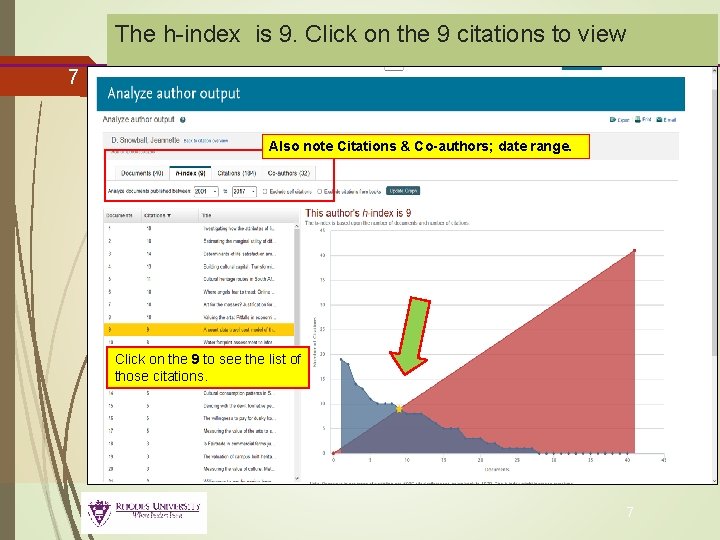
H-Index – the what and why… 3 What – The h-index captures output based on the total number of publications and the total number of citations to those works. An h-index of 6 means that an author has published at least 6 papers that have each received at least 6 citations. Why – It can be an indicator of how productive and influential a researcher is. BUT there are disadvantages: the h-index cannot be compared across disciplines; h-scores are open to manipulation through practices like selfcitation; authorship – single author or co-author? Citation rates vary across disciplines. * 3
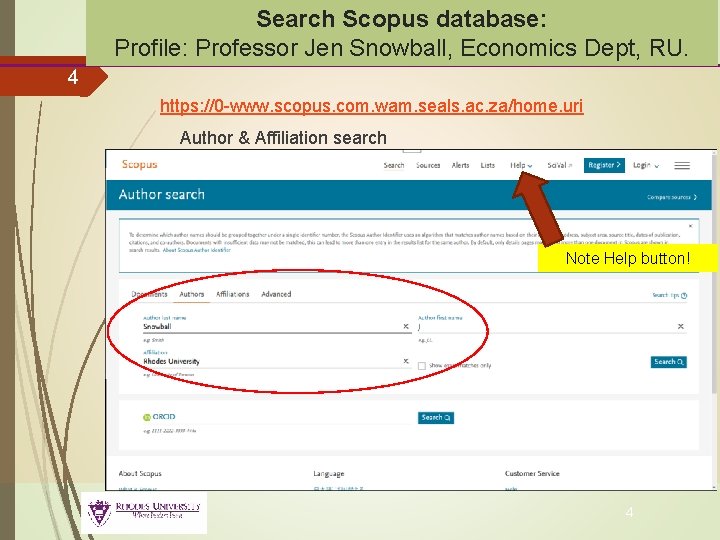
Search Scopus database: Profile: Professor Jen Snowball, Economics Dept, RU. 4 https: //0 -www. scopus. com. wam. seals. ac. za/home. uri Author & Affiliation search Note Help button! 4
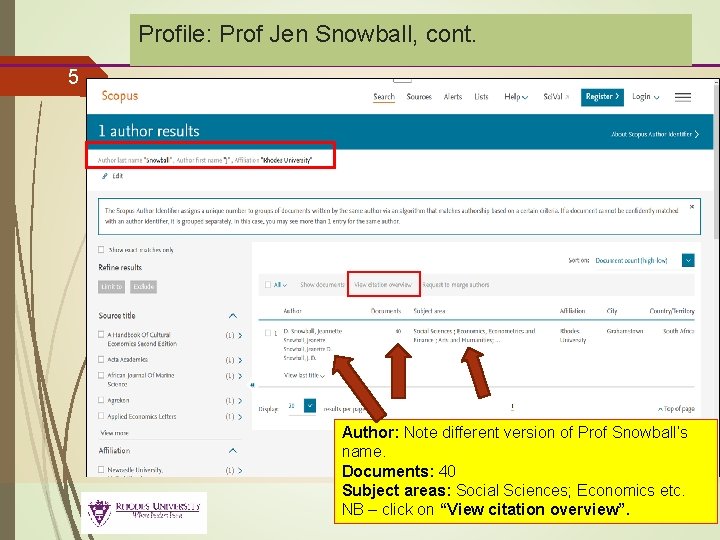
Profile: Prof Jen Snowball, cont. 5 Author: Note different version of Prof Snowball’s name. Documents: 40 Subject areas: Social Sciences; Economics etc. NB – click on “View citation overview”. 5
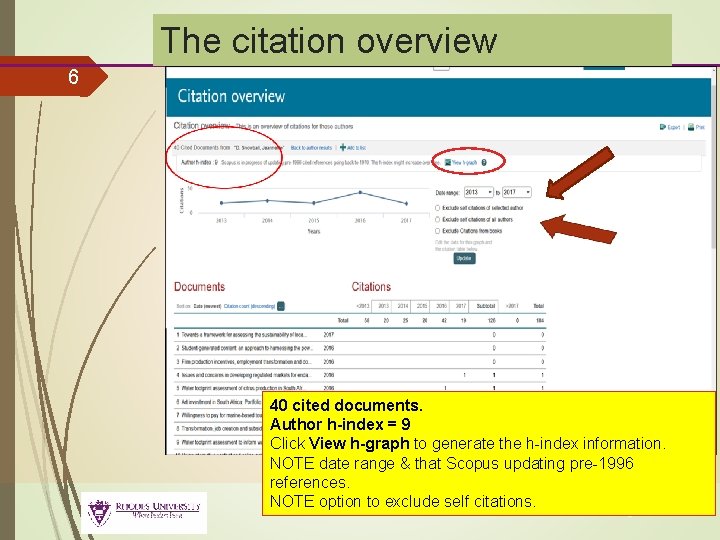
The citation overview 6 40 cited documents. Author h-index = 9 Click View h-graph to generate the h-index information. NOTE date range & that Scopus updating pre-1996 references. NOTE option to exclude self citations. 6
The h-index is 9. Click on the 9 citations to view 7 Also note Citations & Co-authors; date range. Click on the 9 to see the list of those citations. 7
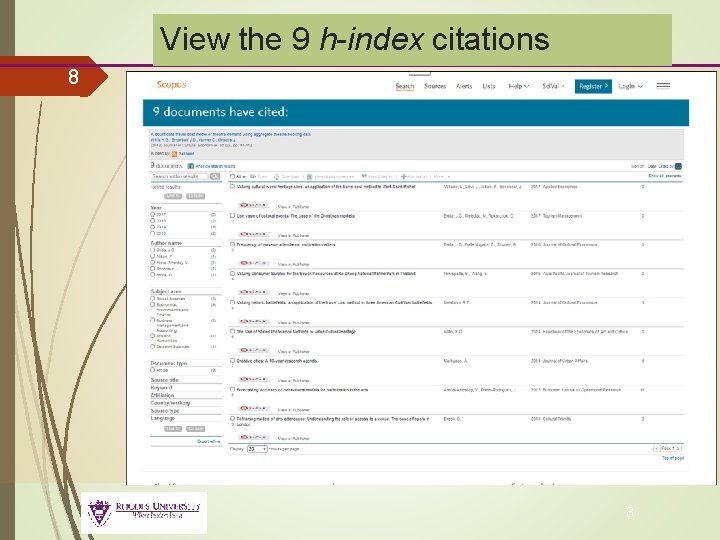
View the 9 h-index citations 8 8
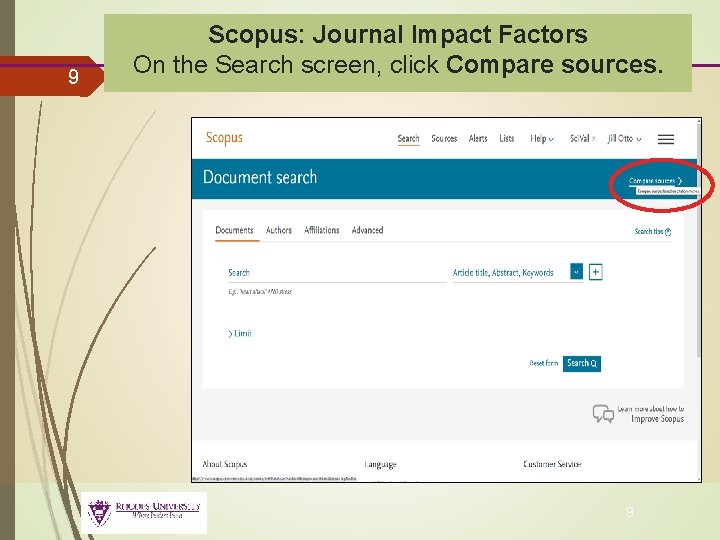
9 Scopus: Journal Impact Factors On the Search screen, click Compare sources. 9
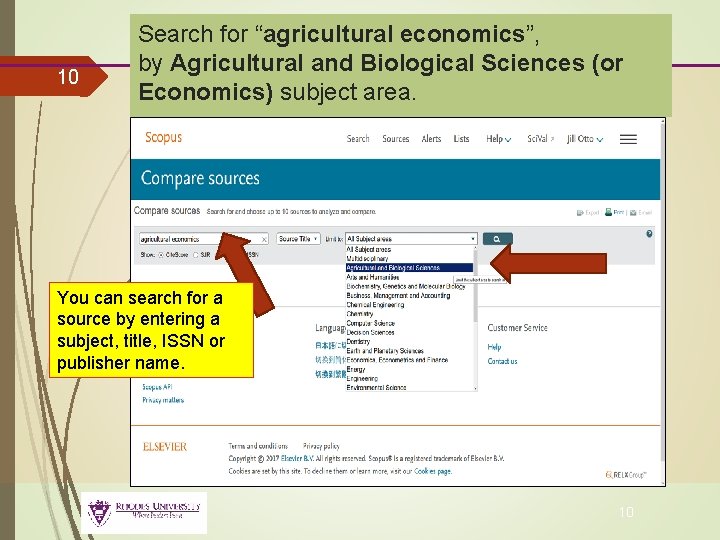
10 Search for “agricultural economics”, by Agricultural and Biological Sciences (or Economics) subject area. You can search for a source by entering a subject, title, ISSN or publisher name. 10
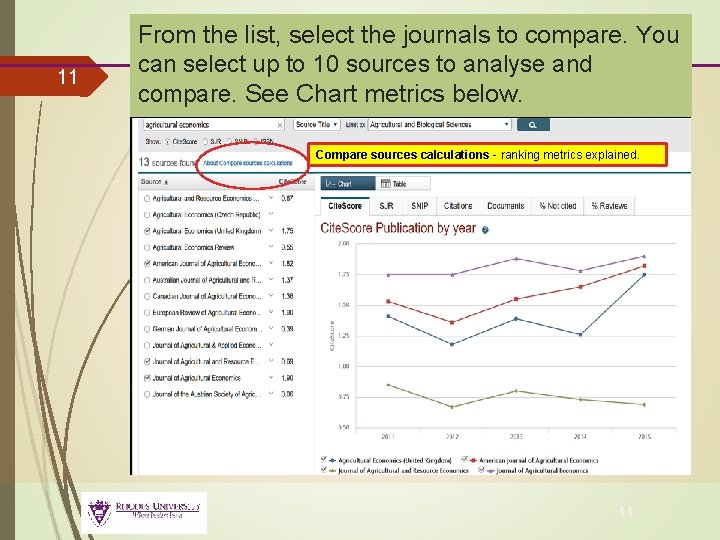
11 From the list, select the journals to compare. You can select up to 10 sources to analyse and compare. See Chart metrics below. Compare sources calculations - ranking metrics explained. 11
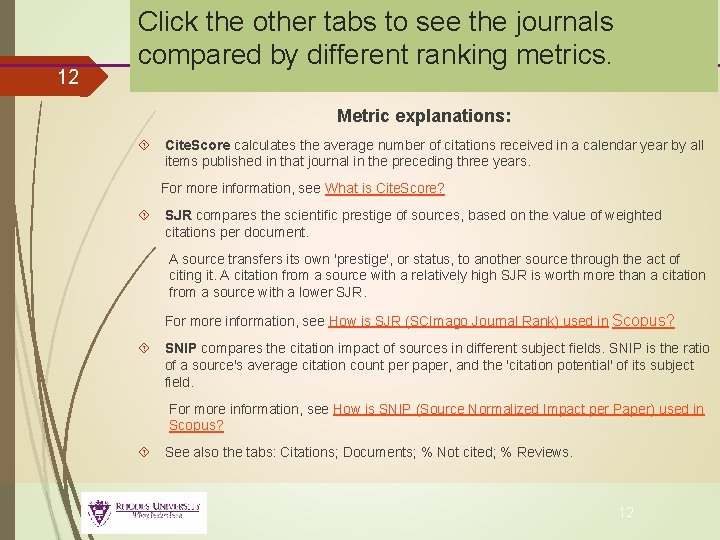
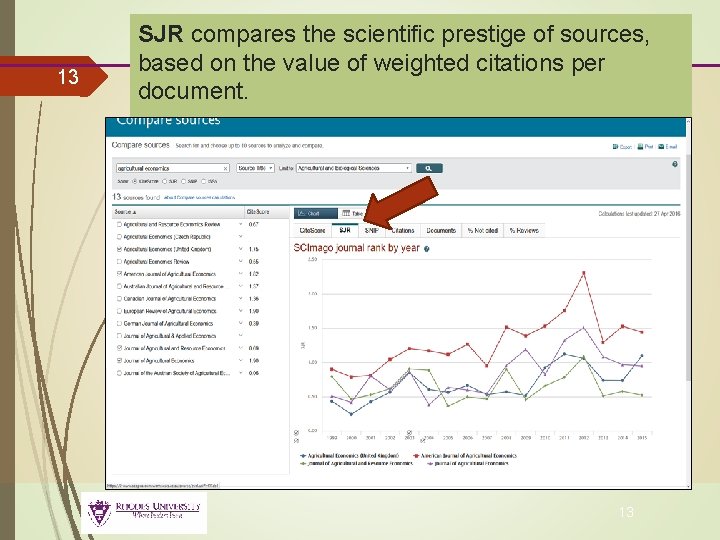
12 Click the other tabs to see the journals compared by different ranking metrics. Metric explanations: Cite. Score calculates the average number of citations received in a calendar year by all items published in that journal in the preceding three years. For more information, see What is Cite. Score? SJR compares the scientific prestige of sources, based on the value of weighted citations per document. A source transfers its own 'prestige', or status, to another source through the act of citing it. A citation from a source with a relatively high SJR is worth more than a citation from a source with a lower SJR. For more information, see How is SJR (SCImago Journal Rank) used in Scopus? SNIP compares the citation impact of sources in different subject fields. SNIP is the ratio of a source's average citation count per paper, and the 'citation potential' of its subject field. For more information, see How is SNIP (Source Normalized Impact per Paper) used in Scopus? See also the tabs: Citations; Documents; % Not cited; % Reviews. 12
13 SJR compares the scientific prestige of sources, based on the value of weighted citations per document. 13
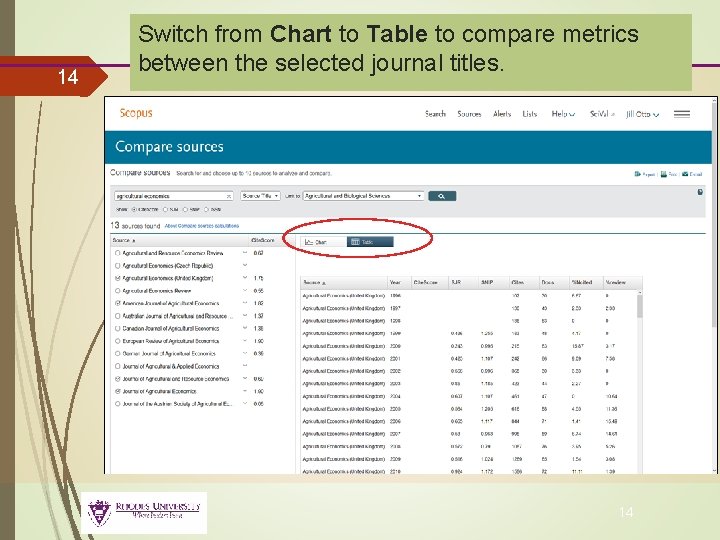
14 Switch from Chart to Table to compare metrics between the selected journal titles. 14
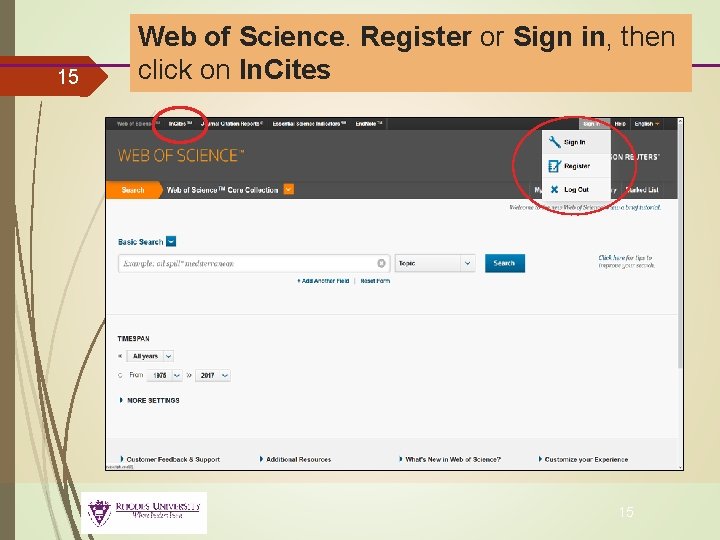
15 Web of Science. Register or Sign in, then click on In. Cites 15
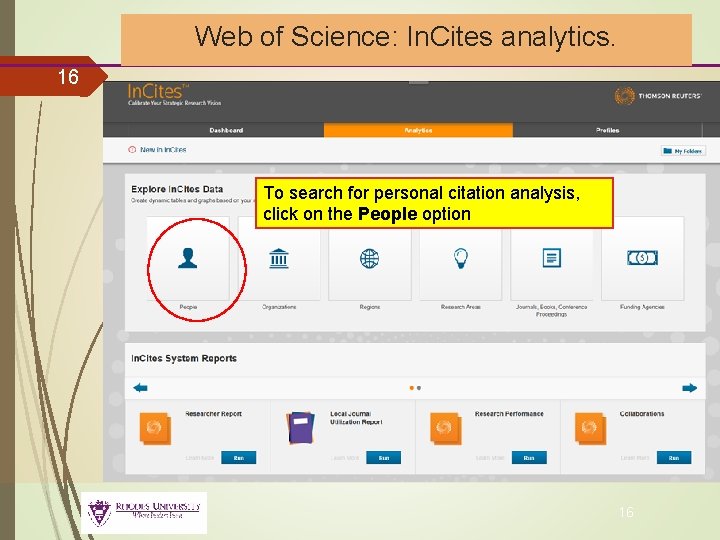
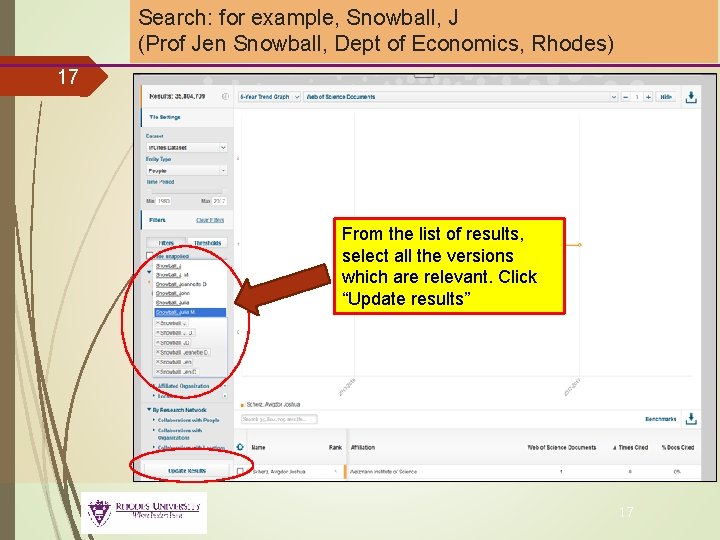
Web of Science: In. Cites analytics. 16 To search for personal citation analysis, click on the People option 16
Search: for example, Snowball, J (Prof Jen Snowball, Dept of Economics, Rhodes) 17 From the list of results, select all the versions which are relevant. Click “Update results” 17
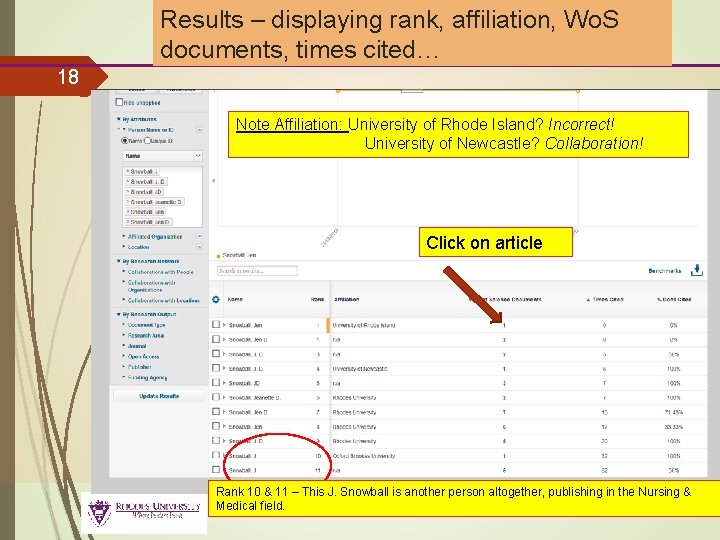
Results – displaying rank, affiliation, Wo. S documents, times cited… 18 Note Affiliation: University of Rhode Island? Incorrect! University of Newcastle? Collaboration! Click on article Rank 10 & 11 – This J. Snowball is another person altogether, publishing in the Nursing & Medical field. 18
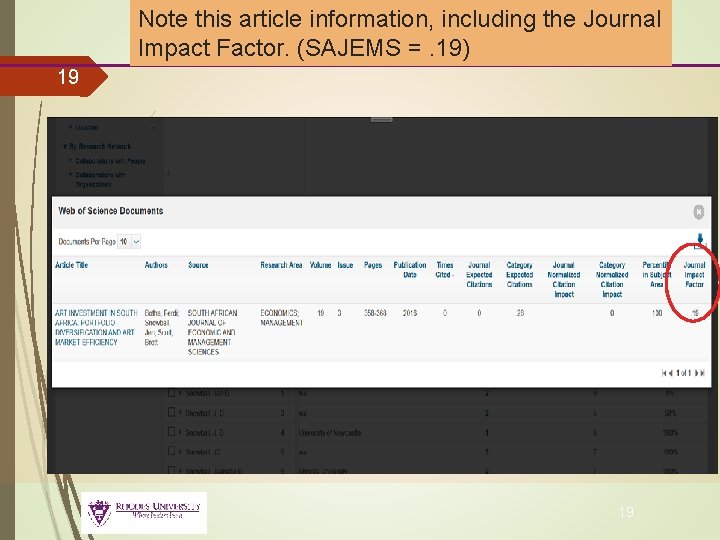
Note this article information, including the Journal Impact Factor. (SAJEMS =. 19) 19 19
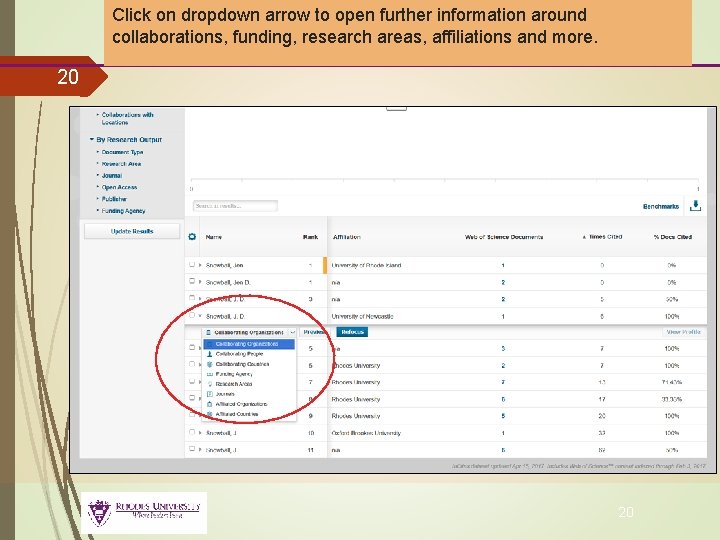
Click on dropdown arrow to open further information around collaborations, funding, research areas, affiliations and more. 20 20
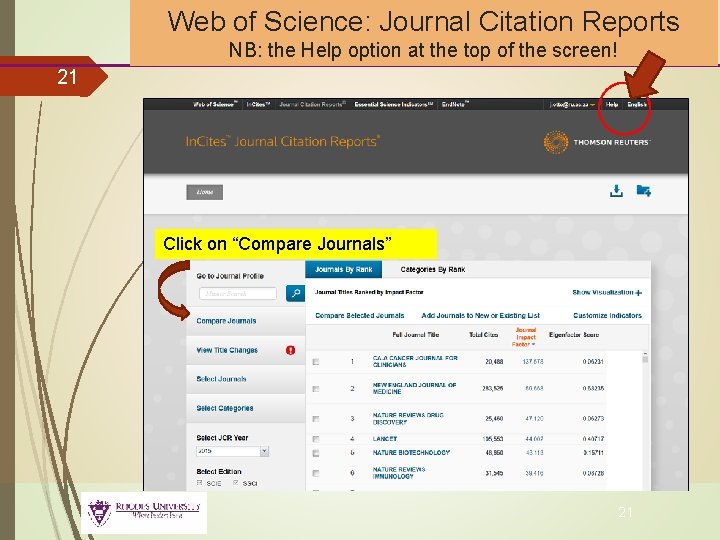
Web of Science: Journal Citation Reports NB: the Help option at the top of the screen! 21 Click on “Compare Journals” 21
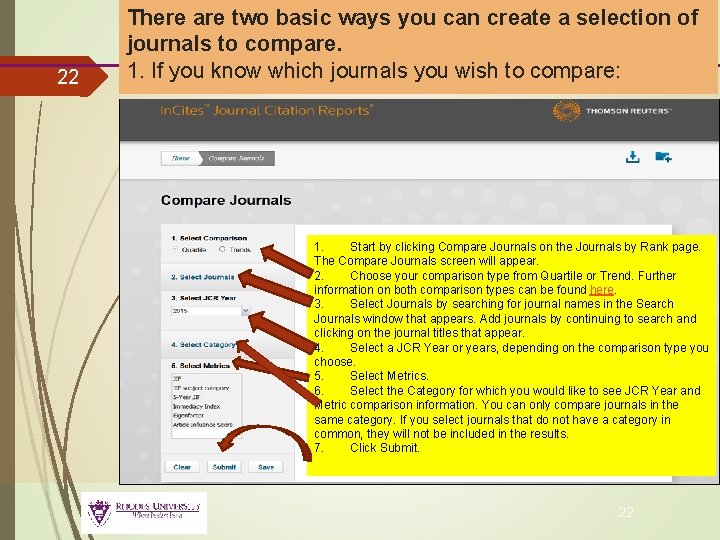
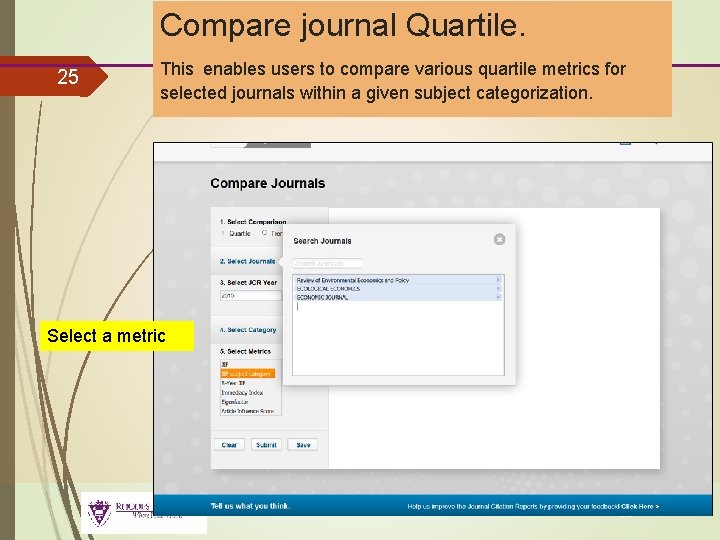
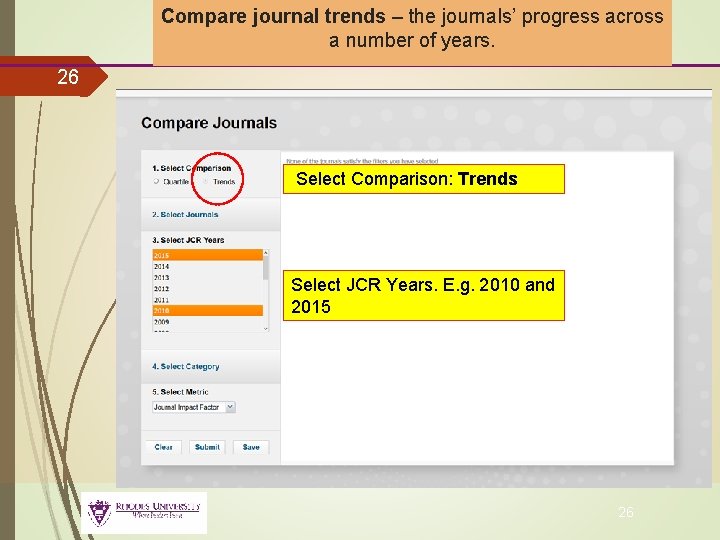
22 There are two basic ways you can create a selection of journals to compare. 1. If you know which journals you wish to compare: 1. Start by clicking Compare Journals on the Journals by Rank page. The Compare Journals screen will appear. 2. Choose your comparison type from Quartile or Trend. Further information on both comparison types can be found here. 3. Select Journals by searching for journal names in the Search Journals window that appears. Add journals by continuing to search and clicking on the journal titles that appear. 4. Select a JCR Year or years, depending on the comparison type you choose. 5. Select Metrics. 6. Select the Category for which you would like to see JCR Year and Metric comparison information. You can only compare journals in the same category. If you select journals that do not have a category in common, they will not be included in the results. 7. Click Submit. 22
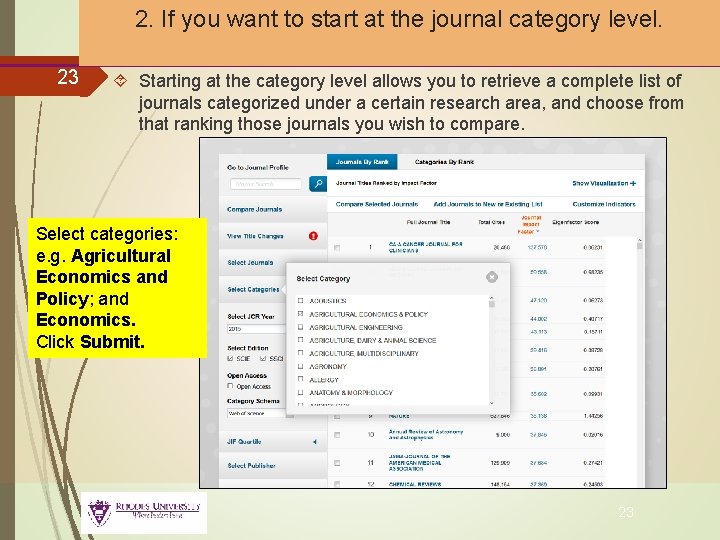
2. If you want to start at the journal category level. 23 Starting at the category level allows you to retrieve a complete list of journals categorized under a certain research area, and choose from that ranking those journals you wish to compare. Select categories: e. g. Agricultural Economics and Policy; and Economics. Click Submit. 23
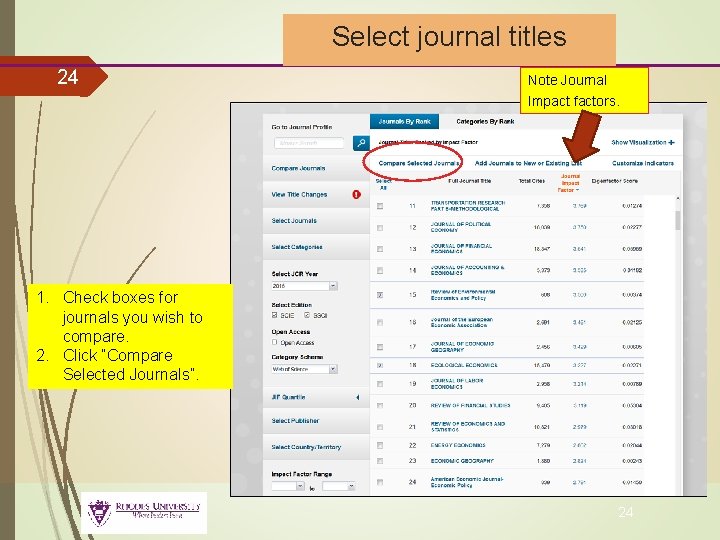
Select journal titles 24 Note Journal Impact factors. 1. Check boxes for journals you wish to compare. 2. Click “Compare Selected Journals”. 24
25 Compare journal Quartile. This enables users to compare various quartile metrics for selected journals within a given subject categorization. Select a metric 25
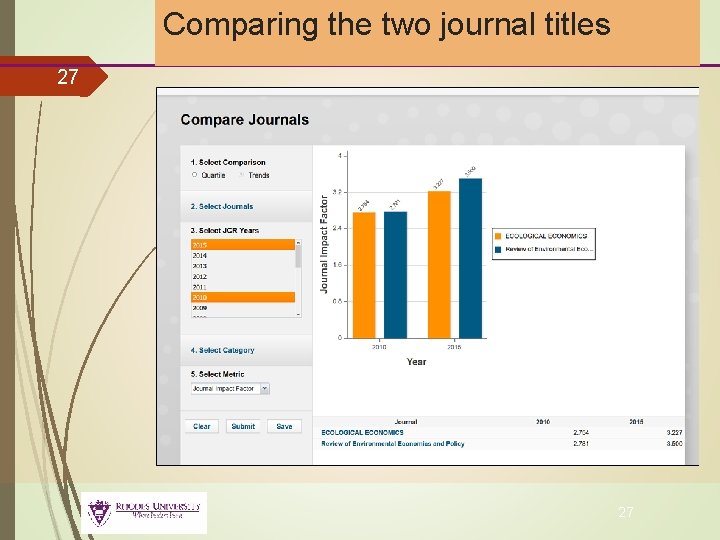
Compare journal trends – the journals’ progress across a number of years. 26 Select Comparison: Trends Select JCR Years. E. g. 2010 and 2015 26
Comparing the two journal titles 27 27
Altmetrics 28 Altmetrics are metrics and qualitative data that are complementary to traditional, citationbased metrics. The slow pace of academic publishing means that it can take months or years before an article begins to appear in journal citations. The relative speed of Altmetrics provides a new way of measuring scholarly output that helps scholars to keep abreast of the developments in their field by identifying important new scholarship. They can include (but are not limited to) peer reviews on Faculty of 1000, citations on Wikipedia and in public policy documents, discussions on research blogs, mainstream media coverage, bookmarks on reference managers like Mendeley, and mentions on social networks such as Twitter. https: //www. altmetric. com A beginner's guide to Altmetrics https: //www. youtube. com/watch? v=M 6 Xaw. J 7 -880 RUL subject guide on Altmetrics: http: //ru. za. libguides. com/c. php? g=174135&p=1579138 28
You. Tube help! 29 JCR on In. Cites: Quick Tour https: //www. youtube. com/watch? v=IIf. F 5 jvow. SM Using Journal Citation Reports https: //www. youtube. com/watch? v=z. K 26 Lez 2 d. FQ Journal Citation Reports: Impact Factor https: //www. youtube. com/watch? v=0 RPsvgfi 0 RY 29
30 Please contact your Principal Faculty Librarian for further assistance: Science & Pharmacy: Thandiwe Menze (Level 2) v. menze@ru. ac. za Commerce & Law: Jill Otto (Level 3) j. otto@ru. ac. za Humanities (Social Sciences) & Education: Fiona Still-Drewett (Level 3) f. still@ru. ac. za Humanities: Linda Cartwright (Level 4) l. cartwright@ru. ac. za 30
References 31 https: //www. slideshare. net/Anne. Wil. Harzing/citation-analysis -with-publish-or-perish-and-google-scholar https: //www. altmetric. com 31