
Scientific Linux Experience at RHIC Computing Facility Christopher
- Slides: 6
Scientific Linux Experience at RHIC Computing Facility Christopher Hollowell Physics Department Brookhaven National Laboratory hollowec@bnl. gov
Red Hat Linux End Of Life Options ● ● ● Red Hat Enterprise Linux – Not cost effective when installed on a ~2800 CPU farm Debian, Su. SE, Mandrake – Require change in automatic installation mechanism – Support for third party applications (PGI Compilers, Total. View, etc. ) questionable Fedora Core – Short support periods (~1. 5 years including Fedora Legacy support) – Third party application support concerns – Uncertainty over stability
Red Hat Linux End Of Life Options (Cont. ) ● Scientific Linux – In use at several HEP/NP sites – No cost – Requires few changes to RCF's current installation/custom package management model – Built from RHEL 3 sources --> compatibility with Enterprise --> few third party application support concerns
Scientific Linux Usage at RCF ● ● Upgrade of CAS/CRS farm to SL 3. 0. 2 (+updates) in progress Some bugs encountered which are also present in RHEL 3 – ACL issue when mounting Vx. FS filesystems via NFS from servers running Solaris 8/9: RH Bugzilla Bug #106584. Built a custom mount package to resolve this issue – Symbolic links created on ext 3 filesystems at installation time (under BOOT kernel) have their mode bits set to 755: RH Bugzilla Bug #116317, seemingly benign
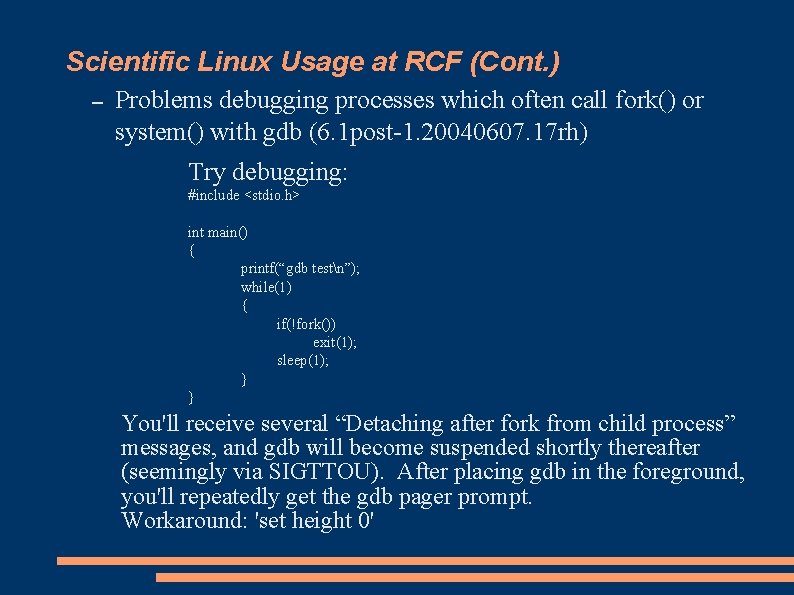
Scientific Linux Usage at RCF (Cont. ) – Problems debugging processes which often call fork() or system() with gdb (6. 1 post-1. 20040607. 17 rh) Try debugging: #include <stdio. h> int main() { printf(“gdb testn”); while(1) { if(!fork()) exit(1); sleep(1); } } You'll receive several “Detaching after fork from child process” messages, and gdb will become suspended shortly thereafter (seemingly via SIGTTOU). After placing gdb in the foreground, you'll repeatedly get the gdb pager prompt. Workaround: 'set height 0'
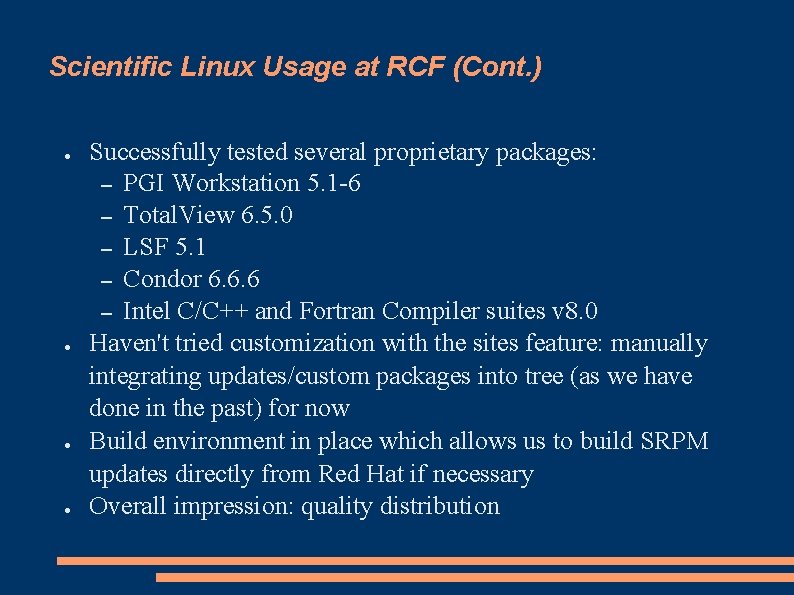
Scientific Linux Usage at RCF (Cont. ) ● ● Successfully tested several proprietary packages: – PGI Workstation 5. 1 -6 – Total. View 6. 5. 0 – LSF 5. 1 – Condor 6. 6. 6 – Intel C/C++ and Fortran Compiler suites v 8. 0 Haven't tried customization with the sites feature: manually integrating updates/custom packages into tree (as we have done in the past) for now Build environment in place which allows us to build SRPM updates directly from Red Hat if necessary Overall impression: quality distribution