
Science Cache for i Phone Web App SCedit

Science. Cache for i. Phone & Web. App (SCedit) Updated: 2 -25 -16
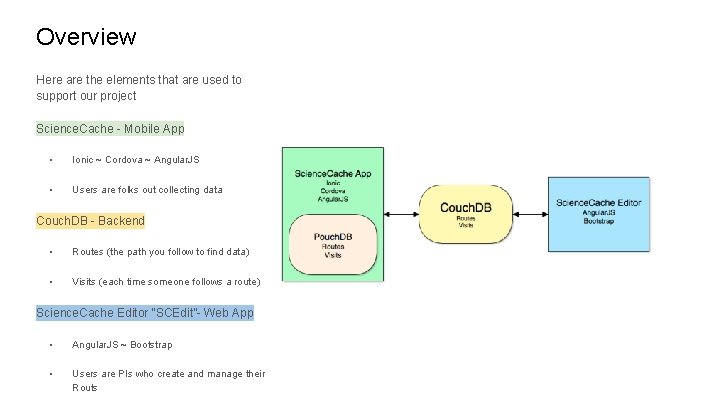
Overview Here are the elements that are used to support our project Science. Cache - Mobile App • Ionic ~ Cordova ~ Angular. JS • Users are folks out collecting data Couch. DB - Backend • Routes (the path you follow to find data) • Visits (each time someone follows a route) Science. Cache Editor “SCEdit”- Web App • Angular. JS ~ Bootstrap • Users are PIs who create and manage their Routs

Science. Cache - Mobile App
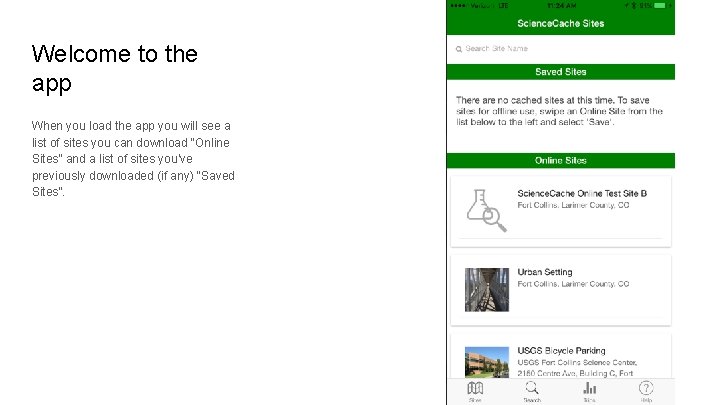
Welcome to the app When you load the app you will see a list of sites you can download “Online Sites” and a list of sites you’ve previously downloaded (if any) “Saved Sites”.
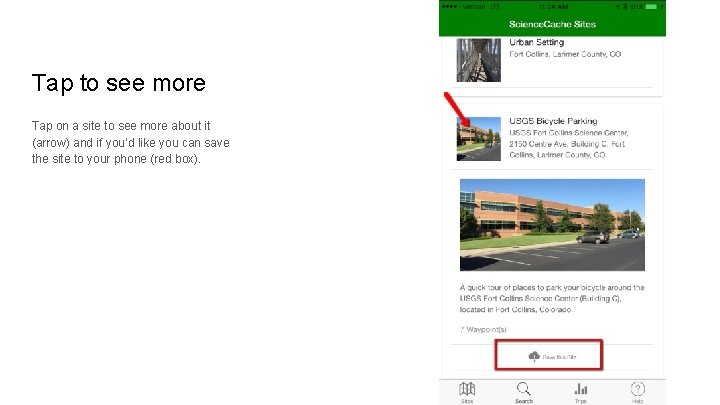
Tap to see more Tap on a site to see more about it (arrow) and if you’d like you can save the site to your phone (red box).
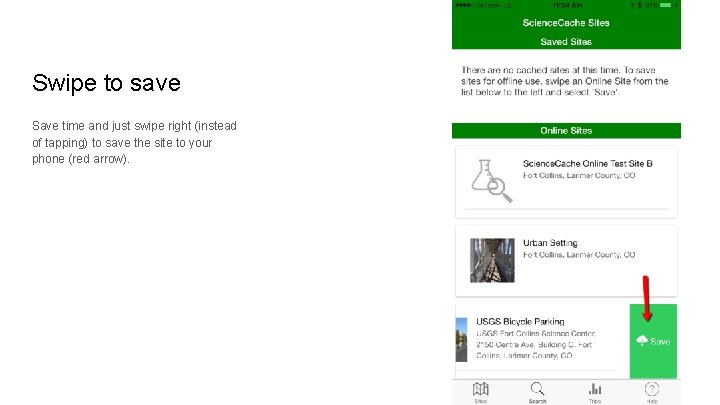
Swipe to save Save time and just swipe right (instead of tapping) to save the site to your phone (red arrow).
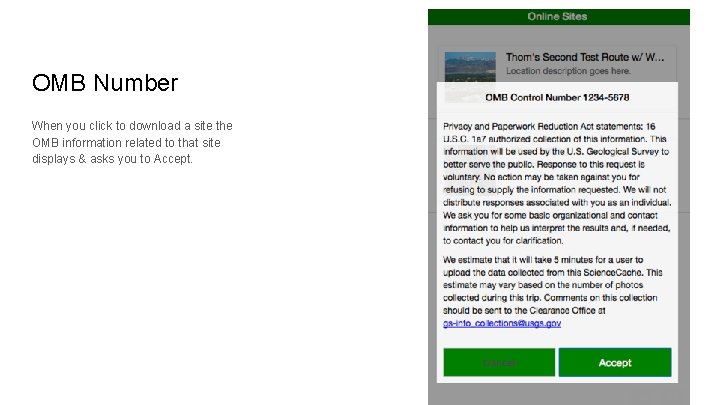
OMB Number When you click to download a site the OMB information related to that site displays & asks you to Accept.
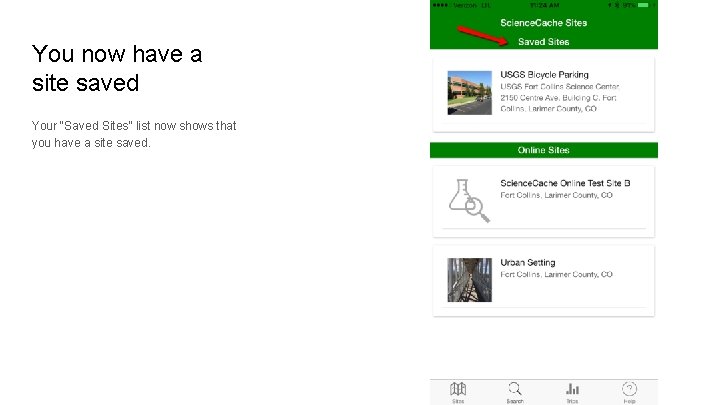
You now have a site saved Your “Saved Sites” list now shows that you have a site saved.
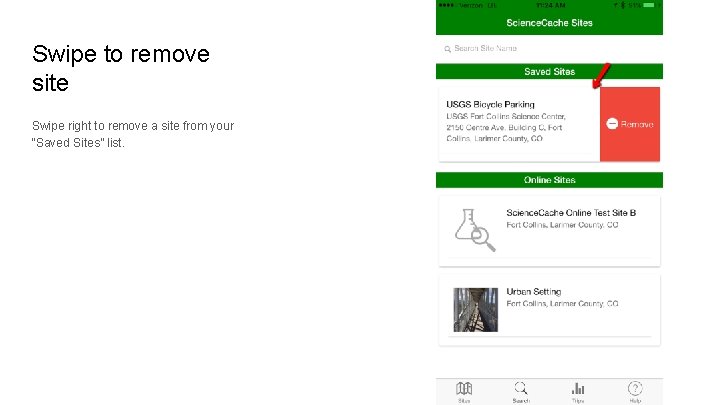
Swipe to remove site Swipe right to remove a site from your “Saved Sites” list.
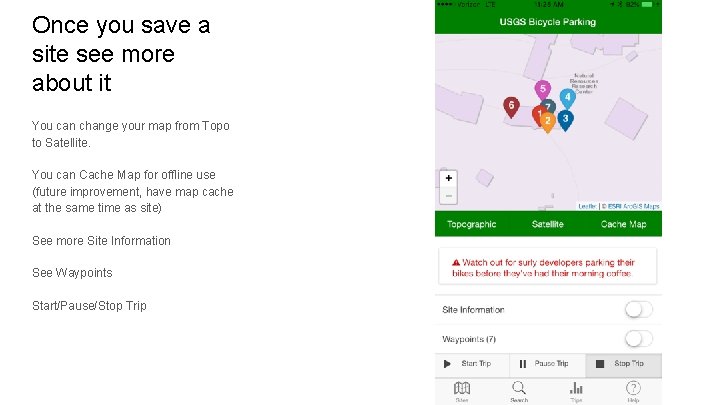
Once you save a site see more about it You can change your map from Topo to Satellite. You can Cache Map for offline use (future improvement, have map cache at the same time as site) See more Site Information See Waypoints Start/Pause/Stop Trip
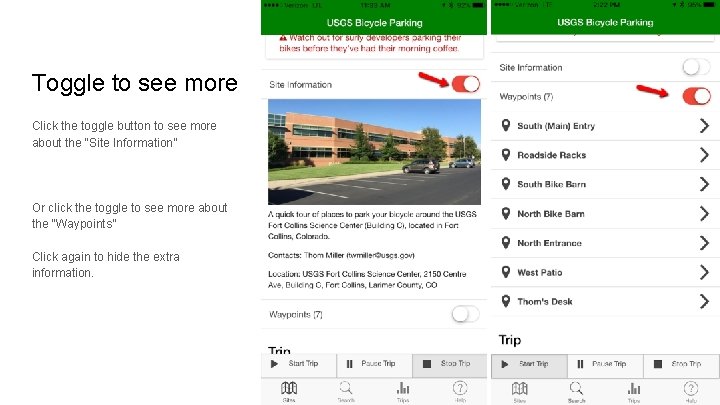
Toggle to see more Click the toggle button to see more about the “Site Information” Or click the toggle to see more about the “Waypoints” Click again to hide the extra information.
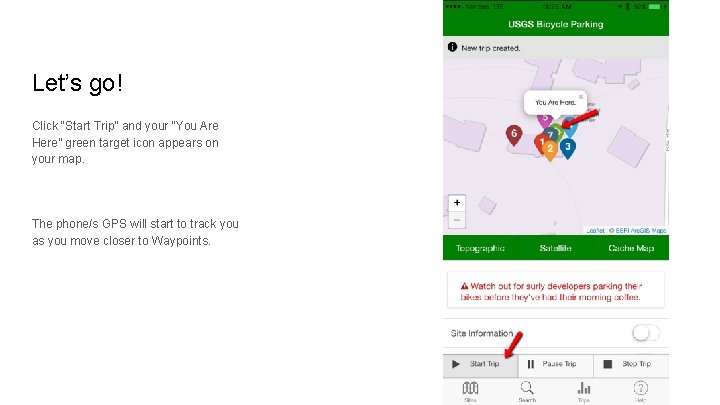
Let’s go! Click “Start Trip” and your “You Are Here” green target icon appears on your map. The phone/s GPS will start to track you as you move closer to Waypoints.
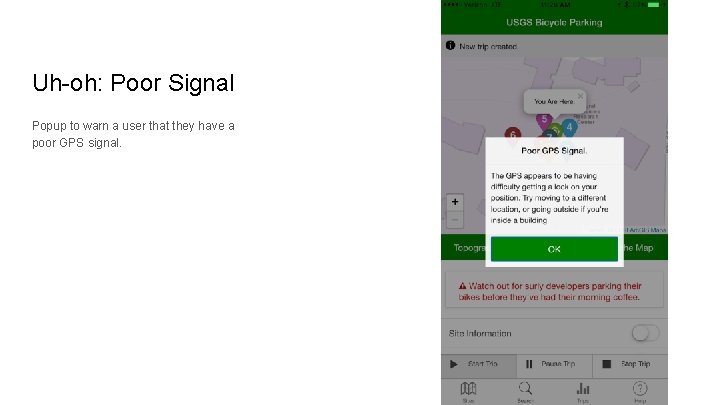
Uh-oh: Poor Signal Popup to warn a user that they have a poor GPS signal.
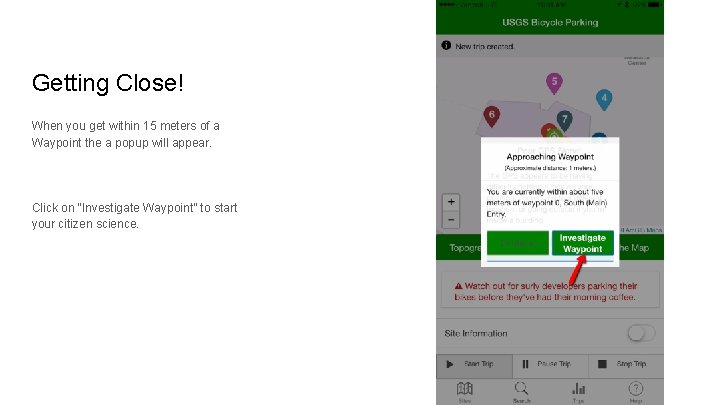
Getting Close! When you get within 15 meters of a Waypoint the a popup will appear. Click on “Investigate Waypoint” to start your citizen science.
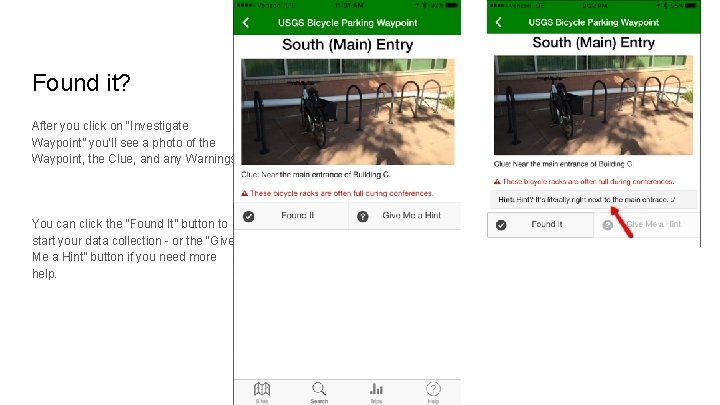
Found it? After you click on “Investigate Waypoint” you’ll see a photo of the Waypoint, the Clue, and any Warnings. You can click the “Found It” button to start your data collection - or the “Give Me a Hint” button if you need more help.
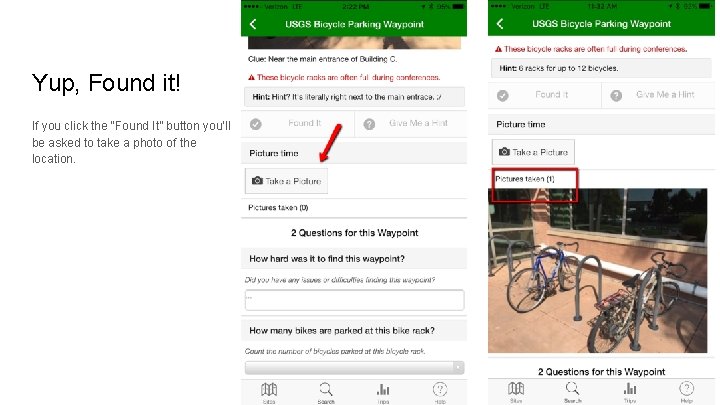
Yup, Found it! If you click the “Found It” button you’ll be asked to take a photo of the location.
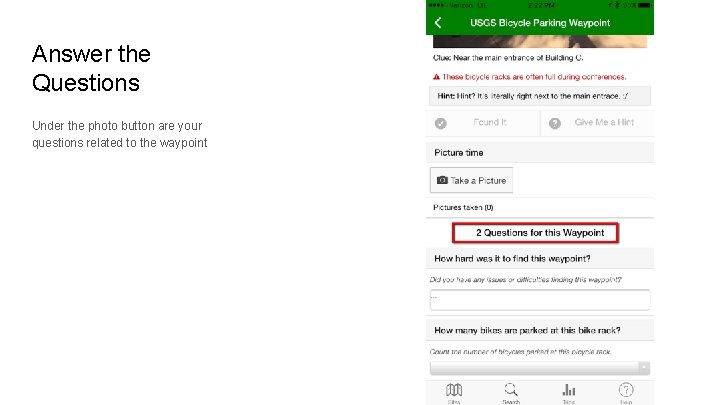
Answer the Questions Under the photo button are your questions related to the waypoint
That’s your basic trip around the Science. Cache App for i. Phone. . . hope you enjoyed it!
Couch. DB - Backend
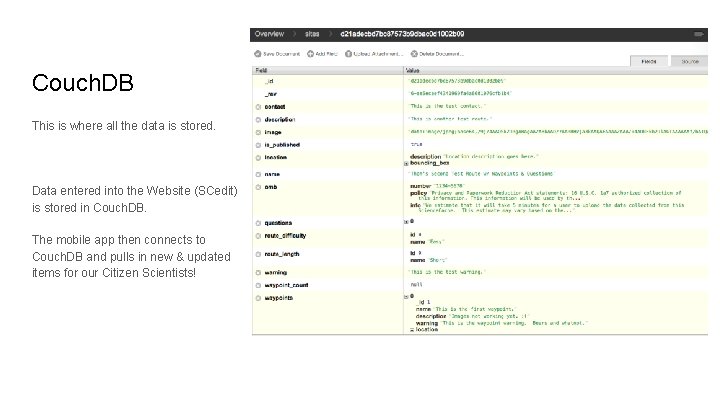
Couch. DB This is where all the data is stored. Data entered into the Website (SCedit) is stored in Couch. DB. The mobile app then connects to Couch. DB and pulls in new & updated items for our Citizen Scientists!

Science. Cache Editor “SCEdit” - Web App
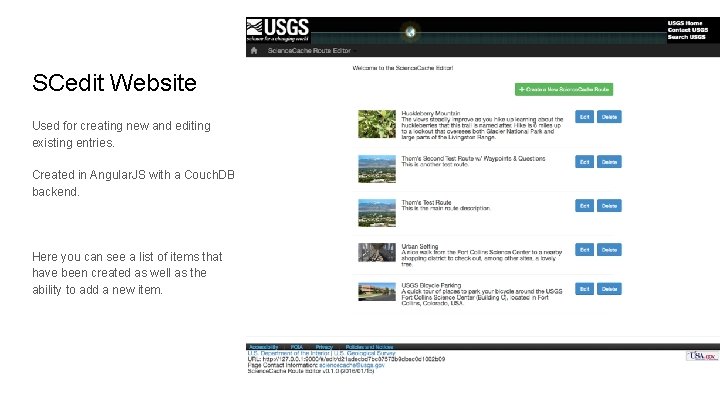
SCedit Website Used for creating new and editing existing entries. Created in Angular. JS with a Couch. DB backend. Here you can see a list of items that have been created as well as the ability to add a new item.
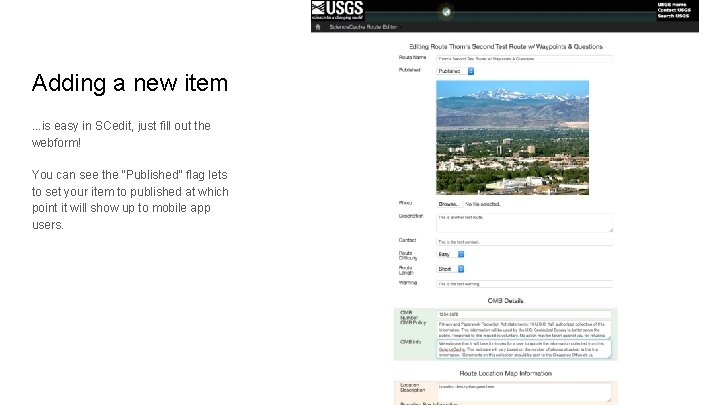
Adding a new item. . . is easy in SCedit, just fill out the webform! You can see the “Published” flag lets to set your item to published at which point it will show up to mobile app users.
- Slides: 23