
SCIA Engineer 17 Loads User Conference Author Patrizia

- Slides: 31
SCIA Engineer 17 Loads User Conference Author: Patrizia Moretti Date: 24 October 2020 © Images Jaspers-Eyers Architects – photography by Mark Detiffe
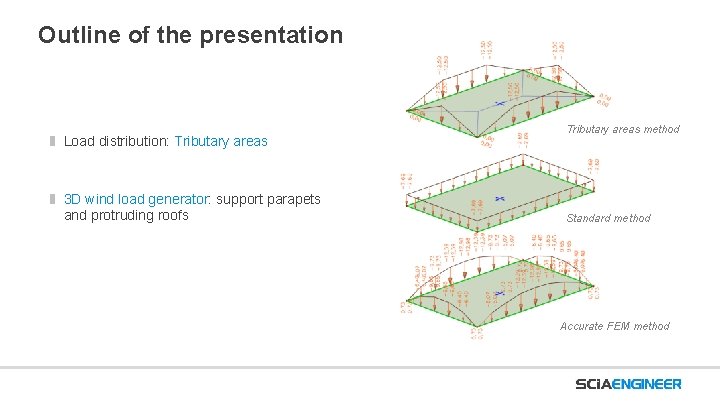
Outline of the presentation Load distribution: Tributary areas 3 D wind load generator: support parapets and protruding roofs Tributary areas method Standard method Accurate FEM method
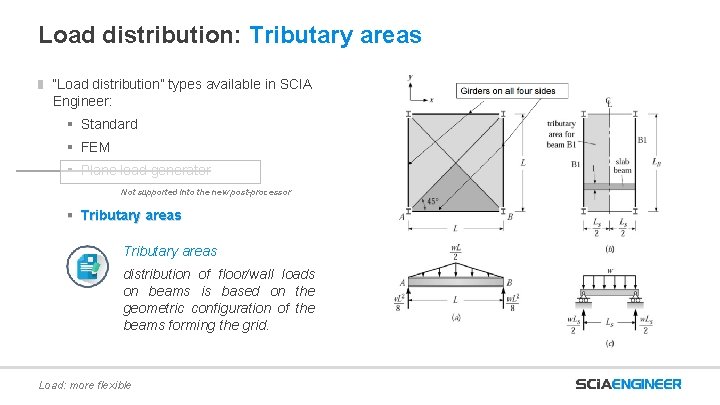
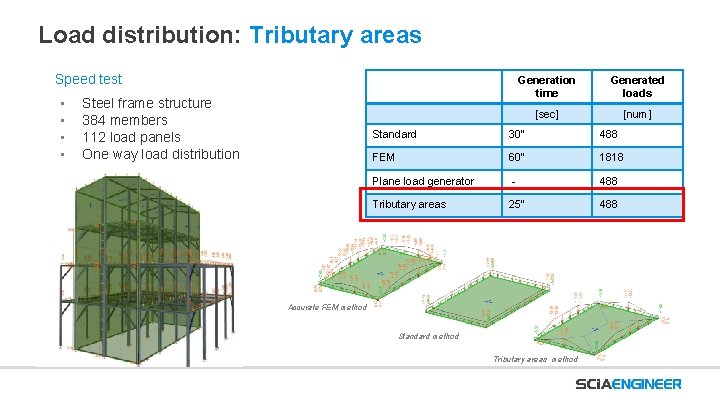
Load distribution: Tributary areas “Load distribution” types available in SCIA Engineer: § Standard § FEM § Plane load generator Not supported into the new post-processor § Tributary areas distribution of floor/wall loads on beams is based on the geometric configuration of the beams forming the grid. Load: more flexible
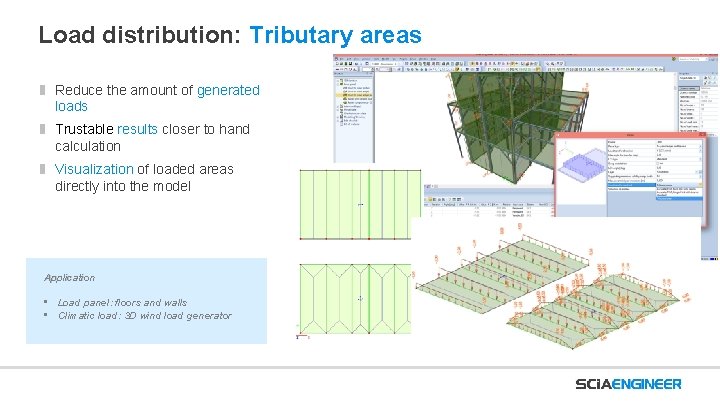
Load distribution: Tributary areas Reduce the amount of generated loads Trustable results closer to hand calculation Visualization of loaded areas directly into the model Application • Load panel: floors and walls • Climatic load: 3 D wind load generator
Load distribution: Tributary areas Speed test • • Steel frame structure 384 members 112 load panels One way load distribution Generation time Generated loads [sec] [num] Standard 30” 488 FEM 60” 1818 Plane load generator - 488 Tributary areas 25” 488 Accurate FEM method Standard method Tributary areas method
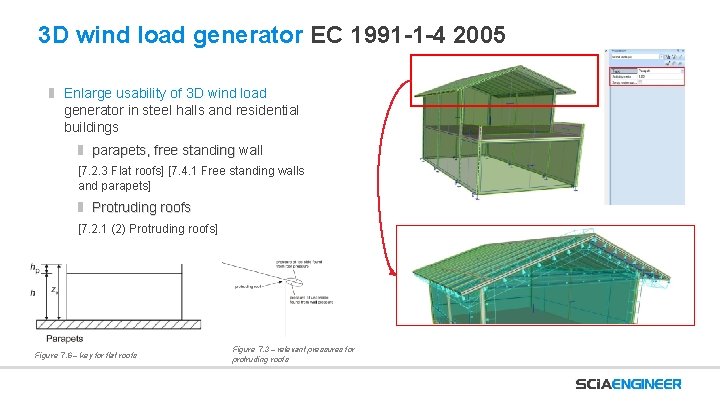
3 D wind load generator EC 1991 -1 -4 2005 Enlarge usability of 3 D wind load generator in steel halls and residential buildings parapets, free standing wall [7. 2. 3 Flat roofs] [7. 4. 1 Free standing walls and parapets] Protruding roofs [7. 2. 1 (2) Protruding roofs] Figure 7. 6 – key for flat roofs Figure 7. 3 – relevant pressures for protruding roofs
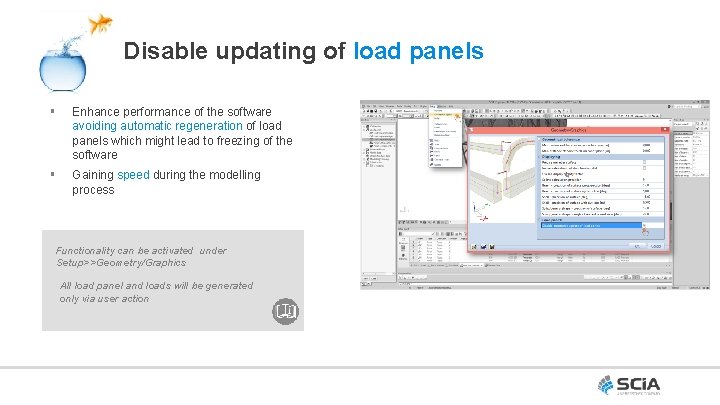
Disable updating of load panels § Enhance performance of the software avoiding automatic regeneration of load panels which might lead to freezing of the software § Gaining speed during the modelling process Functionality can be activated under Setup>>Geometry/Graphics All load panel and loads will be generated only via user action
Live Demo
SCIA Engineer 17 Usability User Conference Author: Patrizia Moretti Date: 24 October 2020 © Images Jaspers-Eyers Architects – photography by Mark Detiffe
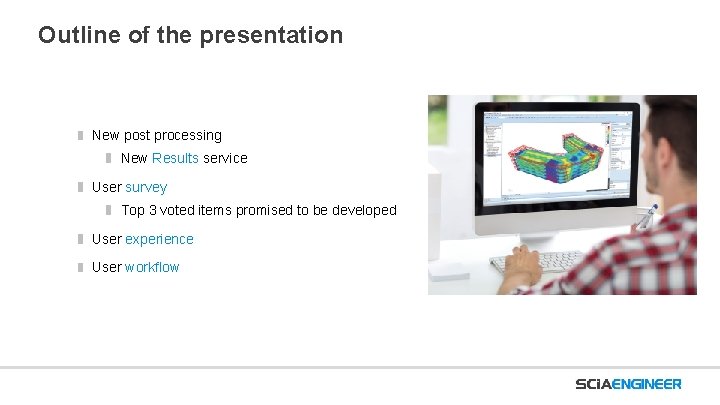
Outline of the presentation New post processing New Results service User survey Top 3 voted items promised to be developed User experience User workflow
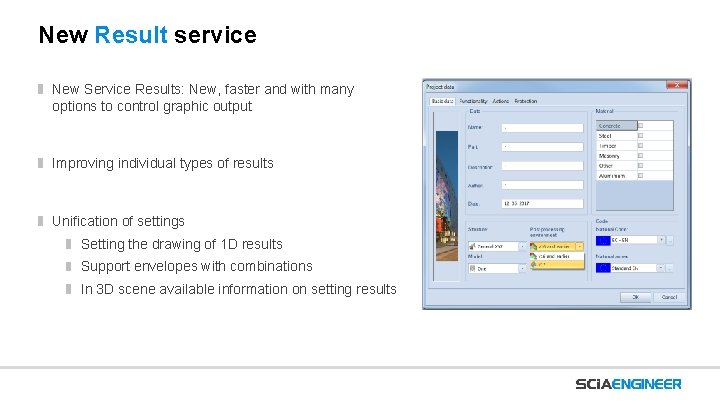
New Result service New Service Results: New, faster and with many options to control graphic output Improving individual types of results Unification of settings Setting the drawing of 1 D results Support envelopes with combinations In 3 D scene available information on setting results
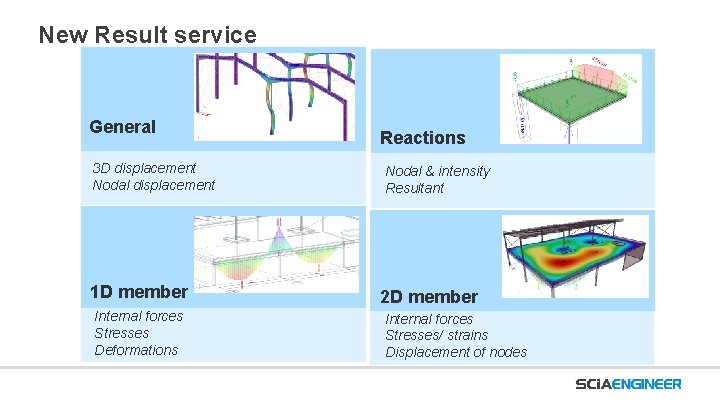
New Result service General 3 D displacement Nodal displacement 1 D member Internal forces Stresses Deformations Reactions Nodal & intensity Resultant 2 D member Internal forces Stresses/ strains Displacement of nodes
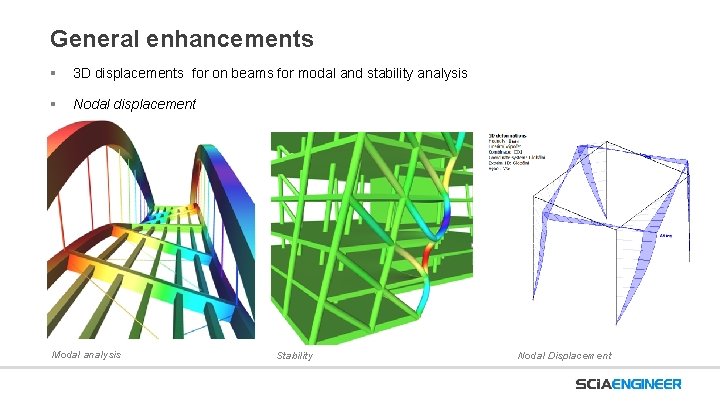
General enhancements § 3 D displacements for on beams for modal and stability analysis § Nodal displacement Modal analysis Stability Nodal Displacement
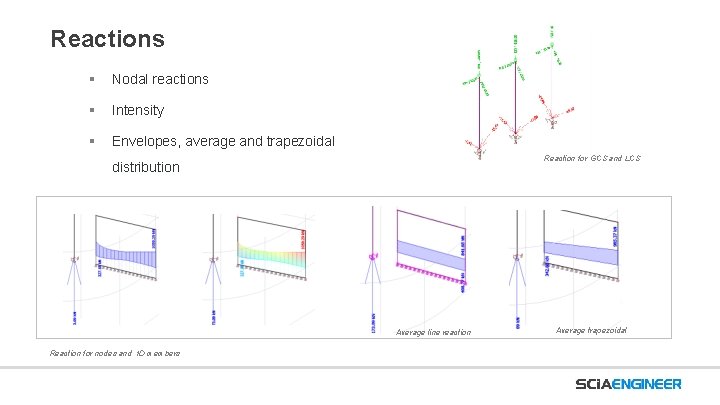
Reactions § Nodal reactions § Intensity § Envelopes, average and trapezoidal Reaction for GCS and LCS distribution Average line reaction Reaction for nodes and 1 D members Average trapezoidal
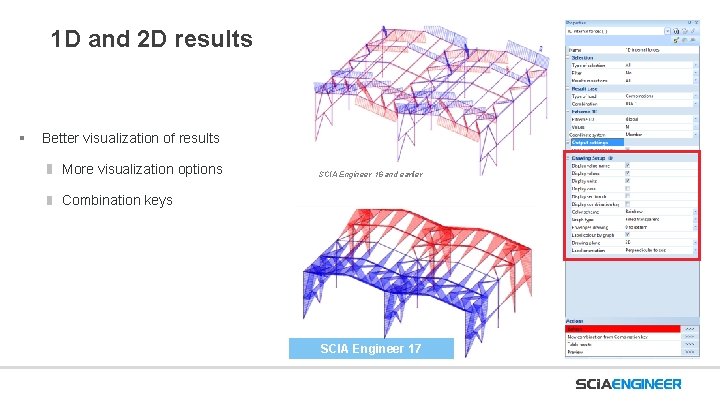
1 D and 2 D results § Better visualization of results More visualization options SCIA Engineer 16 and earlier Combination keys SCIA Engineer 17
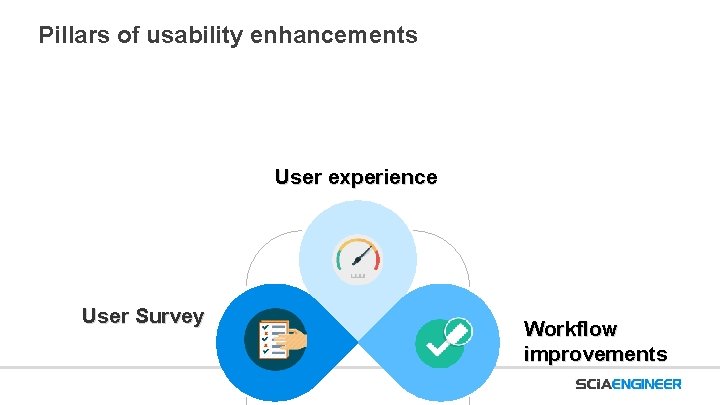
Pillars of usability enhancements User experience User Survey Workflow improvements
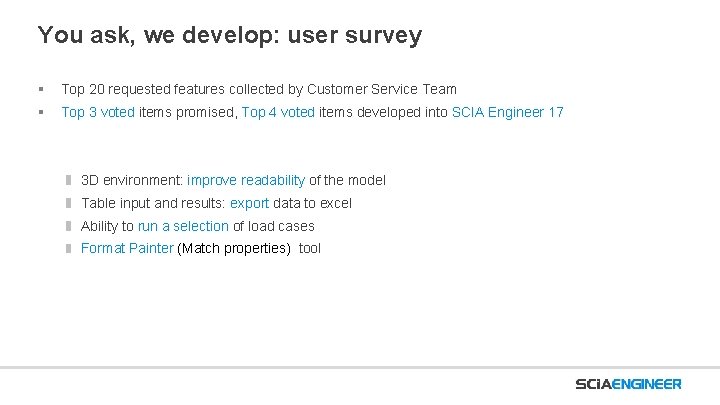
You ask, we develop: user survey § Top 20 requested features collected by Customer Service Team § Top 3 voted items promised, Top 4 voted items developed into SCIA Engineer 17 3 D environment: improve readability of the model Table input and results: export data to excel Ability to run a selection of load cases 477 2385 Format Painter (Match properties) tool 8351 24 4
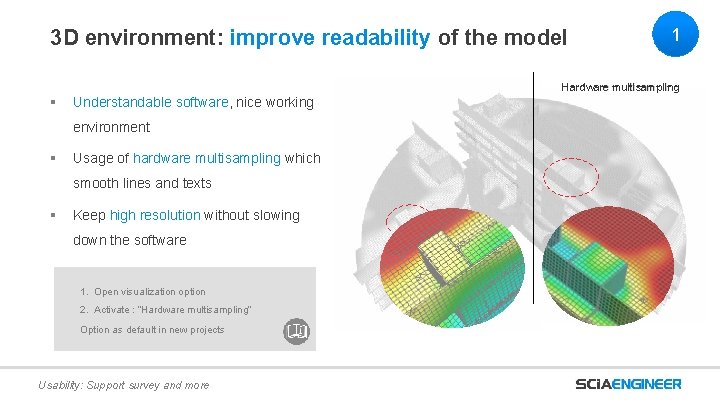
3 D environment: improve readability of the model § Understandable software, nice working environment § Usage of hardware multisampling which smooth lines and texts § Keep high resolution without slowing down the software 1. Open visualization option 2. Activate : “Hardware multisampling” Option as default in new projects Usability: Support survey and more 1 Hardware multisampling
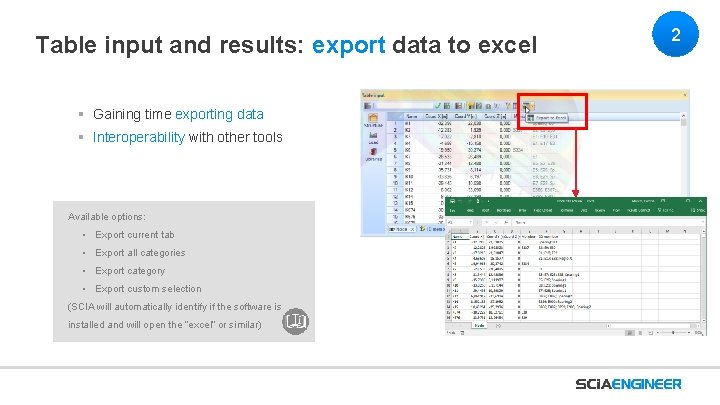
Table input and results: export data to excel § Gaining time exporting data § Interoperability with other tools Available options: • Export current tab • Export all categories • Export category • Export custom selection (SCIA will automatically identify if the software is installed and will open the “excel” or similar) 2
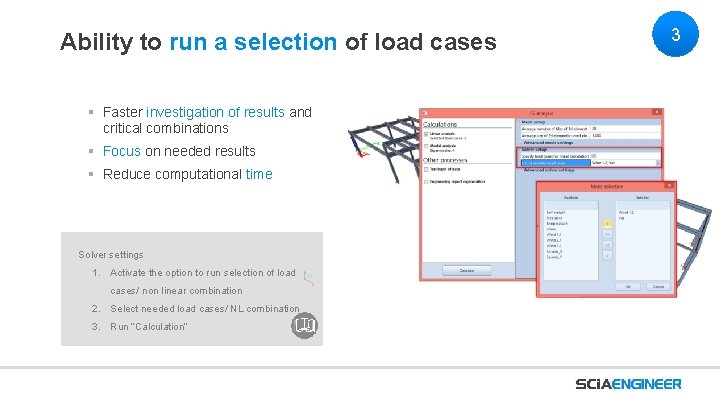
Ability to run a selection of load cases § Faster investigation of results and critical combinations § Focus on needed results § Reduce computational time Solver settings 1. Activate the option to run selection of load cases/ non linear combination 2. Select needed load cases/ NL combination 3. Run “Calculation” 3
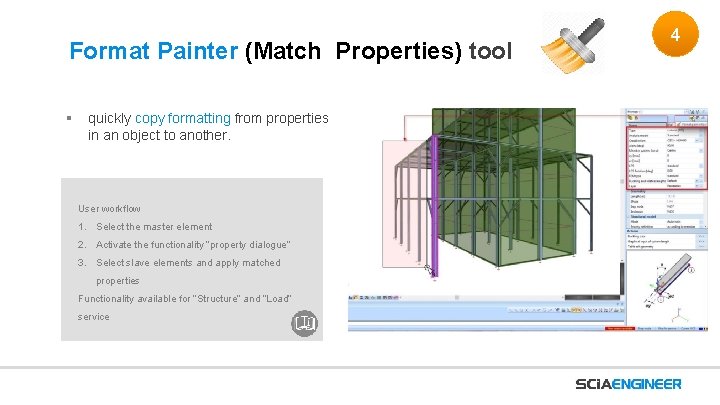
Format Painter (Match Properties) tool § quickly copy formatting from properties in an object to another. User workflow 1. Select the master element 2. Activate the functionality “property dialogue” 3. Select slave elements and apply matched properties Functionality available for “Structure” and “Load” service 4
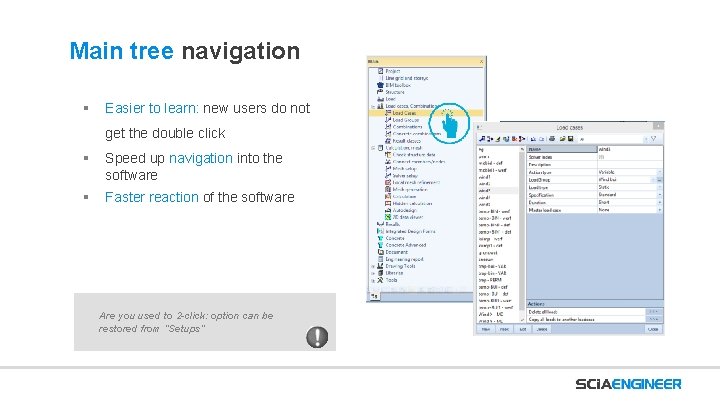
Main tree navigation § Easier to learn: new users do not get the double click § Speed up navigation into the software § Faster reaction of the software Are you used to 2 -click: option can be restored from “Setups”
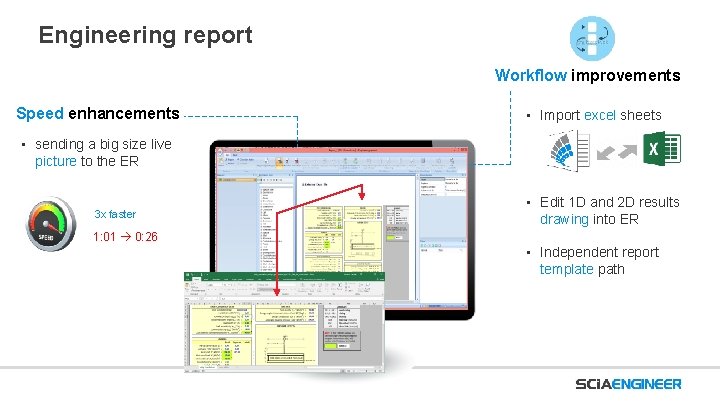
Engineering report Workflow improvements Speed enhancements • Import excel sheets • sending a big size live picture to the ER 3 x faster • Edit 1 D and 2 D results drawing into ER 1: 01 0: 26 • Independent report template path
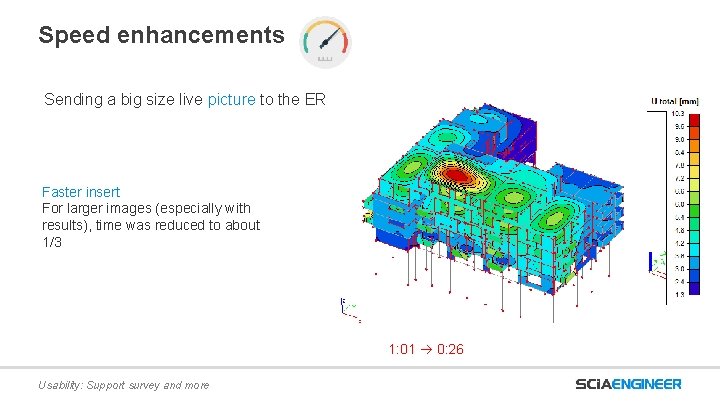
Speed enhancements Sending a big size live picture to the ER Faster insert For larger images (especially with results), time was reduced to about 1/3 1: 01 0: 26 Usability: Support survey and more
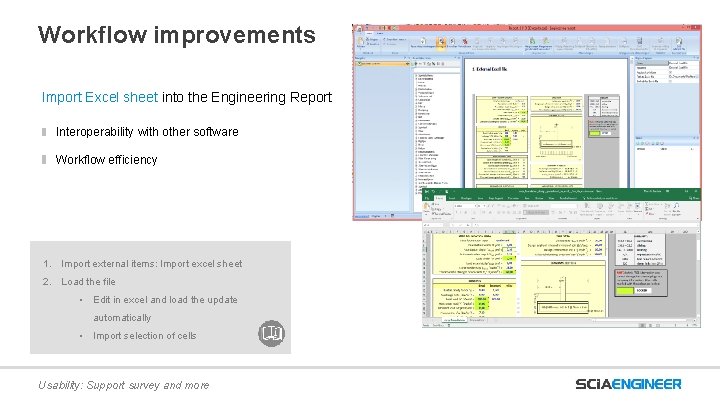
Workflow improvements Import Excel sheet into the Engineering Report Interoperability with other software Workflow efficiency 1. Import external items: Import excel sheet 2. Load the file • Edit in excel and load the update automatically • Import selection of cells Usability: Support survey and more
Live Demo
SCIA Engineer 17 Localization User Conference Author: Patrizia Moretti Date: 24 October 2020 © Images Jaspers-Eyers Architects – photography by Mark Detiffe
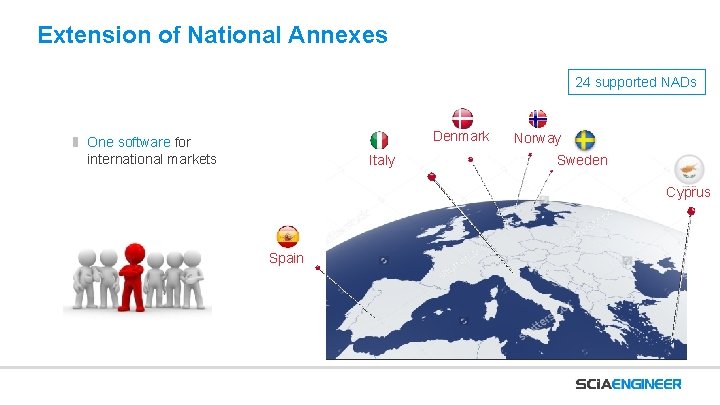
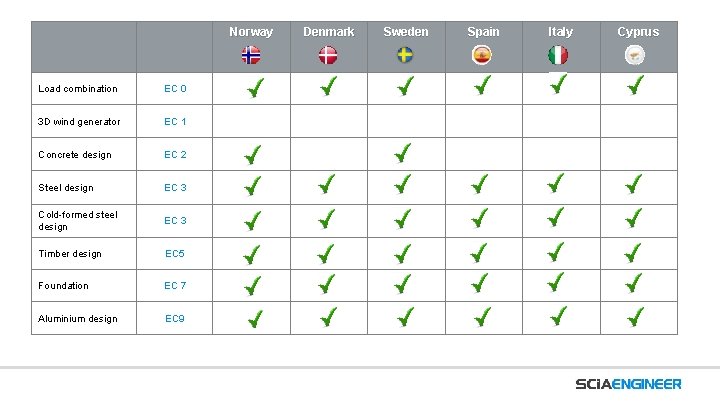
Extension of National Annexes 24 supported NADs Denmark One software for international markets Italy Norway Sweden Cyprus Spain
Norway Load combination EC 0 3 D wind generator EC 1 Concrete design EC 2 Steel design EC 3 Cold-formed steel design EC 3 Timber design EC 5 Foundation EC 7 Aluminium design EC 9 Denmark Sweden Spain Italy Cyprus
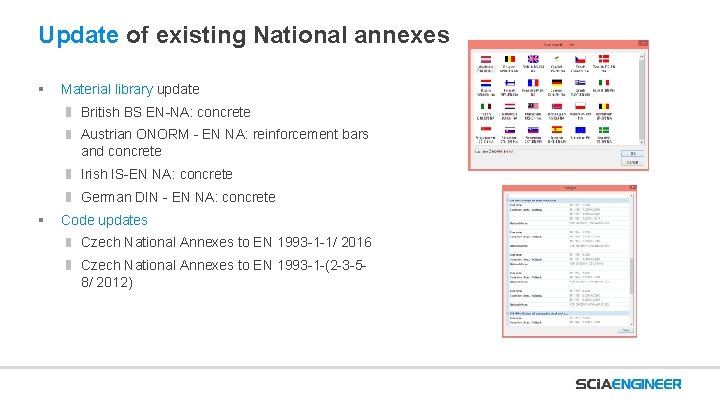
Update of existing National annexes § Material library update British BS EN-NA: concrete Austrian ONORM - EN NA: reinforcement bars and concrete Irish IS-EN NA: concrete German DIN - EN NA: concrete § Code updates Czech National Annexes to EN 1993 -1 -1/ 2016 Czech National Annexes to EN 1993 -1 -(2 -3 -58/ 2012)
Thank you for your attention More information on www. scia. net Patrizia MORETTI – p. moretti@scia. net