
School of Business Eastern Illinois University Sub procedures
School of Business Eastern Illinois University Sub procedures (Week 6, Friday 2/21/03) © Abdou Illia, Spring 2002
Learning Objectives n Creating Visual Basic Sub Procedures n Creating User-defined Function Procedures n Parameter Passing Mechanism n Modularizing in Programming Languages 2
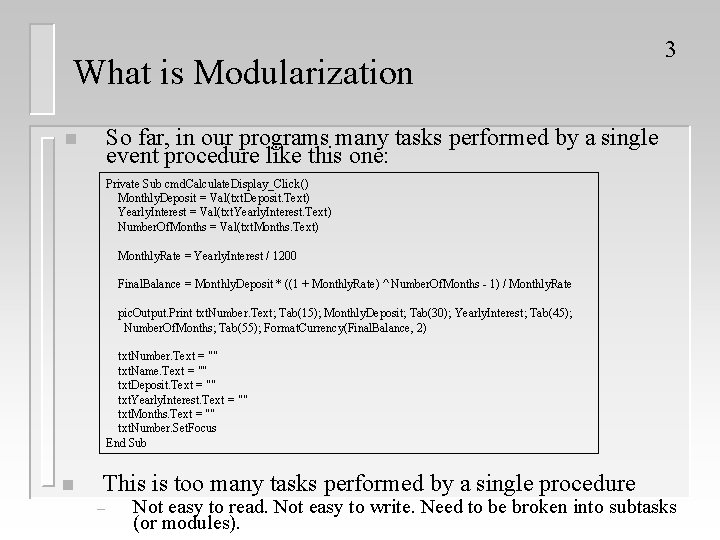
What is Modularization 3 So far, in our programs many tasks performed by a single event procedure like this one: n Private Sub cmd. Calculate. Display_Click() Monthly. Deposit = Val(txt. Deposit. Text) Yearly. Interest = Val(txt. Yearly. Interest. Text) Number. Of. Months = Val(txt. Months. Text) Monthly. Rate = Yearly. Interest / 1200 Final. Balance = Monthly. Deposit * ((1 + Monthly. Rate) ^ Number. Of. Months - 1) / Monthly. Rate pic. Output. Print txt. Number. Text; Tab(15); Monthly. Deposit; Tab(30); Yearly. Interest; Tab(45); Number. Of. Months; Tab(55); Format. Currency(Final. Balance, 2) txt. Number. Text = "" txt. Name. Text = "" txt. Deposit. Text = "" txt. Yearly. Interest. Text = "" txt. Months. Text = "" txt. Number. Set. Focus End Sub n This is too many tasks performed by a single procedure – Not easy to read. Not easy to write. Need to be broken into subtasks (or modules).
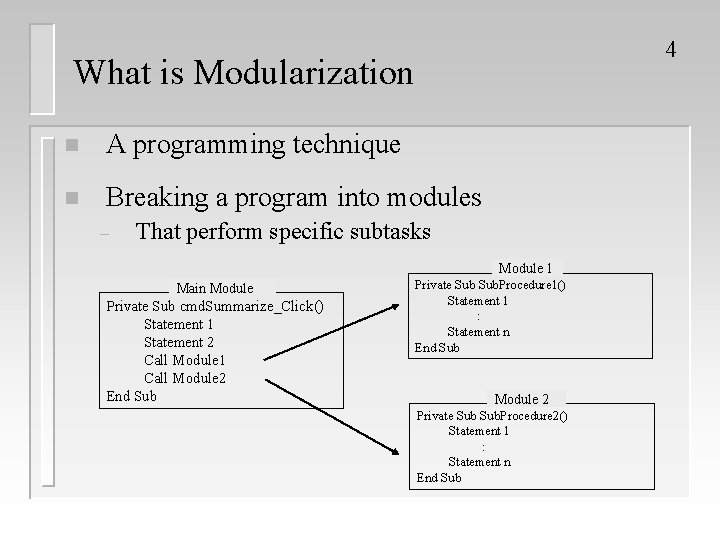
4 What is Modularization n A programming technique n Breaking a program into modules – That perform specific subtasks Module 1 Main Module Private Sub cmd. Summarize_Click() Statement 1 Statement 2 Call Module 1 Call Module 2 End Sub Private Sub. Procedure 1() Statement 1 : Statement n End Sub Module 2 Private Sub. Procedure 2() Statement 1 : Statement n End Sub
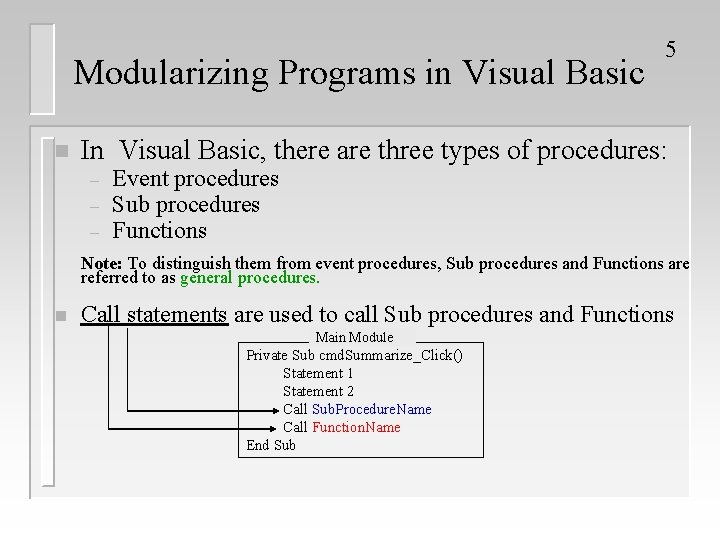
Modularizing Programs in Visual Basic n 5 In Visual Basic, there are three types of procedures: – – – Event procedures Sub procedures Functions Note: To distinguish them from event procedures, Sub procedures and Functions are referred to as general procedures. n Call statements are used to call Sub procedures and Functions Main Module Private Sub cmd. Summarize_Click() Statement 1 Statement 2 Call Sub. Procedure. Name Call Function. Name End Sub
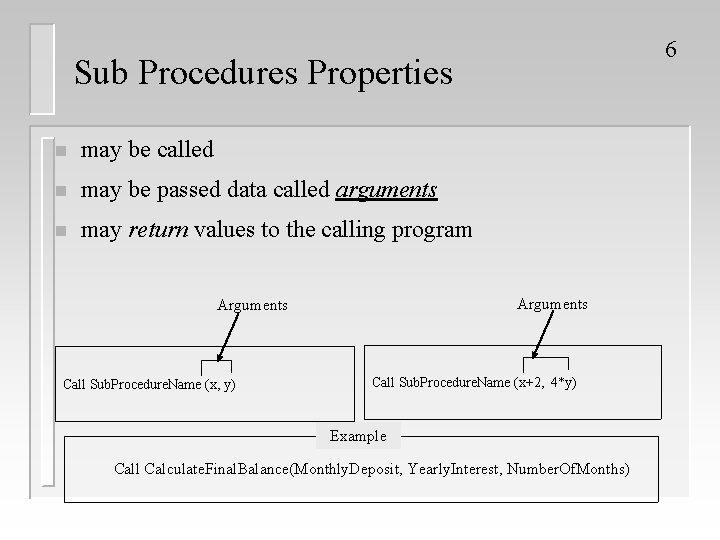
6 Sub Procedures Properties n may be called n may be passed data called arguments n may return values to the calling program Arguments Call Sub. Procedure. Name (x, y) Call Sub. Procedure. Name (x+2, 4*y) Example Call Calculate. Final. Balance(Monthly. Deposit, Yearly. Interest, Number. Of. Months)
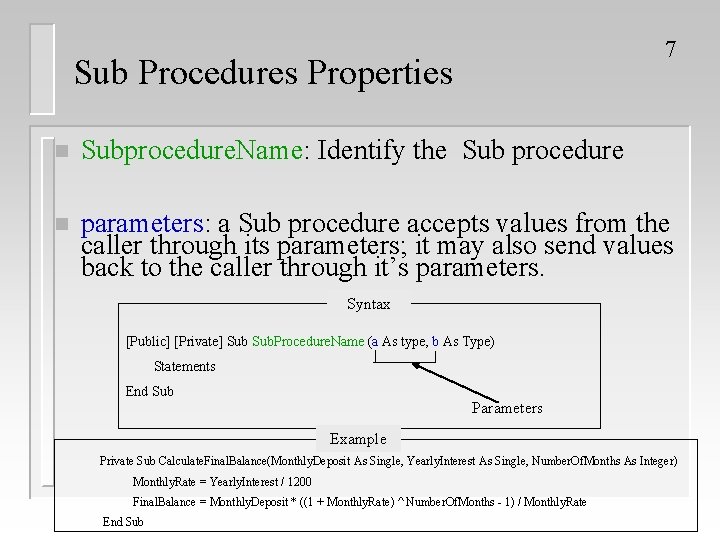
7 Sub Procedures Properties n Subprocedure. Name: Identify the Sub procedure n parameters: a Sub procedure accepts values from the caller through its parameters; it may also send values back to the caller through it’s parameters. Syntax [Public] [Private] Sub. Procedure. Name (a As type, b As Type) Statements End Sub Parameters Example Private Sub Calculate. Final. Balance(Monthly. Deposit As Single, Yearly. Interest As Single, Number. Of. Months As Integer) Monthly. Rate = Yearly. Interest / 1200 Final. Balance = Monthly. Deposit * ((1 + Monthly. Rate) ^ Number. Of. Months - 1) / Monthly. Rate End Sub
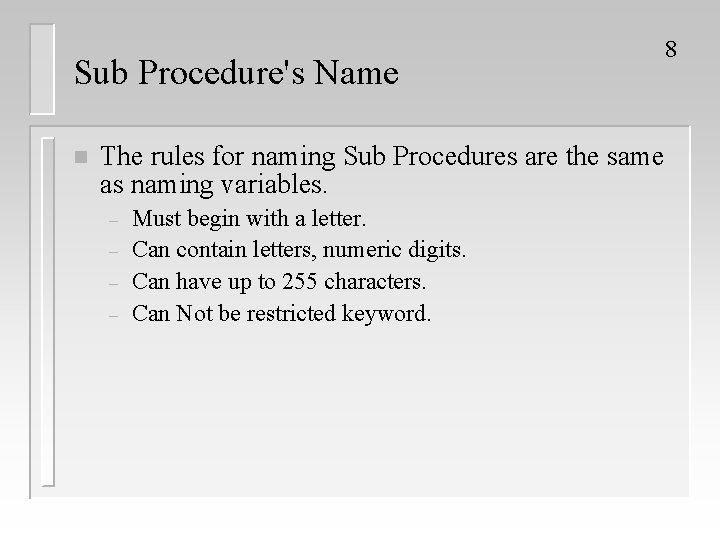
Sub Procedure's Name n The rules for naming Sub Procedures are the same as naming variables. – – Must begin with a letter. Can contain letters, numeric digits. Can have up to 255 characters. Can Not be restricted keyword. 8
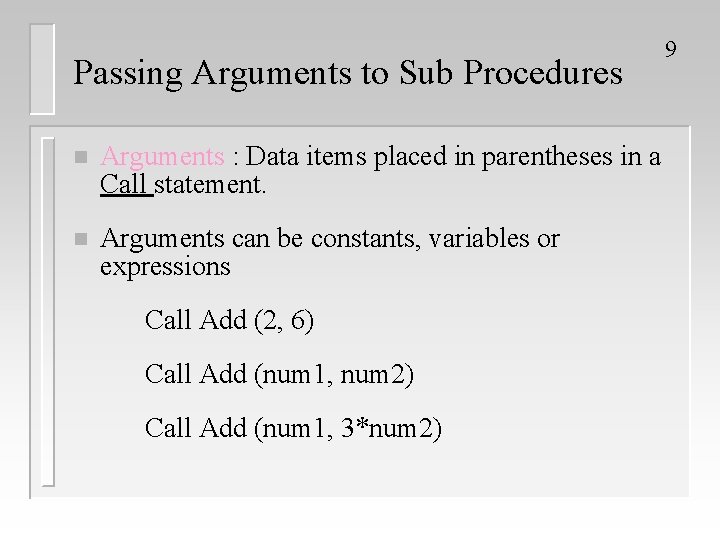
Passing Arguments to Sub Procedures n Arguments : Data items placed in parentheses in a Call statement. n Arguments can be constants, variables or expressions Call Add (2, 6) Call Add (num 1, num 2) Call Add (num 1, 3*num 2) 9
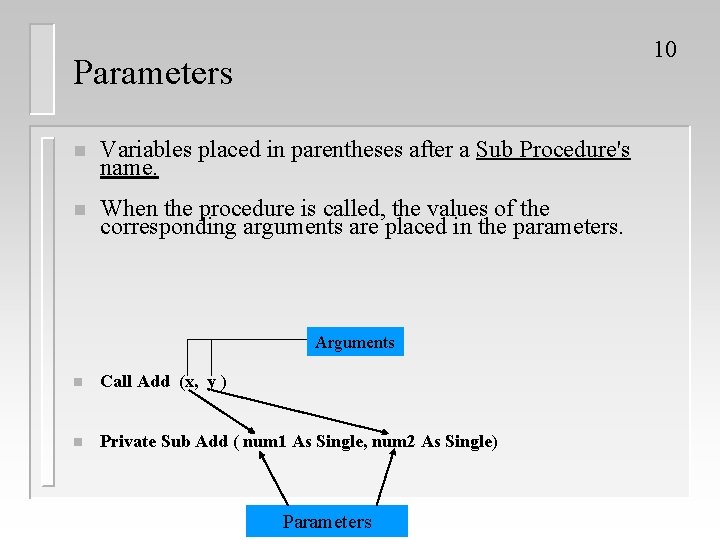
10 Parameters n Variables placed in parentheses after a Sub Procedure's name. n When the procedure is called, the values of the corresponding arguments are placed in the parameters. Arguments n Call Add (x, y ) n Private Sub Add ( num 1 As Single, num 2 As Single) Parameters
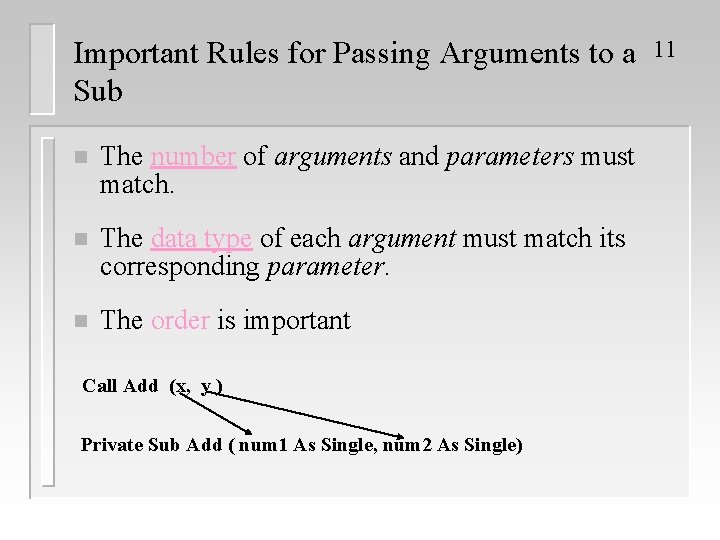
Important Rules for Passing Arguments to a Sub n The number of arguments and parameters must match. n The data type of each argument must match its corresponding parameter. n The order is important Call Add (x, y ) Private Sub Add ( num 1 As Single, num 2 As Single) 11
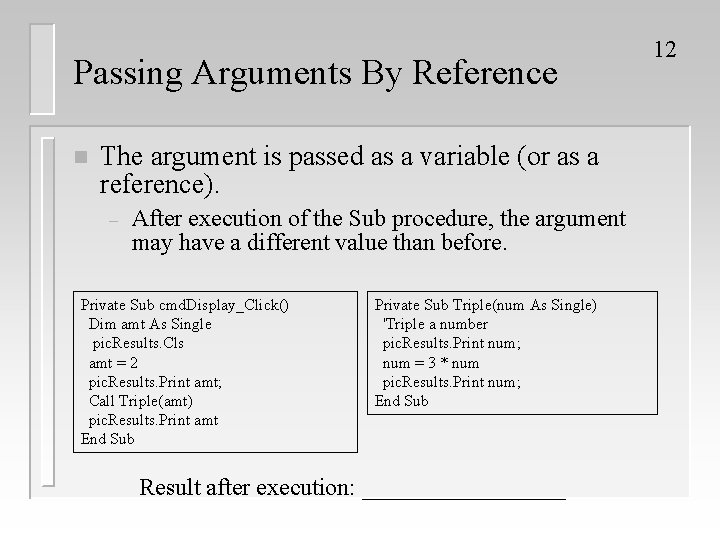
Passing Arguments By Reference n The argument is passed as a variable (or as a reference). – After execution of the Sub procedure, the argument may have a different value than before. Private Sub cmd. Display_Click() Dim amt As Single pic. Results. Cls amt = 2 pic. Results. Print amt; Call Triple(amt) pic. Results. Print amt End Sub Private Sub Triple(num As Single) 'Triple a number pic. Results. Print num; num = 3 * num pic. Results. Print num; End Sub Result after execution: _________ 12
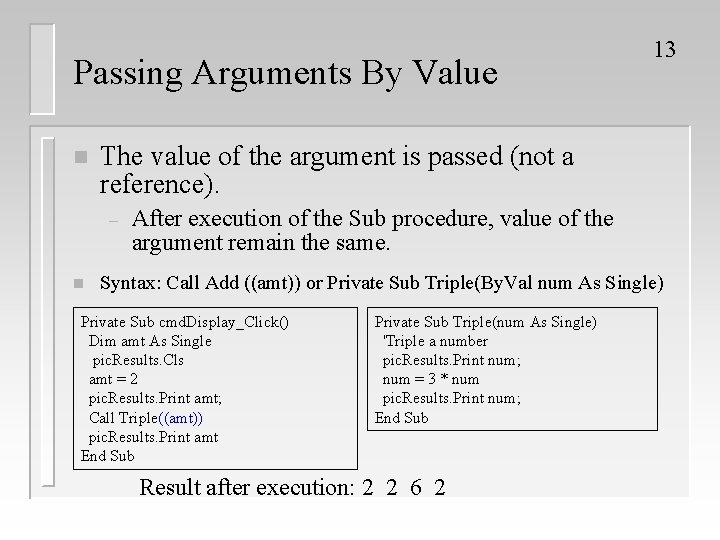
Passing Arguments By Value n The value of the argument is passed (not a reference). – n 13 After execution of the Sub procedure, value of the argument remain the same. Syntax: Call Add ((amt)) or Private Sub Triple(By. Val num As Single) Private Sub cmd. Display_Click() Dim amt As Single pic. Results. Cls amt = 2 pic. Results. Print amt; Call Triple((amt)) pic. Results. Print amt End Sub Private Sub Triple(num As Single) 'Triple a number pic. Results. Print num; num = 3 * num pic. Results. Print num; End Sub Result after execution: 2 2 6 2
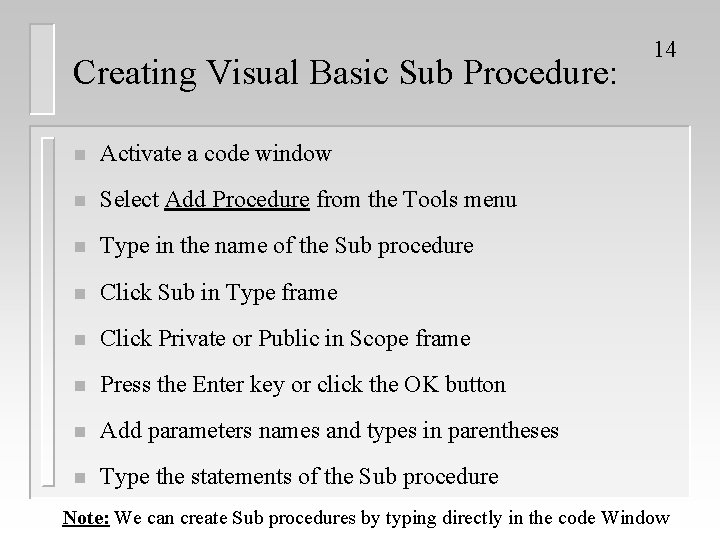
Creating Visual Basic Sub Procedure: n Activate a code window n Select Add Procedure from the Tools menu n Type in the name of the Sub procedure n Click Sub in Type frame n Click Private or Public in Scope frame n Press the Enter key or click the OK button n Add parameters names and types in parentheses n Type the statements of the Sub procedure 14 Note: We can create Sub procedures by typing directly in the code Window
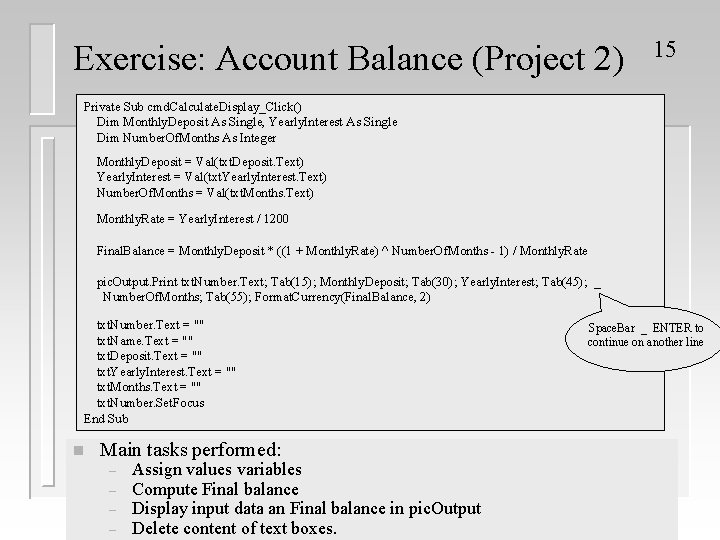
Exercise: Account Balance (Project 2) 15 Private Sub cmd. Calculate. Display_Click() Dim Monthly. Deposit As Single, Yearly. Interest As Single Dim Number. Of. Months As Integer Monthly. Deposit = Val(txt. Deposit. Text) Yearly. Interest = Val(txt. Yearly. Interest. Text) Number. Of. Months = Val(txt. Months. Text) Monthly. Rate = Yearly. Interest / 1200 Final. Balance = Monthly. Deposit * ((1 + Monthly. Rate) ^ Number. Of. Months - 1) / Monthly. Rate pic. Output. Print txt. Number. Text; Tab(15); Monthly. Deposit; Tab(30); Yearly. Interest; Tab(45); _ Number. Of. Months; Tab(55); Format. Currency(Final. Balance, 2) txt. Number. Text = "" txt. Name. Text = "" txt. Deposit. Text = "" txt. Yearly. Interest. Text = "" txt. Months. Text = "" txt. Number. Set. Focus End Sub n Main tasks performed: – – Assign values variables Compute Final balance Display input data an Final balance in pic. Output Delete content of text boxes. Space. Bar _ ENTER to continue on another line
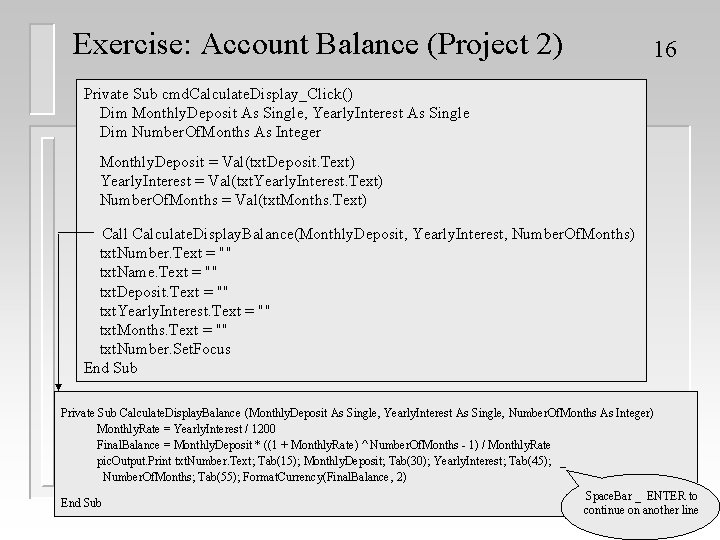
Exercise: Account Balance (Project 2) 16 Private Sub cmd. Calculate. Display_Click() Dim Monthly. Deposit As Single, Yearly. Interest As Single Dim Number. Of. Months As Integer Monthly. Deposit = Val(txt. Deposit. Text) Yearly. Interest = Val(txt. Yearly. Interest. Text) Number. Of. Months = Val(txt. Months. Text) Call Calculate. Display. Balance(Monthly. Deposit, Yearly. Interest, Number. Of. Months) txt. Number. Text = "" txt. Name. Text = "" txt. Deposit. Text = "" txt. Yearly. Interest. Text = "" txt. Months. Text = "" txt. Number. Set. Focus End Sub Private Sub Calculate. Display. Balance (Monthly. Deposit As Single, Yearly. Interest As Single, Number. Of. Months As Integer) Monthly. Rate = Yearly. Interest / 1200 Final. Balance = Monthly. Deposit * ((1 + Monthly. Rate) ^ Number. Of. Months - 1) / Monthly. Rate pic. Output. Print txt. Number. Text; Tab(15); Monthly. Deposit; Tab(30); Yearly. Interest; Tab(45); _ Number. Of. Months; Tab(55); Format. Currency(Final. Balance, 2) End Sub Space. Bar _ ENTER to continue on another line
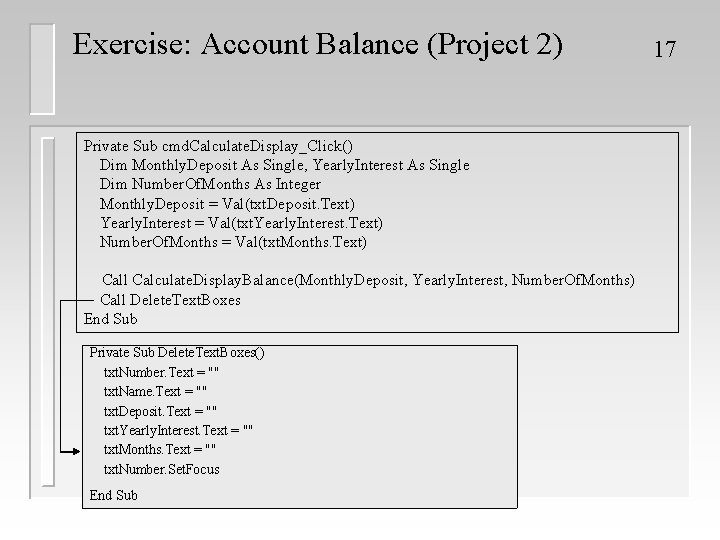
Exercise: Account Balance (Project 2) Private Sub cmd. Calculate. Display_Click() Dim Monthly. Deposit As Single, Yearly. Interest As Single Dim Number. Of. Months As Integer Monthly. Deposit = Val(txt. Deposit. Text) Yearly. Interest = Val(txt. Yearly. Interest. Text) Number. Of. Months = Val(txt. Months. Text) Call Calculate. Display. Balance(Monthly. Deposit, Yearly. Interest, Number. Of. Months) Call Delete. Text. Boxes End Sub Private Sub Delete. Text. Boxes() txt. Number. Text = "" txt. Name. Text = "" txt. Deposit. Text = "" txt. Yearly. Interest. Text = "" txt. Months. Text = "" txt. Number. Set. Focus End Sub 17
Local Variables: 18 n A variable that is used only in a specific procedure (Sub or Function). n The scope of the local variable is the portion of a Sub or Function in which that variable has been defined.
Local Variables: 19 n Declared within a procedure definition n Private to a procedure definition n Variables in different procedures are totally independent n different procedures can have variables with the same names; however, each variable will have its own memory location

Advantages of Local Variables n Extremely useful for team programming n To protect side effect (which is an accidental change of the value of the variable) 20
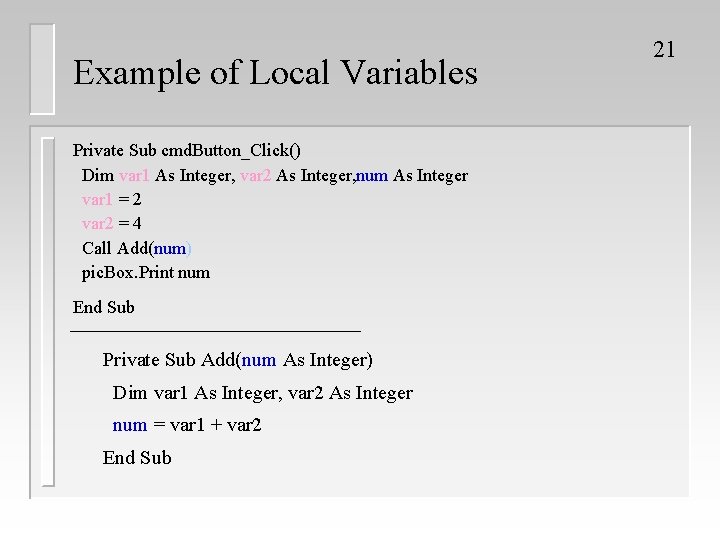
Example of Local Variables Private Sub cmd. Button_Click() Dim var 1 As Integer, var 2 As Integer, num As Integer var 1 = 2 var 2 = 4 Call Add(num) pic. Box. Print num End Sub Private Sub Add(num As Integer) Dim var 1 As Integer, var 2 As Integer num = var 1 + var 2 End Sub 21
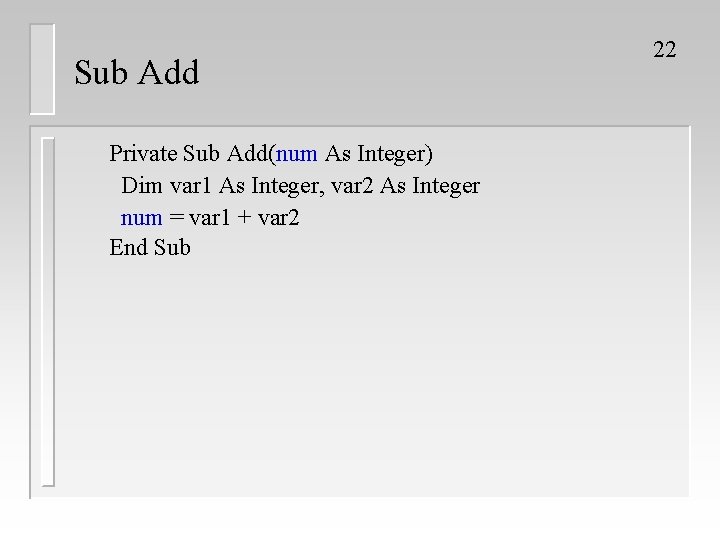
Sub Add Private Sub Add(num As Integer) Dim var 1 As Integer, var 2 As Integer num = var 1 + var 2 End Sub 22
Form-Level Variables 23 n Form-level variables are visible to every procedure (Global variable). n Form-level variables appear at the top of the code window.
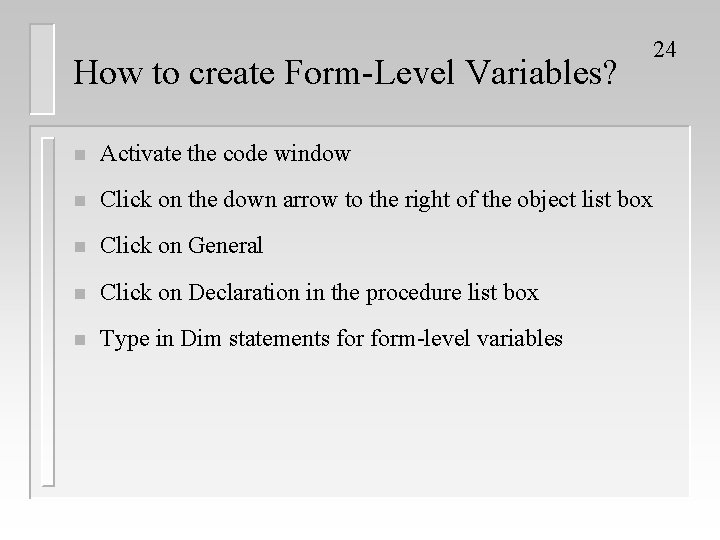
How to create Form-Level Variables? 24 n Activate the code window n Click on the down arrow to the right of the object list box n Click on General n Click on Declaration in the procedure list box n Type in Dim statements form-level variables
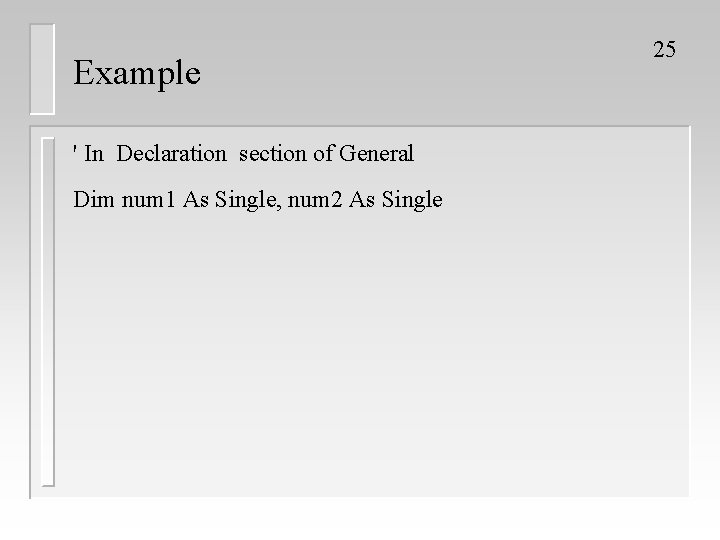
Example ' In Declaration section of General Dim num 1 As Single, num 2 As Single 25
- Slides: 25