
Scheduling Terminology and Concepts Objectives Introduce the My
Scheduling Terminology and Concepts
Objectives • Introduce the My. Education BC Build view and layout • Provide an overview of scheduling terminology and concepts in My. Ed. BC • Walk through scheduling a school from start to finish
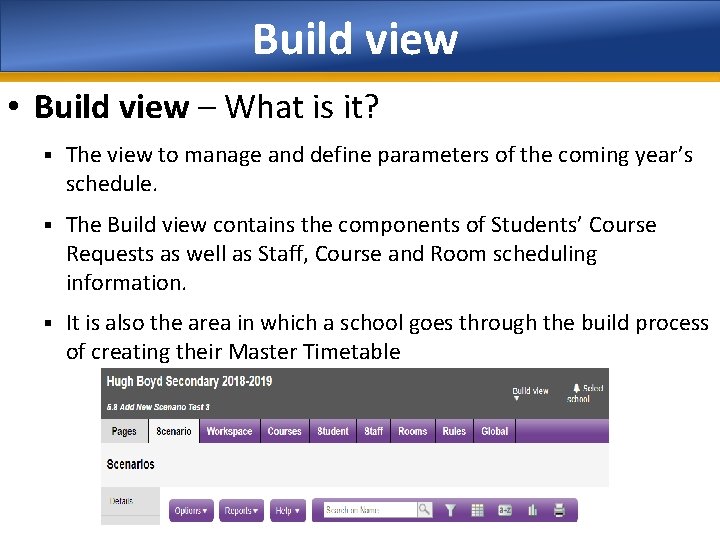
Build view • Build view – What is it? § The view to manage and define parameters of the coming year’s schedule. § The Build view contains the components of Students’ Course Requests as well as Staff, Course and Room scheduling information. § It is also the area in which a school goes through the build process of creating their Master Timetable
Scenario • Scenarios are different versions of a school’s Master Timetable. • Multiple scenarios can be created by one or more individuals and more than one person can work on a given scenario as you progress through the build process. • Scenario Preferences define what you want the system to consider when building the schedule within this scenario. § Set up the Structure of this scenario including Terms, Days, Periods and Rotations.
Terminology • Flat Schedules § Most high schools build a Flat schedule as represented on a scheduling board • Rotated Schedule § After a schedule is built, it is often Rotated so the order in which periods are offered differs by date (some middle schools build a Rotated schedule on their board)
Terminology • Patterns § represent all of the different ways course sections can meet • Pattern Sets § grouping of patterns that can be applied to courses
Terminology • Base Terms § How often can a course start in a school year: • Full Year courses = 1; Semester courses = 2; Quarter courses = 4. • Cover Terms • How many Base Terms will sections of this course cover: § Full Year courses = 1; Semester courses = 1; Quarter courses = 1 • Base & Cover terms • Can be thought of as a fraction (Cover Base) • They are how the Build engine determines the Schedule Term: » Cover =1/Base=1 therefore the Schedule Term is Full Year; » Cover=1/Base=2 therefore the Schedule Term is Semester; » Cover=1/Base=4 therefore the Schedule Term is Quarters.
Concepts • Rules § used to alert the system to any constraints it must follow when building the master schedule. Examples: A school may want to ensure Full Year courses are ‘backed’ appropriately so that Section 01 of Math 10 is on Day 1 Period 1 and Section 01 of PE 10 is on Day 2 Period 1. Another rule may be created for elective wheels, where students must stay together as a cohort group while they complete 4 courses.
Concepts • Build • the process of placing course sections in a Term, Period & Day and a Room. • Load • the process of placing students into course sections. Note: In My. Ed students are Loaded into each Scenario.
Concepts • Scheduling attributes § Setting of staff, courses, students and rooms that are used by the Build and Load engines • House, Team, Platoon and Section type § Different ways of grouping students together.
Scheduling Modules • Information on topics is grouped into 11 sequential modules. § MODULE 1 – TERMS AND CONCEPTS § MODULE 2 – COURSE CATALOGUES, STUDENT AND STAFF SETUP § MODULE 3 – SCENARIOS, PREFERENCES AND TIME STRUCTURE § MODULE 4 – STUDENT COURSE REQUESTS § MODULE 5 – ONLINE STUDENT COURSE REQUESTS § MODULE 6 A – ROTATIONS, PATTERN LIBRARY AND PATTERN SETS § MODULE 6 B – SCHEDULING ATTRIBUTES § MODULE 7 – RULES § MODULE 8 – WORKSPACE AND BUILD VALIDATION § MODULE 9 – LOAD STUDENTS AND ANALYSIS § MODULE 10 – ROTATING A SCHEDULE
Scheduling Support • Five general support sessions will be offered, to assist districts and schools. • These have been scheduled from 1: 00 - 3: 00 pm on the following dates: § Tuesday, January 16, 2018 § Thursday, February 1, 2018 § Tuesday, February 27, 2018 § Thursday, March 29, 2018 § Tuesday, April 24, 2018
Updated Scheduling Support • Additionally we are offering a variety of catalogue services including: § Direct one-on-one support calls § Onsite training and support sessions (individual or groups of districts) § Other services as requested § If you would like to discuss which service would best suit your needs, please submit a HEAT Service Request ticket with CSR – School Scheduling in the Summary field and a client services representative will contact you.
- Slides: 13