
SC 01 Using Warehouse Management Labor Standards Agenda
SC 01 - Using Warehouse Management Labor Standards
Agenda § Learning Objectives § Define Labor standards § Review time study / data gathering § Review Labor standards configuration and reporting tools § Demo - Create work, analyze workload, assign workers § Expected results / gotchas § Review solutions and files provided
Learning Objectives § Basics of a work time study, hurdles, expected benefits § How to configure D 365 F&O / AX 2012 R 3 to calculate estimated work times § How to utilize data entities / AOT queries to analyze past performance and level load work requirements
Labor Standards in D 365 / 2012 R 3 § Labor standards - A formula used to calculate the estimated time it should take to perform a specific class of work § Usually based on a Work Study § Calculates based on one of the following: § Units § Work Units § Transactions § Volume § Weight

Work / Time Study • Analysis of the work into small, easily-measurable components or elements • Measurement of those components and • Synthesis from those measured components to arrive at a time for the complete job

Work / Time Study • See “Labor_Standards” workbook with time study worksheet
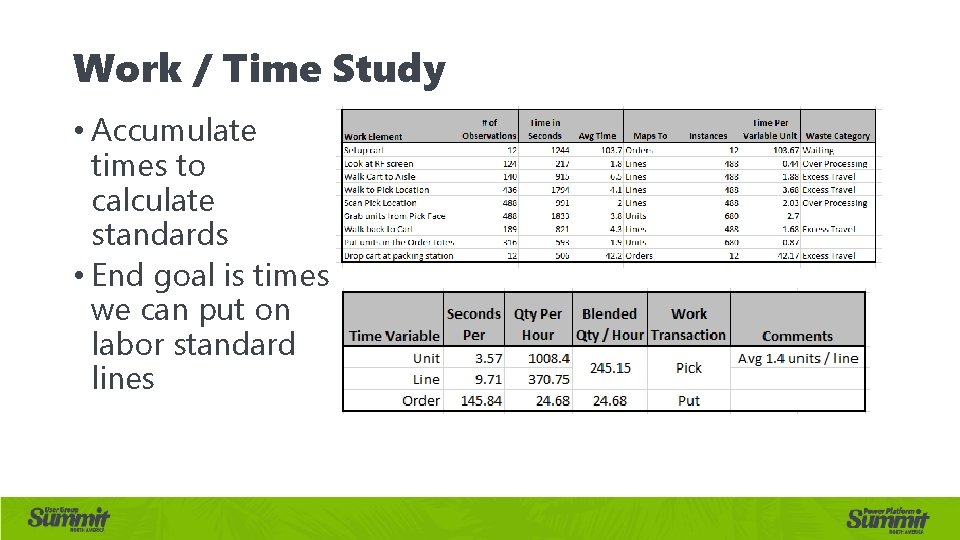
Work / Time Study • Accumulate times to calculate standards • End goal is times we can put on labor standard lines
Work / Time Study – Best practices • It’s OK to not be perfect the first pass, start small • Get employee engagement early on, expect mixed feelings • Seconds versus minutes • Share rewards with employees • Associates freed up should be moved to other areas • Supervisors own utilization, associates own efficiency
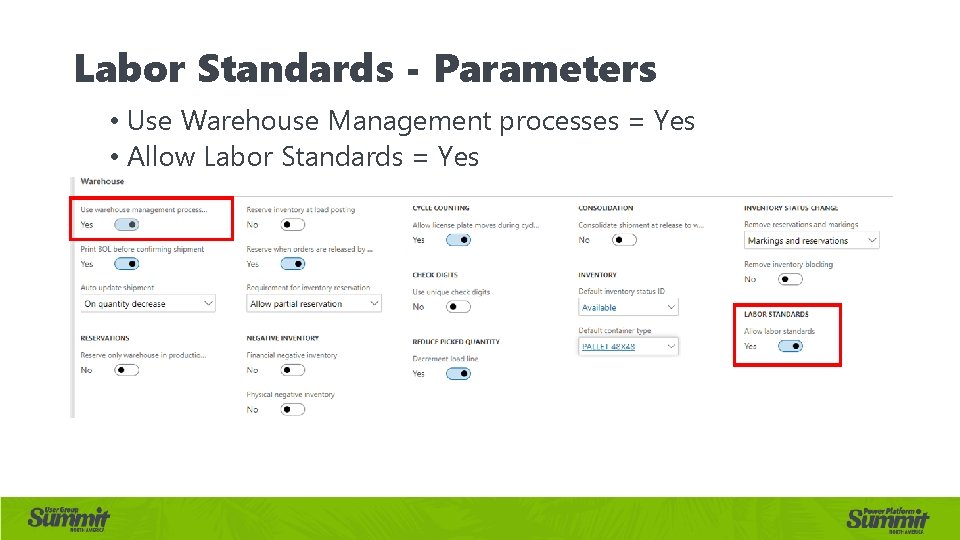
Labor Standards - Parameters • Use Warehouse Management processes = Yes • Allow Labor Standards = Yes
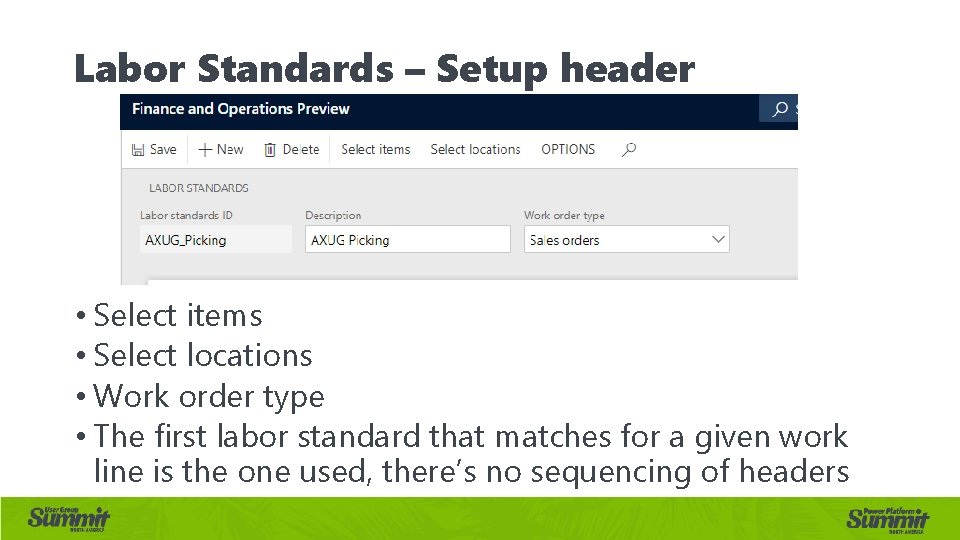
Labor Standards – Setup header • Select items • Select locations • Work order type • The first labor standard that matches for a given work line is the one used, there’s no sequencing of headers
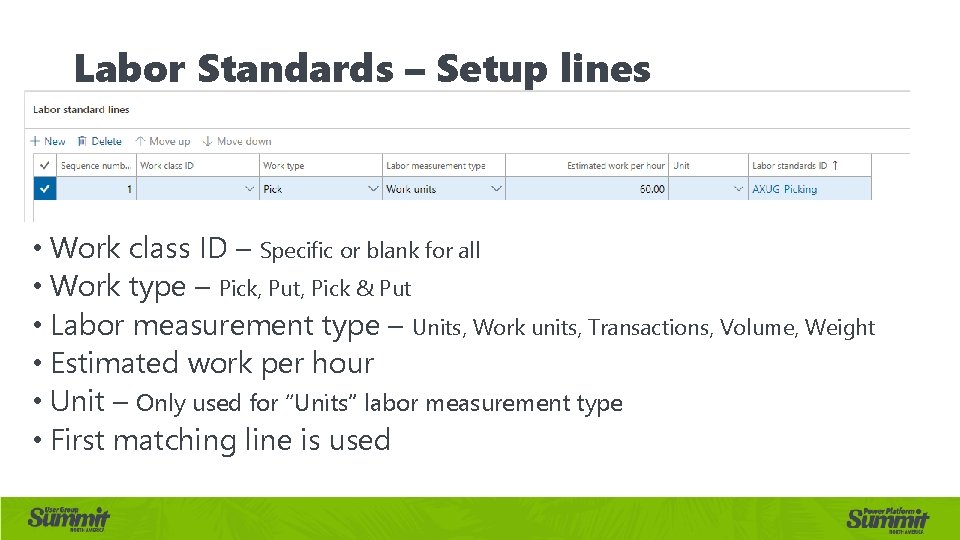
Labor Standards – Setup lines • Work class ID – Specific or blank for all • Work type – Pick, Put, Pick & Put • Labor measurement type – Units, Work units, Transactions, Volume, Weight • Estimated work per hour • Unit – Only used for “Units” labor measurement type • First matching line is used
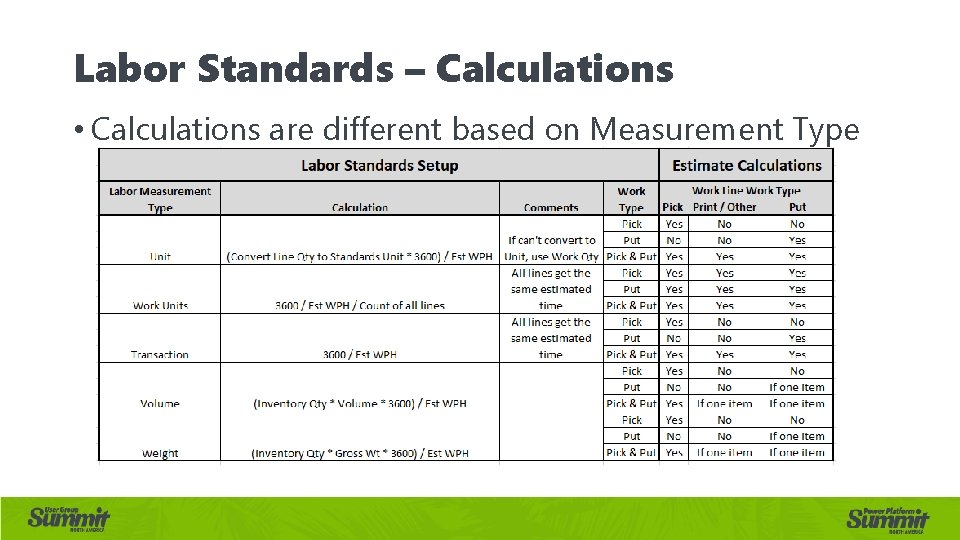
Labor Standards – Calculations • Calculations are different based on Measurement Type
Labor Standards – Business Logic • During work creation, compute estimated time: • Check that warehouse has labor standards enabled • Find Labor standard header based on: • Select items • Select locations • Work order type • Find the labor standards line based on • Work type AND work class OR blank work class • During work creation, check that maximums from Work Template are not exceeded • Note this only checks time on picks • Work will split if maximum pick time will be exceeded
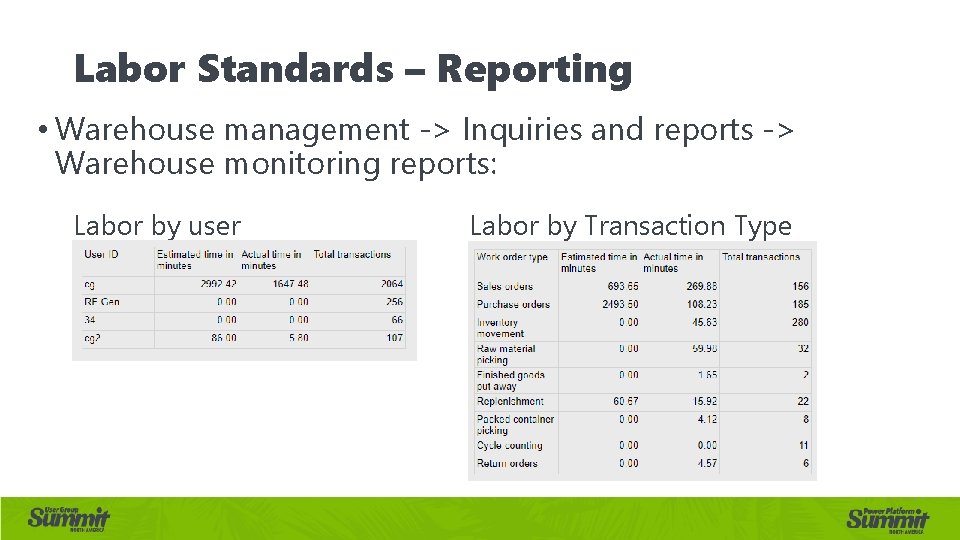
Labor Standards – Reporting • Warehouse management -> Inquiries and reports -> Warehouse monitoring reports: Labor by user Labor by Transaction Type
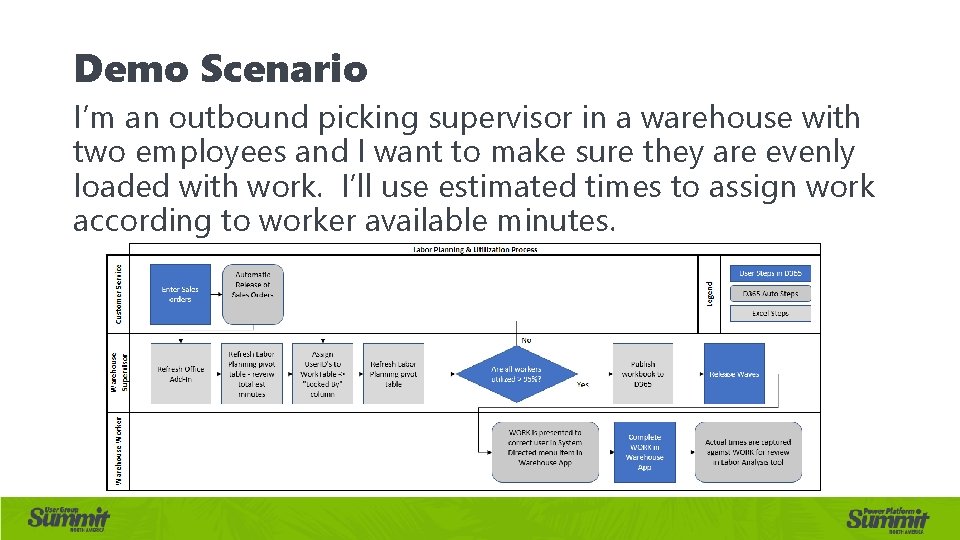
Demo Scenario I’m an outbound picking supervisor in a warehouse with two employees and I want to make sure they are evenly loaded with work. I’ll use estimated times to assign work according to worker available minutes.
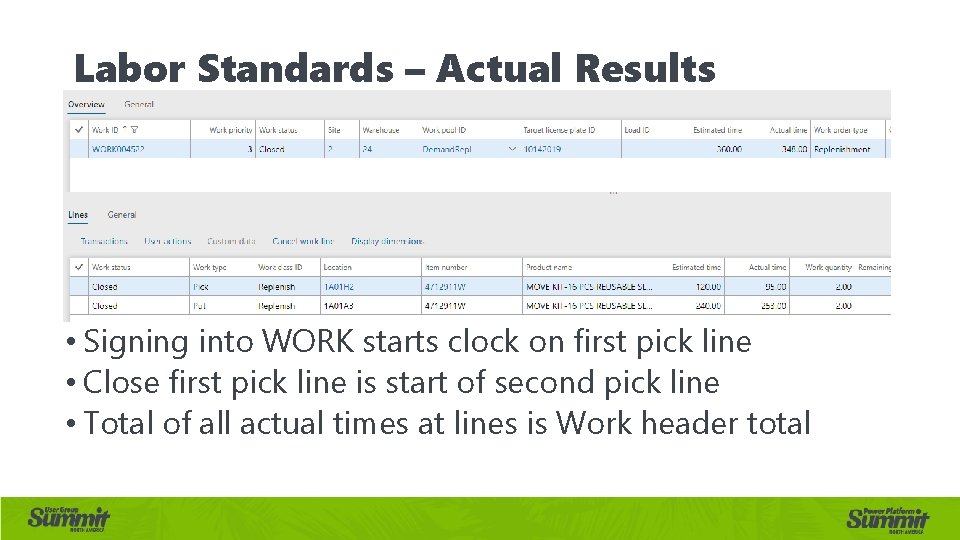
Labor Standards – Actual Results • Signing into WORK starts clock on first pick line • Close first pick line is start of second pick line • Total of all actual times at lines is Work header total
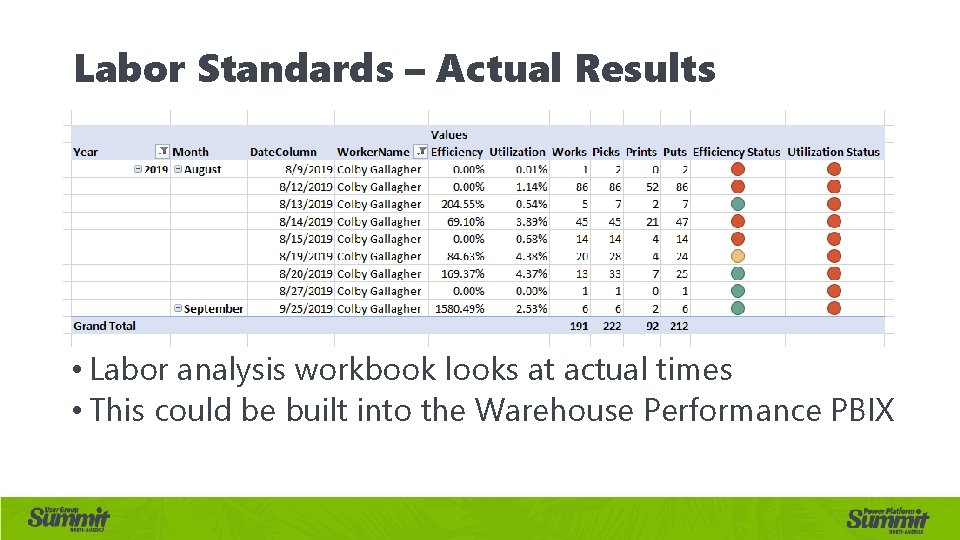
Labor Standards – Actual Results • Labor analysis workbook looks at actual times • This could be built into the Warehouse Performance PBIX
Labor Standards – Expected Results • Better understanding of processes • Time study should identify new opportunities to reduce process times • Ability to effectively utilize labor in warehouse processes • More objective view of employee performance, both supervisors and associates
Labor Standards – Gotchas • Cluster picked work doesn’t capture actual times! • In R 3, when Labor Standard line labor measurement type is “Unit” and you have Variant unit of measure conversion, it does not work • In R 3, Catch weight items are not supported
Demo / Files at: shorturl. at/jt. NO 5 • Labor_Standards. xlsx • AXDeployable. Package_20191002_20_21_48. zip • shorturl. at/t. GKO 6 • AXUG_2019_D 365 FO_Labor. Analysis. xlsx • AXUG_2019_D 365 FO_ Labor. Planning. xlsx
Thank you for attending! Colby Gallagher Manufacturing Systems Consultant Agility Business Solutions • Any questions? Click to edit master title style • Please complete your survey
- Slides: 21