
SAS Software Version 8 The Output Delivery System
- Slides: 16
SAS Software Version 8 The Output Delivery System
What is ODS? SAS Software Version 6 produced traditional monospace output Other current software is WYSIWYG with control over fonts, colours etc Version 8 has ODS to cover the difference, and more…
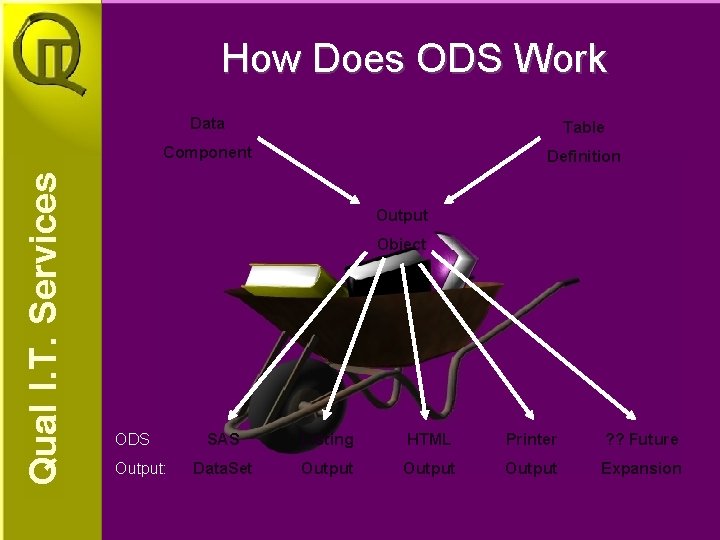
How Does ODS Work Data Table Component Definition Output Object ODS Output: SAS Listing HTML Printer ? ? Future Data. Set Output Expansion
ODS Sources of ODS include: • SAS Procedures (including SAS/GRAPH) • The Data Step (ODS option in the FILE statement)
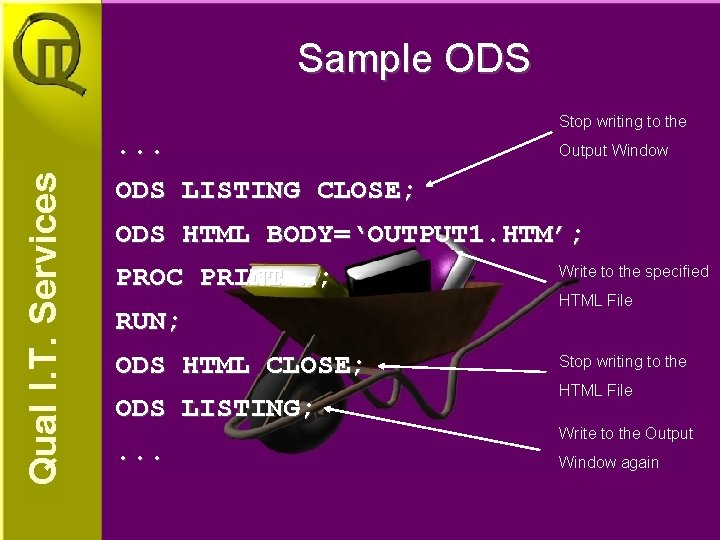
Sample ODS Stop writing to the . . . Output Window ODS LISTING CLOSE; ODS HTML BODY=‘OUTPUT 1. HTM’; PROC PRINT …; RUN; ODS HTML CLOSE; ODS LISTING; . . . Write to the specified HTML File Stop writing to the HTML File Write to the Output Window again
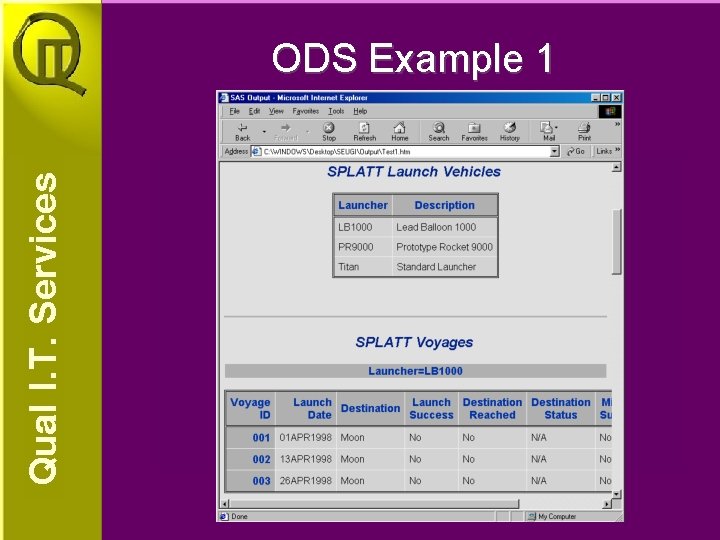
ODS Example 1
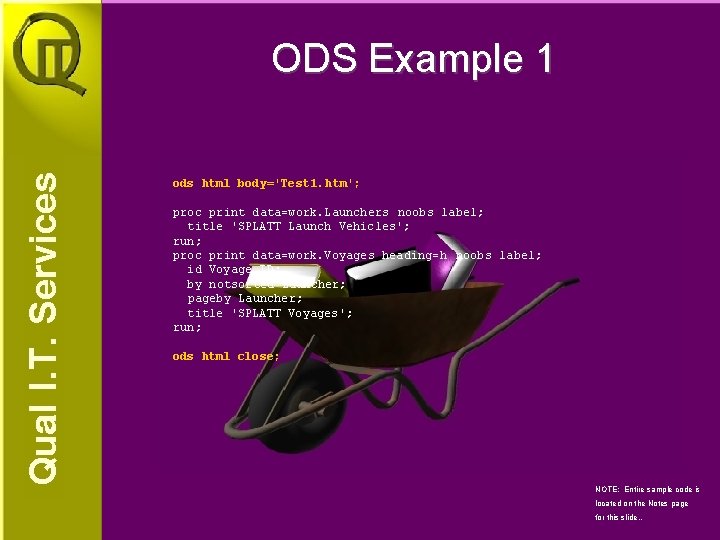
ODS Example 1 ods html body='Test 1. htm'; proc print data=work. Launchers noobs label; title 'SPLATT Launch Vehicles'; run; proc print data=work. Voyages heading=h noobs label; id Voyage_ID; by notsorted Launcher; pageby Launcher; title 'SPLATT Voyages'; run; ods html close; NOTE: Entire sample code is located on the Notes page for this slide. .
ODS Example 2
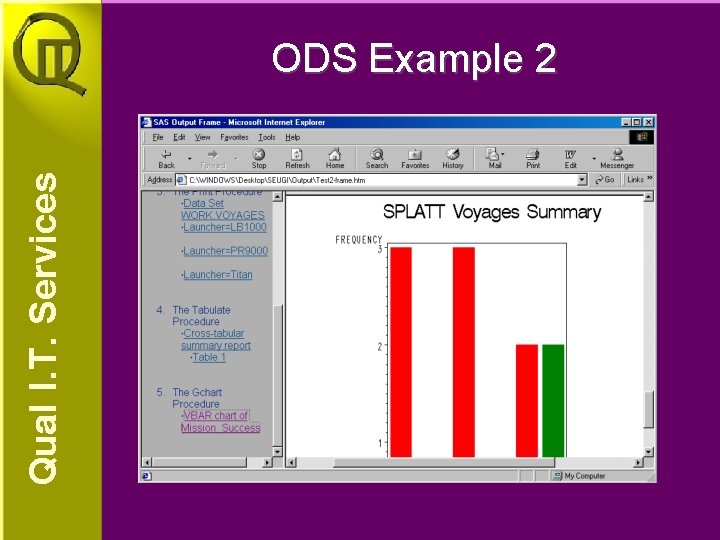
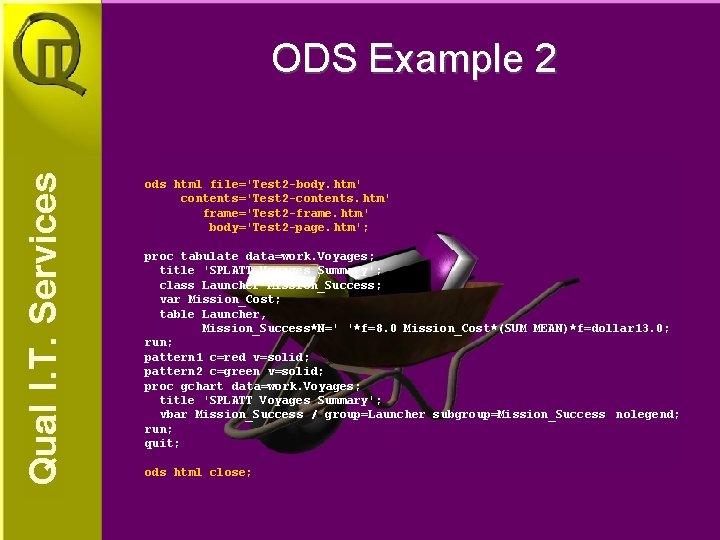
ODS Example 2 ods html file='Test 2 -body. htm' contents='Test 2 -contents. htm' frame='Test 2 -frame. htm' body='Test 2 -page. htm'; proc tabulate data=work. Voyages; title 'SPLATT Voyages Summary'; class Launcher Mission_Success; var Mission_Cost; table Launcher, Mission_Success*N=' '*f=8. 0 Mission_Cost*(SUM MEAN)*f=dollar 13. 0; run; pattern 1 c=red v=solid; pattern 2 c=green v=solid; proc gchart data=work. Voyages; title 'SPLATT Voyages Summary'; vbar Mission_Success / group=Launcher subgroup=Mission_Success nolegend; run; quit; ods html close;
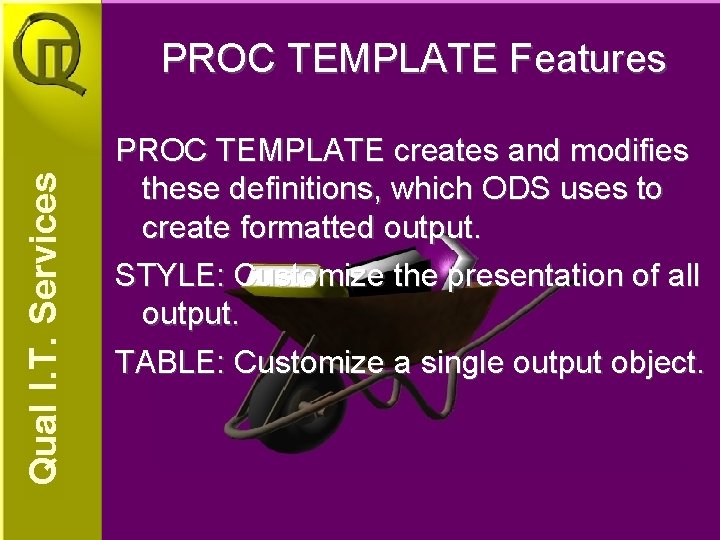
PROC TEMPLATE Features PROC TEMPLATE creates and modifies these definitions, which ODS uses to create formatted output. STYLE: Customize the presentation of all output. TABLE: Customize a single output object.
PROC TEMPLATE Example 1
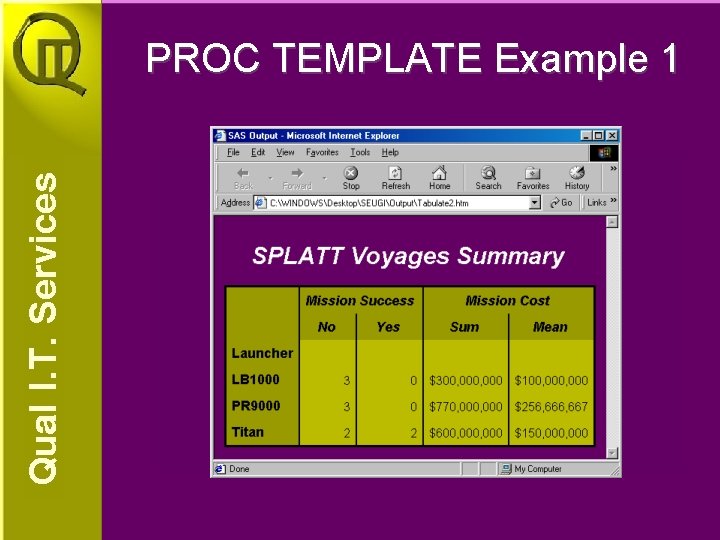
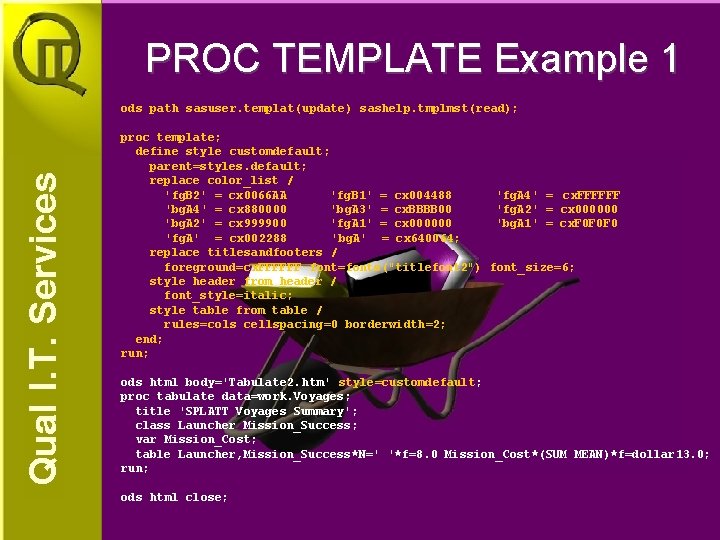
PROC TEMPLATE Example 1 ods path sasuser. templat(update) sashelp. tmplmst(read); proc template; define style customdefault; parent=styles. default; replace color_list / 'fg. B 2' = cx 0066 AA 'fg. B 1' = cx 004488 'fg. A 4' = cx. FFFFFF 'bg. A 4' = cx 880000 'bg. A 3' = cx. BBBB 00 'fg. A 2' = cx 000000 'bg. A 2' = cx 999900 'fg. A 1' = cx 000000 'bg. A 1' = cx. F 0 F 0 F 0 'fg. A' = cx 002288 'bg. A' = cx 640064; replace titlesandfooters / foreground=cx. FFFFFF font=fonts("titlefont 2") font_size=6; style header from header / font_style=italic; style table from table / rules=cols cellspacing=0 borderwidth=2; end; run; ods html body='Tabulate 2. htm' style=customdefault; proc tabulate data=work. Voyages; title 'SPLATT Voyages Summary'; class Launcher Mission_Success; var Mission_Cost; table Launcher, Mission_Success*N=' '*f=8. 0 Mission_Cost*(SUM MEAN)*f=dollar 13. 0; run; ods html close;
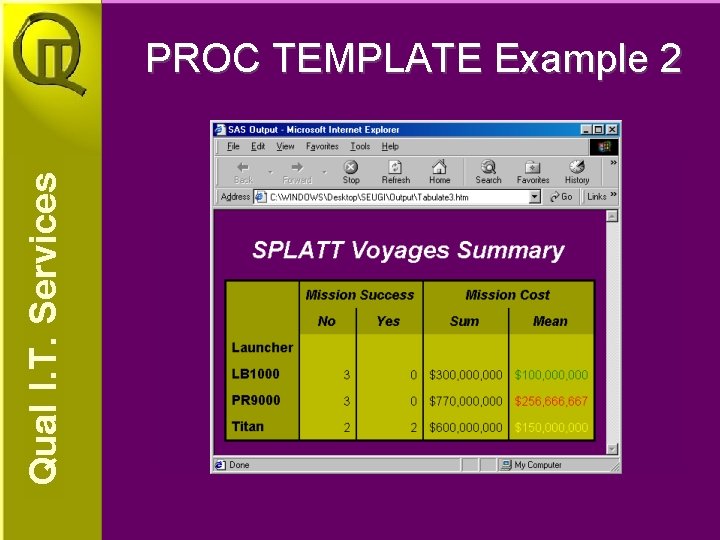
PROC TEMPLATE Example 2
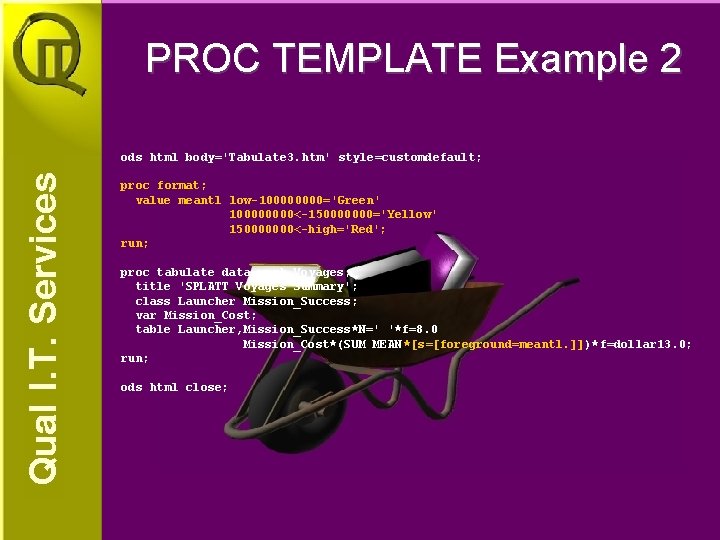
PROC TEMPLATE Example 2 ods html body='Tabulate 3. htm' style=customdefault; proc format; value meantl low-10000='Green' 10000<-150000000='Yellow' 150000000<-high='Red'; run; proc tabulate data=work. Voyages; title 'SPLATT Voyages Summary'; class Launcher Mission_Success; var Mission_Cost; table Launcher, Mission_Success*N=' '*f=8. 0 Mission_Cost*(SUM MEAN *[s=[foreground=meantl. ]])*f=dollar 13. 0; run; ods html close;
Conclusion ODS provides an easy way to create HTML pages Easy Traffic Lighting Futures may include XML and PDF Files Try it!!!
Questions References: SAS Online Doc® Version Eight The Complete Guide to the SAS Output Delivery System michael_matthews@qual-it. com. au http: //www. qual-it. com. au