
SAP R3 Data Archiving with PBS as Retrieval
SAP R/3 Data Archiving with PBS as Retrieval Method Patrick Beekman 23 May 2002
Agenda Ü Data Archiving in SAP R/3 Ü PBS archive add ons. TM Ü Project steps
Data archiving in SAP R/3 Ü Data Archiving in SAP R/3 Ü PBS archive add ons. TM Ü Project steps
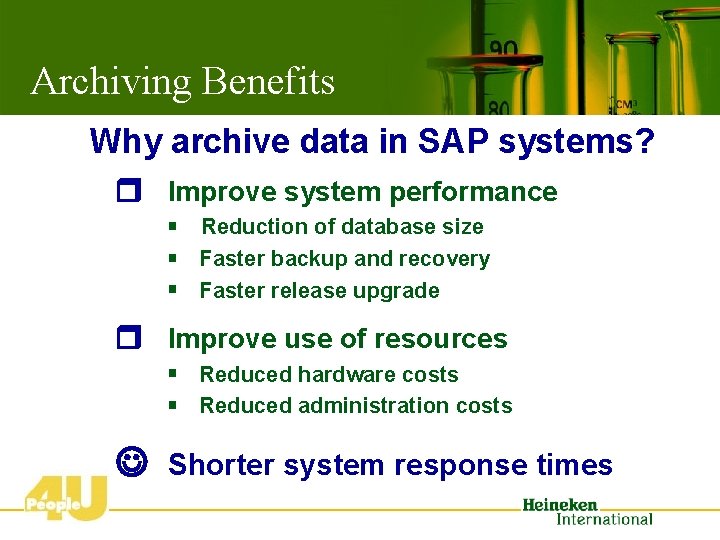
Archiving Benefits Why archive data in SAP systems? r Improve system performance § Reduction of database size § Faster backup and recovery § Faster release upgrade r Improve use of resources § Reduced hardware costs § Reduced administration costs J Shorter system response times
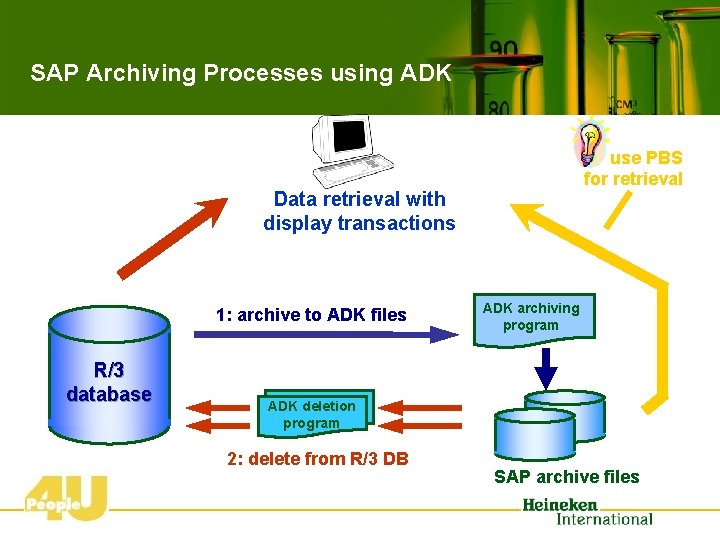
SAP Archiving Processes using ADK use PBS for retrieval Data retrieval with display transactions 1: archive to ADK files R/3 database ADK archiving program ADK deletion program 2: delete from R/3 DB SAP archive files
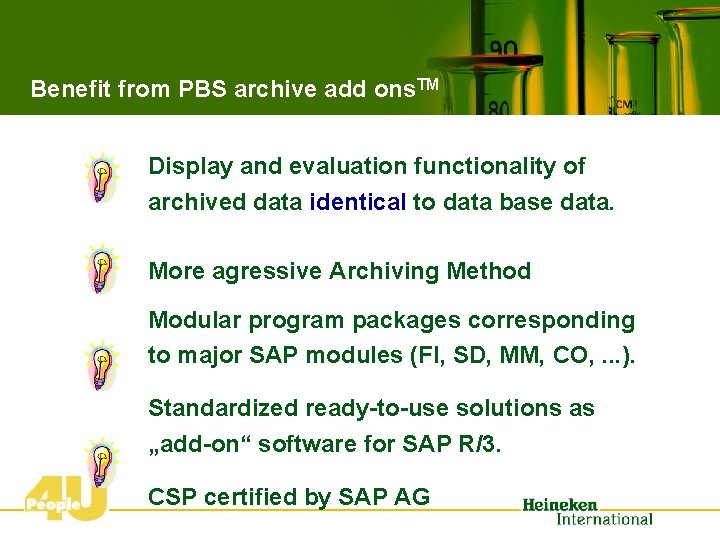
Benefit from PBS archive add ons. TM Display and evaluation functionality of archived data identical to data base data. More agressive Archiving Method Modular program packages corresponding to major SAP modules (FI, SD, MM, CO, . . . ). Standardized ready-to-use solutions as „add-on“ software for SAP R/3. CSP certified by SAP AG
Agenda Ü Data Archiving in SAP R/3 Ü PBS archive add ons. TM Ü Project steps
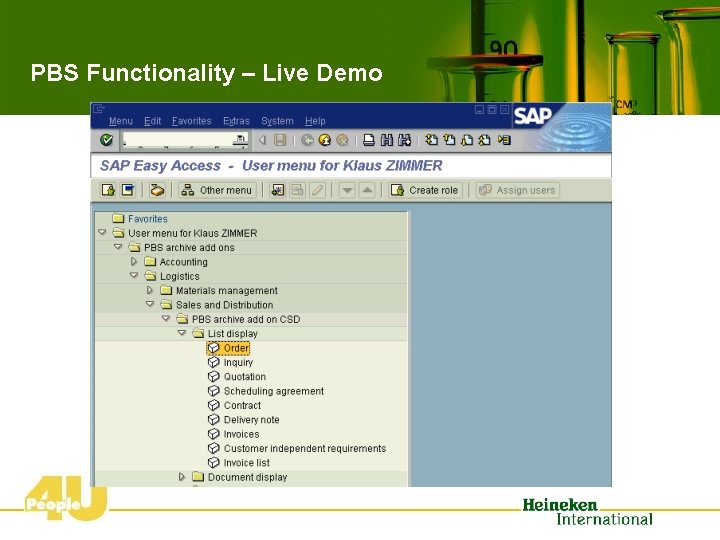
PBS Functionality – Live Demo
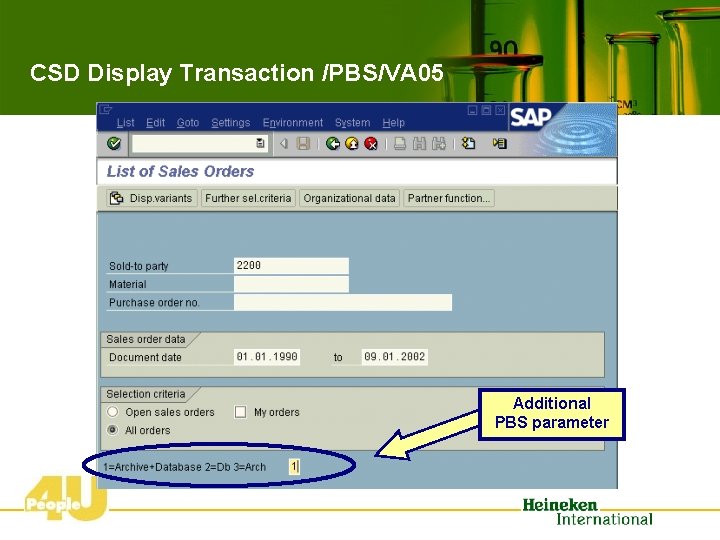
CSD Display Transaction /PBS/VA 05 Additional PBS parameter
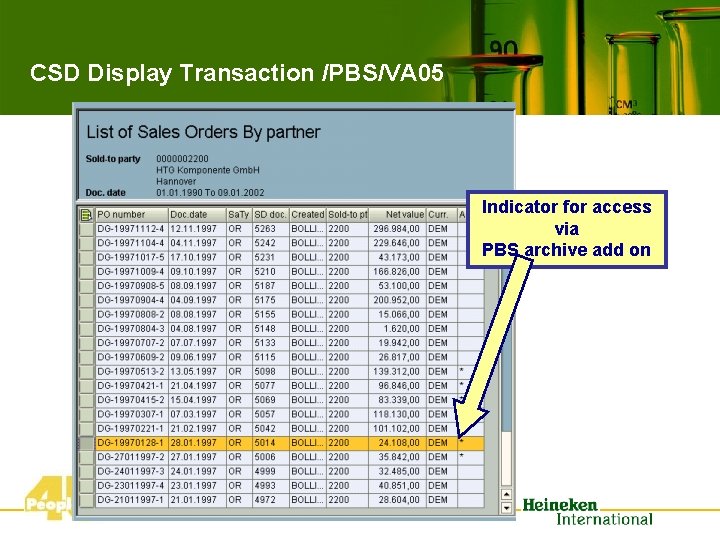
CSD Display Transaction /PBS/VA 05 Indicator for access via PBS archive add on
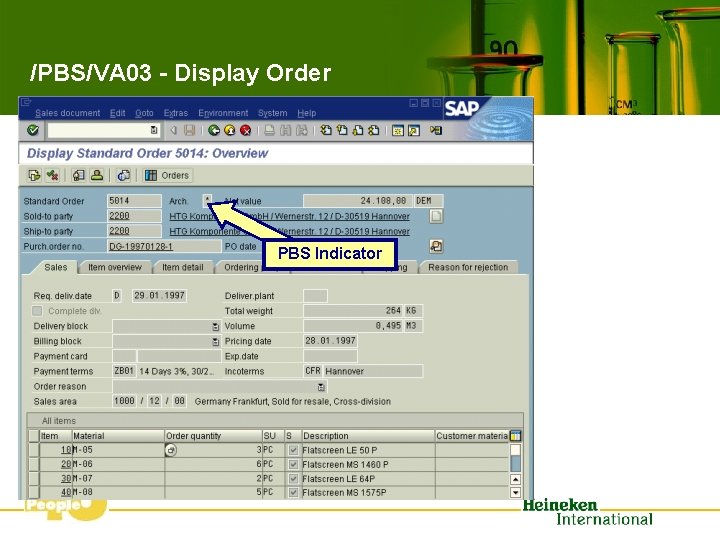
/PBS/VA 03 - Display Order PBS Indicator
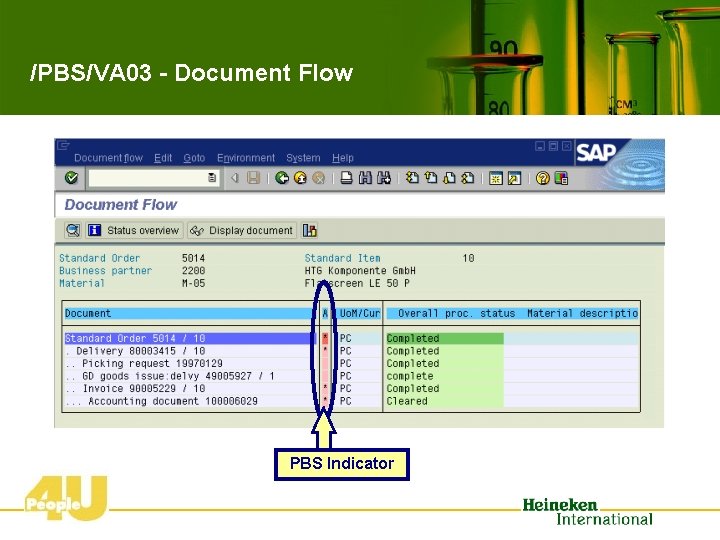
/PBS/VA 03 - Document Flow PBS Indicator
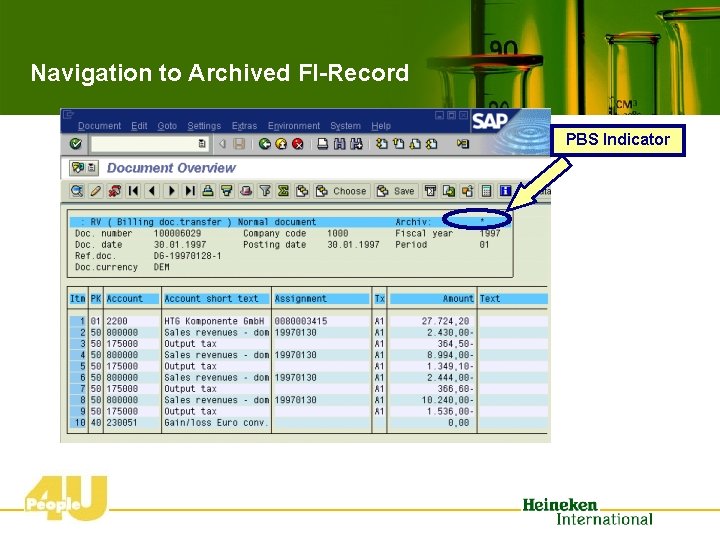
Navigation to Archived FI-Record PBS Indicator
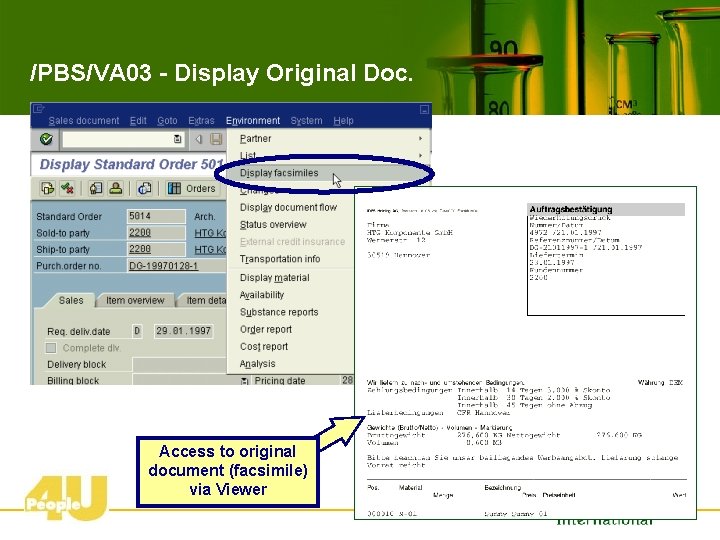
/PBS/VA 03 - Display Original Doc. Access to original document (facsimile) via Viewer
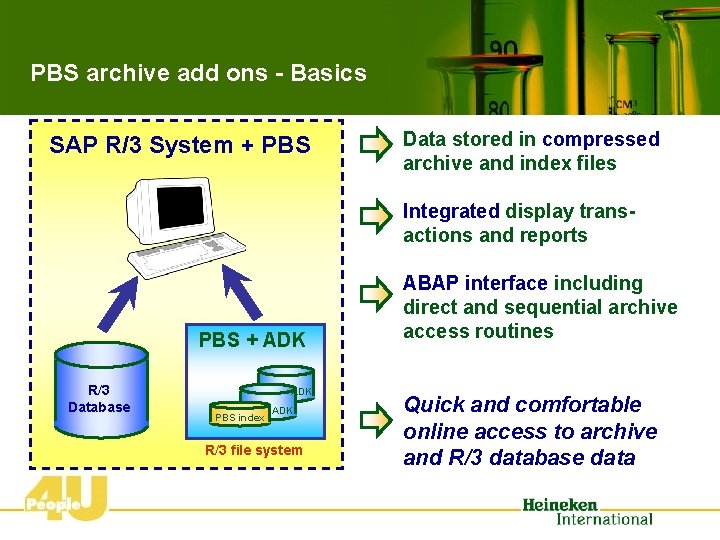
PBS archive add ons - Basics SAP R/3 System + PBS Data stored in compressed archive and index files Integrated display transactions and reports PBS + ADK R/3 Database ADK PBS index ADK R/3 file system ABAP interface including direct and sequential archive access routines Quick and comfortable online access to archive and R/3 database data
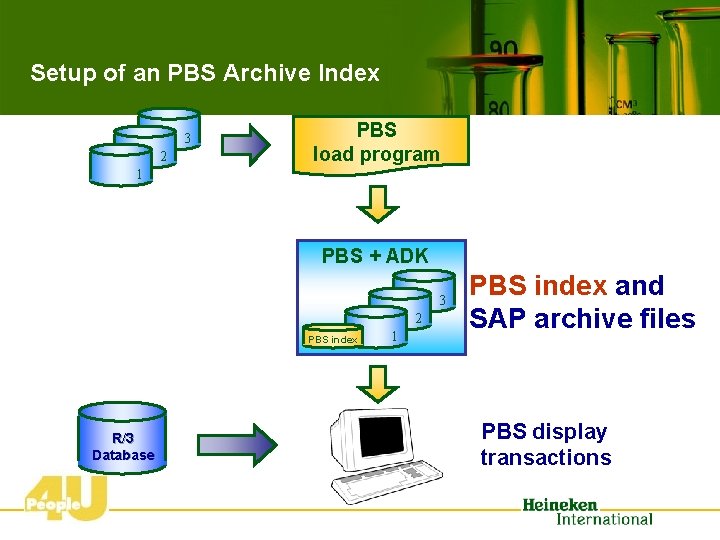
Setup of an PBS Archive Index 3 2 PBS load program 1 PBS + ADK 3 2 PBS index R/3 Database 1 PBS index and SAP archive files PBS display transactions
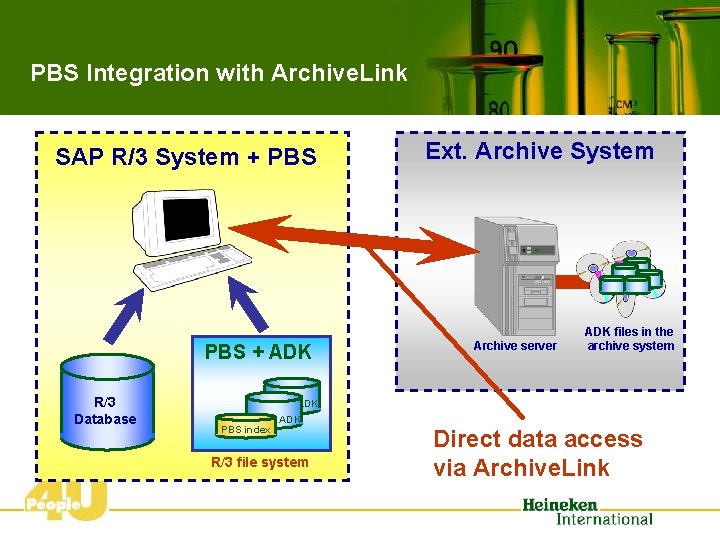
PBS Integration with Archive. Link SAP R/3 System + PBS + ADK R/3 Database Ext. Archive System Archive server ADK files in the archive system ADK PBS index ADK R/3 file system Direct data access via Archive. Link
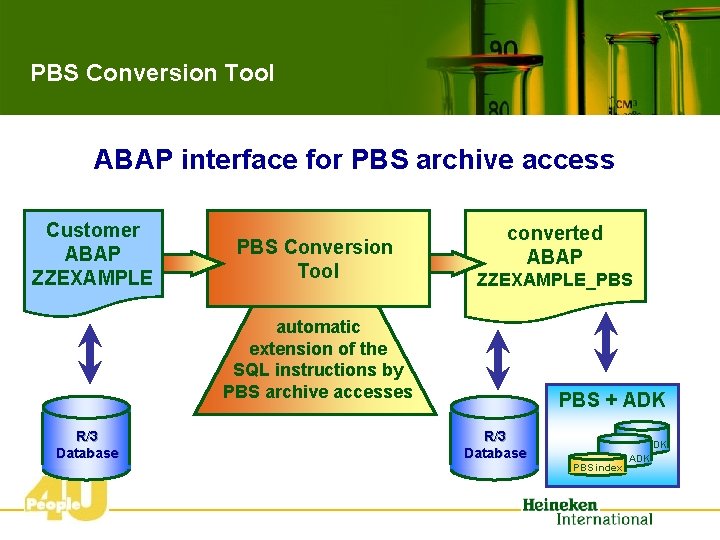
PBS Conversion Tool ABAP interface for PBS archive access Customer ABAP ZZEXAMPLE PBS Conversion Tool converted ABAP ZZEXAMPLE_PBS automatic extension of the SQL instructions by PBS archive accesses R/3 Database PBS + ADK R/3 Database PBSindex ADK
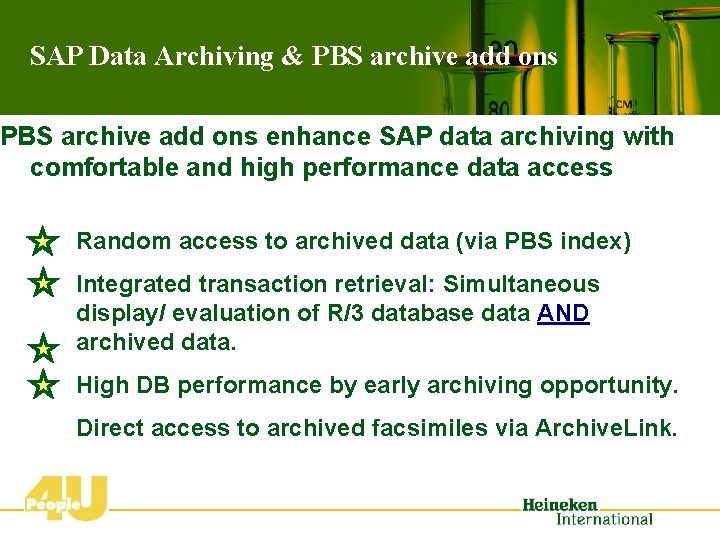
SAP Data Archiving & PBS archive add ons enhance SAP data archiving with comfortable and high performance data access Random access to archived data (via PBS index) Integrated transaction retrieval: Simultaneous display/ evaluation of R/3 database data AND archived data. High DB performance by early archiving opportunity. Direct access to archived facsimiles via Archive. Link.
Agenda Ü Data Archiving in SAP R/3 Ü PBS archive add ons. TM Ü Project steps
Project Steps • Analysis • Design and Conception • Test • Implementation GO-LIVE
Project steps 1. Analysis R/3 Database Analysis Off-site analysis Kick-off meeting – Propose Archive Objects to process – R/3 Database growth simulation – Tables outside archive object scope – Archive Object review
Design and Conception: Goals of the design phase • Develop an concrete archiving concept for creating and managing archive files • Create an implementation plan • Create a long term archiving plan Analysis from a business point of view: • Process analysis as prerequisite for determining the residence times • Define the dependencies between the archiving objects, based on documentation AND process analysis • Define the read-access requirements from the business viewpoint.
Test Phase • Archiving under realistic test conditions, datasets should be as similar possible to the production system. • Create user process description for access to archived data • Train the end users
Implementation GO-LIVE • Execute data archiving in production system • - Transports/Customizing • - Agreement from system administrators and user • - Job Monitoring • Communicate results of production archiving to user departments • Post processing • - Table space reorganization where required • - Index reorganization • - Update the database statistics • - Backup archive files • - Check data objects, which could not be archived

The End QUESTIONS
- Slides: 26