
SAP R3 and Business Processes INFSY 489 IST
SAP R/3 and Business Processes INFSY 489 / IST 402 Fall 2004 © SAP AG and The Rushmore Group, LLC 2004
Learn SAP R/3 n Cross functional n Understand business processes and their relationships to SAP's organizational structure n Highlight integration/configuration © SAP AG and The Rushmore Group, LLC 2004
Configuration n The process of tailoring SAP software by selecting specific functionality from a list of those supported by the software, very much like setting defaults (e. g. , Word, Access) n DOES NOT involve changes to the underlying software code © SAP AG and The Rushmore Group, LLC 2004
Programming Code Modifications n Changes to the delivered code n ABAP/4 – Advanced Business Application Programming (ABAP) n This should be done sparingly and carefully as it can make migration to new versions of the software much more difficult © SAP AG and The Rushmore Group, LLC 2004

SAP R/3 Document Principle Each business transaction that writes data to the database creates a uniquely numbered electronic document n Each document contains information such as n n n Responsible person Date and time of the transaction Commercial content Once created, a document can not be deleted from the database © SAP AG and The Rushmore Group, LLC 2004
Learning by Creating a Model Business Understand business processes and their integrative nature n Understanding SAP organizational structures n Combining business processes and SAP organizational structure (i. e. , configuration) n Test the newly configured system n View system outputs - statistics, reports, and graphics n © SAP AG and The Rushmore Group, LLC 2004
Pen Incorporated Start-up company in the promotional pen company n Initially buys and re-sells different lines of promotion pens n Sells to both wholesale and retail – procure and distribute n Later acquires a production facility to manufacture its own product – produce and distribute n © SAP AG and The Rushmore Group, LLC 2004
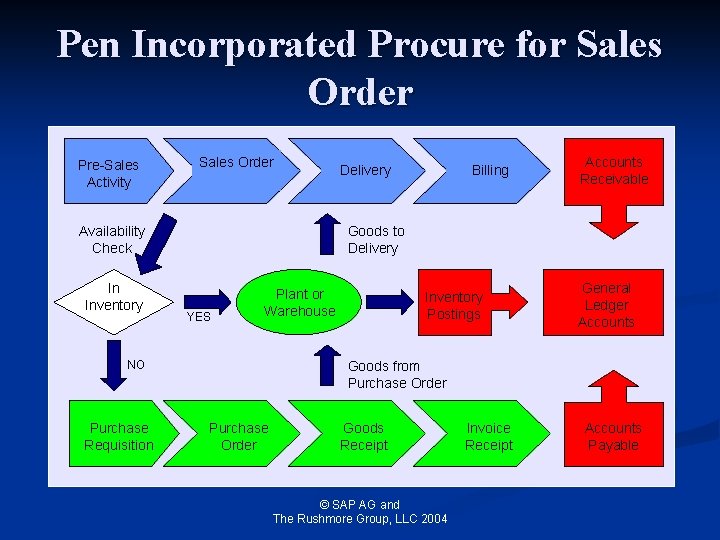
Pen Incorporated Procure for Sales Order Pre-Sales Activity Sales Order Availability Check In Inventory Billing Accounts Receivable Goods to Delivery YES Plant or Warehouse NO Purchase Requisition Delivery Inventory Postings General Ledger Accounts Goods from Purchase Order Goods Receipt © SAP AG and The Rushmore Group, LLC 2004 Invoice Receipt Accounts Payable
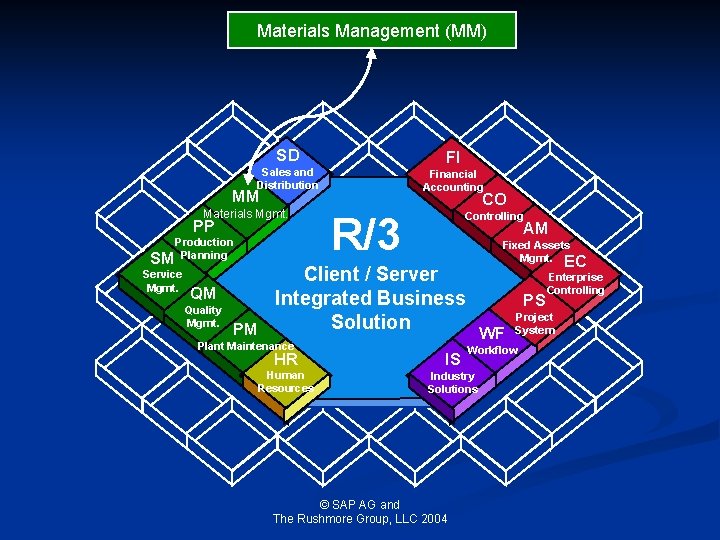
Materials Management (MM) SD FI Sales and Distribution Financial Accounting MM Materials Mgmt. PP Production SM Planning Service Mgmt. CO R/3 Controlling AM Fixed Assets Mgmt. EC Enterprise Client / Server Controlling QM Integrated Business PS Quality Project Mgmt. Solution System PM WF Plant Maintenance Workflow HR IS Human Resources Industry Solutions © SAP AG and The Rushmore Group, LLC 2004
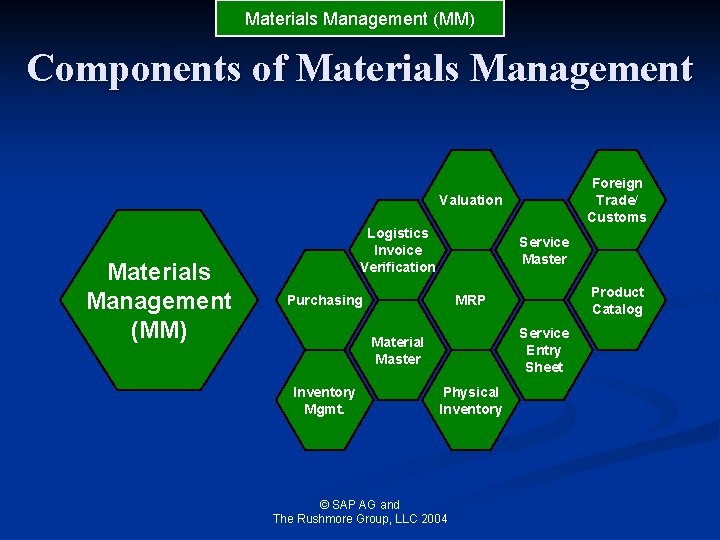
Materials Management (MM) Components of Materials Management Foreign Trade/ Customs Valuation Materials Management (MM) Logistics Invoice Verification Service Master Purchasing Service Entry Sheet Material Master Inventory Mgmt. Product Catalog MRP Physical Inventory © SAP AG and The Rushmore Group, LLC 2004
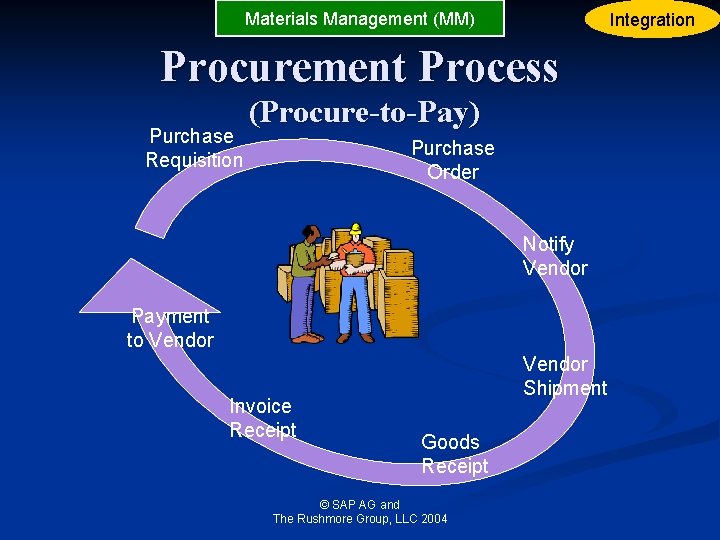
Materials Management (MM) Integration Procurement Process Purchase Requisition (Procure-to-Pay) Purchase Order Notify Vendor Payment to Vendor Invoice Receipt Vendor Shipment Goods Receipt © SAP AG and The Rushmore Group, LLC 2004

Sales and Distribution (SD) SD FI Sales and Distribution Financial Accounting MM Materials Mgmt. PP Production SM Planning Service Mgmt. CO R/3 Controlling AM Fixed Assets Mgmt. EC Enterprise Client / Server Controlling QM Integrated Business PS Quality Project Mgmt. Solution System PM WF Plant Maintenance Workflow HR IS Human Resources Industry Solutions © SAP AG and The Rushmore Group, LLC 2004
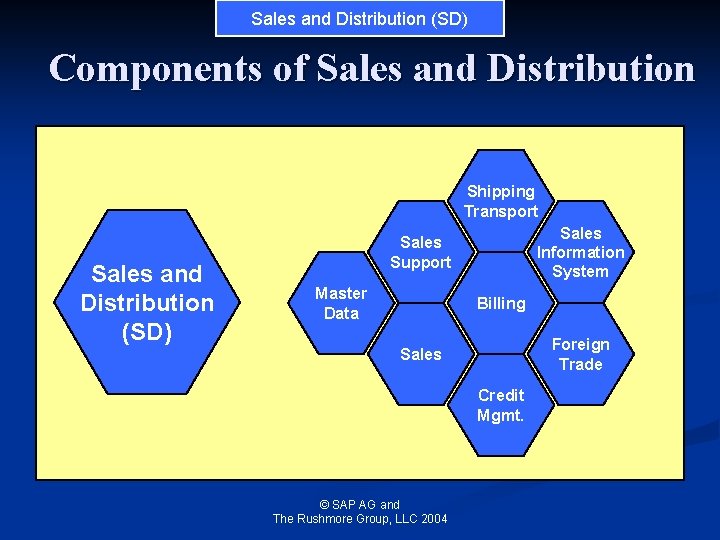
Sales and Distribution (SD) Components of Sales and Distribution Shipping Transport Sales and Distribution (SD) Sales Information System Sales Support Master Data Billing Foreign Trade Sales Credit Mgmt. © SAP AG and The Rushmore Group, LLC 2004
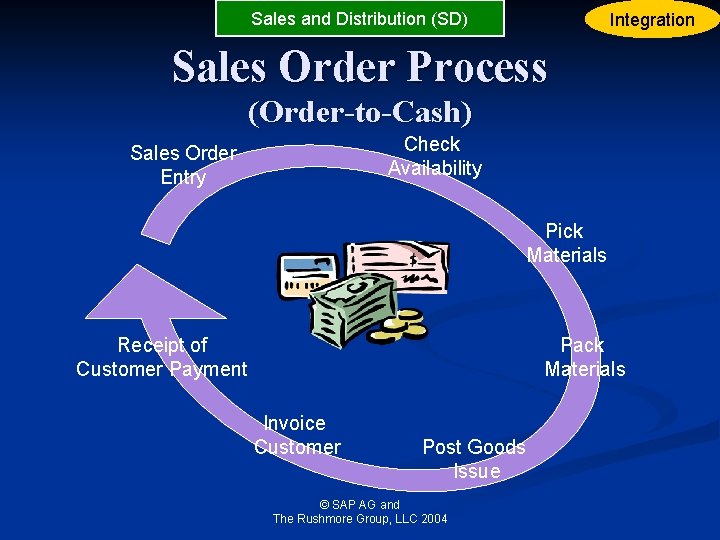
Sales and Distribution (SD) Integration Sales Order Process (Order-to-Cash) Check Availability Sales Order Entry Pick Materials Receipt of Customer Payment Pack Materials Invoice Customer Post Goods Issue © SAP AG and The Rushmore Group, LLC 2004
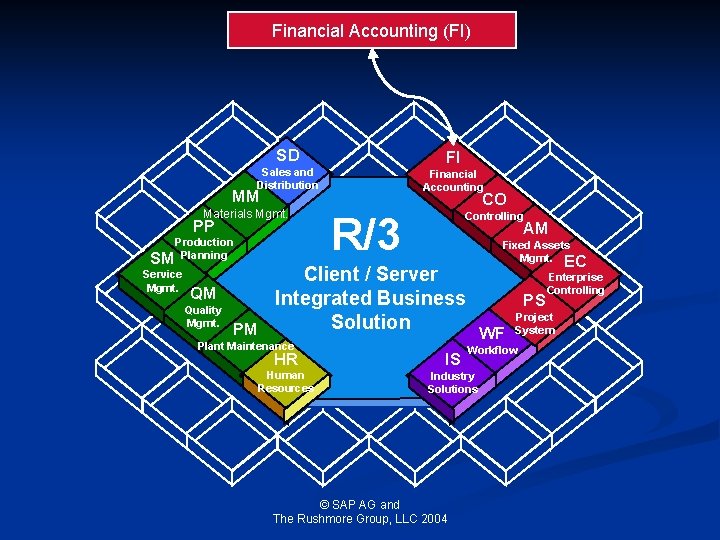
Financial Accounting (FI) SD FI Sales and Distribution Financial Accounting MM Materials Mgmt. PP Production SM Planning Service Mgmt. CO R/3 Controlling AM Fixed Assets Mgmt. EC Enterprise Client / Server Controlling QM Integrated Business PS Quality Project Mgmt. Solution System PM WF Plant Maintenance Workflow HR IS Human Resources Industry Solutions © SAP AG and The Rushmore Group, LLC 2004
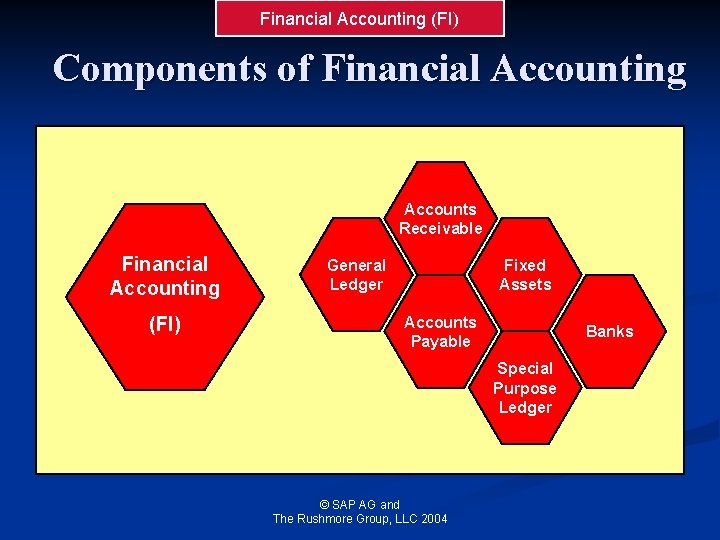
Financial Accounting (FI) Components of Financial Accounting Accounts Receivable Financial Accounting (FI) General Ledger Fixed Assets Accounts Payable Banks Special Purpose Ledger © SAP AG and The Rushmore Group, LLC 2004
Financial Accounting (FI) Goals and Objectives n Financial accounting is designed to collect all of the data needed to support the preparation of financial statements for external users © SAP AG and The Rushmore Group, LLC 2004
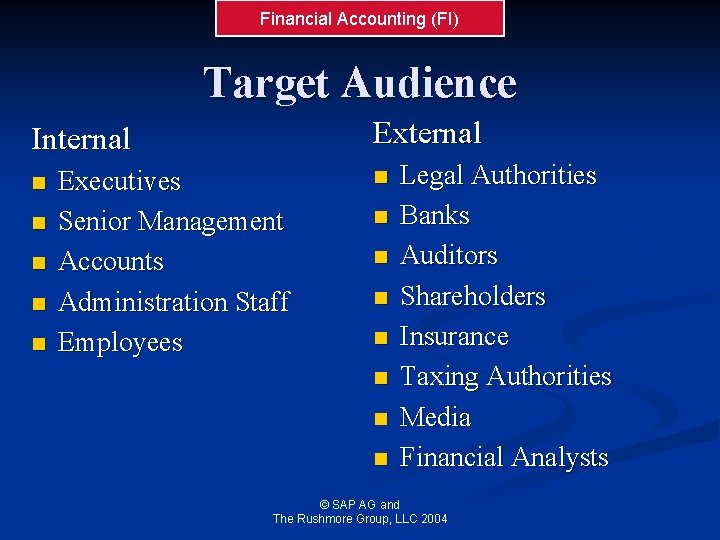
Financial Accounting (FI) Target Audience External Internal n n n Executives Senior Management Accounts Administration Staff Employees n n n n Legal Authorities Banks Auditors Shareholders Insurance Taxing Authorities Media Financial Analysts © SAP AG and The Rushmore Group, LLC 2004
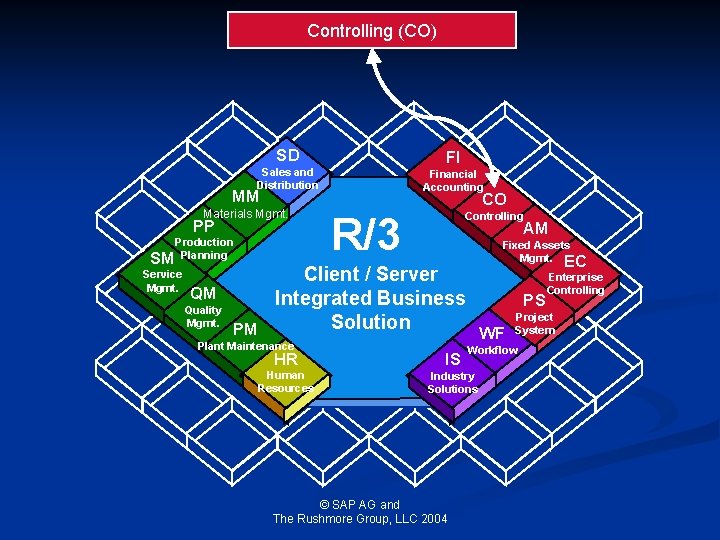
Controlling (CO) SD FI Sales and Distribution Financial Accounting MM Materials Mgmt. PP Production SM Planning Service Mgmt. CO R/3 Controlling AM Fixed Assets Mgmt. EC Enterprise Client / Server Controlling QM Integrated Business PS Quality Project Mgmt. Solution System PM WF Plant Maintenance Workflow HR IS Human Resources Industry Solutions © SAP AG and The Rushmore Group, LLC 2004
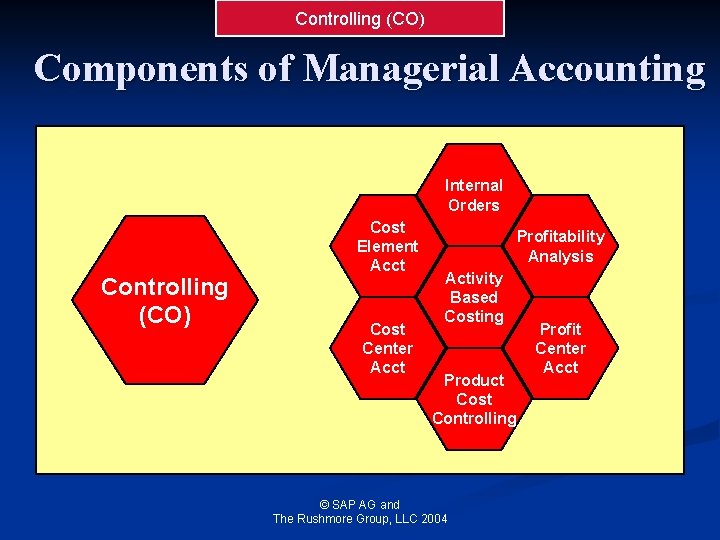
Controlling (CO) Components of Managerial Accounting Internal Orders Controlling (CO) Cost Element Acct Cost Center Acct Profitability Analysis Activity Based Costing Product Cost Controlling © SAP AG and The Rushmore Group, LLC 2004 Profit Center Acct
Controlling (CO) Goals and Objectives n Managerial accounting is designed to collect data for the preparation and analysis of reports for use by internal users © SAP AG and The Rushmore Group, LLC 2004
Controlling (CO) Target Audience Executives n Senior Management n Department Managers n Controllers n Cost Accountants n © SAP AG and The Rushmore Group, LLC 2004
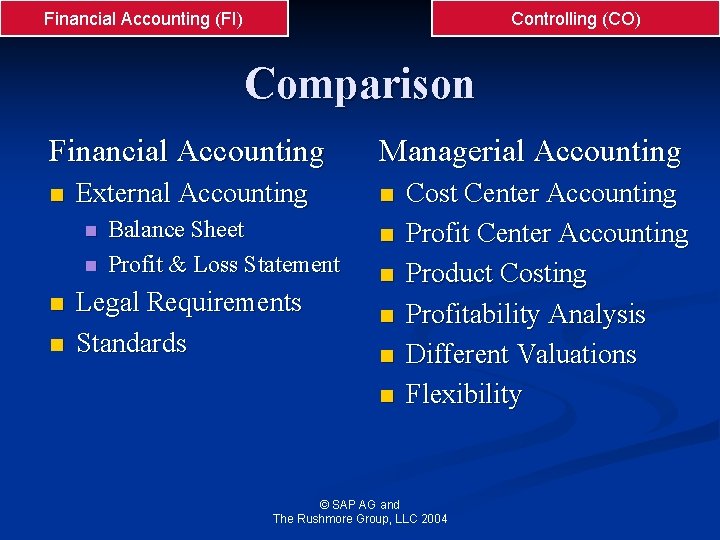
Financial Accounting (FI) Controlling (CO) Comparison Financial Accounting n External Accounting n n Balance Sheet Profit & Loss Statement Legal Requirements Standards Managerial Accounting n n n Cost Center Accounting Profit Center Accounting Product Costing Profitability Analysis Different Valuations Flexibility © SAP AG and The Rushmore Group, LLC 2004
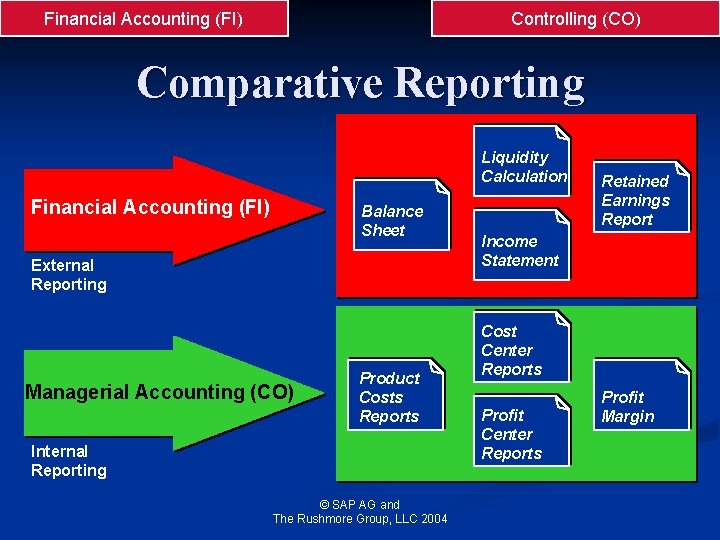
Financial Accounting (FI) Controlling (CO) Comparative Reporting Liquidity Calculation Financial Accounting (FI) Balance Sheet External Reporting Managerial Accounting (CO) Product Costs Reports Internal Reporting © SAP AG and The Rushmore Group, LLC 2004 Retained Earnings Report Income Statement Cost Center Reports Profit Margin
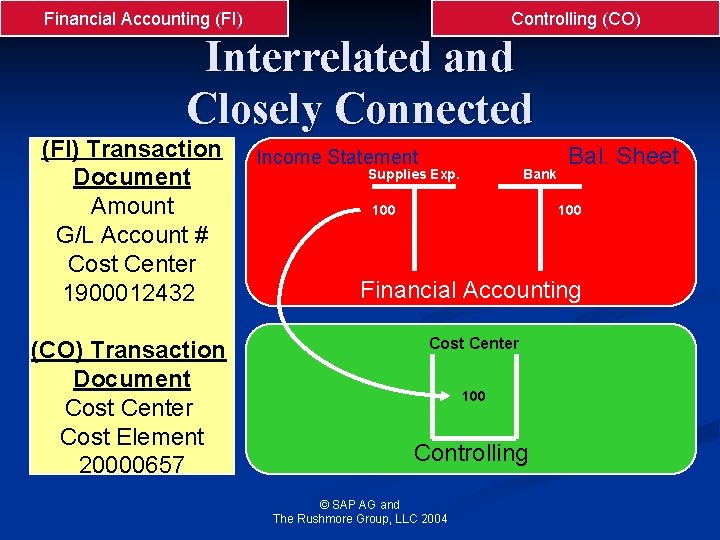
Financial Accounting (FI) Controlling (CO) Interrelated and Closely Connected (FI) Transaction Document Amount G/L Account # Cost Center 1900012432 (CO) Transaction Document Cost Center Cost Element 20000657 Income Statement Supplies Exp. Bank 100 Bal. Sheet 100 Financial Accounting Cost Center 100 Controlling © SAP AG and The Rushmore Group, LLC 2004
SAP R/3 Configuration © SAP AG and The Rushmore Group, LLC 2004
Business Process Integration n “The Stool” n Components n Organizational Data n Master Data n Rules n Transactions © SAP AG and The Rushmore Group, LLC 2004
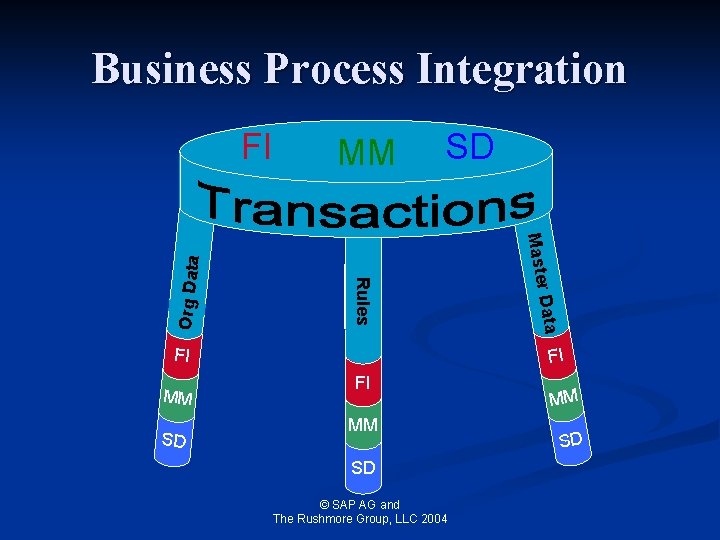
Business Process Integration MM SD D a ta FI Ma s te r Rules O r g D a ta FI FI FI MM SD © SAP AG and The Rushmore Group, LLC 2004 MM SD
Organizational Data A hierarchy in which the organizational units in an enterprise arranged according to tasks and functions n Are static data and are rarely changed n n n Once you have decided on an organizational structure it is not easy to change it The definition of organization units is a fundamental step, it is a critical factor in how the company will be structured © SAP AG and The Rushmore Group, LLC 2004
Master Data n Master data is relatively fixed n Material master data Vendor master data Purchasing information record n General Ledger master data n n n Before making the master data configurations, you must have completely defined the organizational structures © SAP AG and The Rushmore Group, LLC 2004
Rules Defines the parameters for Master Data and Transactions n Determines functionality for Master Data and Transactions n Relatively fixed n Changes as policy changes n © SAP AG and The Rushmore Group, LLC 2004
Transaction Data Includes internal and external exchanges that describe business activities n Unlike master data, aggregate transactional data is dynamic - it constantly changes, usually many times per day n © SAP AG and The Rushmore Group, LLC 2004
- An Introduction to Accessing and Navigating the SAP R/3 System - © SAP AG and The Rushmore Group, LLC 2004

Logging On - SAP R/3 Initial Screens © SAP AG and The Rushmore Group, LLC 2004
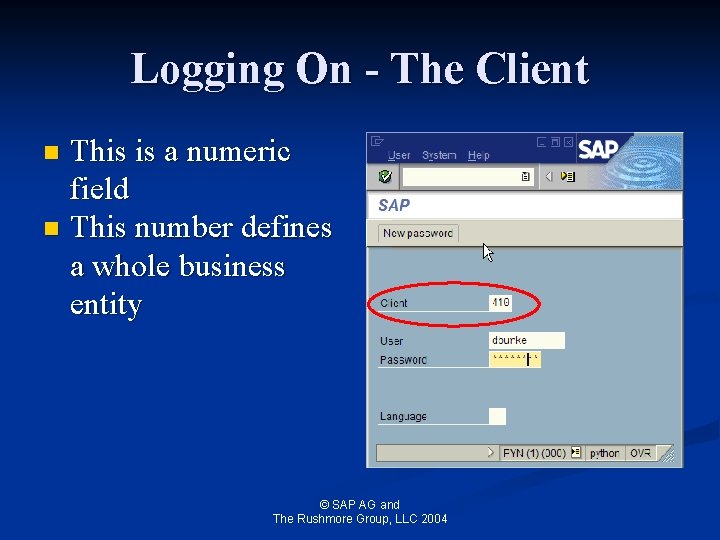
Logging On - The Client This is a numeric field n This number defines a whole business entity n © SAP AG and The Rushmore Group, LLC 2004
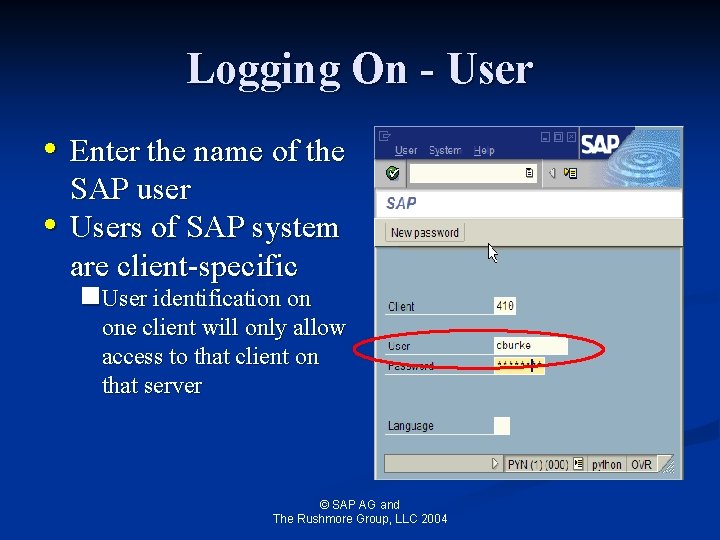
Logging On - User • Enter the name of the • SAP user Users of SAP system are client-specific n. User identification on one client will only allow access to that client on that server © SAP AG and The Rushmore Group, LLC 2004
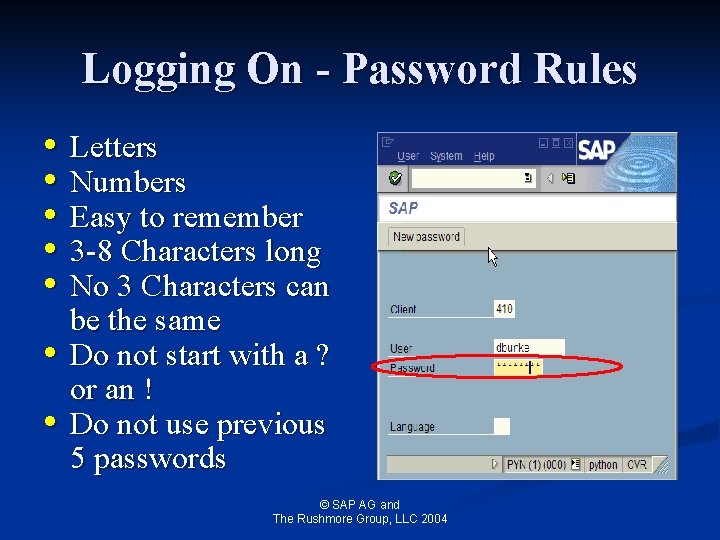
Logging On - Password Rules • Letters • Numbers • Easy to remember • 3 -8 Characters long • No 3 Characters can • • be the same Do not start with a ? or an ! Do not use previous 5 passwords © SAP AG and The Rushmore Group, LLC 2004
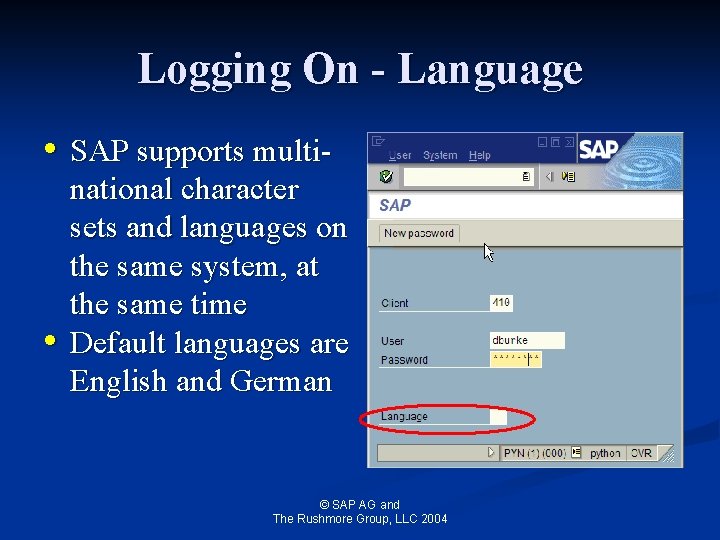
Logging On - Language • SAP supports multi- • national character sets and languages on the same system, at the same time Default languages are English and German © SAP AG and The Rushmore Group, LLC 2004
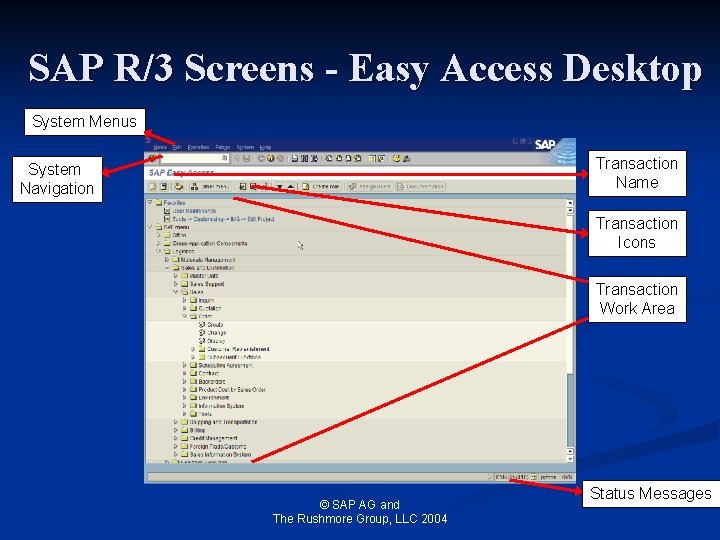
SAP R/3 Screens - Easy Access Desktop System Menus Transaction Name System Navigation Transaction Icons Transaction Work Area © SAP AG and The Rushmore Group, LLC 2004 Status Messages
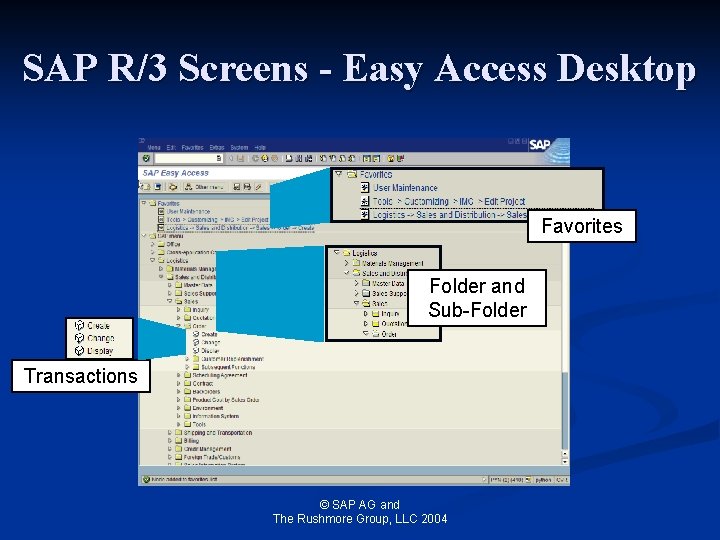
SAP R/3 Screens - Easy Access Desktop Favorites Folder and Sub-Folder Transactions © SAP AG and The Rushmore Group, LLC 2004
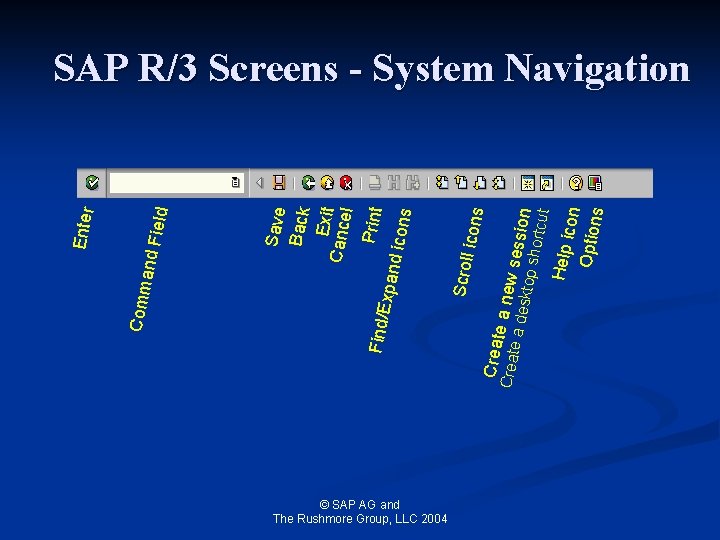
ield © SAP AG and The Rushmore Group, LLC 2004 icons Help i con Option s Creat e a new s e a de sktop ession shortc ut Creat Scroll Save Back Exit Cance l Print Find/E xpand icons Comm and F Enter SAP R/3 Screens - System Navigation
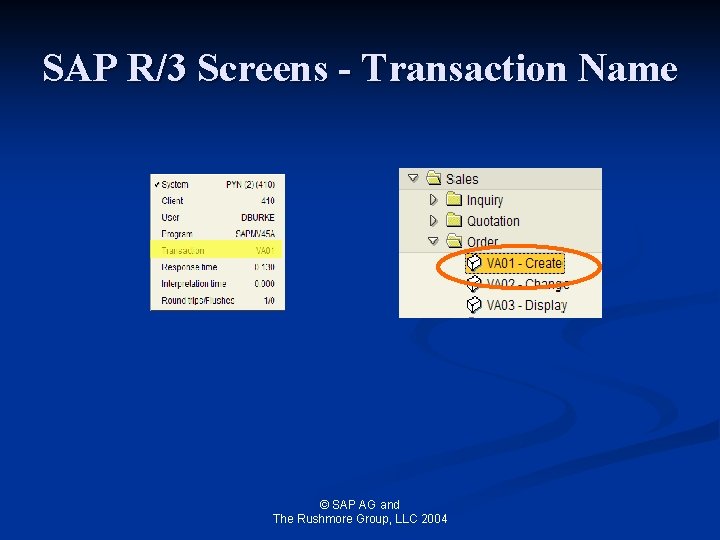
SAP R/3 Screens - Transaction Name © SAP AG and The Rushmore Group, LLC 2004
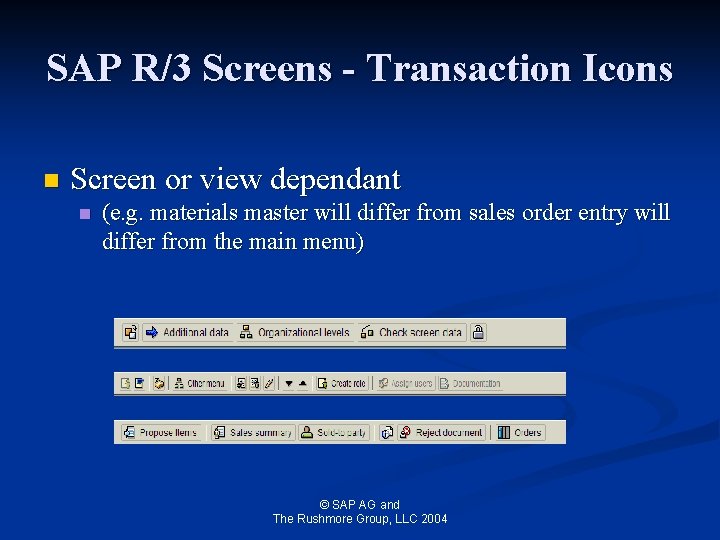
SAP R/3 Screens - Transaction Icons n Screen or view dependant n (e. g. materials master will differ from sales order entry will differ from the main menu) © SAP AG and The Rushmore Group, LLC 2004
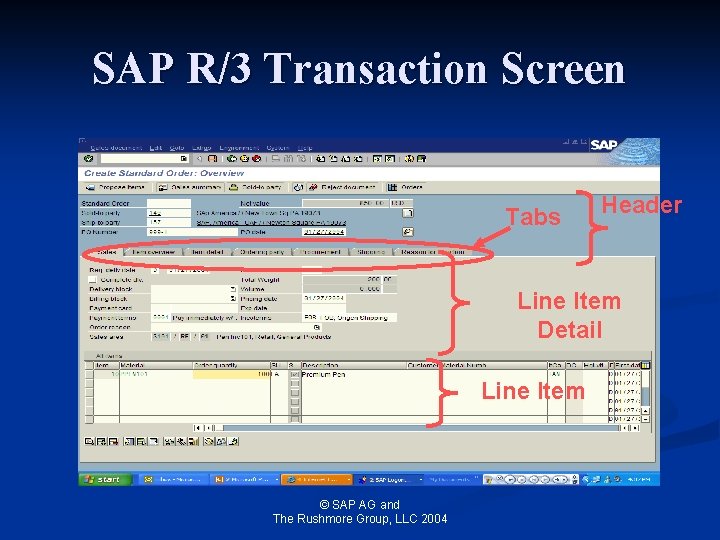
SAP R/3 Transaction Screen Tabs Header Line Item Detail Line Item © SAP AG and The Rushmore Group, LLC 2004
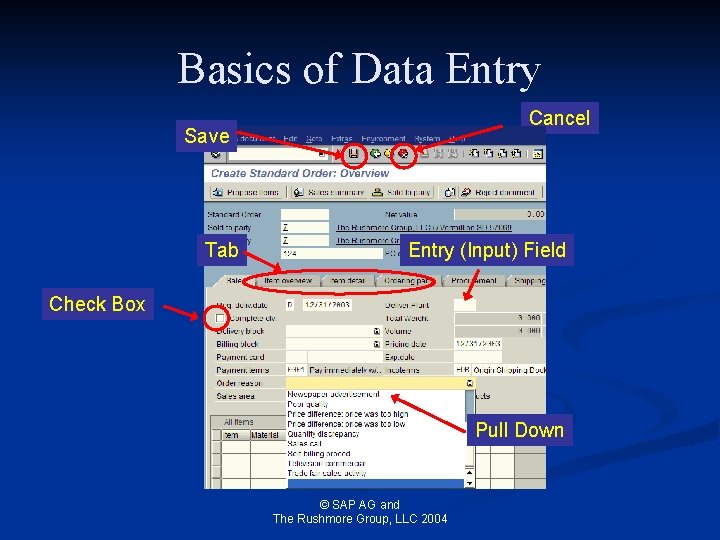
Basics of Data Entry Cancel Save Tab Entry (Input) Field Check Box Pull Down © SAP AG and The Rushmore Group, LLC 2004
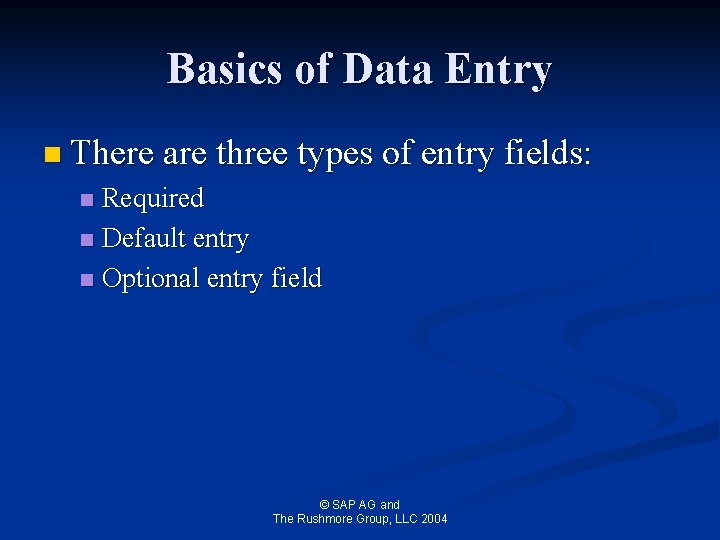
Basics of Data Entry n There are three types of entry fields: Required n Default entry n Optional entry field n © SAP AG and The Rushmore Group, LLC 2004
Reporting n Three basic steps to running a report Access the report n Enter selection criteria n Execute the report n © SAP AG and The Rushmore Group, LLC 2004
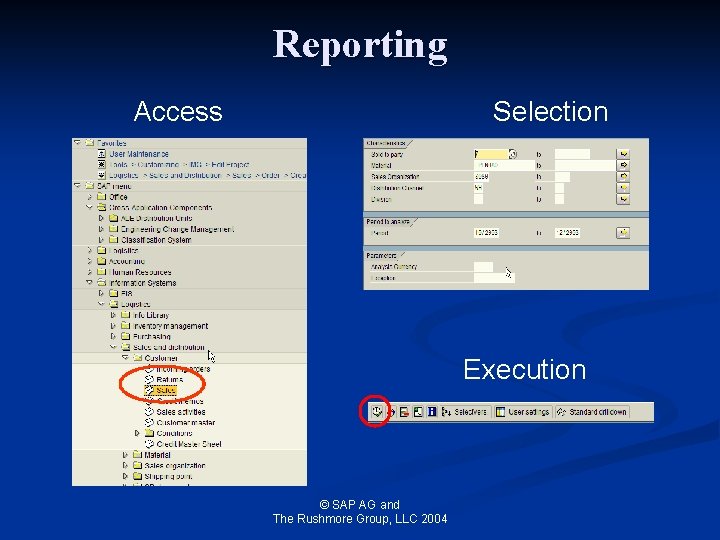
Reporting Access Selection Execution © SAP AG and The Rushmore Group, LLC 2004
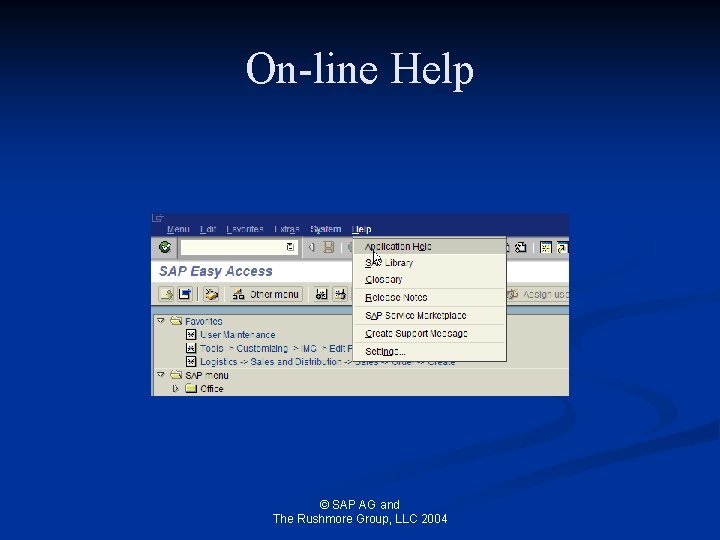
On-line Help © SAP AG and The Rushmore Group, LLC 2004
On-line Help n Help on screen fields - F 1 n Extended help Reference information n Technical information n Displaying possible entries - F 4 n Using the Help menu n n Extended help R/3 library Getting started © SAP AG and The Rushmore Group, LLC 2004
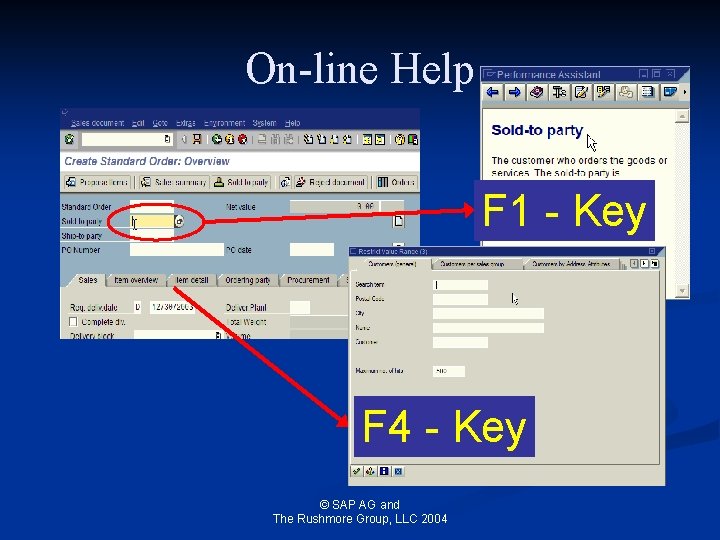
On-line Help F 1 - Key F 4 - Key © SAP AG and The Rushmore Group, LLC 2004
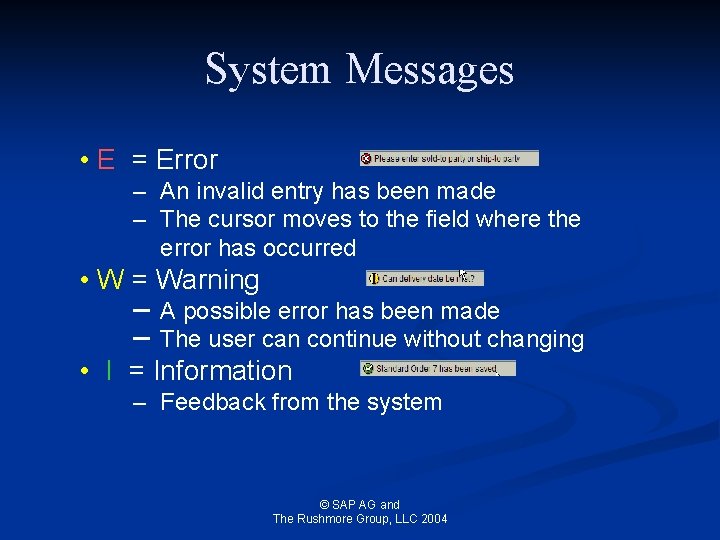
System Messages • E = Error – An invalid entry has been made – The cursor moves to the field where the error has occurred • W = Warning – – A possible error has been made The user can continue without changing • I = Information – Feedback from the system © SAP AG and The Rushmore Group, LLC 2004
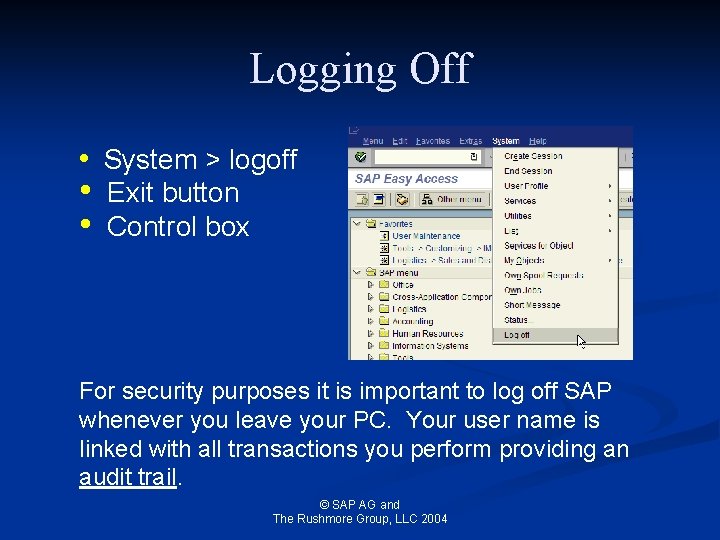
Logging Off • System > logoff • • Exit button Control box For security purposes it is important to log off SAP whenever you leave your PC. Your user name is linked with all transactions you perform providing an audit trail. © SAP AG and The Rushmore Group, LLC 2004
- Slides: 53