
SAP Overview SAP Company ERP Software package R2
- Slides: 48
SAP Overview
SAP? • Company • ERP Software package – R/2 – R/3
Why ERP • Integration • Best business practices • Standardization
Why not ERP? • Complexity • Cost • Inflexibility
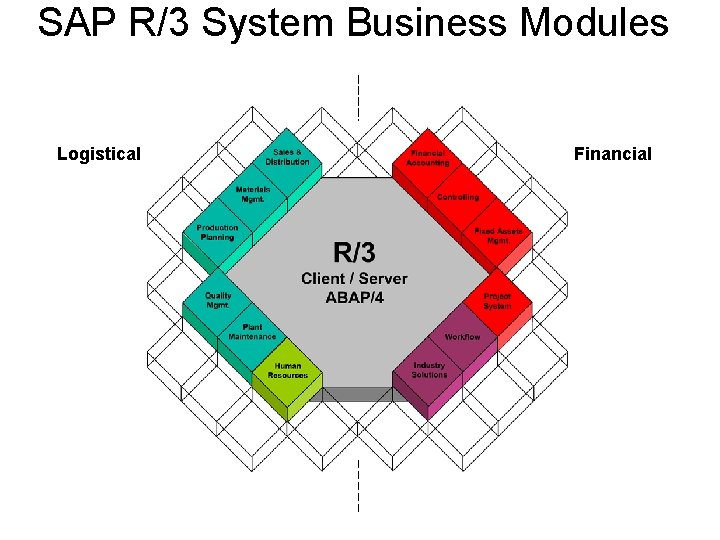
SAP R/3 System Business Modules Logistical Financial
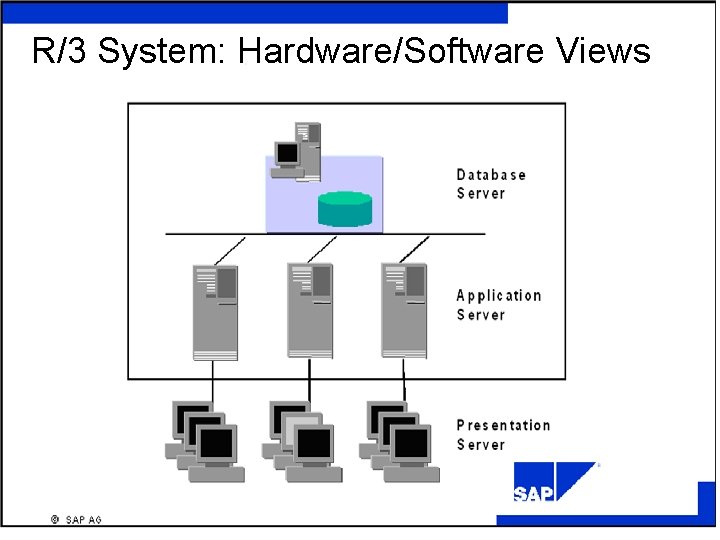
R/3 System: Hardware/Software Views
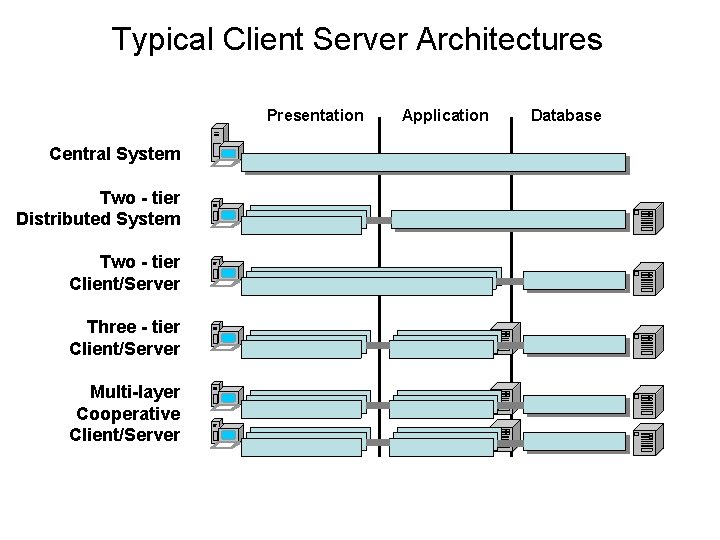
Typical Client Server Architectures Presentation Central System Two - tier Distributed System Two - tier Client/Server Three - tier Client/Server Multi-layer Cooperative Client/Server Application Database
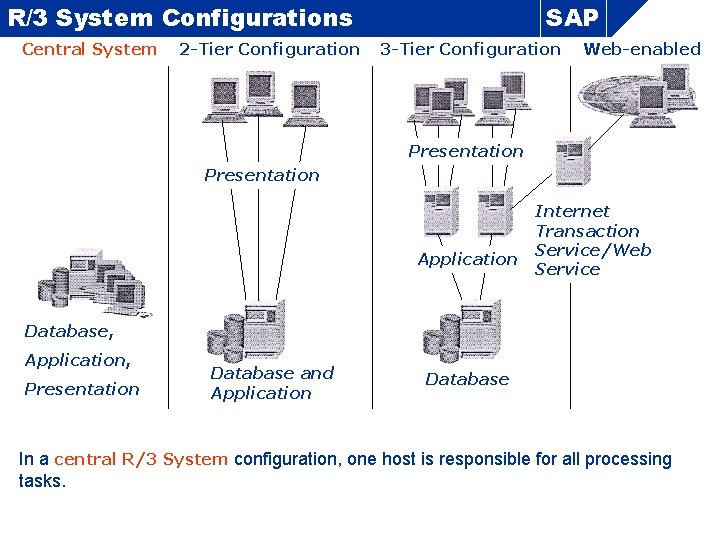
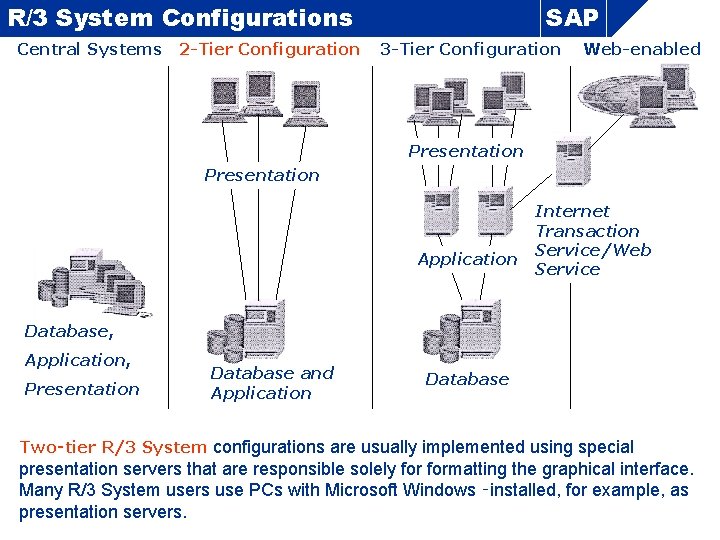
R/3 System Configurations Central System 2 -Tier Configuration SAP 3 -Tier Configuration Web-enabled Presentation Application Internet Transaction Service/Web Service Database, Application, Presentation Database and Application Database In a central R/3 System configuration, one host is responsible for all processing tasks.
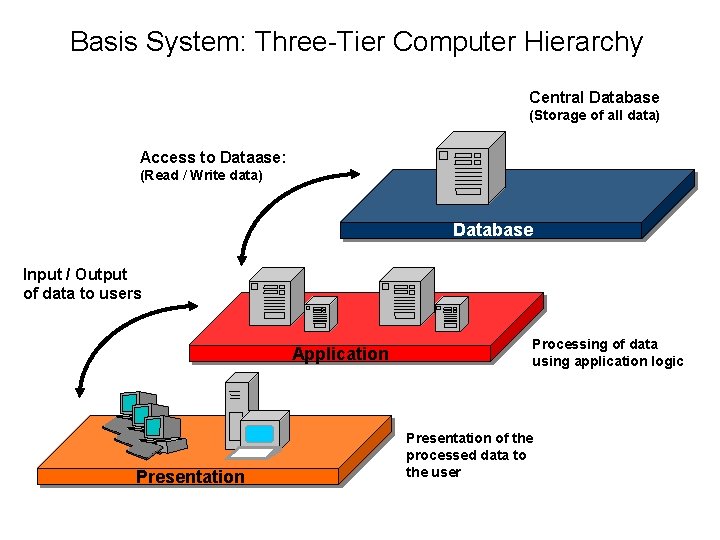
R/3 System Configurations Central Systems 2 -Tier Configuration SAP 3 -Tier Configuration Web-enabled Presentation Application Internet Transaction Service/Web Service Database, Application, Presentation Database and Application Database Two‑tier R/3 System configurations are usually implemented using special presentation servers that are responsible solely formatting the graphical interface. Many R/3 System users use PCs with Microsoft Windows ‑installed, for example, as presentation servers.
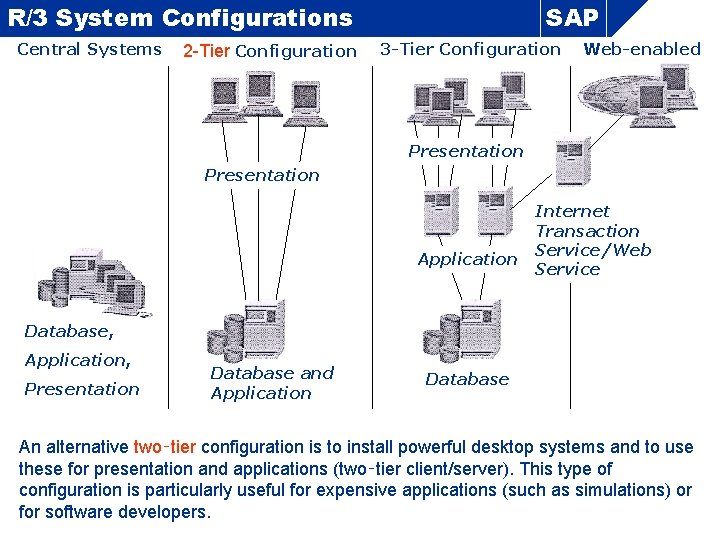
R/3 System Configurations Central Systems 2 -Tier Configuration SAP 3 -Tier Configuration Web-enabled Presentation Application Internet Transaction Service/Web Service Database, Application, Presentation Database and Application Database An alternative two‑tier configuration is to install powerful desktop systems and to use these for presentation and applications (two‑tier client/server). This type of configuration is particularly useful for expensive applications (such as simulations) or for software developers.
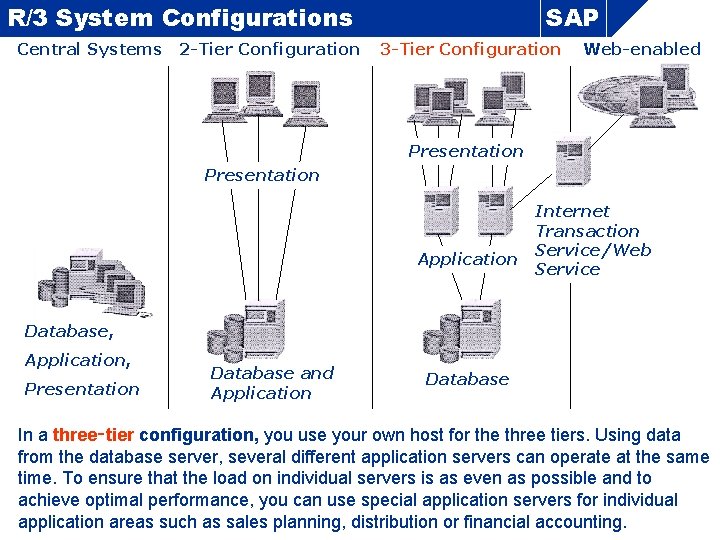
R/3 System Configurations Central Systems 2 -Tier Configuration SAP 3 -Tier Configuration Web-enabled Presentation Application Internet Transaction Service/Web Service Database, Application, Presentation Database and Application Database In a three‑tier configuration, you use your own host for the three tiers. Using data from the database server, several different application servers can operate at the same time. To ensure that the load on individual servers is as even as possible and to achieve optimal performance, you can use special application servers for individual application areas such as sales planning, distribution or financial accounting.
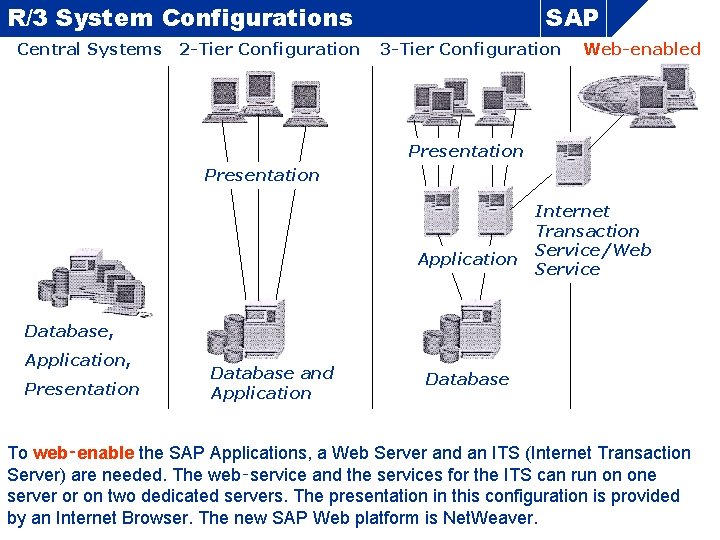
R/3 System Configurations Central Systems 2 -Tier Configuration SAP 3 -Tier Configuration Web-enabled Presentation Application Internet Transaction Service/Web Service Database, Application, Presentation Database and Application Database To web‑enable the SAP Applications, a Web Server and an ITS (Internet Transaction Server) are needed. The web‑service and the services for the ITS can run on one server or on two dedicated servers. The presentation in this configuration is provided by an Internet Browser. The new SAP Web platform is Net. Weaver.
Basis System: Three-Tier Computer Hierarchy Central Database (Storage of all data) Access to Dataase: (Read / Write data) Database Input / Output of data to users Application Presentation Processing of data using application logic Presentation of the processed data to the user
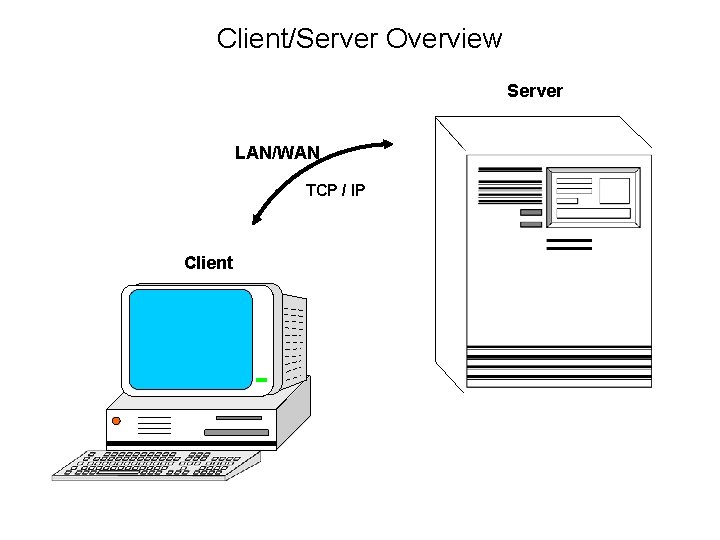
Client/Server Overview Server LAN/WAN TCP / IP Client
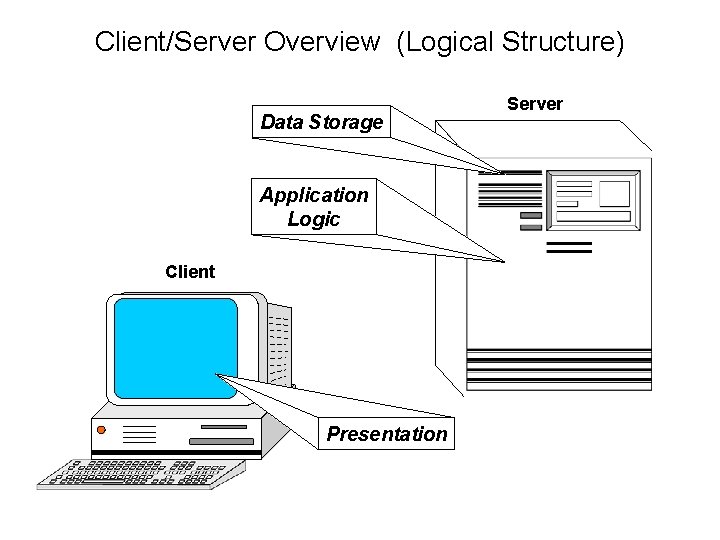
Client/Server Overview (Logical Structure) Data Storage Application Logic Client Presentation Server
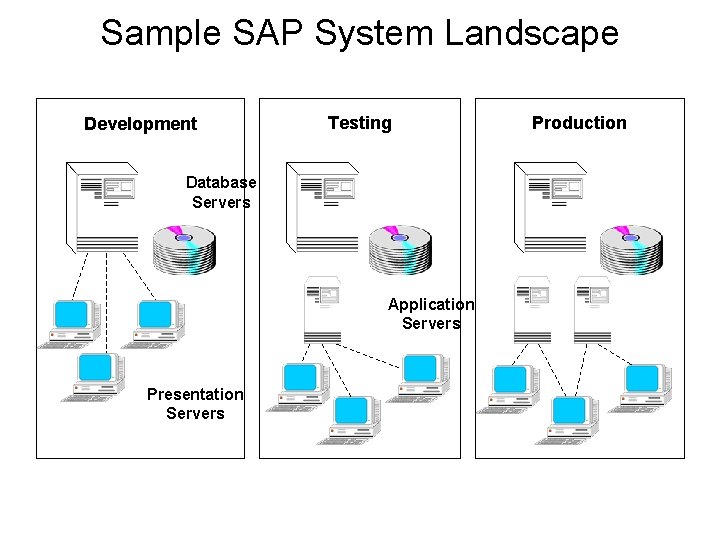
Sample SAP System Landscape Development Testing Database Servers Application Servers Presentation Servers Production
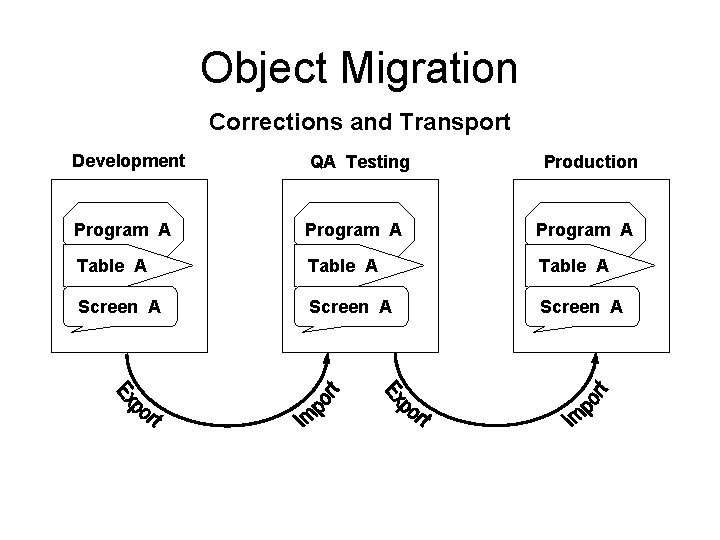
Object Migration Corrections and Transport Development QA Testing Program A Table A Screen A Production
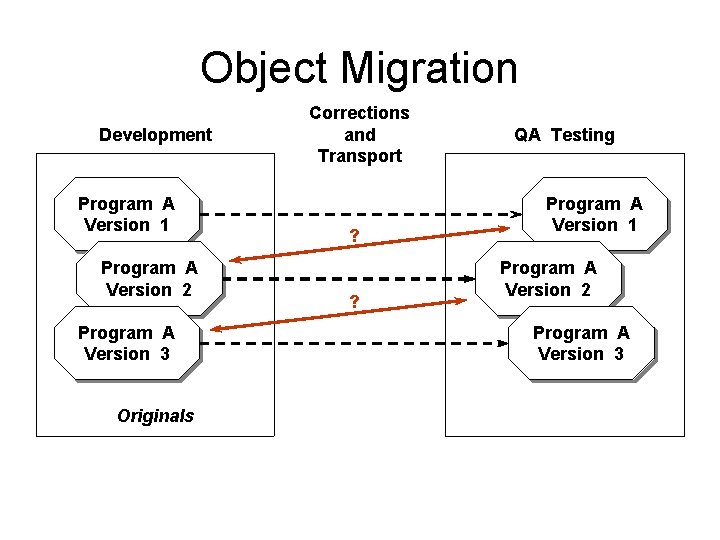
Object Migration Development Program A Version 1 Program A Version 2 Program A Version 3 Originals Corrections and Transport ? ? QA Testing Program A Version 1 Program A Version 2 Program A Version 3
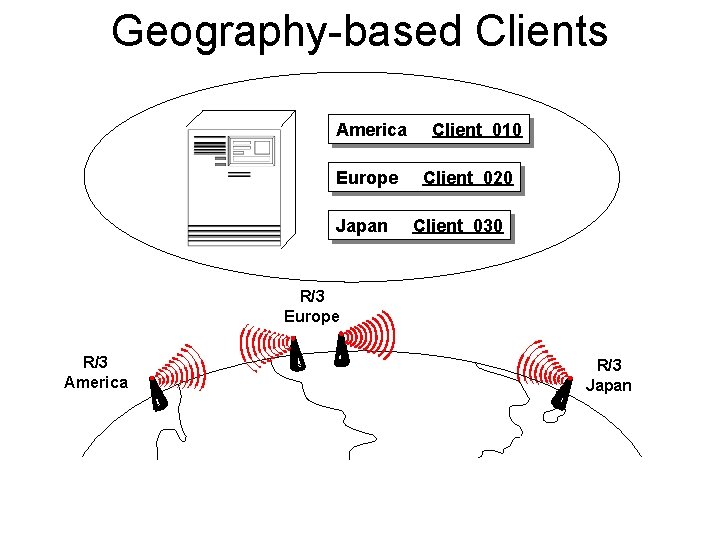
Geography-based Clients America Europe Japan Client 010 Client 020 Client 030 R/3 Europe R/3 America R/3 Japan
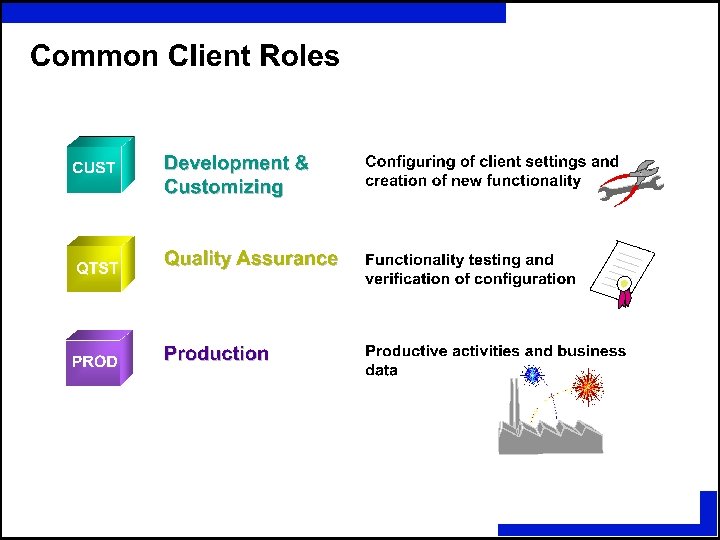
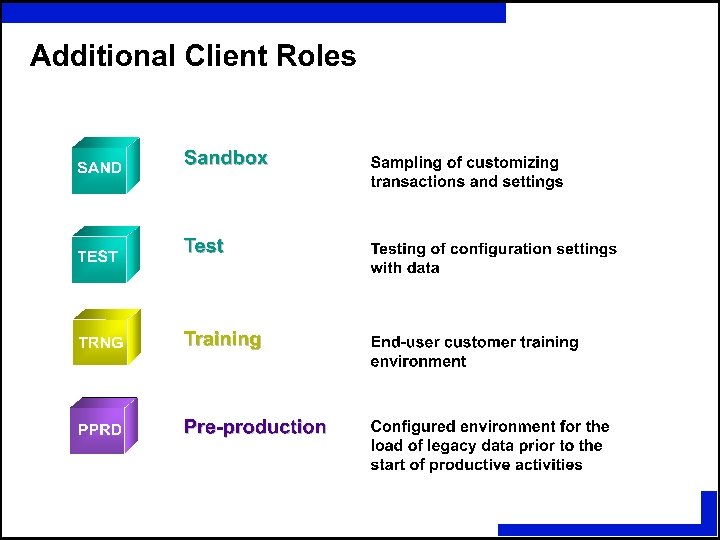
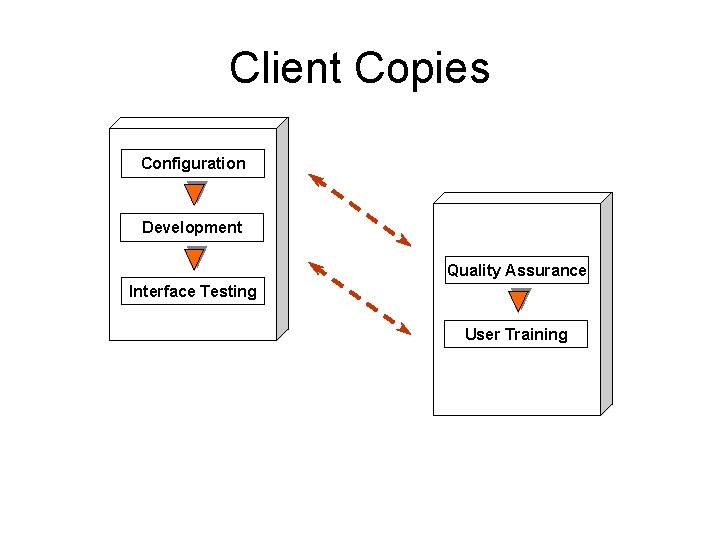
Client Copies Configuration Development Quality Assurance Interface Testing User Training
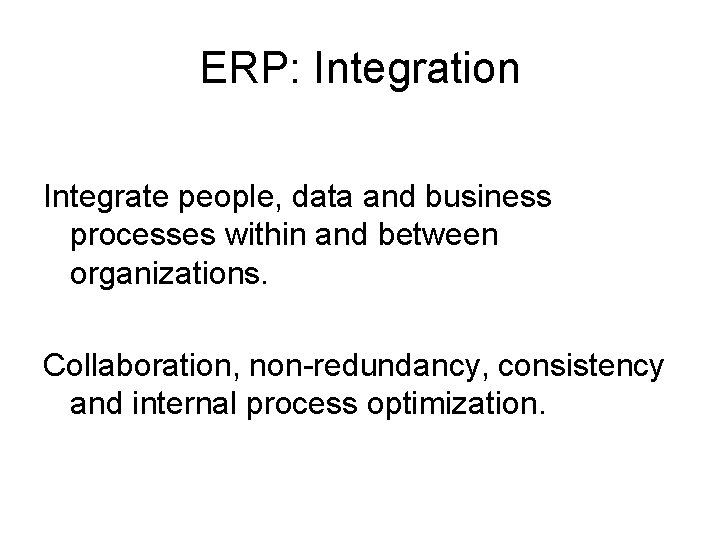
ERP: Integration Integrate people, data and business processes within and between organizations. Collaboration, non-redundancy, consistency and internal process optimization.
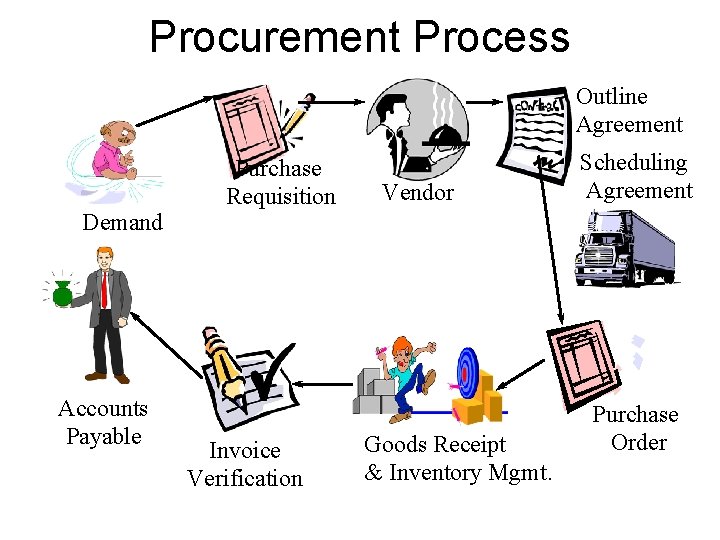
Procurement Process Outline Agreement Demand Accounts Payable Purchase Requisition Invoice Verification Vendor Goods Receipt & Inventory Mgmt. Scheduling Agreement Purchase Order
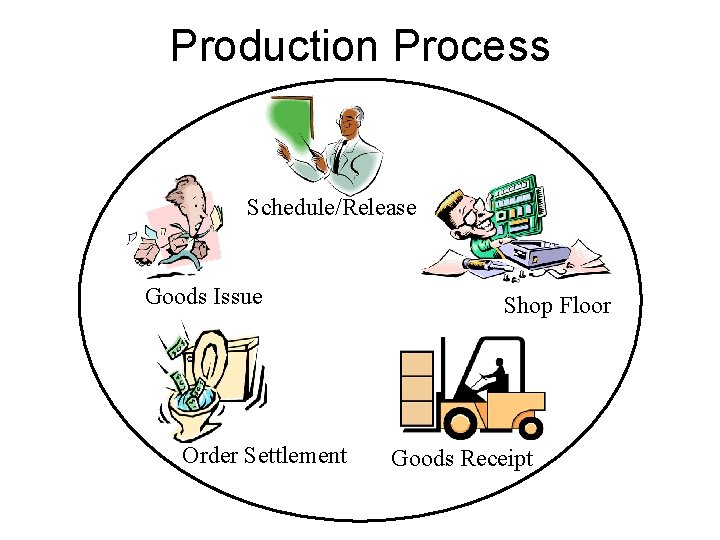
Production Process Schedule/Release Goods Issue Order Settlement Shop Floor Goods Receipt
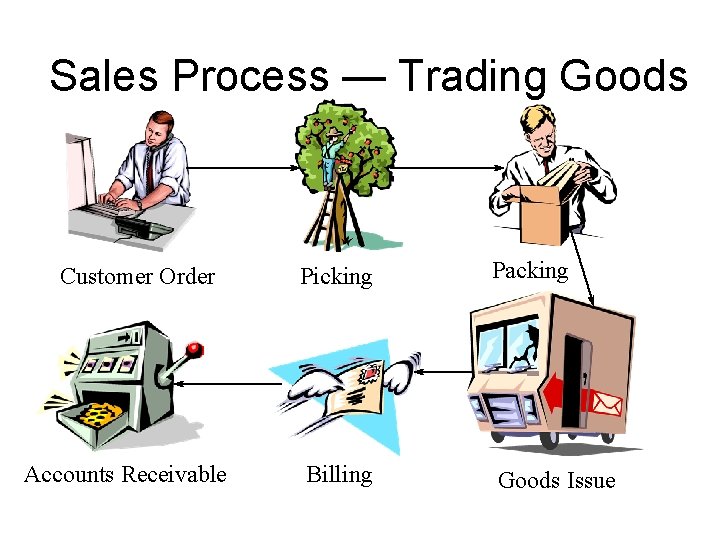
Sales Process — Trading Goods Customer Order Accounts Receivable Picking Packing Billing Goods Issue
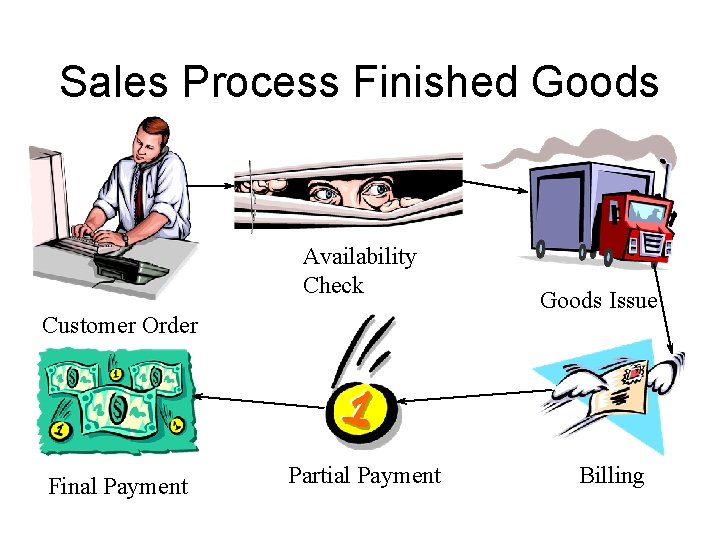
Sales Process Finished Goods Availability Check Customer Order Final Payment Partial Payment Goods Issue Billing
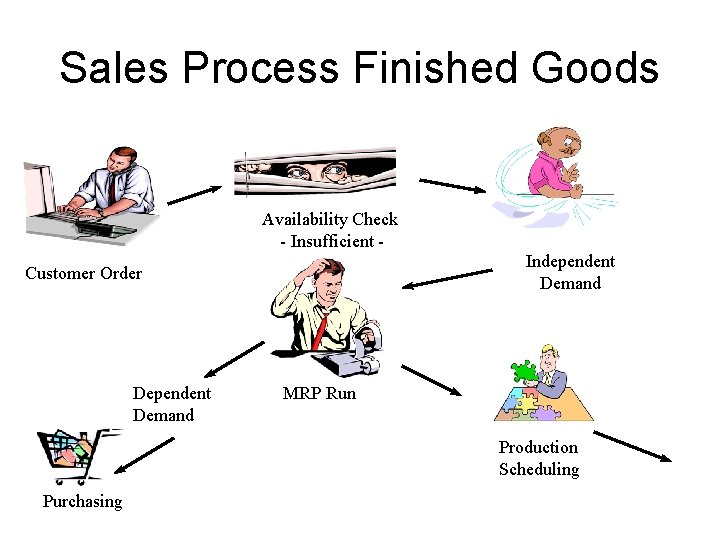
Sales Process Finished Goods Availability Check - Insufficient Independent Demand Customer Order Dependent Demand MRP Run Production Scheduling Purchasing
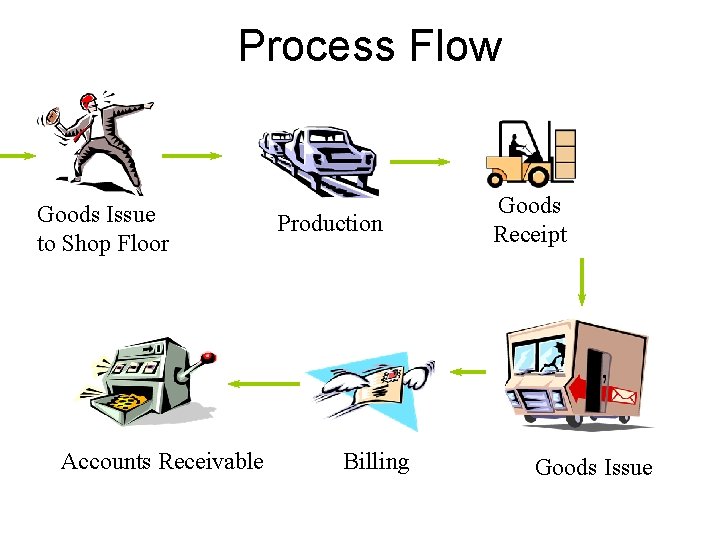
Process Flow Goods Issue to Shop Floor Accounts Receivable Production Billing Goods Receipt Goods Issue
Logging In • Basics
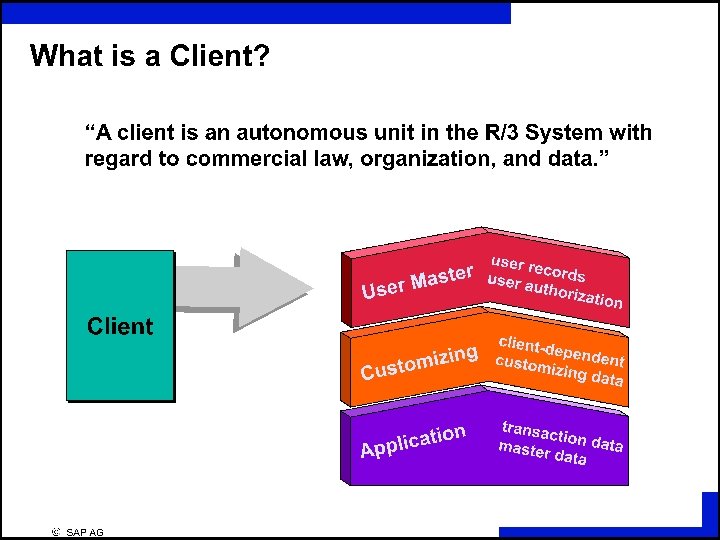
Client • This is a numeric field. • This number defines a whole business entity.
User • Every SAP user has a user name. • Users of SAP system are client-specific, which means that having a user identification on one client will only allow access to that particular client.
Password Rules • • Letters Numbers Easy to remember 3 -8 Characters long No 3 Characters can be the same Do not start with a ? or an ! Do not use previous 5 passwords
Language • SAP supports multi-national character sets and languages on the same system, at the same time. • Default languages are English and German.
Field Types • There are three types of Entry Fields – Required – Default entry – Optional entry field
Sessions • An SAP session is a window in which the user may perform a particular task. • A User may have up to nine sessions open at one time.
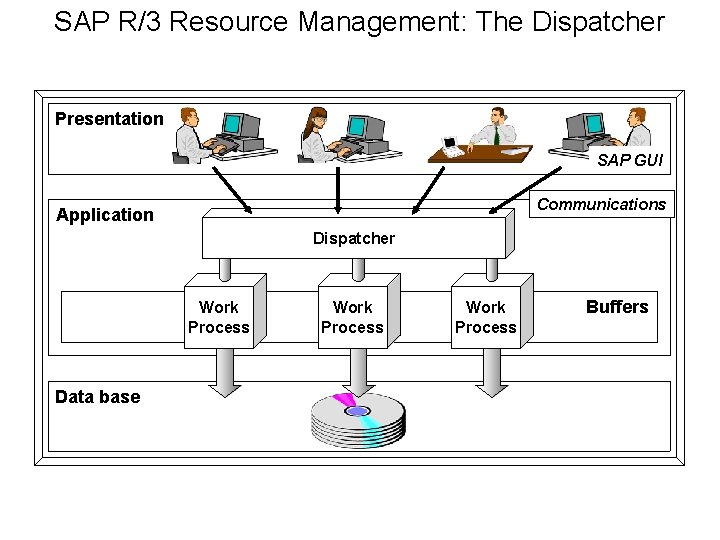
SAP R/3 Resource Management: The Dispatcher Presentation SAP GUI Communications Application Dispatcher Work Process Data base Work Process Buffers
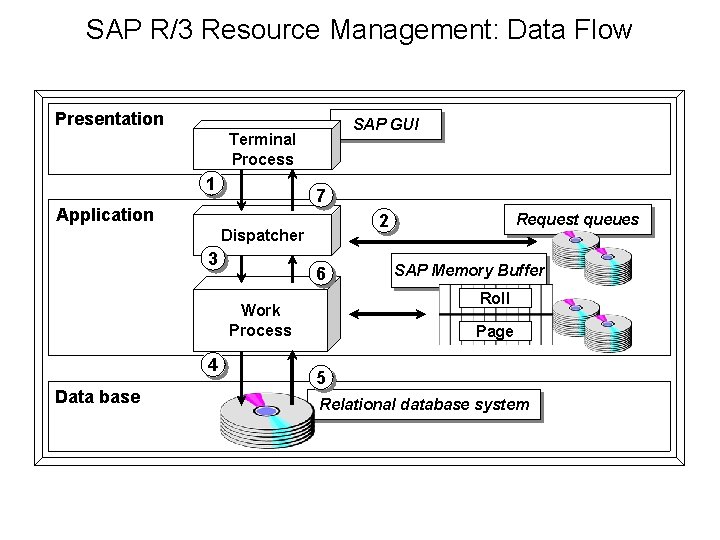
SAP R/3 Resource Management: Data Flow Presentation SAP GUI Terminal Process 1 7 Application 2 Dispatcher 3 6 Data base SAP Memory Buffer Roll Work Process 4 Request queues Page 5 Relational database system
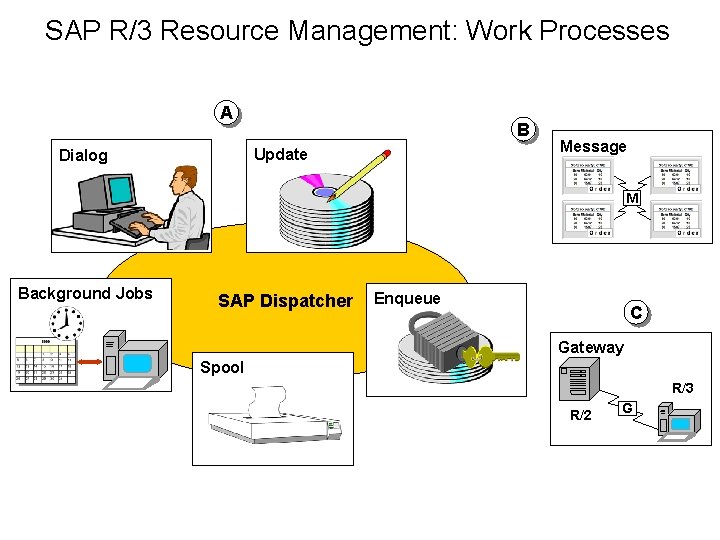
SAP R/3 Resource Management: Work Processes A B Update Dialog Message M Background Jobs SAP Dispatcher Enqueue C Gateway Spool R/3 R/2 G
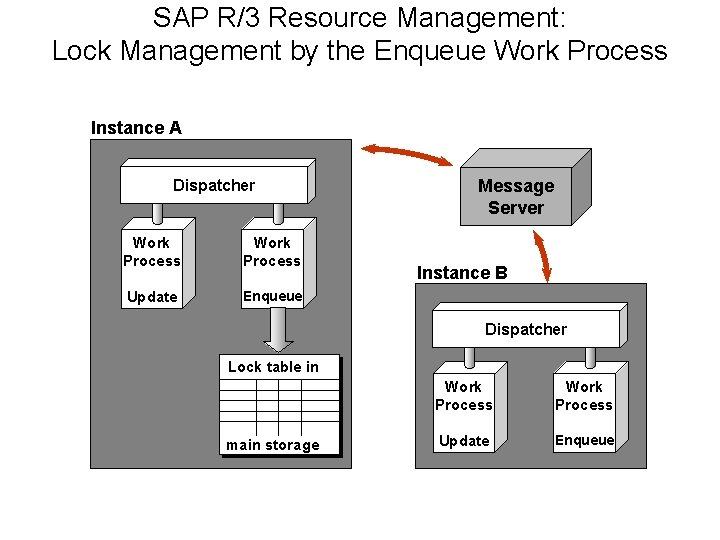
SAP R/3 Resource Management: Lock Management by the Enqueue Work Process Instance A Dispatcher Work Process Update Enqueue Message Server Instance B Dispatcher Lock table in main storage Work Process Update Enqueue
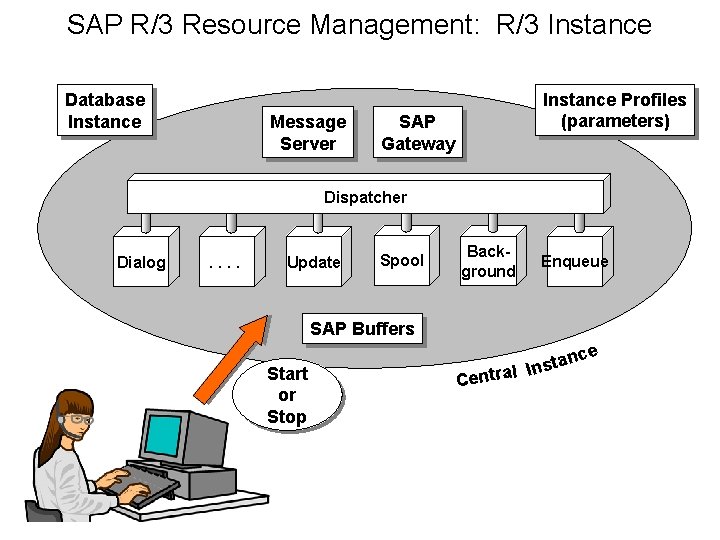
SAP R/3 Resource Management: R/3 Instance Database Instance Message Server Instance Profiles (parameters) SAP Gateway Dispatcher Dialog . . Update Spool Background Enqueue SAP Buffers Start or Stop tan s n I l a Centr ce
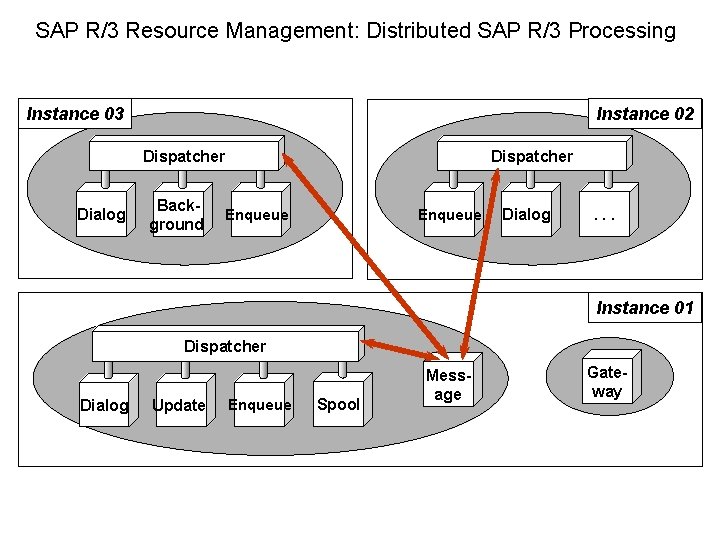
SAP R/3 Resource Management: Distributed SAP R/3 Processing Instance 03 Instance 02 Dispatcher Dialog Background Dispatcher Enqueue Dialog . . . Instance 01 Dispatcher Dialog Update Enqueue Spool Message Gateway
Reporting • Three basic steps to running a report – Access the report – Enter selection criteria – Execute the report
System Messages § E - Error – An invalid entry has been made. – The cursor moves to the field where the error has occurred. § W - Warning – A possible error has been made. –The user can continue without changing. §I – Information – Feedback from the system.
Customizing - Modeling the Business – Organizational Structures in each module – Master Data - Customers, Materials, … – Rules - required entries, tolerances, …
Mapping – Assignment of organizational structures to reflect the enterprise model – Establishes integration among modules