
SAP GRC access control ULg Pierre Blauwart Project
SAP GRC access control @ ULg Pierre Blauwart – Project Manager HERUG © Copyright Bv. D-it Services 2004
Agenda ULG in a nutshell Context Definitions Methodology & Roadmap Project status Pg. : 2 | 19/11/2004
ULG – an all round university § § 17, 000 students 3, 800 foreign students 80 nationalities 3, 200 graduates a year § § § Budget : 269 millions Euros which 50 % are allocated to research 3, 400 employees, of which 2, 200 are teachers and researchers 3, 000 employed at the University Hospital Centre (CHU) Around 1, 500 jobs at the Liège Science Park (60 businesses) 900 jobs in spin-offs resulting from scientific research
ULG – SAP Implementation § SAP for Finance & Logistics : MM, SD, EP, CATS, PS, RRB, PCA, BI, PI, GRC § 600 Users – 1000 Roles § HR non SAP, SLCM non SAP www. ulg. ac. be
Context § Trends in the ULg ecosystem: growing pressure to control the exposure to fraud and data tampering - External: More & more controls from public grantors, with concerns on access procedure. This has resulted in audits driven by some of them & focused on segregation of duties - Internal concern as well § Segregation of duties: - So. Ds are a primary internal control intended to prevent, or decrease the risk of errors or irregularities, identify problems and ensure corrective action is taken. - Principle : This is achieved by assuring no single individual has control over all phases of a business process. § Example : Modify vendor bank account + Vendor payment - Remediation : incompatible duties are divided, or segregated, among different people to reduce the risk of error or inappropriate actions.
Solution selection : SAP GRC Access control § GRC : Governance, Risk & Compliance - Governance: Manages the strategic directives a company wants to follow - Risk : Management assesses the areas of exposures and potential impacts - Compliance: Tactical action to metigate risk § SAP GRC Access Control monitor, test, and enforce access and authorization controls across the enterprise. § Solution assessed - Set up a GRC tool - Use of detection solutions that operate on downloaded data Solution adopted : Install SAP GRC access control
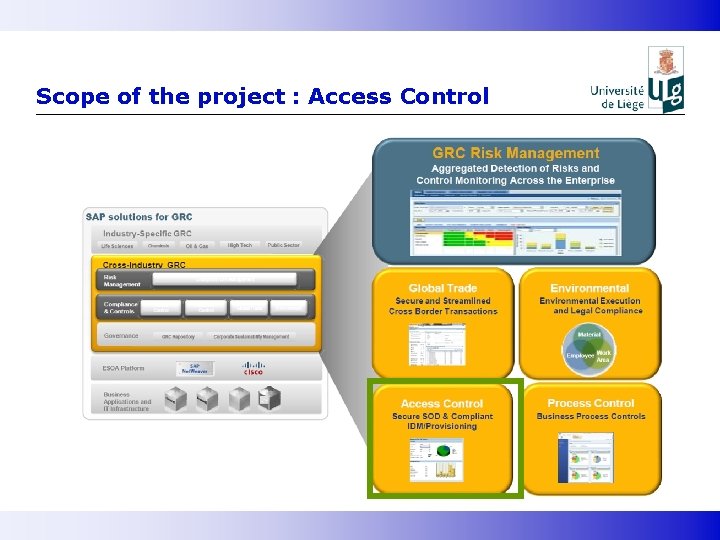
Scope of the project : Access Control
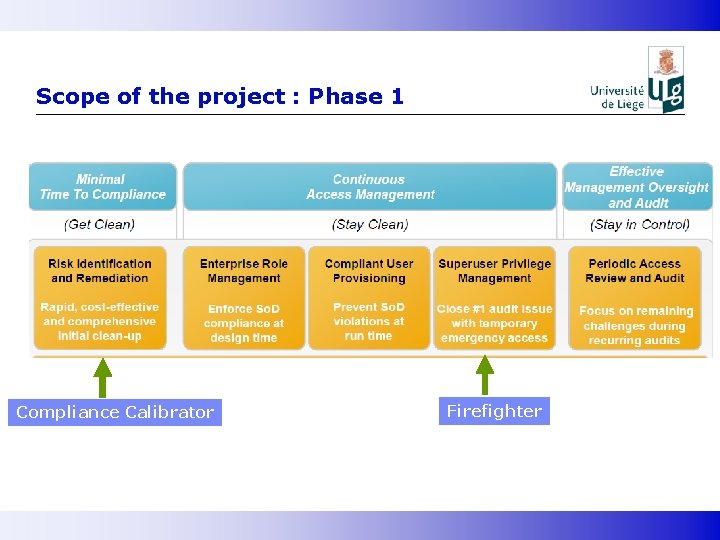
Scope of the project : Phase 1 Compliance Calibrator Firefighter
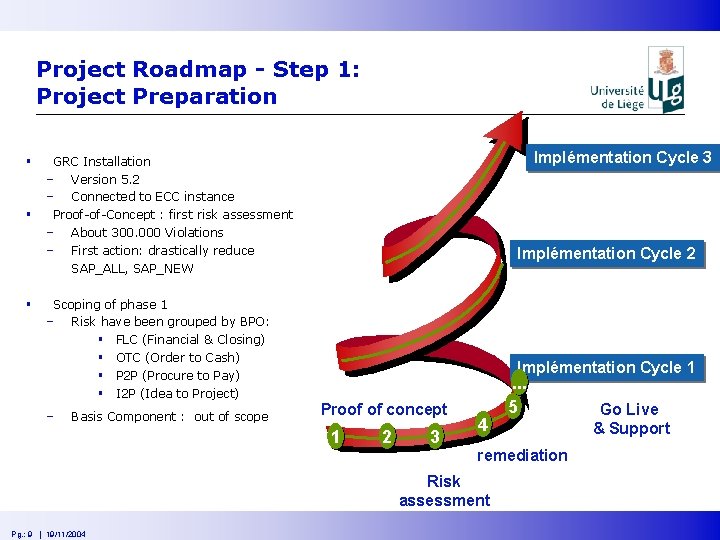
Project Roadmap - Step 1: Project Preparation § § § Implémentation Cycle 3 GRC Installation - Version 5. 2 - Connected to ECC instance Proof-of-Concept : first risk assessment - About 300. 000 Violations - First action: drastically reduce SAP_ALL, SAP_NEW Scoping of phase 1 - Risk have been grouped by BPO: § FLC (Financial & Closing) § OTC (Order to Cash) § P 2 P (Procure to Pay) § I 2 P (Idea to Project) - Basis Component : out of scope Implémentation Cycle 2 Implémentation Cycle 1 RFC Proof of concept 1 2 3 4 remediation Risk assessment Pg. : 9 | 19/11/2004 . . . 5 Go Live & Support
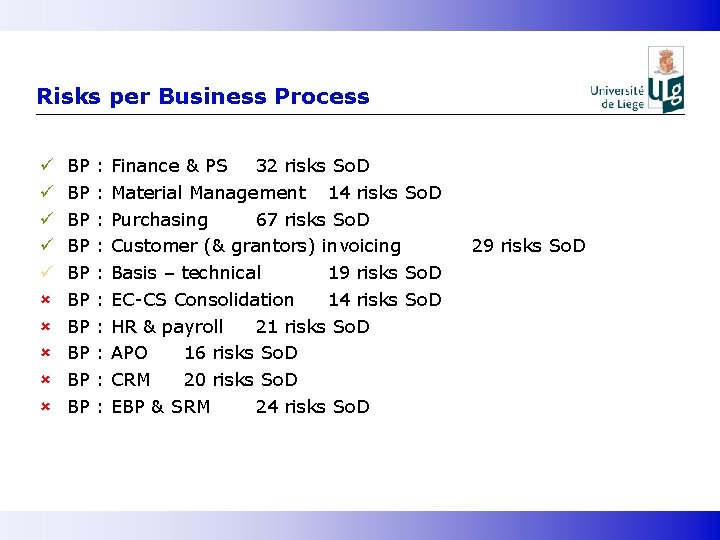
Risks per Business Process ü ü ü û û û BP BP BP : : : : : Finance & PS 32 risks So. D Material Management 14 risks So. D Purchasing 67 risks So. D Customer (& grantors) invoicing Basis – technical 19 risks So. D EC-CS Consolidation 14 risks So. D HR & payroll 21 risks So. D APO 16 risks So. D CRM 20 risks So. D EBP & SRM 24 risks So. D 29 risks So. D
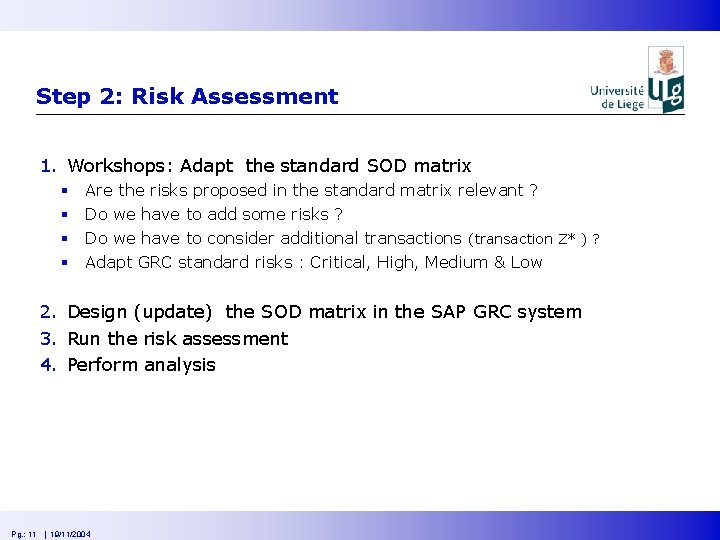
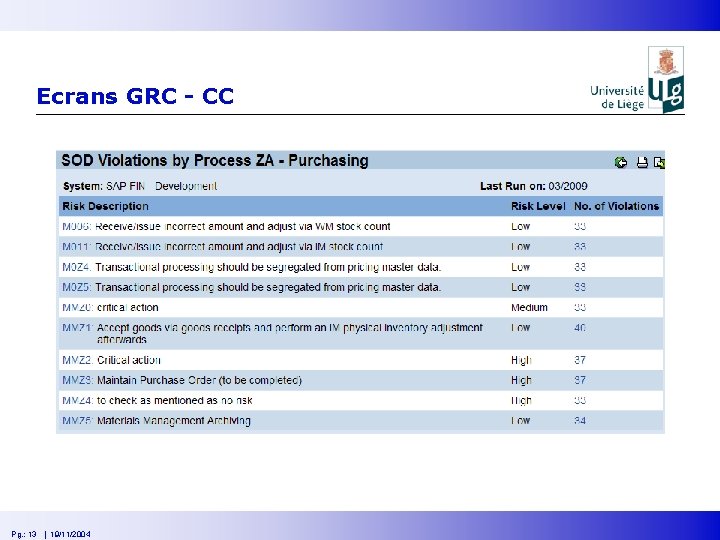
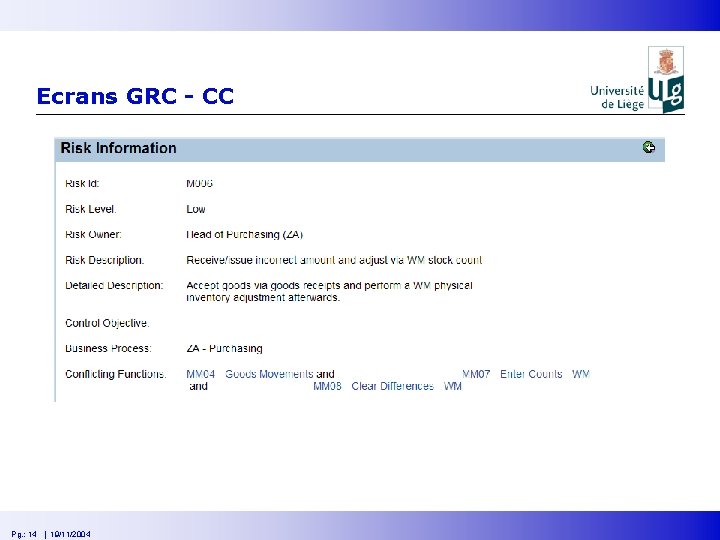
Step 2: Risk Assessment 1. Workshops: Adapt the standard SOD matrix § § Are the risks proposed in the standard matrix relevant ? Do we have to add some risks ? Do we have to consider additional transactions (transaction Z* ) ? Adapt GRC standard risks : Critical, High, Medium & Low 2. Design (update) the SOD matrix in the SAP GRC system 3. Run the risk assessment 4. Perform analysis Pg. : 11 | 19/11/2004
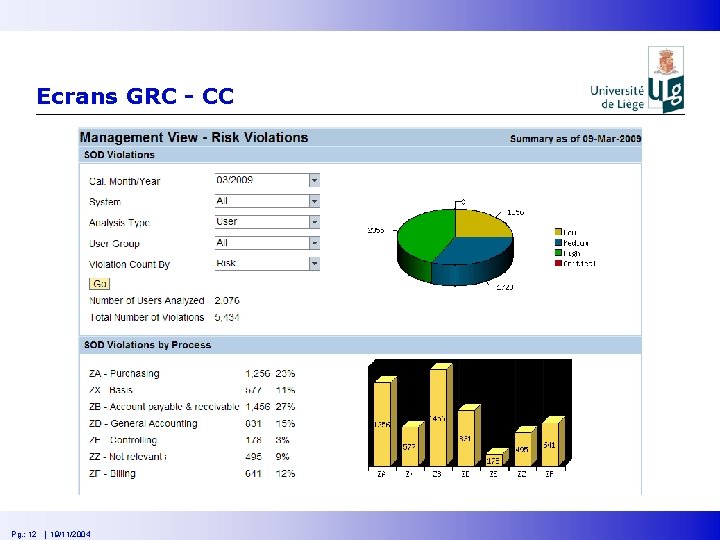
Ecrans GRC - CC Pg. : 12 | 19/11/2004
Ecrans GRC - CC Pg. : 13 | 19/11/2004
Ecrans GRC - CC Pg. : 14 | 19/11/2004
Ecrans GRC - CC Pg. : 15 | 10/06/2009
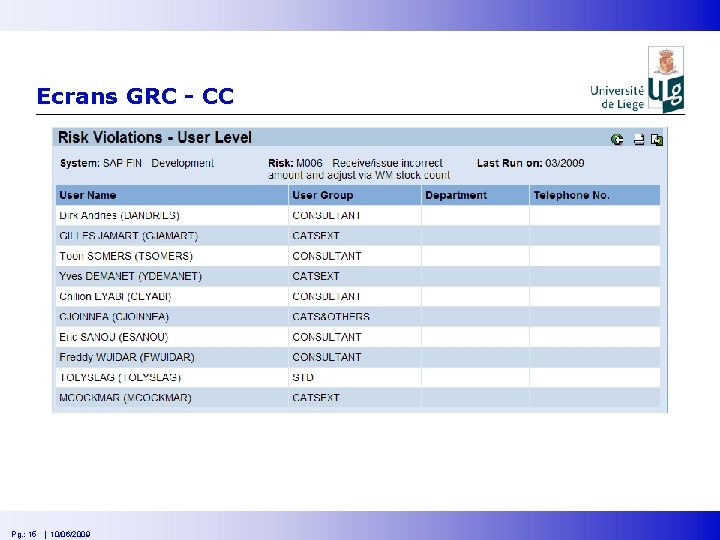
Risk assessment § Results - § 98 % (516 out of 525) of the SAP users have SOD risks SOD violations on role “display” !!! Recommendations on naming convention - The naming of the role gives an information on the underlying business process Use simple roles Aggregate simple roles in composite role Identify quickly the different roles : § § Roles simples : « Z: xxx » , roles composites : « ZC: xxx » Roles display : « Z: xxx_V » § Create one specific role dedicated per critical risk § Remark on traceability : the system keeps the history of the violations related to the risk assessment perform the first analysis in the acceptance system Pg. : 16 | 19/11/2004
Step 3 : on progress § Remediation : no role can content a SOD violation § Mitigation : accept the risk for some user & enforce the control on it § Use Firefighter : to track actions performed by super users during certain period of time (closing period for example) § Integration on SAP EP Pg. : 17 | 19/11/2004
Questions ? Send a mail to our CFO : Anne Girin anne. girin@ulg. ac. be Pg. : 18 | 19/11/2004
- Slides: 18