
SAP Business One ERP Solution Production Process Nov

SAP Business One ERP Solution Production Process Nov 2016 Soft. Core Solutions – The only 100 % SAP Business One ERP Partner.
Production Process in SAP Business One In manufacturing companies, it is common business practice for there to be a time interval between production commencement and completion. During this period, the inventory value of the in-process products is usually posted to a work-in-progress account, for example, WIP inventory account. At the end of the company’s financial period, the transactions that make up the value of the WIP account must be easily auditable. Soft. Core Solutions SAP Business One ERP Solution
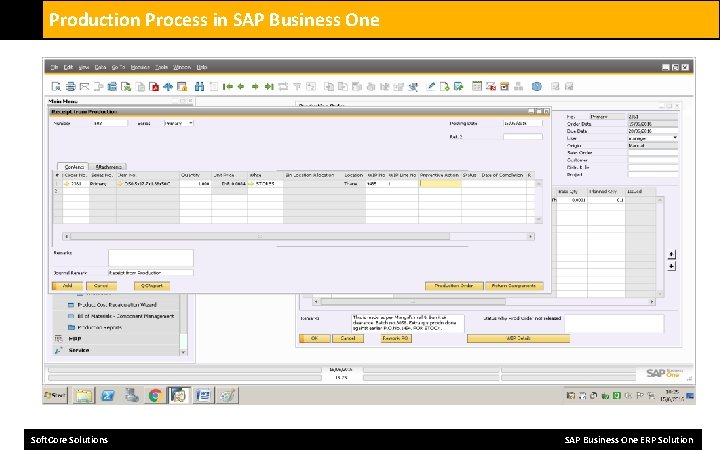
Production Process in SAP Business One In SAP Business One, the postings to the WIP inventory account are automatically reconciled as follows to facilitate the accounting process: • In the case of a standard or special type of production order with the “Manual” issue method, the reconciliation process is as follows: • When you create the “Issue for Production” document, the WIP inventory account is debited with the total cost of issued components. • When you create the “Receipt from Production” document, the WIP inventory account is credited with the cost of the finished product. If there is a variance in the WIP inventory account postings between the component cost and the product cost, the variance is posted when the production order is closed. As a result, the overall WIP inventory account balance in respect of the production order postings is brought to zero, and these WIP inventory account postings are fully reconciled. Soft. Core Solutions SAP Business One ERP Solution
Production Process in SAP Business One • In the case of a standard or special type of production order with the “Backflush” issue method, the reconciliation process is as follows: • The components for production are issued automatically. • When you create the “Receipt from Production” document, the WIP inventory account is debited with the total cost of issued components, and credited with the cost of the finished product. • If there is a variance in the WIP inventory account postings between the component cost and the product cost, the variance is posted when the production order is closed. If there is no variance in the WIP inventory account when the production order is closed, a zero value posting is still made. The overall WIP inventory account balance in respect of all the production order postings is, therefore, zero following production order closure, and these WIP inventory account postings are automatically fully reconciled. • In the case of a disassembly type of production order with either “Manual” or “Backflush” issue method, the reconciliation process is similar to the above two cases, except that the WIP inventory account is debited with the cost of the product and credited with the cost of the disassembled components. Soft. Core Solutions SAP Business One ERP Solution
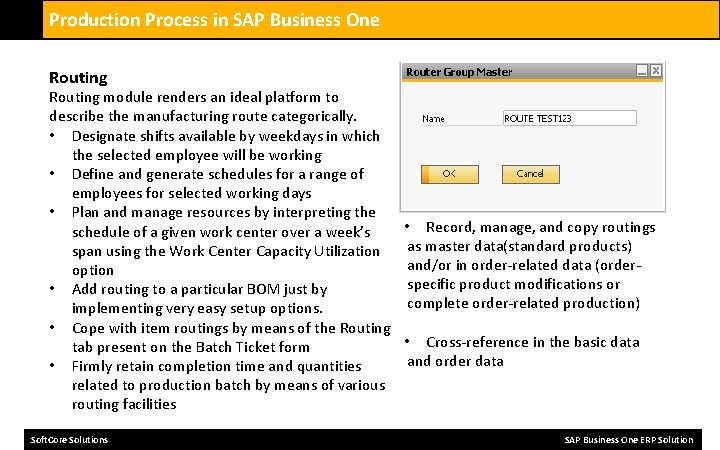
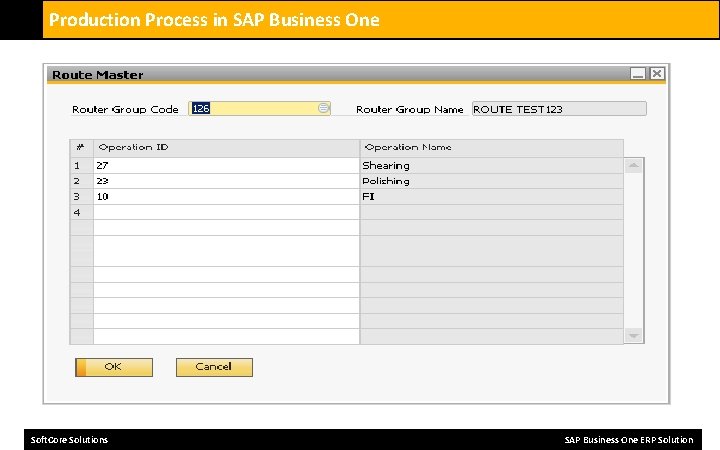
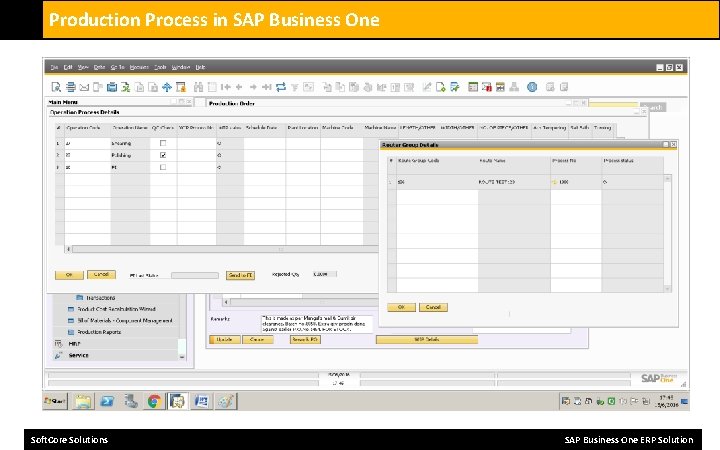
Production Process in SAP Business One Routing module renders an ideal platform to describe the manufacturing route categorically. • Designate shifts available by weekdays in which the selected employee will be working • Define and generate schedules for a range of employees for selected working days • Plan and manage resources by interpreting the • Record, manage, and copy routings schedule of a given work center over a week’s as master data(standard products) span using the Work Center Capacity Utilization and/or in order-related data (orderoption specific product modifications or • Add routing to a particular BOM just by complete order-related production) implementing very easy setup options. • Cope with item routings by means of the Routing • Cross-reference in the basic data tab present on the Batch Ticket form and order data • Firmly retain completion time and quantities related to production batch by means of various routing facilities Soft. Core Solutions SAP Business One ERP Solution
Production Process in SAP Business One Soft. Core Solutions SAP Business One ERP Solution
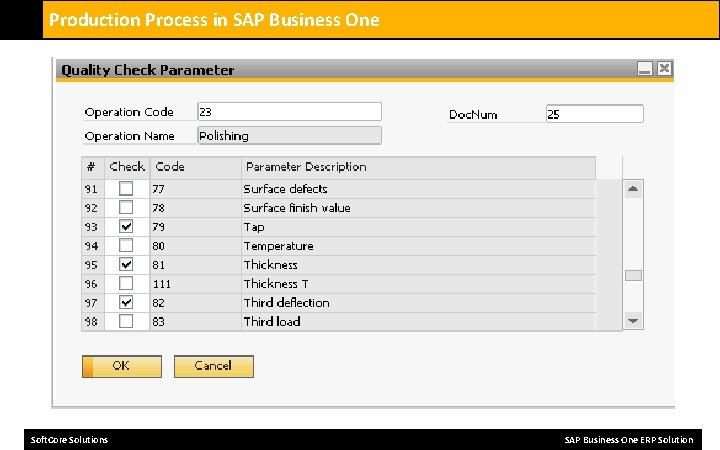
Production Process in SAP Business One Quality Control solution, provides the tools and processes to manage the quality process from purchase goods receipt to customer delivery. • Test Protocol - define standard templates to be used within the quality control process • QC Test - record the activity and results of the tested properties • Status and Date - manage the QC test cycle • Non Conforming Materials Report - record specific actions and generate report • Inspectors - define individuals performing QC activities • Reason/Defect Codes - define analysis codes and groups to provide structured data for analysis and reporting purposes • Resources - define the resources to perform the testing e. g. microscope, x-ray machine, weight scales • Items - define the materials that are required to perform the test e. g. gloves, safety glasses • Frequency - define the frequency and method of testing • Transactions - define the process point where the QC test will be performed • Alerts - business alerts to communicate to inspectors when tests are required to be performed • Instructions - define instruction steps for performing the test or recording additional notes • Attachments - to define and link to detailed instructions, procedures, videos and other such media files • Warehouse - define tests for specific warehouse • Project - define tests as part of a project • Analysis - dash board and reporting Soft. Core Solutions SAP Business One ERP Solution
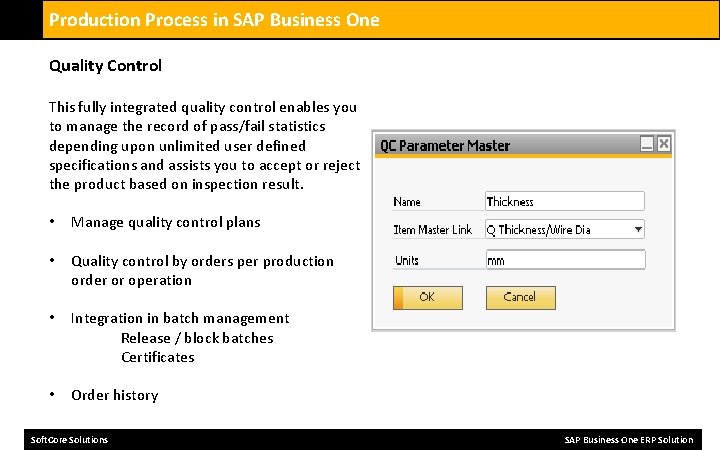
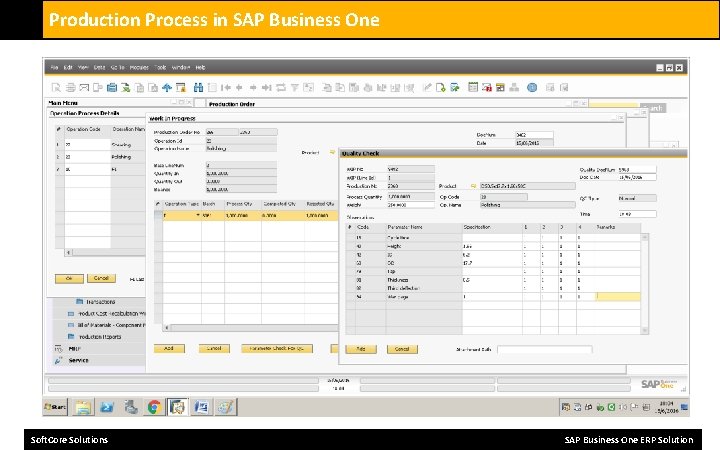
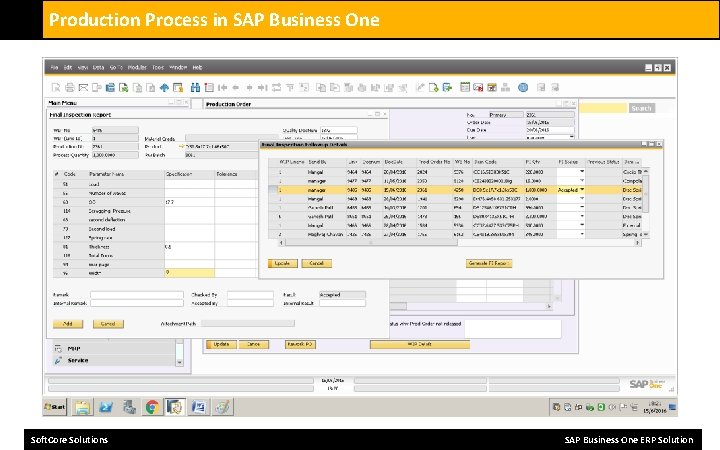
Production Process in SAP Business One Quality Control This fully integrated quality control enables you to manage the record of pass/fail statistics depending upon unlimited user defined specifications and assists you to accept or reject the product based on inspection result. • Manage quality control plans • Quality control by orders per production order or operation • Integration in batch management Release / block batches Certificates • Order history Soft. Core Solutions SAP Business One ERP Solution
Production Process in SAP Business One Soft. Core Solutions SAP Business One ERP Solution
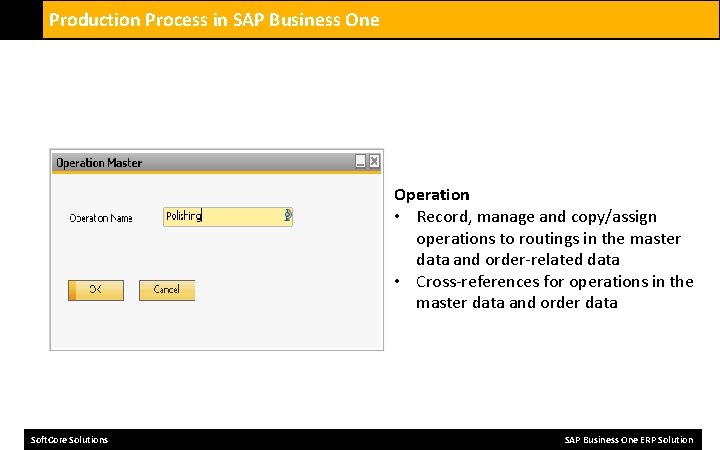
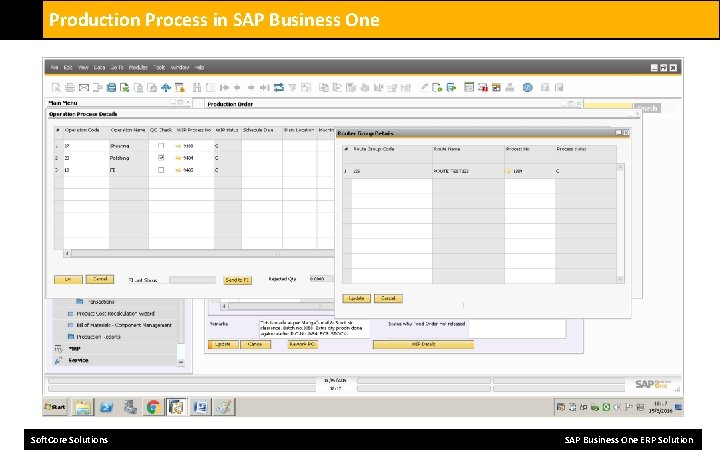
Production Process in SAP Business One Operation • Record, manage and copy/assign operations to routings in the master data and order-related data • Cross-references for operations in the master data and order data Soft. Core Solutions SAP Business One ERP Solution
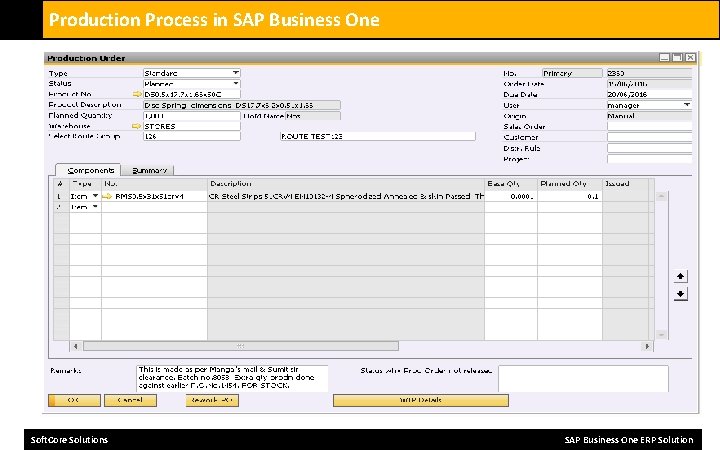
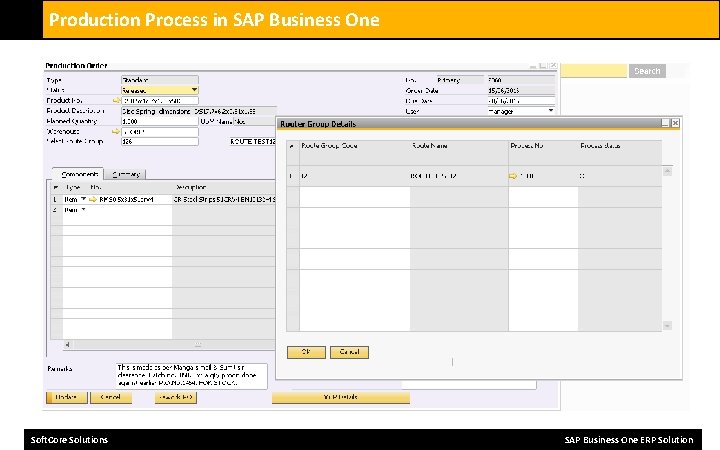
Production Process in SAP Business One Manufacturing Orders are used to plan, execute and record production activities. • Order dependent Bill of Material and Routing - allows for the modification of the product structure • and production process to manage every day changes that may occur within production rather than • changing company standards • Method of creation - manually, via Sales Order, Forecast, MRP and Sales Order back-to-back • Revision - create manufacturing orders that are revision specific • Series - create and use different document series • Demand Allocation - link multiple Sales Orders to production supply orders • Dates - enter the required, planned start and planned end dates • Schedule - forward or backwards to calculate the planned start or planned end date and time • Warehouse - the default warehouse where production will occur • Planned vs. Actual Quantity - monitor the order and item quantity status • Material Shortage - check available and shortages of stock within planned warehouse and across all • warehouses • Traceability - review all the documents associated with picking and receiving inventory • Issue Type - alter inventory issues methods from manual to back flush and vice versa • Operation Times - review operation times and overlaps • Reporting - report on the status change of operations and record actual production time Soft. Core Solutions SAP Business One ERP Solution
Production Process in SAP Business One Create production orders • Create order specific bills of material and routings • Create automatically using order proposal lists Via demand of a customers order • single-tier or multi-tier • With/without standard bills of material and standard routings • Different order types • Customers order • Warehouse order • Repair order • Sample order • Overhead order, etc. • References to customer order and customer position Soft. Core Solutions SAP Business One ERP Solution
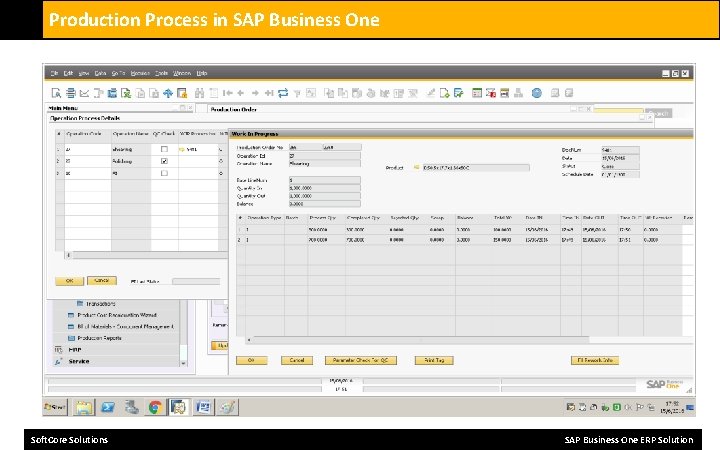
Production Process in SAP Business One • Manage / Edit Production Orders • Directly in the ordering structure, consisting of selectable levels of detail multi-level bills of materials associated tasks of schedule • Reports for planned / actual data comparison costing values with planned / actual value comparison • Print production documents • Routing cards, scheduling cards, pay slips material requisition cards or removal bills of material • Barcode for automatic feedback easy and individual design of documents • Release production orders • Print production documents • Record production time manually • via integrated BDE • via order structure control and revise message submitted • Record last operation automatic booking and material issue posting, depending on the automatic of the posting discharge contract goods in work Soft. Core Solutions SAP Business One ERP Solution
Production Process in SAP Business One Soft. Core Solutions SAP Business One ERP Solution
Production Process in SAP Business One Soft. Core Solutions SAP Business One ERP Solution
Production Process in SAP Business One Soft. Core Solutions SAP Business One ERP Solution
Production Process in SAP Business One Soft. Core Solutions SAP Business One ERP Solution
Production Process in SAP Business One Soft. Core Solutions SAP Business One ERP Solution
Production Process in SAP Business One Soft. Core Solutions SAP Business One ERP Solution
Production Process in SAP Business One Soft. Core Solutions SAP Business One ERP Solution
Production Process in SAP Business One Soft. Core Solutions SAP Business One ERP Solution
Production Process in SAP Business One Product Costing has been built to take advantage of all the costing methods provided by SAP Business One. Thus providing a solution which supports the costing, analysis and finance controlling operations. • • • • Methods - Standard, Moving Average, FIFO Revision - calculate the cost of a product on a revision basis Flexibility - cost products based upon a combination of costing methods Costing Calculation - based on manual, price list, and calculation Factors - include scrap, yield and factors within costing roll-ups Cost Categories - define cost category for valuation, what-if simulation and analysis Types - define material, resource and labour costs Time - define different costs for the elements of production time, queue, setup, runtime and stock Overhead - define fixed and variable overheads as a value or a percentage Cost allocation - proportion production costs across products, co products and by products Product analysis - calculate and review coasted bill of materials and routings Visibility - pre, during and post calculation of manufacturing orders Variances - calculate and manage costing variances Soft. Core Solutions SAP Business One ERP Solution
Production Process in SAP Business One Work Centers • Manage work centers (single work center, groups, machines, employees) • Manage work center related capacity models • Cross-references for work centers in master data and order data • Administration of the corresponding cost rates • Fix/variable • Full cost/marginal cost Soft. Core Solutions Cost Centers • Enhanced data collection and control data for cost calculation Tool management • Manage tools or similar resources • Cross-references in master data and order data • Useful Life / Operation Time • Acquisition costs, operating costs, modification costs SAP Business One ERP Solution
Production Process in SAP Business One For The More Details Regarding The SAP B 1 Service You may Contact To : Name Title Email Handy Skype : Harshad Deshpande : Business Development Manager : harshad@softcoresolutions. com : +91 9545140123 : deshpande. harshad 05 Soft. Core Solutions Amar Gyan Estate, D/253, Khopat, Thane (West) – 400601, T: +91 22 25473222, +91 22 65009860 M: +91 9819333351 Soft. Core Solutions SAP Business One ERP Solution
- Slides: 24