
SAP Business Objects Dashboard Essentials Presented by David
SAP Business. Objects Dashboard Essentials Presented by: David Lai Date: April 13, 2011
Introduction v David Lai § SAP Business Objects Consultant § SAP Business. Objects Dashboards Enthusiast § Author of web blog http: //www. davidlai 101. com/blog and coauthor of http: //www. myxcelsius. com § Co-author of SAP Business. Objects Dashboards 4. 0 Cookbook. v Rebranding of Xcelsius § Xcelsius in its original conception was a way to build visualizations and dashboards using Excel data. § As Xcelsius evolved, the name no longer became relevant in the SAP product line § Thus SAP felt it would be better for customers if Xcelsius was to be rebranded as SAP Business. Objects Dashboards
Agenda § § § Common issues that dashboard designers are faced with Data connectivity External 3 rd party addons Query Browser (New BI 4 feature) Dashboard resources Q&A
Common Dashboard Issues v Architectural Issues § Deciding on what type of data connection to use § Dashboard Performance § Aggregation of data within Xcelsius v Functionality § Hierarchical selection § Multiple selection § Drilling up and down hierarchies

Data Connectivity § SAP Business. Objects Dashboards can connect to 12 different types of data sources

12 Connectivity Options BO Enterprise § § § Query as a Web Service Live Office SAP Netweaver BW Connection Crystal Report Data Consumer Flash Variables FS Commands Non-BO Enterprise § § Web Service Connection XML Data Portal Data LCDS Connection (Adobe) § External Interface Connections § Excel XML Maps
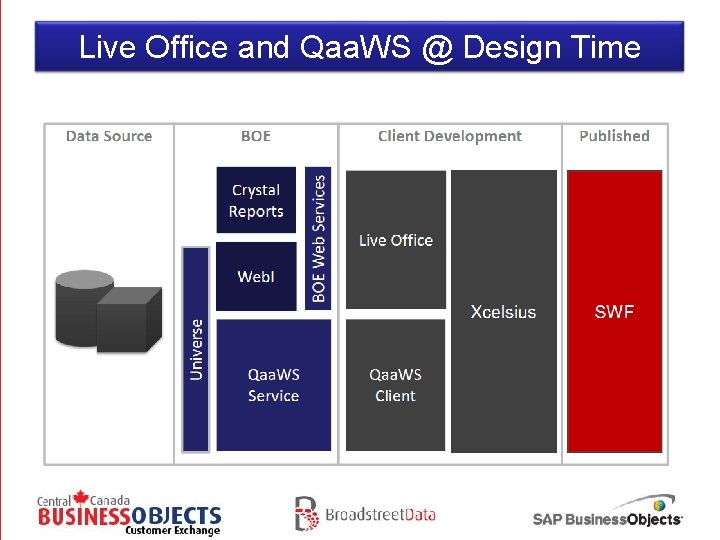
Live Office and Qaa. WS @ Design Time
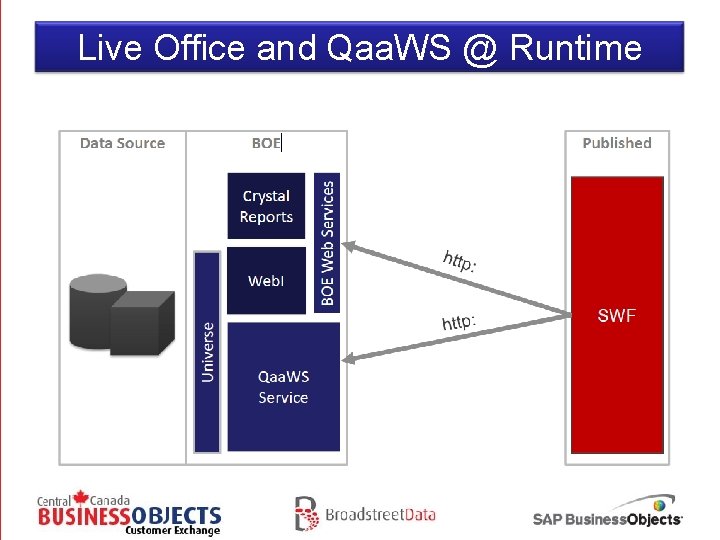
Live Office and Qaa. WS @ Runtime
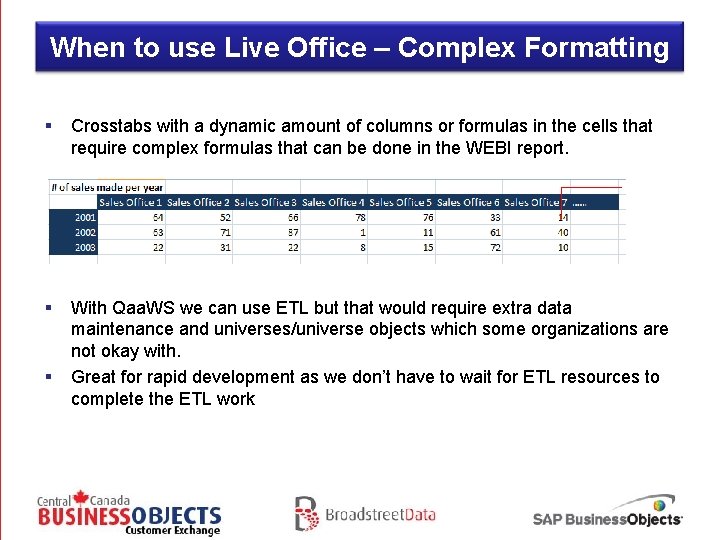
When to use Live Office – Complex Formatting § Crosstabs with a dynamic amount of columns or formulas in the cells that require complex formulas that can be done in the WEBI report. § With Qaa. WS we can use ETL but that would require extra data maintenance and universes/universe objects which some organizations are not okay with. Great for rapid development as we don’t have to wait for ETL resources to complete the ETL work §
When to use Live Office Scheduling § We can make use of WEBI report scheduling on queries that take long to run. § The dataset needs to be small enough (less than 500 rows) so that we can just grab the entire set without having to query. Crystal Reports § Crystal Reports can be utilized when there is no Universe
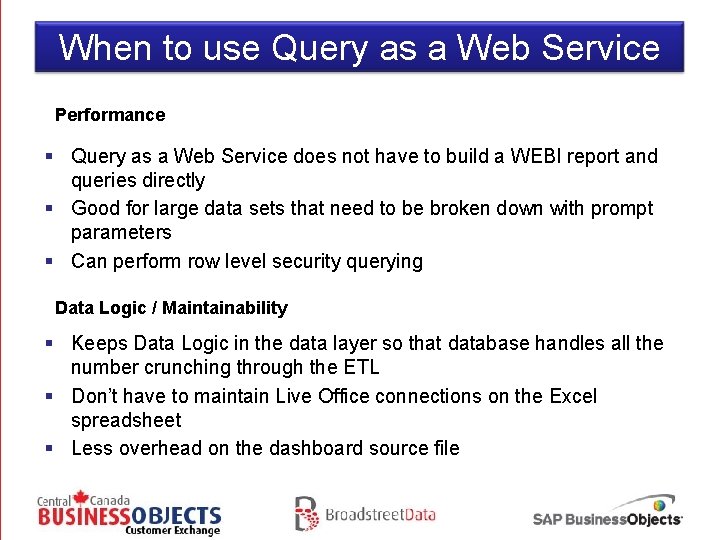
When to use Query as a Web Service Performance § Query as a Web Service does not have to build a WEBI report and queries directly § Good for large data sets that need to be broken down with prompt parameters § Can perform row level security querying Data Logic / Maintainability § Keeps Data Logic in the data layer so that database handles all the number crunching through the ETL § Don’t have to maintain Live Office connections on the Excel spreadsheet § Less overhead on the dashboard source file
Thoughts on Live Office and Qaa. WS § Is it strict where Data Logic should reside in your organization? § Is it necessary to invest in the ETL work? Are ETL resources available? § Is performance a major factor? § Real time or Delayed data? § Is the organization comfortable with managing both LO and Qaa. WS to get the best out of both worlds?
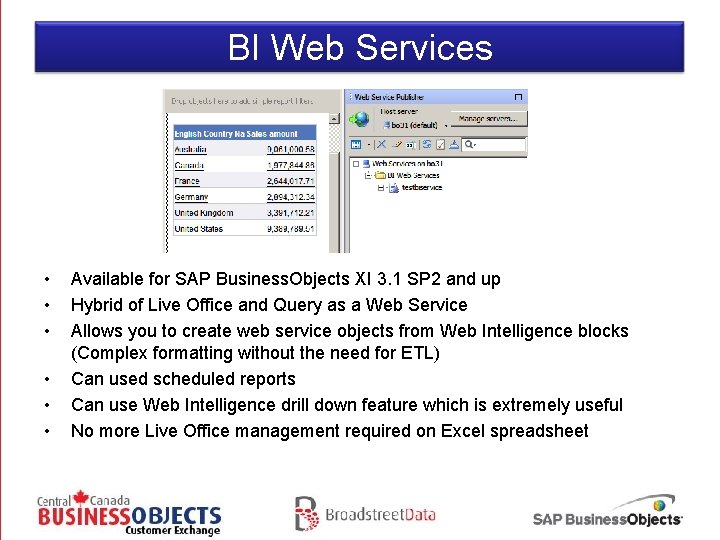
BI Web Services • • • Available for SAP Business. Objects XI 3. 1 SP 2 and up Hybrid of Live Office and Query as a Web Service Allows you to create web service objects from Web Intelligence blocks (Complex formatting without the need for ETL) Can used scheduled reports Can use Web Intelligence drill down feature which is extremely useful No more Live Office management required on Excel spreadsheet
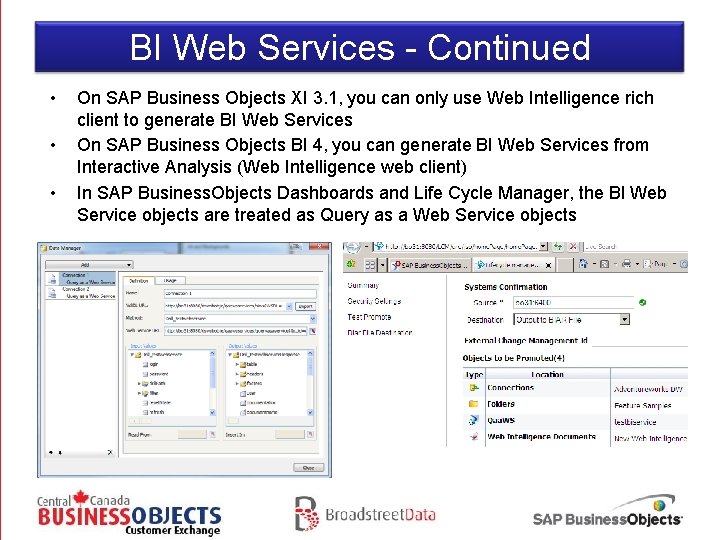
BI Web Services - Continued • • • On SAP Business Objects XI 3. 1, you can only use Web Intelligence rich client to generate BI Web Services On SAP Business Objects BI 4, you can generate BI Web Services from Interactive Analysis (Web Intelligence web client) In SAP Business. Objects Dashboards and Life Cycle Manager, the BI Web Service objects are treated as Query as a Web Service objects
Some quick dashboard performance tips • • • When using Live Office, use as little live office connections as possible. They take up a lot of overhead Re-use dashboard components such as charts and selectors as much as possible Keep dataset sizes to a minimum. When you are going over 1500 rows, it takes a significant amount of overhead. Try to use formulas such as VLOOKUP, HLOOKUP, SUMIFs, etc sparingly. For VLOOKUPs you can use Filtered Rows instead. Use “&” instead of “Concatenate”
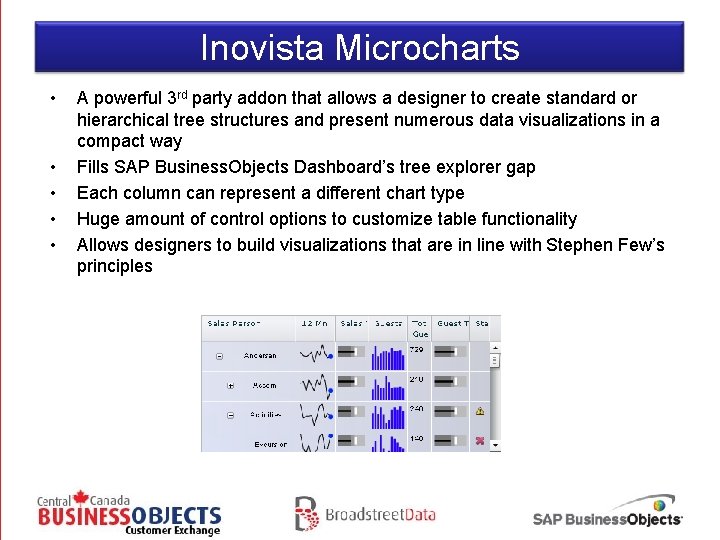
Inovista Microcharts • • • A powerful 3 rd party addon that allows a designer to create standard or hierarchical tree structures and present numerous data visualizations in a compact way Fills SAP Business. Objects Dashboard’s tree explorer gap Each column can represent a different chart type Huge amount of control options to customize table functionality Allows designers to build visualizations that are in line with Stephen Few’s principles
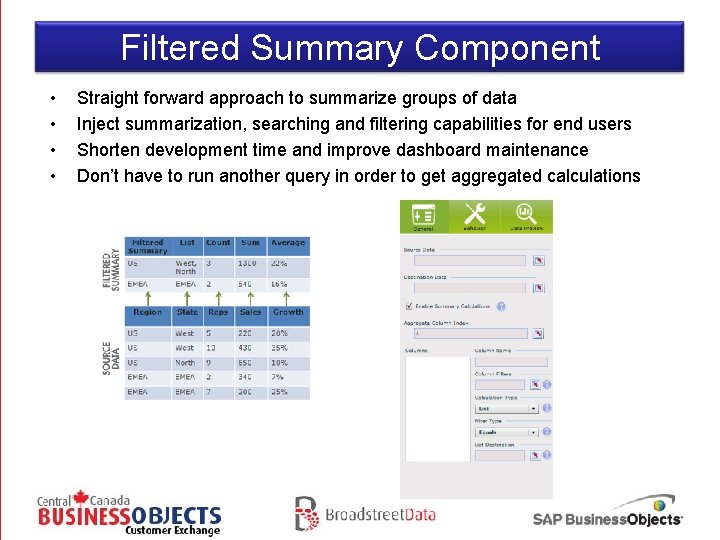
Filtered Summary Component • • Straight forward approach to summarize groups of data Inject summarization, searching and filtering capabilities for end users Shorten development time and improve dashboard maintenance Don’t have to run another query in order to get aggregated calculations
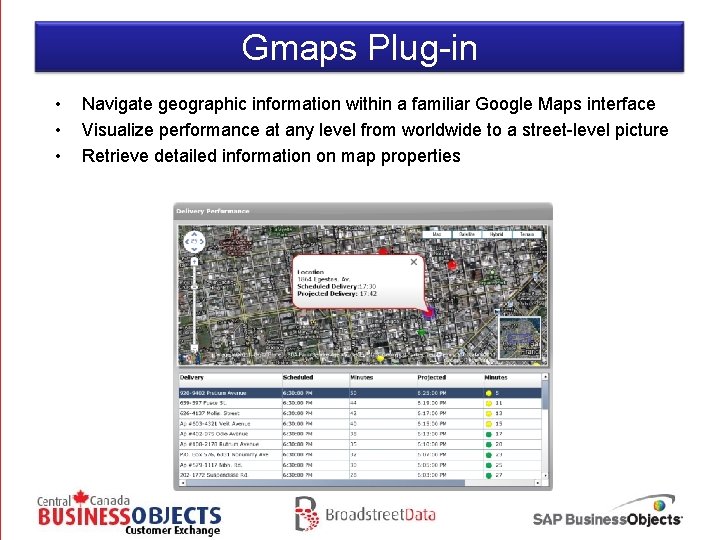
Gmaps Plug-in • • • Navigate geographic information within a familiar Google Maps interface Visualize performance at any level from worldwide to a street-level picture Retrieve detailed information on map properties
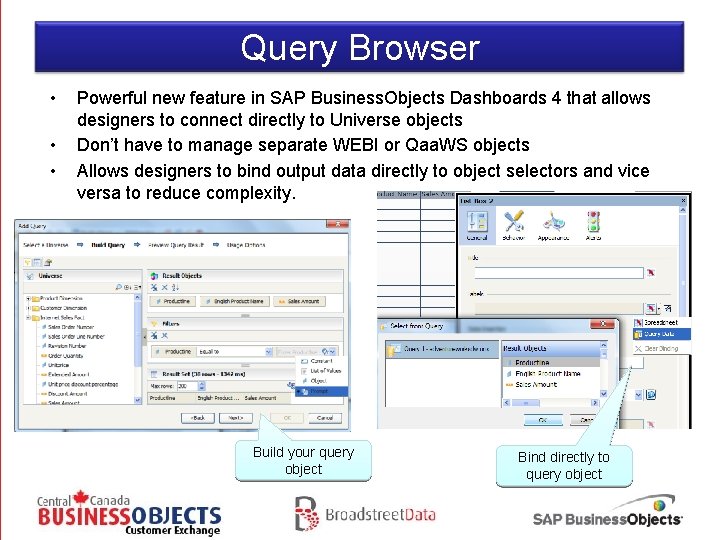
Query Browser • • • Powerful new feature in SAP Business. Objects Dashboards 4 that allows designers to connect directly to Universe objects Don’t have to manage separate WEBI or Qaa. WS objects Allows designers to bind output data directly to object selectors and vice versa to reduce complexity. Build your query object Bind directly to query object
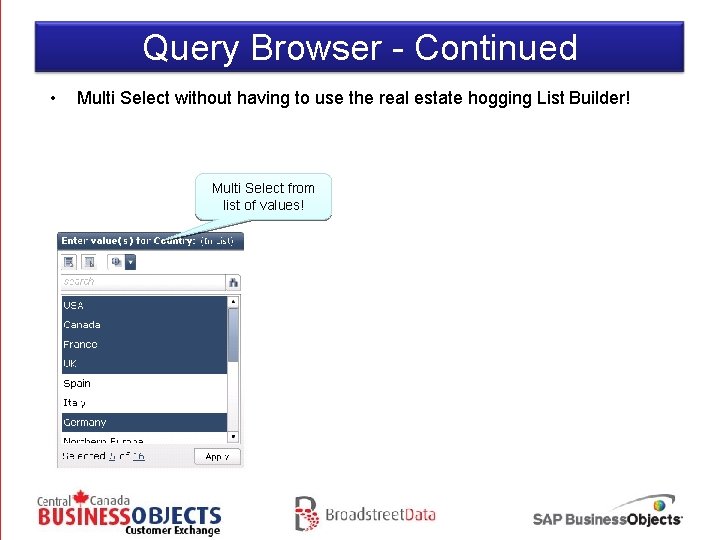
Query Browser - Continued • Multi Select without having to use the real estate hogging List Builder! Multi Select from list of values!
Query Browser – Need to know • • • Must be on SAP Business. Objects BI 4 You must use Information Design Tool to convert existing Universes into UNX format for the Universes to be visible on Query Browser Query selection is the same as Query as a web service (no complex formatting)
SAP Business. Objects Dashboards 4. 0 Resources SAP Community Network http: //www. sdn. sap. com/irj/scn/index The Official SAP Community Network provides a wealth of knowledge on SAP products, forums to help developers overcome any problems, blogs to learn new tips and tricks, and much more. Business Objects Board http: //www. forumtopics. com/busobj/index. php Before SAP bought Business Objects, this was the largest support forum that developers would go to. Even after the acquisition of Business Objects, the forum still remains very active. Everything. Xcelsius. com – Xcelsius Gurus Network http: //www. everythingxcelsius. com Website for all your SAP Business. Objects Dashboards (Xcelsius) news, tips, tricks, templates, consulting and training. My. Xcelsius. com http: //www. myxcelsius. com Great blog that contains a huge amount of tips, tricks, and best practices for SAP Business. Objects Dashboards. There are close to 10 authors who contribute to making this blog a success. David Lai’s Business Intelligence Blog http: //www. davidlai 101. com/blog David Lai’s blog that provides a great amount of tips, tricks, and best practices mainly on SAP Business. Objects related products. He also provides insight into other Business Intelligence toolsets. SAP Business. Objects Dashboards 4. 0 Cookbook http: //www. packtpub. com/sap-businessobjects-dashboards-4 -0 -cookbook/book Over 75 simple and incredibly effective recipes for transforming your data into exciting dashboards with SAP Business. Objects Dashboards 4. 0. Available May 2011
Questions and Answers
- Slides: 23