
Samsung Exlink RS232 Control Scott Whitman Product Support

- Slides: 11
Samsung Ex-link RS-232 Control Scott Whitman Product Support Manager, SEA
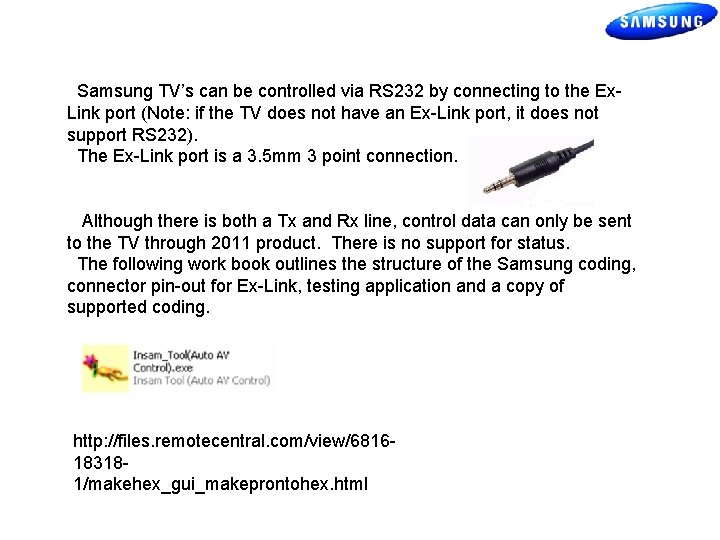
Samsung TV’s can be controlled via RS 232 by connecting to the Ex. Link port (Note: if the TV does not have an Ex-Link port, it does not support RS 232). The Ex-Link port is a 3. 5 mm 3 point connection. Although there is both a Tx and Rx line, control data can only be sent to the TV through 2011 product. There is no support for status. The following work book outlines the structure of the Samsung coding, connector pin-out for Ex-Link, testing application and a copy of supported coding. http: //files. remotecentral. com/view/6816183181/makehex_gui_makeprontohex. html
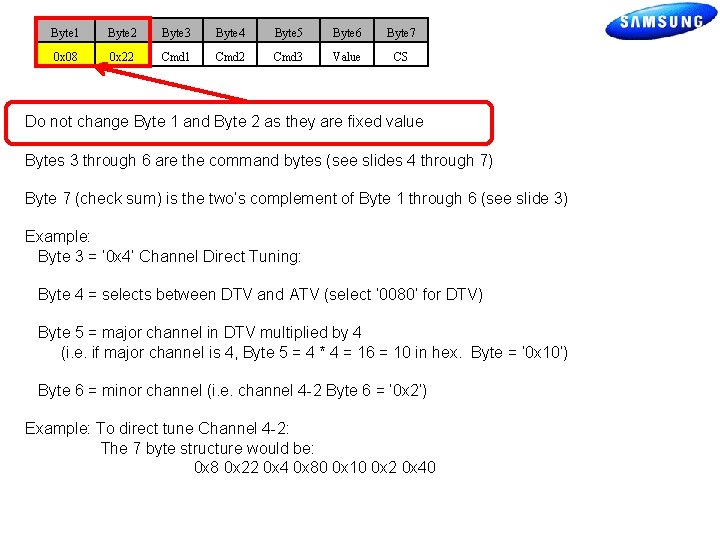
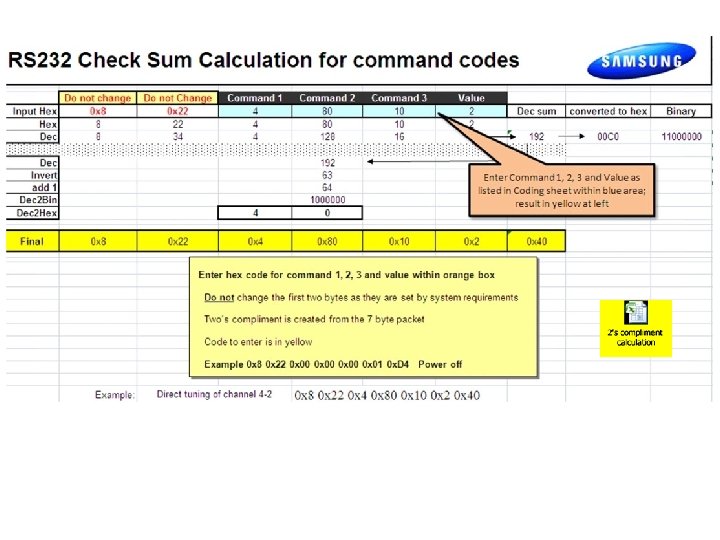
Byte 1 Byte 2 Byte 3 Byte 4 Byte 5 Byte 6 Byte 7 0 x 08 0 x 22 Cmd 1 Cmd 2 Cmd 3 Value CS Do not change Byte 1 and Byte 2 as they are fixed value Bytes 3 through 6 are the command bytes (see slides 4 through 7) Byte 7 (check sum) is the two’s complement of Byte 1 through 6 (see slide 3) Example: Byte 3 = ‘ 0 x 4’ Channel Direct Tuning: Byte 4 = selects between DTV and ATV (select ‘ 0080’ for DTV) Byte 5 = major channel in DTV multiplied by 4 (i. e. if major channel is 4, Byte 5 = 4 * 4 = 16 = 10 in hex. Byte = ‘ 0 x 10’) Byte 6 = minor channel (i. e. channel 4 -2 Byte 6 = ‘ 0 x 2’) Example: To direct tune Channel 4 -2: The 7 byte structure would be: 0 x 8 0 x 22 0 x 4 0 x 80 0 x 10 0 x 2 0 x 40
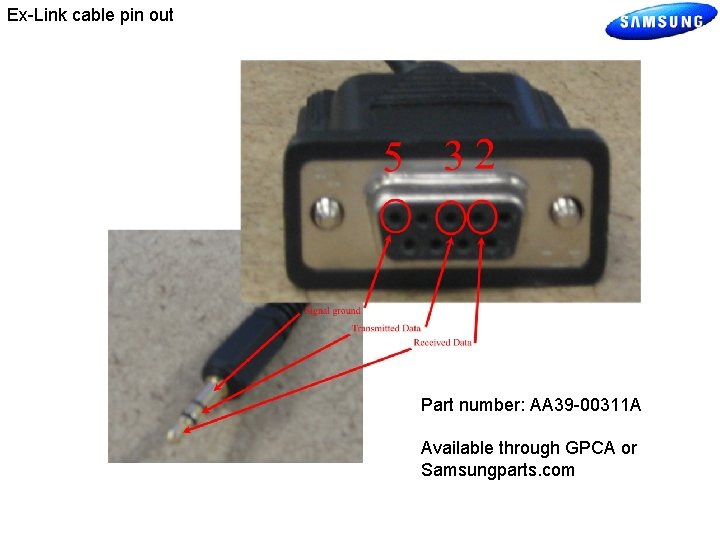
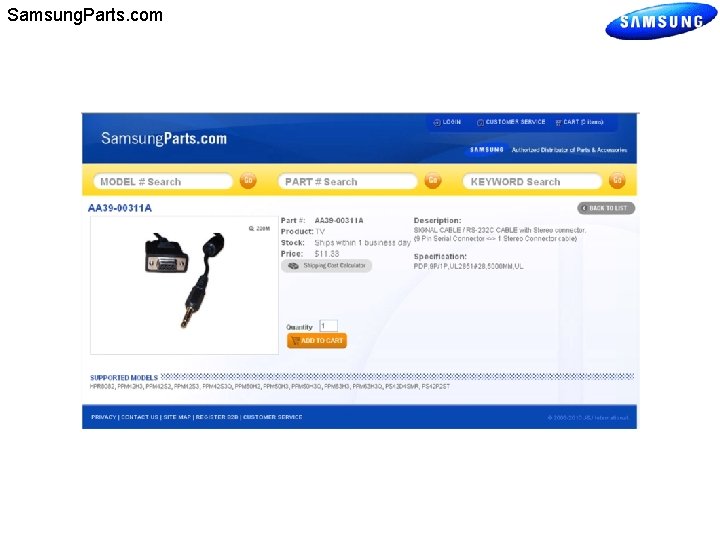
Ex-Link cable pin out Part number: AA 39 -00311 A Available through GPCA or Samsungparts. com
Samsung. Parts. com
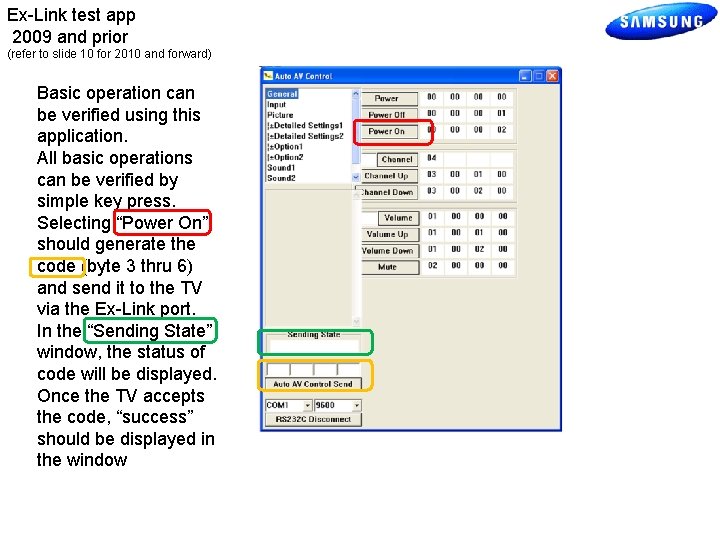
Ex-Link test app 2009 and prior (refer to slide 10 for 2010 and forward) Basic operation can be verified using this application. All basic operations can be verified by simple key press. Selecting “Power On” should generate the code (byte 3 thru 6) and send it to the TV via the Ex-Link port. In the “Sending State” window, the status of code will be displayed. Once the TV accepts the code, “success” should be displayed in the window
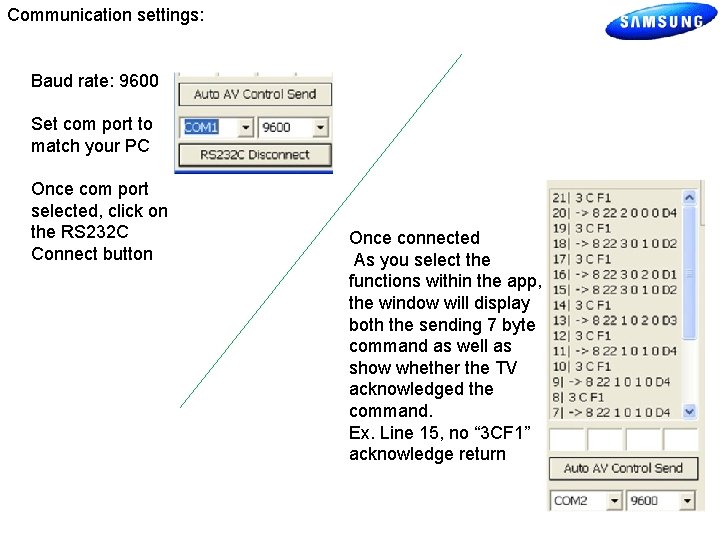
Communication settings: Baud rate: 9600 Set com port to match your PC Once com port selected, click on the RS 232 C Connect button Once connected As you select the functions within the app, the window will display both the sending 7 byte command as well as show whether the TV acknowledged the command. Ex. Line 15, no “ 3 CF 1” acknowledge return
Model list:
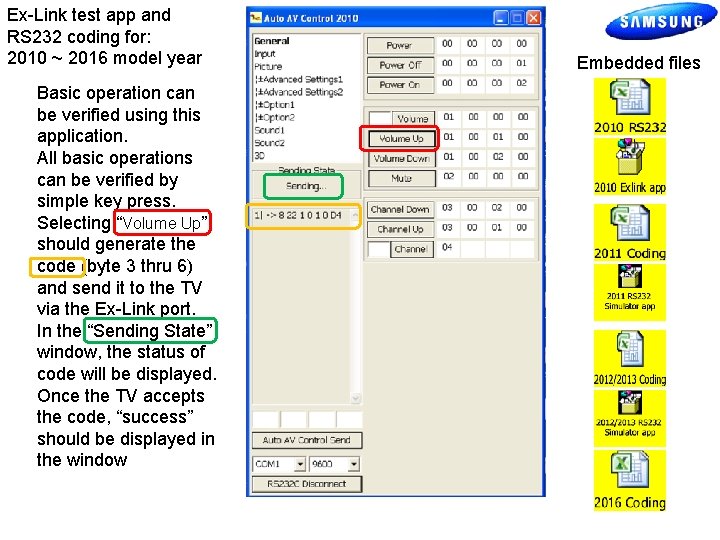
Ex-Link test app and RS 232 coding for: 2010 ~ 2016 model year Basic operation can be verified using this application. All basic operations can be verified by simple key press. Selecting “Volume Up” should generate the code (byte 3 thru 6) and send it to the TV via the Ex-Link port. In the “Sending State” window, the status of code will be displayed. Once the TV accepts the code, “success” should be displayed in the window Embedded files
End Scott Whitman Product Support Manager, SEA