
Sales and Distribution SD Curriculum Introduction to S4
Sales and Distribution (SD) Curriculum: Introduction to S/4 HANA using Global Bike
Teaching material - Information i Teaching material - Version § 3. 2 (May 2018) § Software used • S/4 HANA 1709 EHP 8 NW 7. 51 • Fiori 2. 0 § Model • Global Bike § Prerequisites • No Prerequisites needed © 2017 SAP SE / SAP UCC Magdeburg. All rights reserved. 2
Module Information Authors § Bret Wagner § Stefan Weidner § Babett Ruß Target Audience § Beginner © 2017 SAP SE / SAP UCC Magdeburg. All rights reserved. 3
Module Information Learning Objectives § Understand an integrated order-to-cash cycle © 2017 SAP SE / SAP UCC Magdeburg. All rights reserved. 4
Functionality § Sales § Shipping and Transportation § Billing § Credit Management § Foreign Trade © 2017 SAP SE / SAP UCC Magdeburg. All rights reserved. 5
Unit Overview § SD Organizational Structure § SD Master Data § SD Processes • Order-to-Cash Process § Innovations in S/4 HANA © 2017 SAP SE / SAP UCC Magdeburg. All rights reserved. 6
SD Organizational Structure § Client • An independent environment in the system § Company Code • Smallest org unit for which you can maintain a legal set of books § Credit Control Area • An organizational entity which grants and monitors a credit limit for customers. • It can include one or more company codes § Sales Organization • An organizational unit responsible for the sale of certain products or services. • The responsibility of a sales organization may include legal liability for products and customer claims § Distribution Channel • The way in which products or services reach the customer • Typical examples of distribution channels are wholesale, retail, or direct sales © 2017 SAP SE / SAP UCC Magdeburg. All rights reserved. 7
SD Organizational Structure § Division • A way of grouping materials, products, or services § Sales Area • Combination of Sales Organization, Distribution Channel and Division • Determines conditions (i. e. pricing) for sales activities § Plant (here: Delivering Plant) • Plant from which the goods should be delivered to the customer § Other SD organization units: • • • Shipping Point Loading Point Sales Office Sales Group Sales Person © 2017 SAP SE / SAP UCC Magdeburg. All rights reserved. 8
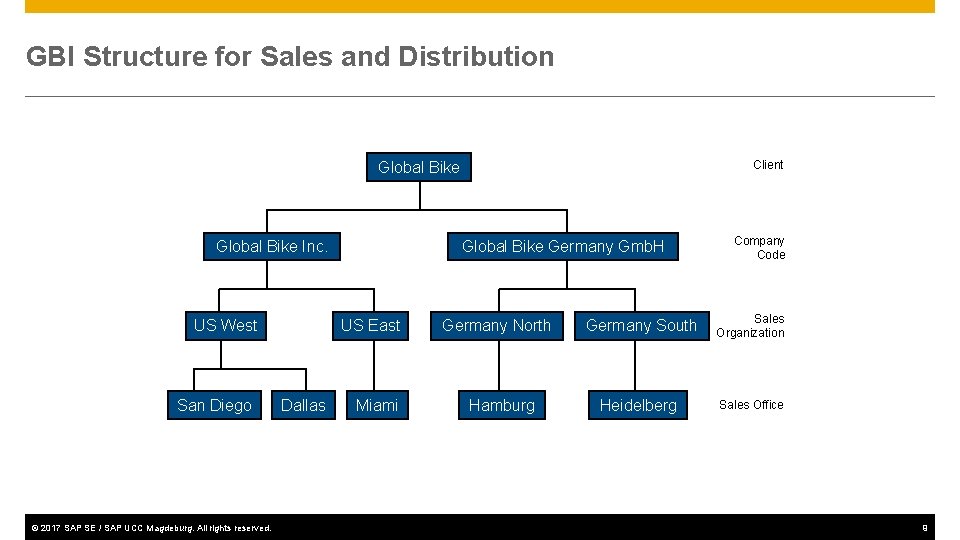
GBI Structure for Sales and Distribution Client Global Bike Inc. US West San Diego © 2017 SAP SE / SAP UCC Magdeburg. All rights reserved. Global Bike Germany Gmb. H US East Dallas Miami Germany North Hamburg Company Code Germany South Sales Organization Heidelberg Sales Office 9
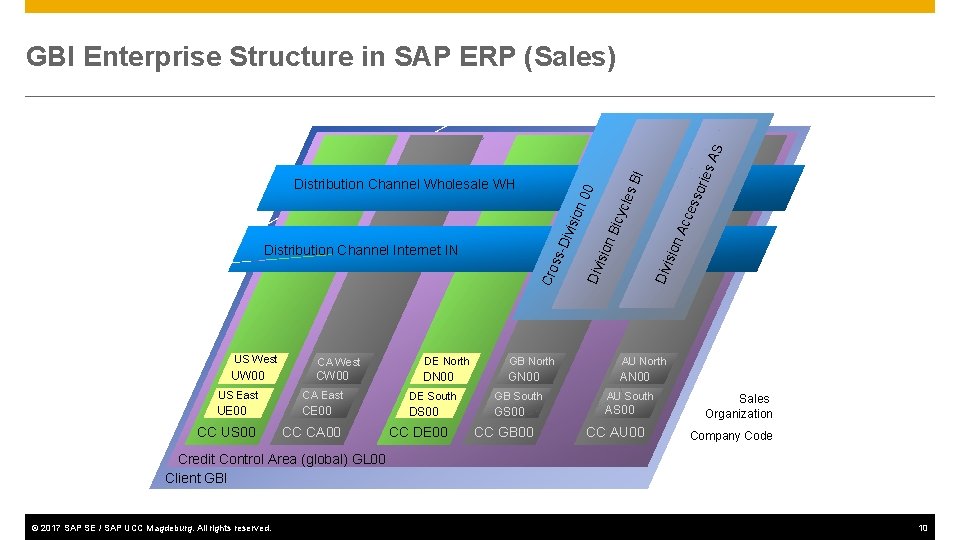
BI UW 00 icyc isio n. A n. B isio CA West DE North GB North AU North CW 00 DN 00 GN 00 AN 00 US East CA East UE 00 CC US 00 Div Cro ss- Distribution Channel Internet IN Div isio n 0 les 0 Distribution Channel Wholesale WH US West cce sso ries AS GBI Enterprise Structure in SAP ERP (Sales) CC CA 00 DE South DS 00 CC DE 00 GB South AU South GS 00 AS 00 CC GB 00 CC AU 00 Sales Organization Company Code Credit Control Area (global) GL 00 Client GBI © 2017 SAP SE / SAP UCC Magdeburg. All rights reserved. 10

SD Master Data Customer Master Material Master Sales Condition © 2017 SAP SE / SAP UCC Magdeburg. All rights reserved. 11
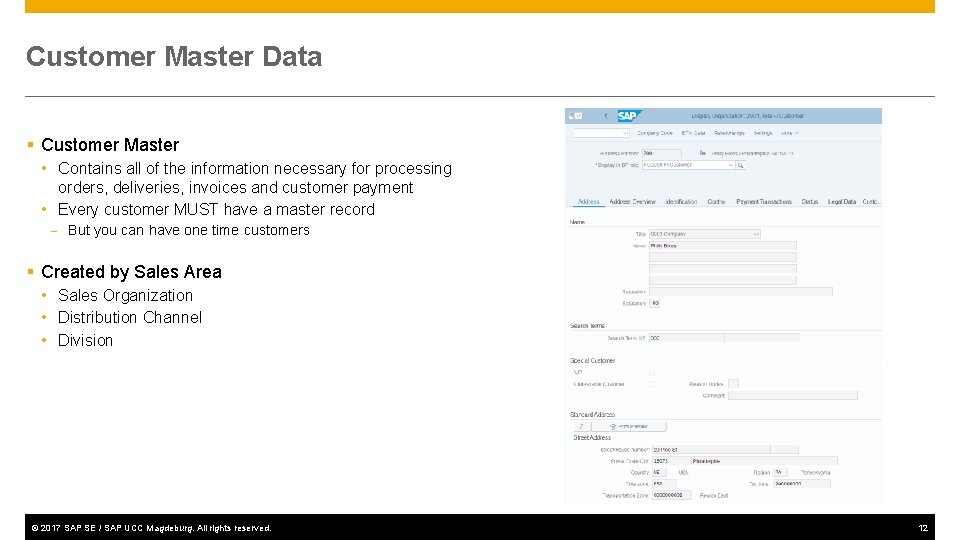
Customer Master Data § Customer Master • Contains all of the information necessary for processing orders, deliveries, invoices and customer payment • Every customer MUST have a master record - But you can have one time customers § Created by Sales Area • Sales Organization • Distribution Channel • Division © 2017 SAP SE / SAP UCC Magdeburg. All rights reserved. 12
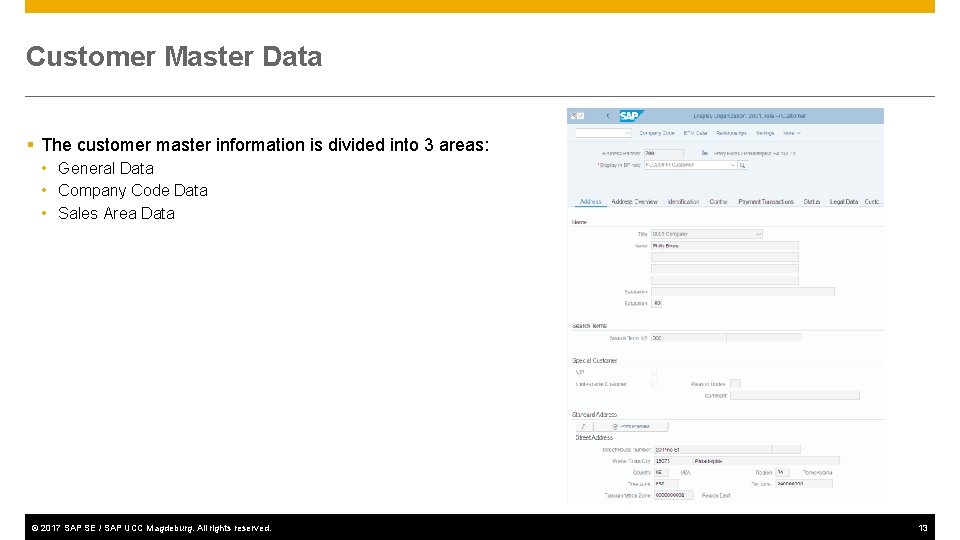
Customer Master Data § The customer master information is divided into 3 areas: • General Data • Company Code Data • Sales Area Data © 2017 SAP SE / SAP UCC Magdeburg. All rights reserved. 13
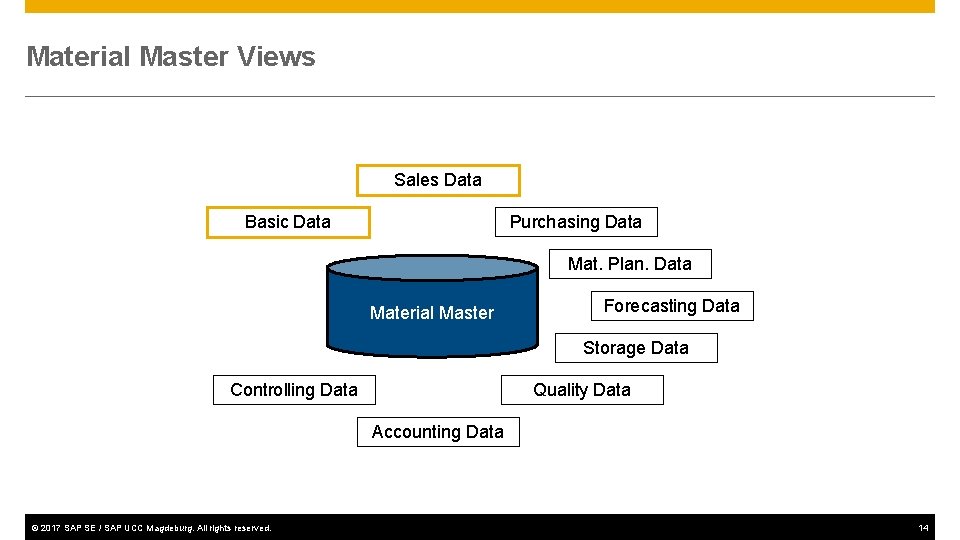
Material Master Views Sales Data Basic Data Purchasing Data Mat. Plan. Data Material Master Forecasting Data Storage Data Controlling Data Quality Data Accounting Data © 2017 SAP SE / SAP UCC Magdeburg. All rights reserved. 14
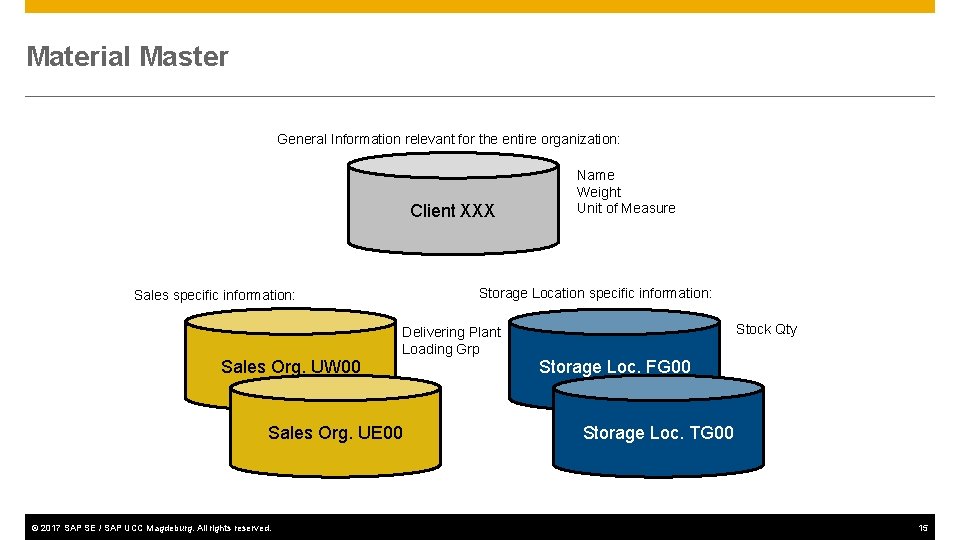
Material Master General Information relevant for the entire organization: Client XXX Name Weight Unit of Measure Storage Location specific information: Sales specific information: Stock Qty Delivering Plant Loading Grp Sales Org. UW 00 Sales Org. UE 00 © 2017 SAP SE / SAP UCC Magdeburg. All rights reserved. Storage Loc. FG 00 Storage Loc. TG 00 15
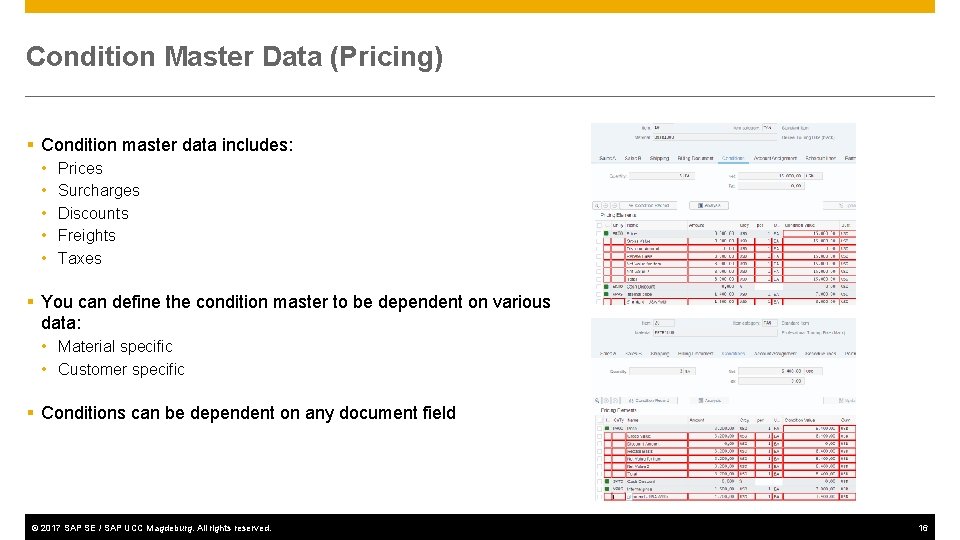
Condition Master Data (Pricing) § Condition master data includes: • • • Prices Surcharges Discounts Freights Taxes § You can define the condition master to be dependent on various data: • Material specific • Customer specific § Conditions can be dependent on any document field © 2017 SAP SE / SAP UCC Magdeburg. All rights reserved. 16
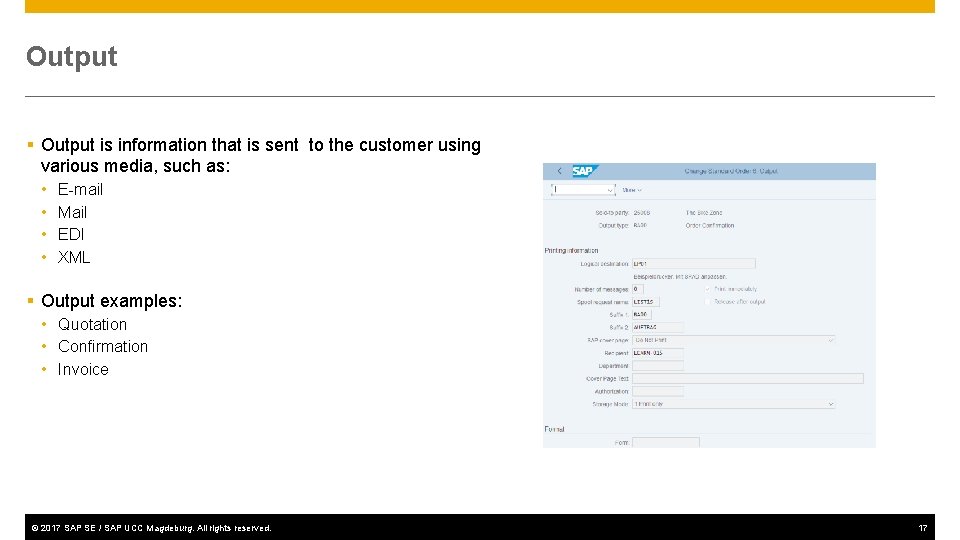
Output § Output is information that is sent to the customer using various media, such as: • • E-mail Mail EDI XML § Output examples: • Quotation • Confirmation • Invoice © 2017 SAP SE / SAP UCC Magdeburg. All rights reserved. 17
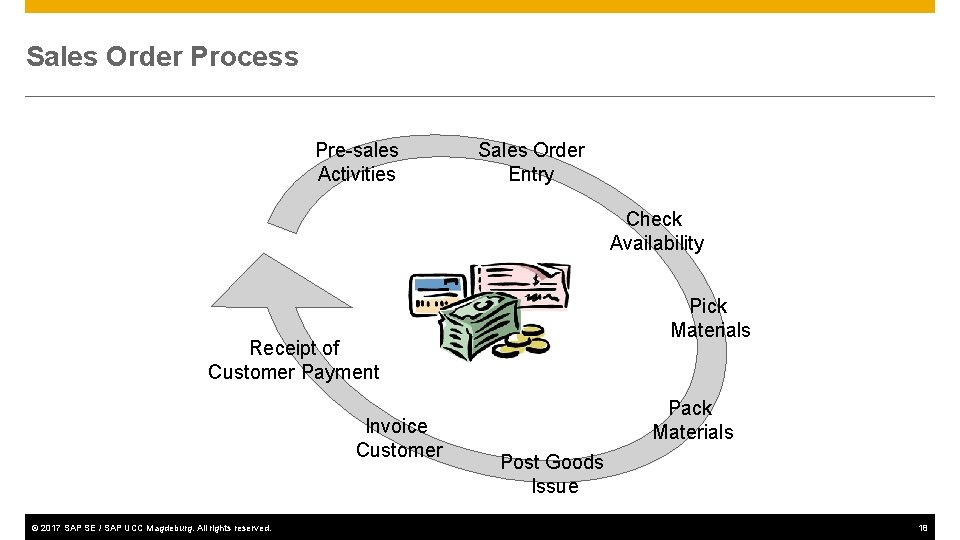
Sales Order Process Pre-sales Activities Sales Order Entry Check Availability Pick Materials Receipt of Customer Payment Invoice Customer © 2017 SAP SE / SAP UCC Magdeburg. All rights reserved. Pack Materials Post Goods Issue 18
Pre-Sales Activities (CRM Light) § Sales Support is a component of SD that assists in the sales, distribution, and marketing of a companies products and services to its customers. It contains the following functionality: • Creating and tracking customer contacts and communications (sales activity) - Phone call records On-site meeting Letters Campaign communication • Implementing and tracking direct mailing, internet, and trade fair campaigns based on customer attributes § Pre-sales documents need to be managed within the presales activities: Inquiries and Quotations. These documents help identify possible sales related activity and determine sales probability. © 2017 SAP SE / SAP UCC Magdeburg. All rights reserved. 19
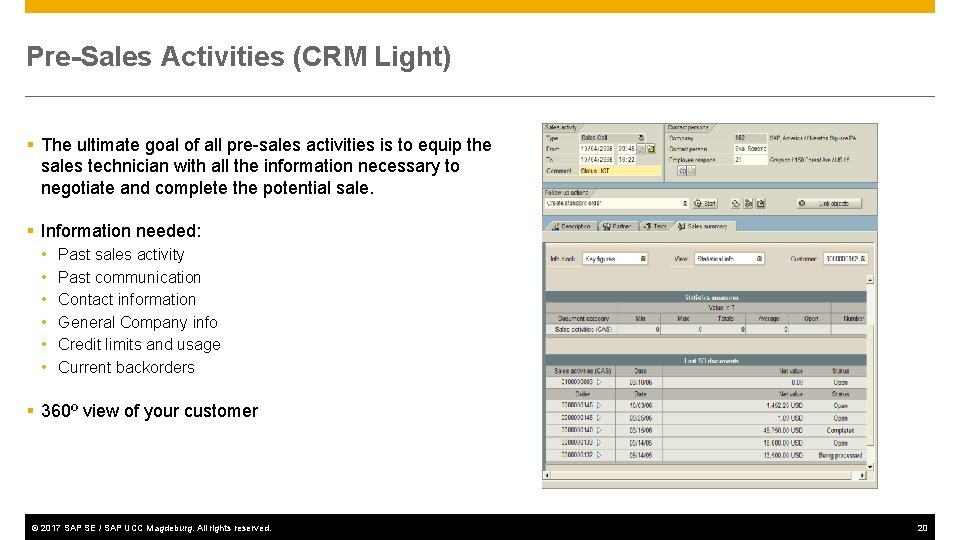
Pre-Sales Activities (CRM Light) § The ultimate goal of all pre-sales activities is to equip the sales technician with all the information necessary to negotiate and complete the potential sale. § Information needed: • • • Past sales activity Past communication Contact information General Company info Credit limits and usage Current backorders § 360º view of your customer © 2017 SAP SE / SAP UCC Magdeburg. All rights reserved. 20
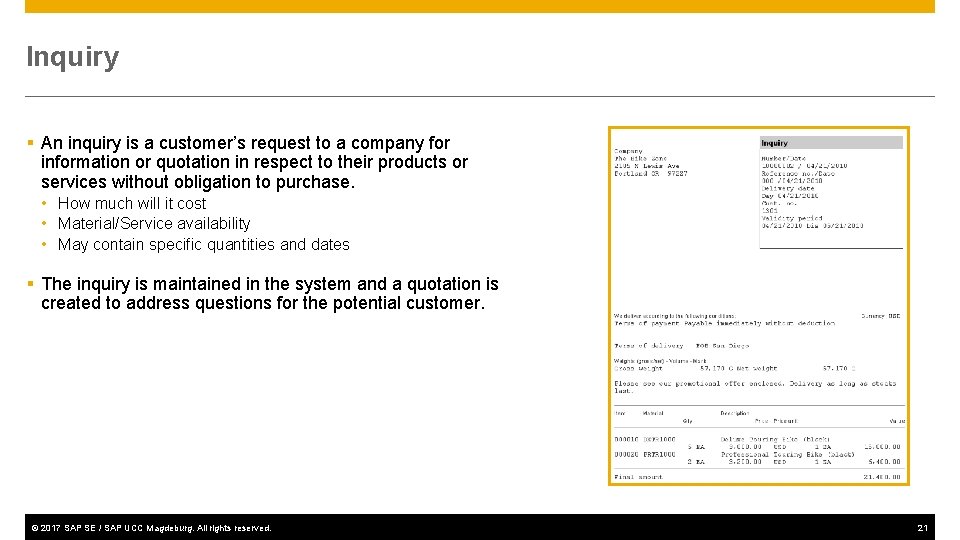
Inquiry § An inquiry is a customer’s request to a company for information or quotation in respect to their products or services without obligation to purchase. • How much will it cost • Material/Service availability • May contain specific quantities and dates § The inquiry is maintained in the system and a quotation is created to address questions for the potential customer. © 2017 SAP SE / SAP UCC Magdeburg. All rights reserved. 21
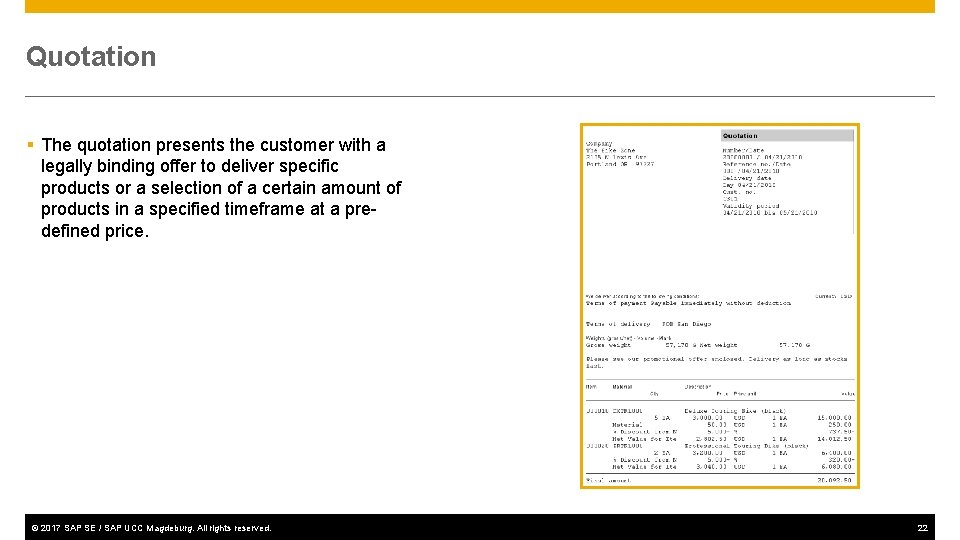
Quotation § The quotation presents the customer with a legally binding offer to deliver specific products or a selection of a certain amount of products in a specified timeframe at a predefined price. © 2017 SAP SE / SAP UCC Magdeburg. All rights reserved. 22
Sales Order § Sales order processing can originate from a variety of documents and activities • Customer contacts us for order: phone, internet, email • Existing Contract • Quotations § The electronic document that is created should contain the following basic information: • • • Customer Information Material/service and quantity Pricing (conditions) Specific delivery dates and quantities Shipping information Billing Information © 2017 SAP SE / SAP UCC Magdeburg. All rights reserved. 23
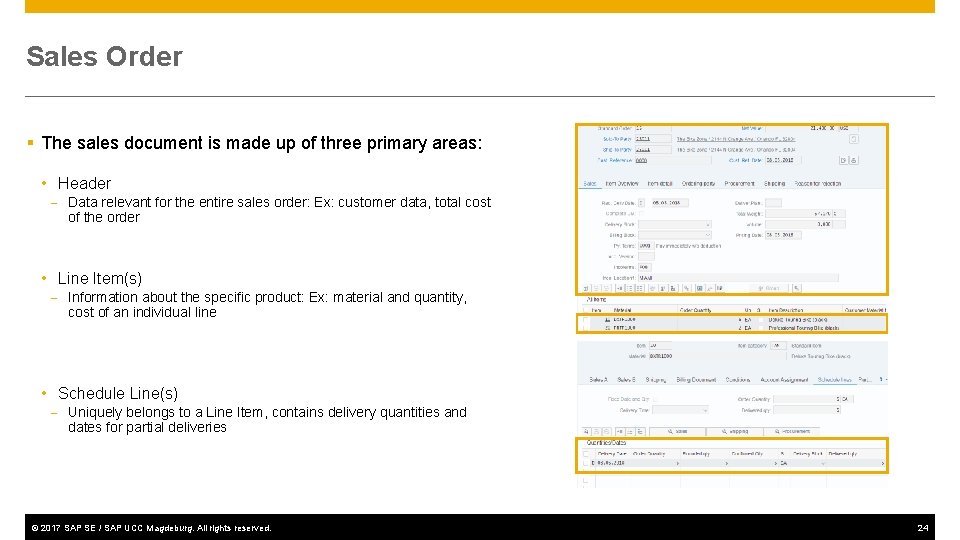
Sales Order § The sales document is made up of three primary areas: • Header - Data relevant for the entire sales order: Ex: customer data, total cost of the order • Line Item(s) - Information about the specific product: Ex: material and quantity, cost of an individual line • Schedule Line(s) - Uniquely belongs to a Line Item, contains delivery quantities and dates for partial deliveries © 2017 SAP SE / SAP UCC Magdeburg. All rights reserved. 24
Sales Order § The sales order contains all of the information needed to process your customers request, the following information is determined for each sales order: • • • Delivering Schedule Shipping point and route determination Availability Check Transfer of requirements to MRP Pricing Credit limit check © 2017 SAP SE / SAP UCC Magdeburg. All rights reserved. 25
Delivery Scheduling § When an order is created you must enter a requested delivery date for the order or each line item. § The system will then determine a delivery timeline, this will be used when determining our material availability, or ATP (Availability to Promise) date. § The system will determine this date using forward and backward scheduling rules you have defined. © 2017 SAP SE / SAP UCC Magdeburg. All rights reserved. 26
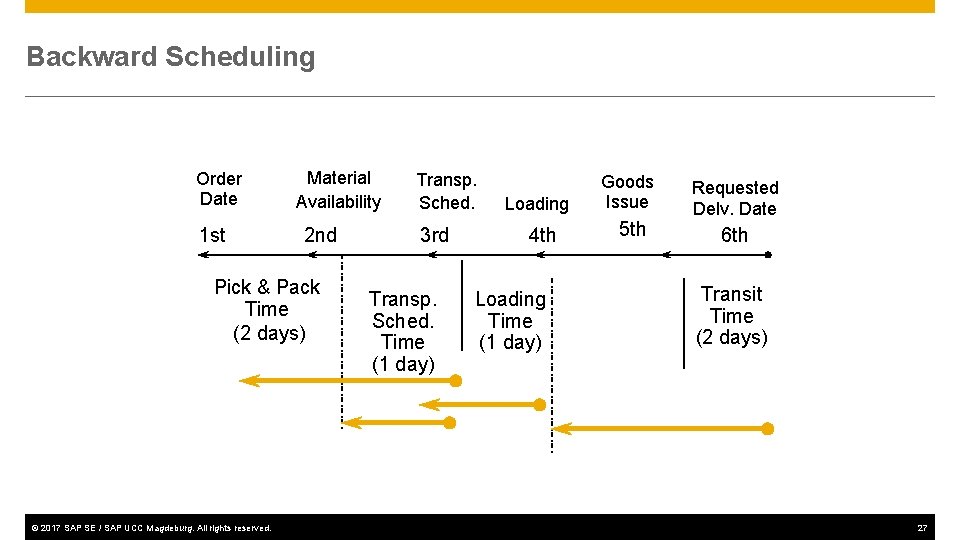
Backward Scheduling Order Date 1 st Material Availability 2 nd Pick & Pack Time (2 days) © 2017 SAP SE / SAP UCC Magdeburg. All rights reserved. Transp. Sched. 3 rd Transp. Sched. Time (1 day) Loading 4 th Loading Time (1 day) Goods Issue 5 th Requested Delv. Date 6 th Transit Time (2 days) 27
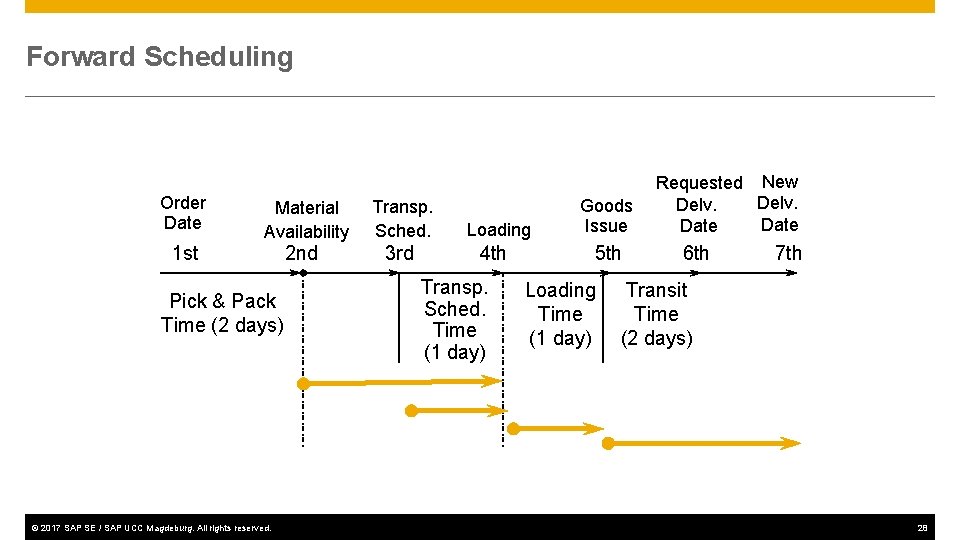
Forward Scheduling Order Date 1 st Material Availability Pick & Pack Time (2 days) © 2017 SAP SE / SAP UCC Magdeburg. All rights reserved. 2 nd Transp. Sched. Loading Goods Issue 3 rd 4 th 5 th Transp. Sched. Time (1 day) Loading Time (1 day) Requested New Delv. Date 6 th 7 th Transit Time (2 days) 28
Shipping & Route Determination § During the creation of the sales order the system must determine the shipping point from which the material will be shipped and the route the material will take to get from your warehouse to your customers location. § A shipping point is determined for each line item within the order. § The route determination is used to define the transit time of the material that we used in scheduling. © 2017 SAP SE / SAP UCC Magdeburg. All rights reserved. 29
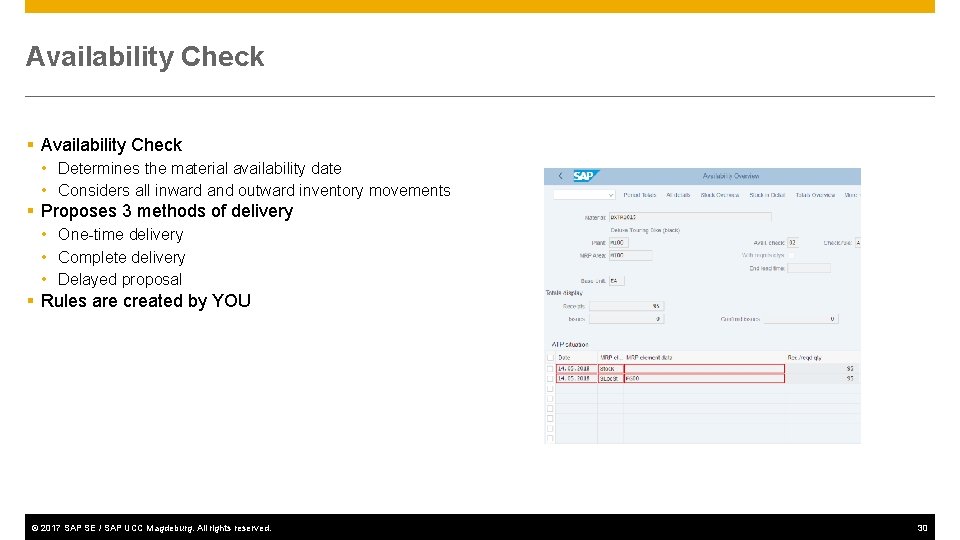
Availability Check § Availability Check • Determines the material availability date • Considers all inward and outward inventory movements § Proposes 3 methods of delivery • One-time delivery • Complete delivery • Delayed proposal § Rules are created by YOU © 2017 SAP SE / SAP UCC Magdeburg. All rights reserved. 30
Pricing § The system displays pricing information for all sales documents on the pricing screens at both the header and the line item level. • Header pricing is valid for the whole order and it is the cumulative of all line items within the order • Line item pricing is for each specific material. § The system will automatically search for price, discounts, surcharges, calculate taxes and freight. You have the ability to manually manipulate the pricing at both the header and line item level within the sales order by entering a condition type and amount. • Taxes and freight can be set-up so we can’t manually enter them © 2017 SAP SE / SAP UCC Magdeburg. All rights reserved. 31
Credit Check § Allows your company to manage its credit exposure and risk for each customer by specifying credit limits. § During the sales order process the system will alert the sales rep about the customers credit situation that arises. If necessary, the system can be configured to block orders and deliveries. © 2017 SAP SE / SAP UCC Magdeburg. All rights reserved. 32
Shipping & Transportation § The shipping process begins when you create the delivery document for the sales order. This document controls, supports, and monitors numerous sub-processes for shipping processing: • Picking • Packing • Post Goods Issue § Integrated with the Material Management (MM), extended Warehouse Management (e. WM) and Finance (FI) modules © 2017 SAP SE / SAP UCC Magdeburg. All rights reserved. 33
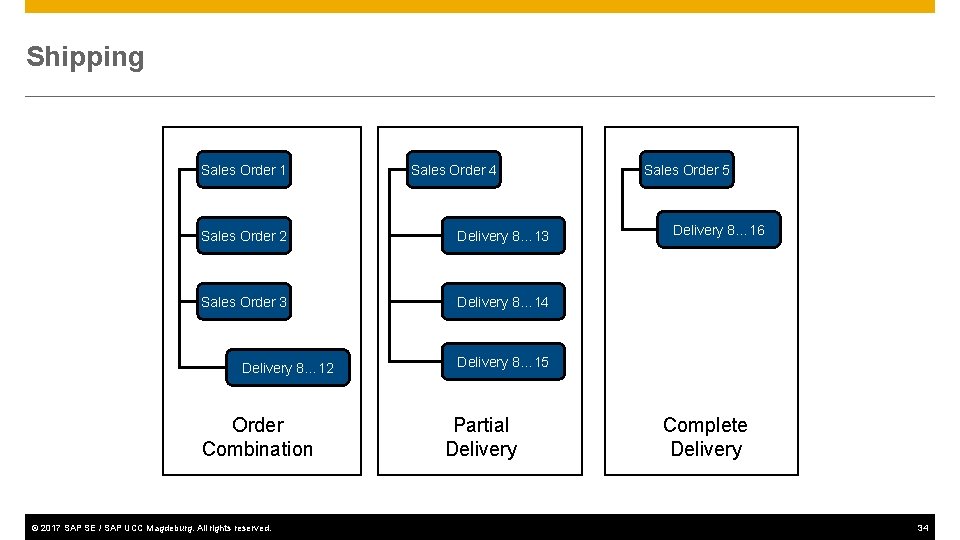
Shipping Sales Order 1 Sales Order 4 Sales Order 2 Delivery 8… 13 Sales Order 3 Delivery 8… 14 Delivery 8… 12 Order Combination © 2017 SAP SE / SAP UCC Magdeburg. All rights reserved. Sales Order 5 Delivery 8… 16 Delivery 8… 15 Partial Delivery Complete Delivery 34
Delivery Creation § Checks order and materials to determine if a delivery is possible — delivery block (hold), completeness § Confirms availability § Confirms export/foreign trade requirements § Determines total weight & volume © 2017 SAP SE / SAP UCC Magdeburg. All rights reserved. 35
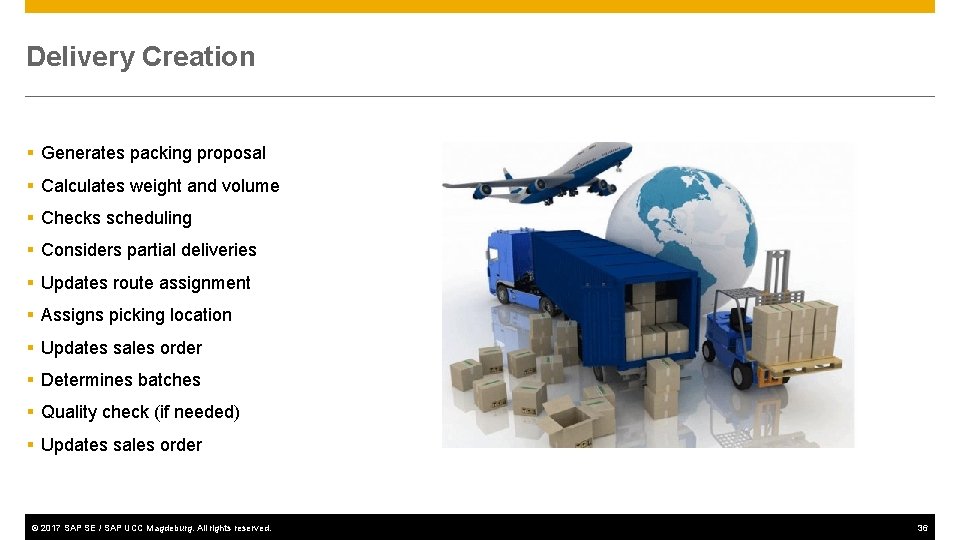
Delivery Creation § Generates packing proposal § Calculates weight and volume § Checks scheduling § Considers partial deliveries § Updates route assignment § Assigns picking location § Updates sales order § Determines batches § Quality check (if needed) § Updates sales order © 2017 SAP SE / SAP UCC Magdeburg. All rights reserved. 36
Delivery Document § The Delivery Document initiates the delivery process and is the control mechanism for this process • • Picking Packing Loading Posting Goods Issue § Changes to delivery are allowable - products, quantities © 2017 SAP SE / SAP UCC Magdeburg. All rights reserved. 37
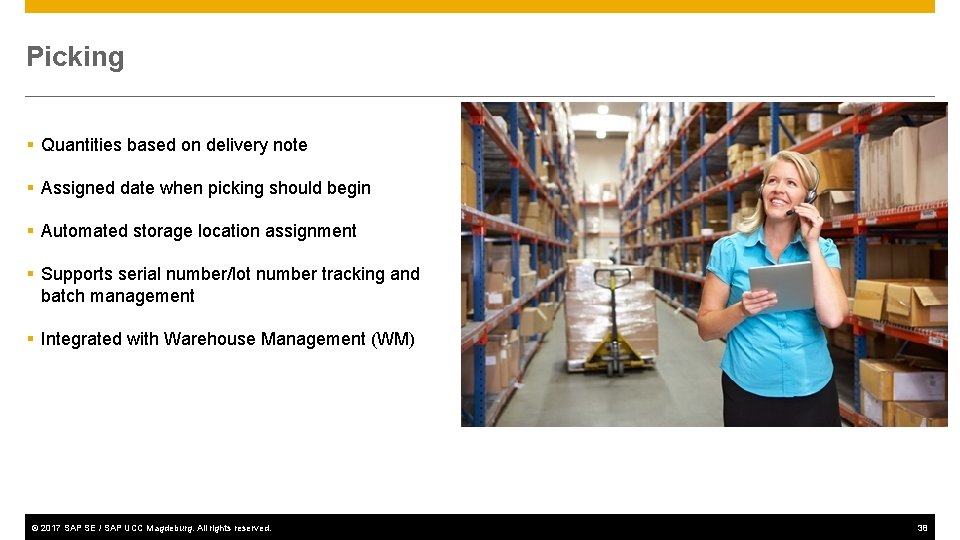
Picking § Quantities based on delivery note § Assigned date when picking should begin § Automated storage location assignment § Supports serial number/lot number tracking and batch management § Integrated with Warehouse Management (WM) © 2017 SAP SE / SAP UCC Magdeburg. All rights reserved. 38
Loading and Packing § Identifies which packaging is to be used for specified products (customer preference and UCC-128 considerations) § Identifies and updates accounts associated with returnable packaging § Tracks the packed product by container § Insures weight/volume restrictions are enforced § All packed items are assigned to the required means of transportation © 2017 SAP SE / SAP UCC Magdeburg. All rights reserved. 39
Goods issue § Event that could indicates the legal change in ownership of the products • it's recognition that the goods have left the premises of the seller. Legal change in ownership depends on the Incoterm and what's in the sales order terms and conditions. § Reduces inventory and enters Cost of Goods Sold § Automatically updates the General Ledger (G/L) accounts § Ends the shipping process and updates the status of the shipping documents © 2017 SAP SE / SAP UCC Magdeburg. All rights reserved. 40
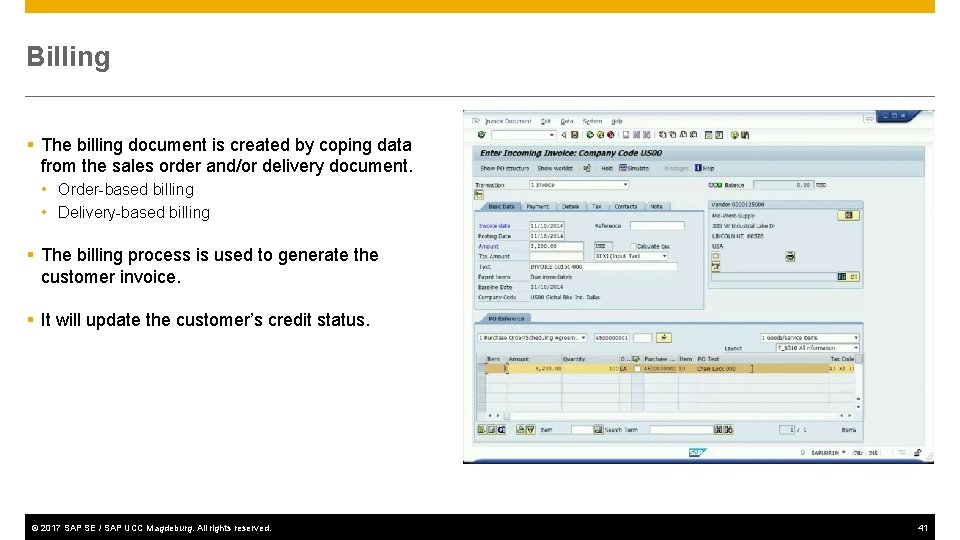
Billing § The billing document is created by coping data from the sales order and/or delivery document. • Order-based billing • Delivery-based billing § The billing process is used to generate the customer invoice. § It will update the customer’s credit status. © 2017 SAP SE / SAP UCC Magdeburg. All rights reserved. 41
Billing Documents § The billing document will automatically create a debit posting to your customer sub-ledger account and credit your revenue account. § It is at this point that the sales process is passed over to Financial Accounting to await payment. © 2017 SAP SE / SAP UCC Magdeburg. All rights reserved. 42
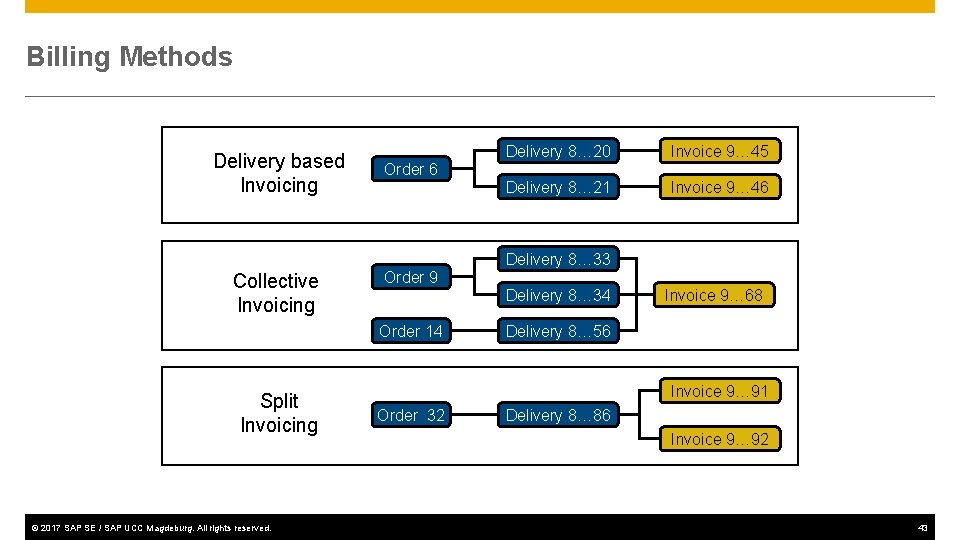
Billing Methods Delivery based Invoicing Delivery 8… 20 Invoice 9… 45 Delivery 8… 21 Invoice 9… 46 Order 6 Delivery 8… 33 Collective Invoicing Order 9 Delivery 8… 34 Order 14 Split Invoicing © 2017 SAP SE / SAP UCC Magdeburg. All rights reserved. Invoice 9… 68 Delivery 8… 56 Invoice 9… 91 Order 32 Delivery 8… 86 Invoice 9… 92 43
Payment § Payment is the final step in the sales order process, this step is managed by the Financial Accounting department. § Final payment includes: • Posting payments against invoices. • Reconciling differences between payment and invoice. § Payment will create a posting clearing the liability in the A/R account and increases your bank account. © 2017 SAP SE / SAP UCC Magdeburg. All rights reserved. 44
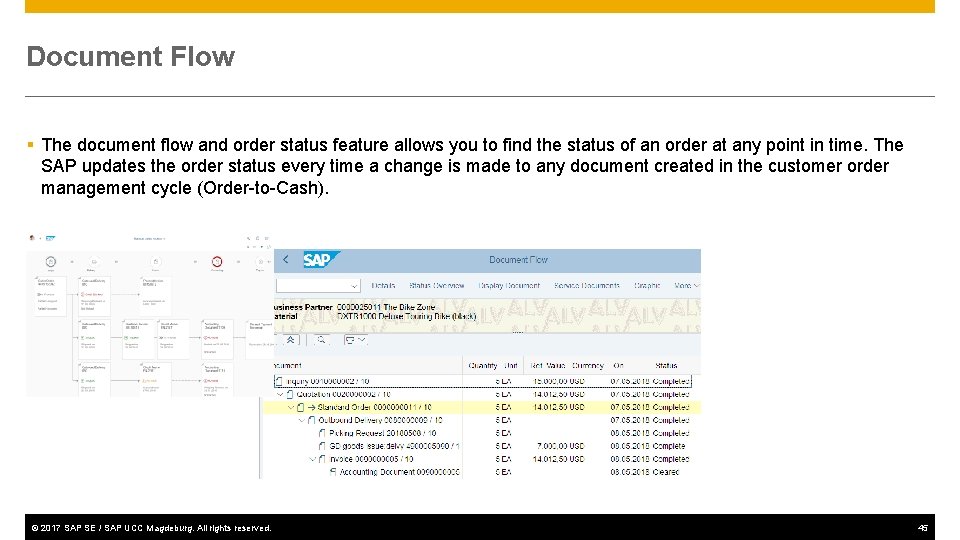
Document Flow § The document flow and order status feature allows you to find the status of an order at any point in time. The SAP updates the order status every time a change is made to any document created in the customer order management cycle (Order-to-Cash). © 2017 SAP SE / SAP UCC Magdeburg. All rights reserved. 45
Sales Order Process Debugging §“Never again did I learn so much in such a short time, because twenty participants made mistakes for me! You cannot make so many mistakes all alone” SAP Co-founder Klaus Tschira on his experiences teaching COBOL to clients at IBM © 2017 SAP SE / SAP UCC Magdeburg. All rights reserved. 46
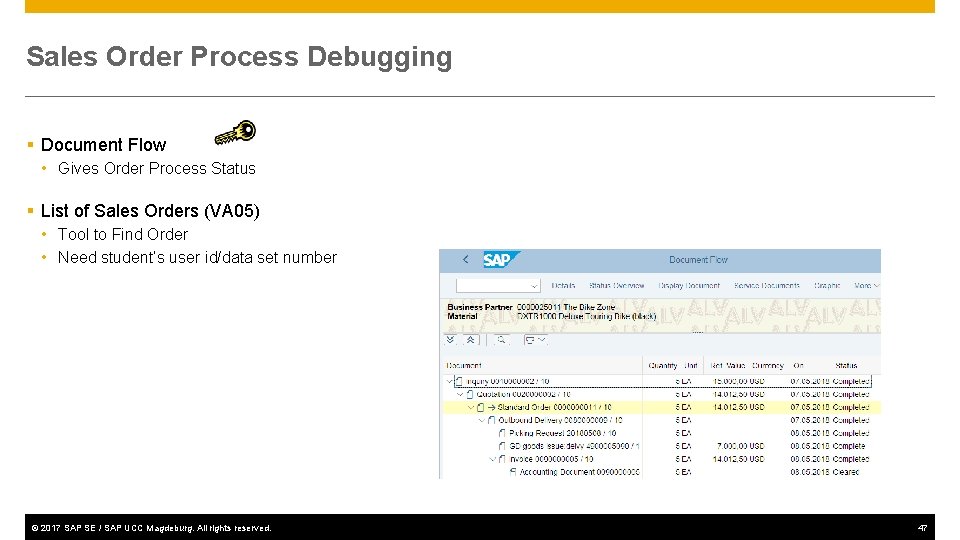
Sales Order Process Debugging § Document Flow • Gives Order Process Status § List of Sales Orders (VA 05) • Tool to Find Order • Need student’s user id/data set number © 2017 SAP SE / SAP UCC Magdeburg. All rights reserved. 47
- Slides: 47