
SAFEGUARDING YOUR DIGITAL LIFE AND YOUR COMPUTERS WELLBEING
SAFEGUARDING YOUR DIGITAL LIFE AND YOUR COMPUTER’S WELLBEING Presented by Mark Levine M&H Global tech solutions January 2019
INTRODUCTION TO M & H GLOBAL TECH SOLUTIONS Mark Levine, Principal • 20+ years technology experience • Serving both business and residential clients • Set up computers, networks, & business systems • Partner with industry leaders such as Dell, Comcast, etc.
CYBER SECURITY TIPS PROTECT YOUR COMPUTER AND ITS CONTENTS!

SIMPLE TIPS TO PROTECT YOUR COMPUTER AND ITS CONTENTS • Make sure all antivirus, anti-malware and anti-spyware programs are installed and current/updated • Ensure that passwords are not too easy or predictable (like “password” or • Sign out of any online email accounts at the end of every session • Do NOT SHARE passwords with unauthorized users • Make sure your network name is not the manufacturer’s or your family’s last name. It is fine to use a variation of your company’s name • Create a network password specific for your system “ 12345”)
ADDITIONAL PROTECTIONS PASSWORD PROGRAMS ARE AVAILABLE TO ENSURE YOUR SAFETY: Here are two of the best: • LAST PASS • ROBOFORM
BASIC COMPUTER UPKEEP TIPS. . . To keep your computer running optimally, think about it as you would a human being… All computers need to have periodic checkups!
Basic Computer Upkeep Tips (continued): • Excluding servers, computers should NOT be left on 24/7 • Computers should be restarted at least once each week • Dust should be regularly removed and computers should be maintained at least once a year • If its environmental location is subject to exposure to animals or smokers, the computer needs to be cleaned and maintained more frequently
Check and do these regularly: • Check the integrity of the hard drive by running routine maintenance ie. , surface scan or check disk. • Determine how much space has been used and how it has been allocated • Perform regular Windows updates (for PCs) • Check frequently for anti-virus updates and install them
• To check and do regularly, continued: • • • Make sure all manufacturers’ drivers are current and updated All anti-malware (like Malware Bytes) and anti-spyware (like Super. Anti. Spyware) programs are current Check regularly for current miscellaneous program updates like • Printer software • i. Tunes • i. Cloud IMPORTANT TO NOTE: • Some anti-virus (like Mc. Afee) and other programs take up a lot of memory and could cause problems • Windows 7 will end mainstream support in 2020; however, there is a way (with a pay option) to extend security support
OTHER USEFUL INFORMATION TO KEEP YOUR INFO SAFE Neither Apple nor Microsoft will call you without YOU SCHEDULING a callback time; if someone calls and identifies themself as either, it is a fraudulent scam! • Check your emails frequently (click on the sender for an address) for questionable emails. If an email looks suspicious, delete it • Go to the website of the supposed sender directly and report it. • Do NOT respond to the email! • Example follows: •
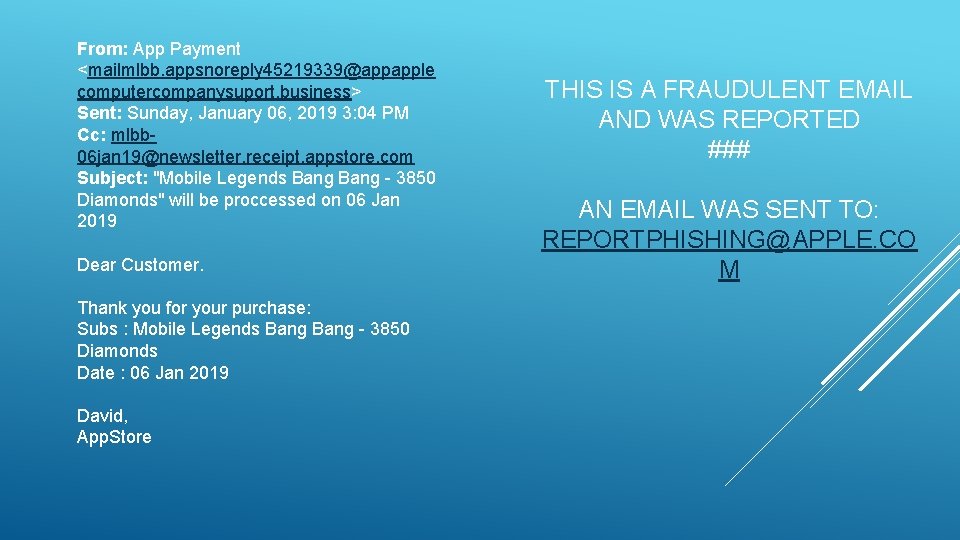
From: App Payment <mailmlbb. appsnoreply 45219339@appapple computercompanysuport. business> Sent: Sunday, January 06, 2019 3: 04 PM Cc: mlbb 06 jan 19@newsletter. receipt. appstore. com Subject: "Mobile Legends Bang - 3850 Diamonds" will be proccessed on 06 Jan 2019 Dear Customer. Thank you for your purchase: Subs : Mobile Legends Bang - 3850 Diamonds Date : 06 Jan 2019 David, App. Store THIS IS A FRAUDULENT EMAIL AND WAS REPORTED ### AN EMAIL WAS SENT TO: REPORTPHISHING@APPLE. CO M
- Slides: 11