
S Introduction to new features in Soft Reports












- Slides: 47
S Introduction to new features in Soft. Reports 1. 1. 12 Presented by Shireen Lakhan - Soft. Reports Instructor Kelly Ordiway - Soft. Reports R&D
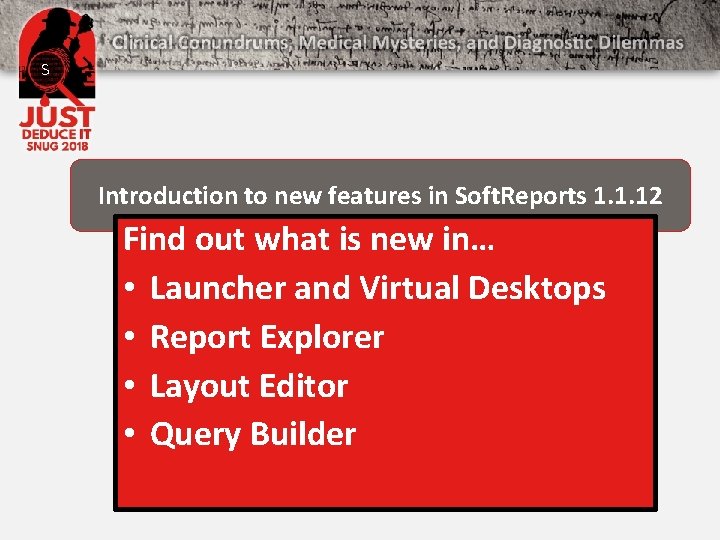
S Introduction to new features in Soft. Reports 1. 1. 12 Find out what is new in… • Launcher and Virtual Desktops • Report Explorer • Layout Editor • Query Builder
S Launcher & Virtual Desktops
S Soft. Reports Launcher
Microsoft Edge web browser Virtual Desktops, Launcher and Help can be opened using Microsoft Edge
S Microsoft Edge web browser Virtual Desktops, Launcher and Help can be opened using Microsoft Edge
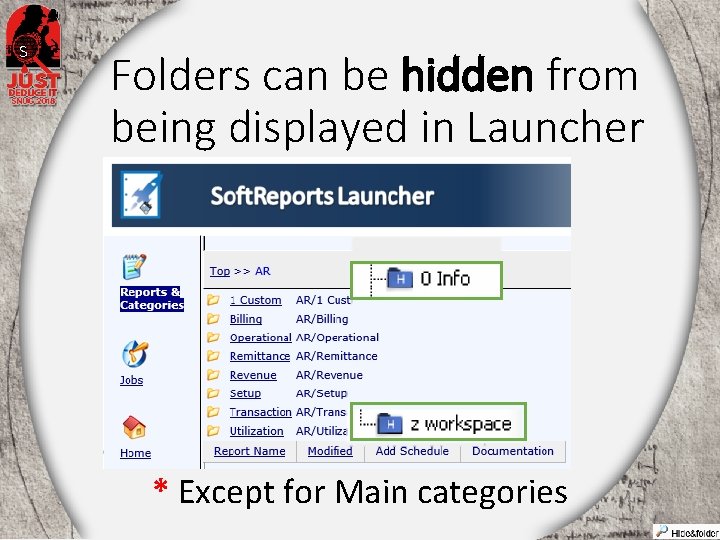
S Folders can be hidden from being displayed in Launcher * Except for Main categories
Virtual Desktops
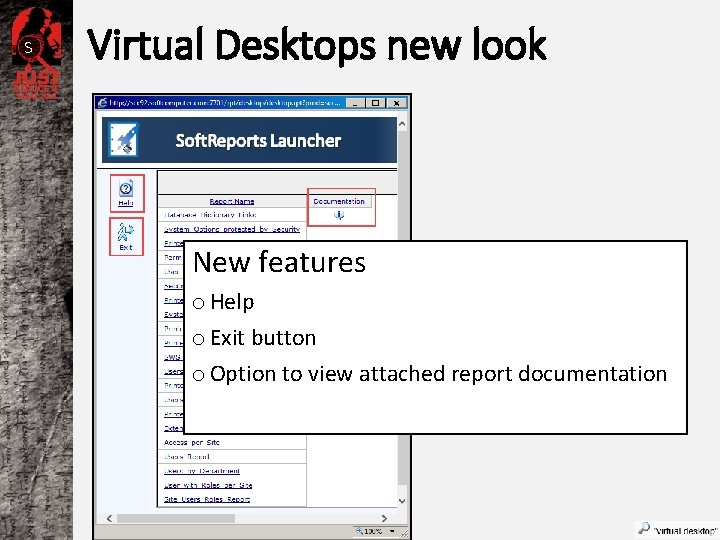
S Virtual Desktops new look New features o Help o Exit button o Option to view attached report documentation
REPORT EXPLORER S
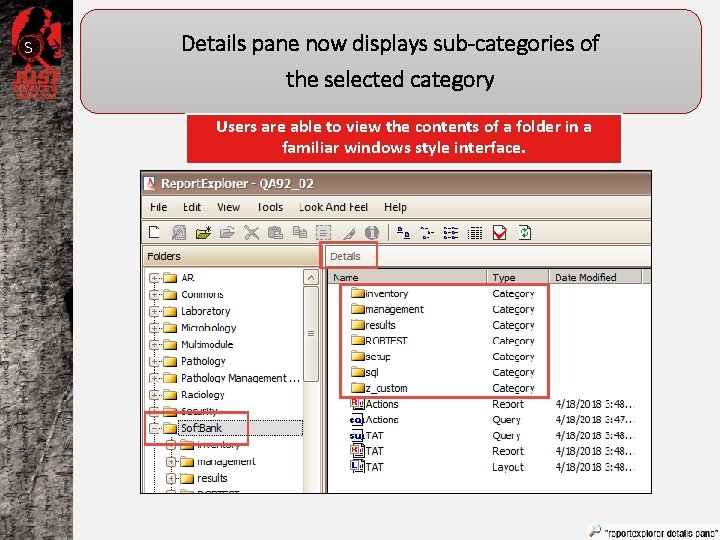
S Details pane now displays sub-categories of the selected category Users are able to view the contents of a folder in a familiar windows style interface.
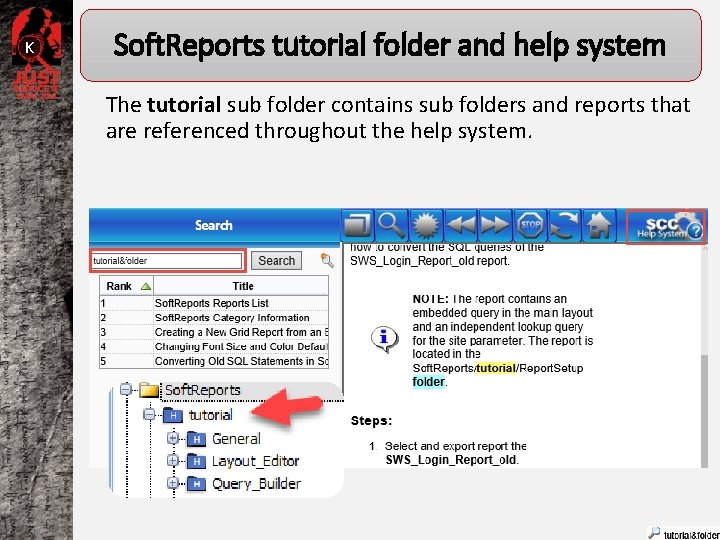
K Soft. Reports tutorial folder and help system The tutorial sub folder contains sub folders and reports that are referenced throughout the help system.
New Report Explorer Options Hide Category in Launcher Un-Hide Category in Launcher * By hiding a category all sub categories and reports are hidden
K LAYOUT EDITOR
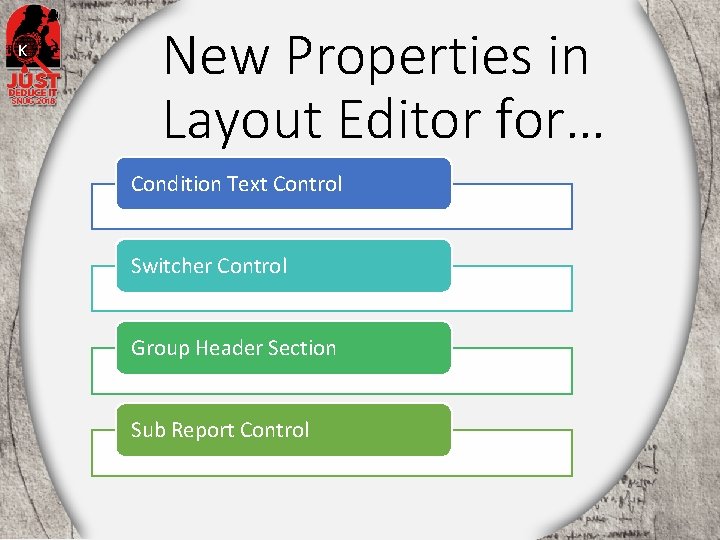
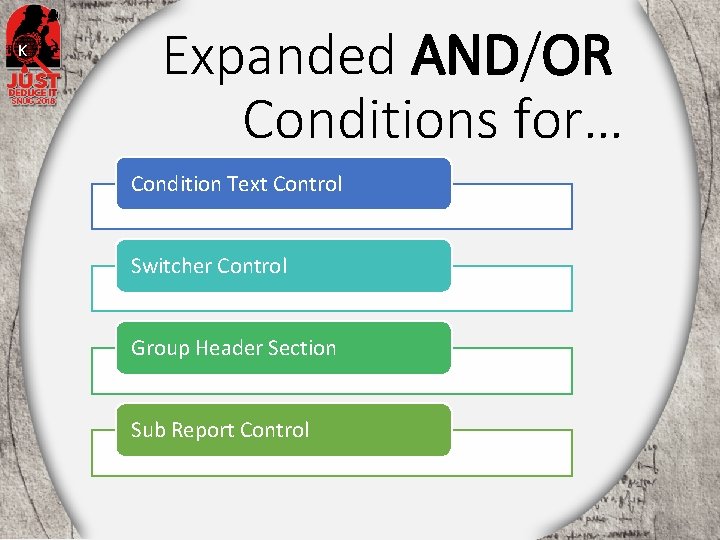
K New Properties in Layout Editor for… Condition Text Control Switcher Control Group Header Section Sub Report Control
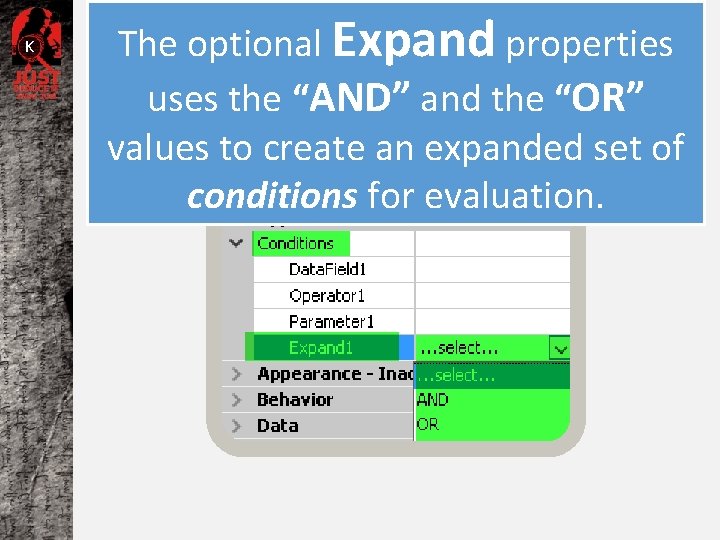
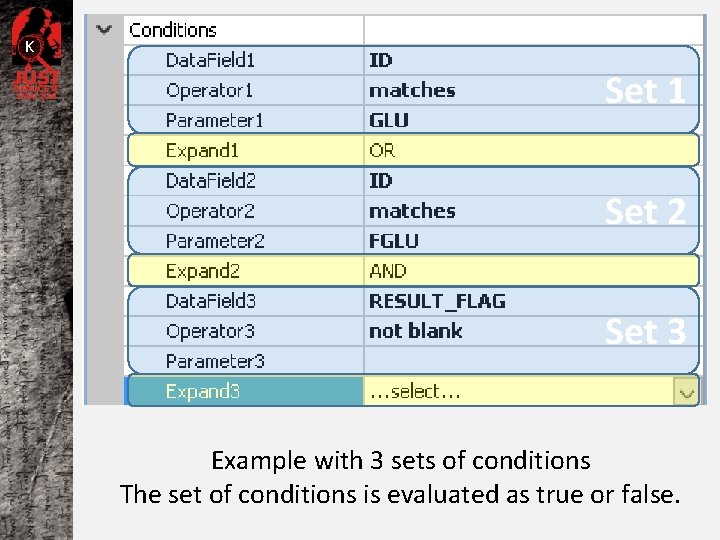
K The optional Expand properties uses the “AND” and the “OR” values to create an expanded set of conditions for evaluation.
K Set 1 Set 2 Set 3 Example with 3 sets of conditions The set of conditions is evaluated as true or false.
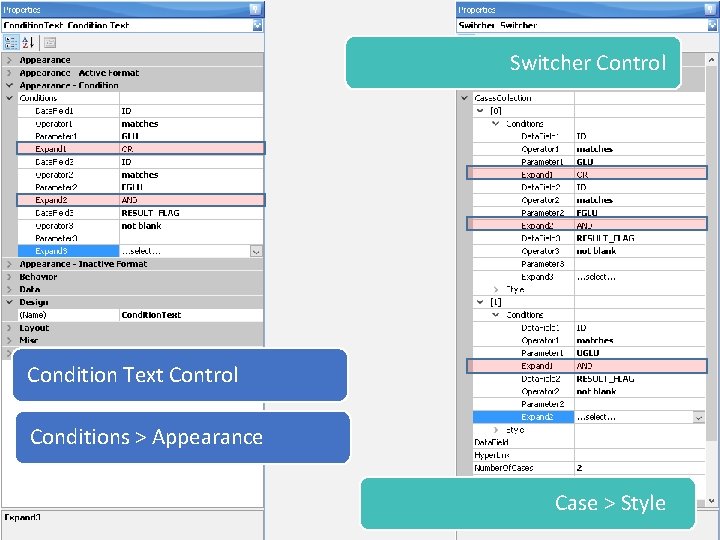
K Expanded AND/OR Conditions for… Condition Text Control Switcher Control Group Header Section Sub Report Control
K Switcher Control Condition Text Control Conditions > Appearance Case > Style
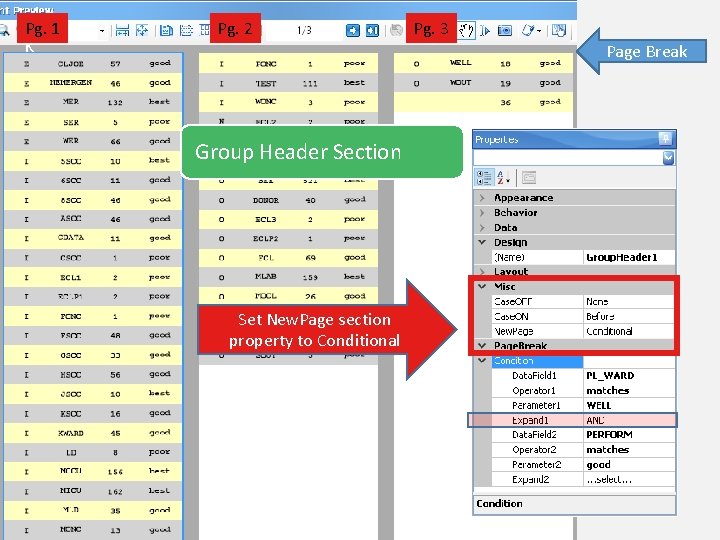
Pg. 1 K Pg. 2 Pg. 3 Page Break Group Header Section Set New. Page section property to Conditional
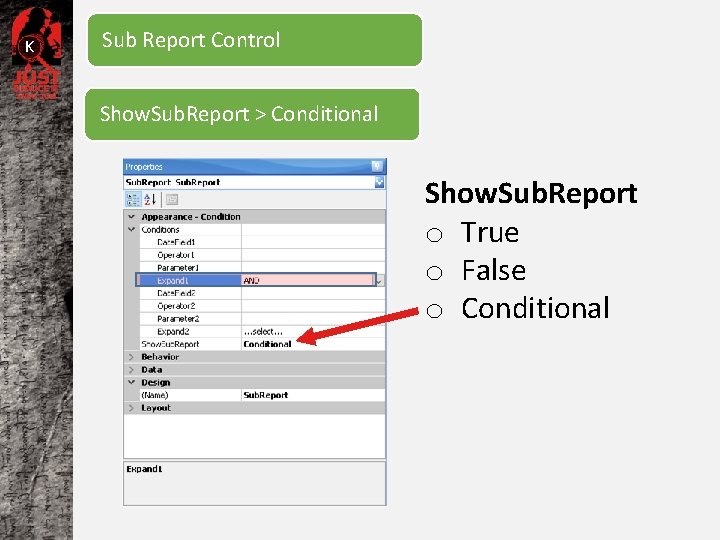
K Sub Report Control Show. Sub. Report > Conditional Show. Sub. Report o True o False o Conditional
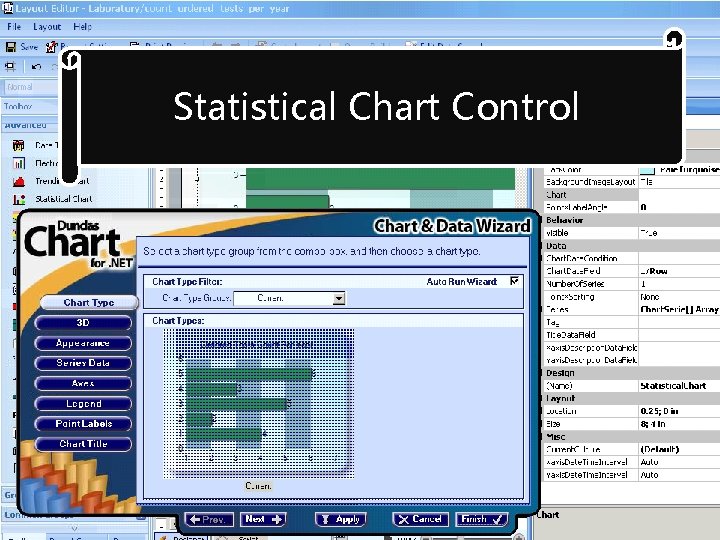
Statistical Chart Control
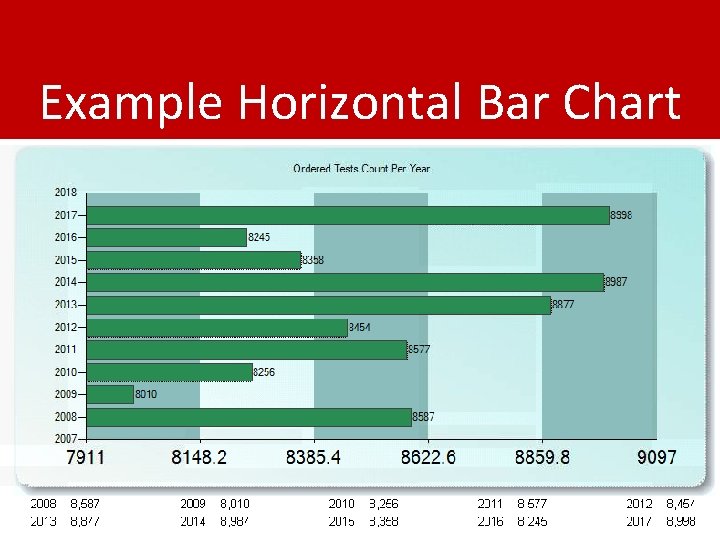
Example Horizontal Bar Chart
Other Types include: Column, Bar, Area, Line, …
Query Builder
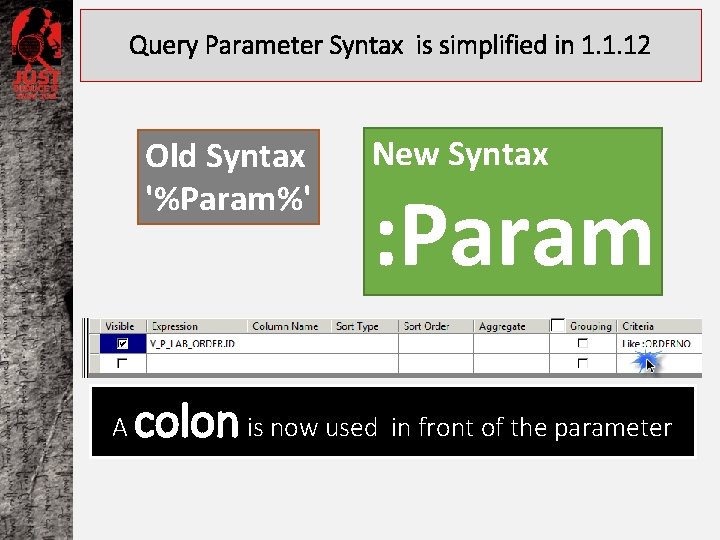
Query Parameter Syntax is simplified in 1. 1. 12 Old Syntax '%Param%' A New Syntax : Param colon is now used in front of the parameter
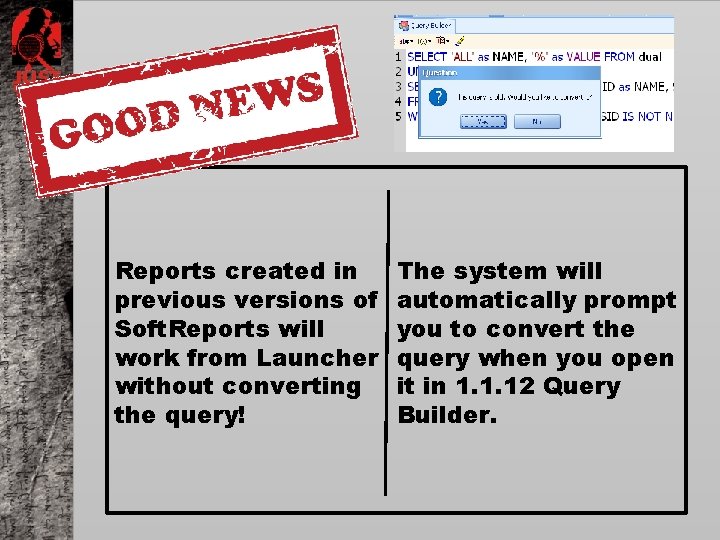
Reports created in previous versions of Soft. Reports will work from Launcher without converting the query! The system will automatically prompt you to convert the query when you open it in 1. 1. 12 Query Builder.
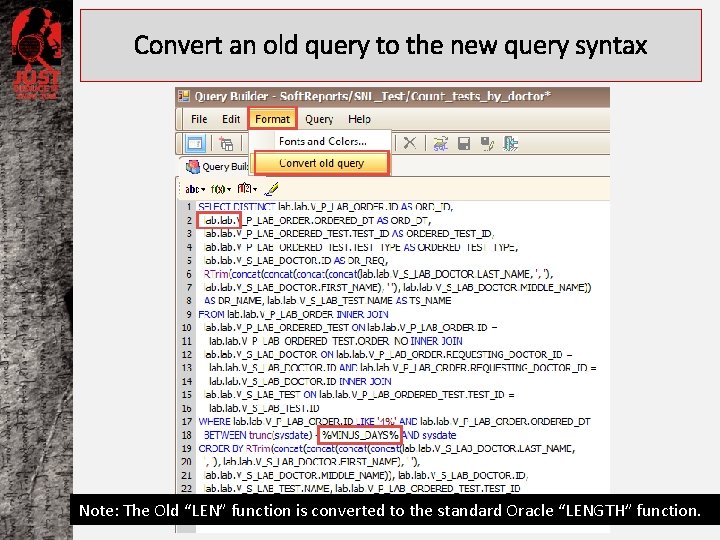
Convert an old query to the new query syntax Note: The Old “LEN” function is converted to the standard Oracle “LENGTH” function.
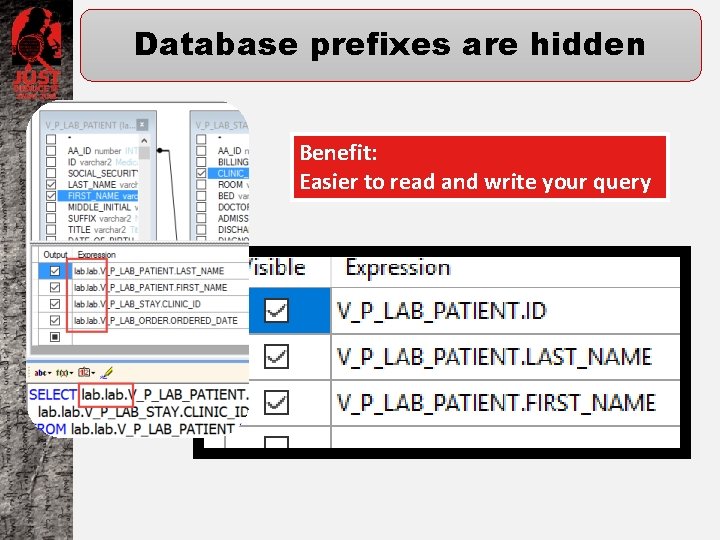
Database prefixes are hidden Benefit: Easier to read and write your query
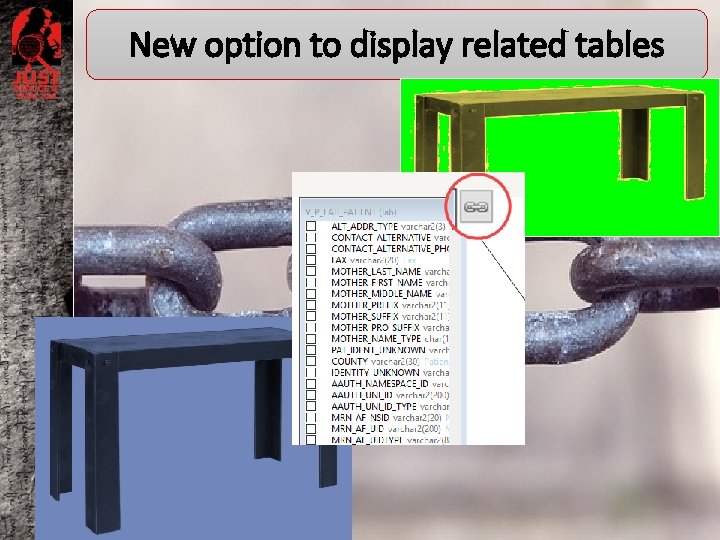
New option to display related tables
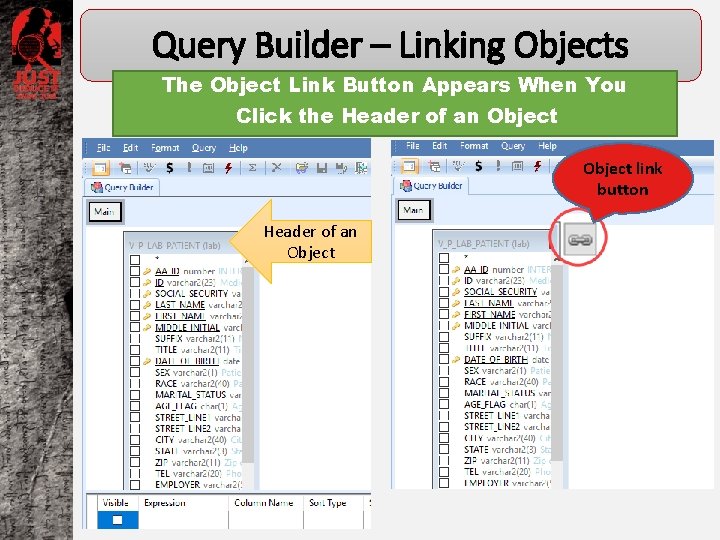
Query Builder – Linking Objects The Object Link Button Appears When You Click the Header of an Object link button Header of an Object
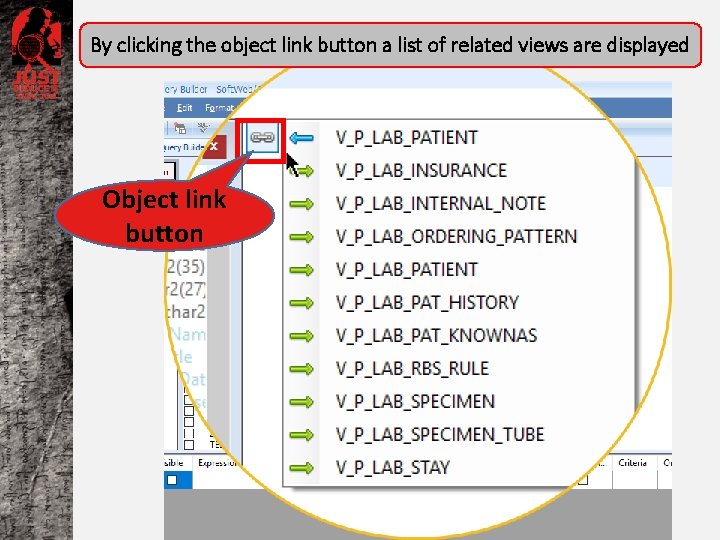
By clicking the object link button a list of related views are displayed Object link button
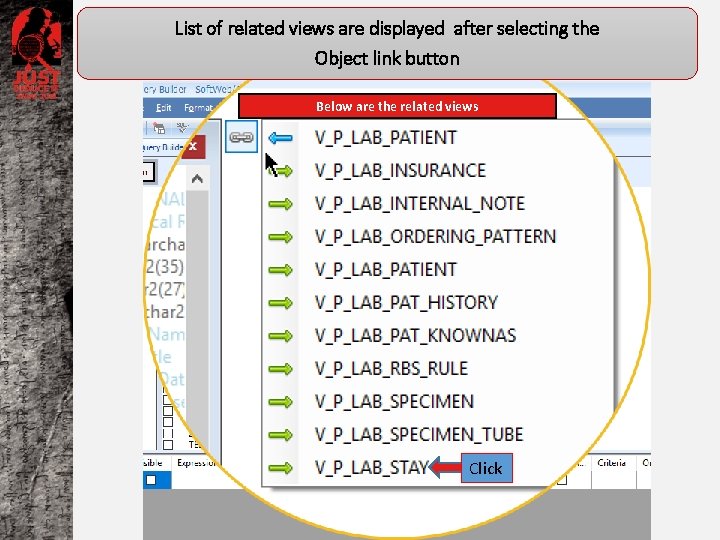
List of related views are displayed after selecting the Object link button Below are the related views Click
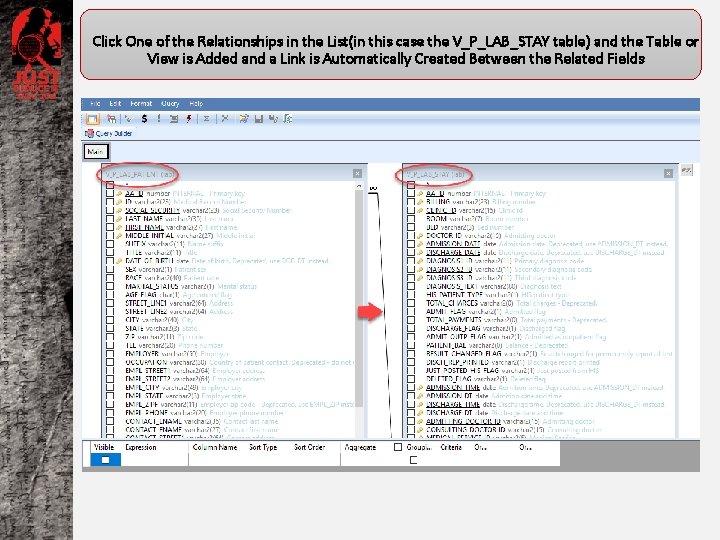
Click One of the Relationships in the List(in this case the V_P_LAB_STAY table) and the Table or View is Added and a Link is Automatically Created Between the Related Fields
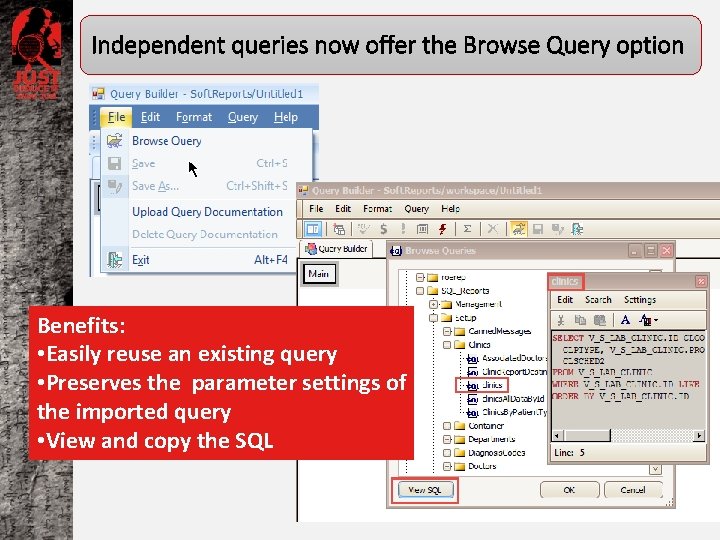
Independent queries now offer the Browse Query option Benefits: • Easily reuse an existing query • Preserves the parameter settings of the imported query • View and copy the SQL
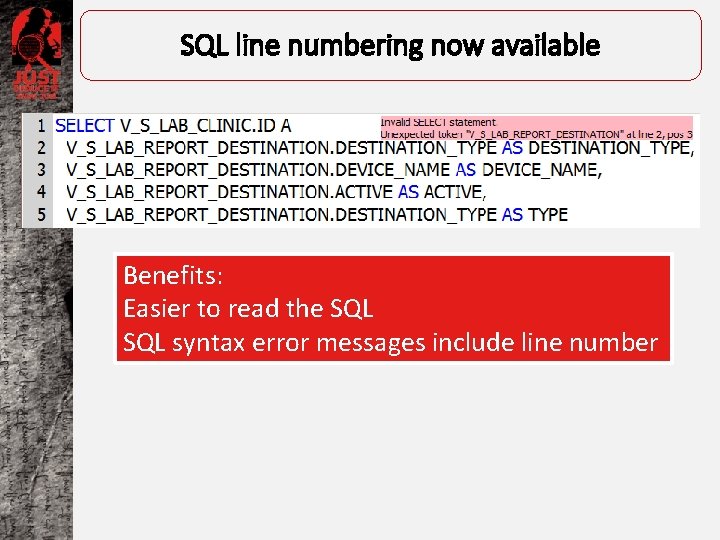
SQL line numbering now available Benefits: Easier to read the SQL syntax error messages include line number
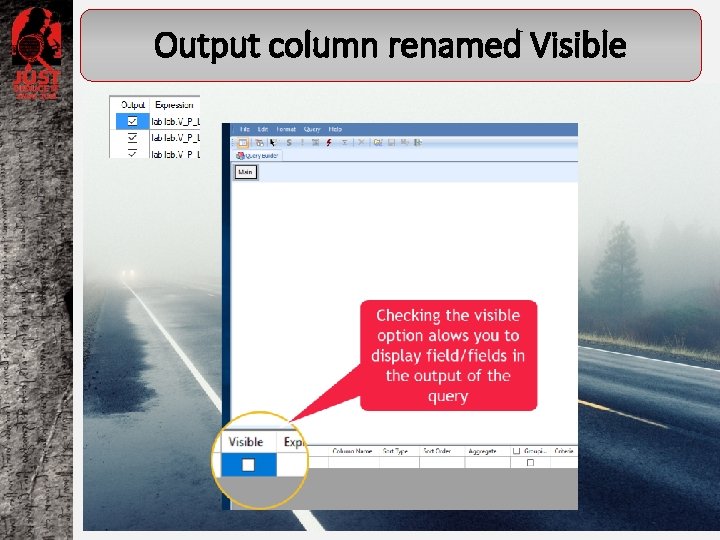
Output column renamed Visible
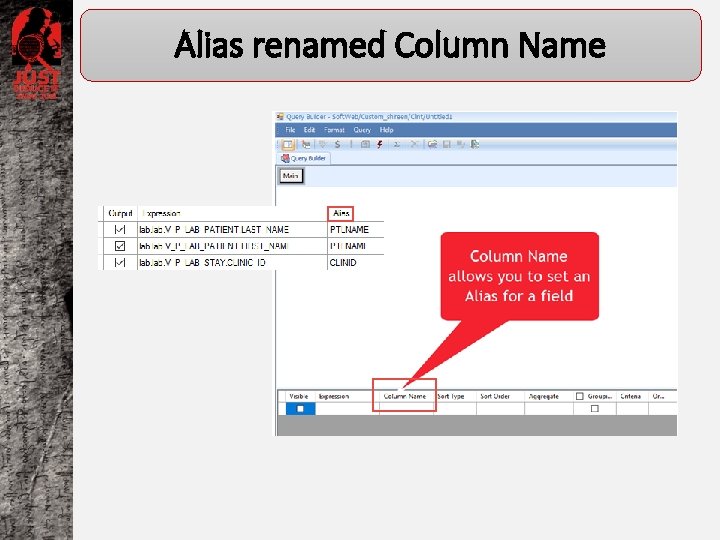
Alias renamed Column Name
Enhanced Query Builder Design Pane CTE Main CTE CTE
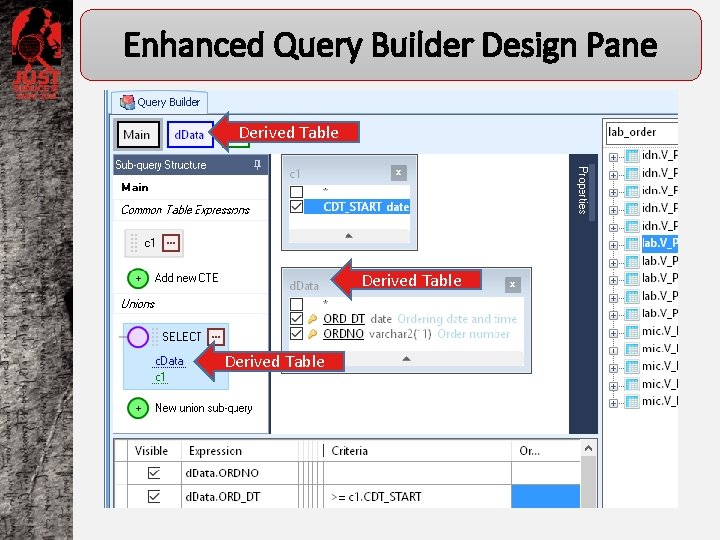
Enhanced Query Builder Design Pane Derived Table
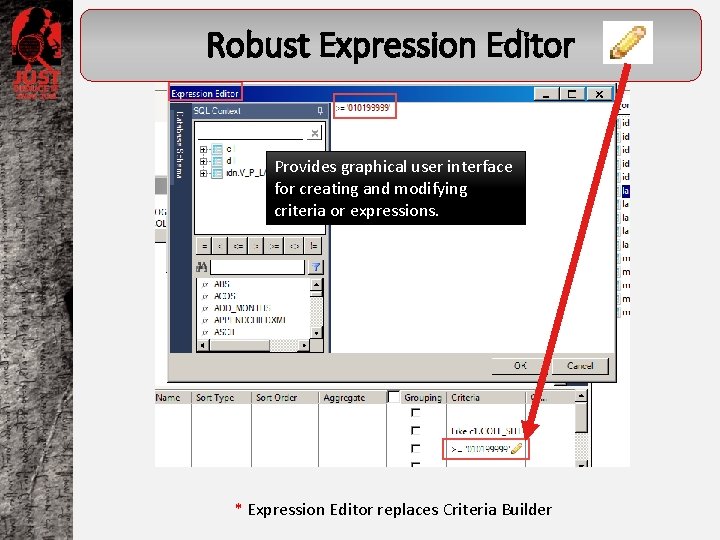
Robust Expression Editor Provides graphical user interface for creating and modifying criteria or expressions. * Expression Editor replaces Criteria Builder
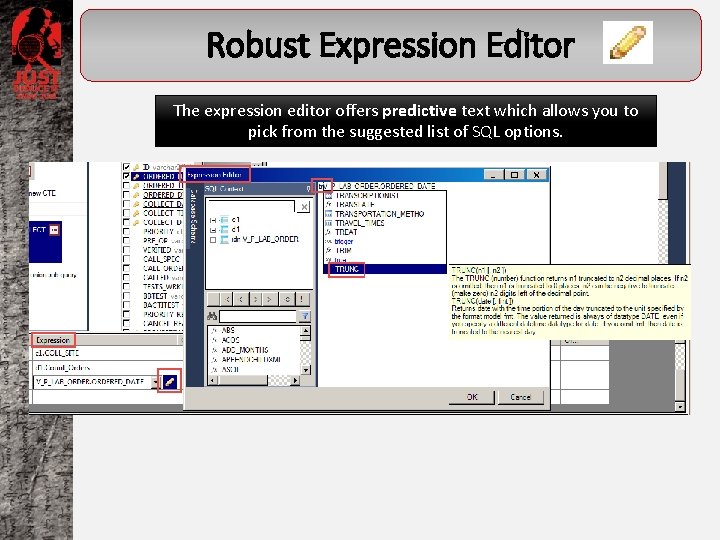
Robust Expression Editor The expression editor offers predictive text which allows you to pick from the suggested list of SQL options.
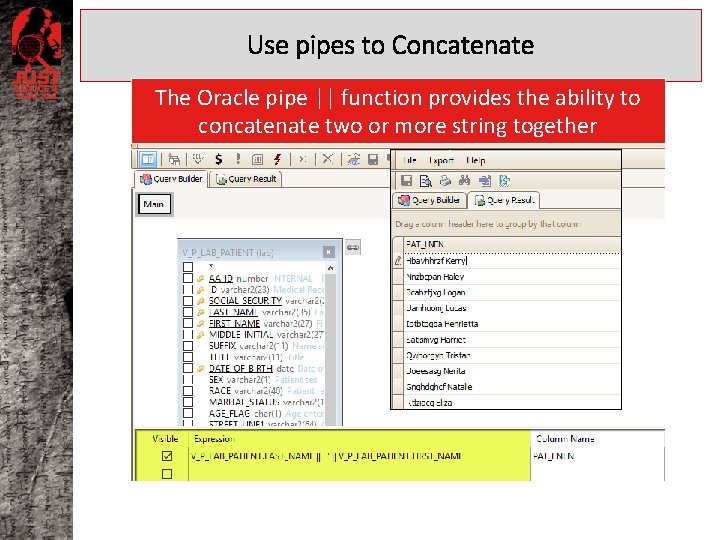
Use pipes to Concatenate The Oracle pipe || function provides the ability to concatenate two or more string together
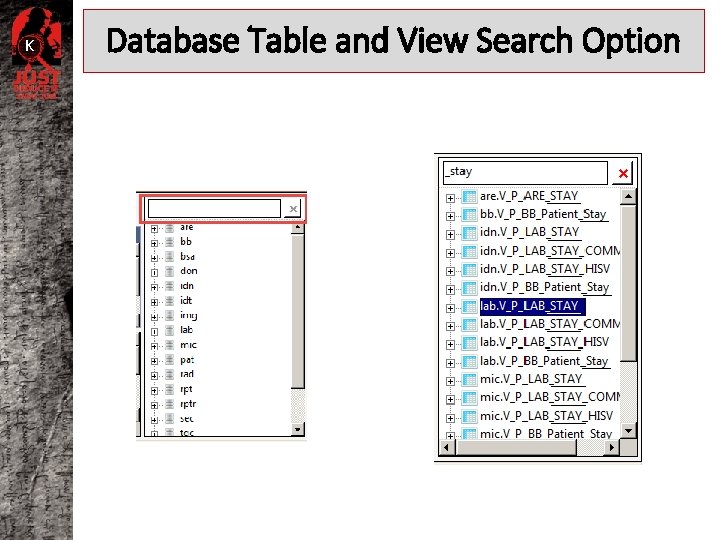
K Database Table and View Search Option
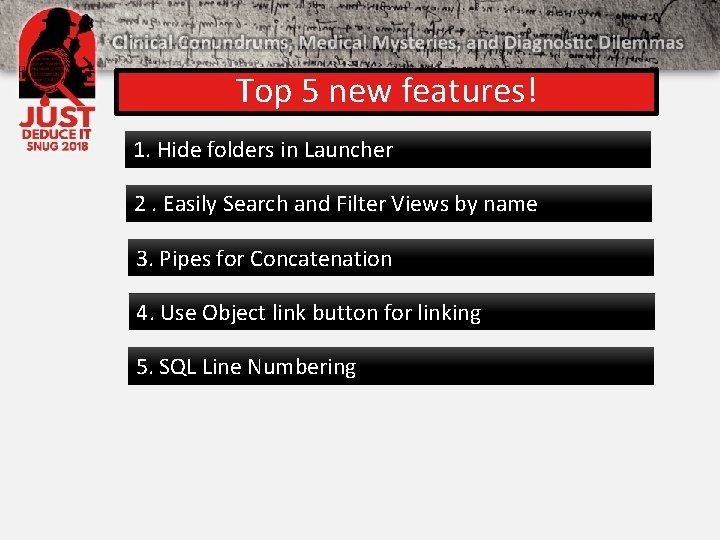
Top 5 new features! 1. Hide folders in Launcher 2. Easily Search and Filter Views by name 3. Pipes for Concatenation 4. Use Object link button for linking 5. SQL Line Numbering
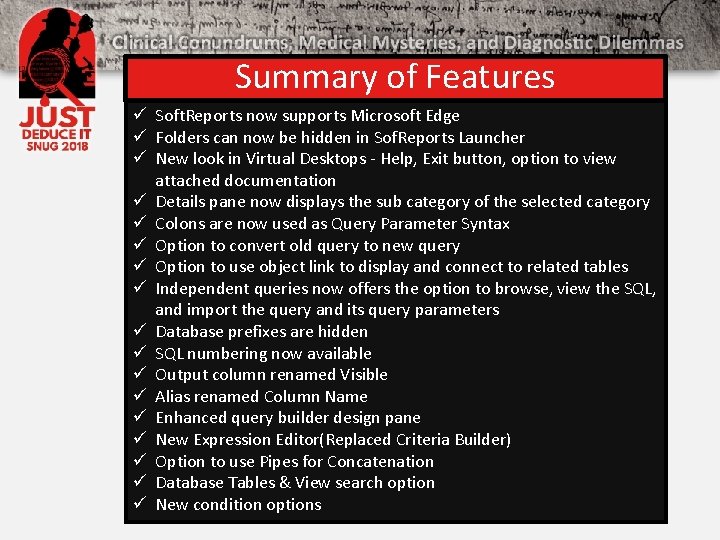
Summary of Features ü Soft. Reports now supports Microsoft Edge ü Folders can now be hidden in Sof. Reports Launcher ü New look in Virtual Desktops - Help, Exit button, option to view attached documentation ü Details pane now displays the sub category of the selected category ü Colons are now used as Query Parameter Syntax ü Option to convert old query to new query ü Option to use object link to display and connect to related tables ü Independent queries now offers the option to browse, view the SQL, and import the query and its query parameters ü Database prefixes are hidden ü SQL numbering now available ü Output column renamed Visible ü Alias renamed Column Name ü Enhanced query builder design pane ü New Expression Editor(Replaced Criteria Builder) ü Option to use Pipes for Concatenation ü Database Tables & View search option ü New condition options
Thank you for attending! Soft. Reports 1. 1. 12