
s Flow Benefits Complete Network Visibility and Control
s. Flow & Benefits Complete Network Visibility and Control You cannot control what you cannot see Copyright © s. Flow. org. 2004 All Rights Reserved
Today’s Hard Network Management Questions • Who is using the network? – What are they using it for? • Are my security policies effective? – How do I detect threats that have evaded the firewall? • Why is my application or server slow? – Is it the network? • How many servers do I need? – Where do I place them? – Can a single server be used for several applications? • What impact will new applications have on the network? – Is it possible to run Vo. IP? Basic questions cannot be answered without network visibility Copyright © s. Flow. org 2004 All Rights Reserved
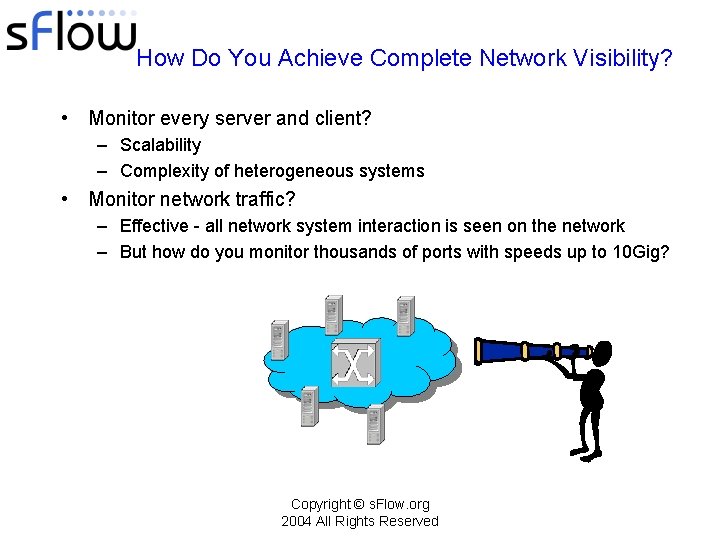
How Do You Achieve Complete Network Visibility? • Monitor every server and client? – Scalability – Complexity of heterogeneous systems • Monitor network traffic? – Effective - all network system interaction is seen on the network – But how do you monitor thousands of ports with speeds up to 10 Gig? Copyright © s. Flow. org 2004 All Rights Reserved
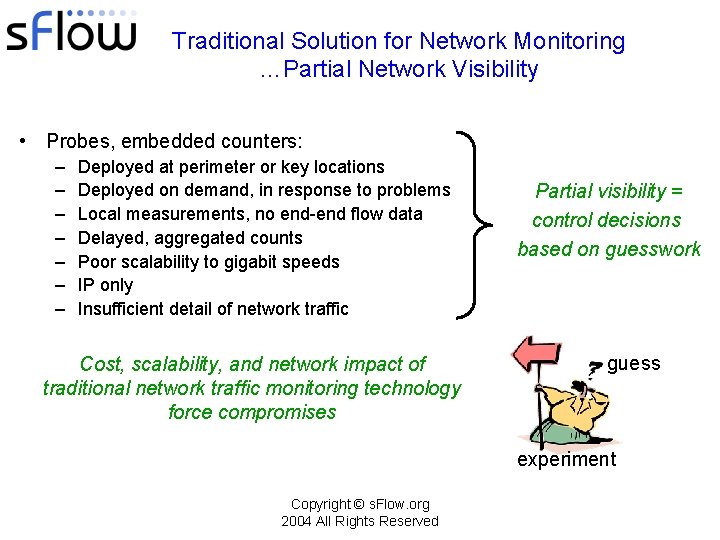
Traditional Solution for Network Monitoring …Partial Network Visibility • Probes, embedded counters: – – – – Deployed at perimeter or key locations Deployed on demand, in response to problems Local measurements, no end-end flow data Delayed, aggregated counts Poor scalability to gigabit speeds IP only Insufficient detail of network traffic Cost, scalability, and network impact of traditional network traffic monitoring technology force compromises Partial visibility = control decisions based on guesswork guess experiment Copyright © s. Flow. org 2004 All Rights Reserved
s. Flow: The Industry Standard for Monitoring High-speed, Multi-layer Switched Networks Cost effective: • Embedded in every port Scalable: • Monitors traffic flow for all network ports • Effective at gigabit speeds • Does not impact network performance Always-on: • Continuous monitoring • Robust under all network conditions Complete visibility: • All devices = L 2 – L 7 flows end-end • Real-time and historical, detailed data Copyright © s. Flow. org 2004 All Rights Reserved
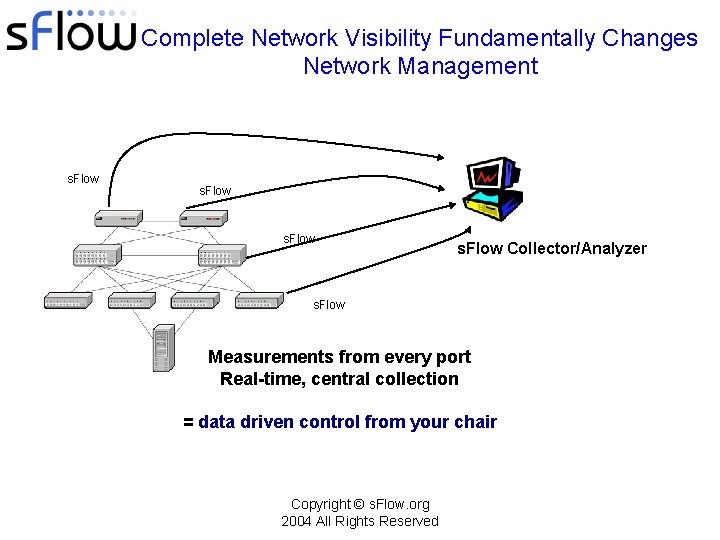
Complete Network Visibility Fundamentally Changes Network Management s. Flow Collector/Analyzer s. Flow Measurements from every port Real-time, central collection = data driven control from your chair Copyright © s. Flow. org 2004 All Rights Reserved
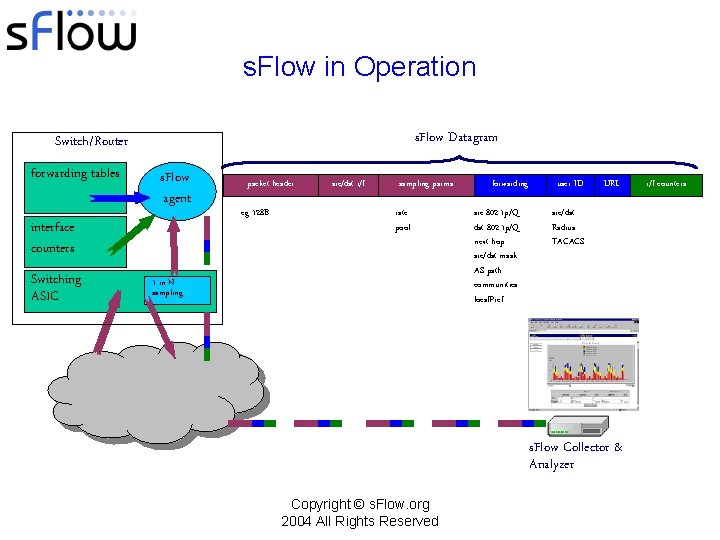
s. Flow in Operation s. Flow Datagram Switch/Router forwarding tables s. Flow agent interface counters Switching ASIC packet header eg 128 B src/dst i/f sampling parms rate pool 1 in N sampling forwarding src 802. 1 p/Q dst 802. 1 p/Q next hop src/dst mask AS path communities local. Pref user ID URL src/dst Radius TACACS s. Flow Collector & Analyzer Copyright © s. Flow. org 2004 All Rights Reserved i/f counters
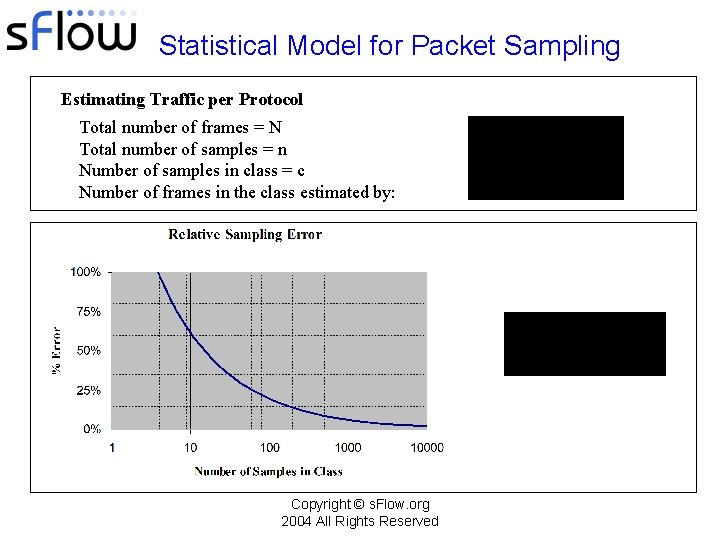
Statistical Model for Packet Sampling Estimating Traffic per Protocol Total number of frames = N Total number of samples = n Number of samples in class = c Number of frames in the class estimated by: Copyright © s. Flow. org 2004 All Rights Reserved
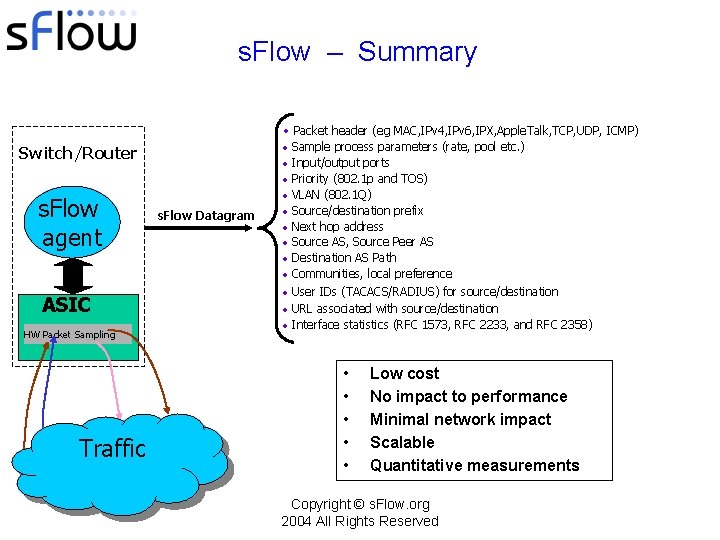
s. Flow – Summary • Packet header (eg MAC, IPv 4, IPv 6, IPX, Apple. Talk, TCP, UDP, ICMP) Switch/Router s. Flow agent ASIC HW Packet Sampling Traffic s. Flow Datagram • • • Sample process parameters (rate, pool etc. ) Input/output ports Priority (802. 1 p and TOS) VLAN (802. 1 Q) Source/destination prefix Next hop address Source AS, Source Peer AS Destination AS Path Communities, local preference • User IDs (TACACS/RADIUS) for source/destination • URL associated with source/destination • Interface statistics (RFC 1573, RFC 2233, and RFC 2358) • • • Low cost No impact to performance Minimal network impact Scalable Quantitative measurements Copyright © s. Flow. org 2004 All Rights Reserved
s. Flow Benefits Reduce Costs • Control network service costs – Internet access • Ensure internet traffic remains within SLA guidelines and CIR – Allocate costs to departments • Detailed usage information for individual users, applications, and organizational entities • Each department can assess their usage and control costs. – Optimize peering relationships • Identify the ISPs that carry the most transit traffic and are therefore the optimal peers • Plan for cost effective upgrades – Accurately forecast resource requirements by identifying the bottlenecks – Apply traffic shaping and rate control to maintain network performance Copyright © s. Flow. org 2004 All Rights Reserved
s. Flow Benefits Minimize Network Downtime • Rapidly pin-point congestion problems – Why is the network slow? • Troubleshoot network problems quickly – System and network problems often first manifest themselves in abnormal traffic patterns • You can’t fix what you can’t see – Detailed data enables rapid problem resolution, minimizing costly network downtime Copyright © s. Flow. org 2004 All Rights Reserved
s. Flow Benefits Protect your Assets with Security and Surveillance • Design and implement targeted security policies – Determine traffic compartmentalization strategies – Define firewall configuration – Audit results • Identify access policy violations and intrusions – Establish a baseline for normal network activity – Raise alerts to deviations from the baseline – Identify source and target of the intrusion • Distributed Denial of Service Detection and diagnosis – Robust traffic profiling to highlight attacks (eg traffic targeted at a single host, port scanning etc. ) • Identify worm-infected hosts and the spread of infections – Infected hosts identified by signature recognition – Identify significant changes in fan-out from every host Copyright © s. Flow. org 2004 All Rights Reserved
s. Flow Benefits Fund Upgrades or Increase Revenue • Account and bill for network usage – Detailed data on network usage • • User Groups of users Application Source/destination of traffic – Different tariffs for internal vs. external traffic, etc. • Charge for value added services – Vo. IP • Develop new service revenue streams – Understand customer service usage Copyright © s. Flow. org 2004 All Rights Reserved
- Slides: 13