
RULES EDUCATION December 2017 NCAA Initial Eligibility Center
RULES EDUCATION December 2017 NCAA Initial Eligibility Center Review
PSA NCAA Initial Eligibility Needs To Do • NCAA Certification – Make an NCAA Eligibility Account – Amateurism – Academic Certification • High School Transcripts • Test Scores (SAT/ACT) • New Requirements – Effective Aug. 2018 (2018 -19 Signees)
NCAA Eligibility Account • Make an NCAA Eligibility Account with the NCAA Eligibility Center at: https: //web 3. ncaa. org/ecwr 3/register/CERTIFICATIO N – Fill out all the information that is required – Pay a fee ($80 domestic or $135 international)
Amateurism • PSA needs to Request their Amateurism for each sport they plan to participate in. – Log in to their account with the NCAA Eligibility Center – Click to ‘Request Amateurism’
Academic Certification • PSA needs to have all their HS Transcripts sent to the NCAA Eligibility Center. – Includes the HS graduation date – HS Counselor can upload into the NCAA system or send through the mail. – May have to order through Parchment online • Test Scores need to be sent to the NCAA Eligibility Center. – Use code 9999 – Log in to College Board and have them sent.
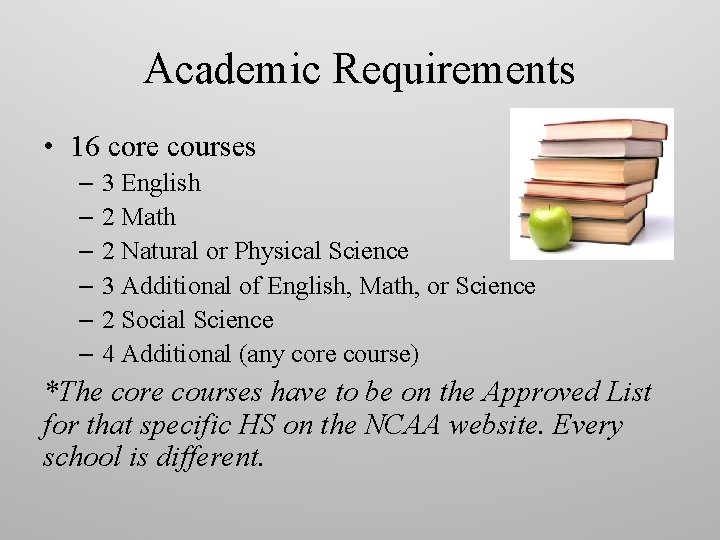
Academic Requirements • 16 core courses – 3 English – 2 Math – 2 Natural or Physical Science – 3 Additional of English, Math, or Science – 2 Social Science – 4 Additional (any core course) *The core courses have to be on the Approved List for that specific HS on the NCAA website. Every school is different.
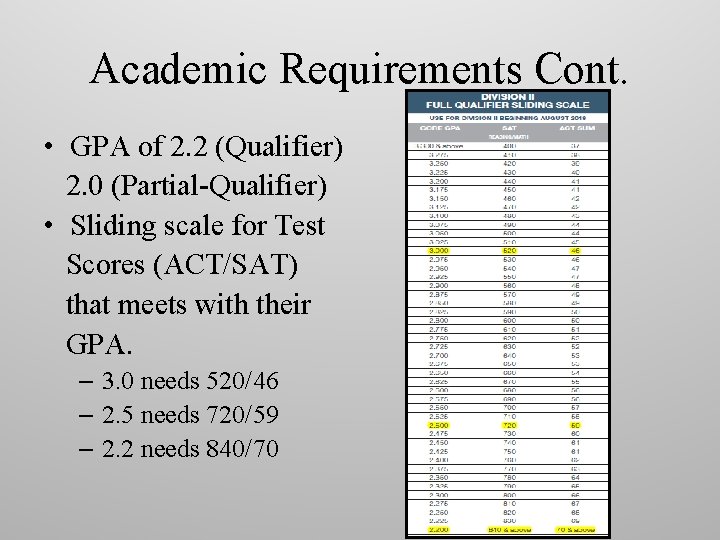
Academic Requirements Cont. • GPA of 2. 2 (Qualifier) 2. 0 (Partial-Qualifier) • Sliding scale for Test Scores (ACT/SAT) that meets with their GPA. – 3. 0 needs 520/46 – 2. 5 needs 720/59 – 2. 2 needs 840/70
Eligibility Center Review • How to add a PSA onto your IRL • How to check on a PSA’s NCAA Certification Status
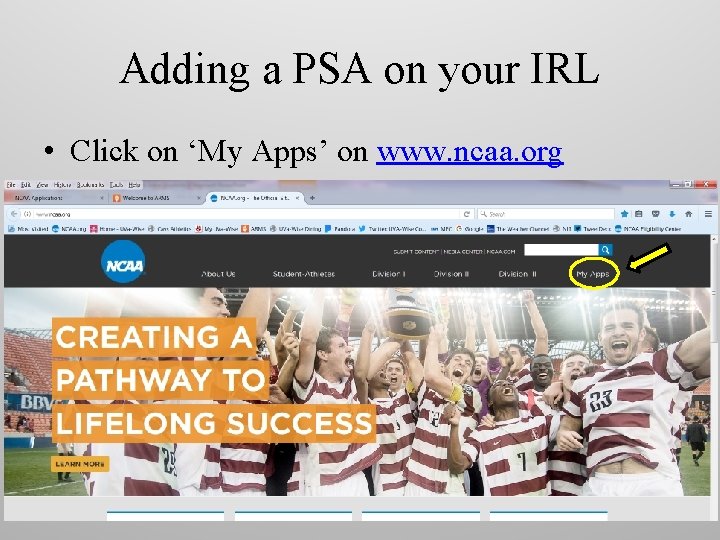
Adding a PSA on your IRL • Click on ‘My Apps’ on www. ncaa. org
Adding a PSA on your IRL • Log in with your email and password.
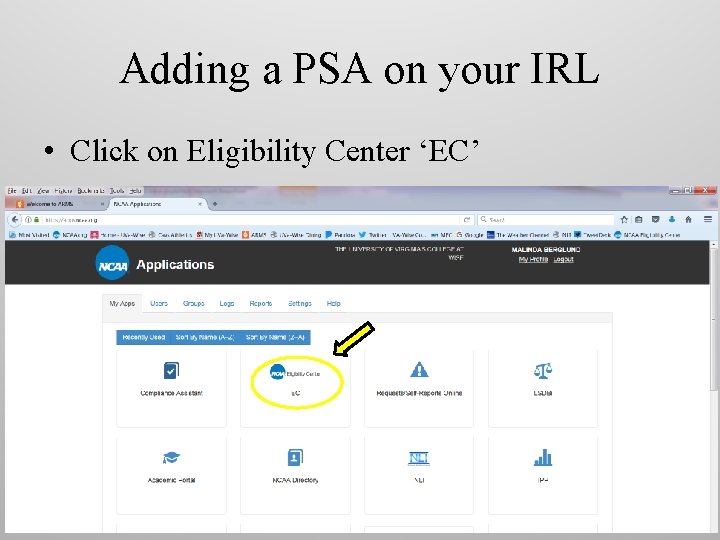
Adding a PSA on your IRL • Click on Eligibility Center ‘EC’
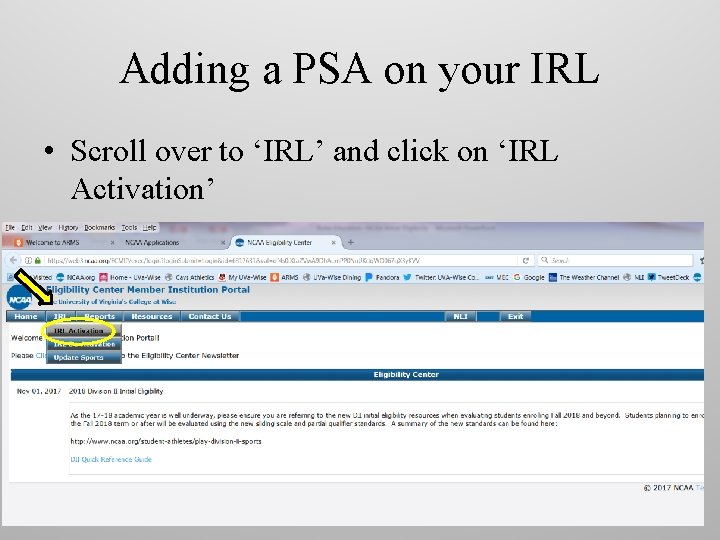
Adding a PSA on your IRL • Scroll over to ‘IRL’ and click on ‘IRL Activation’
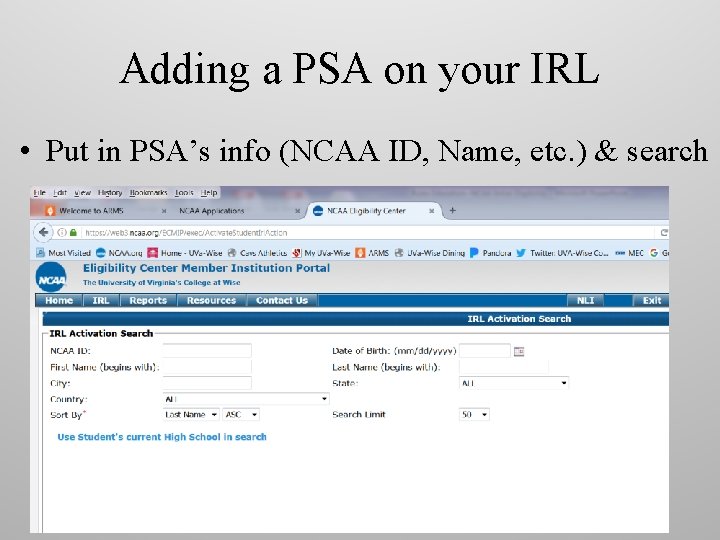
Adding a PSA on your IRL • Put in PSA’s info (NCAA ID, Name, etc. ) & search
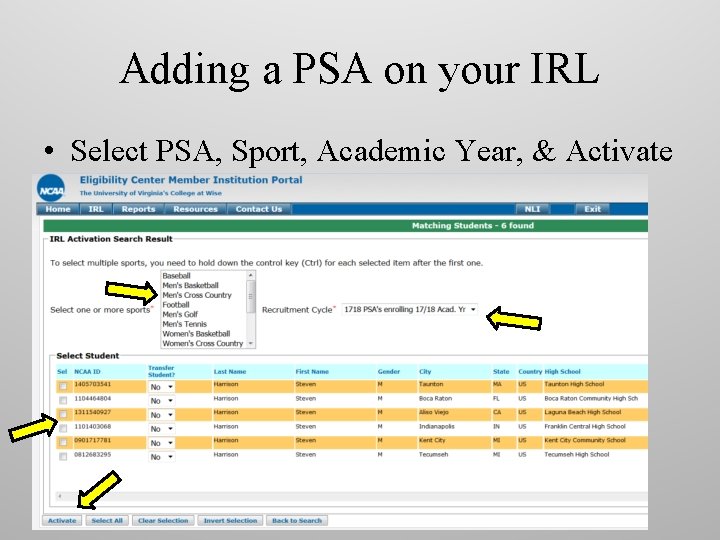
Adding a PSA on your IRL • Select PSA, Sport, Academic Year, & Activate
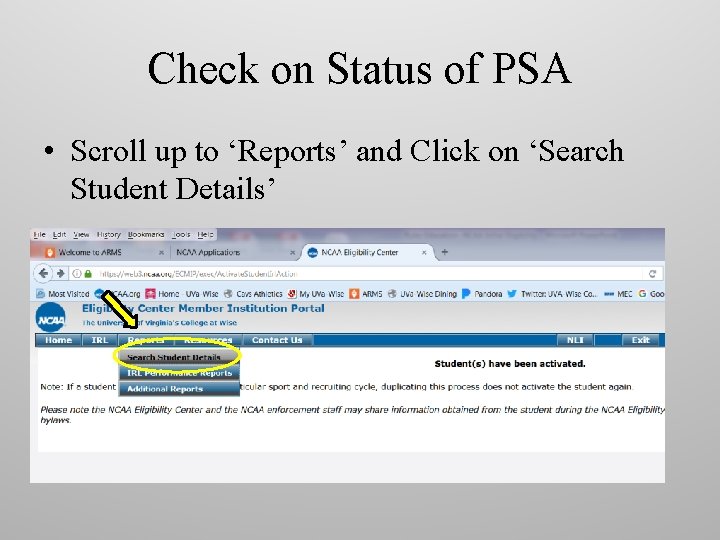
Check on Status of PSA • Scroll up to ‘Reports’ and Click on ‘Search Student Details’
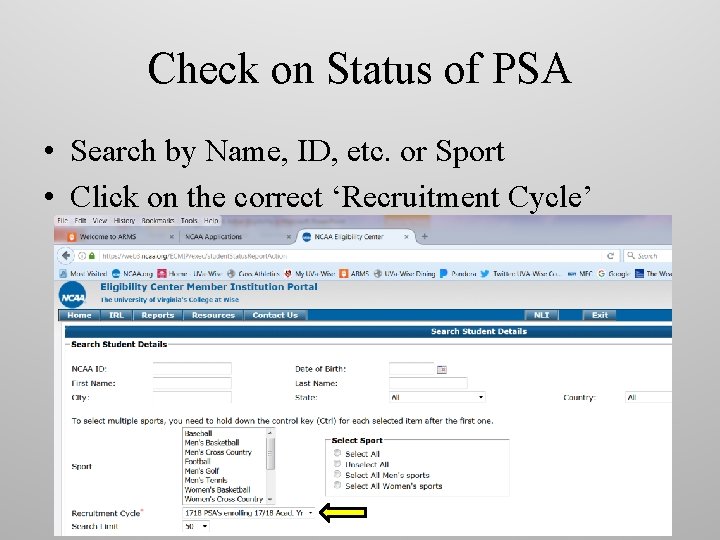
Check on Status of PSA • Search by Name, ID, etc. or Sport • Click on the correct ‘Recruitment Cycle’
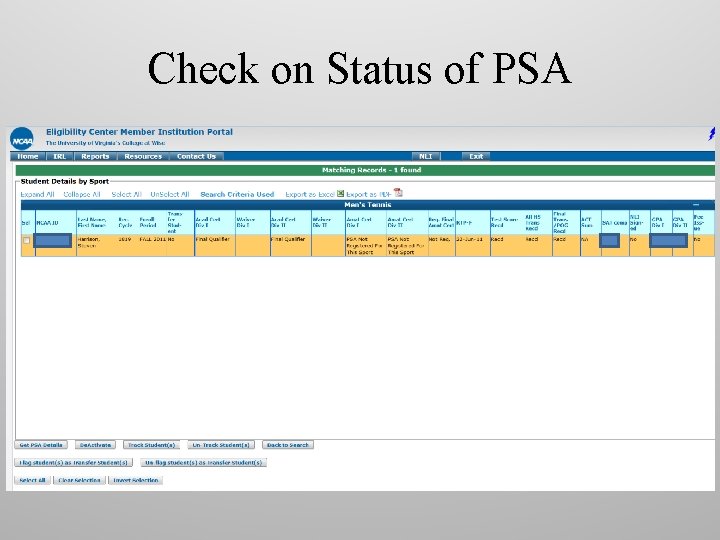
Check on Status of PSA

QUESTIONS? ?
- Slides: 18