
Ruby Created by Yukihiro Matz Matsumoto Often people
Ruby • Created by Yukihiro "Matz" Matsumoto – “Often people, especially computer engineers, focus on the machines. They think, "By doing this, the machine will run faster. By doing this, the machine will run more effectively. By doing this, the machine will something. " They are focusing on machines. But in fact we need to focus on humans, on how humans care about doing programming or operating the application of the machines. We are the masters. They are the slaves. ” • From the Ruby FAQ – "If you like Perl, you will like Ruby and be right at home with its syntax. If you like Smalltalk, you will like Ruby and be right at home with its semantics. If you like Python, you may or may not be put off by the huge difference in design philosophy between Python and Ruby/Perl. " 9/18/2021 Ruby 1
What is in a Name? • From “Ruby the Programming Language” by Yukihiro Matsumoto – “Ruby is named after the red jewel; it's not an acronym. I chose the name of the language from the jewel name, influenced by Perl. Although I named Ruby rather by coincidence, I later realized that ruby comes right after pearl in several situations, including birthstones (pearl for June, ruby for July) and font sizes (Perl is 5 -point, Ruby is 5. 5 -point). I thought that it only made sense to use Ruby as a name for a scripting language that was newer (and, hopefully, better) than Perl. ” http: //www. informit. com/articles/article. asp? p=18225&rl=1 9/18/2021 Ruby 2
A Scripting Language • Ruby and two other great "P" languages (Perl and Python) often are classified as scripting languages. They are scripting languages, but probably not in the sense that you imagine. They are scripting languages for these reasons: – They support a fast development cycle (edit-run-edit) by interpreters. No compilation is needed. – They focus on quick programming by requiring you to code less. For example, you don't have to deal with static types of variables. Fewer declarations are needed in programs. Because of these attributes, these languages can be used for everyday task oneliners. Imagine developing a so-called one-liner (such as scanning the log files) in C, for example. – A strong set of built-in libraries supports the handling of text and files. http: //www. informit. com/articles/article. asp? p=18225&rl=1 9/18/2021 Ruby 3
Ruby Design Policy • • For me, the purpose of life is, at least partly, to have joy. Programmers often feel joy when they can concentrate on the creative side of programming, so Ruby is designed to make programmers happy. I consider a programming language as a user interface, so it should follow the principles of user interface. Principle of Conciseness – I want computers to be my servants, not my masters. Thus, I'd like to give them orders quickly. A good servant should do a lot of work with a short order. • Principle of Consistency – As with uniform object treatment, as stated before, a small set of rules covers the whole Ruby language. Ruby is a relatively simple language, but it's not too simple. I've tried to follow the principle of "least surprise. " Ruby is not too unique, so a programmer with basic knowledge of programming languages can learn it very quickly. • Principle of Flexibility – Because languages are meant to express thought, a language should not restrict human thought, but should help it. Ruby consists of an unchangeable small core (that is, syntax) and arbitrary extensible class libraries. Because most things are done in libraries, you can treat user-defined classes and objects just as you treat built-in ones. • Programming is incredibly less stressful in Ruby because of these principles. http: //www. informit. com/articles/article. asp? p=18225&rl=1 9/18/2021 Ruby 4
Features • • • • Object-oriented – everything is an object Four levels of variable scope: global, class, instance, and local Exception handling Iterators and closures Native, Perl-like regular expressions at the language level Operator overloading Automatic garbage collection Highly portable Cooperative multi-threading on all platforms using green threads DLL/shared library dynamic loading on most platforms introspection, reflection and meta-programming Large standard library Supports dependency injection Continuations and generators 9/18/2021 Ruby 5
Syntax • The syntax of Ruby is broadly similar to Perl and Python – Class and method definitions are signaled by keywords – Variables are not prefixed with a sigil • In computer programming, a sigil is a symbol attached to a variable name, showing the variable's datatype. The term was first applied to Perl usage by Philip Gwyn in 1999 to replace the more cumbersome "funny character in front of a variable name". – The most striking difference from C and Perl is that keywords are typically used to define logical code blocks, without brackets – Line breaks are significant and taken as the end of a statement; a semicolon may be equivalently used – Indentation is not significant (unlike Python) http: //en. wikipedia. org/wiki/Ruby_programming_language 9/18/2021 Ruby 6
Getting Ruby • Official web site: http: //www. ruby-lang. org • Latest version is 1. 8. 4 • Source download at: – http: //www. ruby-lang. org/en/20020102. html • For Windows get the windows installer: – http: //rubyinstaller. rubyforge. org/wiki. pl • Mac OS X – its already there • It is installed on CS machines 9/18/2021 Ruby 7
Lots of Tutorials • Lots of tutorials/guides on the web • These slides are based on – http: //www. math. umd. edu/~dcarrera/ruby/0. 3/index. ht ml – http: //www. rubycentral. com/book/intro. html – http: //www. informit. com/articles/article. asp? p=18225& seq. Num=2 – http: //www. rubygarden. org/ruby – http: //www. pragmaticprogrammer. com/titles/fr_ltp/ 9/18/2021 Ruby 8
Using Ruby • Ruby installations include a program irb –-simple-prompt • Lets you “play” with Ruby interactively • The interpreter is called ruby – You can use it pretty much the same way you would use perl 9/18/2021 Ruby 9
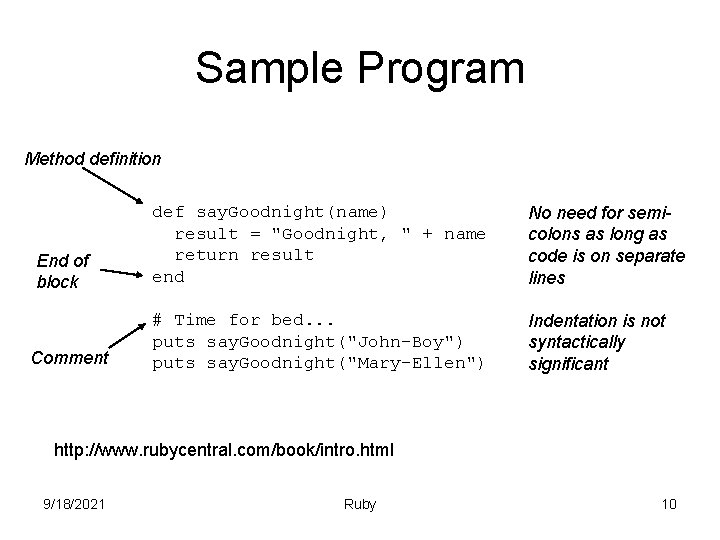
Sample Program Method definition End of block Comment def say. Goodnight(name) result = "Goodnight, " + name return result end No need for semicolons as long as code is on separate lines # Time for bed. . . puts say. Goodnight("John-Boy") puts say. Goodnight("Mary-Ellen") Indentation is not syntactically significant http: //www. rubycentral. com/book/intro. html 9/18/2021 Ruby 10
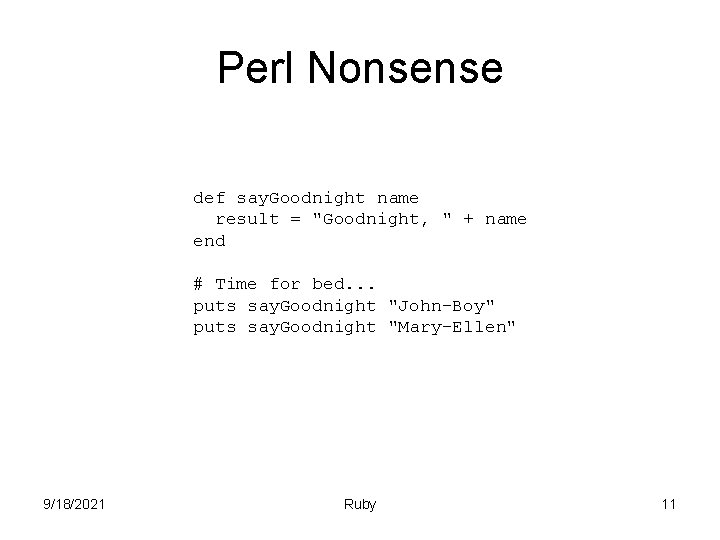
Perl Nonsense def say. Goodnight name result = "Goodnight, " + name end # Time for bed. . . puts say. Goodnight "John-Boy" puts say. Goodnight "Mary-Ellen" 9/18/2021 Ruby 11
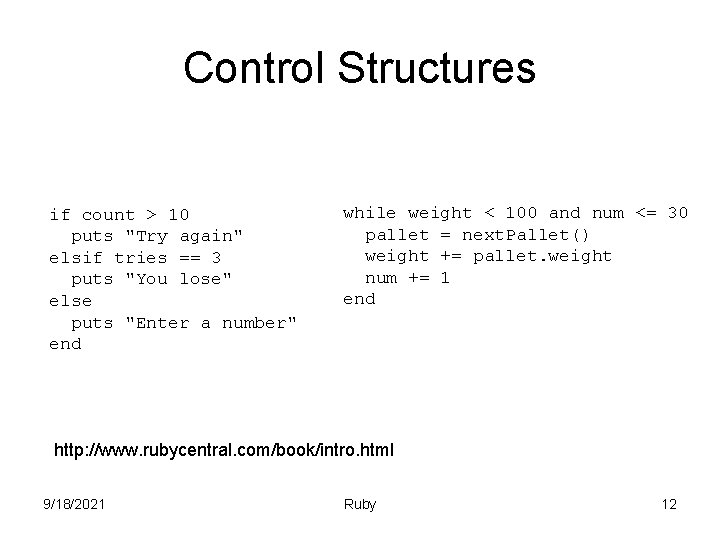
Control Structures if count > 10 puts "Try again" elsif tries == 3 puts "You lose" else puts "Enter a number" end while weight < 100 and num <= 30 pallet = next. Pallet() weight += pallet. weight num += 1 end http: //www. rubycentral. com/book/intro. html 9/18/2021 Ruby 12
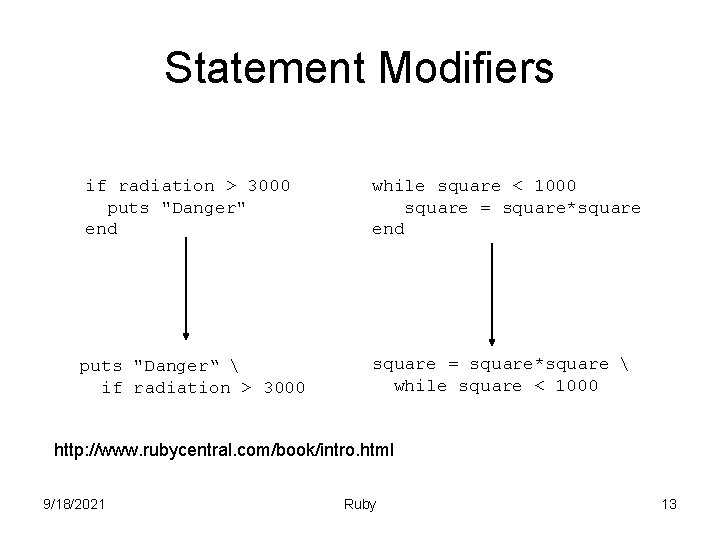
Statement Modifiers if radiation > 3000 puts "Danger" end while square < 1000 square = square*square end puts "Danger“ if radiation > 3000 square = square*square while square < 1000 http: //www. rubycentral. com/book/intro. html 9/18/2021 Ruby 13
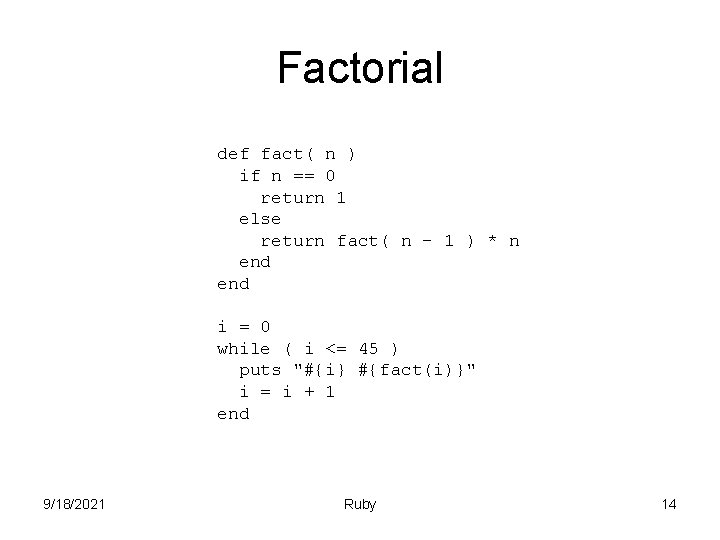
Factorial def fact( n ) if n == 0 return 1 else return fact( n - 1 ) * n end i = 0 while ( i <= 45 ) puts "#{i} #{fact(i)}" i = i + 1 end 9/18/2021 Ruby 14
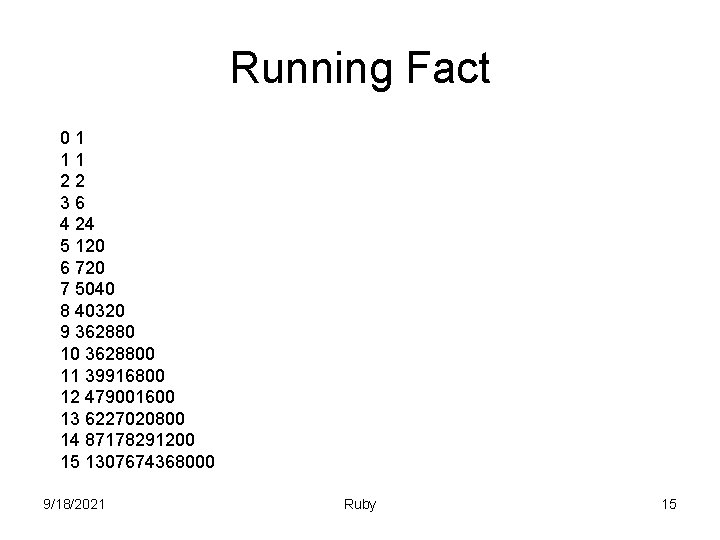
Running Fact 01 11 22 36 4 24 5 120 6 720 7 5040 8 40320 9 362880 10 3628800 11 39916800 12 479001600 13 6227020800 14 87178291200 15 1307674368000 9/18/2021 Ruby 15
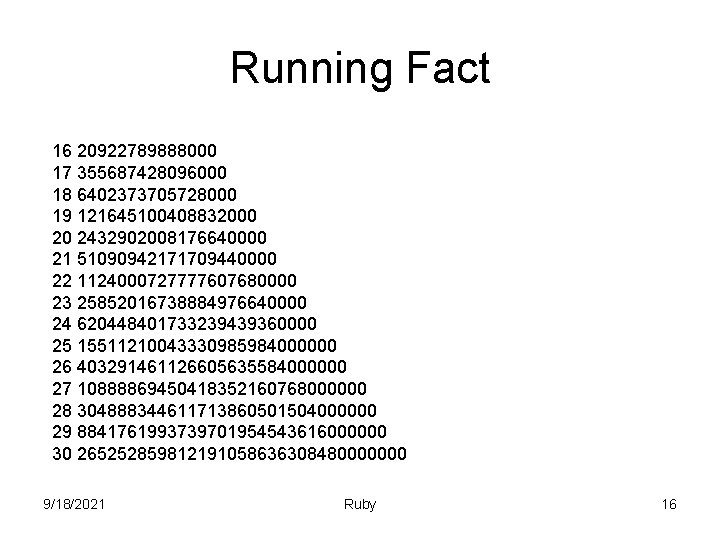
Running Fact 16 20922789888000 17 355687428096000 18 6402373705728000 19 121645100408832000 20 2432902008176640000 21 51090942171709440000 22 1124000727777607680000 23 25852016738884976640000 24 620448401733239439360000 25 15511210043330985984000000 26 403291461126605635584000000 27 10888869450418352160768000000 28 304888344611713860501504000000 29 8841761993739701954543616000000 30 265252859812191058636308480000000 9/18/2021 Ruby 16
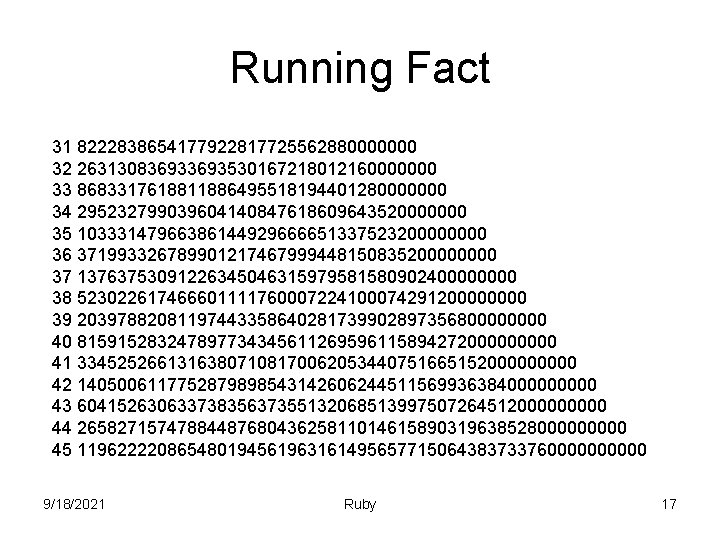
Running Fact 31 8222838654177922817725562880000000 32 26313083693530167218012160000000 33 8683317618811886495518194401280000000 34 295232799039604140847618609643520000000 35 1033314796638614492966665133752320000 36 37199332678990121746799944815083520000 37 1376375309122634504631597958158090240000 38 52302261746660111176000722410007429120000 39 2039788208119744335864028173990289735680000 40 81591528324789773434561126959611589427200000 41 3345252661316380710817006205344075166515200000 42 140500611775287989854314260624451156993638400000 43 6041526306337383563735513206851399750726451200000 44 265827157478844876804362581101461589031963852800000 45 1196222208654801945619631614956577150643837337600000 9/18/2021 Ruby 17
Integers • Integers can be any length • Two different classes – Fixnum – Bignum • Conversion is transparent • Integer literals – 123456, 123_456, -543, 123_456_789_123_345_789, 0 xaabb, 0377, 0 b 101010 • You can also get the integer value corresponding to an ASCII character by preceding it with a question mark. 9/18/2021 Ruby 18
Integer Operations • • Standard arithmetic: +, -, *, /, %, ** Bit operations: ~, | &, ^, <<, >> Comparison: <=> Bit reference: [n] Conversion: to_f, to_i, to_s Others: abs NOTE: -123. abs NOT Math. abs( -123) 9/18/2021 Ruby 19
Floats • More or less what you would expect, except you have to include a decimal and one number after it – Why? 9/18/2021 Ruby 20

Strings • Again more or less what you would expect ‘Hello World’ ‘Hello ‘ + ‘World’ ‘Hello ‘ * 3 ‘You’re Right!!’ ‘updown’ == ‘up\down’ • This is not Perl 12 is not the same as ’ 12’ puts ’ 12’ + 3 ERROR 9/18/2021 Ruby 21
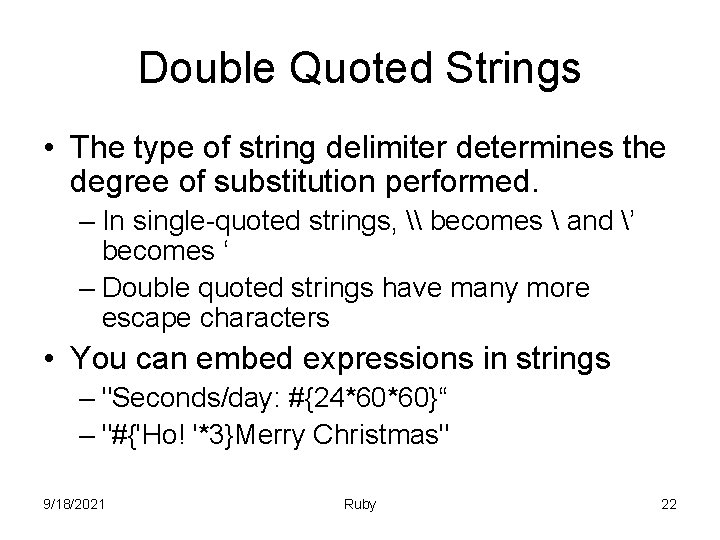
Double Quoted Strings • The type of string delimiter determines the degree of substitution performed. – In single-quoted strings, \ becomes and ’ becomes ‘ – Double quoted strings have many more escape characters • You can embed expressions in strings – "Seconds/day: #{24*60*60}“ – "#{'Ho! '*3}Merry Christmas" 9/18/2021 Ruby 22
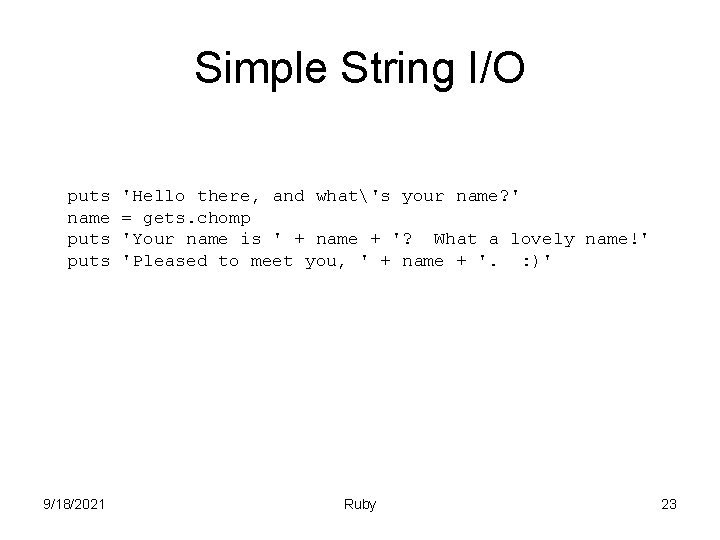
Simple String I/O puts name puts 9/18/2021 'Hello there, and what's your name? ' = gets. chomp 'Your name is ' + name + '? What a lovely name!' 'Pleased to meet you, ' + name + '. : )' Ruby 23
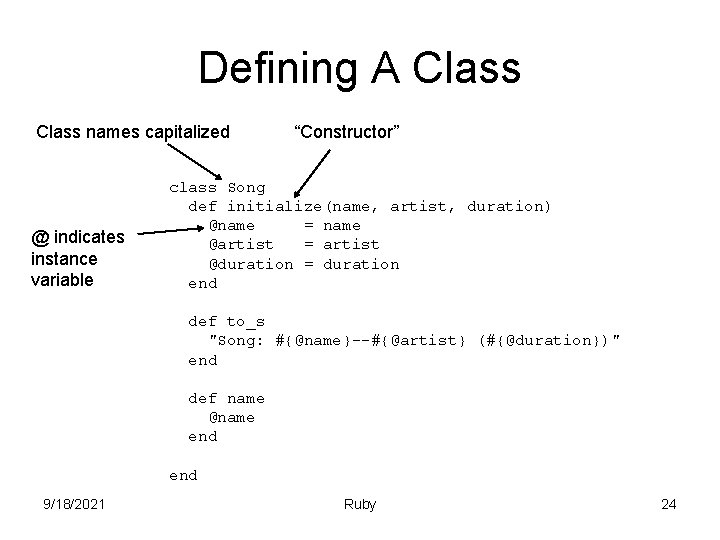
Defining A Class names capitalized @ indicates instance variable “Constructor” class Song def initialize(name, artist, duration) @name = name @artist = artist @duration = duration end def to_s "Song: #{@name}--#{@artist} (#{@duration})" end def name @name end 9/18/2021 Ruby 24
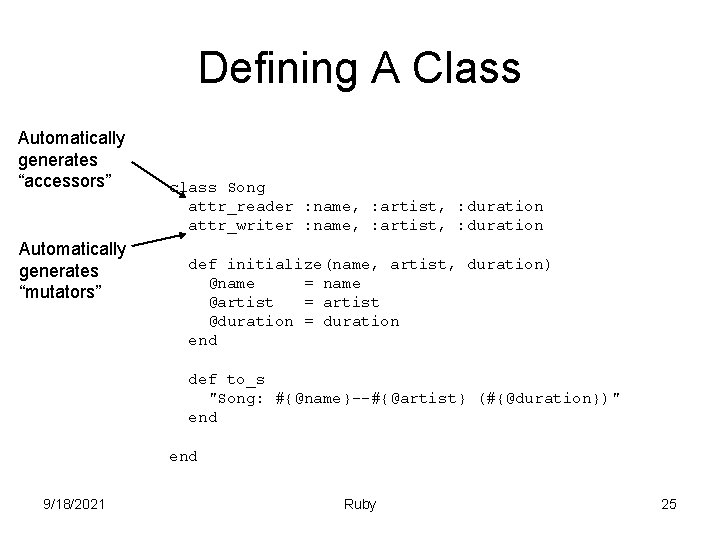
Defining A Class Automatically generates “accessors” Automatically generates “mutators” class Song attr_reader : name, : artist, : duration attr_writer : name, : artist, : duration def initialize(name, artist, duration) @name = name @artist = artist @duration = duration end def to_s "Song: #{@name}--#{@artist} (#{@duration})" end 9/18/2021 Ruby 25
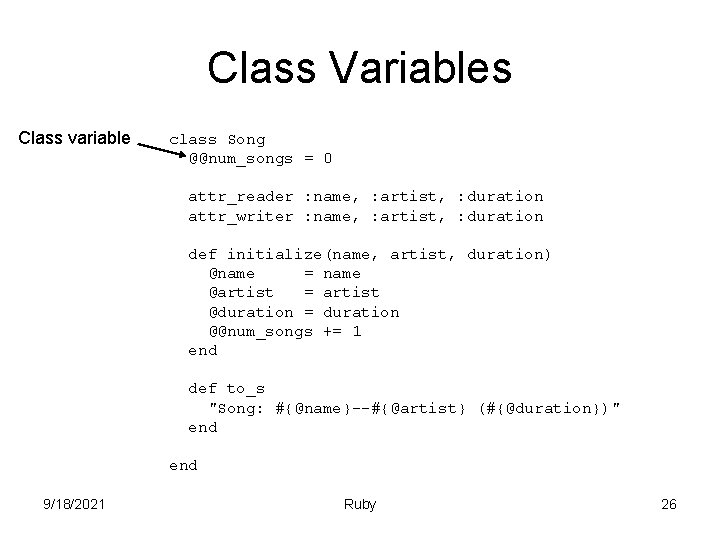
Class Variables Class variable class Song @@num_songs = 0 attr_reader : name, : artist, : duration attr_writer : name, : artist, : duration def initialize(name, artist, duration) @name = name @artist = artist @duration = duration @@num_songs += 1 end def to_s "Song: #{@name}--#{@artist} (#{@duration})" end 9/18/2021 Ruby 26
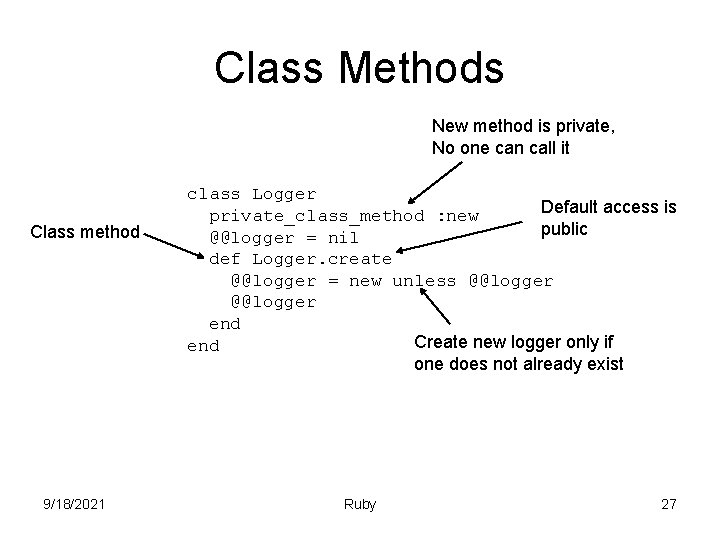
Class Methods New method is private, No one can call it Class method 9/18/2021 class Logger Default access is private_class_method : new public @@logger = nil def Logger. create @@logger = new unless @@logger end Create new logger only if end one does not already exist Ruby 27
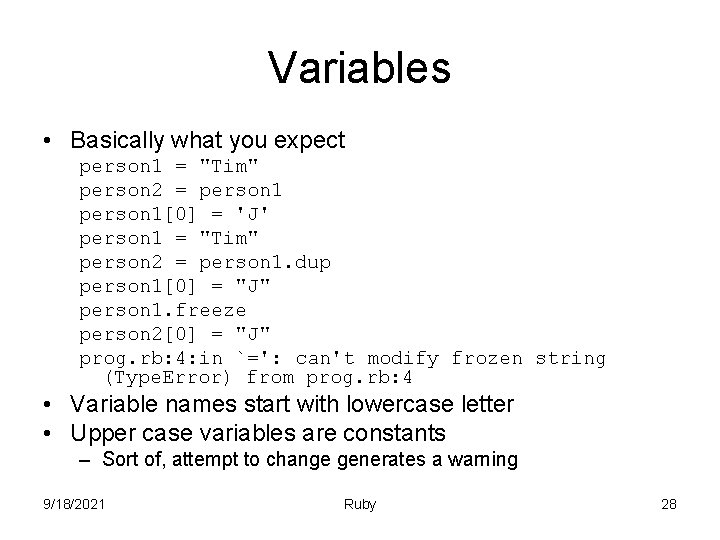
Variables • Basically what you expect person 1 = "Tim" person 2 = person 1[0] = 'J' person 1 = "Tim" person 2 = person 1. dup person 1[0] = "J" person 1. freeze person 2[0] = "J" prog. rb: 4: in `=': can't modify frozen string (Type. Error) from prog. rb: 4 • Variable names start with lowercase letter • Upper case variables are constants – Sort of, attempt to change generates a warning 9/18/2021 Ruby 28
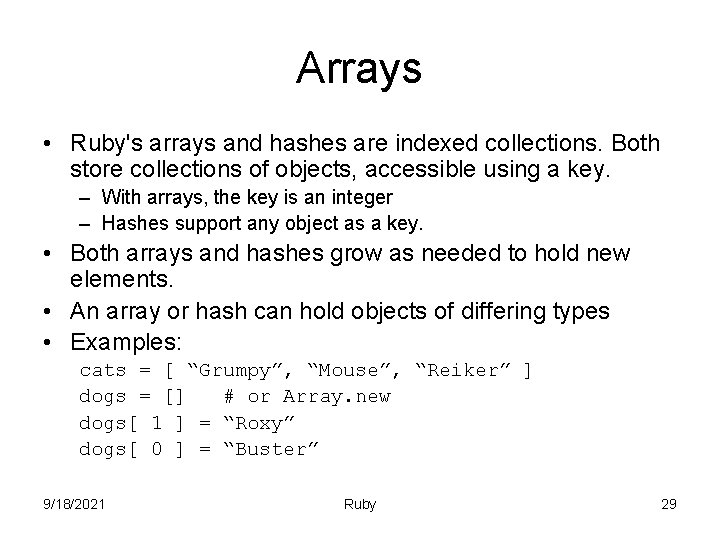
Arrays • Ruby's arrays and hashes are indexed collections. Both store collections of objects, accessible using a key. – With arrays, the key is an integer – Hashes support any object as a key. • Both arrays and hashes grow as needed to hold new elements. • An array or hash can hold objects of differing types • Examples: cats = [ “Grumpy”, “Mouse”, “Reiker” ] dogs = [] # or Array. new dogs[ 1 ] = “Roxy” dogs[ 0 ] = “Buster” 9/18/2021 Ruby 29
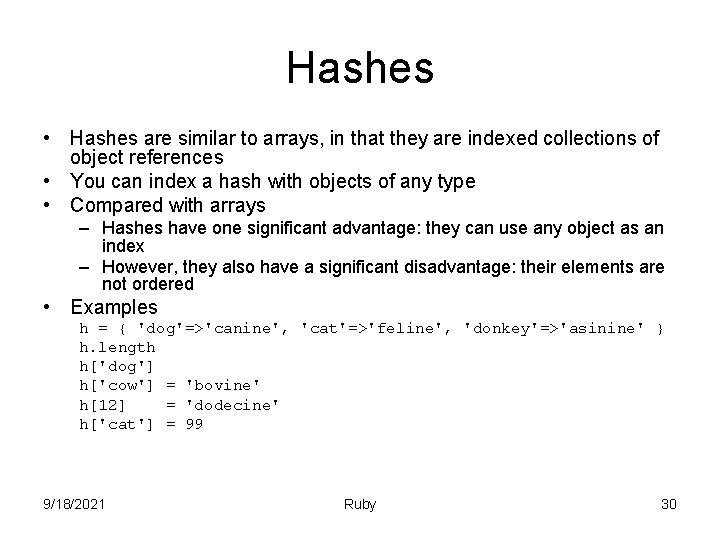
Hashes • Hashes are similar to arrays, in that they are indexed collections of object references • You can index a hash with objects of any type • Compared with arrays – Hashes have one significant advantage: they can use any object as an index – However, they also have a significant disadvantage: their elements are not ordered • Examples h = { 'dog'=>'canine', 'cat'=>'feline', 'donkey'=>'asinine' } h. length h['dog'] h['cow'] = 'bovine' h[12] = 'dodecine' h['cat'] = 99 9/18/2021 Ruby 30
![Surprises • Boolean evaluation of non-boolean data is strict: 0, "" and [] are](http://slidetodoc.com/presentation_image_h2/b25612f67173b0c3c6f4a57331965700/image-31.jpg "Surprises • Boolean evaluation of non-boolean data is strict: 0, \"\" and [] are")
Surprises • Boolean evaluation of non-boolean data is strict: 0, "" and [] are all evaluated to true. – In Ruby all numbers evaluate to true; only nil and false evaluate to false. – A corollary to this rule is that Ruby methods by convention — for example, regular-expression searches — return numbers, strings, lists, or other non-false values on success, but nil on failure (e. g. , mismatch). • To denote floating point numbers, one must follow with a zero digit (99. 0) or an explicit conversion (99. to_f). It is insufficient to append a dot (99. ) because numbers are susceptible to method syntax. • Lack of a character data type (compare to C, which provides type char for characters). This may cause surprises when slicing strings: "abc"[0] yields 97 (an integer, representing the ASCII code of the first character in the string); to obtain "a" use "abc"[0, 1] (a substring of length 1) or "abc"[0]. chr. 9/18/2021 Ruby 31
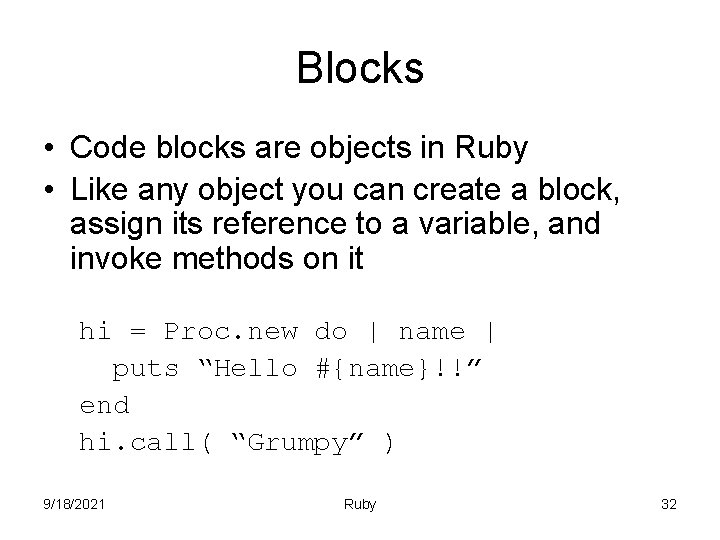
Blocks • Code blocks are objects in Ruby • Like any object you can create a block, assign its reference to a variable, and invoke methods on it hi = Proc. new do | name | puts “Hello #{name}!!” end hi. call( “Grumpy” ) 9/18/2021 Ruby 32
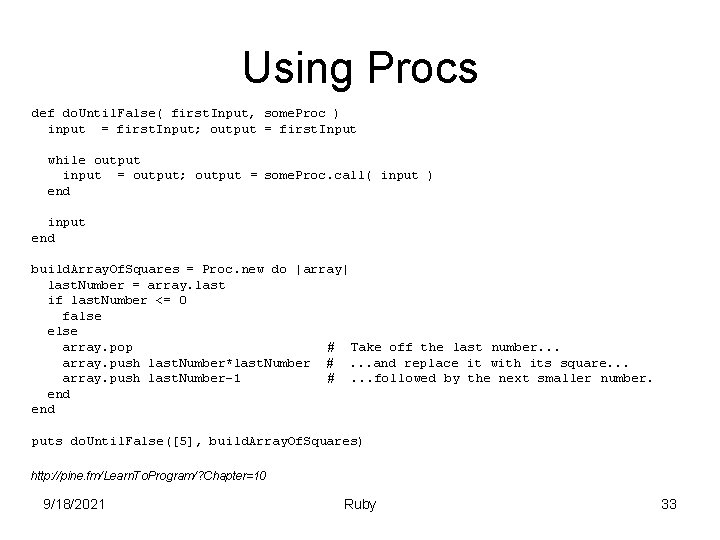
Using Procs def do. Until. False( first. Input, some. Proc ) input = first. Input; output = first. Input while output input = output; output = some. Proc. call( input ) end input end build. Array. Of. Squares = Proc. new do |array| last. Number = array. last if last. Number <= 0 false else array. pop # Take off the last number. . . array. push last. Number*last. Number #. . . and replace it with its square. . . array. push last. Number-1 #. . . followed by the next smaller number. end puts do. Until. False([5], build. Array. Of. Squares) http: //pine. fm/Learn. To. Program/? Chapter=10 9/18/2021 Ruby 33
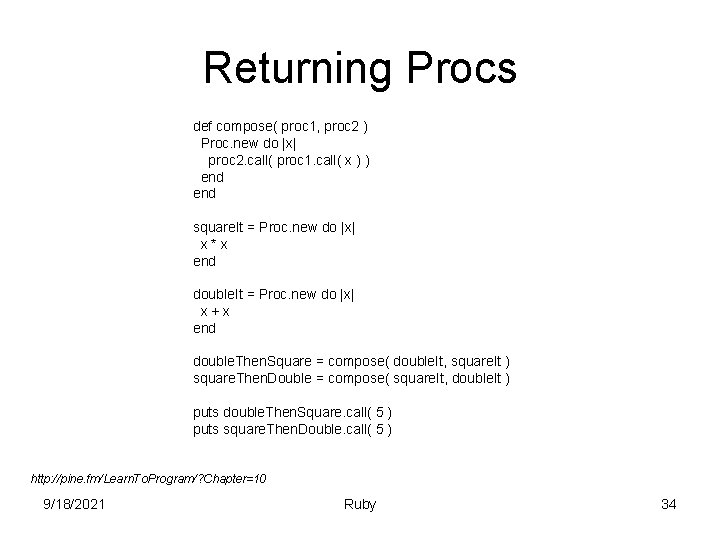
Returning Procs def compose( proc 1, proc 2 ) Proc. new do |x| proc 2. call( proc 1. call( x ) ) end square. It = Proc. new do |x| x*x end double. It = Proc. new do |x| x+x end double. Then. Square = compose( double. It, square. It ) square. Then. Double = compose( square. It, double. It ) puts double. Then. Square. call( 5 ) puts square. Then. Double. call( 5 ) http: //pine. fm/Learn. To. Program/? Chapter=10 9/18/2021 Ruby 34
Passing Blocks • Three steps working with procs so far – Define the method – Make the proc – Calling the method with the proc • It would be convenient if there were only two steps – Define the method – Passing the block right into the method • In a way we want the proc to be anonymous 9/18/2021 Ruby 35
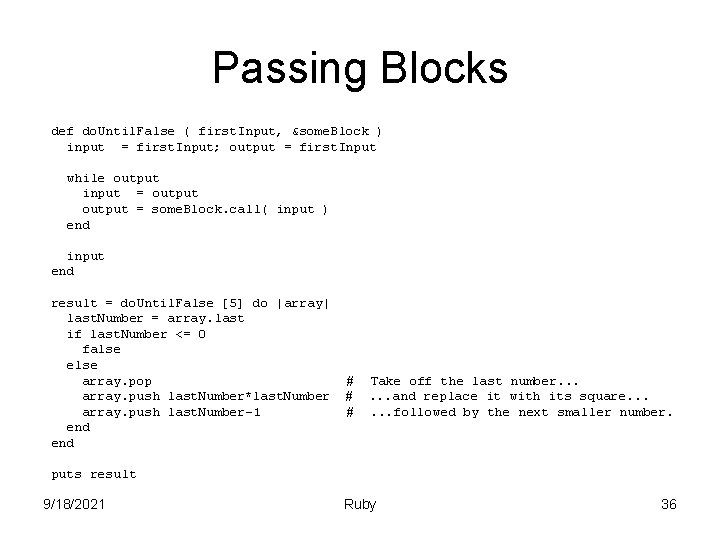
Passing Blocks def do. Until. False ( first. Input, &some. Block ) input = first. Input; output = first. Input while output input = output = some. Block. call( input ) end input end result = do. Until. False [5] do |array| last. Number = array. last if last. Number <= 0 false else array. pop array. push last. Number*last. Number array. push last. Number-1 end # # # Take off the last number. . . and replace it with its square. . . followed by the next smaller number. puts result 9/18/2021 Ruby 36
Iterators • Notice I have not discussed for loops • Ruby uses iterators to step over things • Some iterators include – times – each – find – map –… 9/18/2021 Ruby 37
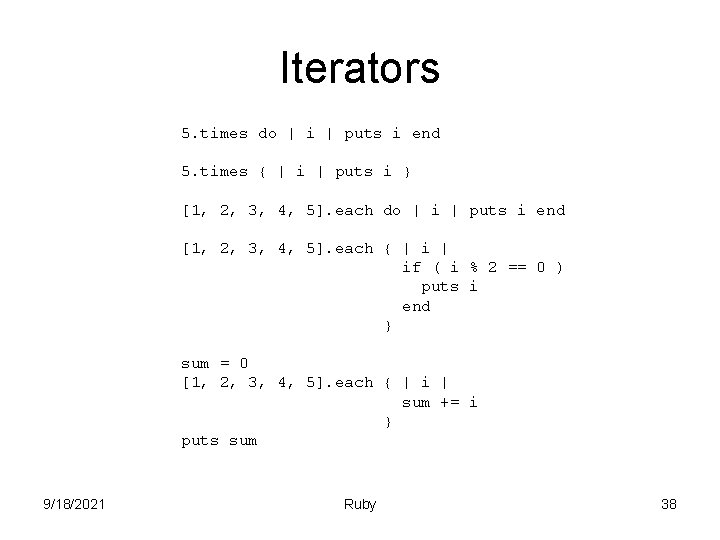
Iterators 5. times do | i | puts i end 5. times { | i | puts i } [1, 2, 3, 4, 5]. each do | i | puts i end [1, 2, 3, 4, 5]. each { | if ( i % 2 == 0 ) puts i end } sum = 0 [1, 2, 3, 4, 5]. each { | i | sum += i } puts sum 9/18/2021 Ruby 38
![Ruby versus Java for(i=0; i<array. size(); i++) { System. out. println(array[i]); } Here the](http://slidetodoc.com/presentation_image_h2/b25612f67173b0c3c6f4a57331965700/image-39.jpg "Ruby versus Java for(i=0; i<array. size(); i++) { System. out. println(array[i]); } Here the")
Ruby versus Java for(i=0; i<array. size(); i++) { System. out. println(array[i]); } Here the array object worries about the details of the iteration, you simply say what to do to each element 9/18/2021 Here you need to worry about how to do the iteration and what to do to each element array. each {|element| puts element} Ruby 39
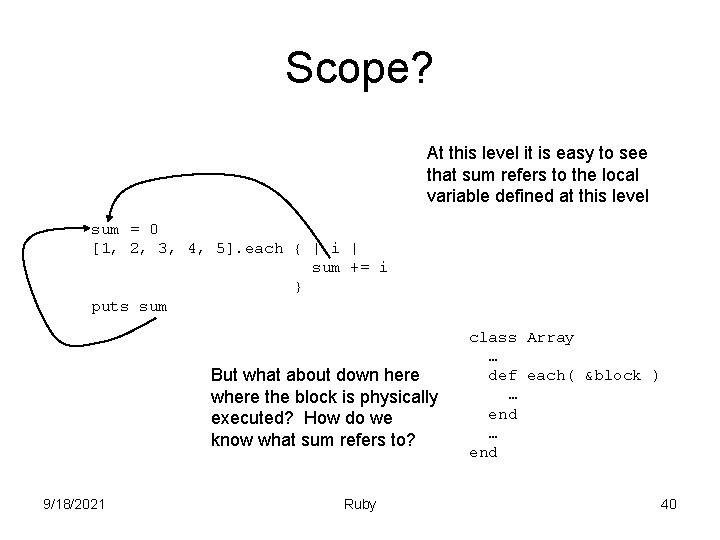
Scope? At this level it is easy to see that sum refers to the local variable defined at this level sum = 0 [1, 2, 3, 4, 5]. each { | i | sum += i } puts sum But what about down here where the block is physically executed? How do we know what sum refers to? 9/18/2021 Ruby class Array … def each( &block ) … end 40
Closures • A closure combines code with the lexical environment bound to that code • Closures typically appear in languages in which functions are first-class values • Virtually all functional programming languages support closures • Languages such as C++ or Java provide a limited form of closure • A nice article on closures – http: //www. martinfowler. com/bliki/Closure. html 9/18/2021 Ruby 41
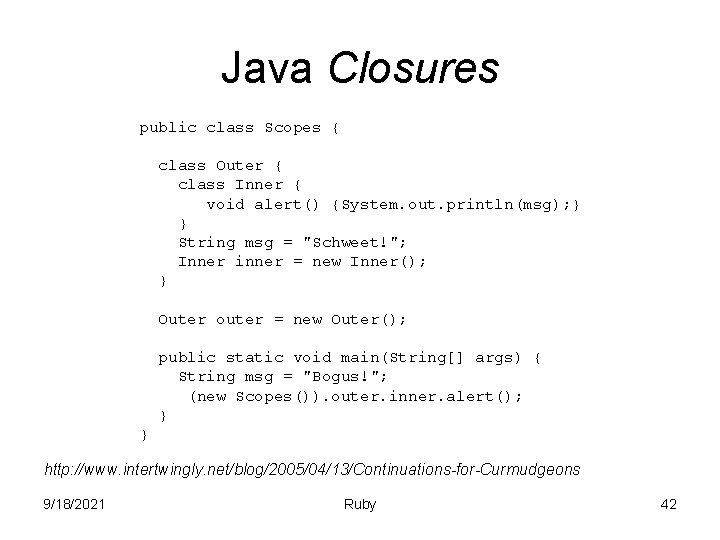
Java Closures public class Scopes { class Outer { class Inner { void alert() {System. out. println(msg); } } String msg = "Schweet!"; Inner inner = new Inner(); } Outer outer = new Outer(); public static void main(String[] args) { String msg = "Bogus!"; (new Scopes()). outer. inner. alert(); } } http: //www. intertwingly. net/blog/2005/04/13/Continuations-for-Curmudgeons 9/18/2021 Ruby 42
An aside • The Java programming language came from an unlikely source (Sun Microsystems) to vie with the dominant language controlling the server side (C++) at a time when a programming paradigm was on the way out (procedural client-server code). The Internet exploded, and suddenly Netscape, with its built-in Java virtual machine (JVM), was on every desktop. To achieve critical mass, the Java language embraced the C++ community with several important compromises: – It was statically typed like C++, rather than dynamically typed like Smalltalk. – It allowed both primitives and objects, like C++. – It embraced the C++ syntax and control structures. • • To capitalize on some good timing, Sun kept things just close enough to C++ to capture that community. The Java language didn't have to be better than all other object-oriented languages. It just had to be better than C++. Now, some of those compromises are starting to hurt the Java language. Another interesting note – http: //article. gmane. org/gmane. comp. lang. lightweight/2274 http: //www-128. ibm. com/developerworks/opensource/library/os-lightweight 7/ 9/18/2021 Ruby 43
Implementation • In order to support closures activation records cannot be stored on a stack • A closure requires that the variables survive a function’s execution • Variables that might be used in a closure allocated dynamically (final rule in Java) • Languages that support closures typically are garbage collected 9/18/2021 Ruby 44
Continuations • A continuation lets you capture execution state (with instance variables and a call stack) at any point in time. • You can return to that point in time much later. 9/18/2021 Ruby 45
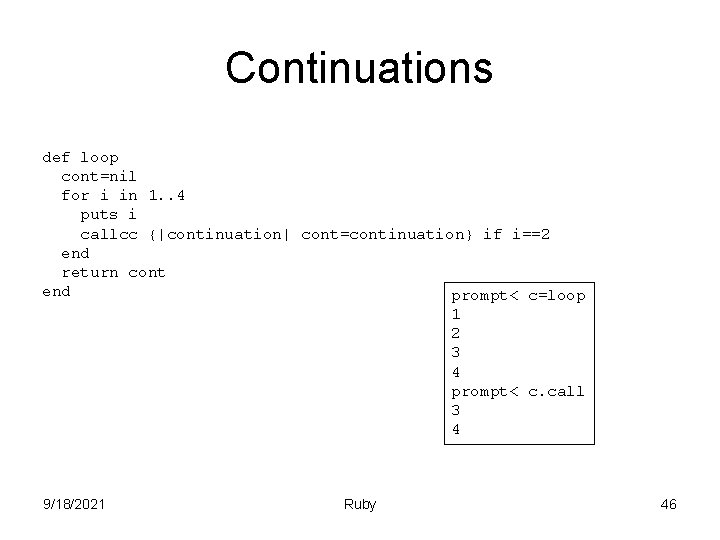
Continuations def loop cont=nil for i in 1. . 4 puts i callcc {|continuation| cont=continuation} if i==2 end return cont end prompt< c=loop 1 2 3 4 prompt< c. call 3 4 9/18/2021 Ruby 46
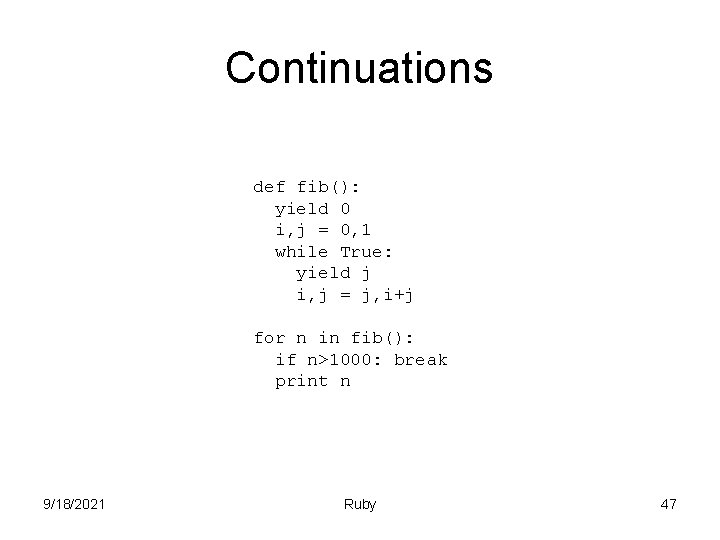
Continuations def fib(): yield 0 i, j = 0, 1 while True: yield j i, j = j, i+j for n in fib(): if n>1000: break print n 9/18/2021 Ruby 47
![cat. rb input = File. new( ARGV[ 0 ], "r" ) input. each {](http://slidetodoc.com/presentation_image_h2/b25612f67173b0c3c6f4a57331965700/image-48.jpg "cat. rb input = File. new( ARGV[ 0 ], \"r\" ) input. each {")
cat. rb input = File. new( ARGV[ 0 ], "r" ) input. each { | line | puts line } input. close holly> ruby cat. rb nosuchfile cat. rb: 1: in `initialize': No such file or directory - nosuchfile (Errno: : ENOENT) from cat. rb: 1 holly> 9/18/2021 Ruby 48
Exceptions • A little different from Java – – No handle/declare policy begin/rescue/end instead of try/catch ensure instead of finally Seems to be no rules about what can be in rescue clauses – raise instead of throw – Can retry • Seems hard to find what exceptions are thrown – I may just not know where to look (yet) 9/18/2021 Ruby 49
![cat. rb begin input = File. new( ARGV[ 0 ], "r" ) input. each](http://slidetodoc.com/presentation_image_h2/b25612f67173b0c3c6f4a57331965700/image-50.jpg "cat. rb begin input = File. new( ARGV[ 0 ], \"r\" ) input. each")
cat. rb begin input = File. new( ARGV[ 0 ], "r" ) input. each { | line | puts line } Defaults to Standard. Error, exception is placed in $! input. close rescue puts "Something bad happened“ puts $! ensure puts “I print no matter what” end 9/18/2021 Ruby 50
![cat. rb begin input = File. new( ARGV[ 0 ], "r" ) input. each](http://slidetodoc.com/presentation_image_h2/b25612f67173b0c3c6f4a57331965700/image-51.jpg "cat. rb begin input = File. new( ARGV[ 0 ], \"r\" ) input. each")
cat. rb begin input = File. new( ARGV[ 0 ], "r" ) input. each { | line | puts line } input. close rescue System. Call. Error => e puts e rescue Standard. Error => e puts e ensure puts “I print no matter what” end 9/18/2021 Ruby 51
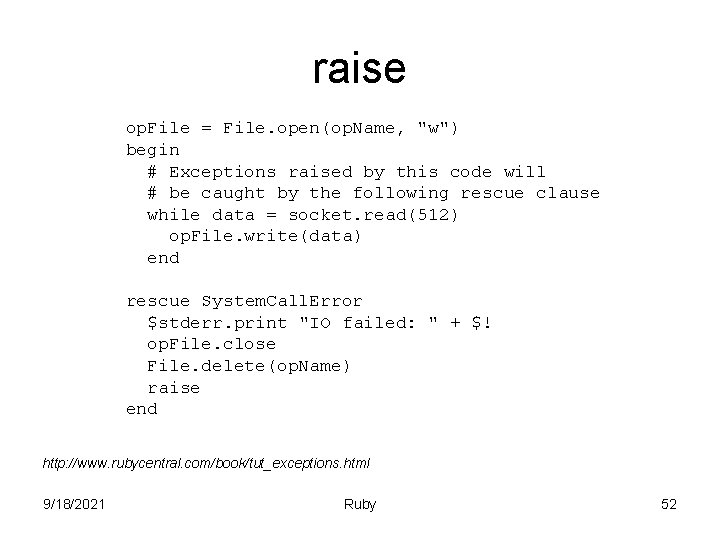
raise op. File = File. open(op. Name, "w") begin # Exceptions raised by this code will # be caught by the following rescue clause while data = socket. read(512) op. File. write(data) end rescue System. Call. Error $stderr. print "IO failed: " + $! op. File. close File. delete(op. Name) raise end http: //www. rubycentral. com/book/tut_exceptions. html 9/18/2021 Ruby 52
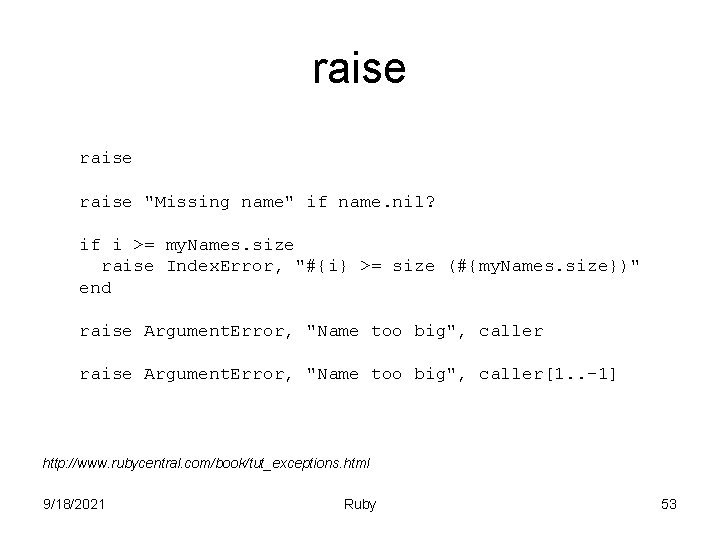
raise "Missing name" if name. nil? if i >= my. Names. size raise Index. Error, "#{i} >= size (#{my. Names. size})" end raise Argument. Error, "Name too big", caller[1. . -1] http: //www. rubycentral. com/book/tut_exceptions. html 9/18/2021 Ruby 53
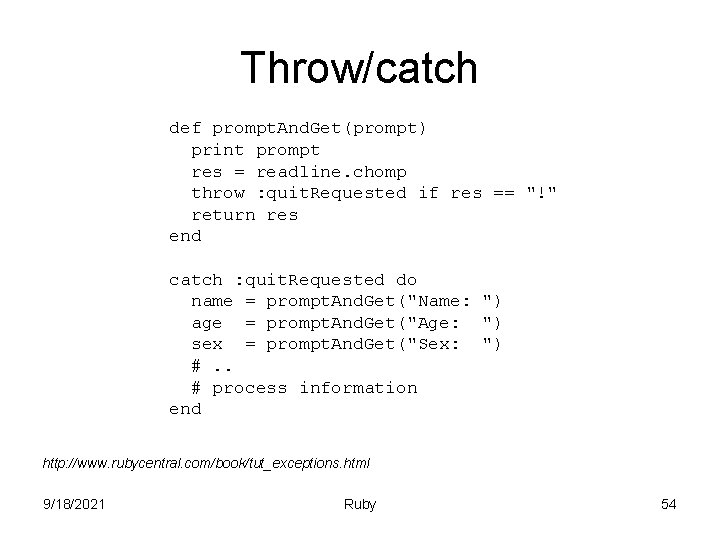
Throw/catch def prompt. And. Get(prompt) print prompt res = readline. chomp throw : quit. Requested if res == "!" return res end catch : quit. Requested do name = prompt. And. Get("Name: ") age = prompt. And. Get("Age: ") sex = prompt. And. Get("Sex: ") #. . # process information end http: //www. rubycentral. com/book/tut_exceptions. html 9/18/2021 Ruby 54
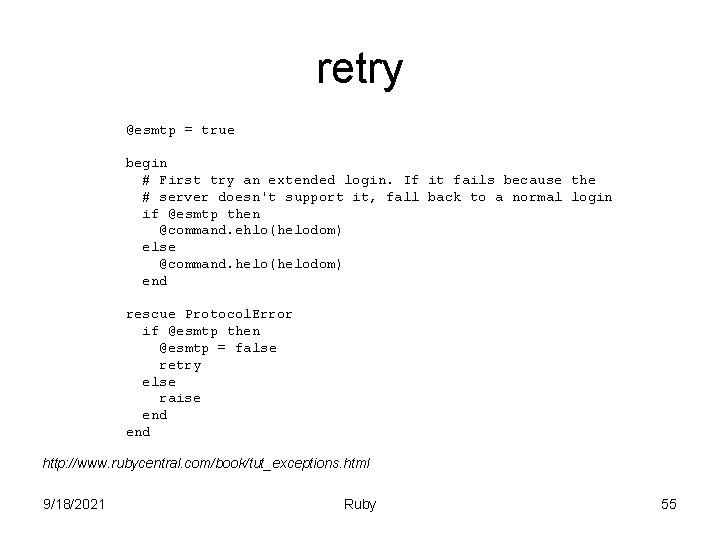
retry @esmtp = true begin # First try an extended login. If it fails because the # server doesn't support it, fall back to a normal login if @esmtp then @command. ehlo(helodom) else @command. helo(helodom) end rescue Protocol. Error if @esmtp then @esmtp = false retry else raise end http: //www. rubycentral. com/book/tut_exceptions. html 9/18/2021 Ruby 55
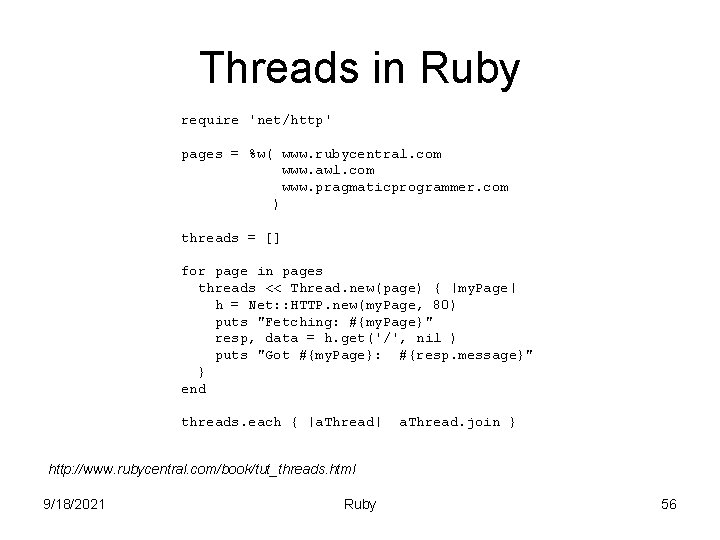
Threads in Ruby require 'net/http' pages = %w( www. rubycentral. com www. awl. com www. pragmaticprogrammer. com ) threads = [] for page in pages threads << Thread. new(page) { |my. Page| h = Net: : HTTP. new(my. Page, 80) puts "Fetching: #{my. Page}" resp, data = h. get('/', nil ) puts "Got #{my. Page}: #{resp. message}" } end threads. each { |a. Thread| a. Thread. join } http: //www. rubycentral. com/book/tut_threads. html 9/18/2021 Ruby 56
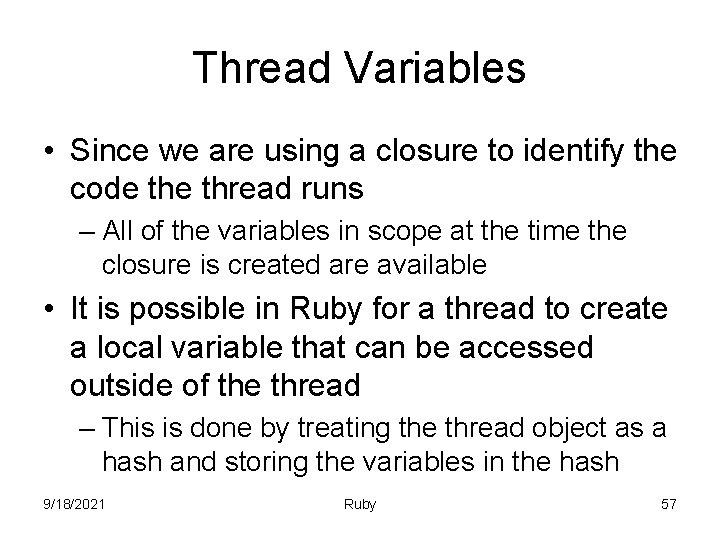
Thread Variables • Since we are using a closure to identify the code thread runs – All of the variables in scope at the time the closure is created are available • It is possible in Ruby for a thread to create a local variable that can be accessed outside of the thread – This is done by treating the thread object as a hash and storing the variables in the hash 9/18/2021 Ruby 57
![Thread Variables count = 0 arr = [] 10. times do |i| arr[i] =](http://slidetodoc.com/presentation_image_h2/b25612f67173b0c3c6f4a57331965700/image-58.jpg "Thread Variables count = 0 arr = [] 10. times do |i| arr[i] =")
Thread Variables count = 0 arr = [] 10. times do |i| arr[i] = Thread. new { sleep(rand(0)/10. 0) Thread. current["mycount"] = count += 1 } end arr. each {|t| t. join; print t["mycount"], ", " } puts "count = #{count}" http: //www. rubycentral. com/book/tut_threads. html 9/18/2021 Ruby 58
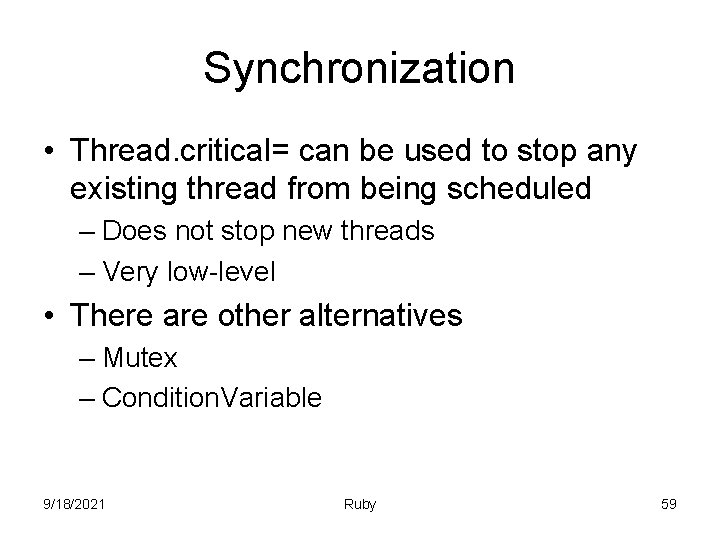
Synchronization • Thread. critical= can be used to stop any existing thread from being scheduled – Does not stop new threads – Very low-level • There are other alternatives – Mutex – Condition. Variable 9/18/2021 Ruby 59
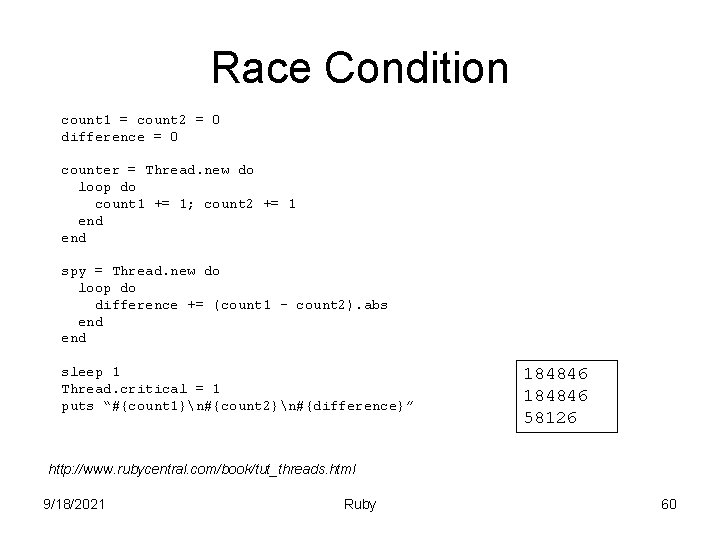
Race Condition count 1 = count 2 = 0 difference = 0 counter = Thread. new do loop do count 1 += 1; count 2 += 1 end spy = Thread. new do loop do difference += (count 1 - count 2). abs end sleep 1 Thread. critical = 1 puts “#{count 1}n#{count 2}n#{difference}” 184846 58126 http: //www. rubycentral. com/book/tut_threads. html 9/18/2021 Ruby 60
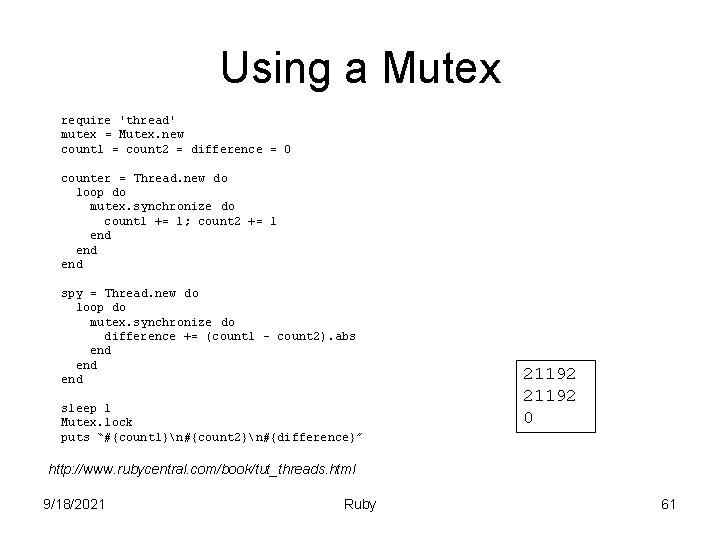
Using a Mutex require 'thread' mutex = Mutex. new count 1 = count 2 = difference = 0 counter = Thread. new do loop do mutex. synchronize do count 1 += 1; count 2 += 1 end end spy = Thread. new do loop do mutex. synchronize do difference += (count 1 - count 2). abs end end sleep 1 Mutex. lock puts “#{count 1}n#{count 2}n#{difference}” 21192 0 http: //www. rubycentral. com/book/tut_threads. html 9/18/2021 Ruby 61
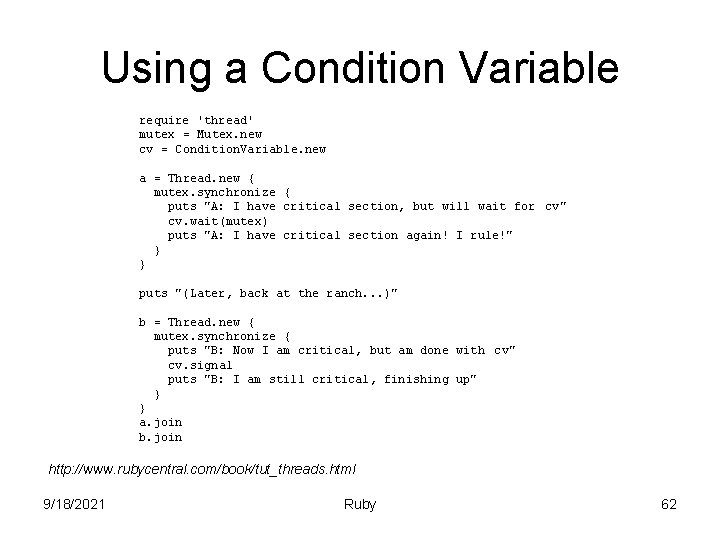
Using a Condition Variable require 'thread' mutex = Mutex. new cv = Condition. Variable. new a = Thread. new { mutex. synchronize { puts "A: I have critical section, but will wait for cv" cv. wait(mutex) puts "A: I have critical section again! I rule!" } } puts "(Later, back at the ranch. . . )" b = Thread. new { mutex. synchronize { puts "B: Now I am critical, but am done with cv" cv. signal puts "B: I am still critical, finishing up" } } a. join b. join http: //www. rubycentral. com/book/tut_threads. html 9/18/2021 Ruby 62
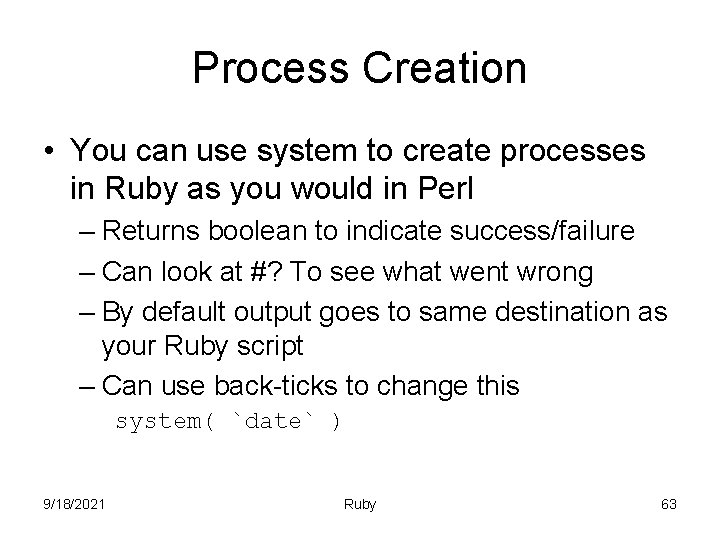
Process Creation • You can use system to create processes in Ruby as you would in Perl – Returns boolean to indicate success/failure – Can look at #? To see what went wrong – By default output goes to same destination as your Ruby script – Can use back-ticks to change this system( `date` ) 9/18/2021 Ruby 63
![popen nums = [0, 4, 2, 1, 9, 5, 6, 7, 8, 3] sorter](http://slidetodoc.com/presentation_image_h2/b25612f67173b0c3c6f4a57331965700/image-64.jpg "popen nums = [0, 4, 2, 1, 9, 5, 6, 7, 8, 3] sorter")
popen nums = [0, 4, 2, 1, 9, 5, 6, 7, 8, 3] sorter = IO. popen(“sort", "w+") nums. each{ |i| sorter. puts( i ) } sorter. close_write sorter. each_line{ |i| puts i } sorter. close 9/18/2021 Ruby 64
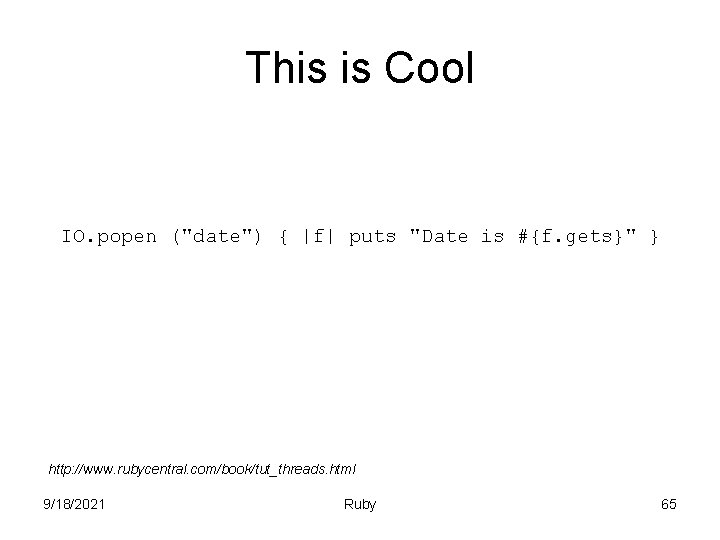
This is Cool IO. popen ("date") { |f| puts "Date is #{f. gets}" } http: //www. rubycentral. com/book/tut_threads. html 9/18/2021 Ruby 65
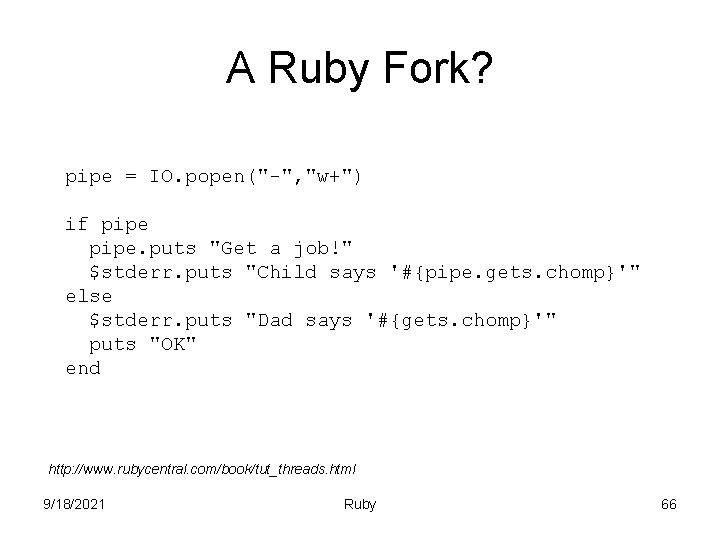
A Ruby Fork? pipe = IO. popen("-", "w+") if pipe. puts "Get a job!" $stderr. puts "Child says '#{pipe. gets. chomp}'" else $stderr. puts "Dad says '#{gets. chomp}'" puts "OK" end http: //www. rubycentral. com/book/tut_threads. html 9/18/2021 Ruby 66
- Slides: 66