
RTLinux Lab Introduction Cpre 558 Anil aniliastate edu
RTLinux Lab – Introduction Cpre 558 Anil anil@iastate. edu Cpr. E 458/558: Real-Time Systems (G. Manimaran) 1
Contents • Real-Time Operating System (RTOS) Vs. General Purpose OS (GPOS) • Can Linux provide real-time guarantees? • Commercial RTOSs • RTLinux Vs. Linux: Architectural comparison • RTLinux Vs. Linux: Code perspective • Get the RTLinux setup ready • Things to Issue and Handling the hard disk • Lab #1: Detailed discussion Cpr. E 458/558: Real-Time Systems (G. Manimaran) 2
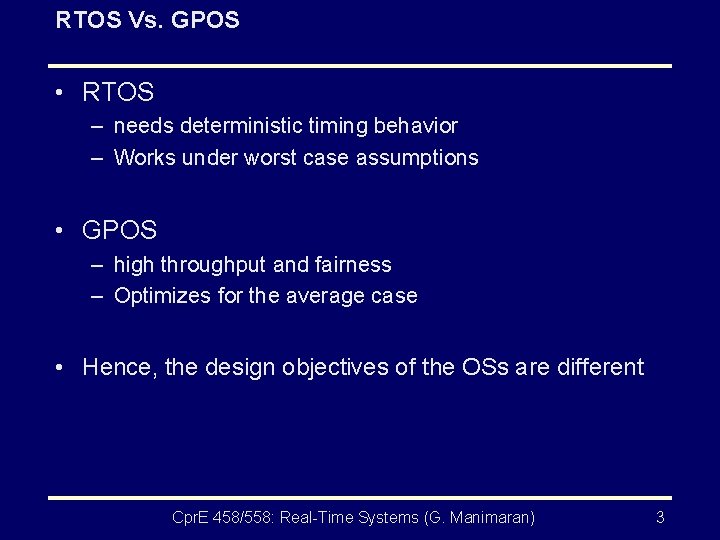
RTOS Vs. GPOS • RTOS – needs deterministic timing behavior – Works under worst case assumptions • GPOS – high throughput and fairness – Optimizes for the average case • Hence, the design objectives of the OSs are different Cpr. E 458/558: Real-Time Systems (G. Manimaran) 3
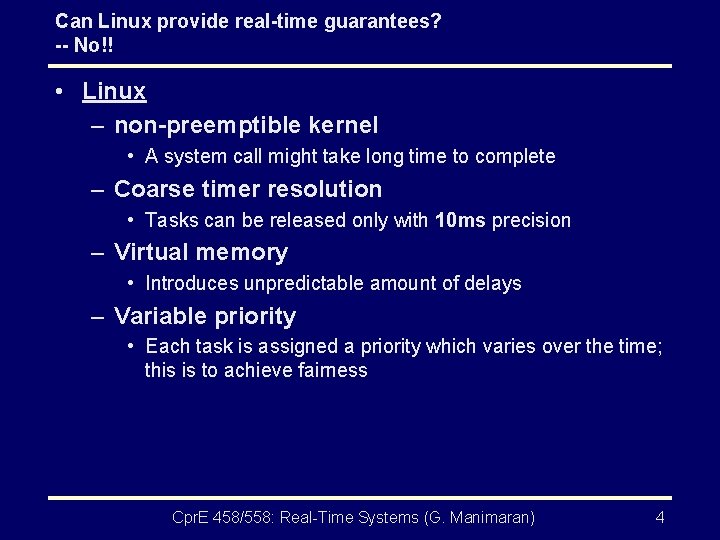
Can Linux provide real-time guarantees? -- No!! • Linux – non-preemptible kernel • A system call might take long time to complete – Coarse timer resolution • Tasks can be released only with 10 ms precision – Virtual memory • Introduces unpredictable amount of delays – Variable priority • Each task is assigned a priority which varies over the time; this is to achieve fairness Cpr. E 458/558: Real-Time Systems (G. Manimaran) 4
Can Linux provide real-time guarantees? -- No!! (contd. . ) • Linux – Linux will batch several operations for efficient use of H/W delaying all tasks – Linux also reorders requests from multiple processes for H/W efficiency – Linux does not preempt low priority task in a system call, instead queues the high priority task – Linux makes high priority tasks to wait for low priority tasks to release resources Therefore, Linux cannot provide real-time guarantees Cpr. E 458/558: Real-Time Systems (G. Manimaran) 5

Commercial RTOS • RTLinux – Monolithic kernel with loadable modules • QNX – Microkernel approach • Vx. Works – Monolithic kernel • Lynx. OS – Microkernel • ARTS, Spring, KURT, RTAI, etc…. Cpr. E 458/558: Real-Time Systems (G. Manimaran) 6
RTLinux: Overview • Open source Linux project • Supports x 86, Power. PC, Alpha • Available as a patch to the regular Linux kernel • Provides an RT API for developers • Runs Linux kernel as lowest priority process Cpr. E 458/558: Real-Time Systems (G. Manimaran) 7
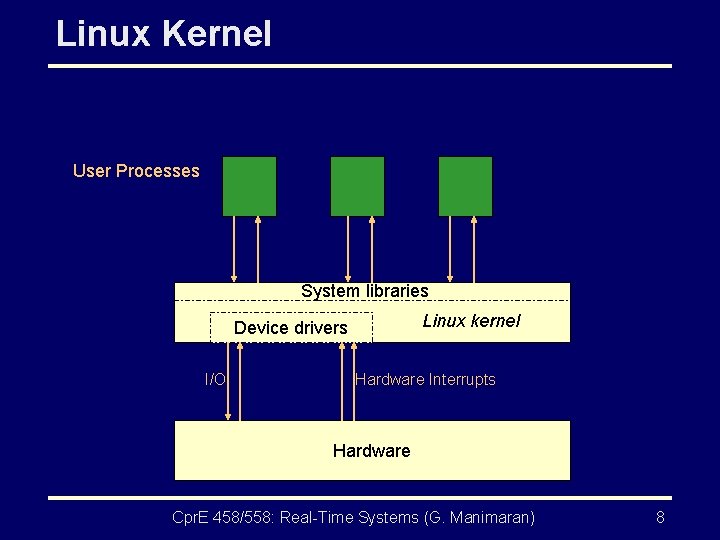
Linux Kernel User Processes System libraries Linux kernel Device drivers I/O Hardware Interrupts Hardware Cpr. E 458/558: Real-Time Systems (G. Manimaran) 8
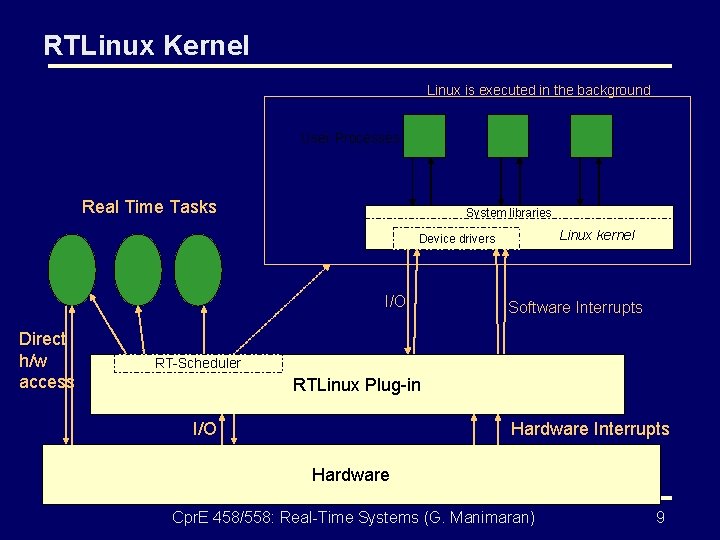
RTLinux Kernel Linux is executed in the background User Processes Real Time Tasks System libraries Linux kernel Device drivers I/O Direct h/w access Software Interrupts RT-Scheduler RTLinux Plug-in I/O Hardware Interrupts Hardware Cpr. E 458/558: Real-Time Systems (G. Manimaran) 9
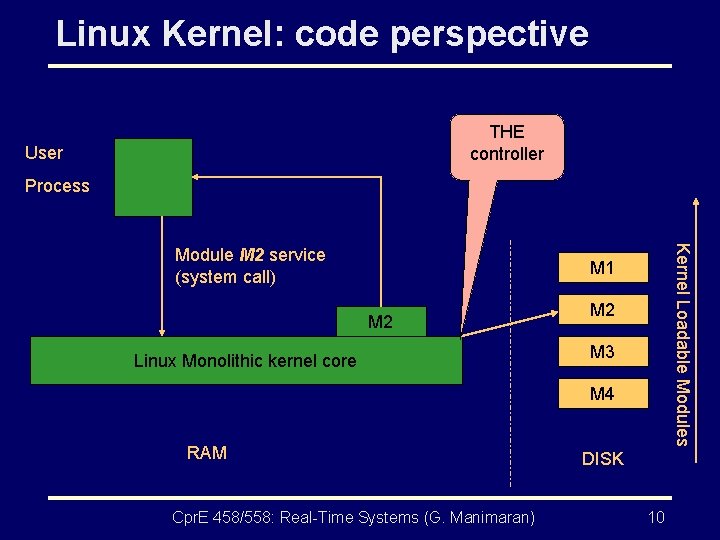
Linux Kernel: code perspective THE controller User Process Kernel Loadable Modules Module M 2 service (system call) M 1 M 2 Linux Monolithic kernel core M 2 M 3 M 4 RAM Cpr. E 458/558: Real-Time Systems (G. Manimaran) DISK 10
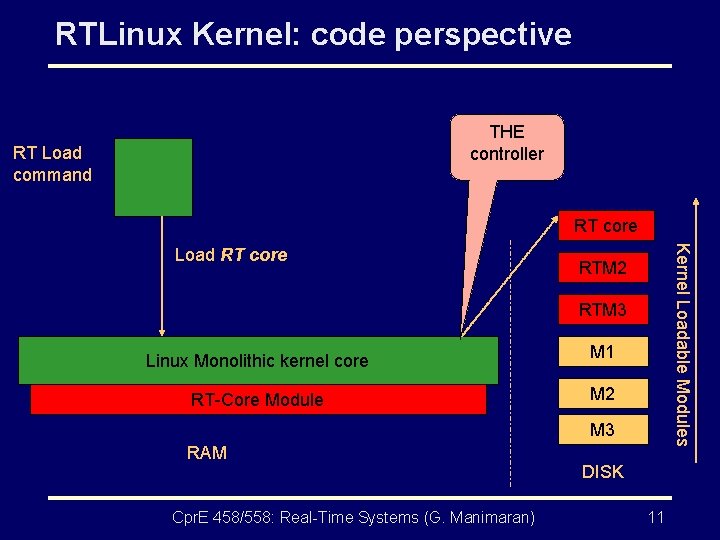
RTLinux Kernel: code perspective THE controller RT Load command RT core Kernel Loadable Modules Load RT core RTM 2 RTM 3 Linux Monolithic kernel core M 1 RT-Core Module M 2 M 3 RAM Cpr. E 458/558: Real-Time Systems (G. Manimaran) DISK 11
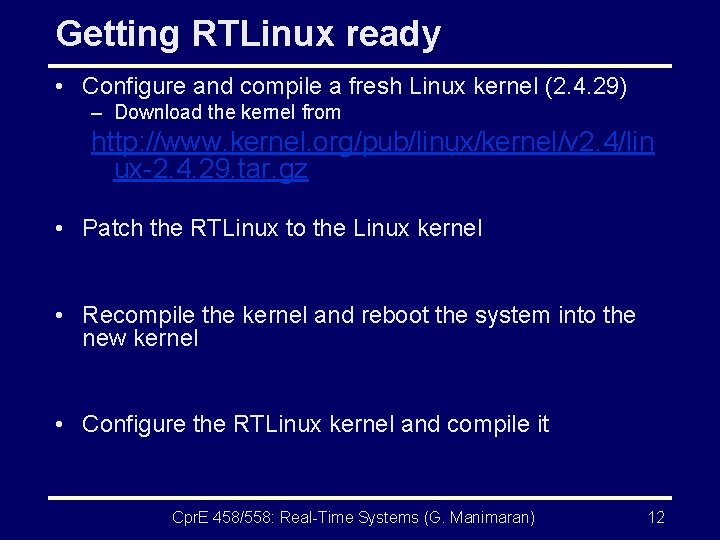
Getting RTLinux ready • Configure and compile a fresh Linux kernel (2. 4. 29) – Download the kernel from http: //www. kernel. org/pub/linux/kernel/v 2. 4/lin ux-2. 4. 29. tar. gz • Patch the RTLinux to the Linux kernel • Recompile the kernel and reboot the system into the new kernel • Configure the RTLinux kernel and compile it Cpr. E 458/558: Real-Time Systems (G. Manimaran) 12
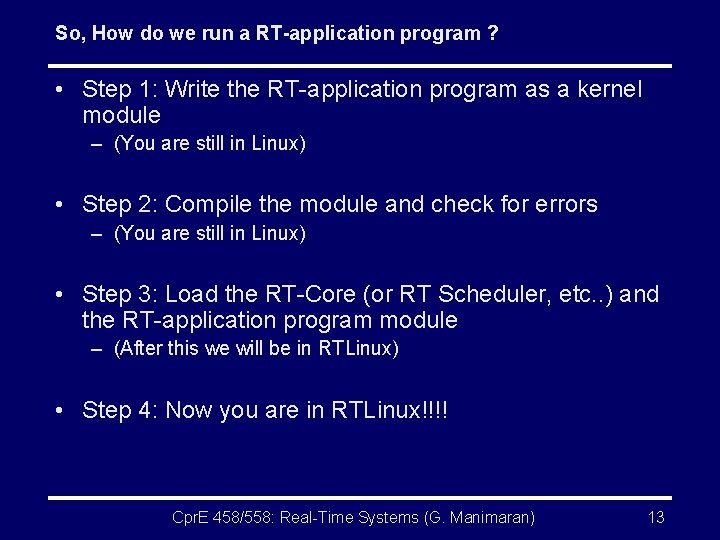
So, How do we run a RT-application program ? • Step 1: Write the RT-application program as a kernel module – (You are still in Linux) • Step 2: Compile the module and check for errors – (You are still in Linux) • Step 3: Load the RT-Core (or RT Scheduler, etc. . ) and the RT-application program module – (After this we will be in RTLinux) • Step 4: Now you are in RTLinux!!!! Cpr. E 458/558: Real-Time Systems (G. Manimaran) 13
Homework • Submission 1: – Give a ten line write-up comparing RTLinux with at least five differences along with the references. • Submission 2: – Give a ten line write-up comparing RTLinux with two other commercial RTOSs with at least five differences for each of them along with the references. Cpr. E 458/558: Real-Time Systems (G. Manimaran) 14
Lab Policies • Six assignments in total • First three assignments are mandatory • One of the last three assignments is mandatory • You will be working with a removable hard disk which can be issued from CSG Cpr. E 458/558: Real-Time Systems (G. Manimaran) 15
Things to Issue • Issue the following from the CSG – Hard disk (one per group) – Key (one per group) – RHEL – WS 3 installation DVD (one per group) • You need to download the lab 01 tar file (lab 01. tgz) from the course website. • The RTLinux lab is in Coover - 1331 C Cpr. E 458/558: Real-Time Systems (G. Manimaran) 16
Handling the hard disk (1) • Shutdown the PC • After the power is off, unlock the existing hard disk and take it out • Insert the hard disk given to you and lock it • Restart the comp • Follow the manual you have downloaded from the course website Cpr. E 458/558: Real-Time Systems (G. Manimaran) 17
Handling the hard disk (2) • After you are done with the lab: – Shutdown the PC – After the power is off, unlock the hard disk and remove it – Insert the original hard disk and lock it – Leave the Lab Cpr. E 458/558: Real-Time Systems (G. Manimaran) 18
RTLinux Lab# 1 Cpre 558 Anil anil@iastate. edu Cpr. E 458/558: Real-Time Systems (G. Manimaran) 19
Lab 1: Objectives • Part 1: – Getting the RTLinux lab setup ready • Part 2: – Run a few simple hello-world modules Cpr. E 458/558: Real-Time Systems (G. Manimaran) 20
Part 1 • Install the RHEL-WS 3 using the DVD given to you – Go for the auto-partitioning option – Rest everything is straightforward • Configure and compile fresh Linux kernel (2. 4. 29) • Patch the RTLinux to the Linux kernel • Recompile the kernel and reboot the system into the new kernel • Load RT-modules • Instructions are provided in the Lab manual Cpr. E 458/558: Real-Time Systems (G. Manimaran) 21
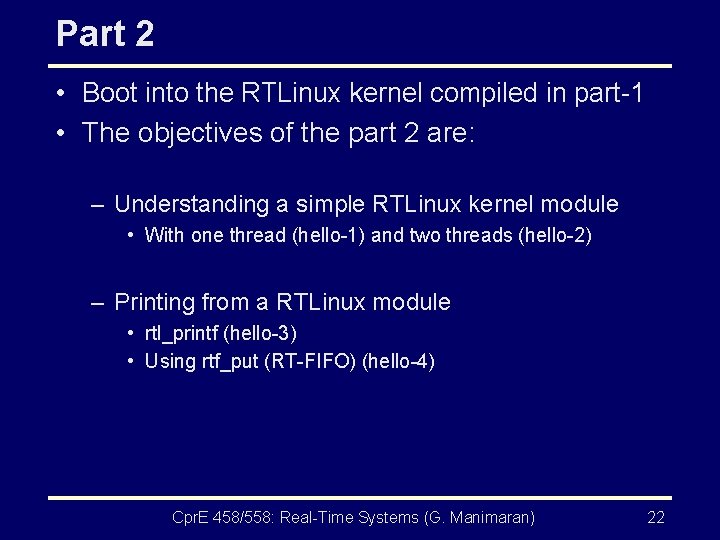
Part 2 • Boot into the RTLinux kernel compiled in part-1 • The objectives of the part 2 are: – Understanding a simple RTLinux kernel module • With one thread (hello-1) and two threads (hello-2) – Printing from a RTLinux module • rtl_printf (hello-3) • Using rtf_put (RT-FIFO) (hello-4) Cpr. E 458/558: Real-Time Systems (G. Manimaran) 22
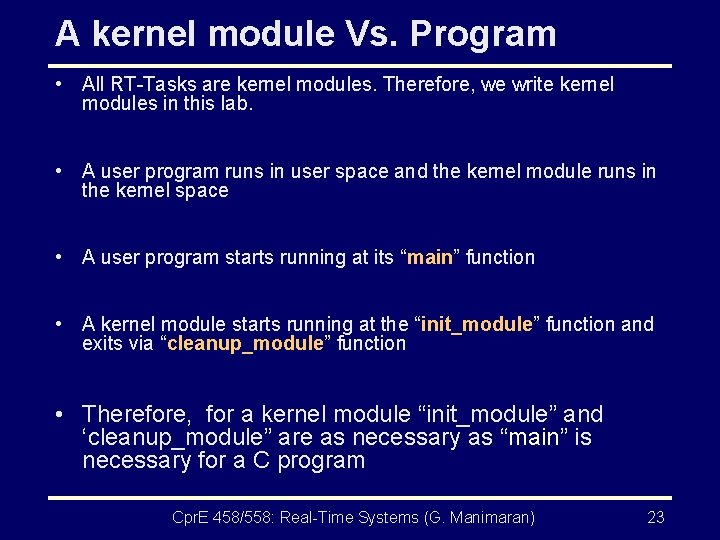
A kernel module Vs. Program • All RT-Tasks are kernel modules. Therefore, we write kernel modules in this lab. • A user program runs in user space and the kernel module runs in the kernel space • A user program starts running at its “main” function • A kernel module starts running at the “init_module” function and exits via “cleanup_module” function • Therefore, for a kernel module “init_module” and ‘cleanup_module” are as necessary as “main” is necessary for a C program Cpr. E 458/558: Real-Time Systems (G. Manimaran) 23
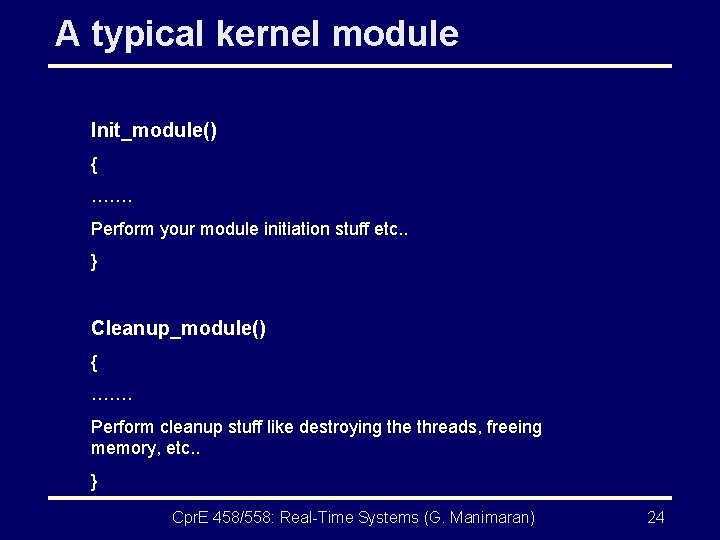
A typical kernel module Init_module() { ……. Perform your module initiation stuff etc. . } Cleanup_module() { ……. Perform cleanup stuff like destroying the threads, freeing memory, etc. . } Cpr. E 458/558: Real-Time Systems (G. Manimaran) 24
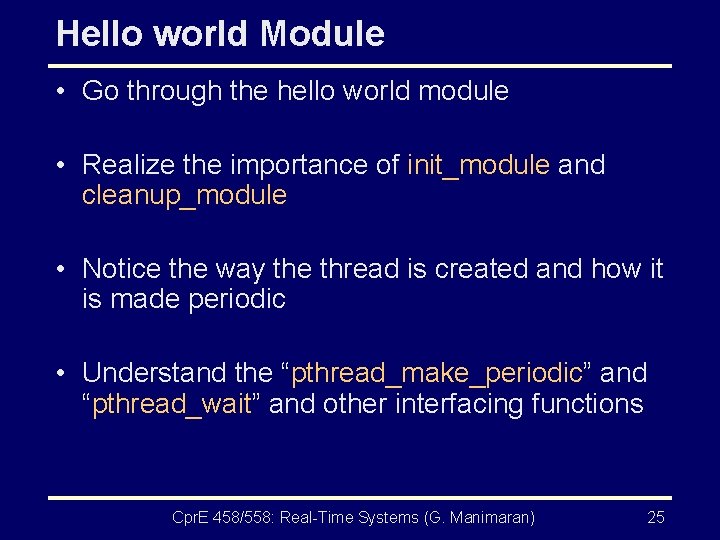
Hello world Module • Go through the hello world module • Realize the importance of init_module and cleanup_module • Notice the way the thread is created and how it is made periodic • Understand the “pthread_make_periodic” and “pthread_wait” and other interfacing functions Cpr. E 458/558: Real-Time Systems (G. Manimaran) 25
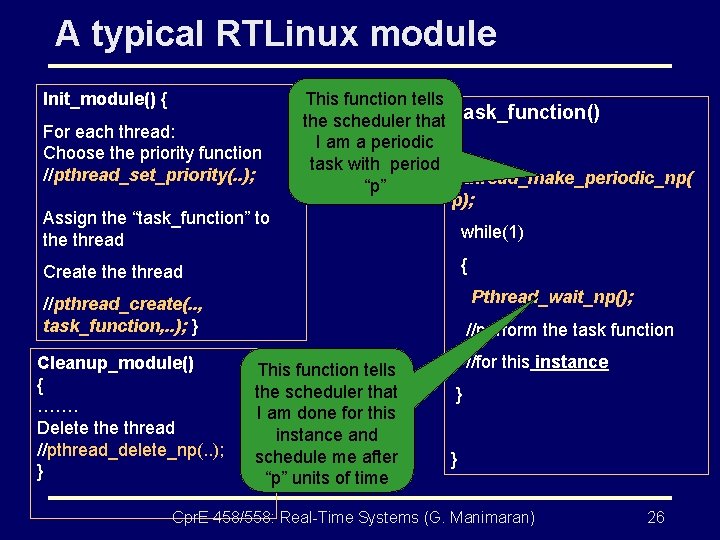
A typical RTLinux module Init_module() { For each thread: Choose the priority function //pthread_set_priority(. . ); Assign the “task_function” to the thread This function tells the scheduler that Task_function() I am a periodic { task with period Pthread_make_periodic_np( “p” p); while(1) { Create thread Pthread_wait_np(); //pthread_create(. . , task_function, . . ); } Cleanup_module() { ……. Delete thread //pthread_delete_np(. . ); } //perform the task function This function tells the scheduler that I am done for this instance and schedule me after “p” units of time //for this instance } } Cpr. E 458/558: Real-Time Systems (G. Manimaran) 26
Hello World 2 • This module creates two threads using a nice “thread_struct” structure to make the initialization easy and compact. • Once again go through the interfacing funcitons • This time put more “rtl_printf” statements and open “/var/log/messages” file to find your output Cpr. E 458/558: Real-Time Systems (G. Manimaran) 27
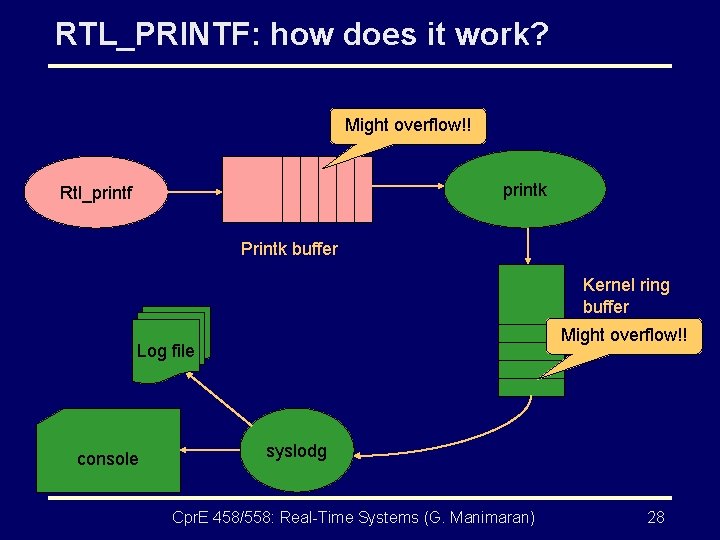
RTL_PRINTF: how does it work? Might overflow!! printk Rtl_printf Printk buffer Kernel ring buffer Might overflow!! Log file console syslodg Cpr. E 458/558: Real-Time Systems (G. Manimaran) 28
Other ways of printing: RTL-FIFO • RTLinux FIFO provides communication mechanisms between RTL threads and Linux task. • A linux process creates the RTL-FIFO buffer which the RTL threads access and write and read from them Cpr. E 458/558: Real-Time Systems (G. Manimaran) 29
RTL-FIFO • Creating and destroying FIFOS: – Using functions: rtf_create and rtf_destroy – These functions are called from linux process: open(), read(), write(); • Accessing FIFOs from RTL threads – using functions: rtf_put and rtf_get Cpr. E 458/558: Real-Time Systems (G. Manimaran) 30
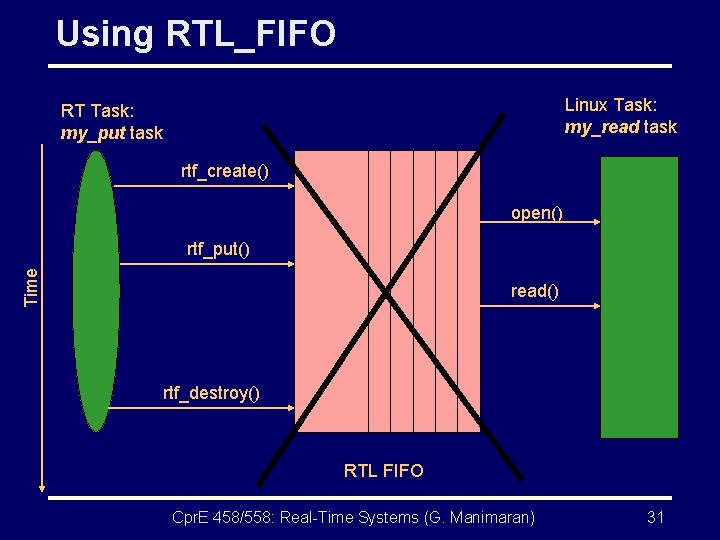
Using RTL_FIFO Linux Task: my_read task RT Task: my_put task rtf_create() open() Time rtf_put() read() rtf_destroy() RTL FIFO Cpr. E 458/558: Real-Time Systems (G. Manimaran) 31
Submissions • Submission 1: – Submit a five line write-up explaining the working of the two RTL interfacing functions including: • Pthread_make_periodic_np • Pthread_wait_np • Rtf_create, rtf_destroy, rtf_put, rtf_get • Submission 2: – Submit a five line write-up giving at least five differences between a kernel module and a user program. Cpr. E 458/558: Real-Time Systems (G. Manimaran) 32
Thank You!! Cpr. E 458/558: Real-Time Systems (G. Manimaran) 33
- Slides: 33