
Rozdly ovldn MS Dynamics NAV 2016 2017 Windows
- Slides: 16
Rozdíly ovládání MS Dynamics NAV 2016 (2017) Windows Client <-> WEB Client J. Skorkovský – KPH-ESF-MU Brno S využitím zdrojů Dyn. AA a PWP 80949 a Course 80949 Introduction to Microsoft Dynamics NAV 2016 – materiál editovaný ve WORDu na adrese https: //mbspartner. microsoft. com/NAV/Course. Modules/1506 a dále pak ve studijních materiálech. Jde o zjednodušení první časti PWP. With the use of Dyn. AA resources and PWP 80949 and Course 80949 Introduction to Microsoft Dynamics NAV 2016 and word material on address https: //mbspartner. microsoft. com/NAV/Course. Modules/1506 and also in your study material. This is a simplified first part of the original presentation.
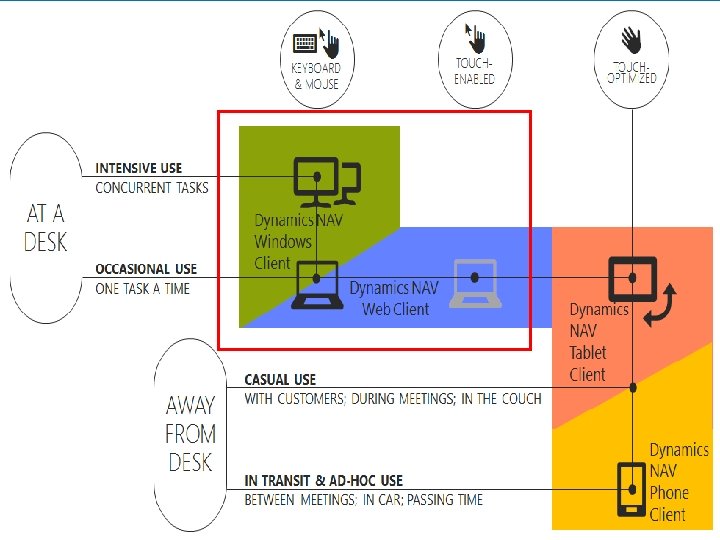
Module 2 - Overview • • • Windows Client Web Client Phone Client Tablet Client Outlook Client
Windows Client • Role Tailored • Intuitive and versatile
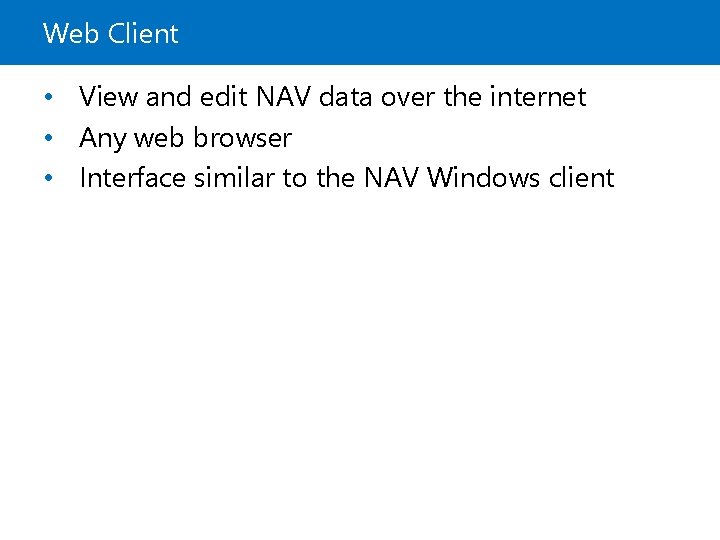
Web Client • View and edit NAV data over the internet • Any web browser • Interface similar to the NAV Windows client
User Interface - Overview • • The Window Client and Web Client Interface. The Application Menu My Settings –Web Client The Ribbon The Navigation pane. The List page. The Card page. Explore the Role Center.
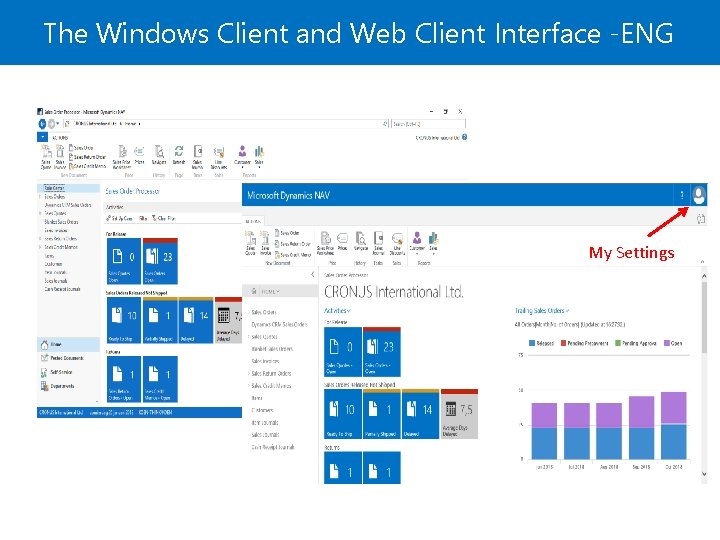
The Windows Client and Web Client Interface -ENG My Settings
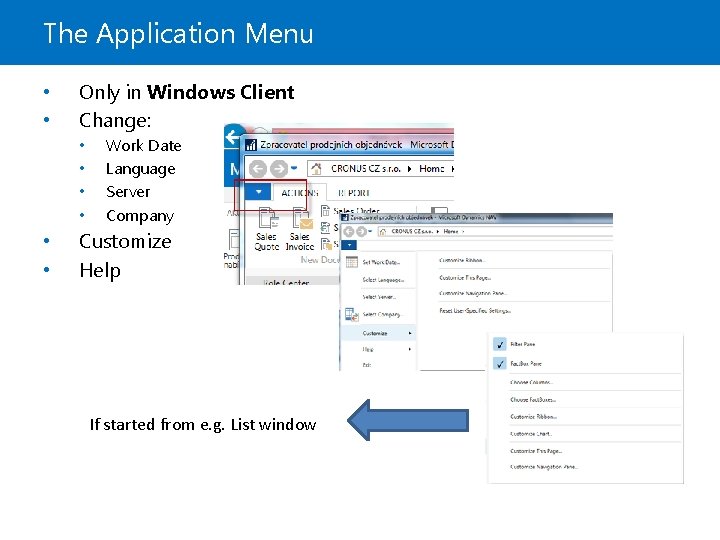
The Application Menu • • Only in Windows Client Change: • • • Work Date Language Server Company Customize Help If started from e. g. List window
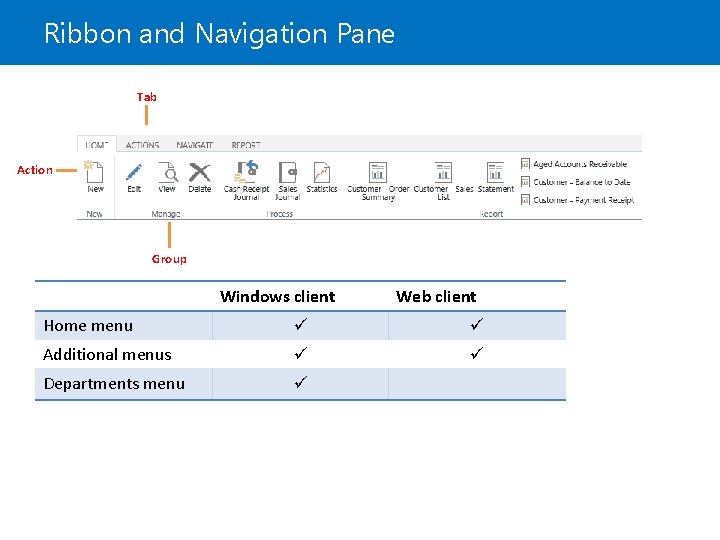
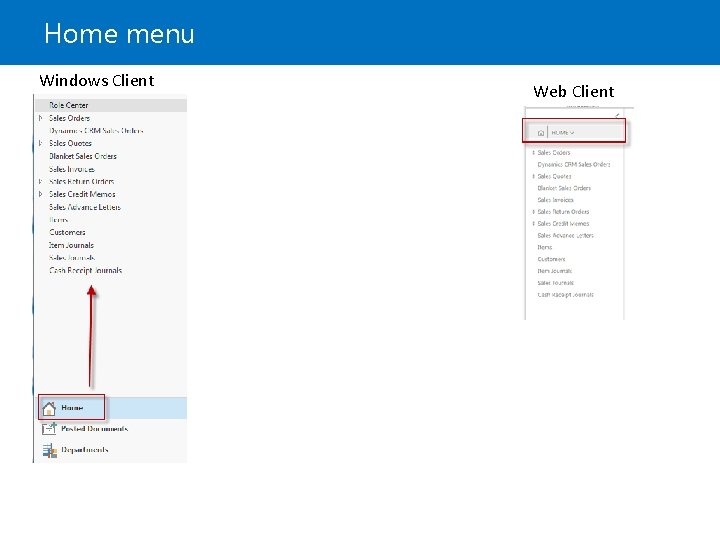
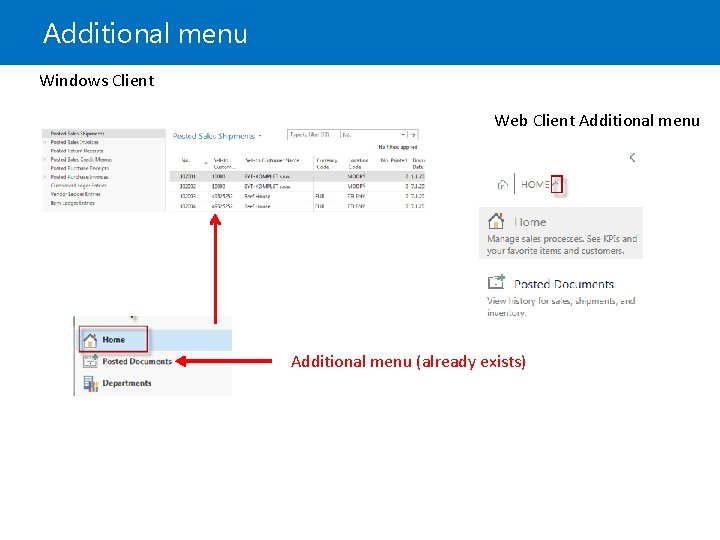
Ribbon and Navigation Pane Tab Action Group Windows client Web client Home menu Additional menus Departments menu
Home menu Windows Client Web Client
Additional menu Windows Client Web Client Additional menu (already exists)
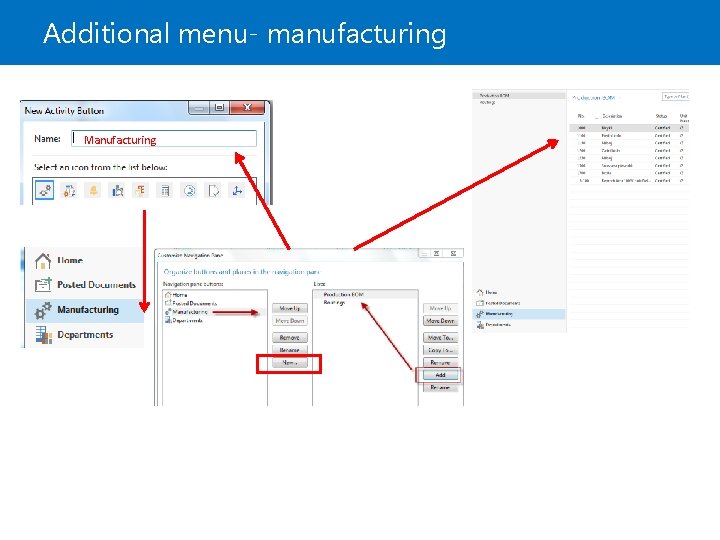
Additional menu- manufacturing Manufacturing
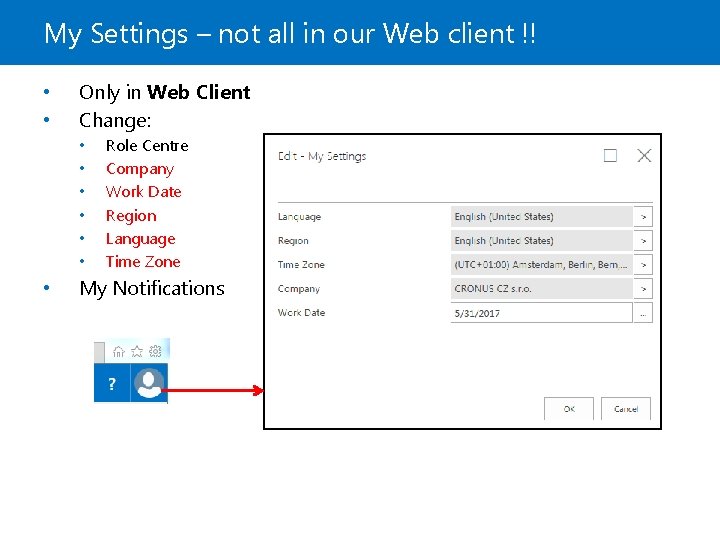
My Settings – not all in our Web client !! • • Only in Web Client Change: • • Role Centre Company Work Date Region Language Time Zone My Notifications
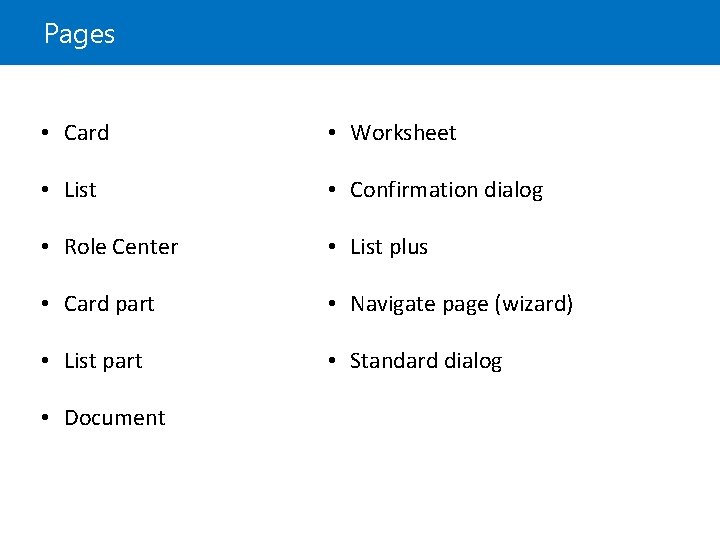
Pages • Card • Worksheet • List • Confirmation dialog • Role Center • List plus • Card part • Navigate page (wizard) • List part • Standard dialog • Document
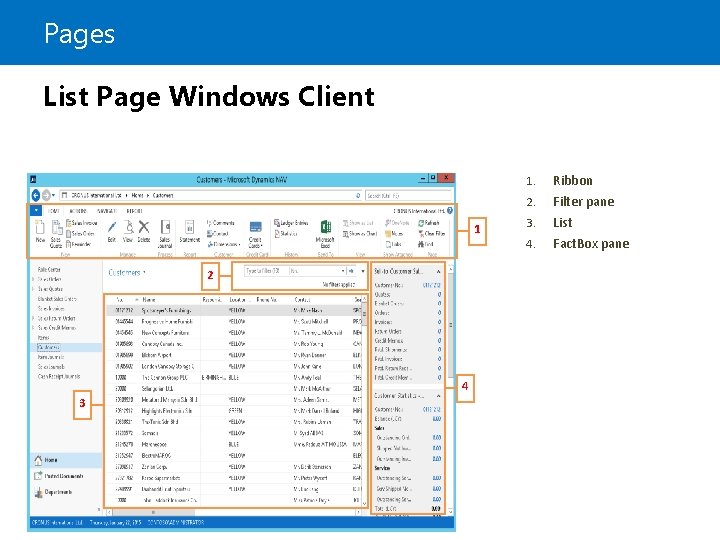
Pages List Page Windows Client 1 2 4 3 1. Ribbon 2. Filter pane 3. List 4. Fact. Box pane
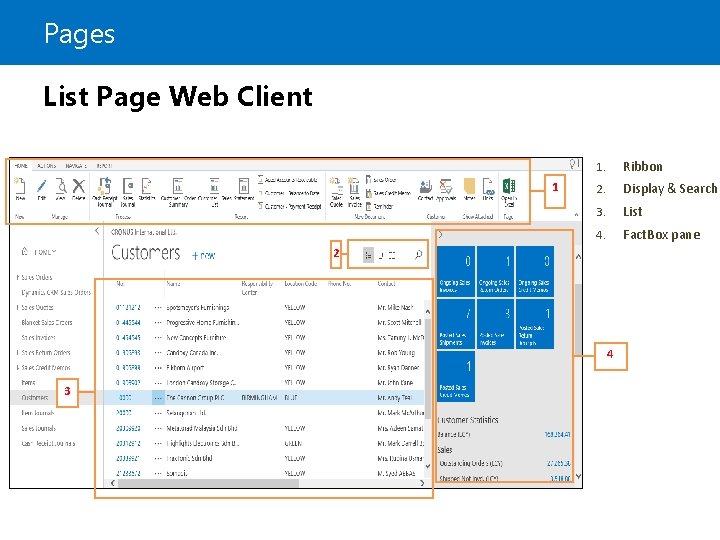
Pages List Page Web Client 1 1. Ribbon 2. Display & Search 3. List 4. Fact. Box pane 2 4 3
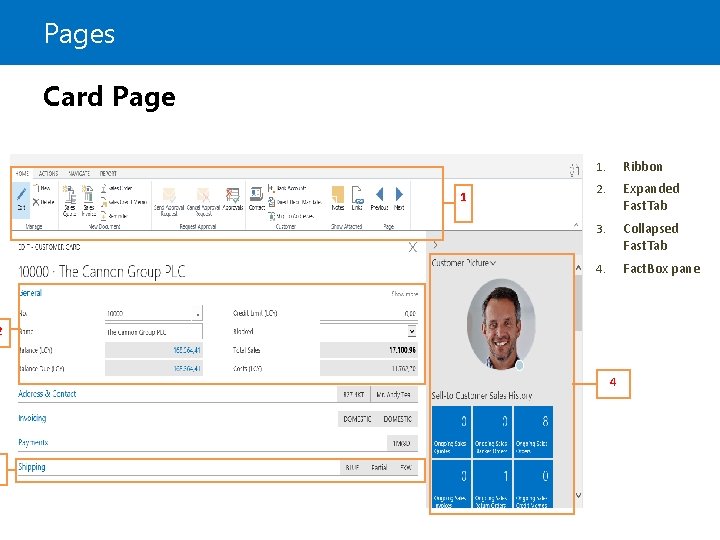
Pages Card Page 1 1. Ribbon 2. Expanded Fast. Tab 3. Collapsed Fast. Tab 4. Fact. Box pane 2 3 4