
Routing Internet Protocol RIP The Topology we will
- Slides: 6
Routing Internet Protocol RIP
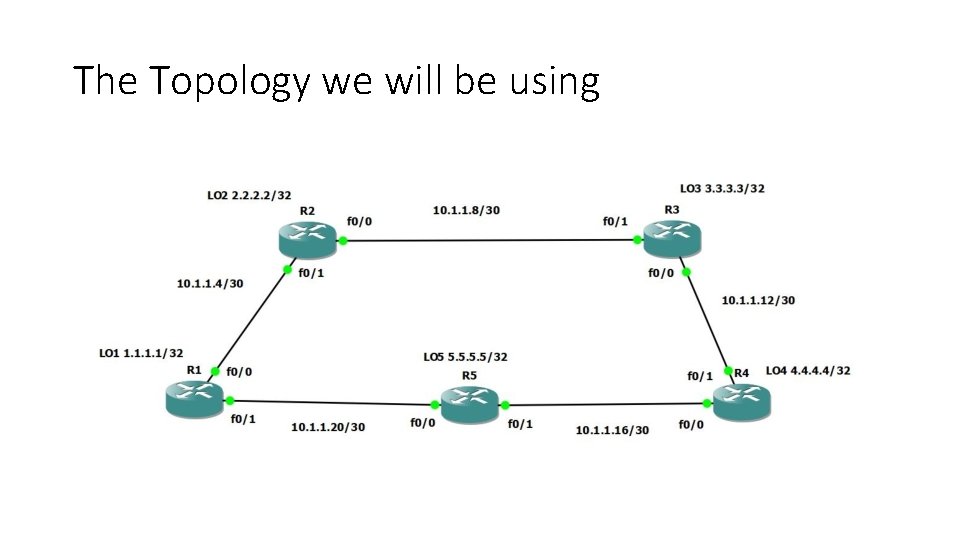
The Topology we will be using
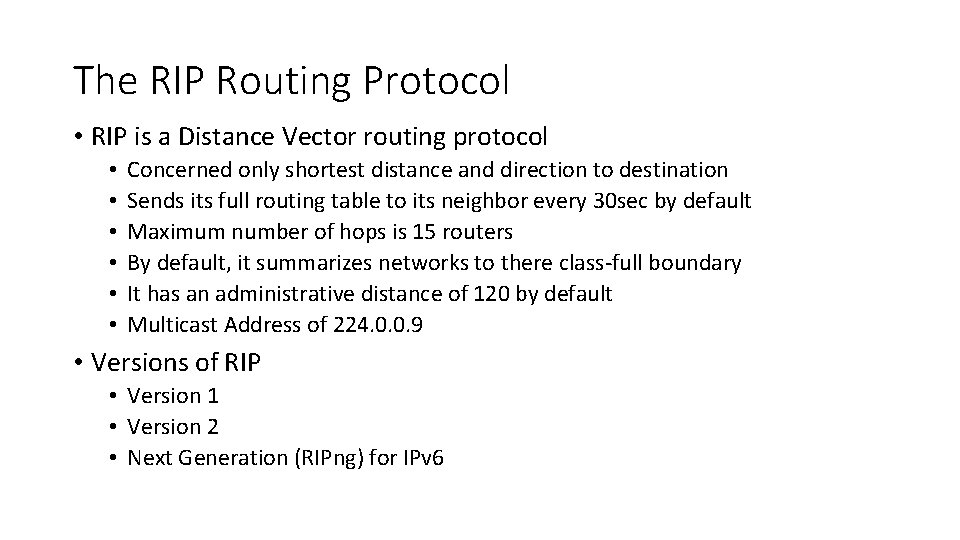
The RIP Routing Protocol • RIP is a Distance Vector routing protocol • • • Concerned only shortest distance and direction to destination Sends its full routing table to its neighbor every 30 sec by default Maximum number of hops is 15 routers By default, it summarizes networks to there class-full boundary It has an administrative distance of 120 by default Multicast Address of 224. 0. 0. 9 • Versions of RIP • Version 1 • Version 2 • Next Generation (RIPng) for IPv 6
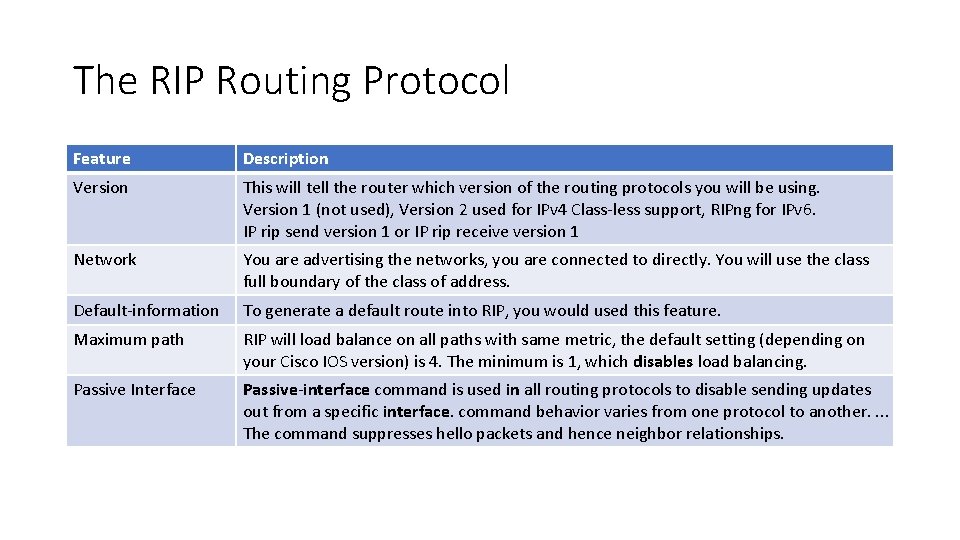
The RIP Routing Protocol Feature Description Version This will tell the router which version of the routing protocols you will be using. Version 1 (not used), Version 2 used for IPv 4 Class-less support, RIPng for IPv 6. IP rip send version 1 or IP rip receive version 1 Network You are advertising the networks, you are connected to directly. You will use the class full boundary of the class of address. Default-information To generate a default route into RIP, you would used this feature. Maximum path RIP will load balance on all paths with same metric, the default setting (depending on your Cisco IOS version) is 4. The minimum is 1, which disables load balancing. Passive Interface Passive-interface command is used in all routing protocols to disable sending updates out from a specific interface. command behavior varies from one protocol to another. . The command suppresses hello packets and hence neighbor relationships.
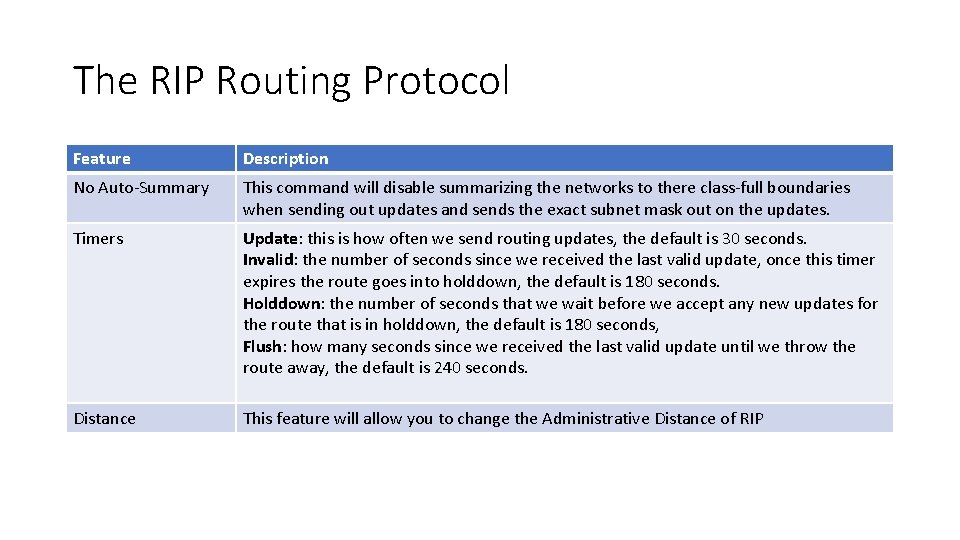
The RIP Routing Protocol Feature Description No Auto-Summary This command will disable summarizing the networks to there class-full boundaries when sending out updates and sends the exact subnet mask out on the updates. Timers Update: this is how often we send routing updates, the default is 30 seconds. Invalid: the number of seconds since we received the last valid update, once this timer expires the route goes into holddown, the default is 180 seconds. Holddown: the number of seconds that we wait before we accept any new updates for the route that is in holddown, the default is 180 seconds, Flush: how many seconds since we received the last valid update until we throw the route away, the default is 240 seconds. Distance This feature will allow you to change the Administrative Distance of RIP
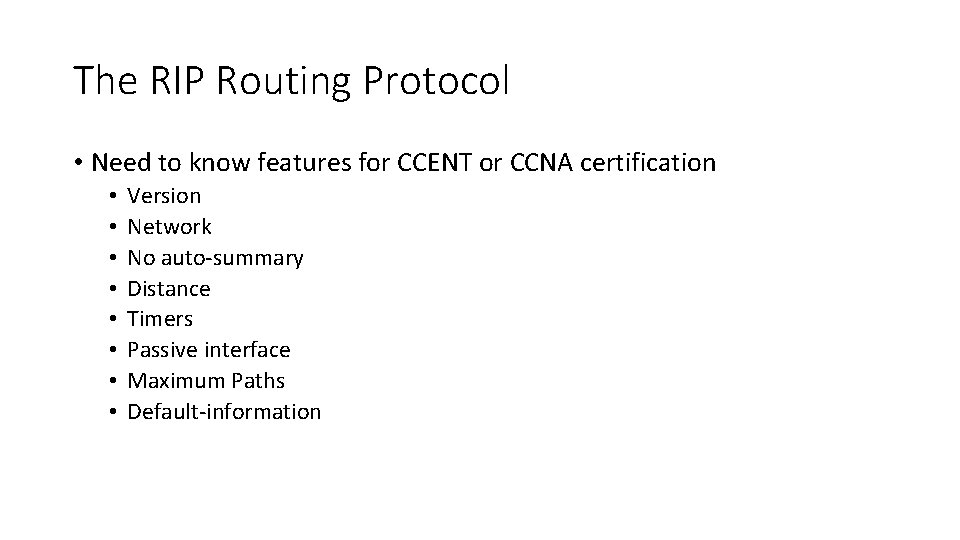
The RIP Routing Protocol • Need to know features for CCENT or CCNA certification • • Version Network No auto-summary Distance Timers Passive interface Maximum Paths Default-information