
Rose Cylc Rose suites 09022016 by Joao Teixeira
Rose & Cylc Rose suites 09/02/2016 by Joao Teixeira
Contents What we’ll cover … 1. Overview of Rose and Cylc • • • What’s Rose ? What’s Cylc ? Hands on!!! 2. Metadata configuration • • • Introduction Creating Metadata Hands on!!! 3. Cylc in Rose • • • 4. Q & A Introduction Cylc controls Hands on!!!
Overview of Rose & Cylc What is this?
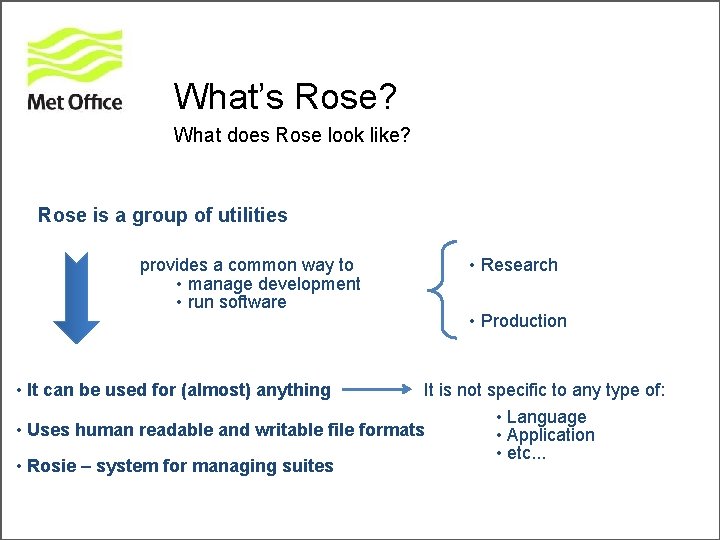
What’s Rose? What does Rose look like? Rose is a group of utilities provides a common way to • manage development • run software • It can be used for (almost) anything • Research • Production It is not specific to any type of: • Language • Uses human readable and writable file formats • Application • etc. . . • Rosie – system for managing suites
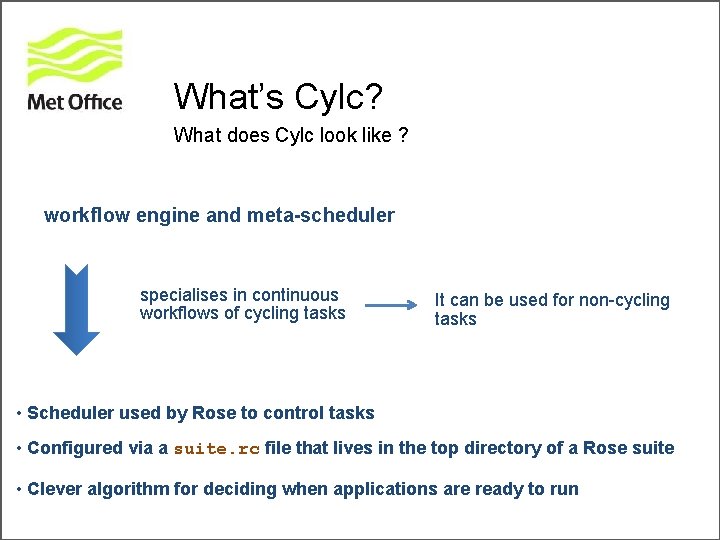
What’s Cylc? What does Cylc look like ? workflow engine and meta-scheduler specialises in continuous workflows of cycling tasks It can be used for non-cycling tasks • Scheduler used by Rose to control tasks • Configured via a suite. rc file that lives in the top directory of a Rose suite • Clever algorithm for deciding when applications are ready to run
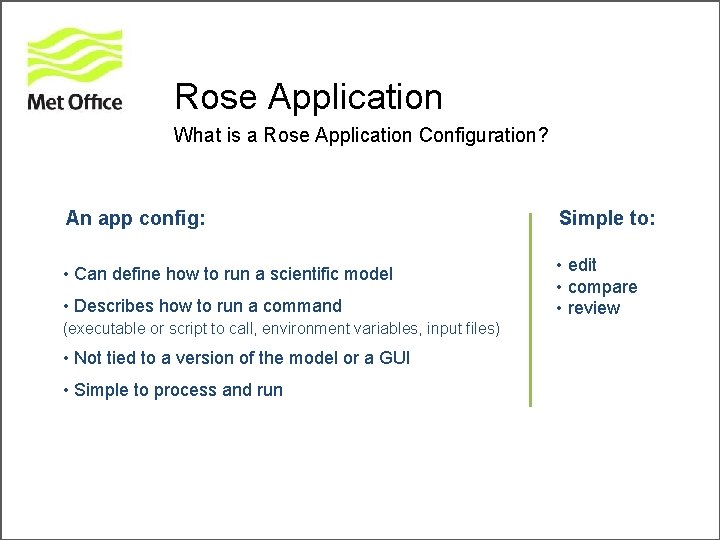
Rose Application What is a Rose Application Configuration? An app config: Simple to: • Can define how to run a scientific model • edit • compare • review • Describes how to run a command (executable or script to call, environment variables, input files) • Not tied to a version of the model or a GUI • Simple to process and run
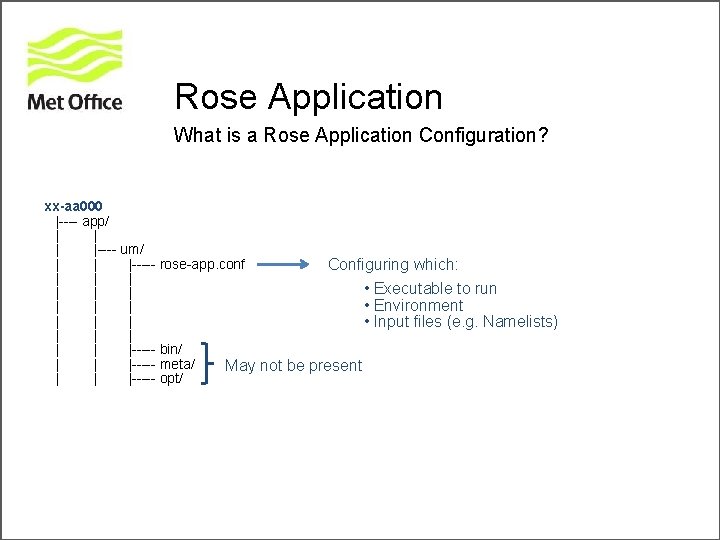
Rose Application What is a Rose Application Configuration? xx-aa 000 |---- app/ | |---- um/ | | |----- rose-app. conf Configuring which: | | | • Executable to run | | | • Environment | | | • Input files (e. g. Namelists) | | |----- bin/ | | |----- meta/ May not be present | | |----- opt/
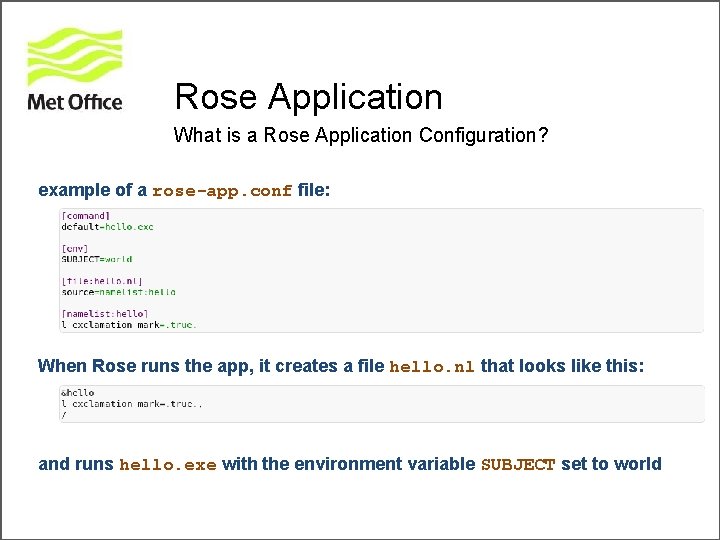
Rose Application What is a Rose Application Configuration? example of a rose-app. conf file: When Rose runs the app, it creates a file hello. nl that looks like this: and runs hello. exe with the environment variable SUBJECT set to world
Rose Application App configs can have metadata Metadata is: • a way of providing information about app config inputs • used to drive the rose edit GUI for editing app configs (not part of the GUI itself) • a simple specification defined in a similar format to the app config. Metadata sometimes lives in the meta/ directory of an app config, but more often in a shared central location
Rose A Brief Tour Lets get “hands on” with Rose • http: //metomi. github. io/rose/doc/rose-rug-brief-tour. html
Configuration Metadata information about settings in Rose configurations
Rose Metadata Introduction Metadata is used to provide information : • Help document your inputs • Perform automatic checking (including whether an input is needed) • Enhance the interface to your configurations (e. g. the Rose config editor)
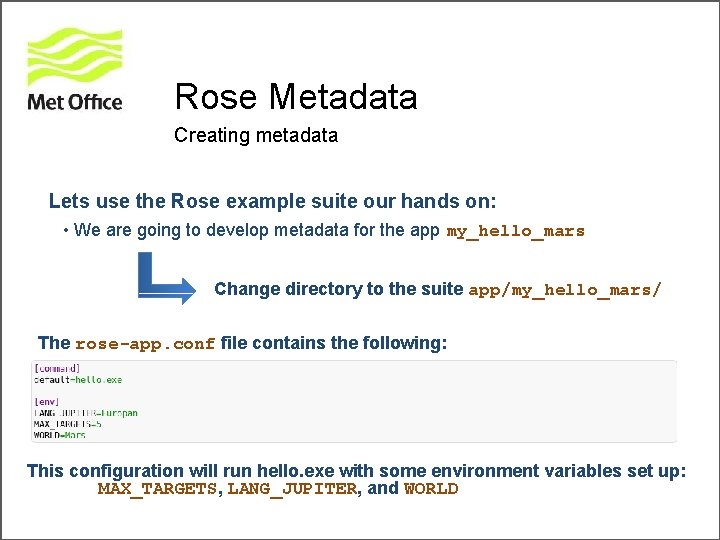
Rose Metadata Creating metadata Lets use the Rose example suite our hands on: • We are going to develop metadata for the app my_hello_mars Change directory to the suite app/my_hello_mars/ The rose-app. conf file contains the following: This configuration will run hello. exe with some environment variables set up: MAX_TARGETS, LANG_JUPITER, and WORLD
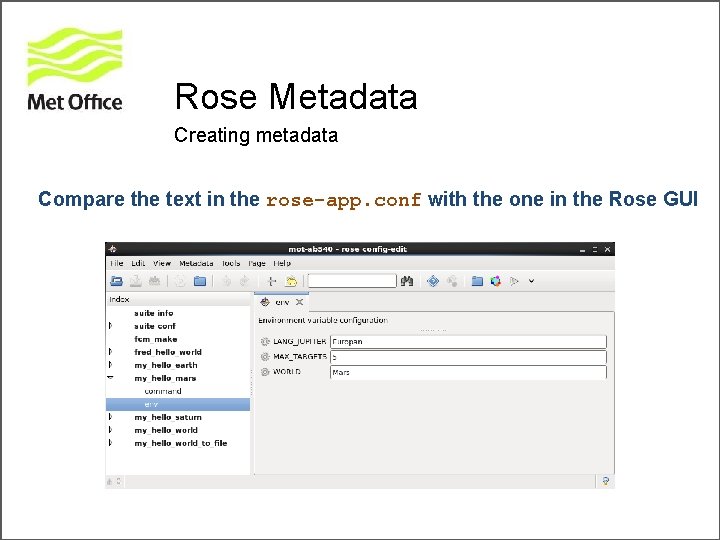
Rose Metadata Creating metadata Compare the text in the rose-app. conf with the one in the Rose GUI
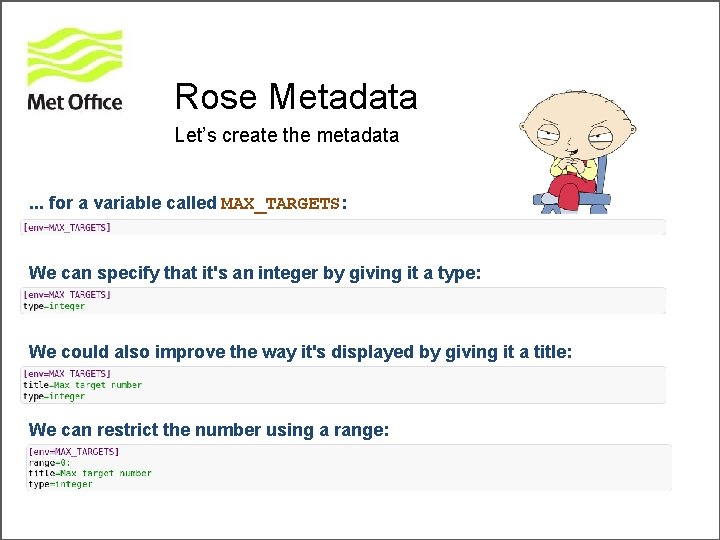
Rose Metadata Let’s create the metadata. . . for a variable called MAX_TARGETS: We can specify that it's an integer by giving it a type: We could also improve the way it's displayed by giving it a title: We can restrict the number using a range:
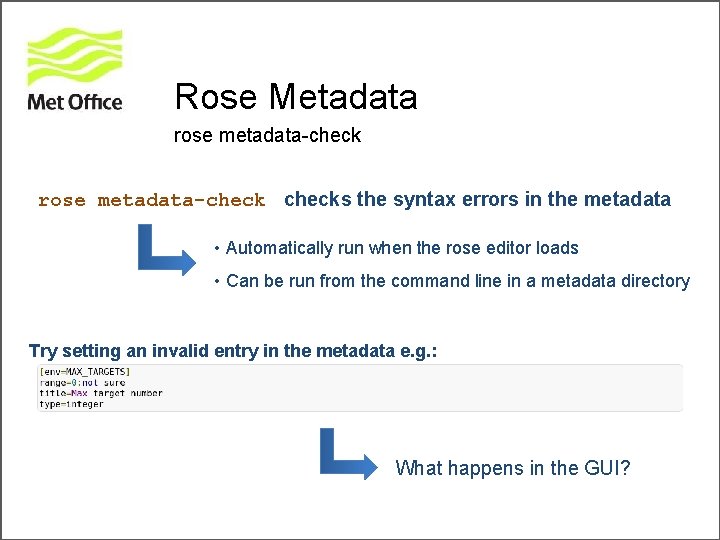
Rose Metadata rose metadata-checks the syntax errors in the metadata • Automatically run when the rose editor loads • Can be run from the command line in a metadata directory Try setting an invalid entry in the metadata e. g. : What happens in the GUI?
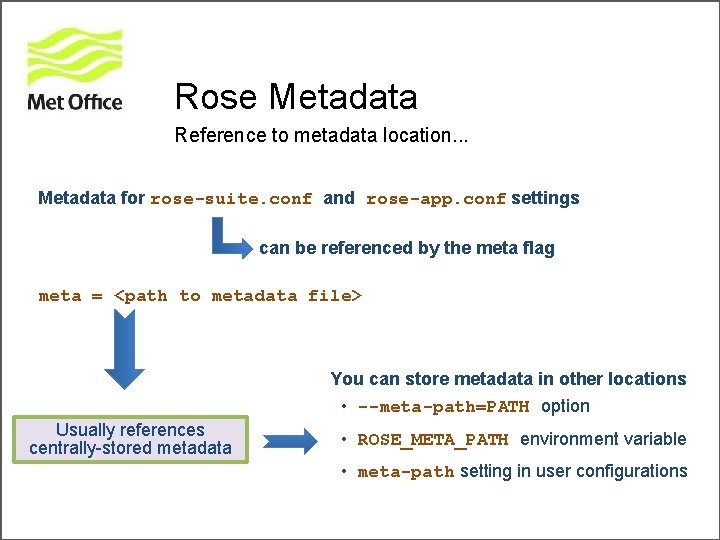
Rose Metadata Reference to metadata location. . . Metadata for rose-suite. conf and rose-app. conf settings can be referenced by the meta flag meta = <path to metadata file> You can store metadata in other locations • --meta-path=PATH option Usually references centrally-stored metadata • ROSE_META_PATH environment variable • meta-path setting in user configurations
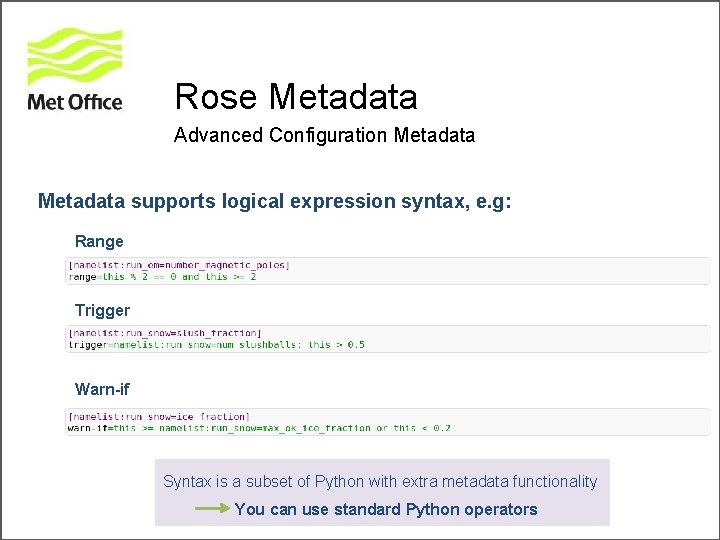
Rose Metadata Advanced Configuration Metadata supports logical expression syntax, e. g: Range Trigger Warn-if Syntax is a subset of Python with extra metadata functionality You can use standard Python operators
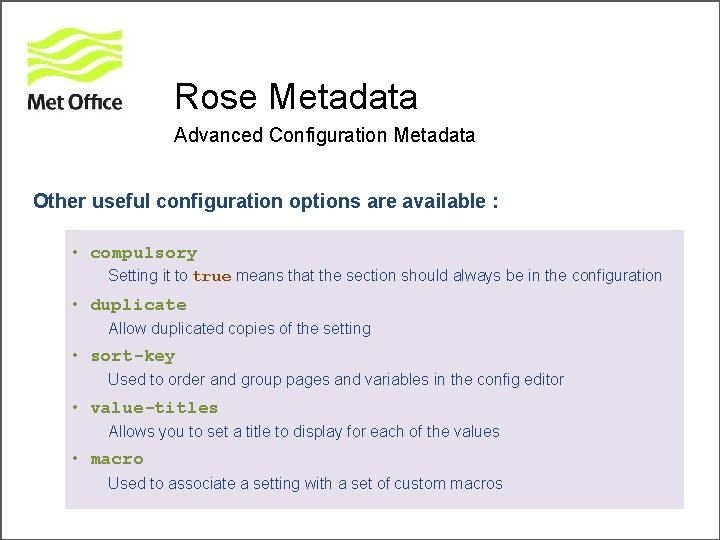
Rose Metadata Advanced Configuration Metadata Other useful configuration options are available : • compulsory Setting it to true means that the section should always be in the configuration • duplicate Allow duplicated copies of the setting • sort-key Used to order and group pages and variables in the config editor • value-titles Allows you to set a title to display for each of the values • macro Used to associate a setting with a set of custom macros
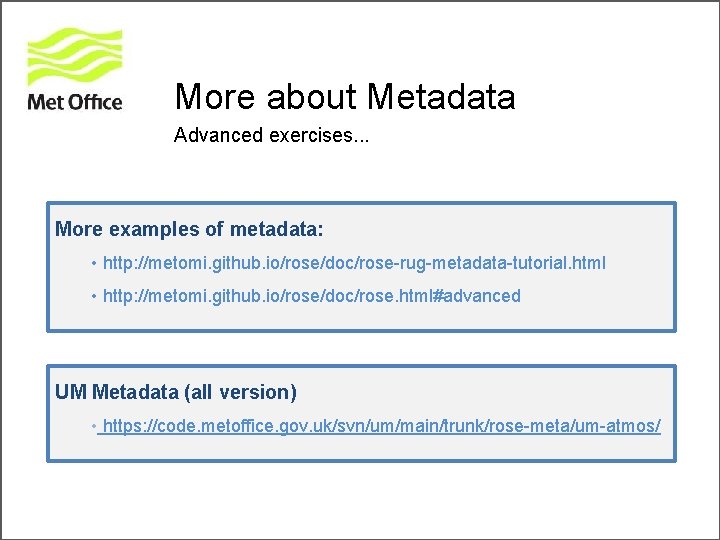
More about Metadata Advanced exercises. . . More examples of metadata: • http: //metomi. github. io/rose/doc/rose-rug-metadata-tutorial. html • http: //metomi. github. io/rose/doc/rose. html#advanced UM Metadata (all version) • https: //code. metoffice. gov. uk/svn/um/main/trunk/rose-meta/um-atmos/
Cylc in Rose The scheduler
Cylc Suite engine that drives task submission and monitoring Originally developed by Hilary Oliver at NIWA Developed to provide a fast, automated way of scheduling tasks so that a suite can catch up after outages Currently • Acollaborative effort, involving the Met Office • Written in Python and uses Py. GTK for its GUIs • It is open source and licensed under GPL v 3 • Lives on github
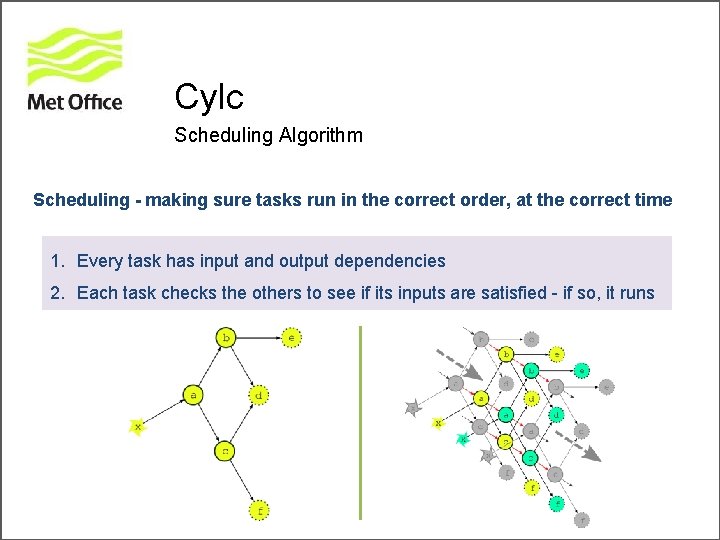
Cylc Scheduling Algorithm Scheduling - making sure tasks run in the correct order, at the correct time 1. Every task has input and output dependencies 2. Each task checks the others to see if its inputs are satisfied - if so, it runs
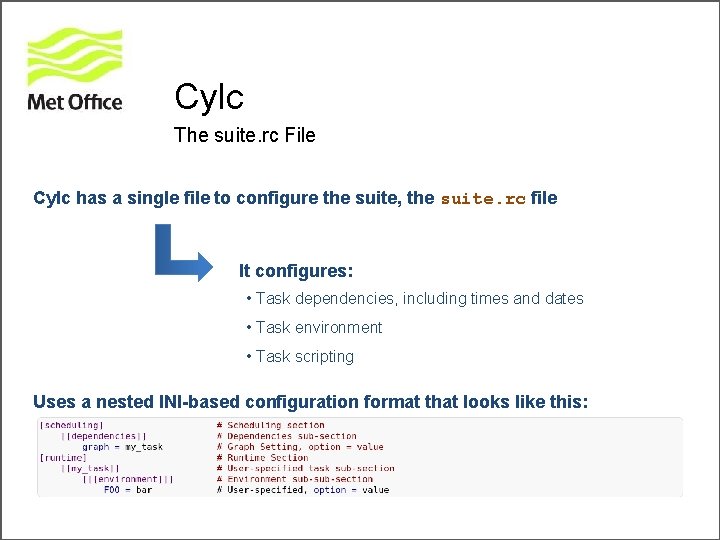
Cylc The suite. rc File Cylc has a single file to configure the suite, the suite. rc file It configures: • Task dependencies, including times and dates • Task environment • Task scripting Uses a nested INI-based configuration format that looks like this:
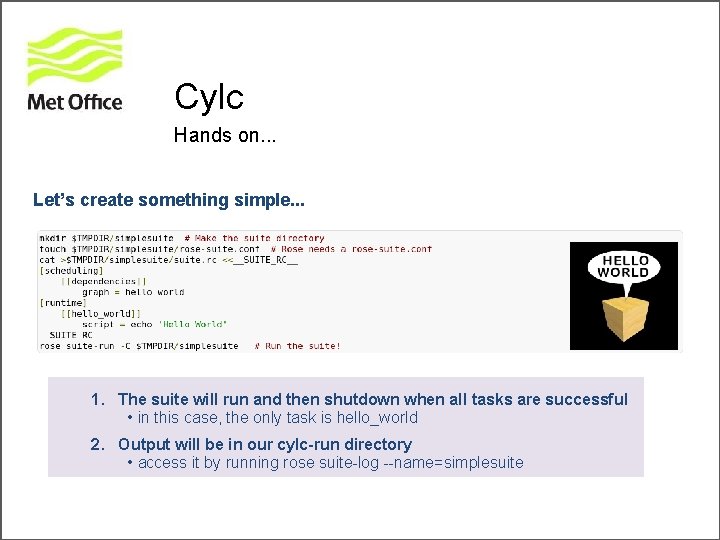
Cylc Hands on. . . Let’s create something simple. . . 1. The suite will run and then shutdown when all tasks are successful • in this case, the only task is hello_world 2. Output will be in our cylc-run directory • access it by running rose suite-log --name=simplesuite
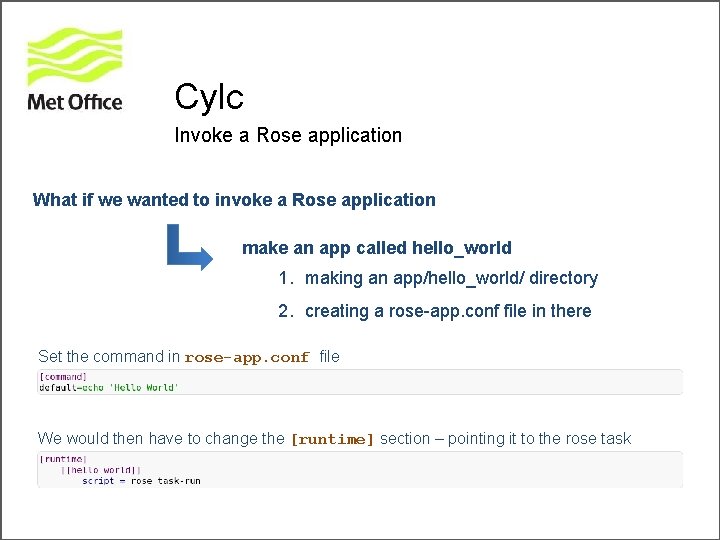
Cylc Invoke a Rose application What if we wanted to invoke a Rose application make an app called hello_world 1. making an app/hello_world/ directory 2. creating a rose-app. conf file in there Set the command in rose-app. conf file We would then have to change the [runtime] section – pointing it to the rose task
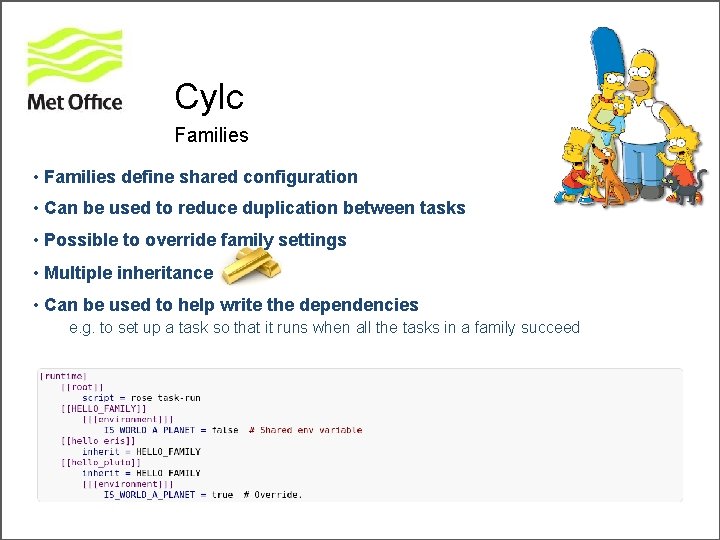
Cylc Families • Families define shared configuration • Can be used to reduce duplication between tasks • Possible to override family settings • Multiple inheritance • Can be used to help write the dependencies e. g. to set up a task so that it runs when all the tasks in a family succeed
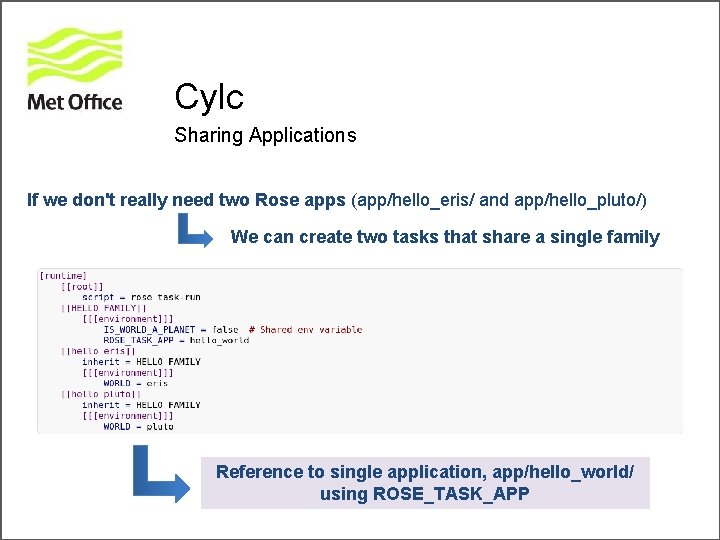
Cylc Sharing Applications If we don't really need two Rose apps (app/hello_eris/ and app/hello_pluto/) We can create two tasks that share a single family Reference to single application, app/hello_world/ using ROSE_TASK_APP
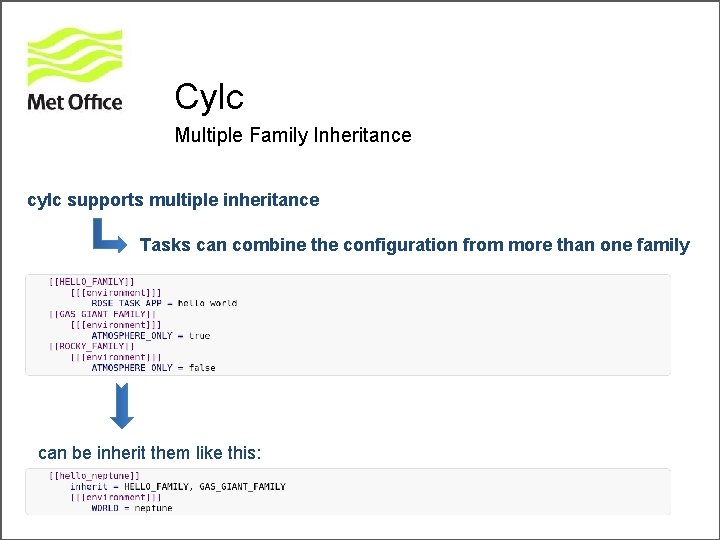
Cylc Multiple Family Inheritance cylc supports multiple inheritance Tasks can combine the configuration from more than one family can be inherit them like this:
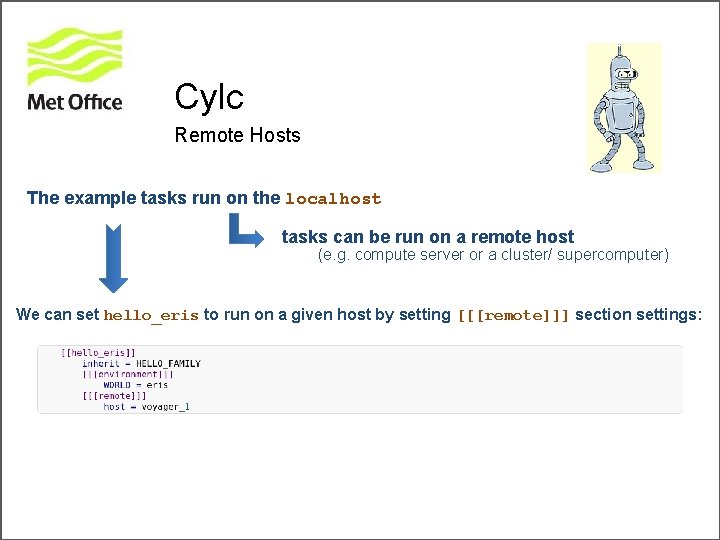
Cylc Remote Hosts The example tasks run on the localhost tasks can be run on a remote host (e. g. compute server or a cluster/ supercomputer) We can set hello_eris to run on a given host by setting [[[remote]]] section settings:
![Cylc Dependencies and scheduling The [scheduling] part of the suite. rc Let's say hello_pluto](http://slidetodoc.com/presentation_image_h2/76ba05581bfe8b9e1e1c3aba7a3ff681/image-31.jpg "Cylc Dependencies and scheduling The [scheduling] part of the suite. rc Let's say hello_pluto")
Cylc Dependencies and scheduling The [scheduling] part of the suite. rc Let's say hello_pluto must run and succeed before hello_eris We can put this in our suite. rc: Cycling Dependencies We can make this run as a cycling suite, repeating every 12 hours:
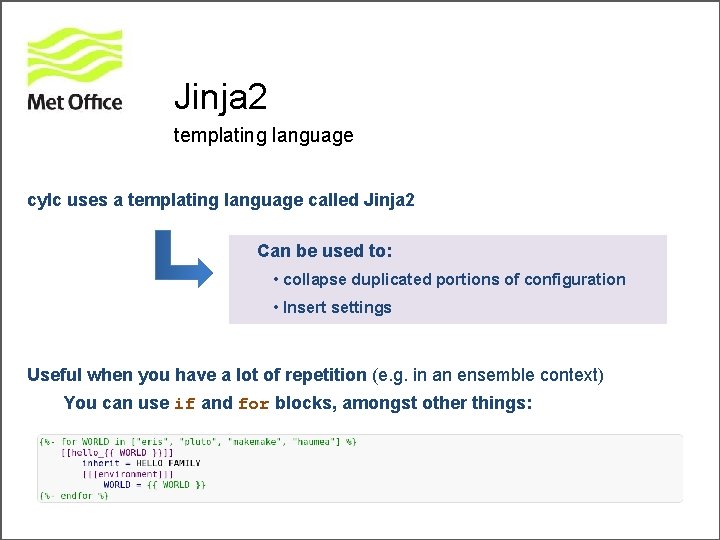
Jinja 2 templating language cylc uses a templating language called Jinja 2 Can be used to: • collapse duplicated portions of configuration • Insert settings Useful when you have a lot of repetition (e. g. in an ensemble context) You can use if and for blocks, amongst other things:
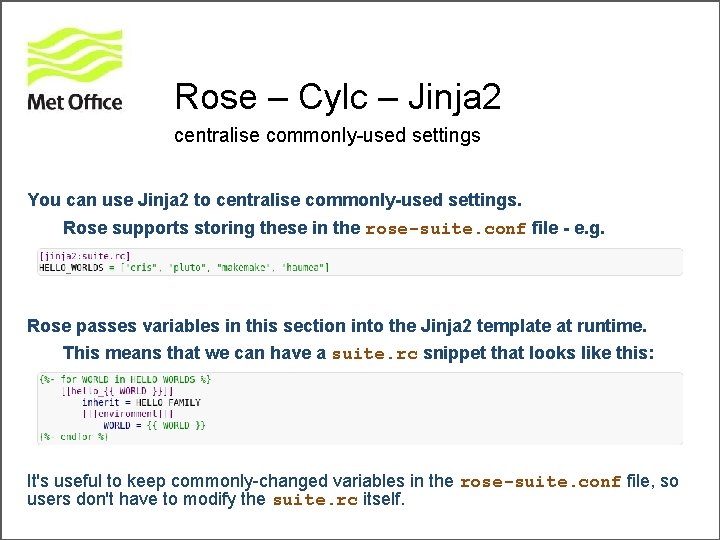
Rose – Cylc – Jinja 2 centralise commonly-used settings You can use Jinja 2 to centralise commonly-used settings. Rose supports storing these in the rose-suite. conf file - e. g. Rose passes variables in this section into the Jinja 2 template at runtime. This means that we can have a suite. rc snippet that looks like this: It's useful to keep commonly-changed variables in the rose-suite. conf file, so users don't have to modify the suite. rc itself.
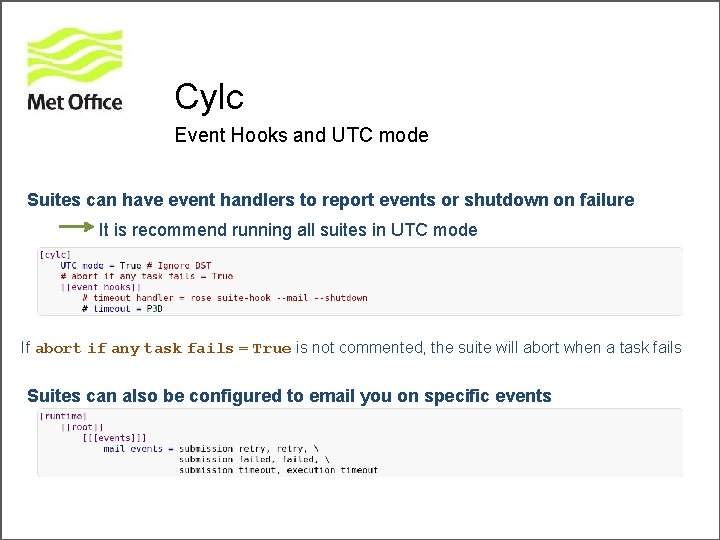
Cylc Event Hooks and UTC mode Suites can have event handlers to report events or shutdown on failure It is recommend running all suites in UTC mode If abort if any task fails = True is not commented, the suite will abort when a task fails Suites can also be configured to email you on specific events
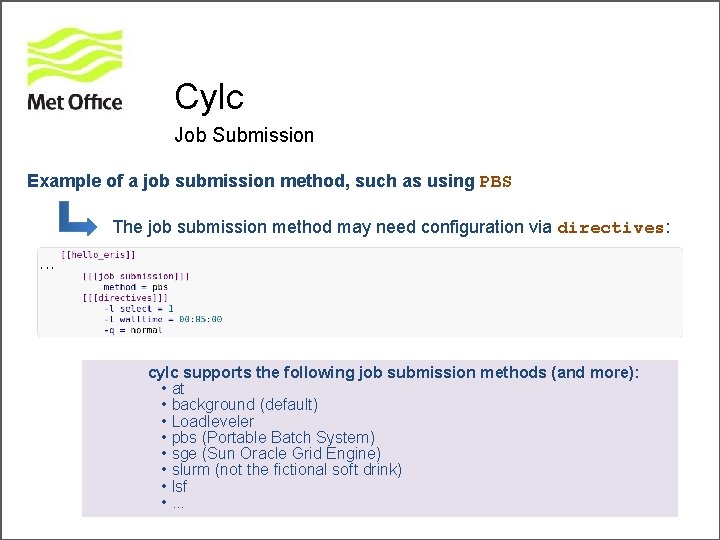
Cylc Job Submission Example of a job submission method, such as using PBS The job submission method may need configuration via directives: cylc supports the following job submission methods (and more): • at • background (default) • Loadleveler • pbs (Portable Batch System) • sge (Sun Oracle Grid Engine) • slurm (not the fictional soft drink) • lsf • . . .
Building a Suite Practical Let’s get “hands on” with Rose and Cylc • http: //metomi. github. io/rose/doc/rose-rug-suite-writing-tutorial. html
Useful links Online tutorials and documentations. . . Rose • https: //github. com/metomi/rose • http: //metomi. github. io/rose/doc/rose. html Cylc • https: //github. com/cylc • http: //cylc. github. io/cylc FCM • http: //metomi. github. io/fcm/doc/user_guide MOSRS • https: //code. metoffice. gov. uk • roses-u https: //code. metoffice. gov. uk/trac/roses-u

Questions … ?
- Slides: 38