
Rosario Linking OM Framework Naren Datha Rosario link
![Query for links - WIQL SELECT [System. Id], [System. Links. Link. Type], [System. Title]](https://slidetodoc.com/presentation_image_h/18f8d3cbbd50a7214c7f09dcb2cea0e5/image-9.jpg "Query for links - WIQL SELECT [System. Id], [System. Links. Link. Type], [System. Title]")
- Slides: 15
Rosario Linking OM Framework Naren Datha
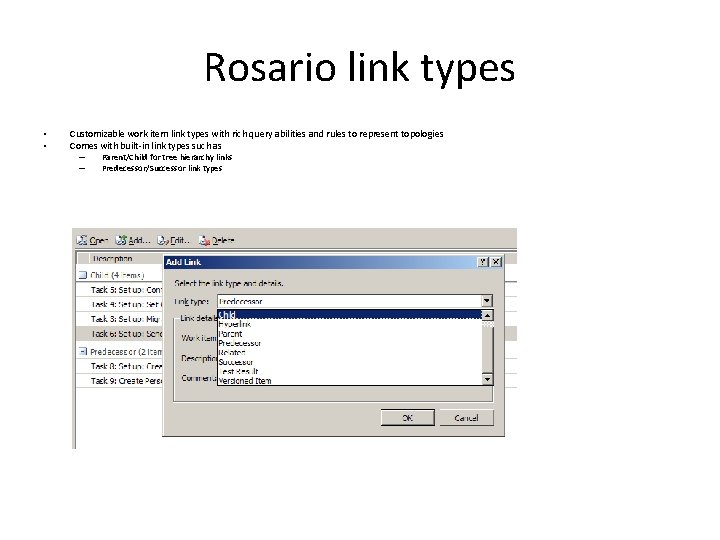
Rosario link types • • Customizable work item link types with rich query abilities and rules to represent topologies Comes with built-in link types such as – – Parent/Child for tree hierarchy links Predecessor/Successor link types
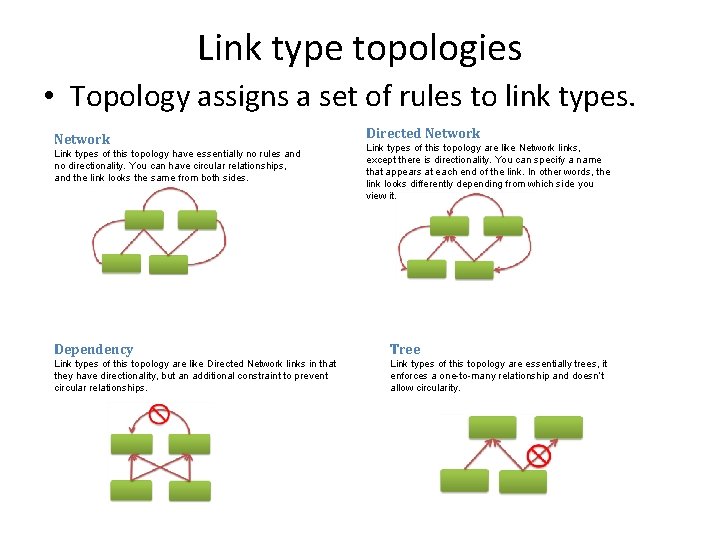
Link type topologies • Topology assigns a set of rules to link types. Network Link types of this topology have essentially no rules and no directionality. You can have circular relationships, and the link looks the same from both sides. Directed Network Link types of this topology are like Network links, except there is directionality. You can specify a name that appears at each end of the link. In other words, the link looks differently depending from which side you view it. Dependency Tree Link types of this topology are like Directed Network links in that they have directionality, but an additional constraint to prevent circular relationships. Link types of this topology are essentially trees, it enforces a one-to-many relationship and doesn’t allow circularity.
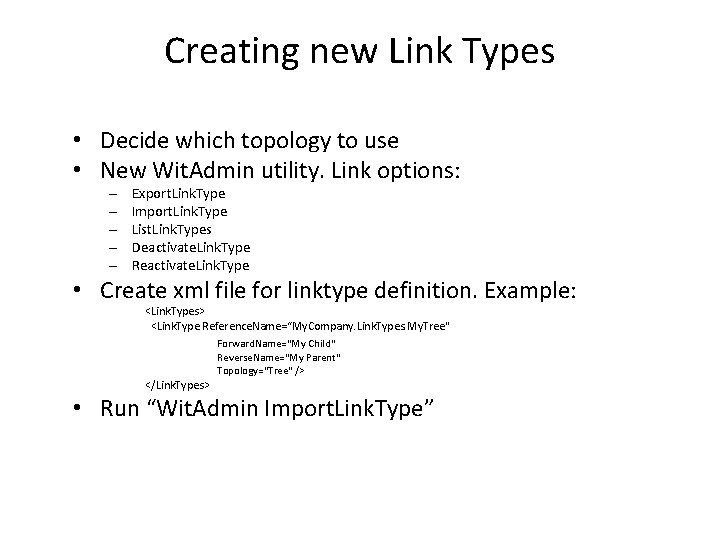
Creating new Link Types • Decide which topology to use • New Wit. Admin utility. Link options: – – – Export. Link. Type Import. Link. Type List. Link. Types Deactivate. Link. Type Reactivate. Link. Type • Create xml file for linktype definition. Example: <Link. Types> <Link. Type Reference. Name=“My. Company. Link. Types. My. Tree" </Link. Types> Forward. Name=“My Child" Reverse. Name=“My Parent" Topology="Tree" /> • Run “Wit. Admin Import. Link. Type”
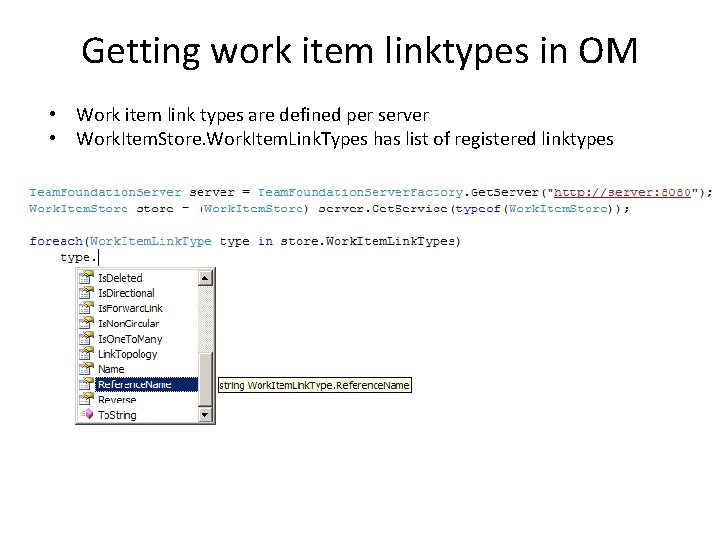
Getting work item linktypes in OM • Work item link types are defined per server • Work. Item. Store. Work. Item. Link. Types has list of registered linktypes
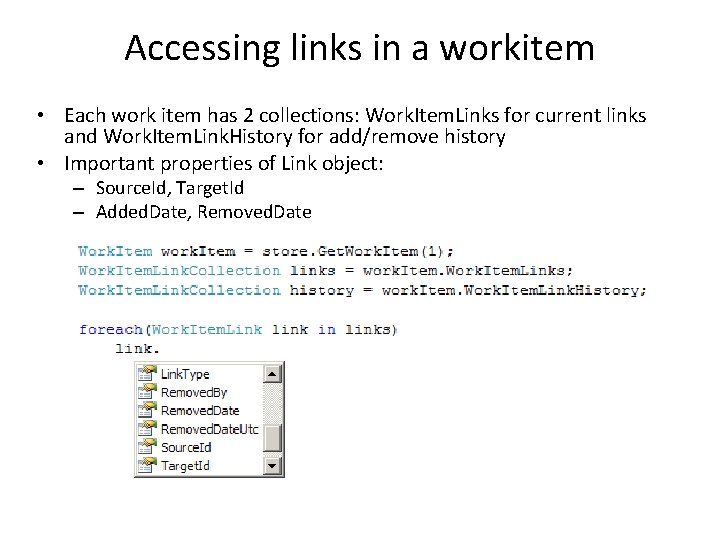
Accessing links in a workitem • Each work item has 2 collections: Work. Item. Links for current links and Work. Item. Link. History for add/remove history • Important properties of Link object: – Source. Id, Target. Id – Added. Date, Removed. Date
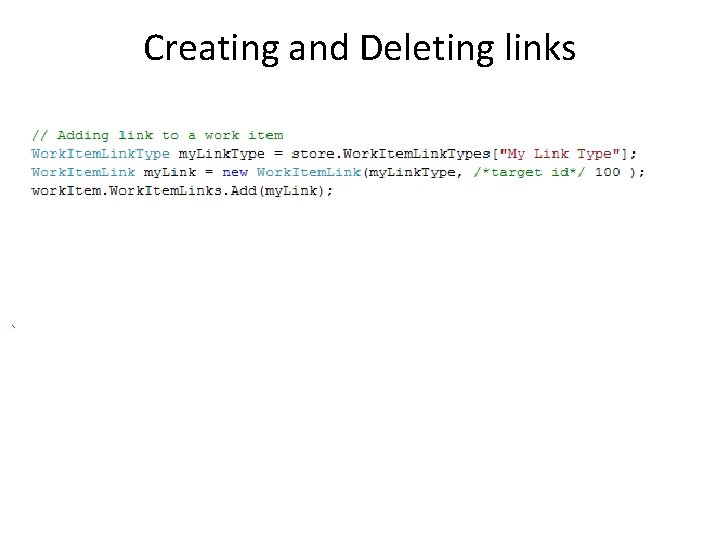
Creating and Deleting links
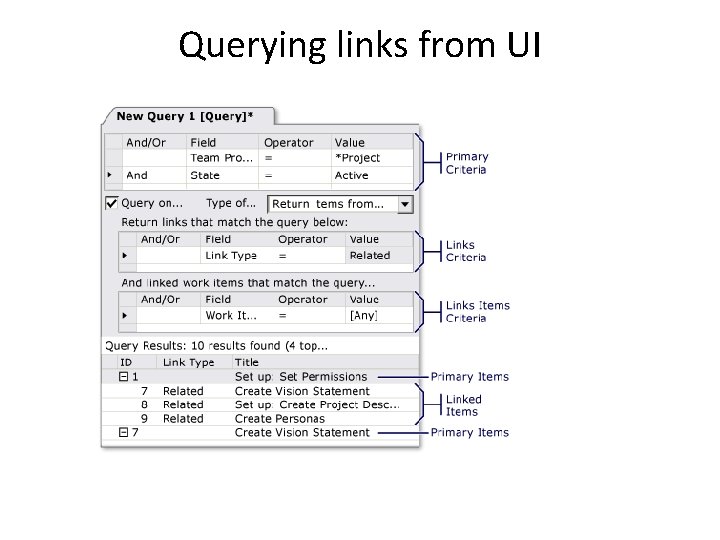
Querying links from UI
Query for links - WIQL SELECT [System. Id], [System. Links. Link. Type], [System. Title] FROM Work. Item. Links WHERE ([Source]. [System. Team. Project] = @project) And (System. Links. Link. Type = 'System. Link. Types. Related') And ([Target]. [System. Work. Item. Type] = 'Task') mode(Must. Contain)
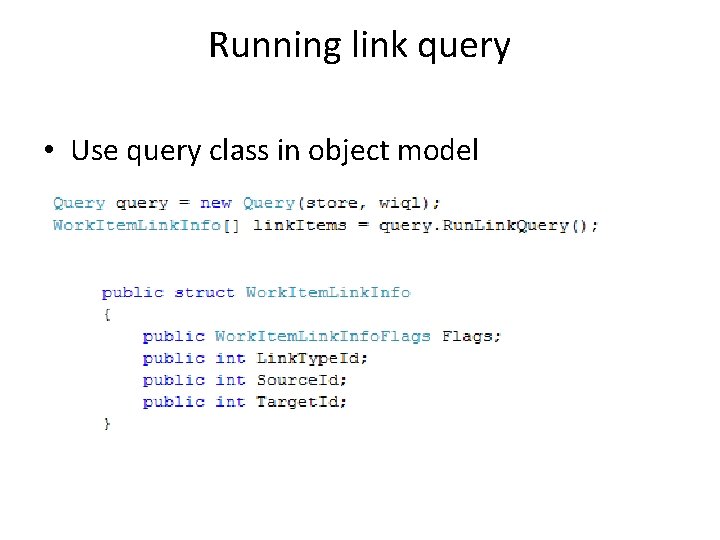
Running link query • Use query class in object model
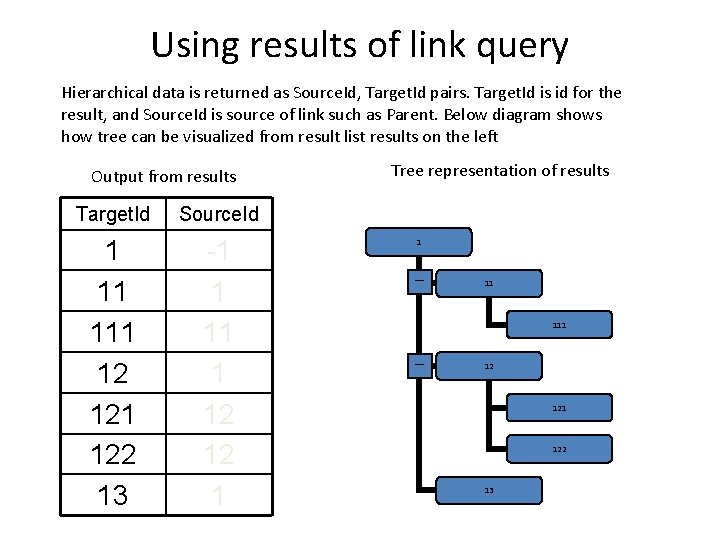
Using results of link query Hierarchical data is returned as Source. Id, Target. Id pairs. Target. Id is id for the result, and Source. Id is source of link such as Parent. Below diagram shows how tree can be visualized from result list results on the left Output from results Target. Id Source. Id 1 11 12 121 122 13 -1 1 12 12 1 Tree representation of results 1 _ 11 111 _ 12 121 122 13
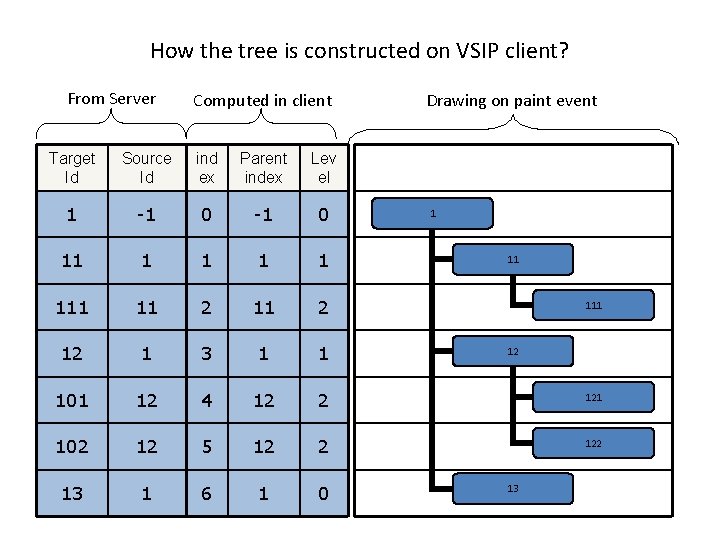
How the tree is constructed on VSIP client? From Server Computed in client Drawing on paint event Target Id Source Id ind ex Parent index Lev el 1 -1 0 11 1 1 11 2 12 1 3 1 1 101 12 4 12 2 121 102 12 5 12 2 122 13 1 6 1 0 1 11 12 13
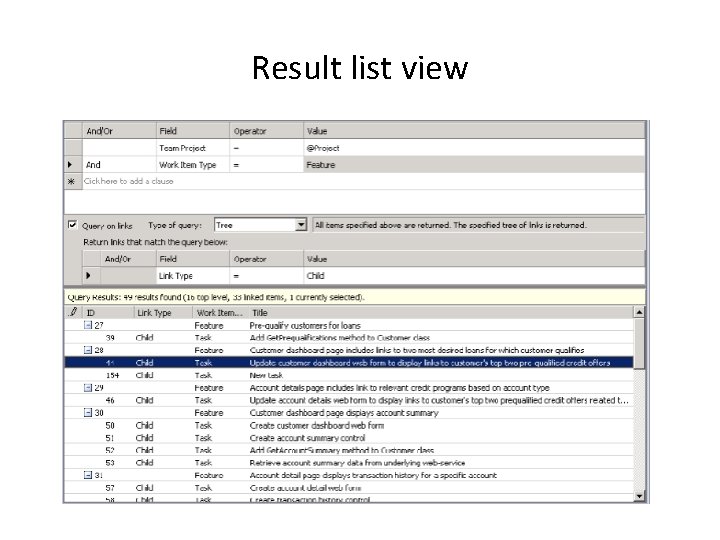
Result list view
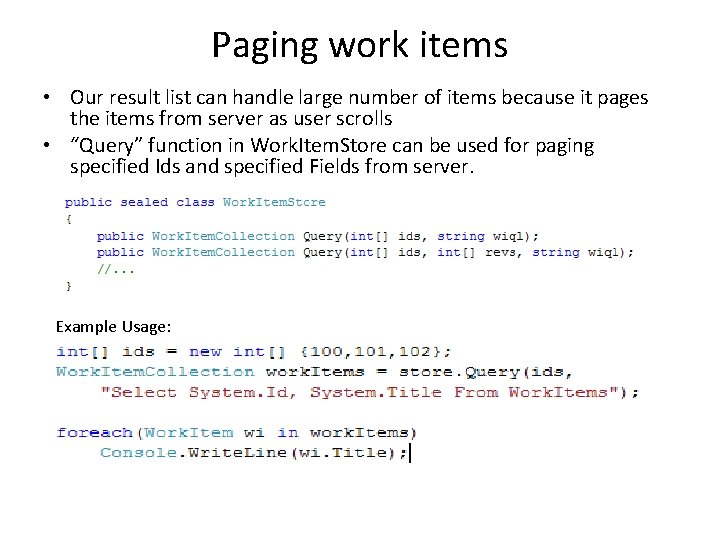
Paging work items • Our result list can handle large number of items because it pages the items from server as user scrolls • “Query” function in Work. Item. Store can be used for paging specified Ids and specified Fields from server. Example Usage:
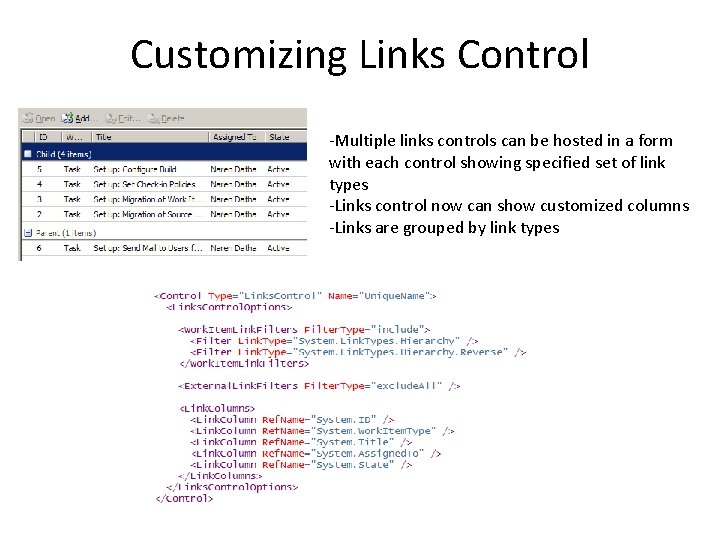
Customizing Links Control -Multiple links controls can be hosted in a form with each control showing specified set of link types -Links control now can show customized columns -Links are grouped by link types