
Robust Audio Tool RAT Speaker WeiShin Pan DATE
Robust Audio Tool (RAT) Speaker : Wei-Shin Pan DATE : 09/07/02
Out. Line Introduction Keep going RAT DEMO 2 2009 Graduate Institute of Communication Engineering
Introduction • An open-source audio conferencing and streaming application • RAT transmission – Unicast (Point-to-point streaming) – Multicast (conference) • 224. 2. 0. 0 – 224. 2. 255 3 2009 Graduate Institute of Communication Engineering
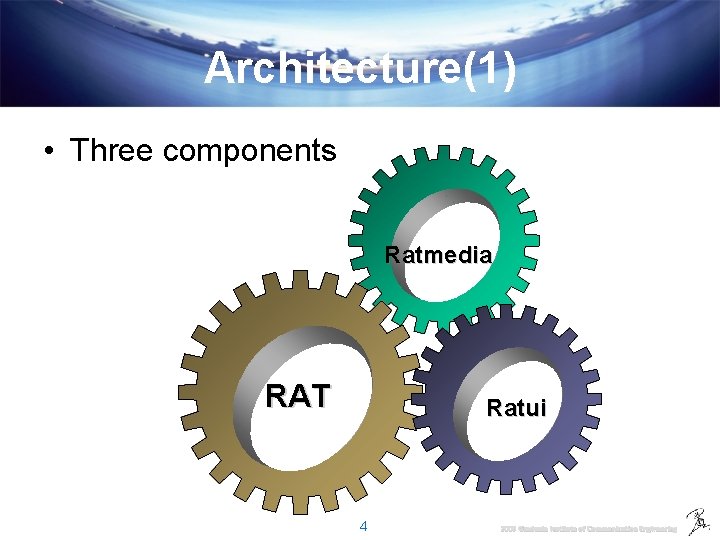
Architecture(1) • Three components Ratmedia RAT Ratui 4 2009 Graduate Institute of Communication Engineering
Architecture(2) • RAT – arguments analyzing and controls the other components. • RATmedia – voice processing and transmisstion • RATui – Graphical user Interface 5 2009 Graduate Institute of Communication Engineering
RAT • How to start – RAT Get ! • https: //frostie. cs. ucl. ac. uk/mbone/mmedia/wiki/Rat. Download • Choose the build platform • The stable version : RAT 4 (4. 4. 01) – Installation – Start it ! • RAT launched from the command line • Syntax : – > rat address/port 6 2009 Graduate Institute of Communication Engineering
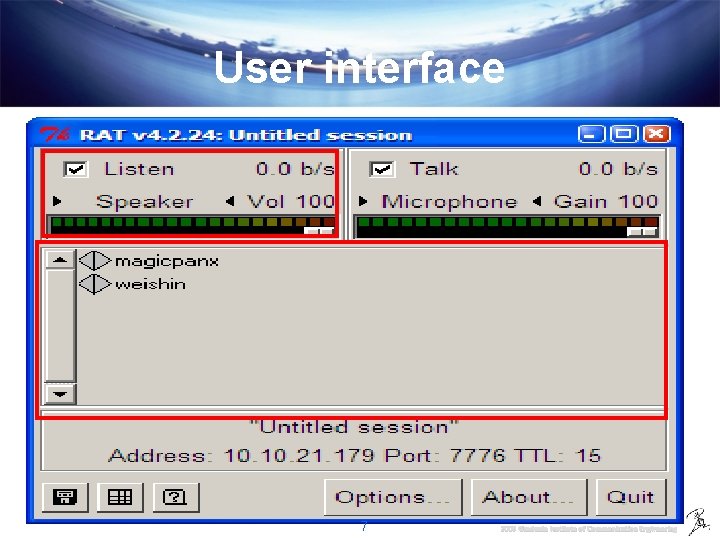
User interface 7 2009 Graduate Institute of Communication Engineering
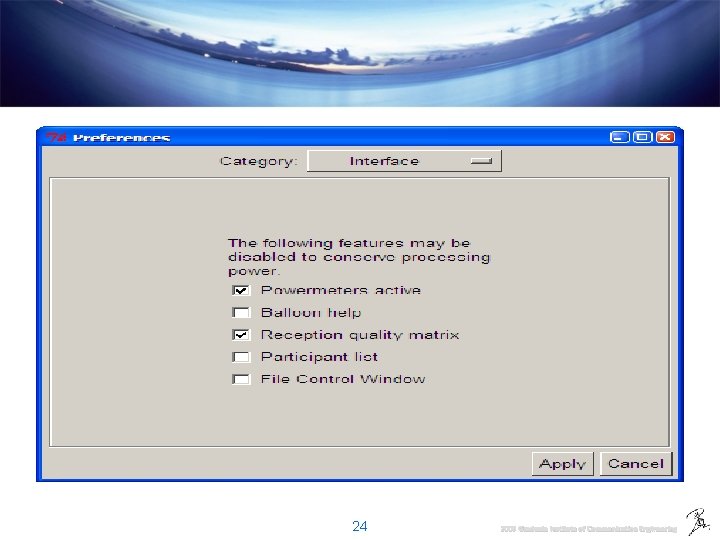
Configuration • Options – Personal – Transmission – Reception – Audio – Codecs – Security – Interface 8 2009 Graduate Institute of Communication Engineering
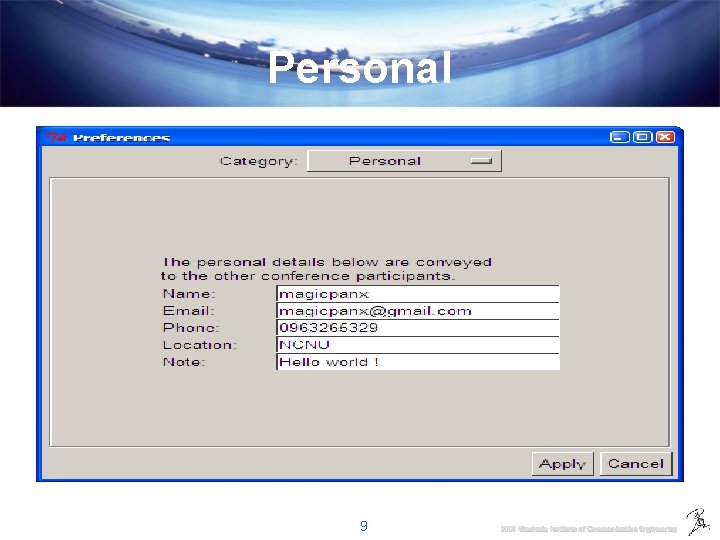
Personal 9 2009 Graduate Institute of Communication Engineering
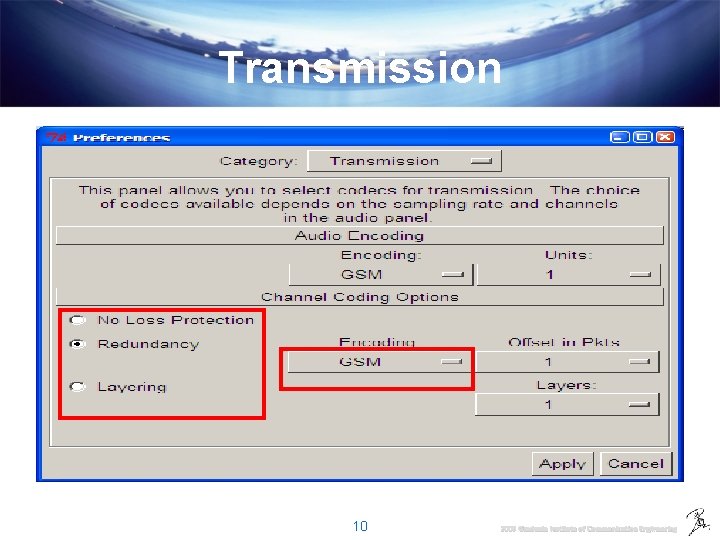
Transmission 10 2009 Graduate Institute of Communication Engineering
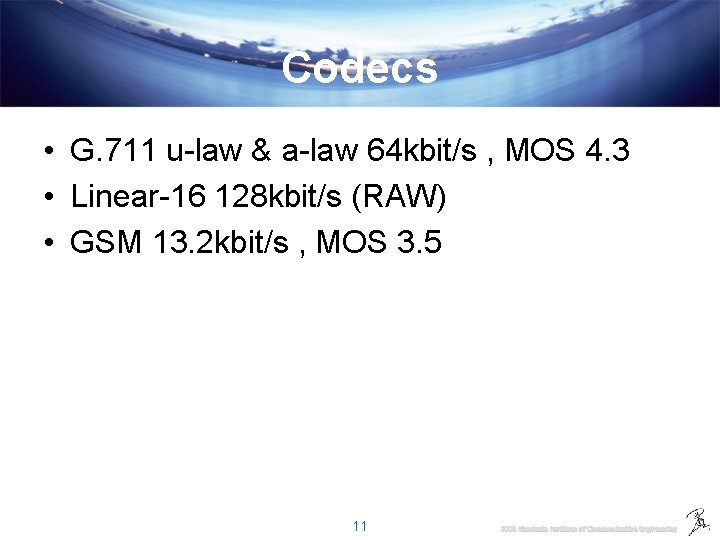
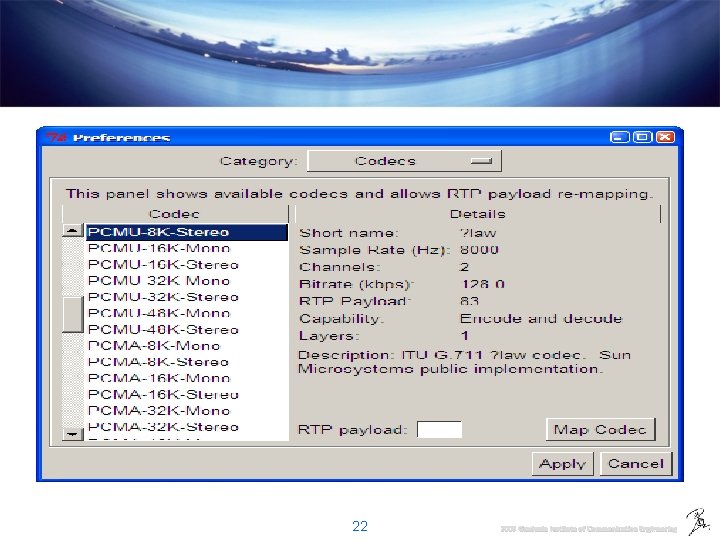
Codecs • G. 711 u-law & a-law 64 kbit/s , MOS 4. 3 • Linear-16 128 kbit/s (RAW) • GSM 13. 2 kbit/s , MOS 3. 5 11 2009 Graduate Institute of Communication Engineering
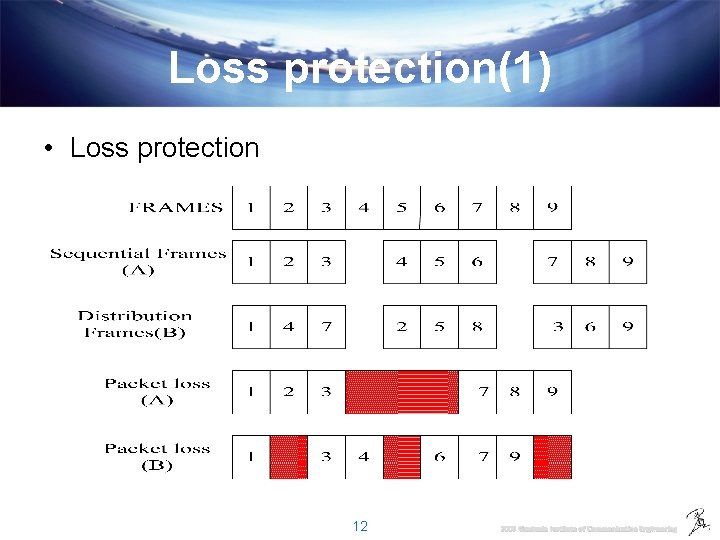
Loss protection(1) • Loss protection 12 2009 Graduate Institute of Communication Engineering
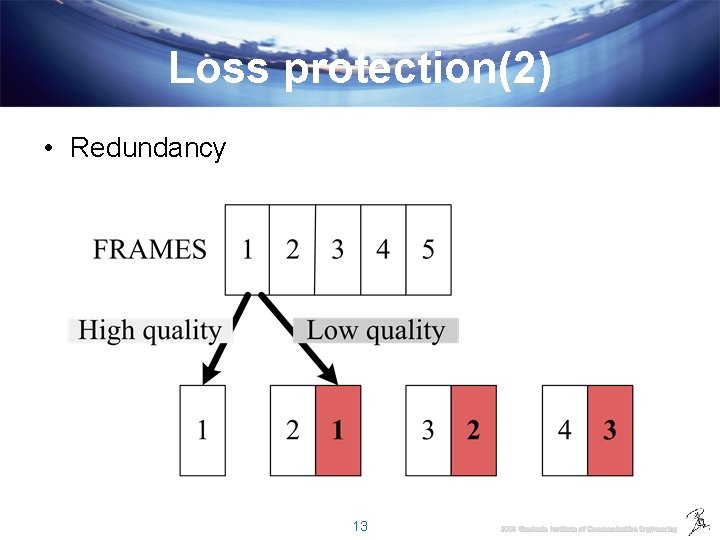
Loss protection(2) • Redundancy 13 2009 Graduate Institute of Communication Engineering
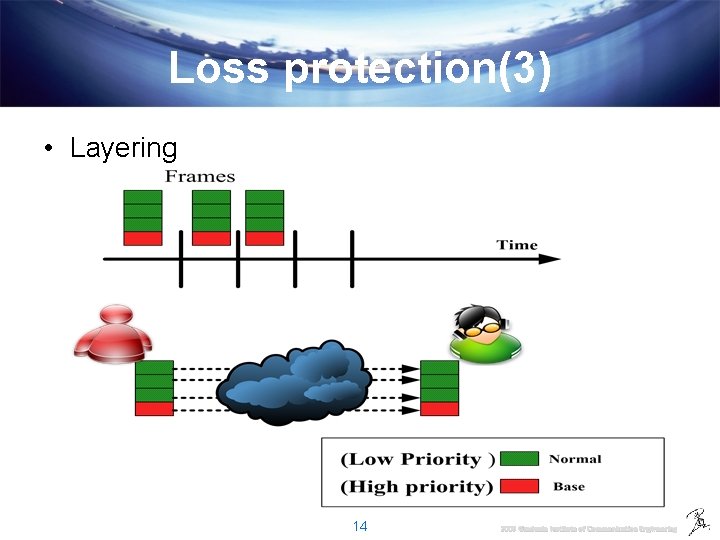
Loss protection(3) • Layering 14 2009 Graduate Institute of Communication Engineering
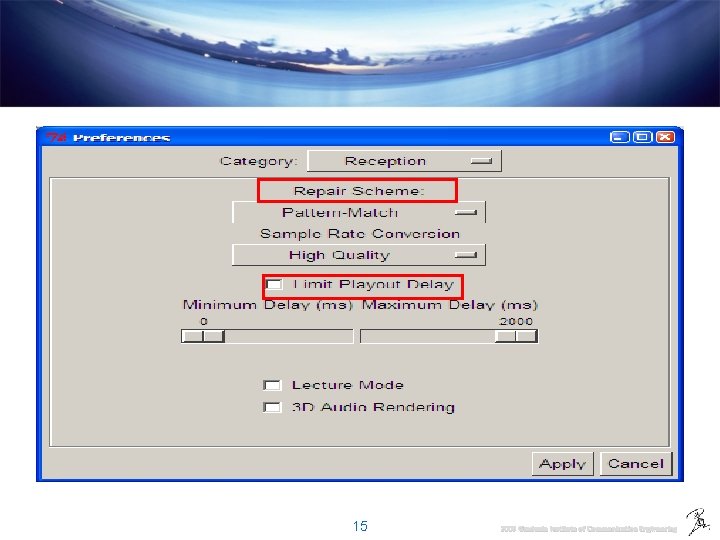
15 2009 Graduate Institute of Communication Engineering
Sample rate conversion • If local’s soundcard can’t support sample rate of received packets , and converting the sample rate by this option. 17 2009 Graduate Institute of Communication Engineering
Limit Playout delay • Jitter – jitter buffer • Adjustable range : 0 -2000 ms • IF value is high, the voice packets will play smoothly and poor quality (high delay) • IF value is low, some voice packets can’t play because the delay too short. 18 2009 Graduate Institute of Communication Engineering
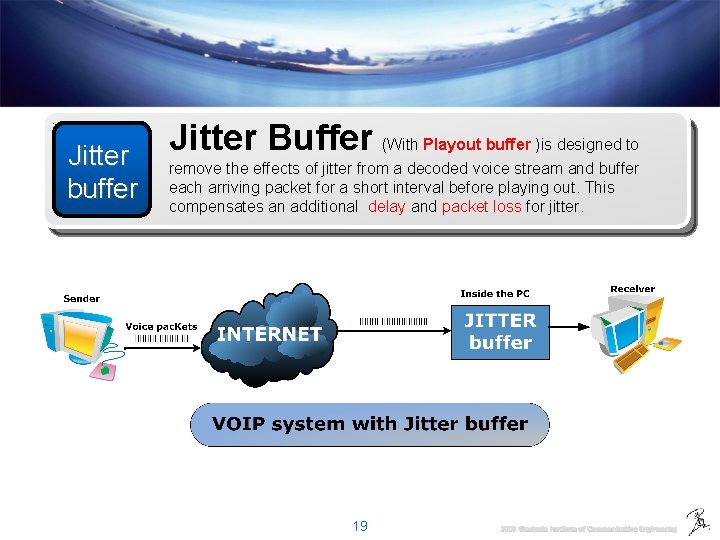
Jitter buffer Jitter Buffer (With Playout buffer )is designed to remove the effects of jitter from a decoded voice stream and buffer each arriving packet for a short interval before playing out. This compensates an additional delay and packet loss for jitter. 19 2009 Graduate Institute of Communication Engineering
20 2009 Graduate Institute of Communication Engineering
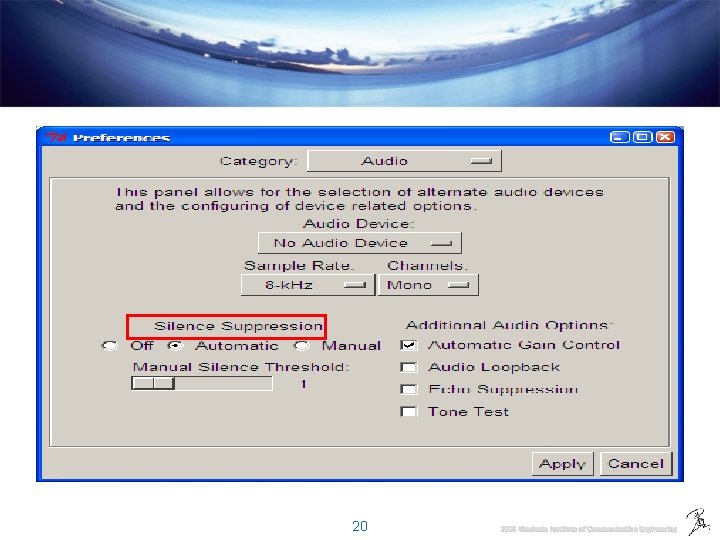
Silence suppression • Much silence gaps (No talking) in a conversation • Background Noise – No packet sending will reduce 50% bandwidth 21 2009 Graduate Institute of Communication Engineering
22 2009 Graduate Institute of Communication Engineering
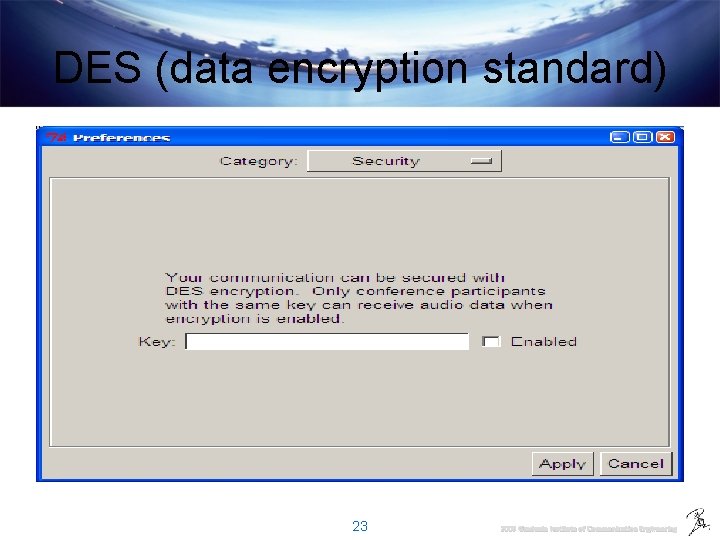
DES (data encryption standard) 23 2009 Graduate Institute of Communication Engineering
24 2009 Graduate Institute of Communication Engineering
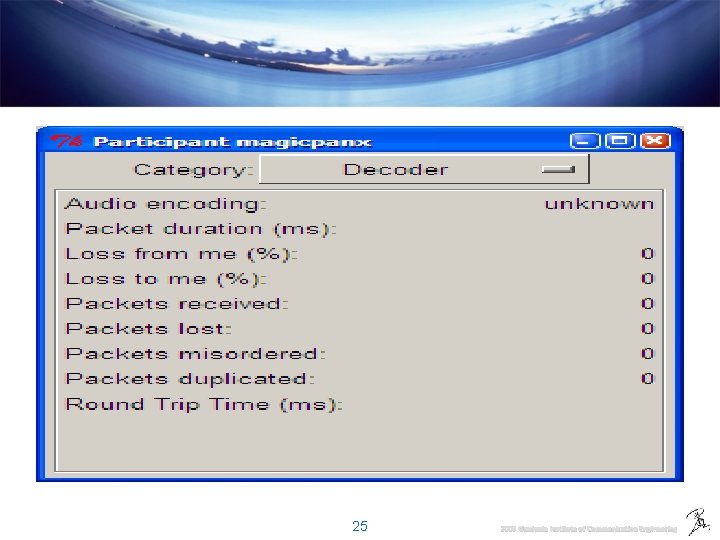
25 2009 Graduate Institute of Communication Engineering
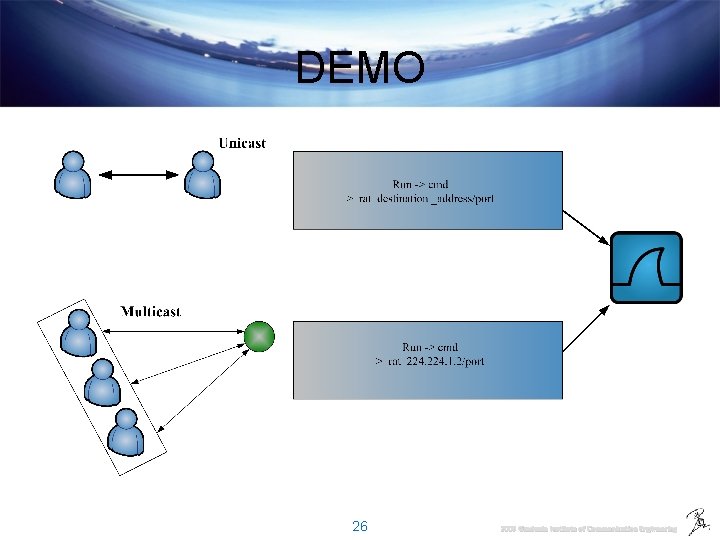
DEMO 26 2009 Graduate Institute of Communication Engineering
![Reference [1] The Study and Analysis of the Robust-Audio Tool for Real-Time Audio Conference,](http://slidetodoc.com/presentation_image_h/20e5fffa8c67127e3b3380c9df2e480a/image-27.jpg "Reference [1] The Study and Analysis of the Robust-Audio Tool for Real-Time Audio Conference,")
Reference [1] The Study and Analysis of the Robust-Audio Tool for Real-Time Audio Conference, Ting-Yu Chiu [2] Robust Audio Tool official website 27 2009 Graduate Institute of Communication Engineering
- Slides: 27