
RMI Remote Method Invocation The network is the
- Slides: 22
RMI Remote Method Invocation
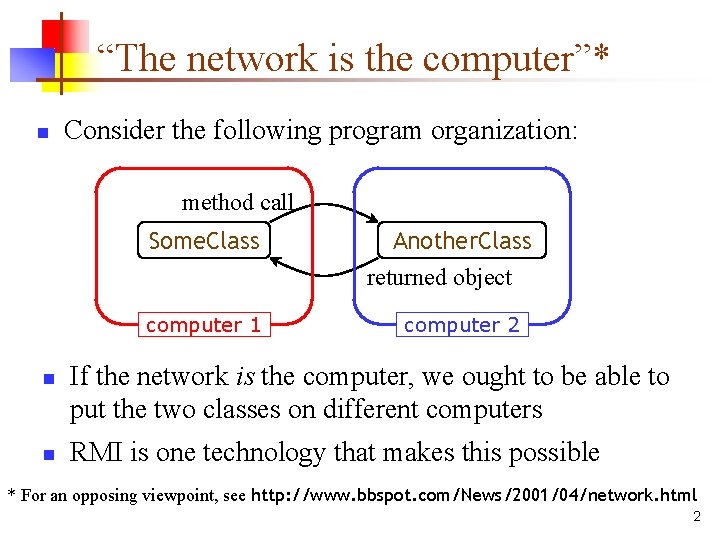
“The network is the computer”* n Consider the following program organization: method call Some. Class computer 1 n n Another. Class returned object computer 2 If the network is the computer, we ought to be able to put the two classes on different computers RMI is one technology that makes this possible * For an opposing viewpoint, see http: //www. bbspot. com/News/2001/04/network. html 2
RMI and other technologies n CORBA (Common Object Request Broker Architecture) has long been king n n n CORBA supports object transmission between virtually any languages Objects have to be described in IDL (Interface Definition Language), which looks a lot like C++ data definitions CORBA is complex and flaky Microsoft supported CORBA, then COM, now. NET RMI is purely Java-specific n n Java to Java communications only As a result, RMI is much simpler than CORBA 3
What is needed for RMI n n Java makes RMI (Remote Method Invocation) fairly easy, but there are some extra steps To send a message to a remote “server object, ” n The “client object” has to find the object n n The client object then has to marshal the parameters (prepare them for transmission) n n Do this by looking it up in a registry Java requires Serializable parameters The server object has to unmarshal its parameters, do its computation, and marshal its response The client object has to unmarshal the response Much of this is done for you by special software 4
Terminology n n n A remote object is an object on another computer The client object is the object making the request (sending a message to the other object) The server object is the object receiving the request As usual, “client” and “server” can easily trade roles (each can make requests of the other) The rmiregistry is a special server that looks up objects by name n n Hopefully, the name is unique! rmic is a special compiler for creating stub (client) and skeleton (server) classes 5
Processes n For RMI, you need to be running three processes n n The Client The Server The Object Registry, rmiregistry, which is like a DNS service for objects You also need TCP/IP active 6
Interfaces n Interfaces define behavior Classes define implementation n Therefore, n n In order to use a remote object, the client must know its behavior (interface), but does not need to know its implementation (class) In order to provide an object, the server must know both its interface (behavior) and its class (implementation) In short, n n The interface must be available to both client and server The class should only be on the server 7
Classes n A Remote class is one whose instances can be accessed remotely n n n A Serializable class is one whose instances can be marshaled (turned into a linear sequence of bits) n n On the computer where it is defined, instances of this class can be accessed just like any other object On other computers, the remote object can be accessed via object handles Serializable objects can be transmitted from one computer to another It probably isn’t a good idea for an object to be both remote and serializable 8
Conditions for serializability n If an object is to be serialized: n n The class must be declared as public The class must implement Serializable The class must have a no-argument constructor All fields of the class must be serializable: either primitive types or serializable objects 9
Remote interfaces and class n A Remote class has two parts: n The interface (used by both client and server): n n Must be public Must extend the interface java. rmi. Remote Every method in the interface must declare that it throws java. rmi. Remote. Exception (other exceptions may also be thrown) The class itself (used only by the server): n n n Must implement a Remote interface Should extend java. rmi. server. Unicast. Remote. Object May have locally accessible methods that are not in its Remote interface 10
Remote vs. Serializable n A Remote object lives on another computer (such as the Server) n n You can send messages to a Remote object and get responses back from the object All you need to know about the Remote object is its interface Remote objects don’t pose much of a security issue You can transmit a copy of a Serializable object between computers n n n The receiving object needs to know how the object is implemented; it needs the class as well as the interface There is a way to transmit the class definition Accepting classes does pose a security issue 11
Security n It isn’t safe for the client to use somebody else’s code on some random server n n n Your client program should use a more conservative security manager than the default System. set. Security. Manager(new RMISecurity. Manager()); Most discussions of RMI assume you should do this on both the client and the server n Unless your server also acts as a client, it isn’t really necessary on the server 12
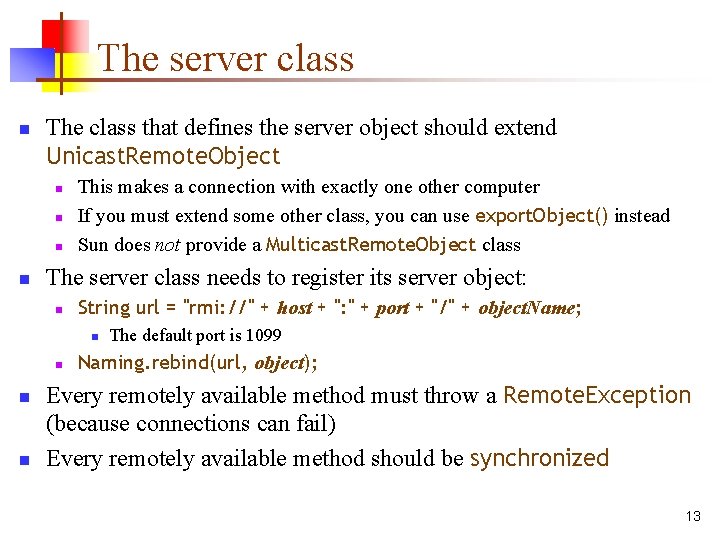
The server class n The class that defines the server object should extend Unicast. Remote. Object n n This makes a connection with exactly one other computer If you must extend some other class, you can use export. Object() instead Sun does not provide a Multicast. Remote. Object class The server class needs to register its server object: n String url = "rmi: //" + host + ": " + port + "/" + object. Name; n n The default port is 1099 Naming. rebind(url, object); Every remotely available method must throw a Remote. Exception (because connections can fail) Every remotely available method should be synchronized 13
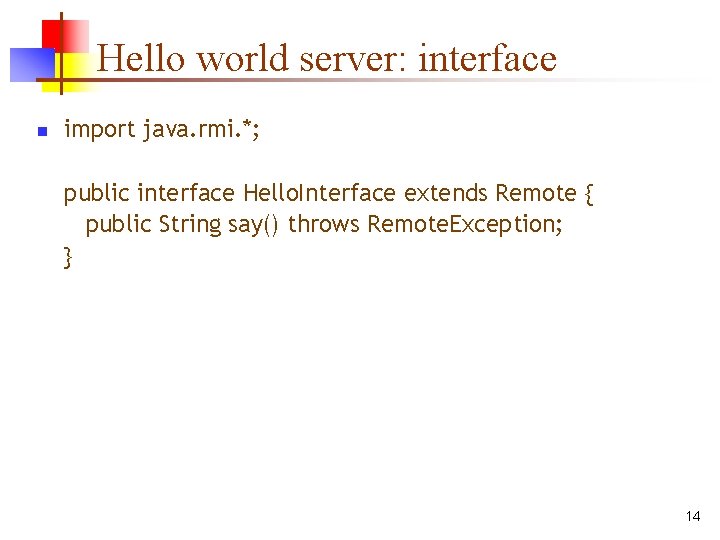
Hello world server: interface n import java. rmi. *; public interface Hello. Interface extends Remote { public String say() throws Remote. Exception; } 14
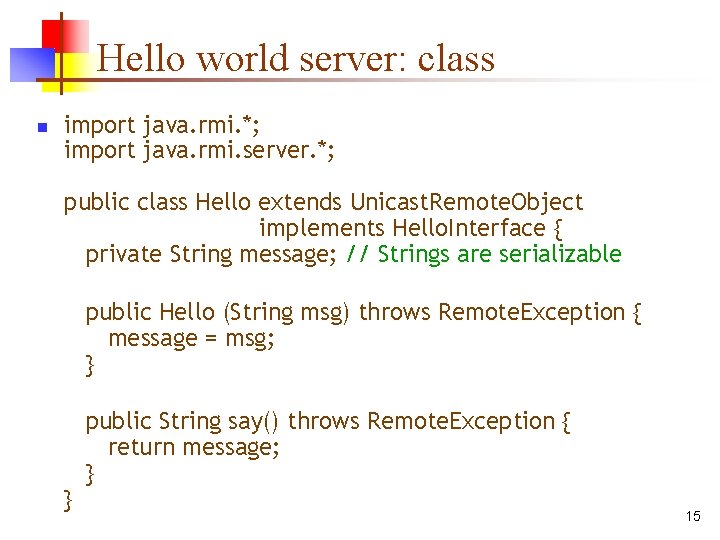
Hello world server: class n import java. rmi. *; import java. rmi. server. *; public class Hello extends Unicast. Remote. Object implements Hello. Interface { private String message; // Strings are serializable public Hello (String msg) throws Remote. Exception { message = msg; } } public String say() throws Remote. Exception { return message; } 15
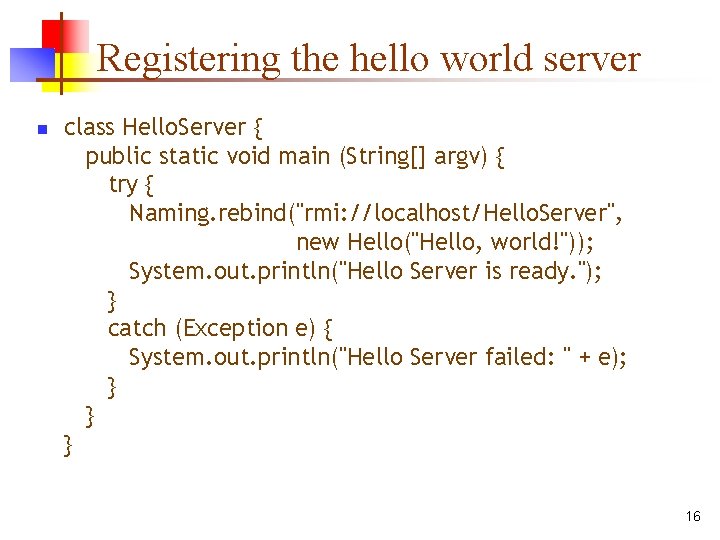
Registering the hello world server n class Hello. Server { public static void main (String[] argv) { try { Naming. rebind("rmi: //localhost/Hello. Server", new Hello("Hello, world!")); System. out. println("Hello Server is ready. "); } catch (Exception e) { System. out. println("Hello Server failed: " + e); } } } 16
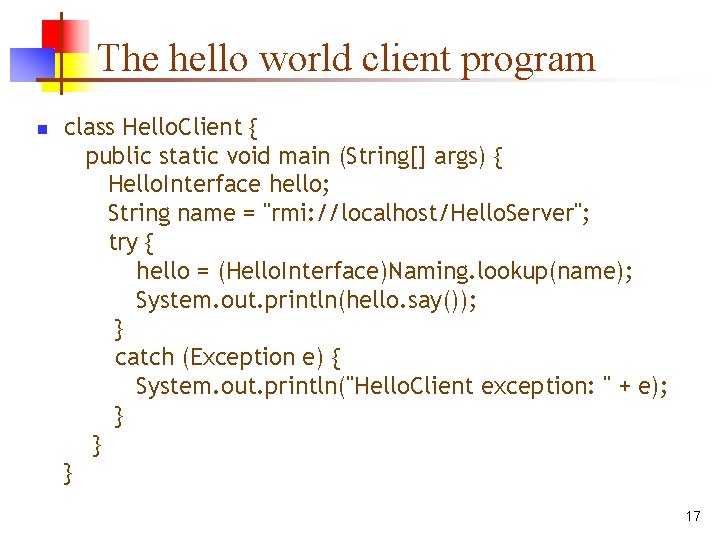
The hello world client program n class Hello. Client { public static void main (String[] args) { Hello. Interface hello; String name = "rmi: //localhost/Hello. Server"; try { hello = (Hello. Interface)Naming. lookup(name); System. out. println(hello. say()); } catch (Exception e) { System. out. println("Hello. Client exception: " + e); } } } 17
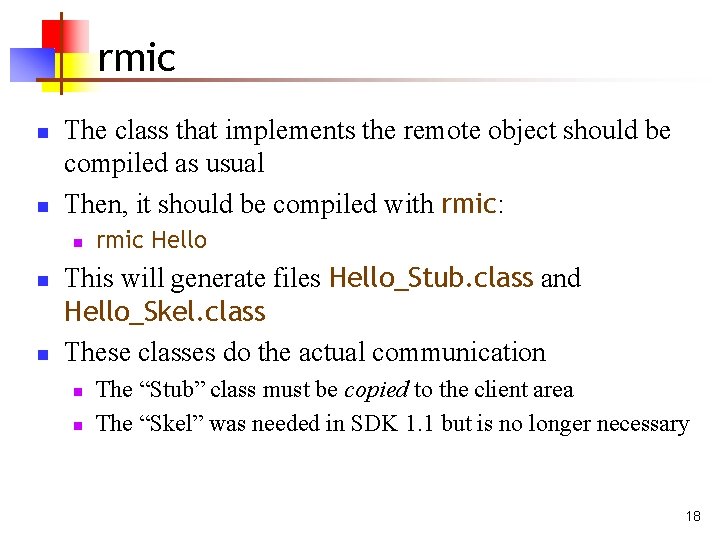
rmic n n The class that implements the remote object should be compiled as usual Then, it should be compiled with rmic: n n n rmic Hello This will generate files Hello_Stub. class and Hello_Skel. class These classes do the actual communication n n The “Stub” class must be copied to the client area The “Skel” was needed in SDK 1. 1 but is no longer necessary 18
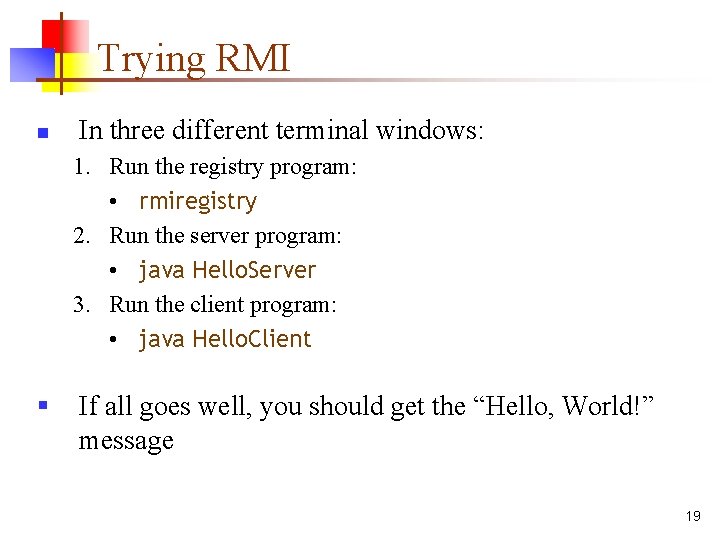
Trying RMI n In three different terminal windows: 1. Run the registry program: • rmiregistry 2. Run the server program: • java Hello. Server 3. Run the client program: • java Hello. Client § If all goes well, you should get the “Hello, World!” message 19
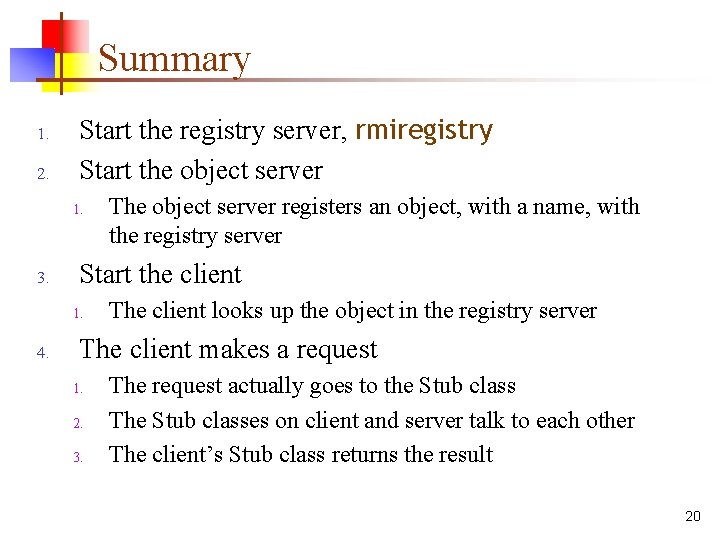
Summary 1. 2. Start the registry server, rmiregistry Start the object server 1. 3. Start the client 1. 4. The object server registers an object, with a name, with the registry server The client looks up the object in the registry server The client makes a request 1. 2. 3. The request actually goes to the Stub class The Stub classes on client and server talk to each other The client’s Stub class returns the result 20
References n Trail: RMI by Ann Wollrath and Jim Waldo n n http: //java. sun. com/docs/books/tutorial/rmi/index. html Fundamentals of RMI Short Course by j. Guru n n http: //developer. java. sun. com/developer/online. Training/ rmi/RMI. html Java RMI Tutorial by Ken Baclawski n http: //www. ccs. neu. edu/home/kenb/com 3337/rmi_tut. html 21
The End 22