
RMA User Guide Agenda Return Materiel Authorizationmer System
![Maintenance Process(1) Only the role of RMA team can push [Receive] button. Only the](https://slidetodoc.com/presentation_image_h2/1a6a3e3fe85c66a81a43e19fd409e92d/image-9.jpg "Maintenance Process(1) Only the role of RMA team can push [Receive] button. Only the")



- Slides: 17
RMA User Guide
Agenda Return Materiel Authorizationmer System ― ― Customer Sales Process ― Maintenance ― Process Master Data Setting ― Authority
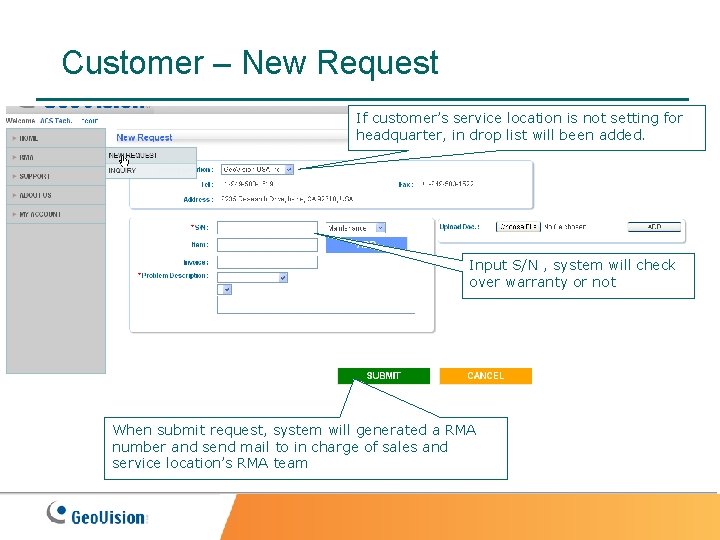
Customer – New Request If customer’s service location is not setting for headquarter, in drop list will been added. Input S/N , system will check over warranty or not When submit request, system will generated a RMA number and send mail to in charge of sales and service location’s RMA team
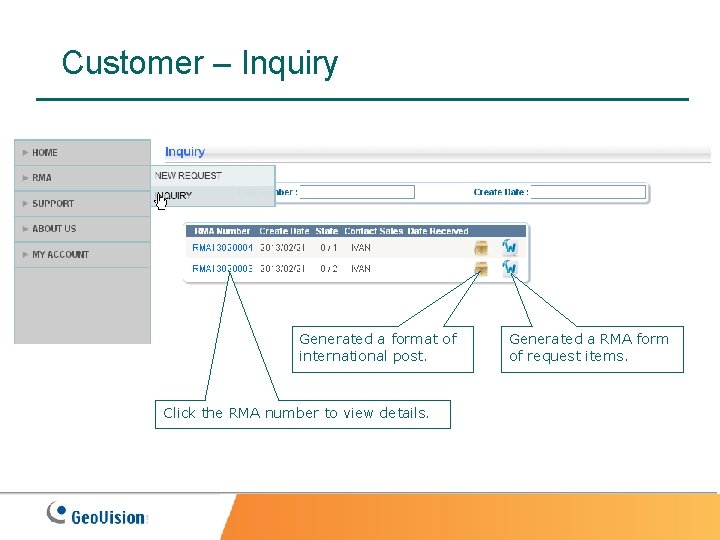
Customer – Inquiry Generated a format of international post. Click the RMA number to view details. Generated a RMA form of request items.
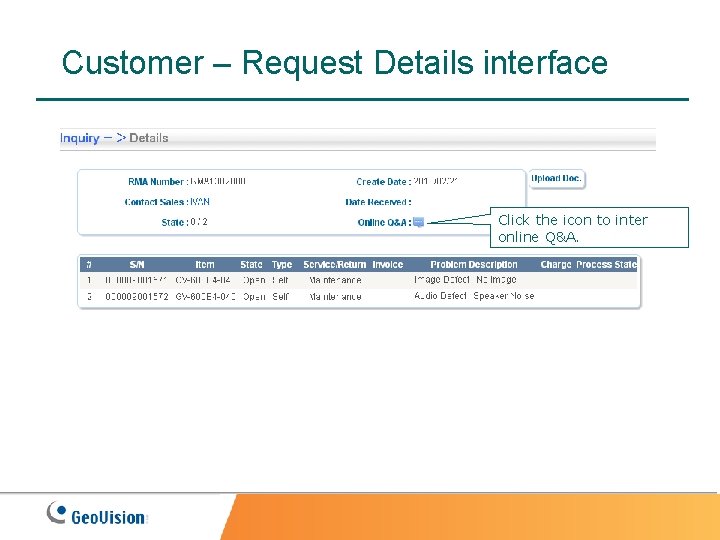
Customer – Request Details interface Click the icon to inter online Q&A.
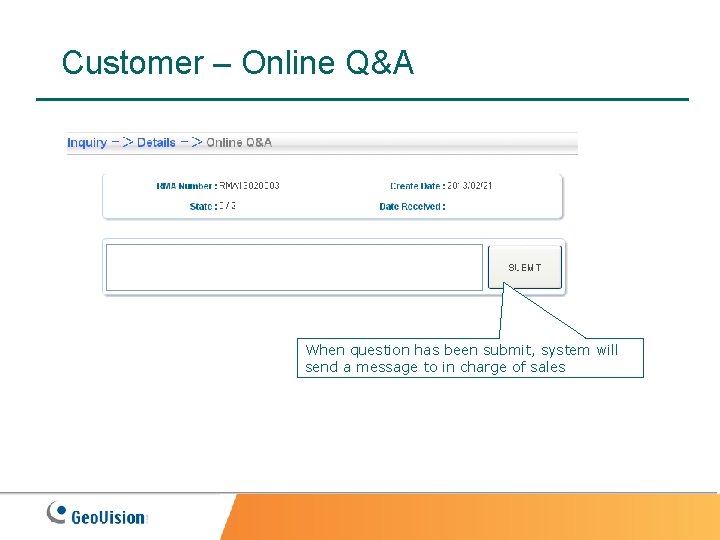
Customer – Online Q&A When question has been submit, system will send a message to in charge of sales
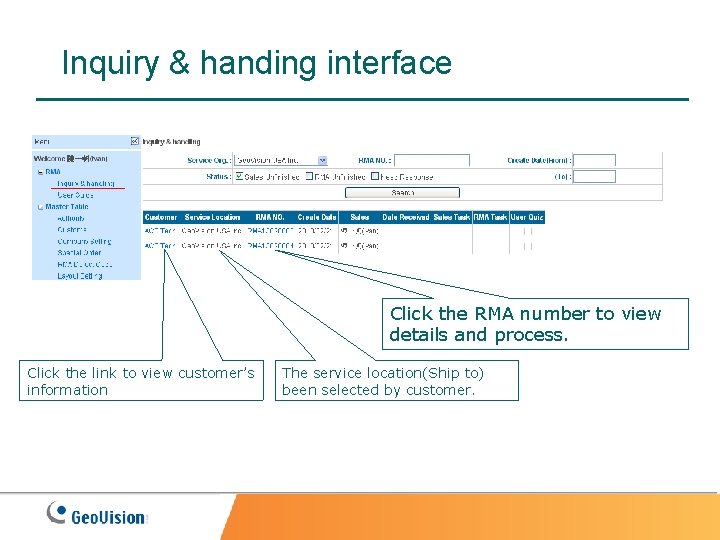
Inquiry & handing interface Click the RMA number to view details and process. Click the link to view customer’s information The service location(Ship to) been selected by customer.
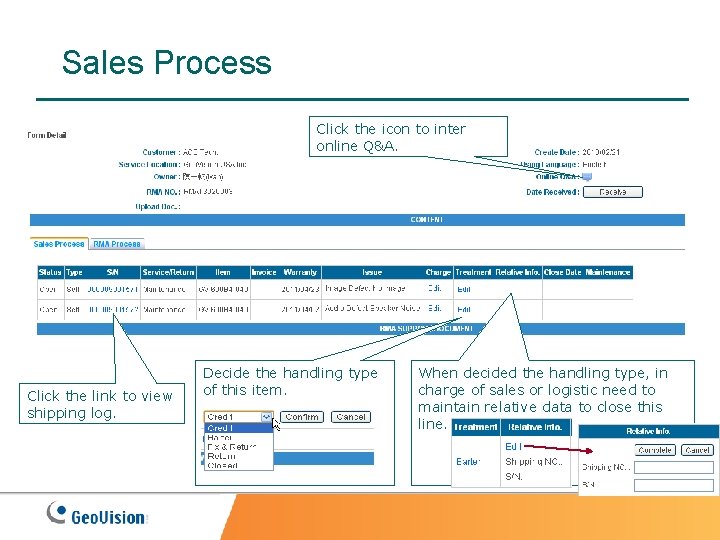
Sales Process Click the icon to inter online Q&A. Click the link to view shipping log. Decide the handling type of this item. When decided the handling type, in charge of sales or logistic need to maintain relative data to close this line.
Maintenance Process(1) Only the role of RMA team can push [Receive] button. Only the role of RMA team can add line when customer missed. After pushed [Receive] button and will display check lines area.
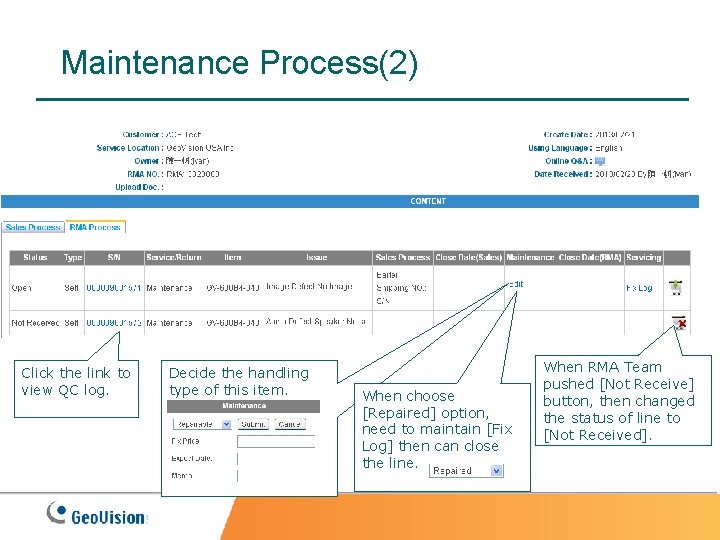
Maintenance Process(2) Click the link to view QC log. Decide the handling type of this item. When choose [Repaired] option, need to maintain [Fix Log] then can close the line. When RMA Team pushed [Not Receive] button, then changed the status of line to [Not Received].
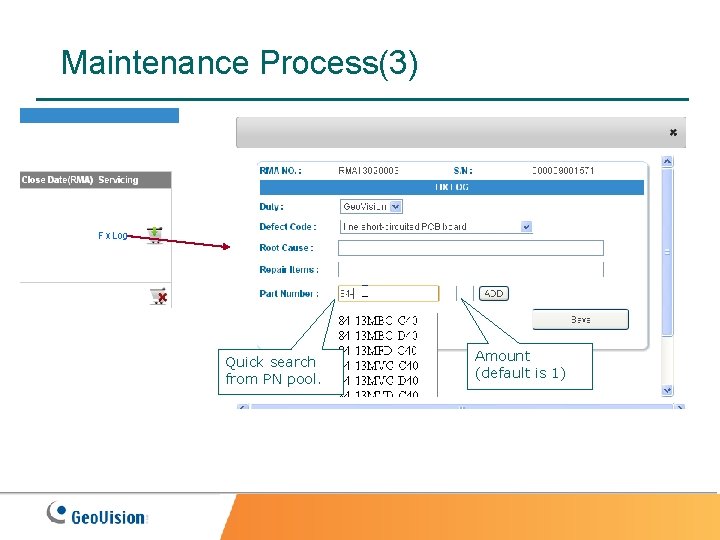
Maintenance Process(3) Quick search from PN pool. Amount (default is 1)
Master Data Setting – Customer Add new customer info. Maintain customer info. Send sign in mail to customer. Be in charge of the customer.
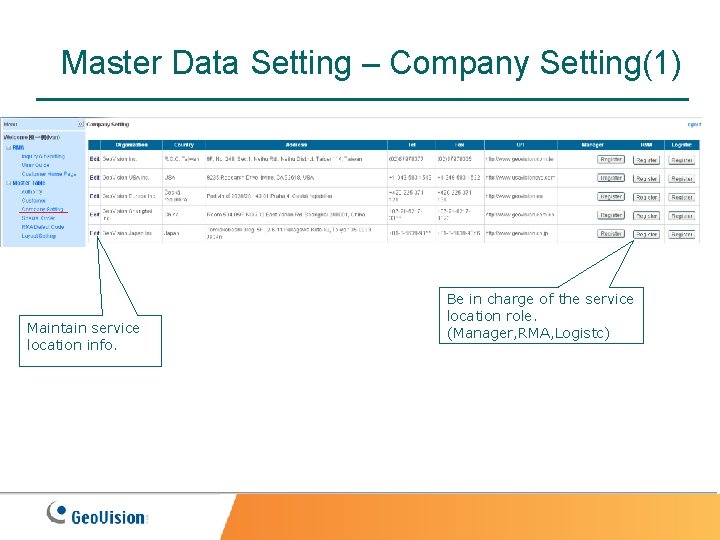
Master Data Setting – Company Setting(1) Maintain service location info. Be in charge of the service location role. (Manager, RMA, Logistc)
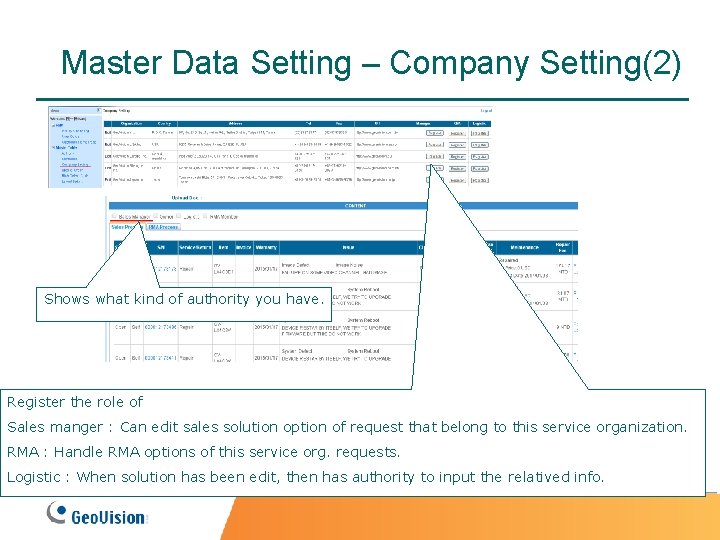
Master Data Setting – Company Setting(2) Shows what kind of authority you have. Register the role of Sales manger : Can edit sales solution option of request that belong to this service organization. RMA : Handle RMA options of this service org. requests. Logistic : When solution has been edit, then has authority to input the relatived info.
Master Data Setting – Special Order When this order has been added to special order pool, then it’s warranty change from two year to three year.
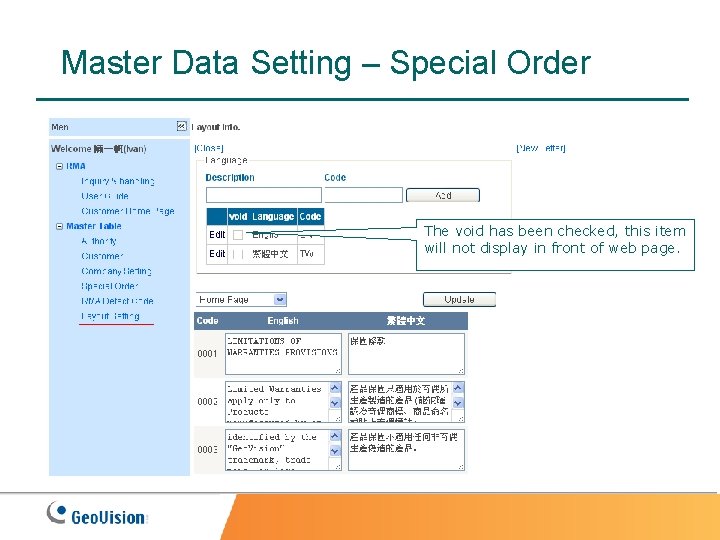
Master Data Setting – Special Order The void has been checked, this item will not display in front of web page.
Authority Role : Has Authority to Process the function Administrator : Authority System Handler : Inquiry & Handling, Customer, Company Setting, Special Order, RMA Code Layout Maintain : Layout Setting