
River Basin Simulation with WEAP Water Evaluation and

River Basin Simulation with WEAP Water Evaluation and Planning System David Rosenberg CEE 6490 – Integrated River Basin / Watershed Planning & Management
Learning Objectives • Describe reasons to model priority-based water allocations • Draw a system schematic (that includes water sources, demand sites, and return flows) • Calculate allocations given available water and delivery priorities • Add reservoir storage and release priorities • Use the WEAP system to set up the schematic, enter data, obtain returns, and define + analyze scenarios http: //www. weap 21. org/ CEE 6490 2
How much river water can a user use? • River flow ≠ Water available to a user • Also reach gains/losses, reservoir storage, consumptive use, return flows, groundwater, soil moisture, • Delivery targets and water allocation priorities – Appropriation doctrine (first in time, first in right) – By purpose (e. g. : urban demands before environmental) – By location (e. g. : upstream, then downstream, or reverse) • Prior withdrawals and deliveries • Changes from month to month and year to year CEE 6930 David Rosenberg 3
How much river water can a user use? (cont. ) • It’s complicated to track • We’d like a model to do this • WEAP History – First developed in 1992 – WEAP 21 version in 2005 – Already 119 published applications (33 in 2010) • Key model development steps 1. Draw the system schematic 2. Identify data for system components 3. Enter data and run the model CEE 6930 David Rosenberg 4
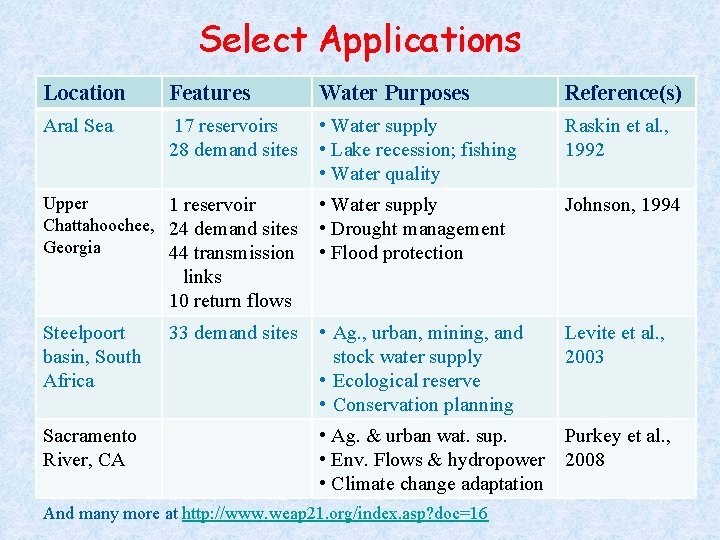
Select Applications Location Features Water Purposes Reference(s) Aral Sea 17 reservoirs 28 demand sites • Water supply • Lake recession; fishing • Water quality Raskin et al. , 1992 • Water supply • Drought management • Flood protection Johnson, 1994 • Ag. , urban, mining, and stock water supply • Ecological reserve • Conservation planning Levite et al. , 2003 • Ag. & urban wat. sup. • Env. Flows & hydropower • Climate change adaptation Purkey et al. , 2008 Upper 1 reservoir Chattahoochee, 24 demand sites Georgia 44 transmission links 10 return flows Steelpoort basin, South Africa Sacramento River, CA 33 demand sites And many more at http: //www. weap 21. org/index. asp? doc=16
Draw a System Schematic • Identify the major system components – – Water sources (surface and groundwater) Demand sites (agricultural, urban, etc. . ) Source connections to demand sites Outflows from demand sites after use • Example 1: A river can supply water to a city and an agricultural district. The outfalls from agricultural drain pipes and the city’s wastewater treatment plant are located downstream of both diversion intakes. CEE 6490 David Rosenberg 6
Draw a System Schematic (cont. ) • Example 2: A river can supply water to a city and an agricultural district. The city is located upstream of the agricultural district. 40% of the city’s withdrawals are collected, treated, returned to the river, and available for downstream use by the agricultural district. CEE 6490 David Rosenberg 7
Calculate Allocations 1. 2. 3. 4. Draw the schematic (previous slides) Determine delivery targets for demand sites (demands) Assign priorities to demand sites (delivery preferences) Determine water availability § § Sources Return flows 5. Allocate remaining available water to meet delivery target of highest priority demand site 6. Repeat Steps 4 and 5 for next highest priority site. CEE 6490 David Rosenberg 8
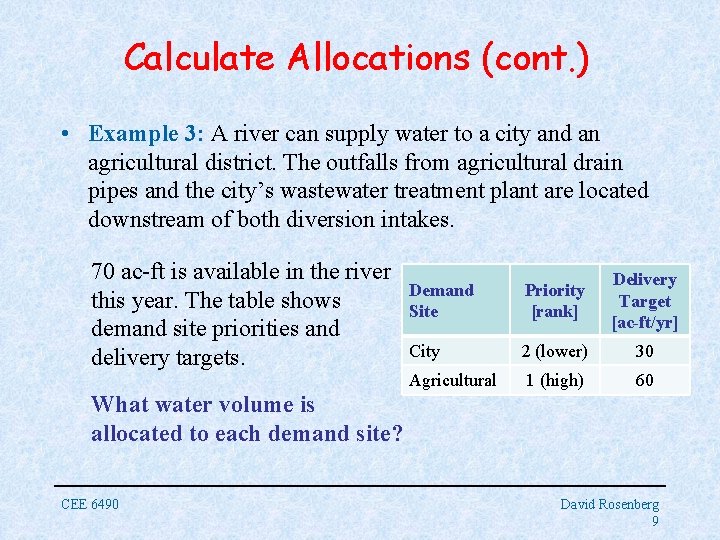
Calculate Allocations (cont. ) • Example 3: A river can supply water to a city and an agricultural district. The outfalls from agricultural drain pipes and the city’s wastewater treatment plant are located downstream of both diversion intakes. 70 ac-ft is available in the river this year. The table shows demand site priorities and delivery targets. Demand Site Priority [rank] Delivery Target [ac-ft/yr] City 2 (lower) 30 Agricultural 1 (high) 60 What water volume is allocated to each demand site? CEE 6490 David Rosenberg 9
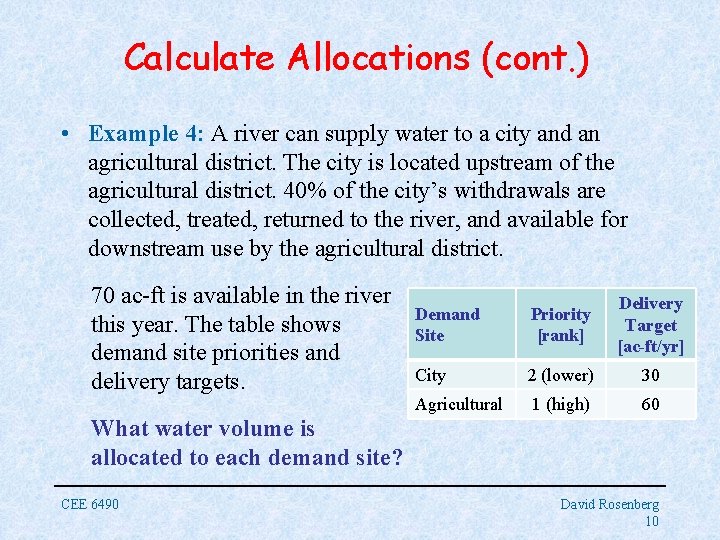
Calculate Allocations (cont. ) • Example 4: A river can supply water to a city and an agricultural district. The city is located upstream of the agricultural district. 40% of the city’s withdrawals are collected, treated, returned to the river, and available for downstream use by the agricultural district. 70 ac-ft is available in the river this year. The table shows demand site priorities and delivery targets. Demand Site Priority [rank] Delivery Target [ac-ft/yr] City 2 (lower) 30 Agricultural 1 (high) 60 What water volume is allocated to each demand site? CEE 6490 David Rosenberg 10
Calculate Allocations (cont. ) • Always use mass balance to determine water available to a user (or at model node) • Allocation calculations get more complicated as add demand sites and return flows • Computer modeling can really help! CEE 6490 David Rosenberg 11
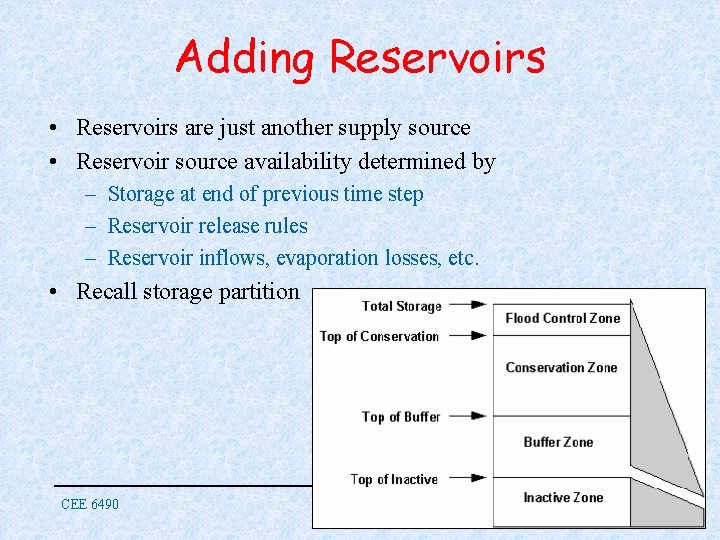
Adding Reservoirs • Reservoirs are just another supply source • Reservoir source availability determined by – Storage at end of previous time step – Reservoir release rules – Reservoir inflows, evaporation losses, etc. • Recall storage partition CEE 6490 David Rosenberg 12
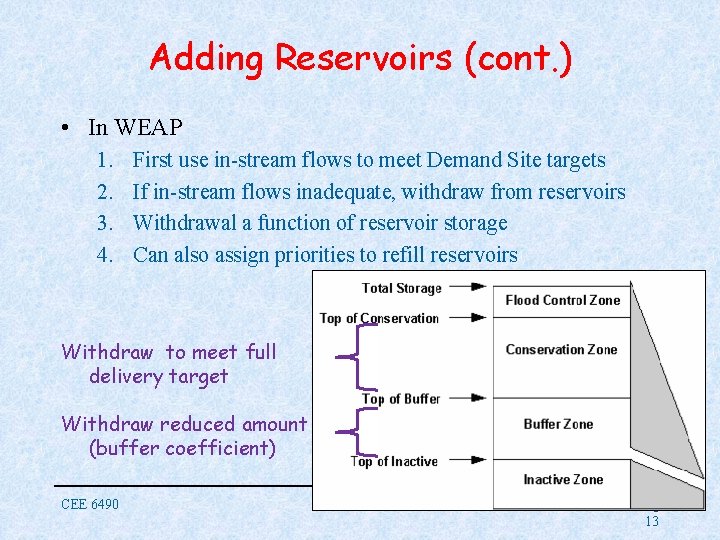
Adding Reservoirs (cont. ) • In WEAP 1. 2. 3. 4. First use in-stream flows to meet Demand Site targets If in-stream flows inadequate, withdraw from reservoirs Withdrawal a function of reservoir storage Can also assign priorities to refill reservoirs Withdraw to meet full delivery target Withdraw reduced amount (buffer coefficient) CEE 6490 David Rosenberg 13
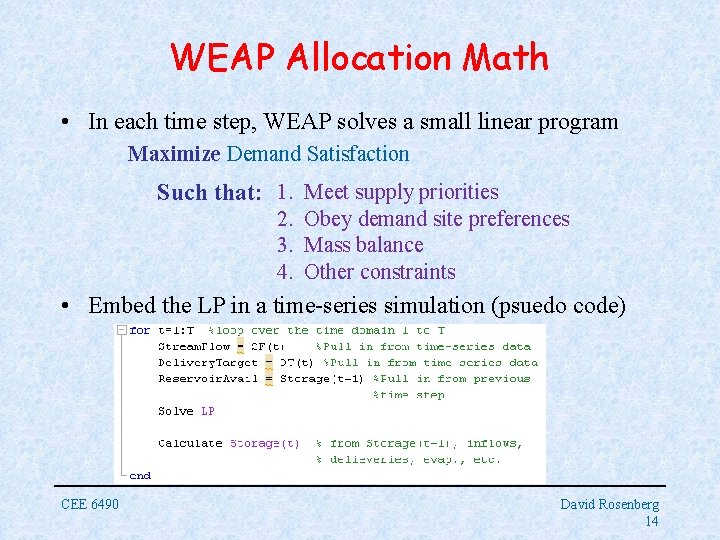
WEAP Allocation Math • In each time step, WEAP solves a small linear program Maximize Demand Satisfaction Such that: 1. Meet supply priorities 2. Obey demand site preferences 3. Mass balance 4. Other constraints • Embed the LP in a time-series simulation (psuedo code) CEE 6490 David Rosenberg 14
Using WEAP • Major Modules – – Schematic Data Results Scenario Explorer • Introduce modules today • Apply & practice in lab exercise CEE 6490 David Rosenberg 15
WEAP Schematic • Drag and drop system node components – Demand sites – Reservoirs, etc. • Drag, click, and drop system link components – Rivers – Transmission links – Return flows • Add GIS layers to help place components • Must include all infrastructure you plan to test in Scenario Explorer CEE 6490 – Spring 2009 David Rosenberg 16
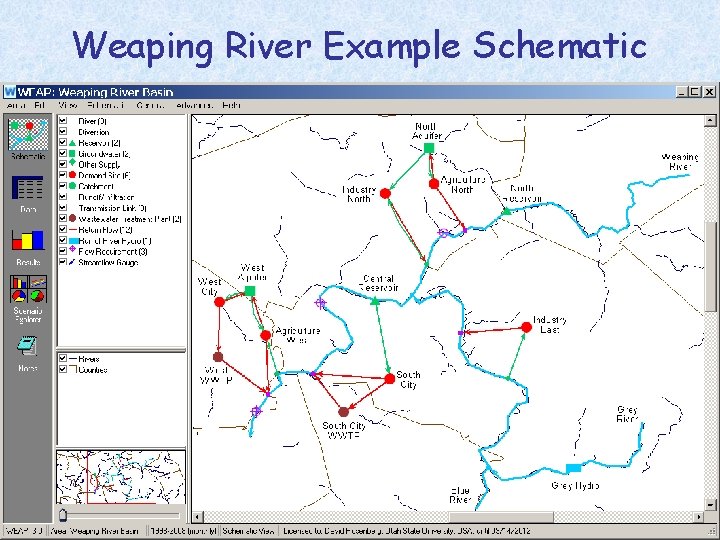
Weaping River Example Schematic CEE 6490 – Spring 2009 David Rosenberg 17
WEAP Data Module • Enter data for each schematic component – Rivers: Headflows for each month of the simulation – Demand sites: activity levels, use rates, losses, consumption, demand priority (1=highest; 99=lowest) – Transmission links: Max flows, supply preference – Return flows: routing (percent returned) – Reservoirs: storage capacity, initial storage, volumeelevation curve, evaporation, pool definitions, buffer coefficients, priority • Enter data for a base case or a scenario • Enter data or read from input file CEE 6490 – Spring 2009 David Rosenberg 18
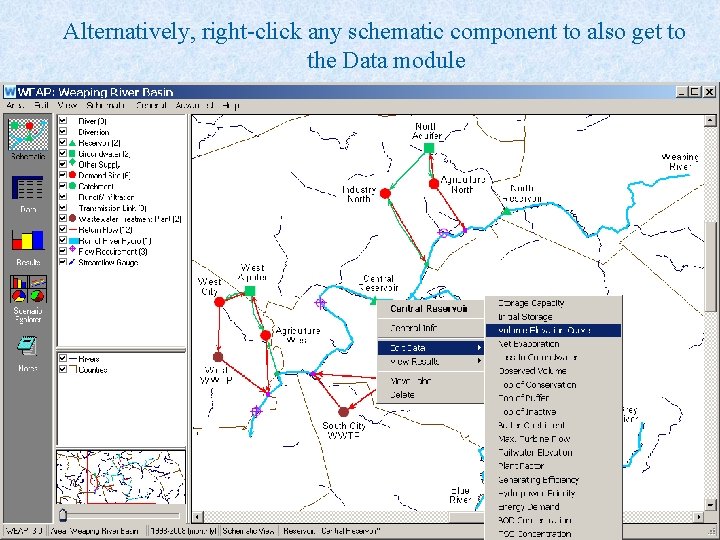
Alternatively, right-click any schematic component to also get to the Data module
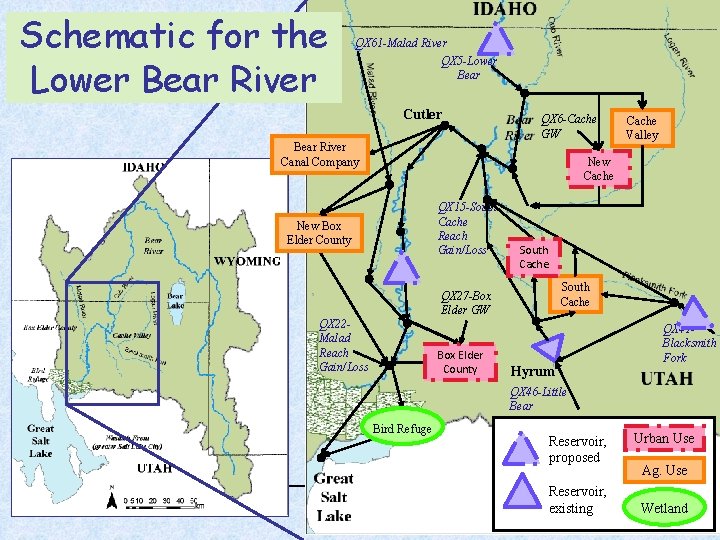
Schematic for the Lower Bear River QX 61 -Malad River QX 5 -Lower Bear Cutler QX 6 -Cache GW Bear River Canal Company Cache Valley New Cache QX 15 -South Cache Reach Gain/Loss New Box Elder County South Cache QX 27 -Box Elder GW QX 22 Malad Reach Gain/Loss Box Elder County Hyrum QX 41 Blacksmith Fork QX 46 -Little Bear Bird Refuge CEE 6930 Reservoir, proposed Urban Use Ag. Use Reservoir, David Rosenberg existing Wetland 20
Example 5. What flow data need to be entered for the Lower Bear River? • Look at the Schematic for the Lower Bear River. a. What locations require headflow data? b. Which reaches require reach flow data? c. Where can you obtain this data? CEE 6930 David Rosenberg 21
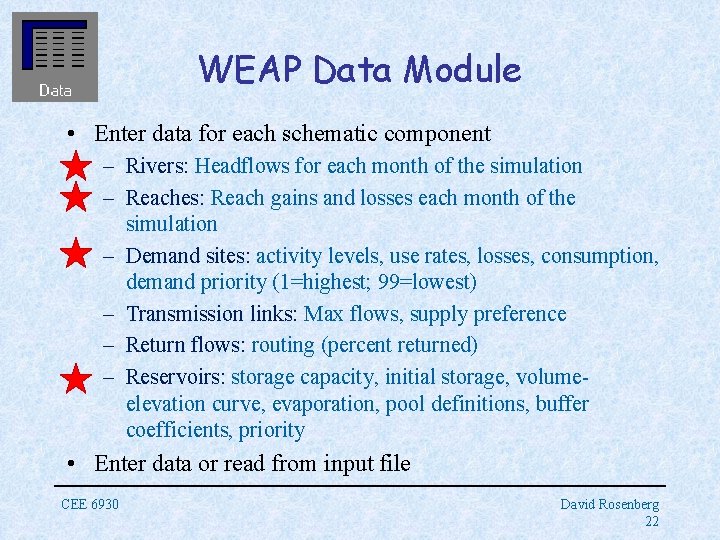
WEAP Data Module • Enter data for each schematic component – Rivers: Headflows for each month of the simulation – Reaches: Reach gains and losses each month of the simulation – Demand sites: activity levels, use rates, losses, consumption, demand priority (1=highest; 99=lowest) – Transmission links: Max flows, supply preference – Return flows: routing (percent returned) – Reservoirs: storage capacity, initial storage, volumeelevation curve, evaporation, pool definitions, buffer coefficients, priority • Enter data or read from input file CEE 6930 David Rosenberg 22
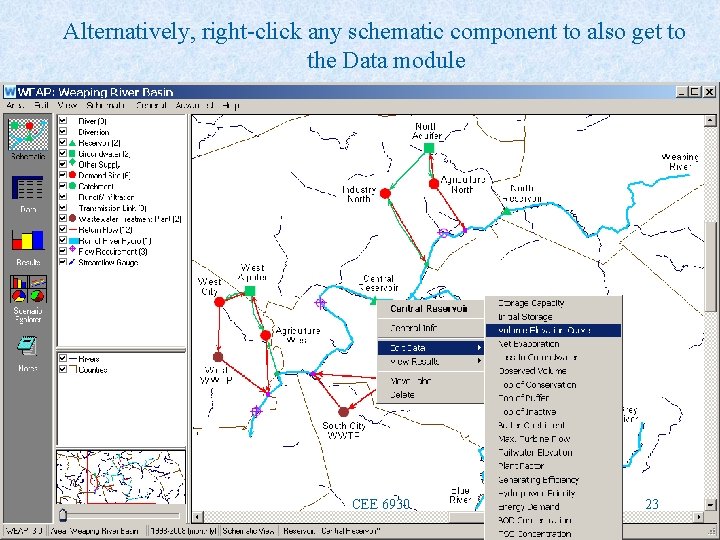
Alternatively, right-click any schematic component to also get to the Data module CEE 6930 23
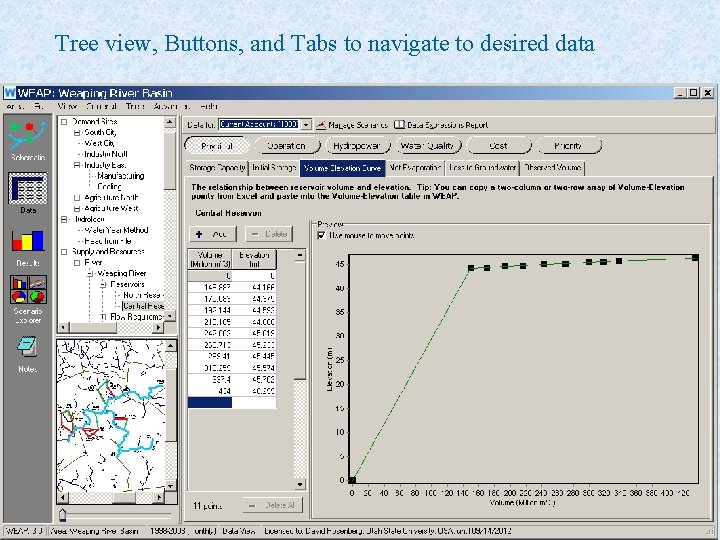
Tree view, Buttons, and Tabs to navigate to desired data CEE 6490 24
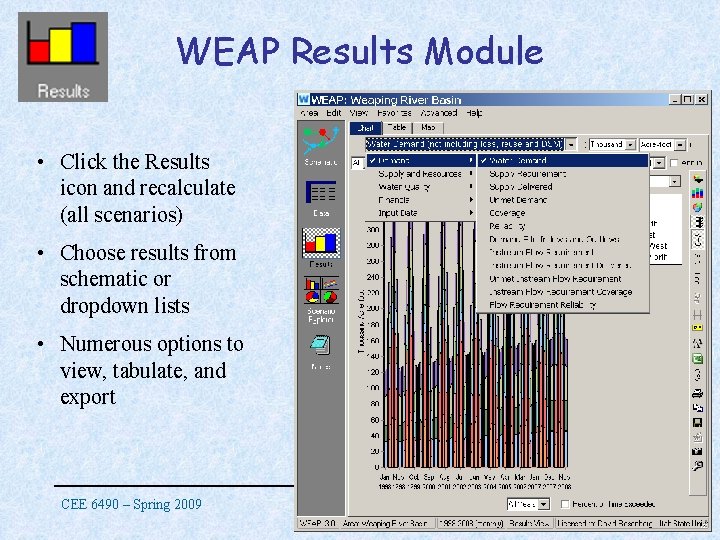
WEAP Results Module • Click the Results icon and recalculate (all scenarios) • Choose results from schematic or dropdown lists • Numerous options to view, tabulate, and export CEE 6490 – Spring 2009 David Rosenberg 25
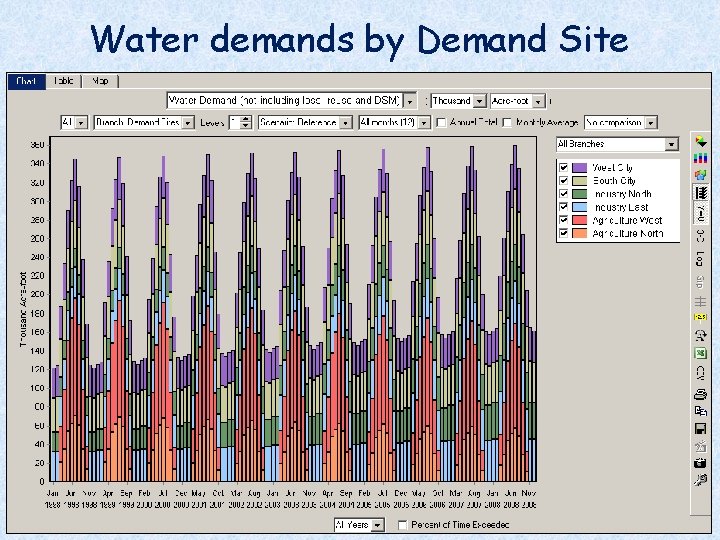
Water demands by Demand Site CEE 6490 David Rosenberg 26
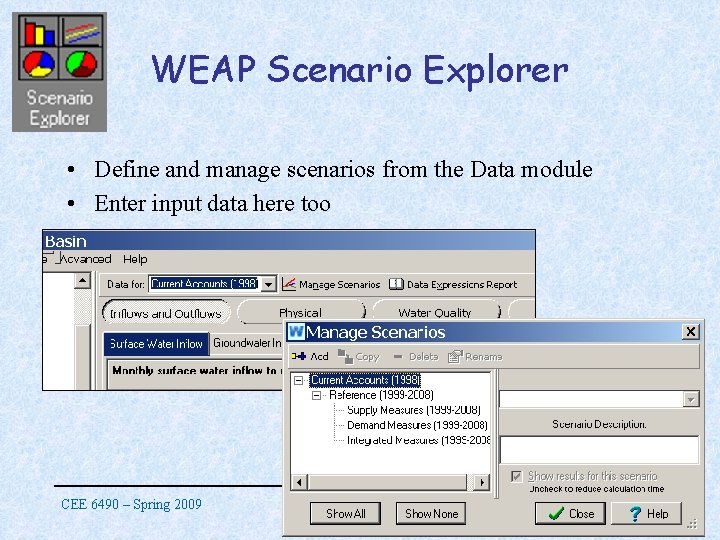
WEAP Scenario Explorer • Define and manage scenarios from the Data module • Enter input data here too CEE 6490 – Spring 2009 David Rosenberg 27
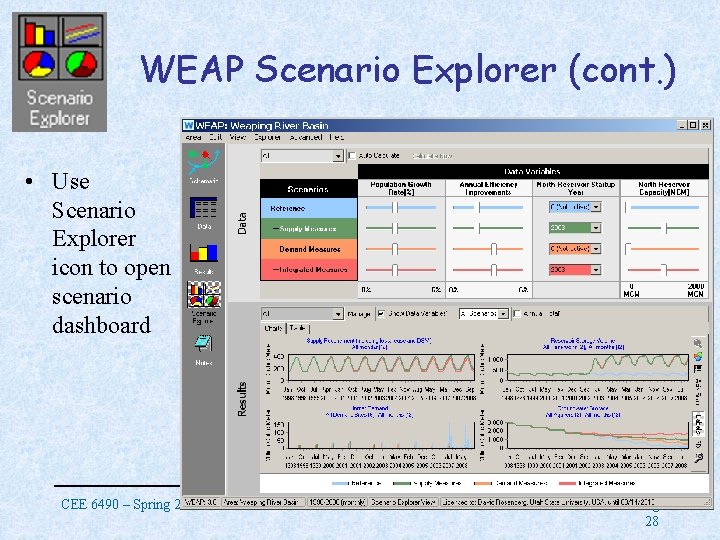
WEAP Scenario Explorer (cont. ) • Use Scenario Explorer icon to open scenario dashboard CEE 6490 – Spring 2009 David Rosenberg 28
Conclusions • WEAP can simulate priority-based water allocations • Drag and drop interface to draw system schematic • Enter variety of data for river, demand site, reservoir, return flow, and other system components • View results in numerous formats • Use scenario tool to test and view results for changes in model inputs • Apply principles after Spring Break for Lower Bear River basin lab exercise and ILO-4. CEE 6490 David Rosenberg 29
- Slides: 29