
RIGS IN BLENDER The understanding of rigs in
RIGS IN BLENDER The understanding of rigs in blender
WHAT ARE RIGS? � Rigging is setting up a skeleton that moves the mesh. It would be mind-bogglingly tedious to move every single vertex if you wanted to make a character move. Instead, we create a skeleton, complete with bones, and then move the bones in order to move the character.
� In Blender, the skeleton is called an Armature. The idea is this: � An Armature is composed of many Bones. � Each Bone can have some vertices assigned to it. � When you move a Bone, just the vertices assigned to it will move, and all the other vertices will stay still. � The goal is to set up the Bones in the Armature so that neighboring Bones move neighboring vertices smoothly and naturally.
BASIC STEPS 1. Bone PRS: Position, Scale and Rotation. � 2. Bone: Parent child relation. � 3. zero out (local-Orientation) and local and word (position) coordinates. � String bones together to create a humanoid skeleton. � • Hierarchy: Correct connection of bones, whereas the (Root) is the Hip/Pelvis bone. � • Move the Hip, the entire character moves. � For use in i. Clone, Just Skin the correct bones to the mesh! [Smile] Map your bones to the RL bones. � The entire motion layer options. . Will light up if done correctly! �
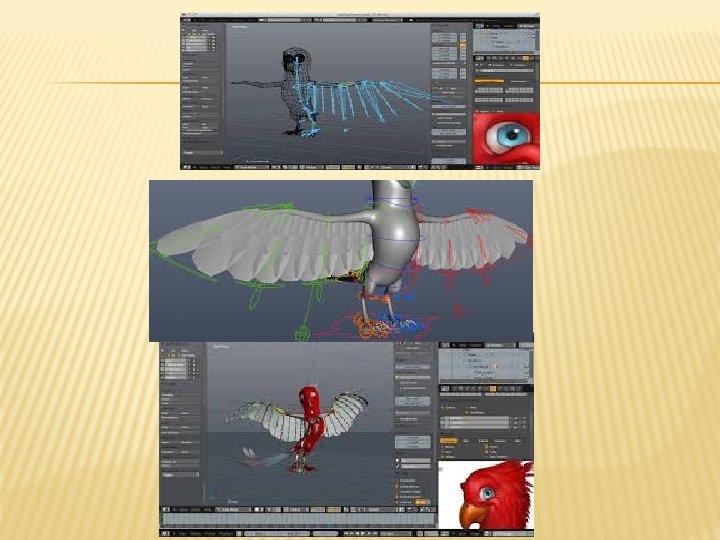

VIDEO OF A RIG TO MAKE BOY � http: //www. youtube. com/watch? v=0 QT 1 GNM evfc
- Slides: 6