
Rigid and NonRigid Classification Using Interactive Perception Bryan

Rigid and Non-Rigid Classification Using Interactive Perception Bryan Willimon, Stan Birchfield, Ian Walker Department of Electrical and Computer Engineering Clemson University IROS 2010
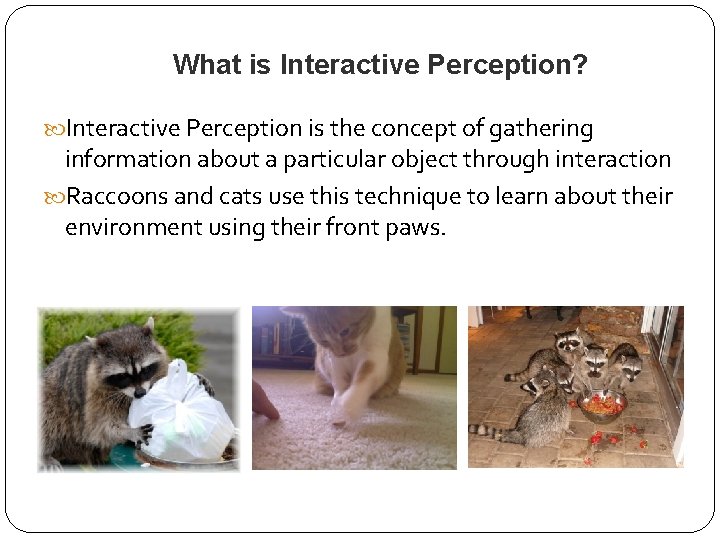
What is Interactive Perception? Interactive Perception is the concept of gathering information about a particular object through interaction Raccoons and cats use this technique to learn about their environment using their front paws.
What is Interactive Perception? The information gathered is: Either complementing information obtained through vision Or adding new information that cannot be determined through vision alone
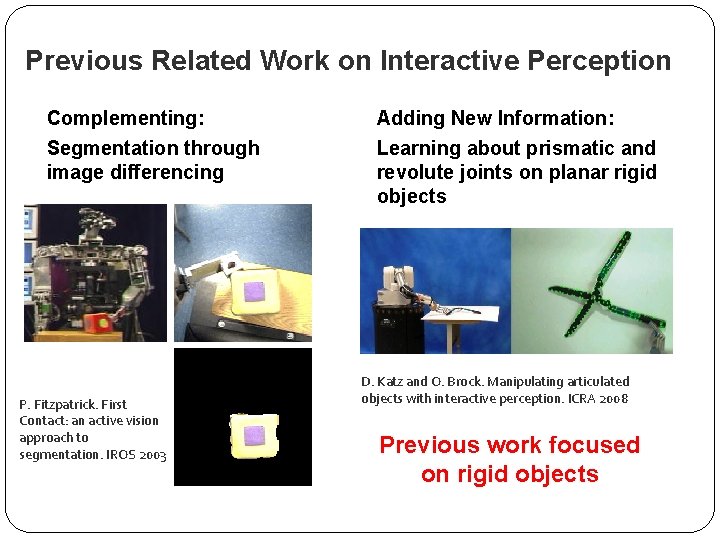
Previous Related Work on Interactive Perception Complementing: Segmentation through image differencing P. Fitzpatrick. First Contact: an active vision approach to segmentation. IROS 2003 Adding New Information: Learning about prismatic and revolute joints on planar rigid objects D. Katz and O. Brock. Manipulating articulated objects with interactive perception. ICRA 2008 Previous work focused on rigid objects
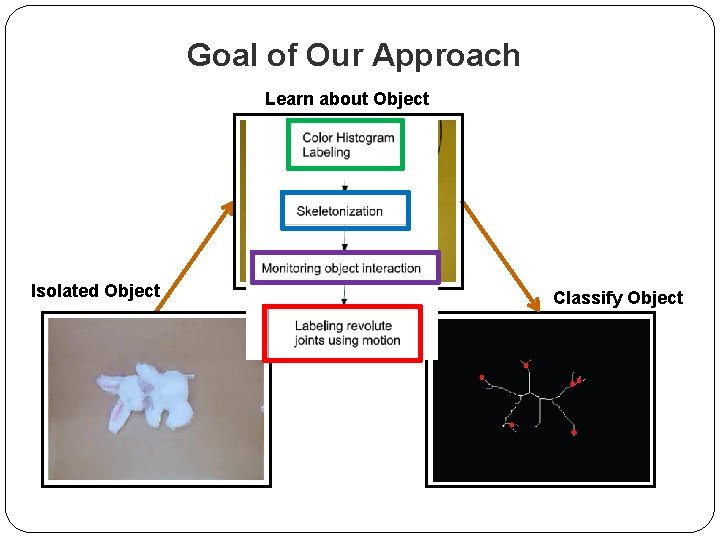
Goal of Our Approach Learn about Object Isolated Object Classify Object
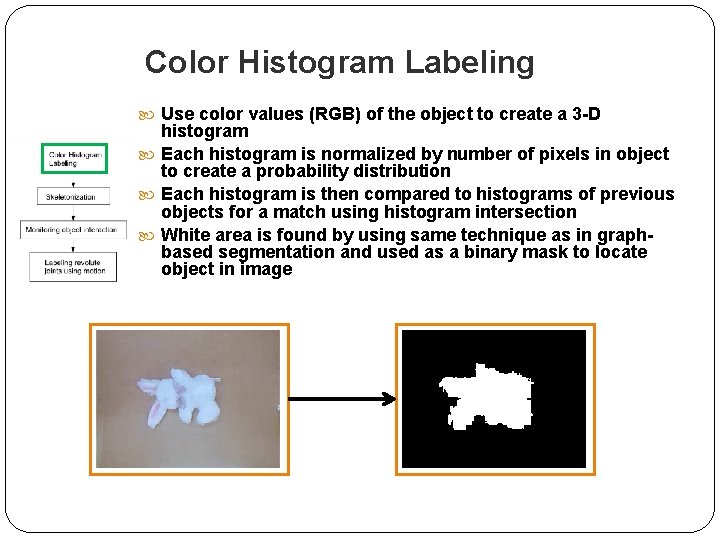
Color Histogram Labeling Use color values (RGB) of the object to create a 3 -D histogram Each histogram is normalized by number of pixels in object to create a probability distribution Each histogram is then compared to histograms of previous objects for a match using histogram intersection White area is found by using same technique as in graphbased segmentation and used as a binary mask to locate object in image
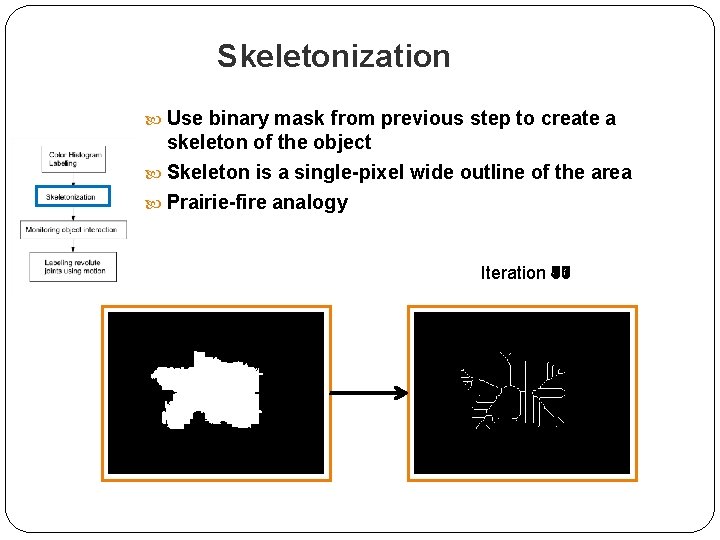
Skeletonization Use binary mask from previous step to create a skeleton of the object Skeleton is a single-pixel wide outline of the area Prairie-fire analogy Iteration 47 1 3 5 7 9 10 11 13 15 17
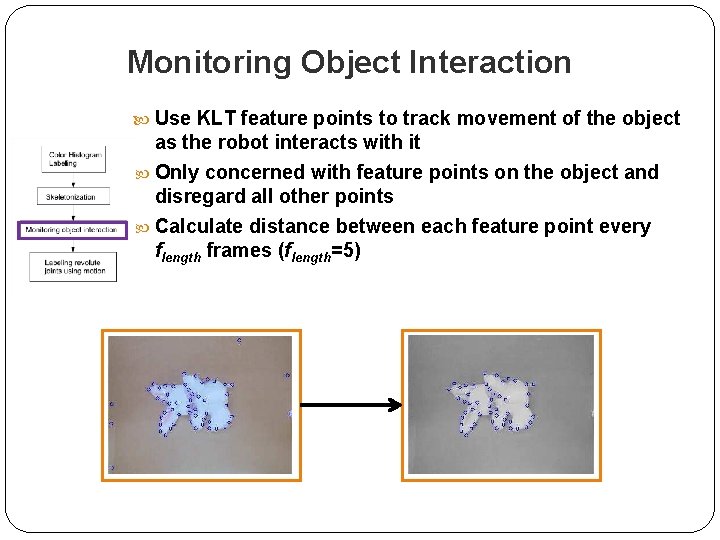
Monitoring Object Interaction Use KLT feature points to track movement of the object as the robot interacts with it Only concerned with feature points on the object and disregard all other points Calculate distance between each feature point every flength frames (flength=5)
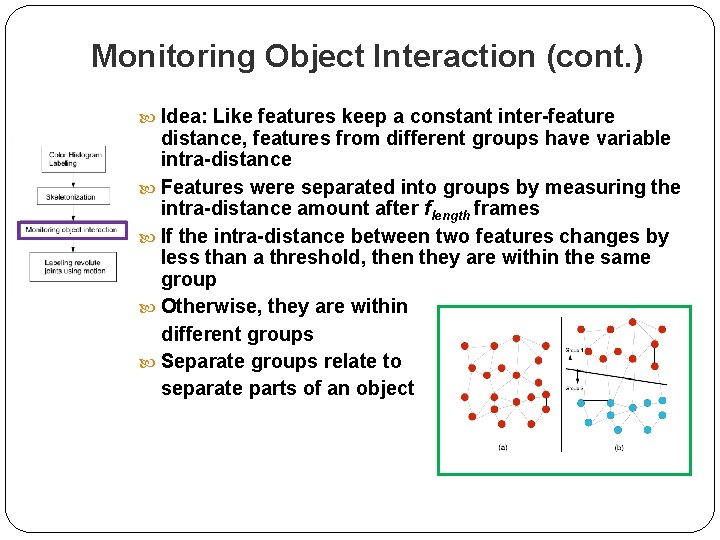
Monitoring Object Interaction (cont. ) Idea: Like features keep a constant inter-feature distance, features from different groups have variable intra-distance Features were separated into groups by measuring the intra-distance amount after flength frames If the intra-distance between two features changes by less than a threshold, then they are within the same group Otherwise, they are within different groups Separate groups relate to separate parts of an object
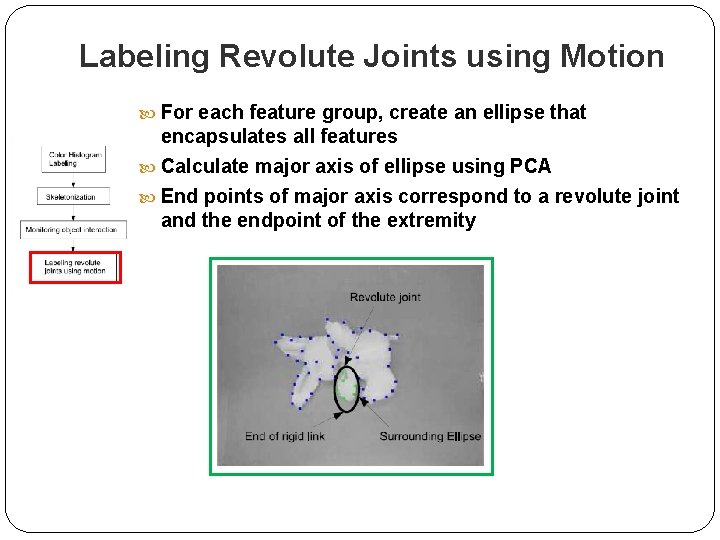
Labeling Revolute Joints using Motion For each feature group, create an ellipse that encapsulates all features Calculate major axis of ellipse using PCA End points of major axis correspond to a revolute joint and the endpoint of the extremity
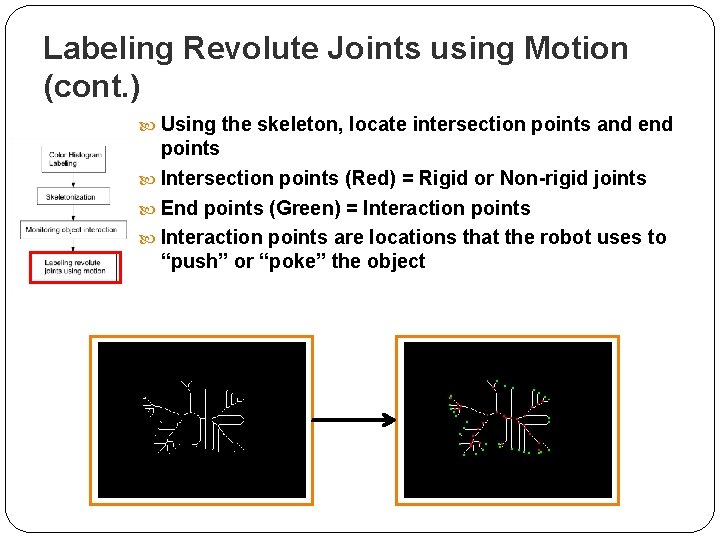
Labeling Revolute Joints using Motion (cont. ) Using the skeleton, locate intersection points and end points Intersection points (Red) = Rigid or Non-rigid joints End points (Green) = Interaction points are locations that the robot uses to “push” or “poke” the object
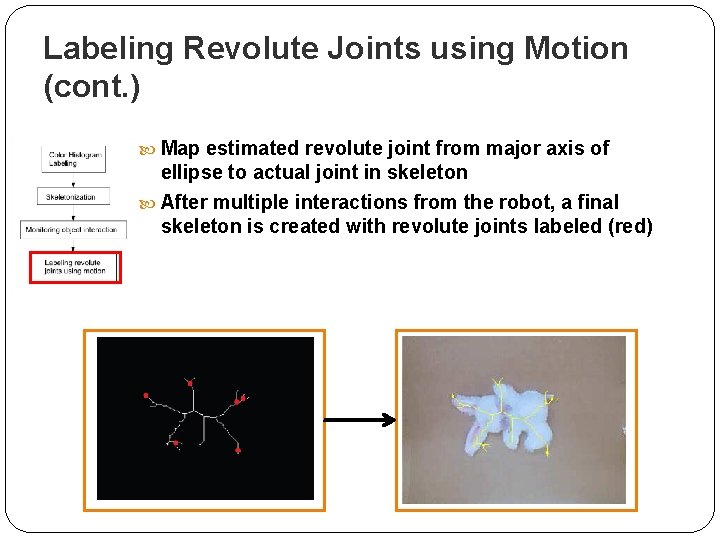
Labeling Revolute Joints using Motion (cont. ) Map estimated revolute joint from major axis of ellipse to actual joint in skeleton After multiple interactions from the robot, a final skeleton is created with revolute joints labeled (red)
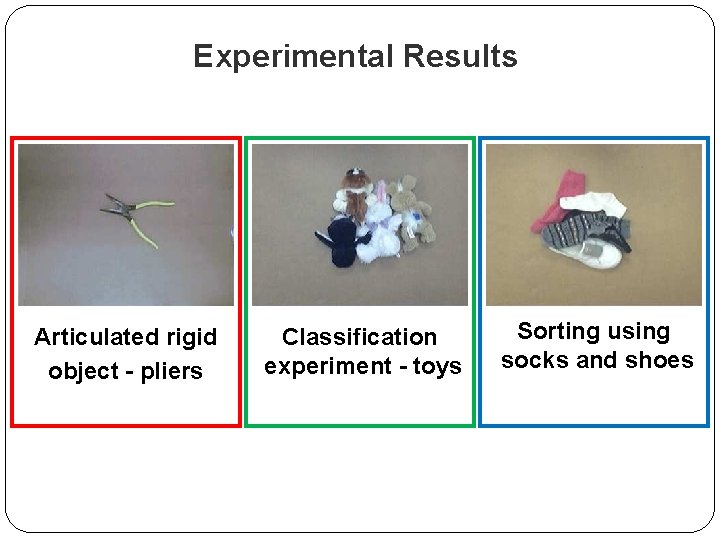
Experimental Results Articulated rigid object - pliers Classification experiment - toys Sorting using socks and shoes
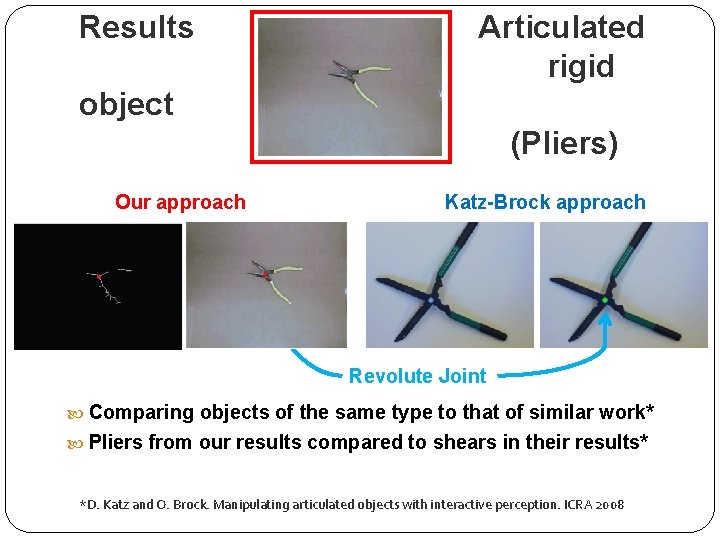
Results Articulated rigid object (Pliers) Our approach Katz-Brock approach Revolute Joint Comparing objects of the same type to that of similar work* Pliers from our results compared to shears in their results* *D. Katz and O. Brock. Manipulating articulated objects with interactive perception. ICRA 2008
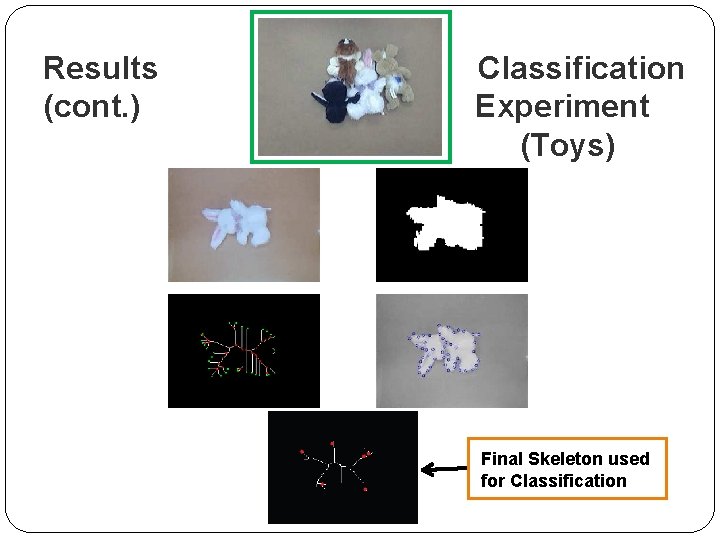
Results (cont. ) Classification Experiment (Toys) Final Skeleton used for Classification
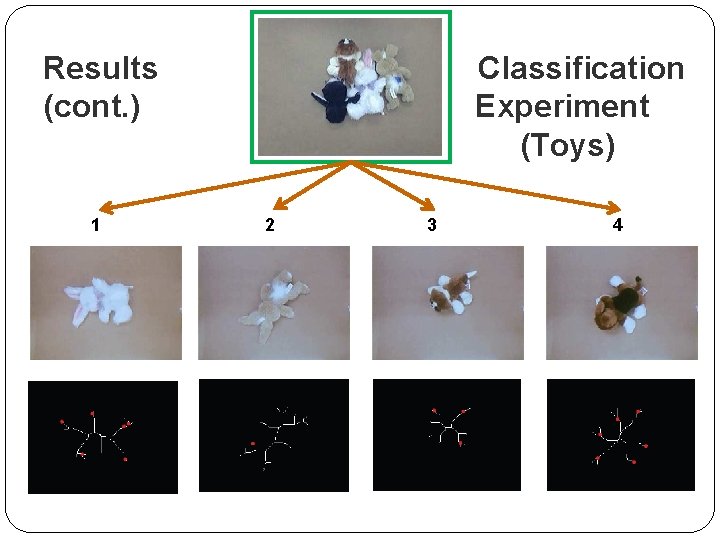
Results (cont. ) 1 Classification Experiment (Toys) 2 3 4
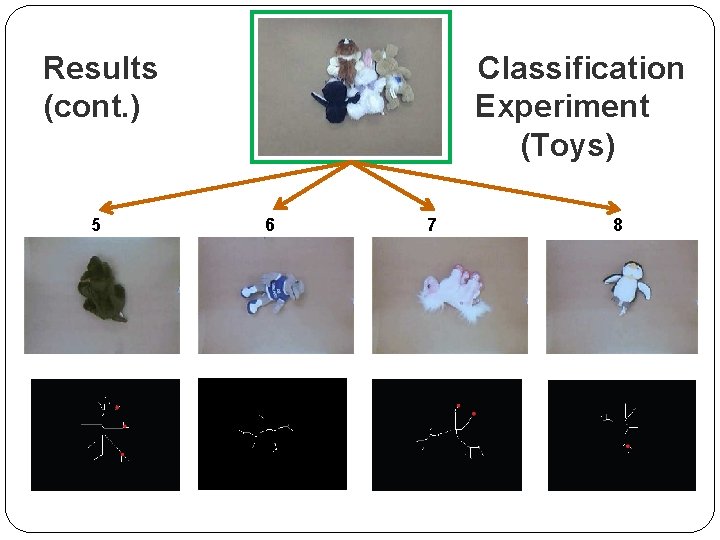
Results (cont. ) 5 Classification Experiment (Toys) 6 7 8
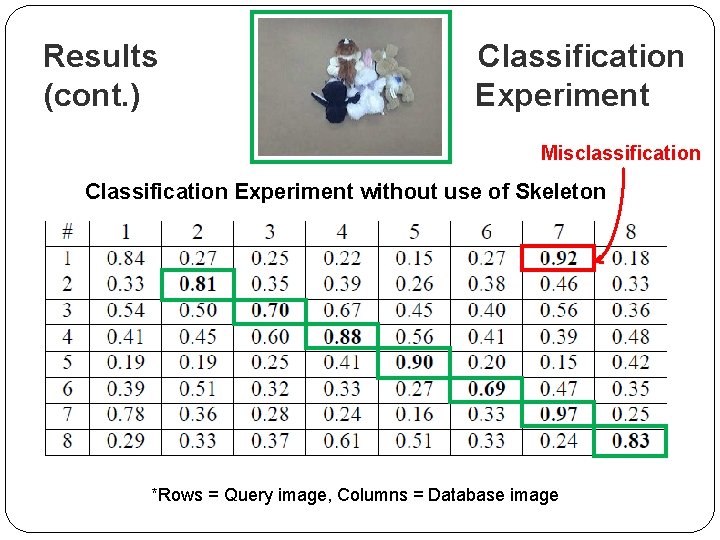
Results (cont. ) Classification Experiment Misclassification Classification Experiment without use of Skeleton *Rows = Query image, Columns = Database image
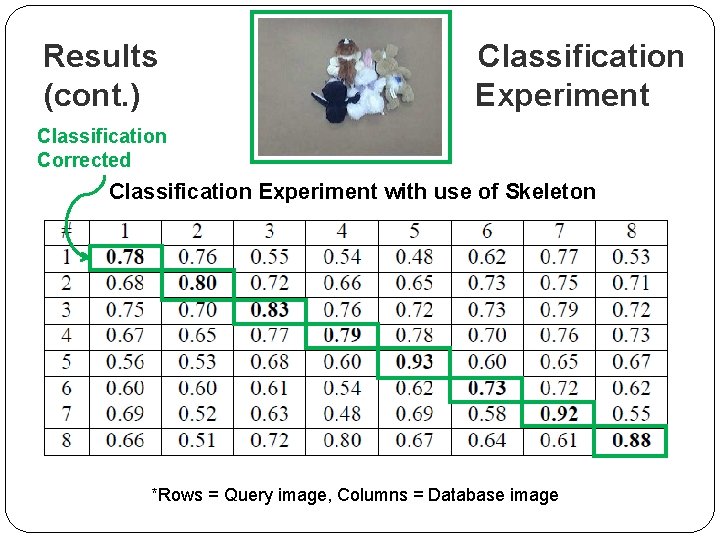
Results (cont. ) Classification Experiment Classification Corrected Classification Experiment with use of Skeleton *Rows = Query image, Columns = Database image
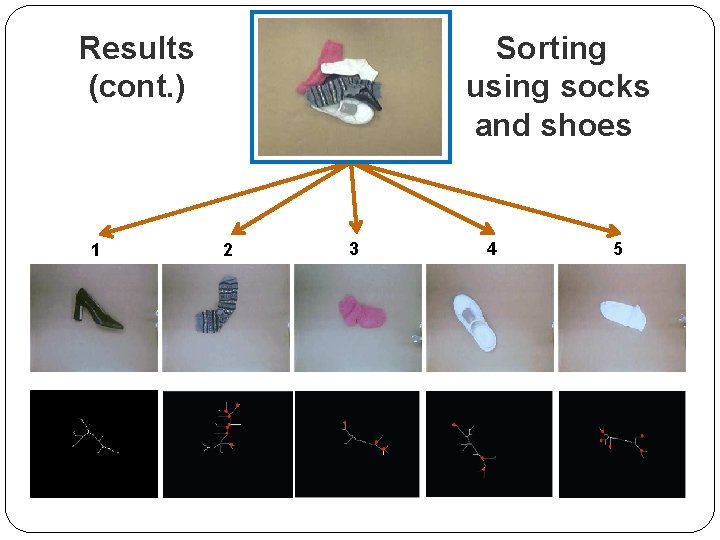
Results (cont. ) 1 Sorting using socks and shoes 2 3 4 5
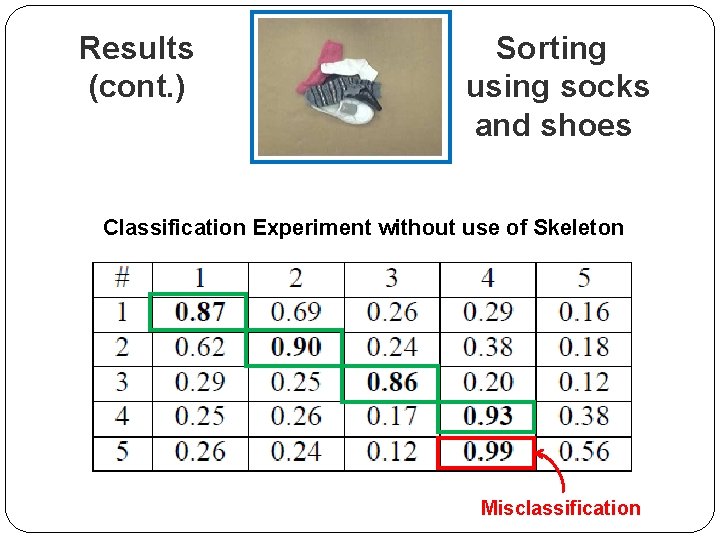
Results (cont. ) Sorting using socks and shoes Classification Experiment without use of Skeleton Misclassification
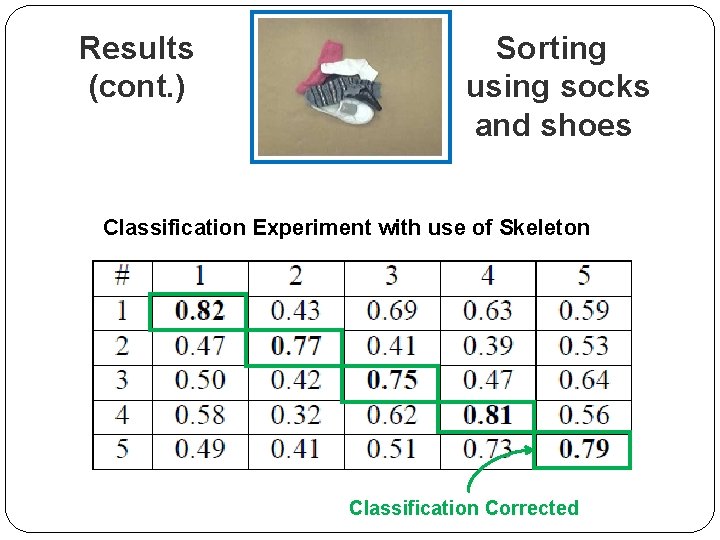
Results (cont. ) Sorting using socks and shoes Classification Experiment with use of Skeleton Classification Corrected
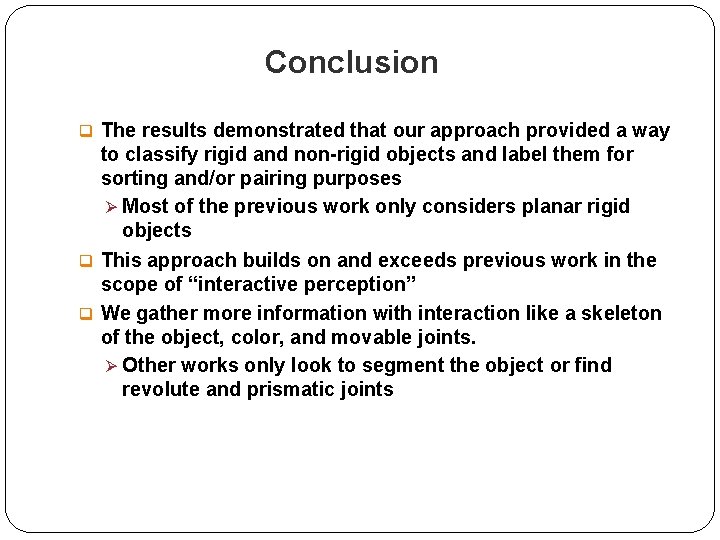
Conclusion q The results demonstrated that our approach provided a way to classify rigid and non-rigid objects and label them for sorting and/or pairing purposes Ø Most of the previous work only considers planar rigid objects q This approach builds on and exceeds previous work in the scope of “interactive perception” q We gather more information with interaction like a skeleton of the object, color, and movable joints. Ø Other works only look to segment the object or find revolute and prismatic joints
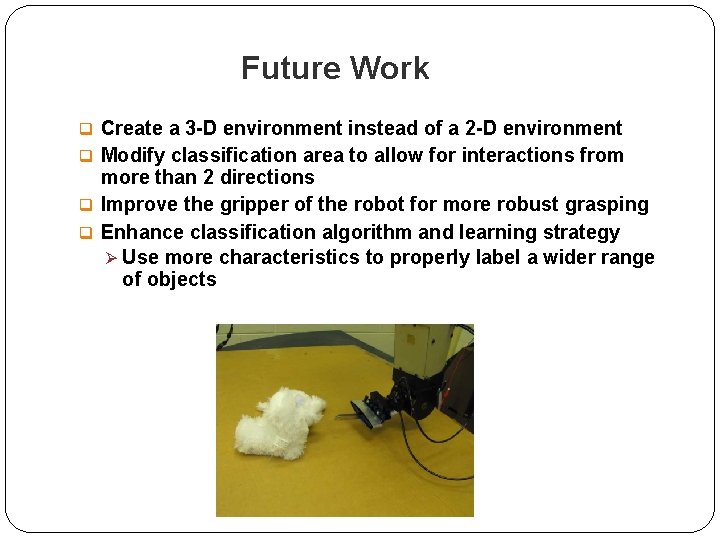
Future Work q Create a 3 -D environment instead of a 2 -D environment q Modify classification area to allow for interactions from more than 2 directions q Improve the gripper of the robot for more robust grasping q Enhance classification algorithm and learning strategy Ø Use more characteristics to properly label a wider range of objects
Questions?
- Slides: 25