
Right John Musas Software Reliability Engineered Testing process
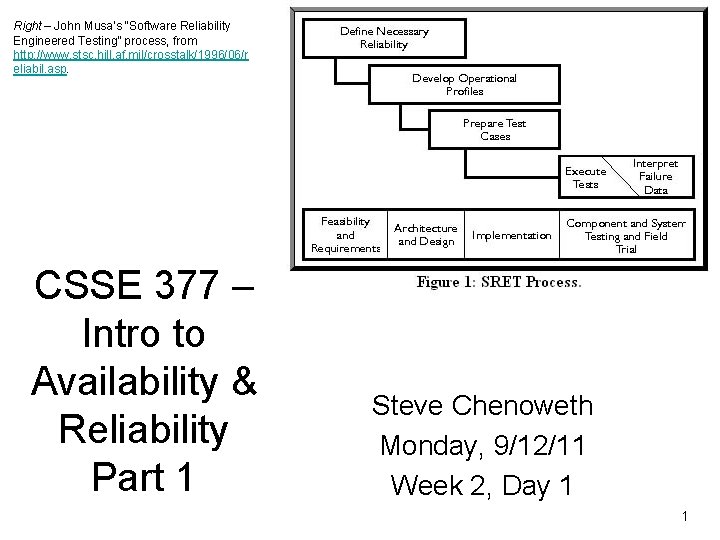
Right – John Musa’s “Software Reliability Engineered Testing” process, from http: //www. stsc. hill. af. mil/crosstalk/1996/06/r eliabil. asp. CSSE 377 – Intro to Availability & Reliability Part 1 Steve Chenoweth Monday, 9/12/11 Week 2, Day 1 1
Today • Team performance demos…from Fri, cntd • How to do Project 2! • Which is all about software availability engineering… – Bass’s Ch 4 (pp 79 - 80) and Ch 5 (pp 101 - 105) – For a whole lot more, see the following: • Software Reliability Engineering by John D. Musa. • Web site for Musa’s consulting business -http: //www. stsc. hill. af. mil/crosstalk/1996/06/reliabil. asp. • “Software Reliability, ” by Jiantao Pan, http: //www. ece. cmu. edu/~koopman/des_s 99/sw_reliability/. Musa 2
We next pick availability from Bass’s QA list… • Bass’s list of six, from the inside back cover of his book: – Availability – Modifiability – Performance – Security – Testability – Usability 3
And you here is a first project about it: • On the same system you’ve been working on, – Determine the availability this system – actually, of something specific about it, and – Implement a tactic to improve this by a designated amount! And a first step to take today: • Break down what your system “does” into an “operational profile. ” • Decide what “availability of the current system” means, in some specific way. • Turn in, in your “team journal” by 11: 55 PM tonight. 4
You now know… • You should pick something you can measure! • It should be supported by at least one “scenario” with measurable responses, as your arch targets • There’s more info in “The Notes” at the end of the supplementary spec template. 5
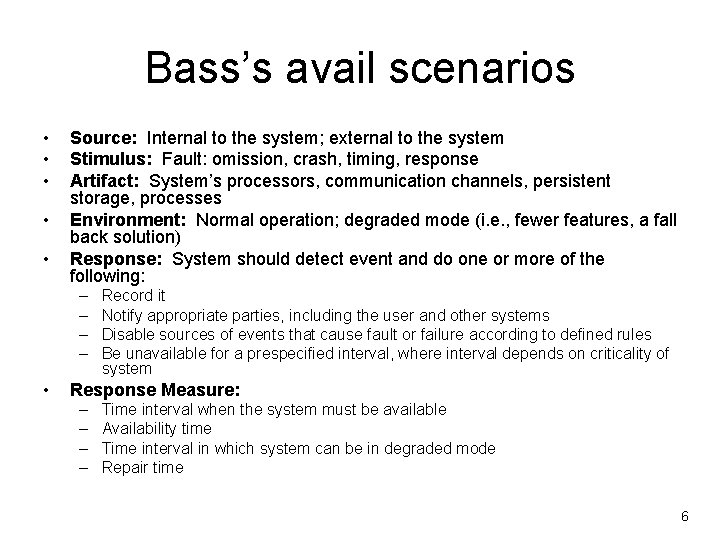
Bass’s avail scenarios • • • Source: Internal to the system; external to the system Stimulus: Fault: omission, crash, timing, response Artifact: System’s processors, communication channels, persistent storage, processes Environment: Normal operation; degraded mode (i. e. , fewer features, a fall back solution) Response: System should detect event and do one or more of the following: – – • Record it Notify appropriate parties, including the user and other systems Disable sources of events that cause fault or failure according to defined rules Be unavailable for a prespecified interval, where interval depends on criticality of system Response Measure: – – Time interval when the system must be available Availability time Time interval in which system can be in degraded mode Repair time 6
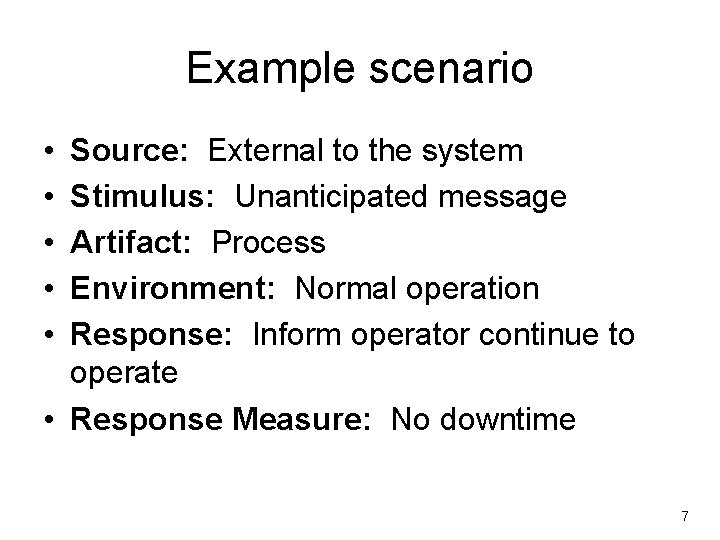
Example scenario • • • Source: External to the system Stimulus: Unanticipated message Artifact: Process Environment: Normal operation Response: Inform operator continue to operate • Response Measure: No downtime 7
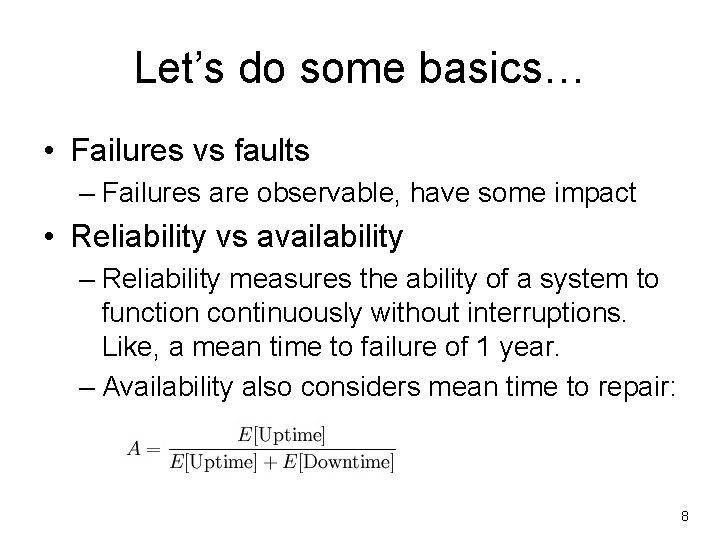
Let’s do some basics… • Failures vs faults – Failures are observable, have some impact • Reliability vs availability – Reliability measures the ability of a system to function continuously without interruptions. Like, a mean time to failure of 1 year. – Availability also considers mean time to repair: 8
On your projects… • Reliability is a bit easier to measure – Just start a stopwatch and run it till it crashes? – Or, until the user notices something wrong? • To calculate availability, you need to consider what “fixing it” means -- either – Restarting the system is the “fix” time, or – Actually fixing the bug that caused the crash! 9
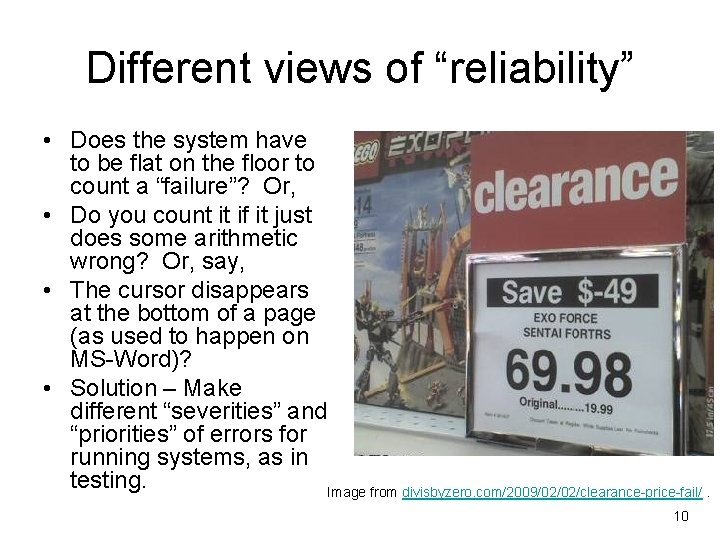
Different views of “reliability” • Does the system have to be flat on the floor to count a “failure”? Or, • Do you count it if it just does some arithmetic wrong? Or, say, • The cursor disappears at the bottom of a page (as used to happen on MS-Word)? • Solution – Make different “severities” and “priorities” of errors for running systems, as in testing. Image from divisbyzero. com/2009/02/02/clearance-price-fail/. 10
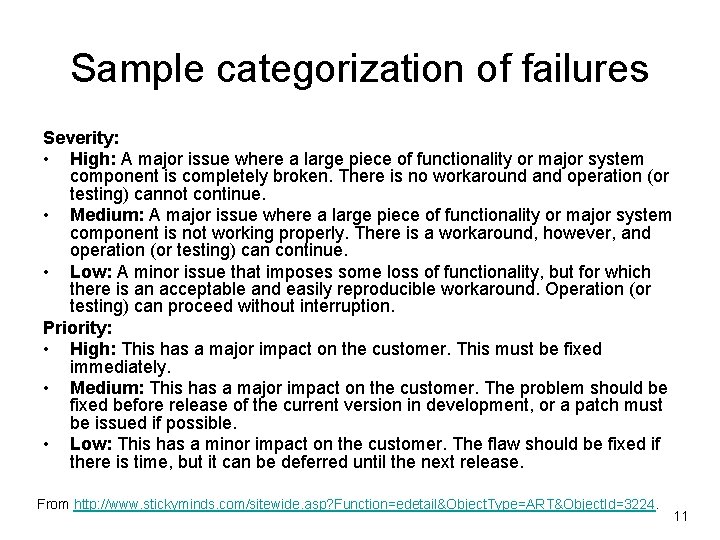
Sample categorization of failures Severity: • High: A major issue where a large piece of functionality or major system component is completely broken. There is no workaround and operation (or testing) cannot continue. • Medium: A major issue where a large piece of functionality or major system component is not working properly. There is a workaround, however, and operation (or testing) can continue. • Low: A minor issue that imposes some loss of functionality, but for which there is an acceptable and easily reproducible workaround. Operation (or testing) can proceed without interruption. Priority: • High: This has a major impact on the customer. This must be fixed immediately. • Medium: This has a major impact on the customer. The problem should be fixed before release of the current version in development, or a patch must be issued if possible. • Low: This has a minor impact on the customer. The flaw should be fixed if there is time, but it can be deferred until the next release. From http: //www. stickyminds. com/sitewide. asp? Function=edetail&Object. Type=ART&Object. Id=3224. 11
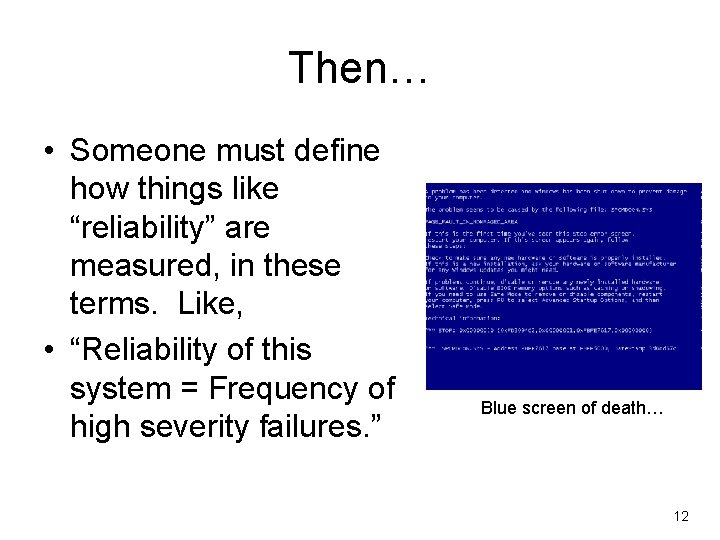
Then… • Someone must define how things like “reliability” are measured, in these terms. Like, • “Reliability of this system = Frequency of high severity failures. ” Blue screen of death… 12
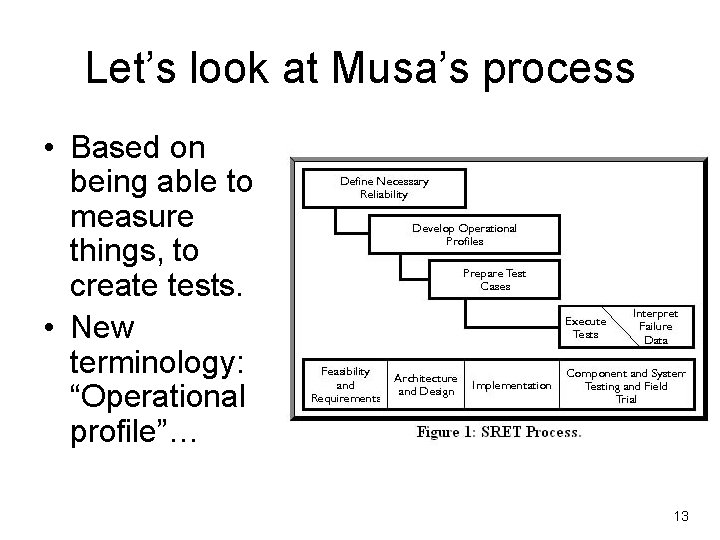
Let’s look at Musa’s process • Based on being able to measure things, to create tests. • New terminology: “Operational profile”… 13
Operational profile • It’s a quantitative way to characterize how a system will be used. • Like, what’s the mix of the scenarios describing separate activities your system does? – Often built up from statistics on the mix of activities done by individual users or customers – But the pattern of usage also varies over time… 14
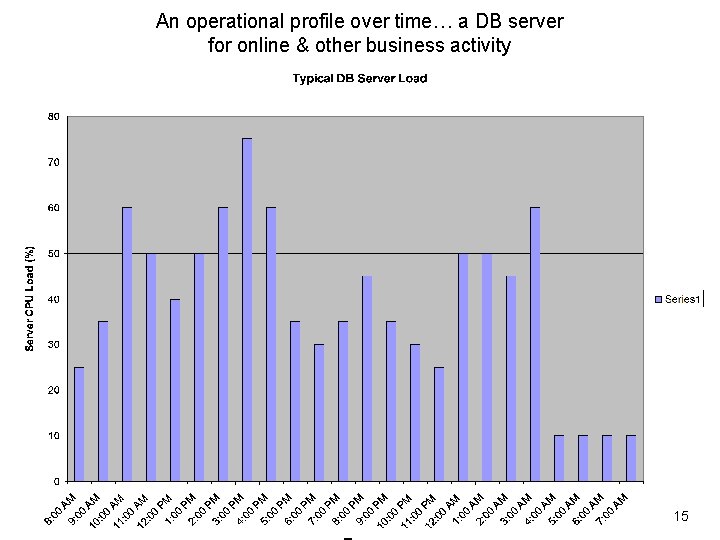
An operational profile over time… a DB server for online & other business activity 15
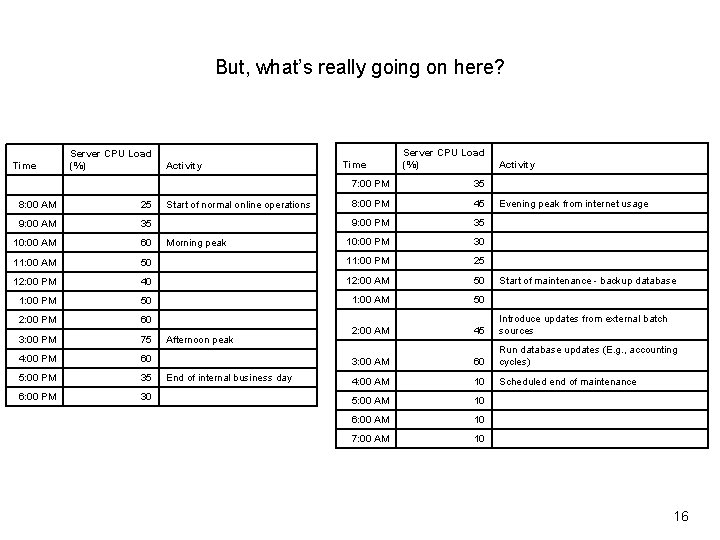
But, what’s really going on here? Server CPU Load (%) Time Server CPU Load (%) Activity 7: 00 PM 35 Time Activity 8: 00 AM 25 Start of normal online operations 8: 00 PM 45 Evening peak from internet usage 9: 00 AM 35 9: 00 PM 35 10: 00 AM 60 Morning peak 10: 00 PM 30 11: 00 AM 50 11: 00 PM 25 12: 00 PM 40 12: 00 AM 50 Start of maintenance - backup database 1: 00 PM 50 1: 00 AM 50 2: 00 PM 60 3: 00 PM 75 Afternoon peak 2: 00 AM 45 Introduce updates from external batch sources 4: 00 PM 60 3: 00 AM 60 Run database updates (E. g. , accounting cycles) 5: 00 PM 35 End of internal business day 4: 00 AM 10 Scheduled end of maintenance 6: 00 PM 30 5: 00 AM 10 6: 00 AM 10 7: 00 AM 10 16
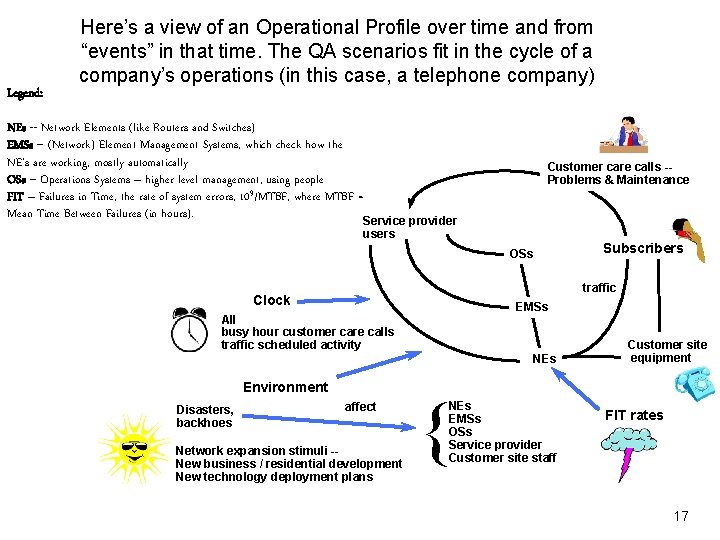
Legend: Here’s a view of an Operational Profile over time and from “events” in that time. The QA scenarios fit in the cycle of a company’s operations (in this case, a telephone company) NEs -- Network Elements (like Routers and Switches) EMSs -- (Network) Element Management Systems, which check how the NE’s are working, mostly automatically OSs -- Operations Systems – higher level management, using people FIT – Failures in Time, the rate of system errors, 109/MTBF, where MTBF = Mean Time Between Failures (in hours). Service provider Customer care calls -Problems & Maintenance users OSs traffic Clock EMSs All busy hour customer care calls traffic scheduled activity NEs Environment Disasters, backhoes Subscribers affect Network expansion stimuli -New business / residential development New technology deployment plans { NEs EMSs OSs Service provider Customer site staff Customer site equipment FIT rates 17
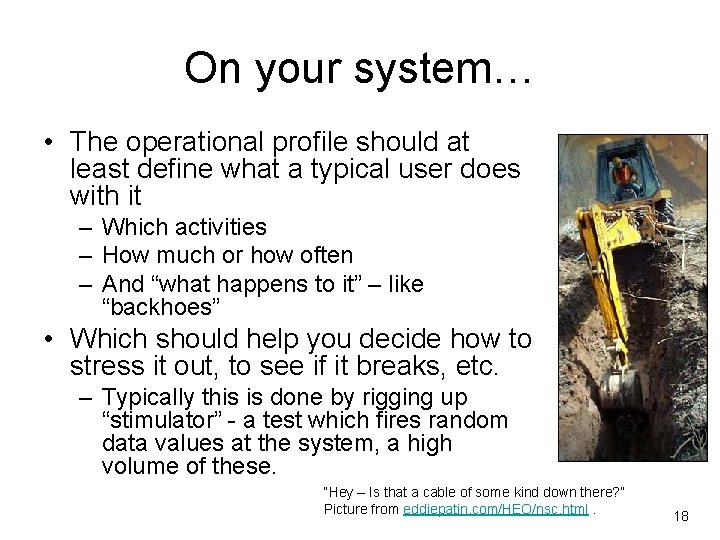
On your system… • The operational profile should at least define what a typical user does with it – Which activities – How much or how often – And “what happens to it” – like “backhoes” • Which should help you decide how to stress it out, to see if it breaks, etc. – Typically this is done by rigging up “stimulator” - a test which fires random data values at the system, a high volume of these. “Hey – Is that a cable of some kind down there? ” Picture from eddiepatin. com/HEO/nsc. html. 18
Project 2 – Avail / Rel • It’s out on the course web site, under Projects. • To turn in tonight: – What’s the operational profile for your system? (A table, like Slide 16. ) – What “improvement opportunity” are you going to try for? (See Project 2. ) – E. g. , Where / how can you try to break it, then figure out where to fix it? 19
Last but not least… Tomorrow – second half of the hour • Biweekly Quiz 1 - What will it be like? – 10 short answer questions – mostly applying your knowledge – A couple calculations, like on a performance spreadsheet, or figuring availability – Should know how to write Bass-style “scenarios” – like on Slides 6 -7 of this set • What will be on it? – Everything discussed through today – see lectures – Bass Ch 1 -3, plus – Ch 4 -5 parts on performance and availability • Prior year examples (there’s one on the course web site, under Quizzes): – What kinds of knowledge do you add to the reference architecture to make it specific enough to actually “work” as the design of your system? – The cooperating sequential processes of the planned OO software for the A-7 E did not use threads because they expected to have multiple processors. Explain what they meant by this, and discuss whether that really made the software simpler: – The following definition of software architecture is due to Nathan Sowatskey (Technical Leader, Cisco, Madrid, Spain): • “A software architecture is the means by which the structure of a system is organized so as to reduce the costs and complexity associated with developing and supporting it. ” Critique this definition in terms of Bass’s definition, as to what it adds and what it leaves out: • Before the quiz – We’ll talk about tactics for availability (from Bass Ch 5) 20
- Slides: 20