
Richard Schumacher and Craig Klimczak Technology and Educational
- Slides: 108
Richard Schumacher and Craig Klimczak Technology and Educational Support Services St. Louis Community College H 065: Intranet Collaboration Using Microsoft Share. Point
St. Louis Community College � Largest community college system in Missouri serving an area of about 700 square miles; created by area voters in 1962 � Three campuses (4 th under construction) offering transfer, career and developmental programs, plus non-credit continuing education courses � Four education centers � Credit enrollment is about 32, 500
The Presenters � Richard Schumacher Manager, Electronic Communications Technology & Educational Support Services www. stlcc. edu � Dr. Craig Klimczak Vice-Chancellor Technology & Educational Support Services www. stlcc. edu
Overview � College Websites in Transition � Move to Unified Authentication � College Intranet Development � Portal Deployment Factors � Scope, Requirements, Taxonomy, Governance � Technical Design and Decisions � Share. Point / MOSS Technology
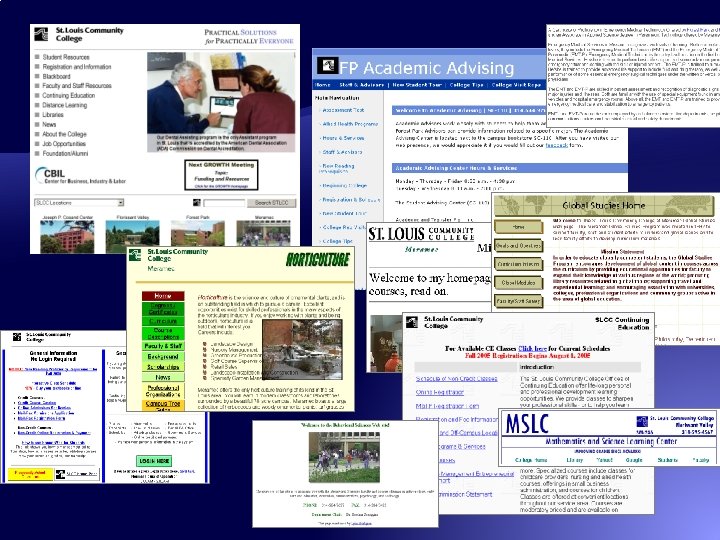
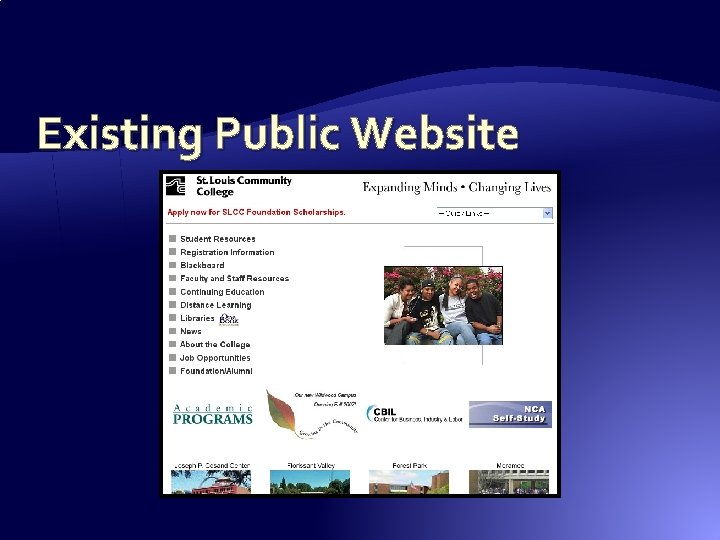
College Websites in Transition � Existing public website has no focus, navigation, or understandable structure �No consistency in look, style or organization �Doesn’t reinforce College branding or marketing �Reflects internal geo-political structure �Content isn’t organized by audience �Internal use only content mixed in with other content �Content isn’t written for visitors point of view �No workflow, review or style editing processes
College Websites in Transition � Existing Intranet has three “personalities” (caused by how it developed over time) and has limited utilization �Most users don’t understand the difference between: �Internal use vs. external use content �Anonymous vs. authenticated access �Mostly because the public site has historically mixed this all together and is still in this mixed state �Doesn’t currently allow “at home” access
College Websites in Transition � Need to: �Target audiences – providing them the specific content they need in an organized structure �Use the Public Website to market the services of the College and reinforce image and branding �Separate anonymous access content from information that requires authentication to access �Create a “one stop shop” for authenticated content �Personalize the delivery of authenticated content
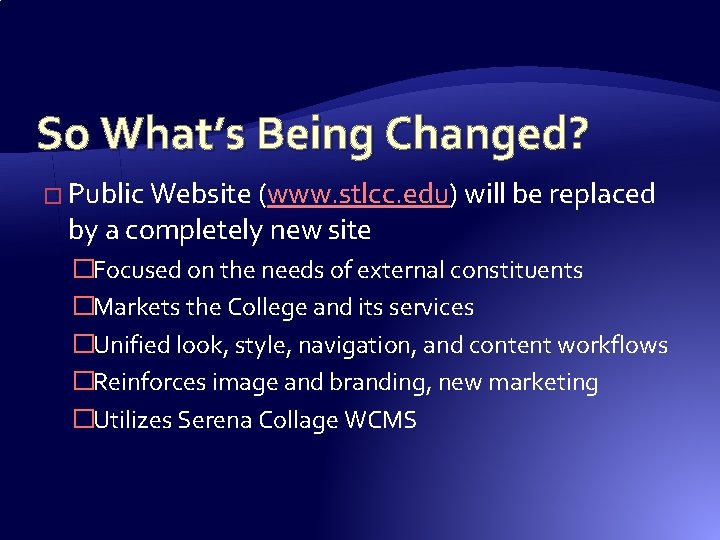
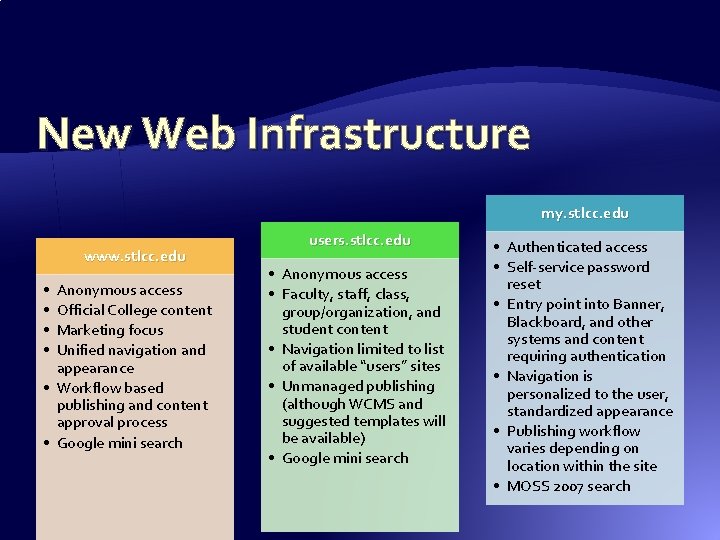
So What’s Being Changed? � Public Website (www. stlcc. edu) will be replaced by a completely new site �Focused on the needs of external constituents �Markets the College and its services �Unified look, style, navigation, and content workflows �Reinforces image and branding, new marketing �Utilizes Serena Collage WCMS
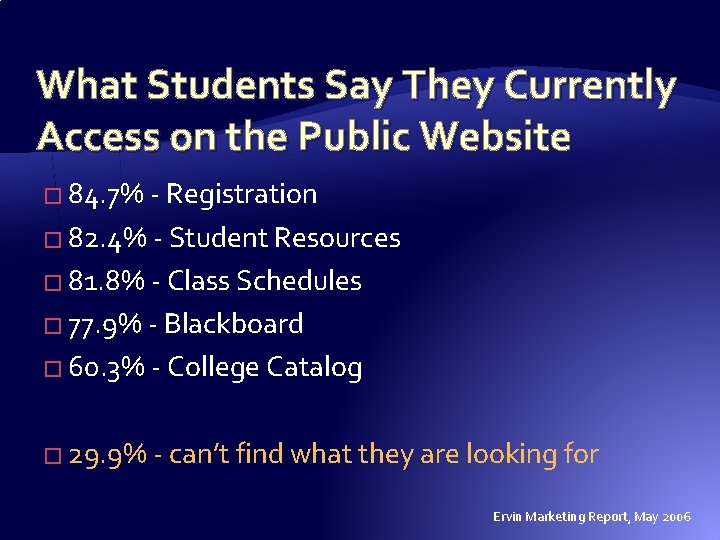
What Students Say They Currently Access on the Public Website � 84. 7% - Registration � 82. 4% - Student Resources � 81. 8% - Class Schedules � 77. 9% - Blackboard � 60. 3% - College Catalog � 29. 9% - can’t find what they are looking for Ervin Marketing Report, May 2006
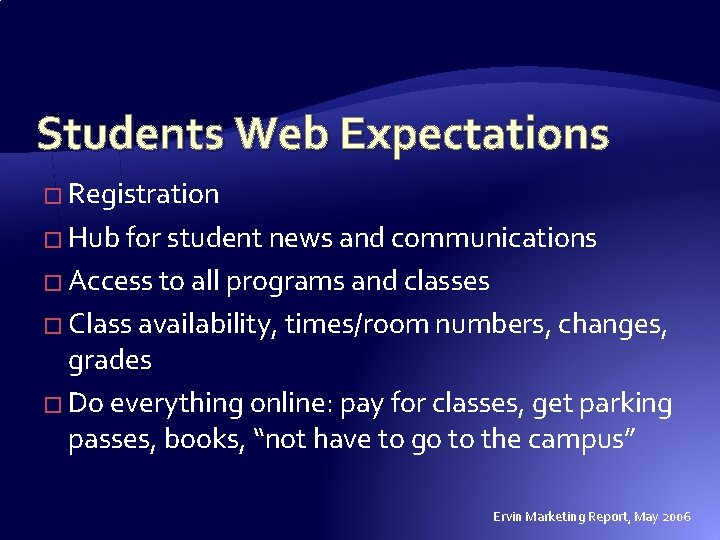
Students Web Expectations � Registration � Hub for student news and communications � Access to all programs and classes � Class availability, times/room numbers, changes, grades � Do everything online: pay for classes, get parking passes, books, “not have to go to the campus” Ervin Marketing Report, May 2006
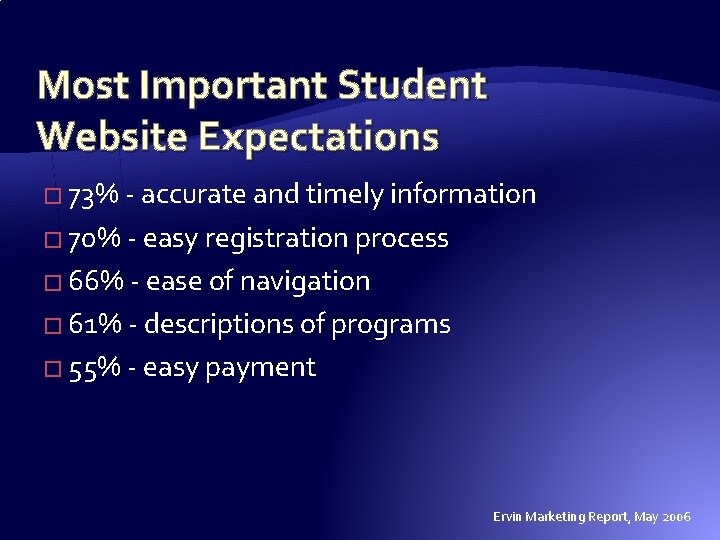
Most Important Student Website Expectations � 73% - accurate and timely information � 70% - easy registration process � 66% - ease of navigation � 61% - descriptions of programs � 55% - easy payment Ervin Marketing Report, May 2006
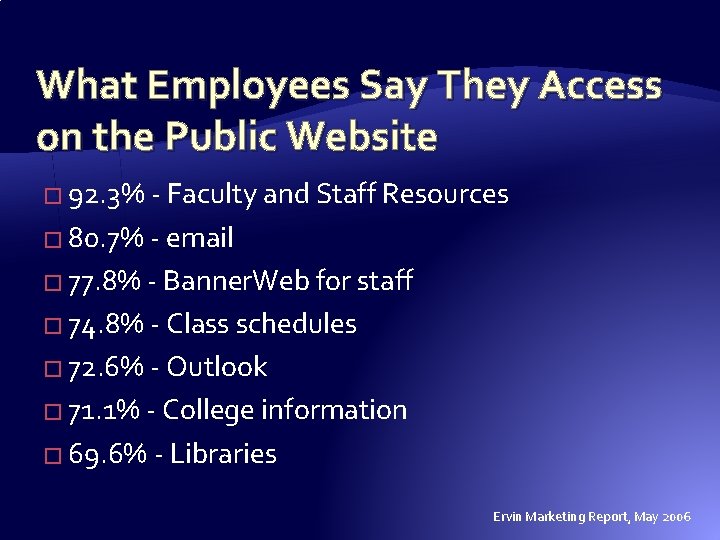
What Employees Say They Access on the Public Website � 92. 3% - Faculty and Staff Resources � 80. 7% - email � 77. 8% - Banner. Web for staff � 74. 8% - Class schedules � 72. 6% - Outlook � 71. 1% - College information � 69. 6% - Libraries Ervin Marketing Report, May 2006
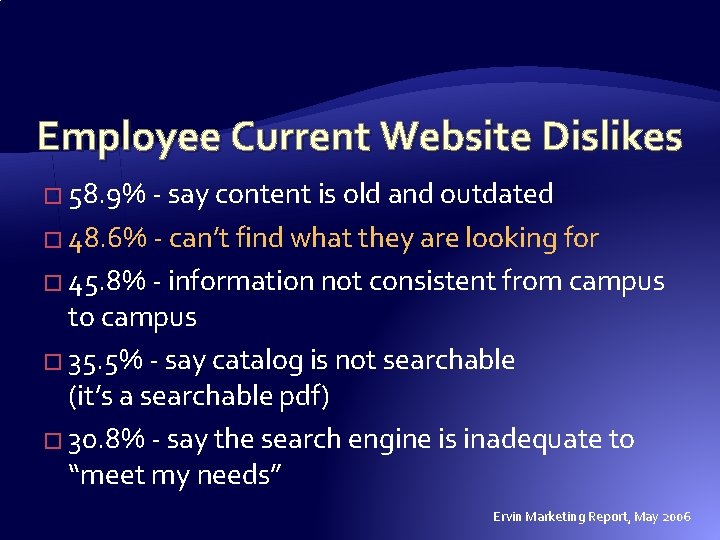
Employee Current Website Dislikes � 58. 9% - say content is old and outdated � 48. 6% - can’t find what they are looking for � 45. 8% - information not consistent from campus to campus � 35. 5% - say catalog is not searchable (it’s a searchable pdf) � 30. 8% - say the search engine is inadequate to “meet my needs” Ervin Marketing Report, May 2006
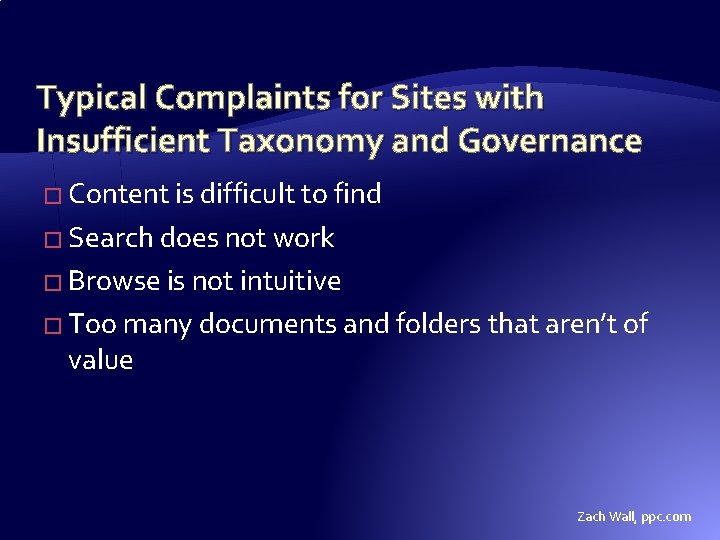
Typical Complaints for Sites with Insufficient Taxonomy and Governance � Content is difficult to find � Search does not work � Browse is not intuitive � Too many documents and folders that aren’t of value Zach Wall, ppc. com
Existing Public Website
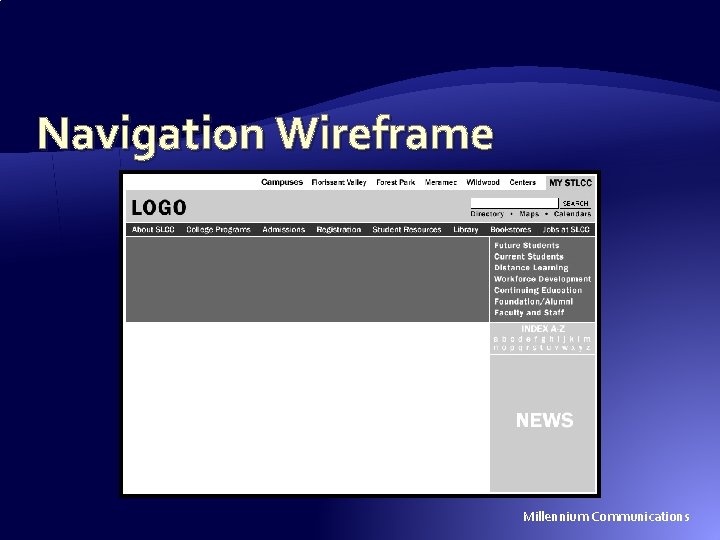
Navigation Wireframe Millennium Communications
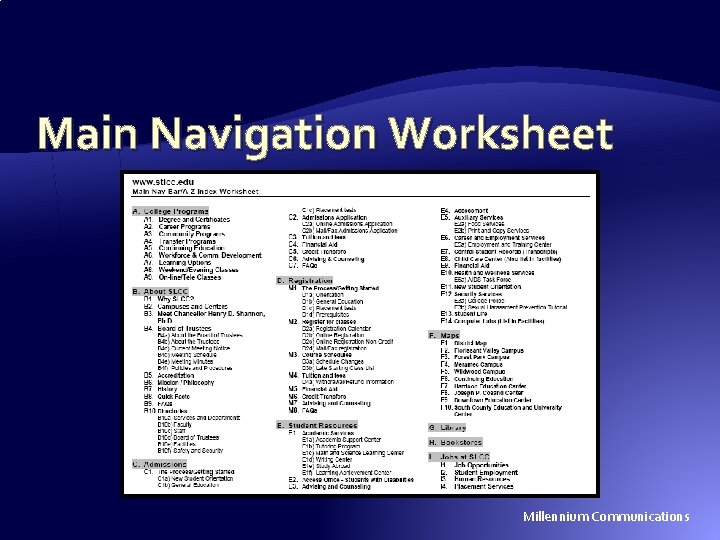
Main Navigation Worksheet Millennium Communications
So What Does This Mean? � The Public Website becomes a marketing tool � The College is making a formal distinction between internal-use and external-use content � Content of value on the existing public website that is not part of the new public website needs a new home: �Users (faculty and staff websites) web server �Redesigned Intranet �Learning Management System (Black. Board)
The Authentication Issue � Each of the College’s support systems currently has its own unique user login database (network, library databases, ERP-Banner, LMS-Blackboard, and many more) � College faculty and staff tend to think of them as unrelated independent stand-alone systems – therefore they think the College’s public site home page should be covered in separate login buttons for each system
The Authentication Issue � Until recently, network and email login was a confusing assortment of over 60 domains and workgroups – this was unified for the business side of the house as a single AD 2003 domain � Student credentials are coming soon, and will be part of the same AD domain � Lab and student resources will need to be moved into the new network structure to take advantage of student credentials
The Authentication Issue � Existing systems need to be migrated to use the College’s AD authentication � New systems, like student email (deployed as Microsoft Live @ edu), with use the AD IDs � All authentications, and credential support (like password resets), will use the same master login screen – this becomes the single point of entry, which will be branded my. stlcc. edu
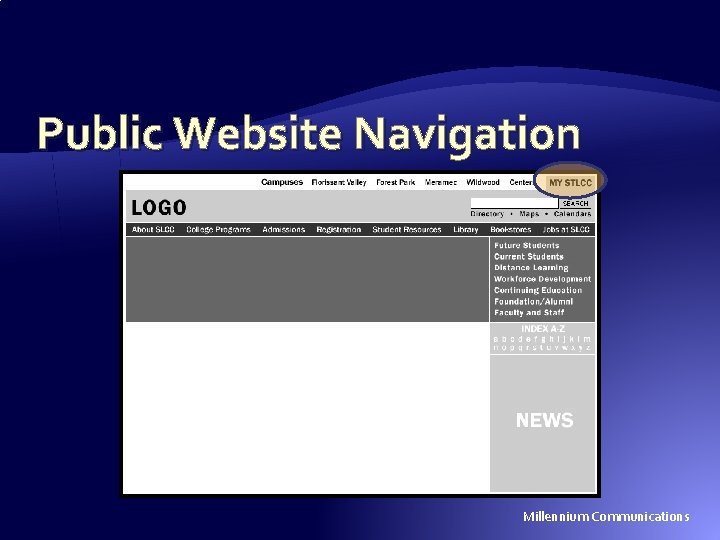
Public Website Navigation Millennium Communications
my. stlcc. edu � The single point of entry for College systems that require authentication � Replaces and expands the College’s Intranet � A big cultural change – transition for faculty and staff who believe each system needs its own separate login button and login screen � The login drops them onto a portal page that personalizes the experience to the user category or even the specific user
New Web Infrastructure my. stlcc. edu www. stlcc. edu • • Anonymous access Official College content Marketing focus Unified navigation and appearance • Workflow based publishing and content approval process • Google mini search users. stlcc. edu • Anonymous access • Faculty, staff, class, group/organization, and student content • Navigation limited to list of available “users” sites • Unmanaged publishing (although WCMS and suggested templates will be available) • Google mini search • Authenticated access • Self-service password reset • Entry point into Banner, Blackboard, and other systems and content requiring authentication • Navigation is personalized to the user, standardized appearance • Publishing workflow varies depending on location within the site • MOSS 2007 search
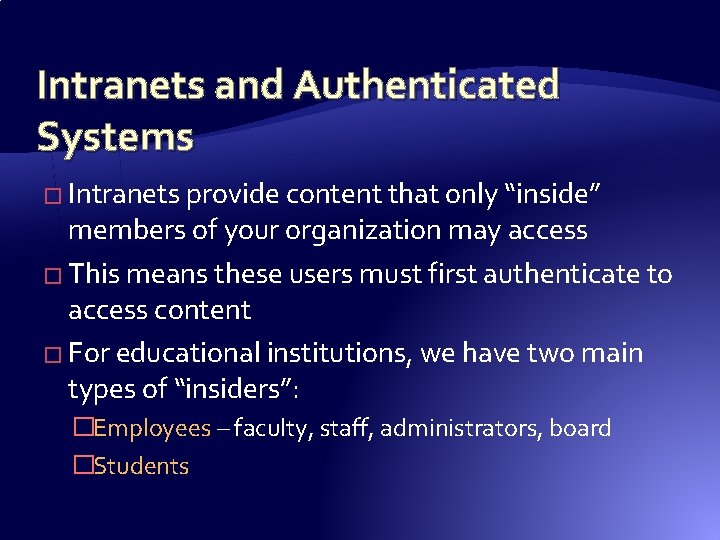
Intranets and Authenticated Systems � Intranets provide content that only “inside” members of your organization may access � This means these users must first authenticate to access content � For educational institutions, we have two main types of “insiders”: �Employees – faculty, staff, administrators, board �Students
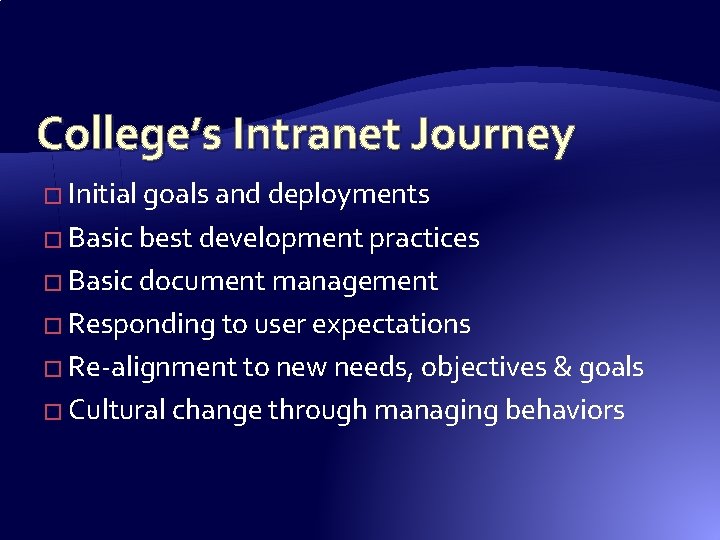
College’s Intranet Journey � Initial goals and deployments � Basic best development practices � Basic document management � Responding to user expectations � Re-alignment to new needs, objectives & goals � Cultural change through managing behaviors
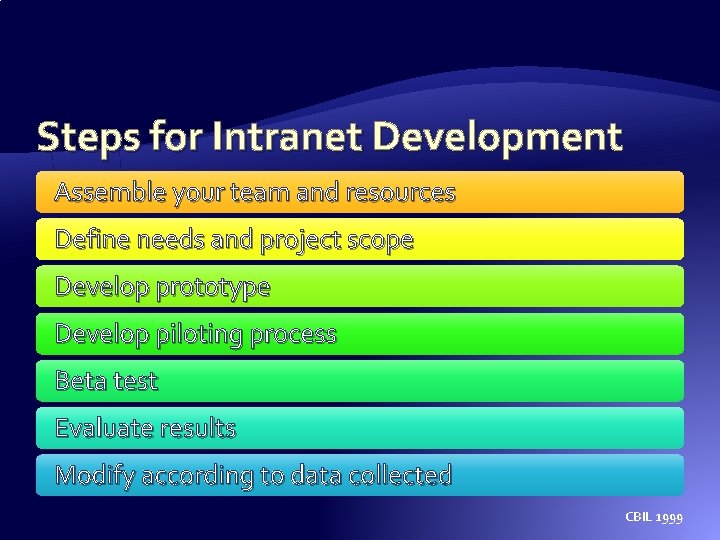
Steps for Intranet Development Assemble your team and resources Define needs and project scope Develop prototype Develop piloting process Beta test Evaluate results Modify according to data collected CBIL 1999
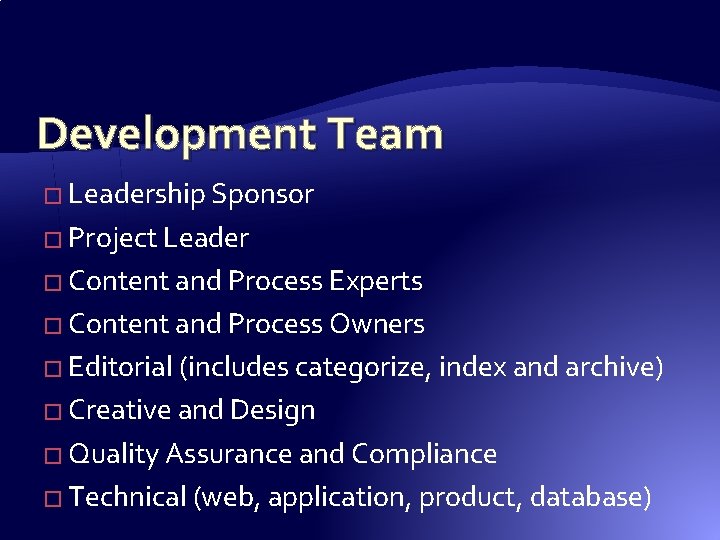
Development Team � Leadership Sponsor � Project Leader � Content and Process Experts � Content and Process Owners � Editorial (includes categorize, index and archive) � Creative and Design � Quality Assurance and Compliance � Technical (web, application, product, database)
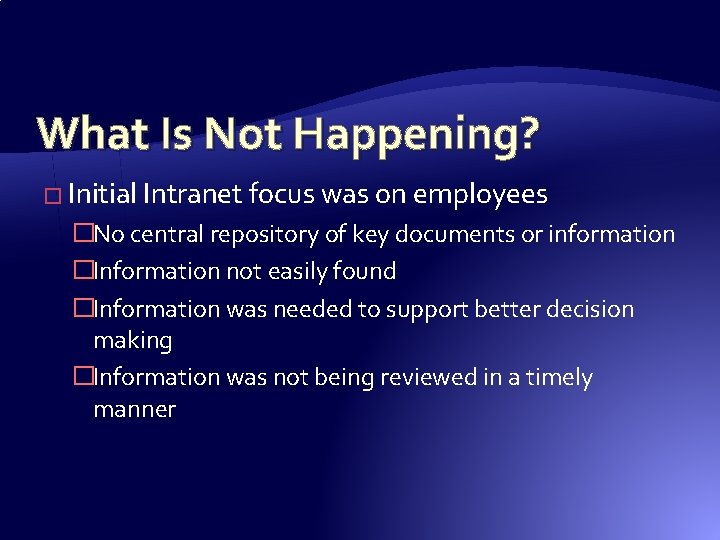
What Is Not Happening? � Initial Intranet focus was on employees �No central repository of key documents or information �Information not easily found �Information was needed to support better decision making �Information was not being reviewed in a timely manner
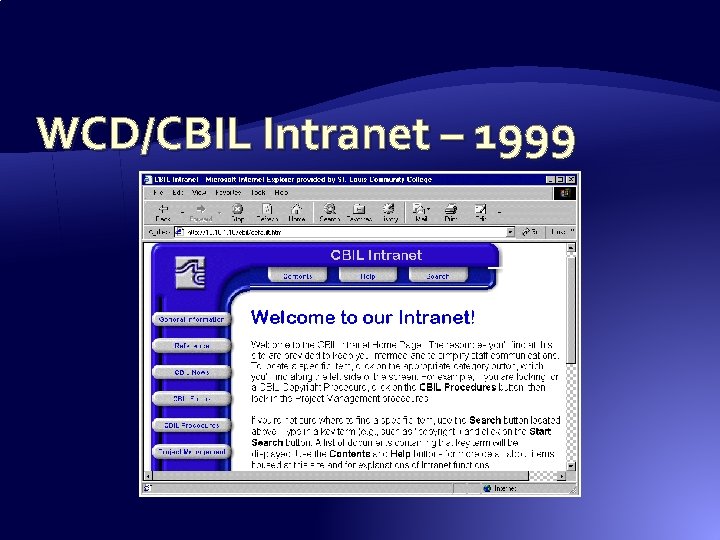
WCD/CBIL Intranet – 1999
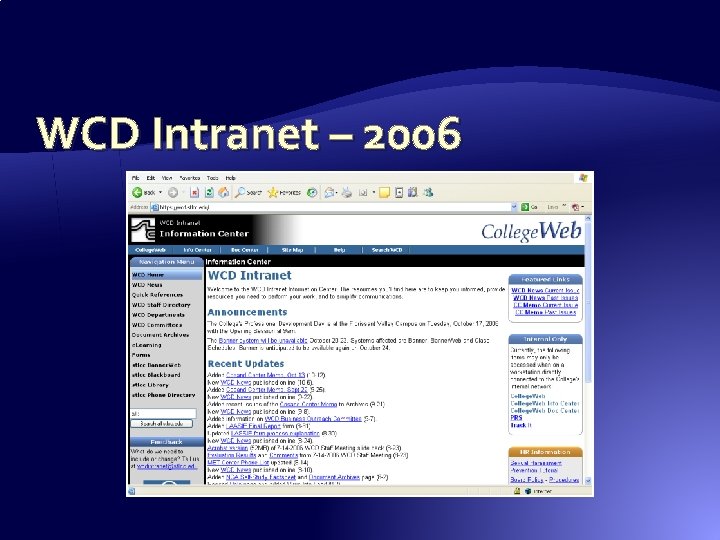
WCD Intranet – 2006
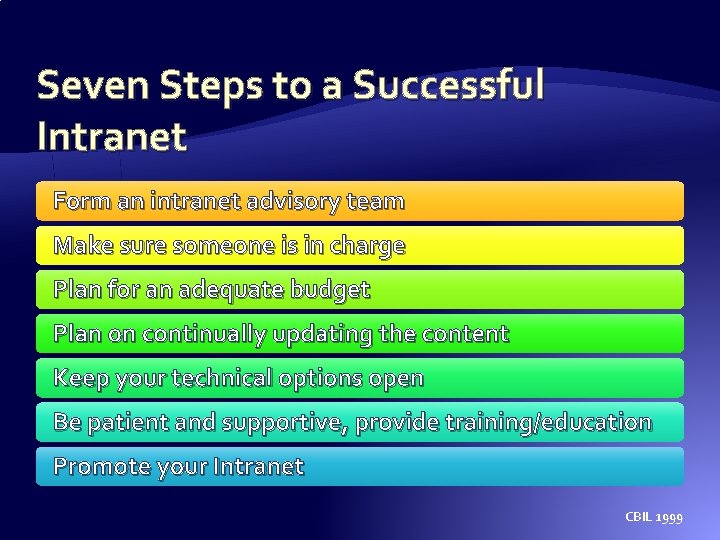
Seven Steps to a Successful Intranet Form an intranet advisory team Make sure someone is in charge Plan for an adequate budget Plan on continually updating the content Keep your technical options open Be patient and supportive, provide training/education Promote your Intranet CBIL 1999
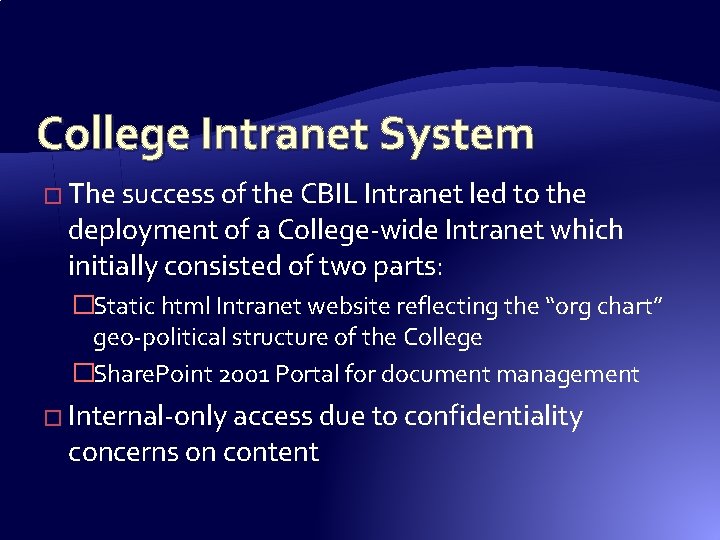
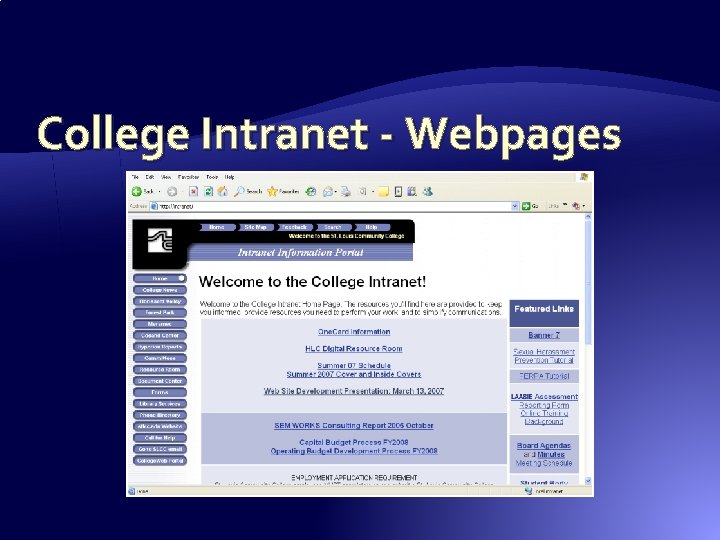
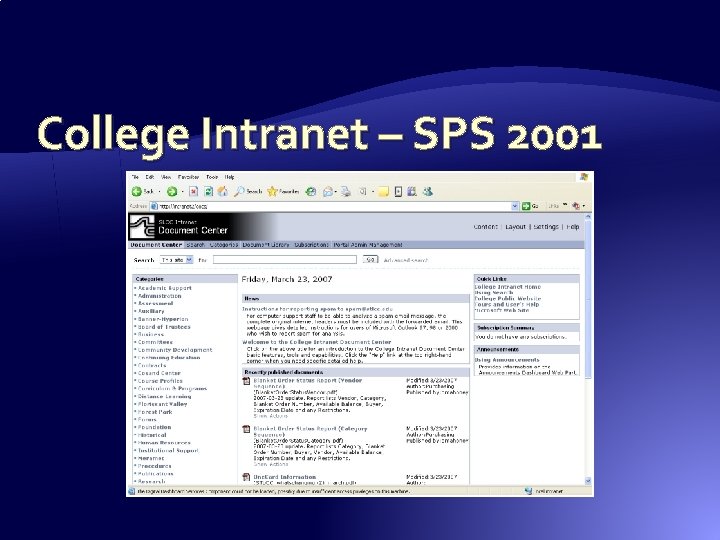
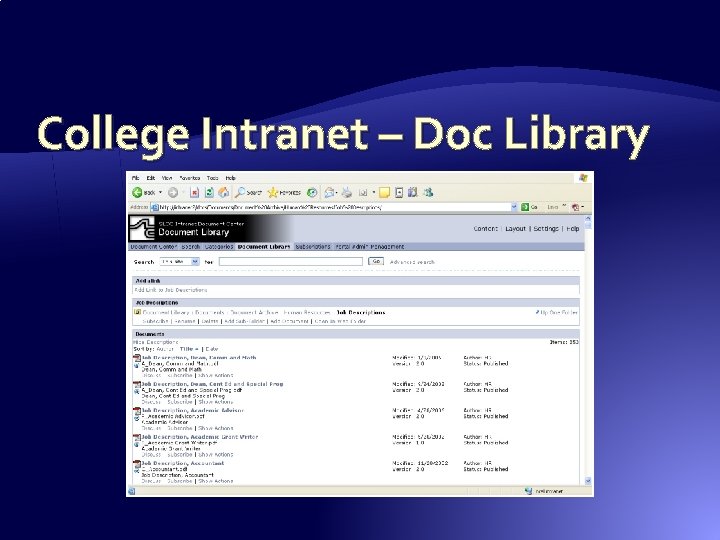
College Intranet System � The success of the CBIL Intranet led to the deployment of a College-wide Intranet which initially consisted of two parts: �Static html Intranet website reflecting the “org chart” geo-political structure of the College �Share. Point 2001 Portal for document management � Internal-only access due to confidentiality concerns on content
College Intranet - Webpages
College Intranet – SPS 2001
College Intranet – Doc Library
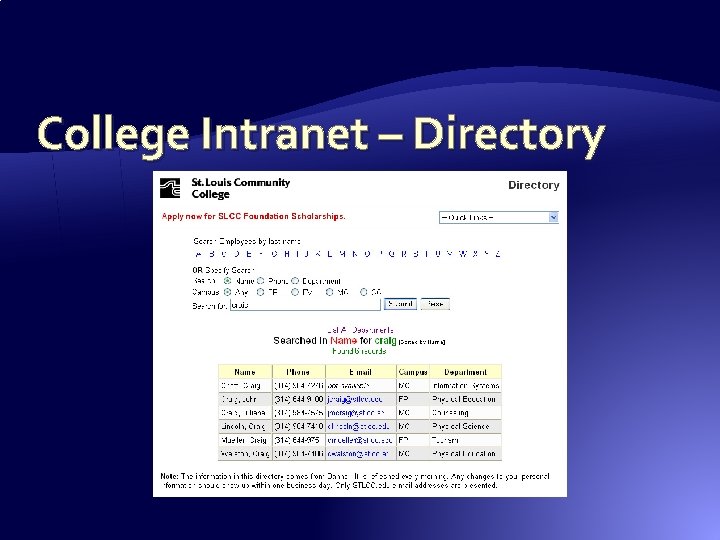
College Intranet – Directory
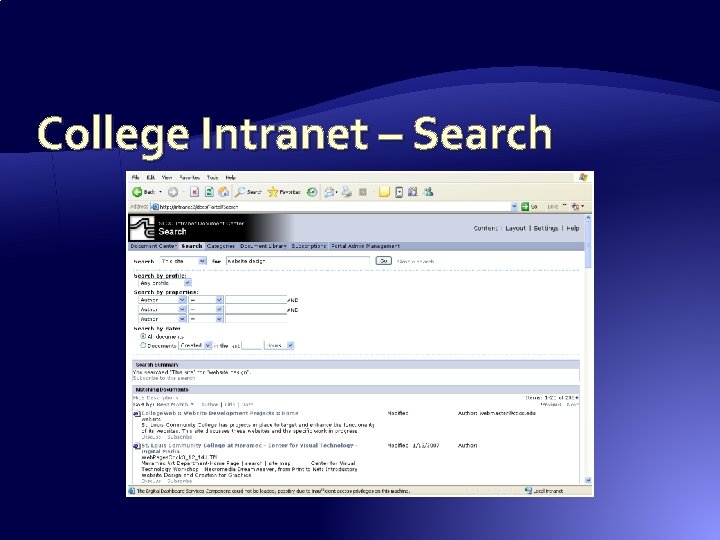
College Intranet – Search
Issues with College Deployment � No centralized authentication – over 60 non- trusting domains, workgroups & NDS trees � Login by the same domain used for email � Varied levels of participation interest � Difficulty explaining the need to/how to login � Not all College internal systems/data sources were represented � Heavy reliance on paper and paper triggers
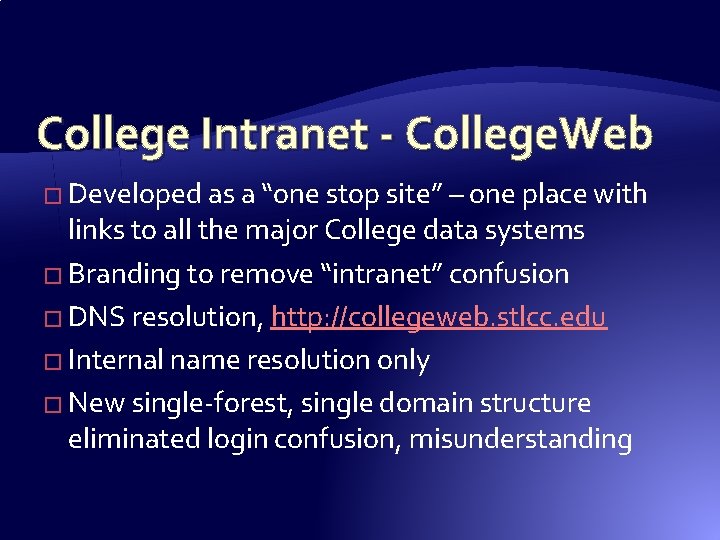
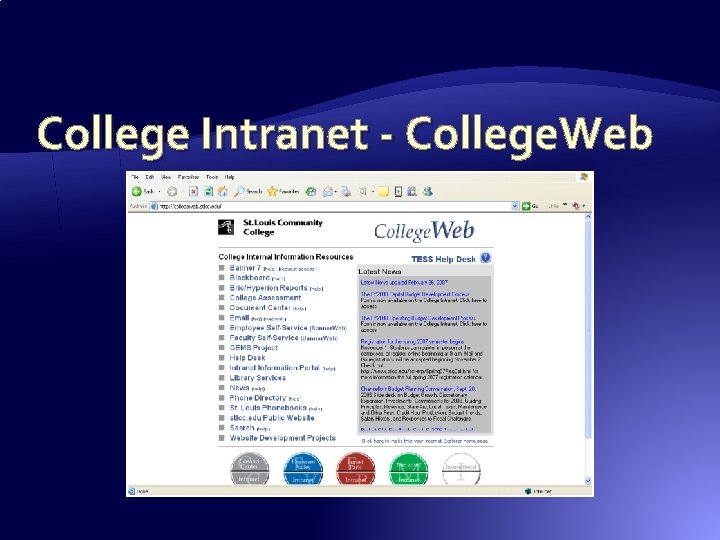
College Intranet - College. Web � Developed as a “one stop site” – one place with links to all the major College data systems � Branding to remove “intranet” confusion � DNS resolution, http: //collegeweb. stlcc. edu � Internal name resolution only � New single-forest, single domain structure eliminated login confusion, misunderstanding
College Intranet - College. Web
Make Sure to Include � Access to existing formal information systems � Heavily used informal tools or information �Usually dealing with document management �Usually ignored by formal IT departments � How staff collaborate now �Shared Excel spreadsheets or Access databases �Manual (paper) forms – paper newsletters, memos �Too many email attachments
Intranet Re-Engineering � Location for all things requiring authentication � New audience – Students � Enable access through the Internet � Personal workspaces � Leverage lessons learned, user requests, and what is and isn’t used in the old system � New solutions
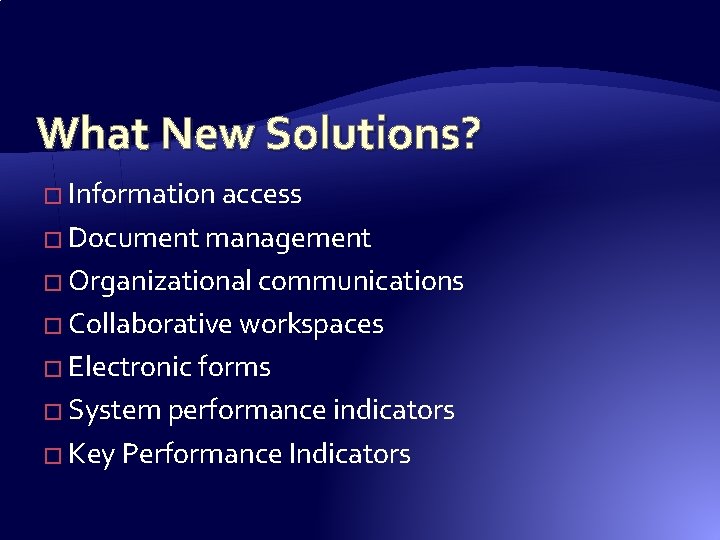
What New Solutions? � Information access � Document management � Organizational communications � Collaborative workspaces � Electronic forms � System performance indicators � Key Performance Indicators
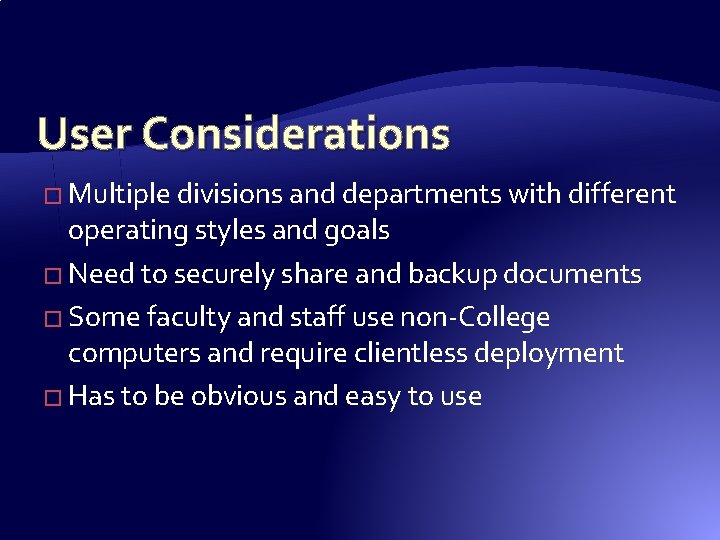
User Considerations � Multiple divisions and departments with different operating styles and goals � Need to securely share and backup documents � Some faculty and staff use non-College computers and require clientless deployment � Has to be obvious and easy to use
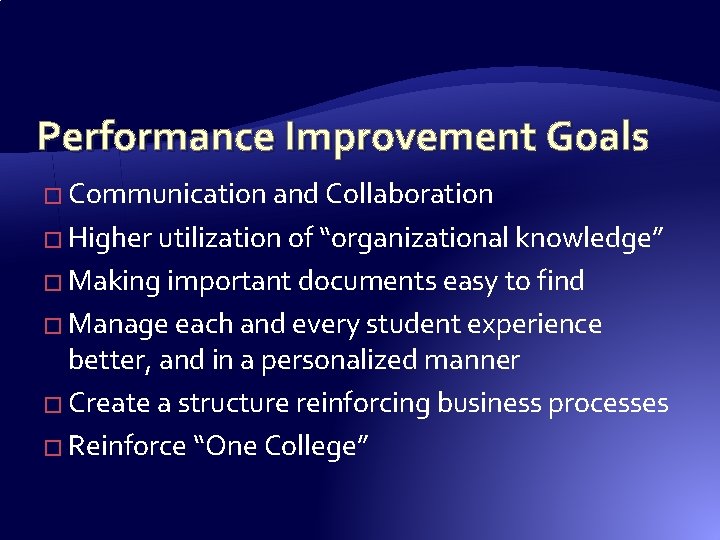
Performance Improvement Goals � Communication and Collaboration � Higher utilization of “organizational knowledge” � Making important documents easy to find � Manage each and every student experience better, and in a personalized manner � Create a structure reinforcing business processes � Reinforce “One College”
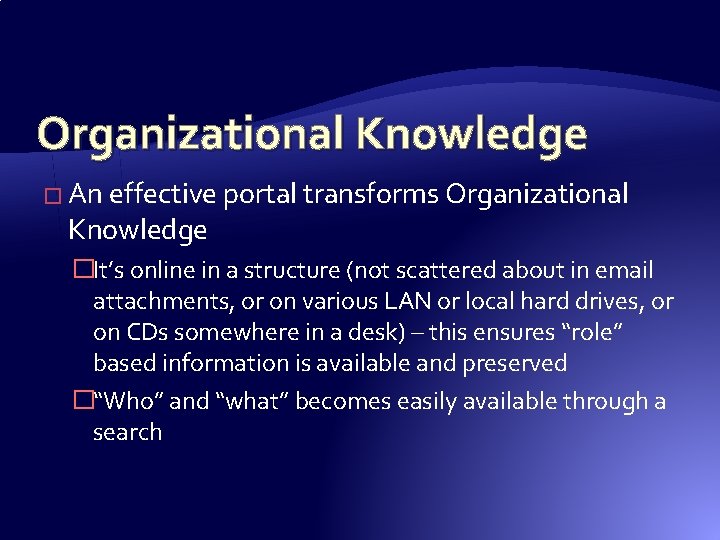
Organizational Knowledge � An effective portal transforms Organizational Knowledge �It’s online in a structure (not scattered about in email attachments, or on various LAN or local hard drives, or on CDs somewhere in a desk) – this ensures “role” based information is available and preserved �“Who” and “what” becomes easily available through a search
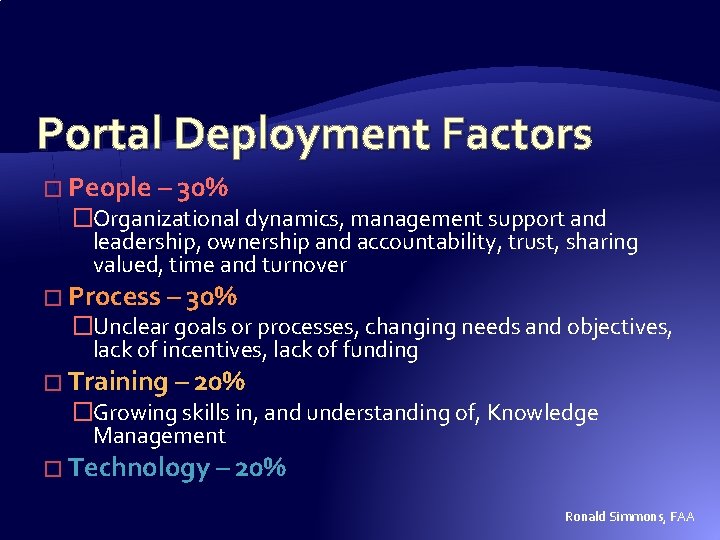
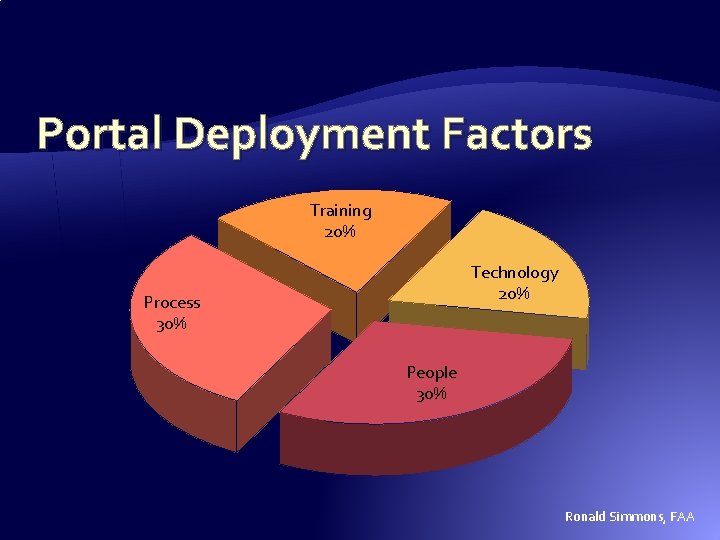
Portal Deployment Factors � People – 30% �Organizational dynamics, management support and leadership, ownership and accountability, trust, sharing valued, time and turnover � Process – 30% �Unclear goals or processes, changing needs and objectives, lack of incentives, lack of funding � Training – 20% �Growing skills in, and understanding of, Knowledge Management � Technology – 20% Ronald Simmons, FAA
Portal Deployment Factors Training 20% Technology 20% Process 30% People 30% Ronald Simmons, FAA
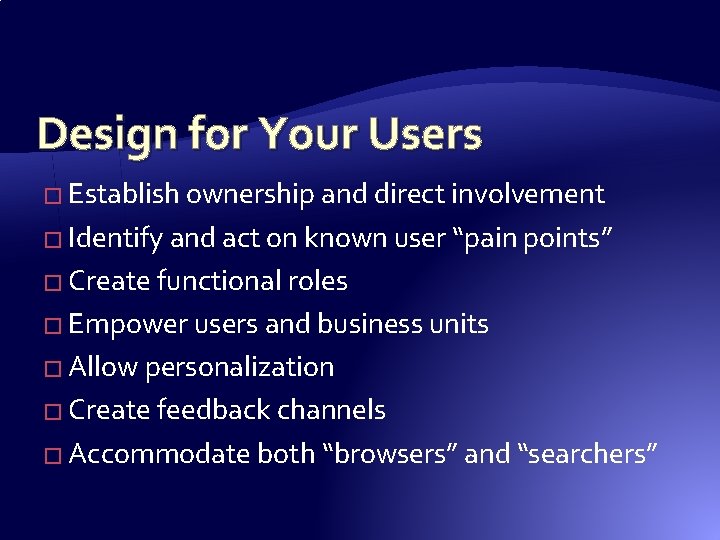
Design for Your Users � Establish ownership and direct involvement � Identify and act on known user “pain points” � Create functional roles � Empower users and business units � Allow personalization � Create feedback channels � Accommodate both “browsers” and “searchers”
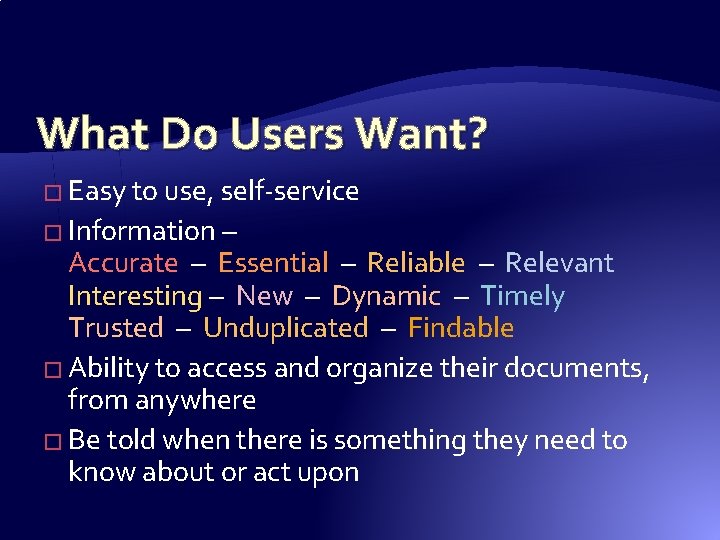
What Do Users Want? � Easy to use, self-service � Information – Accurate – Essential – Reliable – Relevant Interesting – New – Dynamic – Timely Trusted – Unduplicated – Findable � Ability to access and organize their documents, from anywhere � Be told when there is something they need to know about or act upon
Process � Clear Vision, Goals and Objectives � Aligned with Business Processes � Prioritize Content and Functionality � Maintain Effective Governance � Establish Standards and Guidance � Consistent “look and feel” � Don’t have multiple portals / websites
Training � Accommodate varied learning styles � Provide self-service learning opportunities � Delivery options �Instructor led sessions �Online e. Learning (Adobe Presenter) �Printable Documentation �Online Help �Online Tips
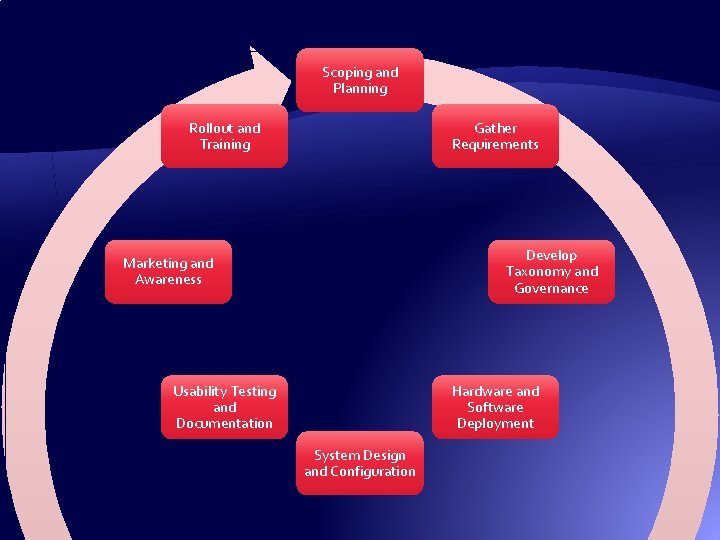
Scoping and Planning Rollout and Training Gather Requirements Develop Taxonomy and Governance Marketing and Awareness Usability Testing and Documentation Hardware and Software Deployment System Design and Configuration
Scoping � Scope Document �Communicates what the project will and will not do �Sets user expectations and may limit scope creep �Creates excitement for the project �Needs to be accessible to your audiences � Scope is extended and refined over project cycles
Pilot Project Site � Identifies a target group � Limits scope to something achievable in a reasonable timeframe � Serves as a demo and marketing tool � Drives further requirements gathering
Design Approach � Create a solid foundation that can fluidly and effectively evolve into the future �You need to start with an overall plan – not “throw up a couple of department sites” and “see what happens” �Figure out what needs to go in your main portal and follow that up with business process sites � Involve all four factors �People, Process, Training, Technology
Core Portal Content � Document management � Collaborative � Forms management � Contact management � “Browse” navigation � Decision support �Executive dashboards �Key Performance Indicators �Business Intelligence Workspaces �Meetings �Projects and programs �Discussions �Subscriptions � Search � Links to other information resources
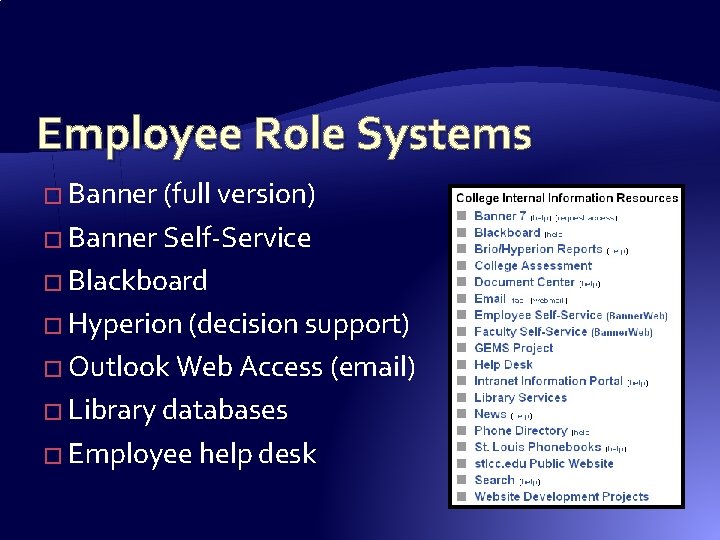
Portal Entry Page � Essential Components �About, Help, Search, Real Contacts, A-Z Index, FAQs �Navigation alternatives: by role, topic, product/service �e. Learning and online training documentation � College systems by your role (webpart) � Popular Topics (webpart) � General and Personalized News (webpart) � General and Personalized Alerts (webpart)
Employee Role Systems � Banner (full version) � Banner Self-Service � Blackboard � Hyperion (decision support) � Outlook Web Access (email) � Library databases � Employee help desk
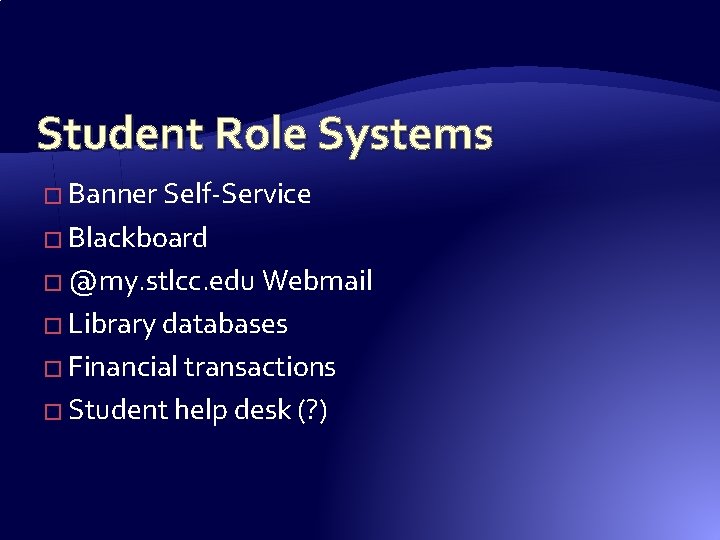
Student Role Systems � Banner Self-Service � Blackboard � @my. stlcc. edu Webmail � Library databases � Financial transactions � Student help desk (? )
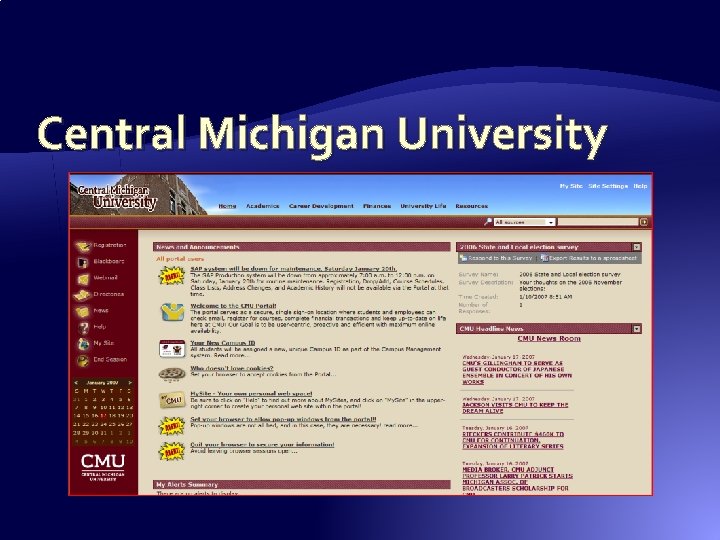
Central Michigan University
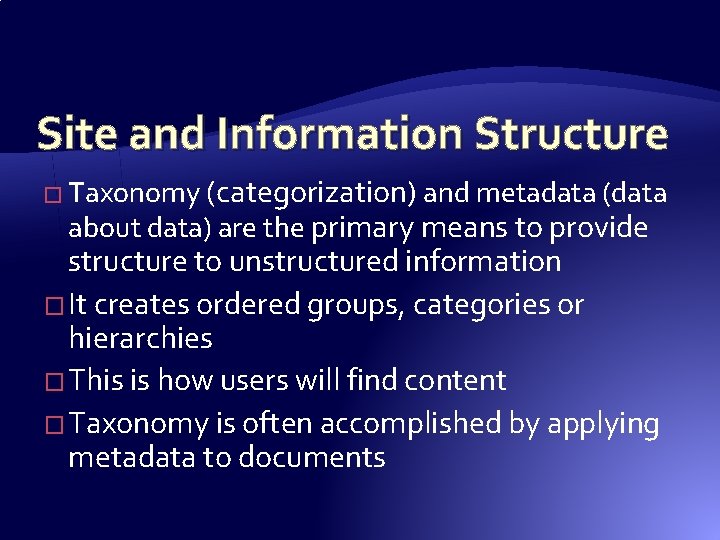
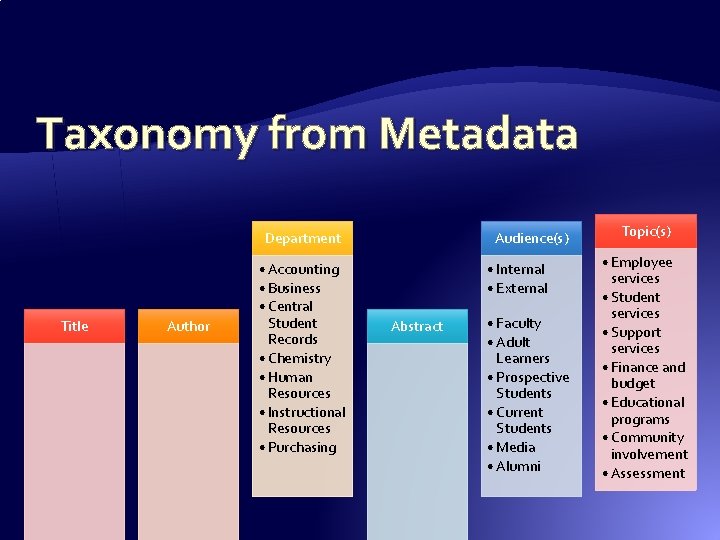
Site and Information Structure � Taxonomy (categorization) and metadata (data about data) are the primary means to provide structure to unstructured information � It creates ordered groups, categories or hierarchies � This is how users will find content � Taxonomy is often accomplished by applying metadata to documents
Taxonomy from Metadata Department Title Author • Accounting • Business • Central Student Records • Chemistry • Human Resources • Instructional Resources • Purchasing Audience(s) • Internal • External Abstract • Faculty • Adult Learners • Prospective Students • Current Students • Media • Alumni Topic(s) • Employee services • Student services • Support services • Finance and budget • Educational programs • Community involvement • Assessment
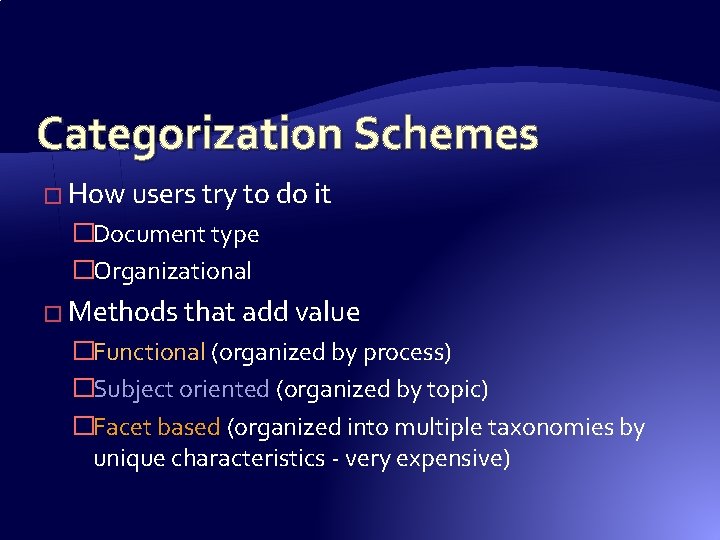
Categorization Schemes � How users try to do it �Document type �Organizational � Methods that add value �Functional (organized by process) �Subject oriented (organized by topic) �Facet based (organized into multiple taxonomies by unique characteristics - very expensive)
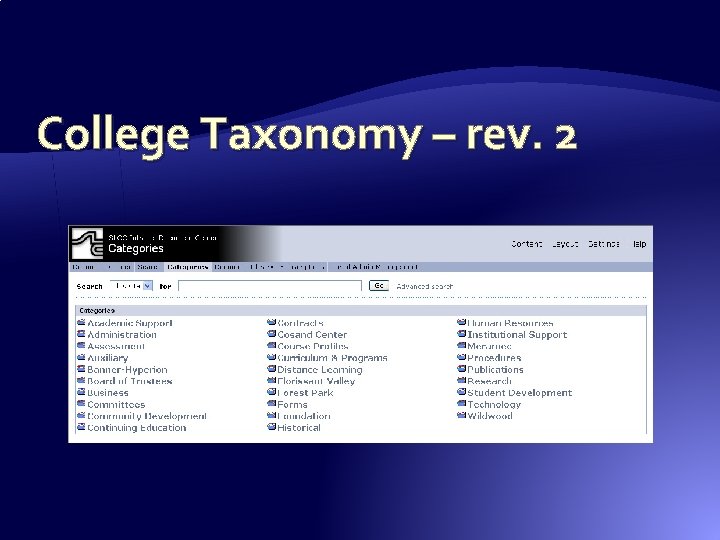
College Taxonomy – rev. 2
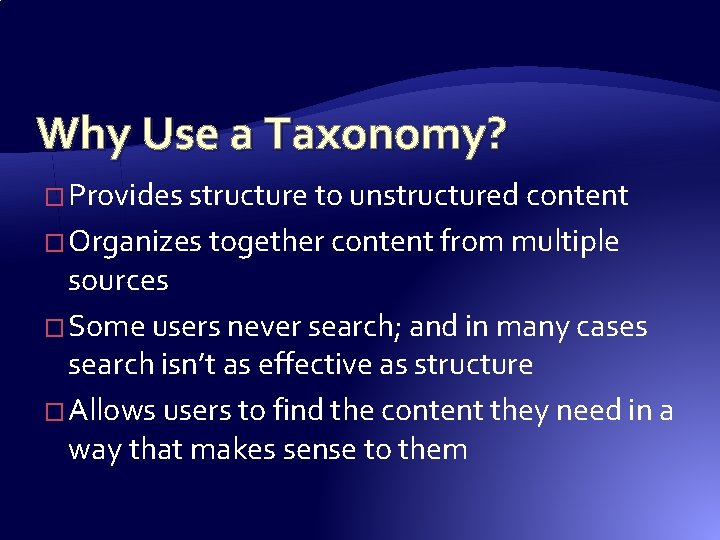
Why Use a Taxonomy? � Provides structure to unstructured content � Organizes together content from multiple sources � Some users never search; and in many cases search isn’t as effective as structure � Allows users to find the content they need in a way that makes sense to them
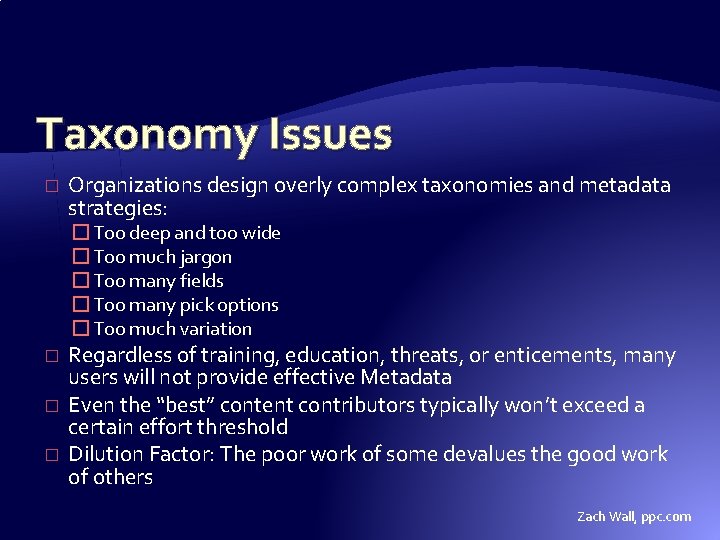
Taxonomy Issues � Organizations design overly complex taxonomies and metadata strategies: � Too deep and too wide � Too much jargon � Too many fields � Too many pick options � Too much variation � � � Regardless of training, education, threats, or enticements, many users will not provide effective Metadata Even the “best” content contributors typically won’t exceed a certain effort threshold Dilution Factor: The poor work of some devalues the good work of others Zach Wall, ppc. com
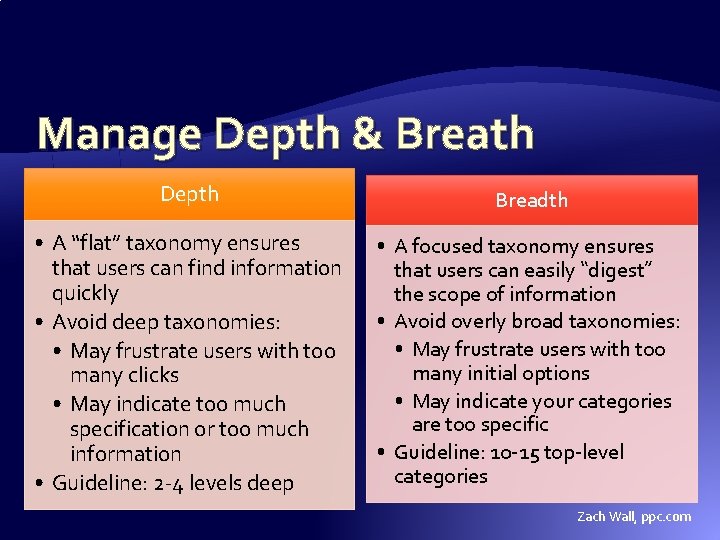
Manage Depth & Breath Depth Breadth • A “flat” taxonomy ensures that users can find information quickly • Avoid deep taxonomies: • May frustrate users with too many clicks • May indicate too much specification or too much information • Guideline: 2 -4 levels deep • A focused taxonomy ensures that users can easily “digest” the scope of information • Avoid overly broad taxonomies: • May frustrate users with too many initial options • May indicate your categories are too specific • Guideline: 10 -15 top-level categories Zach Wall, ppc. com
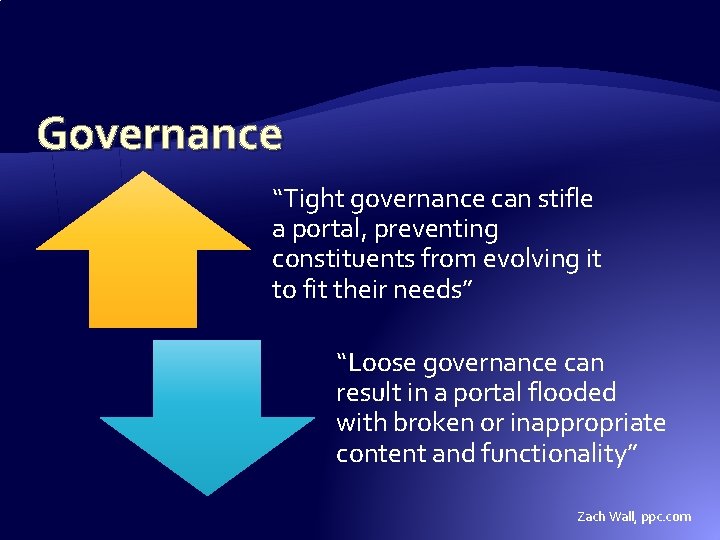
Governance “Tight governance can stifle a portal, preventing constituents from evolving it to fit their needs” “Loose governance can result in a portal flooded with broken or inappropriate content and functionality” Zach Wall, ppc. com
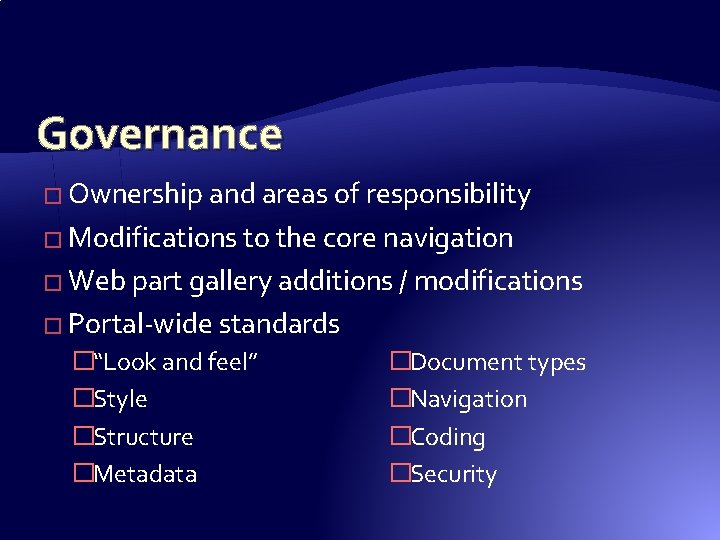
Governance � Ownership and areas of responsibility � Modifications to the core navigation � Web part gallery additions / modifications � Portal-wide standards �“Look and feel” �Style �Structure �Metadata �Document types �Navigation �Coding �Security
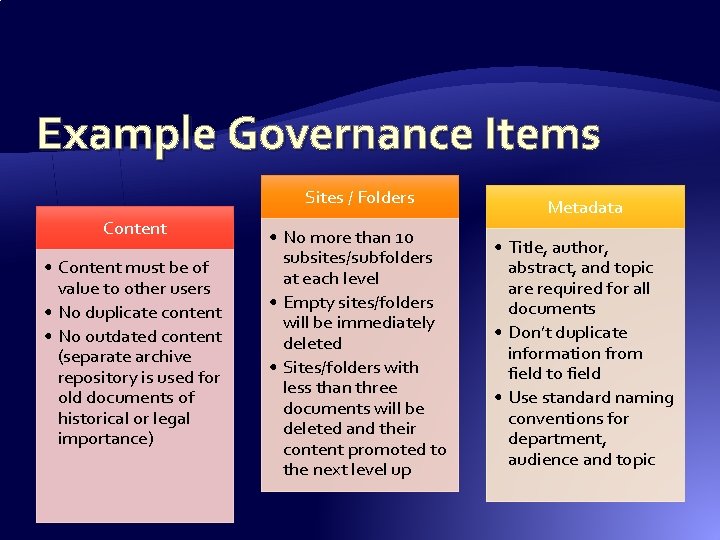
Example Governance Items Sites / Folders Content • Content must be of value to other users • No duplicate content • No outdated content (separate archive repository is used for old documents of historical or legal importance) • No more than 10 subsites/subfolders at each level • Empty sites/folders will be immediately deleted • Sites/folders with less than three documents will be deleted and their content promoted to the next level up Metadata • Title, author, abstract, and topic are required for all documents • Don’t duplicate information from field to field • Use standard naming conventions for department, audience and topic
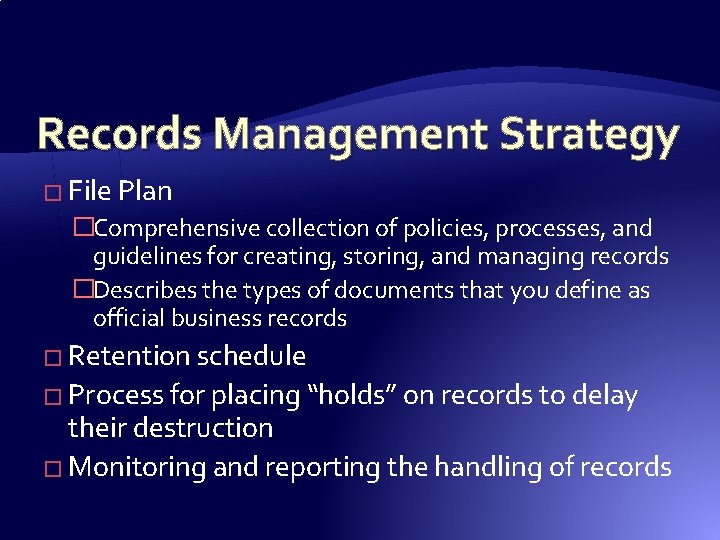
Records Management Strategy � File Plan �Comprehensive collection of policies, processes, and guidelines for creating, storing, and managing records �Describes the types of documents that you define as official business records � Retention schedule � Process for placing “holds” on records to delay their destruction � Monitoring and reporting the handling of records
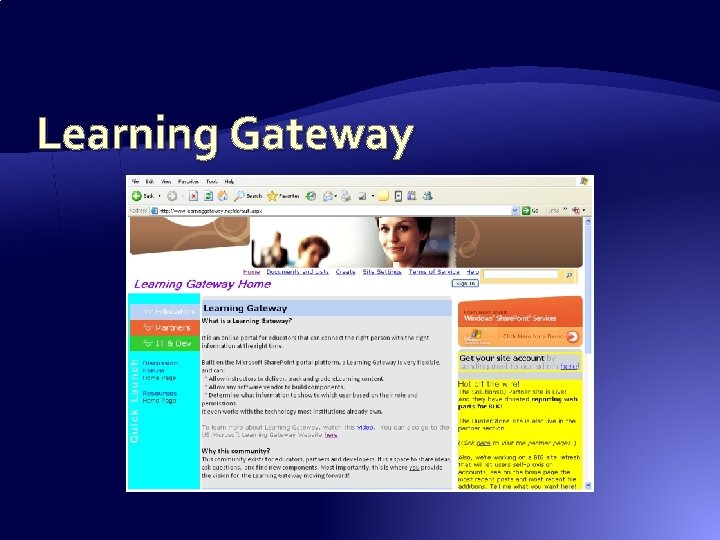
Learning Gateway
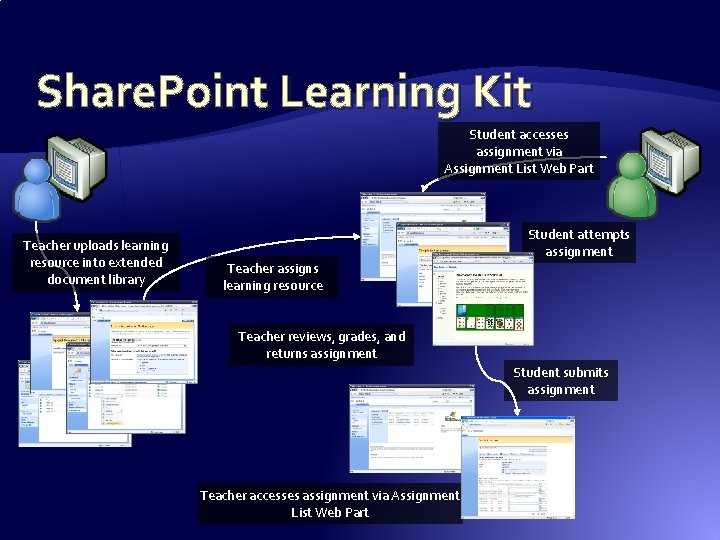
Share. Point Learning Kit Student accesses assignment via Assignment List Web Part Teacher uploads learning resource into extended document library Student attempts assignment Teacher assigns learning resource Teacher reviews, grades, and returns assignment Student submits assignment Teacher accesses assignment via Assignment List Web Part
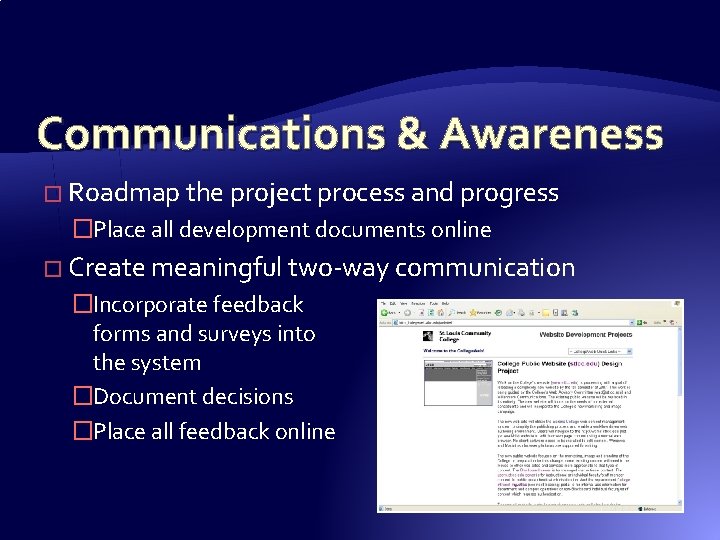
Communications & Awareness � Roadmap the project process and progress �Place all development documents online � Create meaningful two-way communication �Incorporate feedback forms and surveys into the system �Document decisions �Place all feedback online
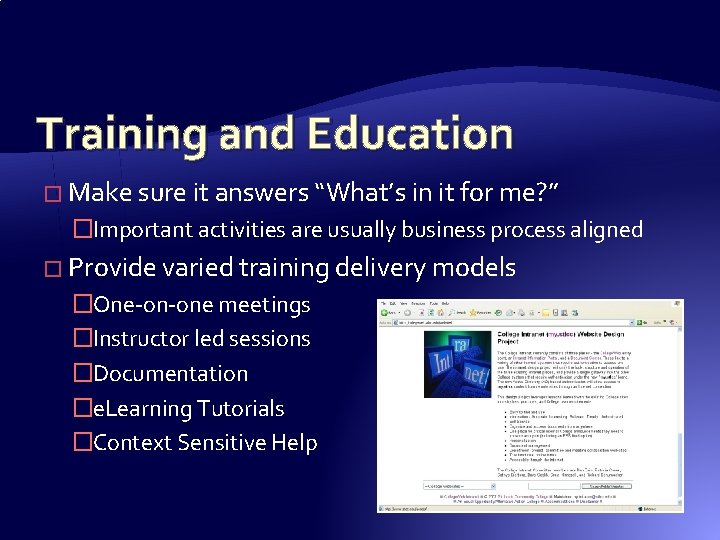
Training and Education � Make sure it answers “What’s in it for me? ” �Important activities are usually business process aligned � Provide varied training delivery models �One-on-one meetings �Instructor led sessions �Documentation �e. Learning Tutorials �Context Sensitive Help
Resistance to Change � Users will be averse to moving away from their existing ways of storing and finding information �Organizational to Topical �Secure access to more Open access � Content owners will fear losing control of their content � Content managers will fear losing their “role” Zach Wall, ppc. com
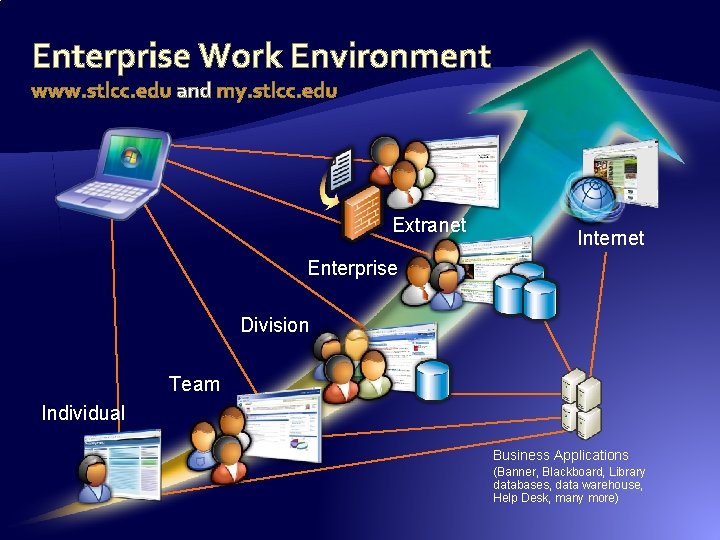
Enterprise Work Environment www. stlcc. edu and my. stlcc. edu Extranet Internet Enterprise Division Team Individual Business Applications (Banner, Blackboard, Library databases, data warehouse, Help Desk, many more)
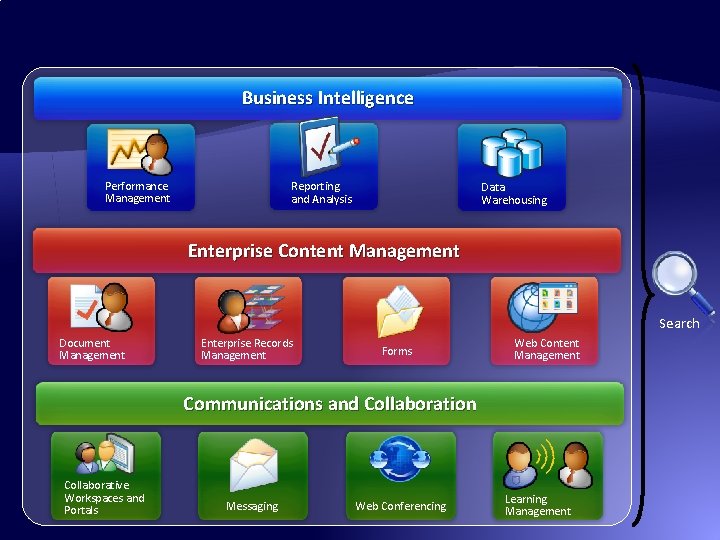
Business Intelligence Performance Management Reporting and Analysis Data Warehousing Enterprise Content Management Search Document Management Enterprise Records Management Forms Web Content Management Communications and Collaboration Collaborative Workspaces and Portals Messaging Web Conferencing Learning Management
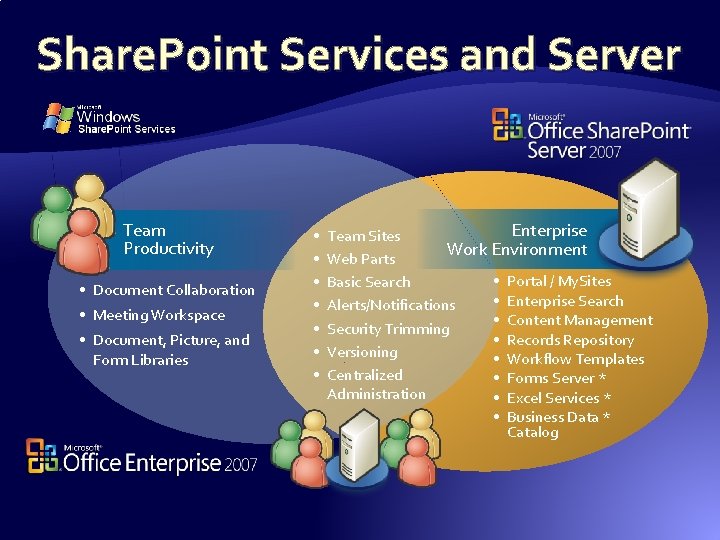
Share. Point Services and Server Team Productivity • Document Collaboration • Meeting Workspace • Document, Picture, and Form Libraries • • Enterprise Team Sites Work Environment Web Parts • Portal / My. Sites Basic Search • Enterprise Search Alerts/Notifications • Content Management Security Trimming • Records Repository Versioning • Workflow Templates Centralized • Forms Server * Administration • Excel Services * • Business Data * Catalog
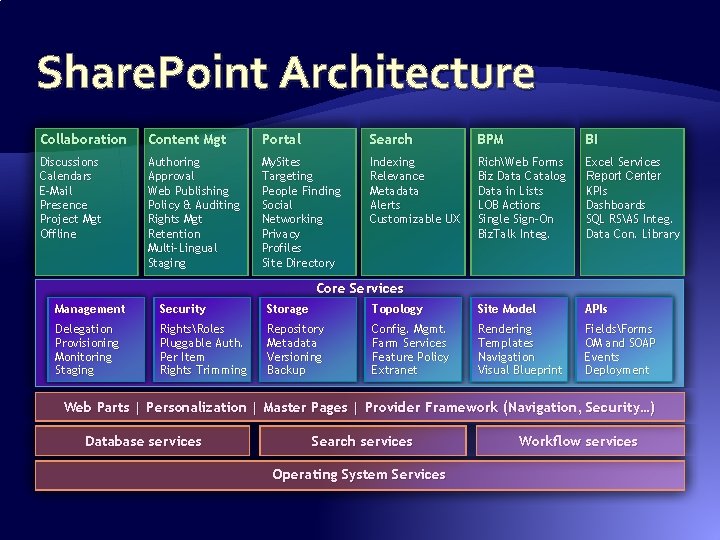
Share. Point Architecture Collaboration Content Mgt Portal Search BPM BI Discussions Calendars E-Mail Presence Project Mgt Offline Authoring Approval Web Publishing Policy & Auditing Rights Mgt Retention Multi-Lingual Staging My. Sites Targeting People Finding Social Networking Privacy Profiles Site Directory Indexing Relevance Metadata Alerts Customizable UX RichWeb Forms Biz Data Catalog Data in Lists LOB Actions Single Sign-On Biz. Talk Integ. Excel Services Report Center KPIs Dashboards SQL RSAS Integ. Data Con. Library Core Services Management Security Storage Topology Site Model APIs Delegation Provisioning Monitoring Staging RightsRoles Pluggable Auth. Per Item Rights Trimming Repository Metadata Versioning Backup Config. Mgmt. Farm Services Feature Policy Extranet Rendering Templates Navigation Visual Blueprint FieldsForms OM and SOAP Events Deployment Web Parts | Personalization | Master Pages | Provider Framework (Navigation, Security…) Database services Search services Operating System Services Workflow services
What Is Share. Point Server 2007? � Share. Point Server 2007 is a collection of Web-based tools that make it easy to collaborate on projects � The tools consist mostly of pre-designed Web sites that teams or individuals use to store information and collaborate with others �The sites come with content authoring tools for site owners and members �The sites use Web conventions—access through a browser, linked information, images as well as text—to create a fast and easy method of collaborating �The sites create a single point from which information can be shared
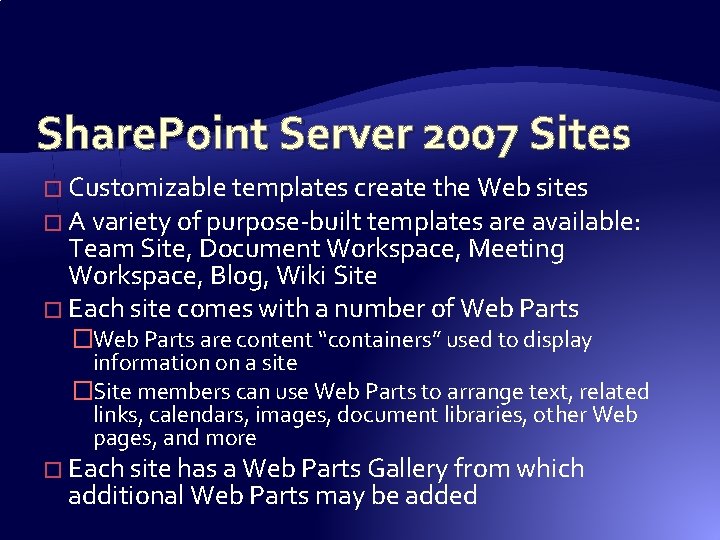
Share. Point Server 2007 Sites � Customizable templates create the Web sites � A variety of purpose-built templates are available: Team Site, Document Workspace, Meeting Workspace, Blog, Wiki Site � Each site comes with a number of Web Parts �Web Parts are content “containers” used to display information on a site �Site members can use Web Parts to arrange text, related links, calendars, images, document libraries, other Web pages, and more � Each site has a Web Parts Gallery from which additional Web Parts may be added
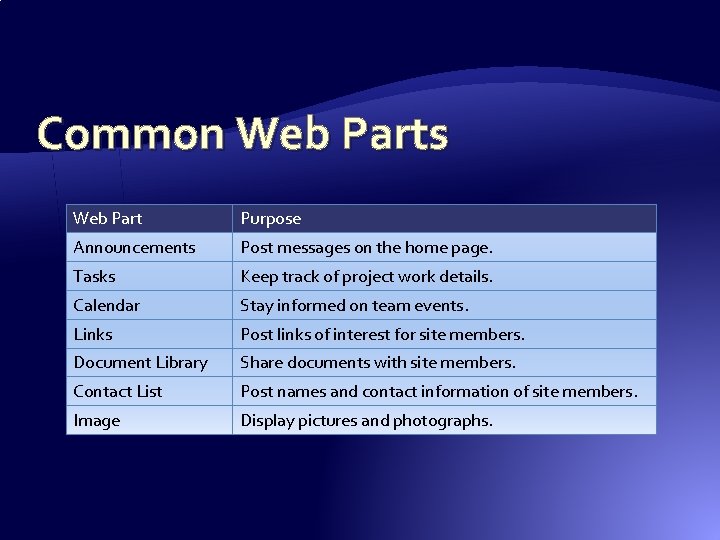
Common Web Parts Web Part Purpose Announcements Post messages on the home page. Tasks Keep track of project work details. Calendar Stay informed on team events. Links Post links of interest for site members. Document Library Share documents with site members. Contact List Post names and contact information of site members. Image Display pictures and photographs.
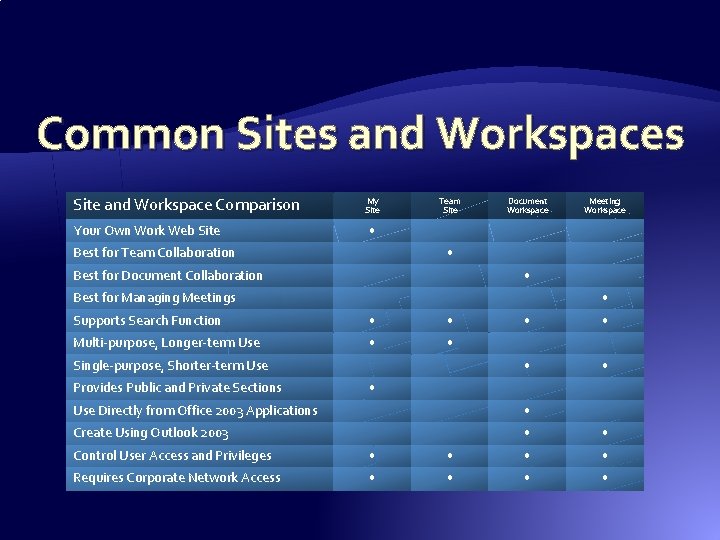
Common Sites and Workspaces Site and Workspace Comparison My Site Team Site Document Workspace Meeting Workspace Your Own Work Web Site • Best for Team Collaboration • Best for Document Collaboration • Best for Managing Meetings • Supports Search Function • • Multi-purpose, Longer-term Use • • Single-purpose, Shorter-term Use Provides Public and Private Sections • Use Directly from Office 2003 Applications • Create Using Outlook 2003 • • Control User Access and Privileges • • Requires Corporate Network Access • •
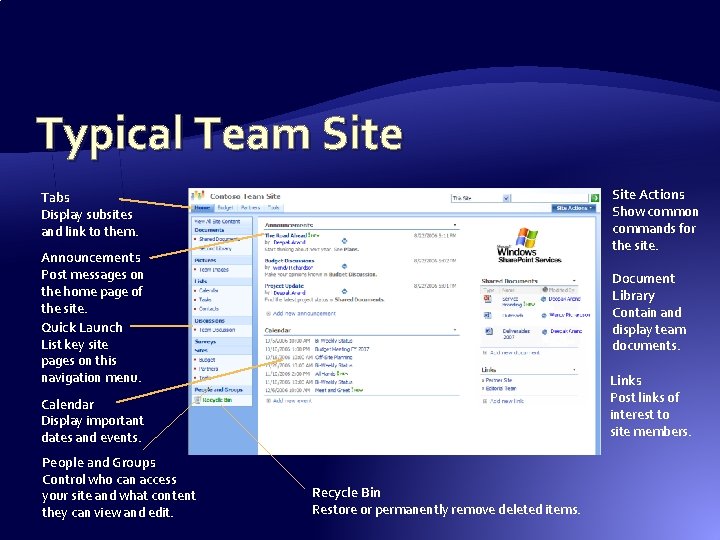
Typical Team Site Actions Show common commands for the site. Tabs Display subsites and link to them. Announcements Post messages on the home page of the site. Quick Launch List key site pages on this navigation menu. Document Library Contain and display team documents. Links Post links of interest to site members. Calendar Display important dates and events. People and Groups Control who can access your site and what content they can view and edit. Recycle Bin Restore or permanently remove deleted items.
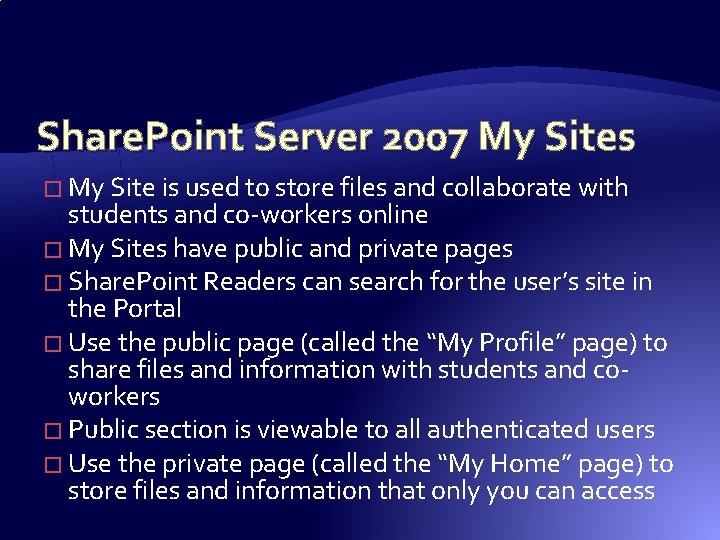
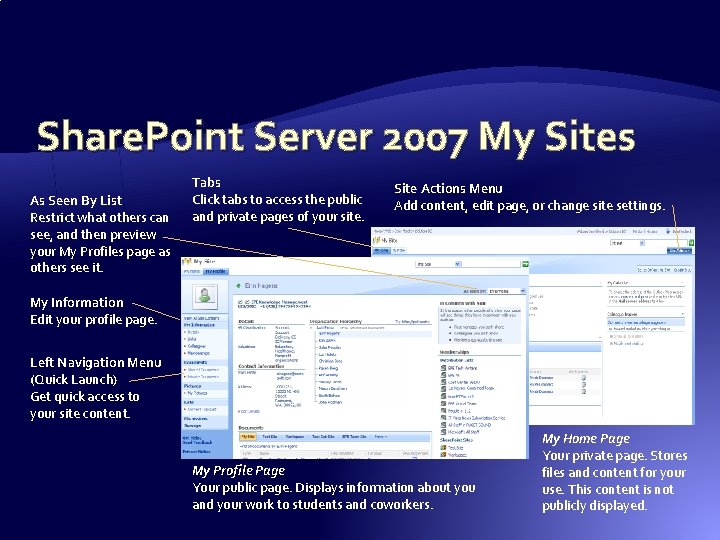
Share. Point Server 2007 My Sites � My Site is used to store files and collaborate with students and co-workers online � My Sites have public and private pages � Share. Point Readers can search for the user’s site in the Portal � Use the public page (called the “My Profile” page) to share files and information with students and coworkers � Public section is viewable to all authenticated users � Use the private page (called the “My Home” page) to store files and information that only you can access
Share. Point Server 2007 My Sites As Seen By List Restrict what others can see, and then preview your My Profiles page as others see it. Tabs Click tabs to access the public and private pages of your site. Site Actions Menu Add content, edit page, or change site settings. My Information Edit your profile page. Left Navigation Menu (Quick Launch) Get quick access to your site content. My Profile Page Your public page. Displays information about you and your work to students and coworkers. My Home Page Your private page. Stores files and content for your use. This content is not publicly displayed.
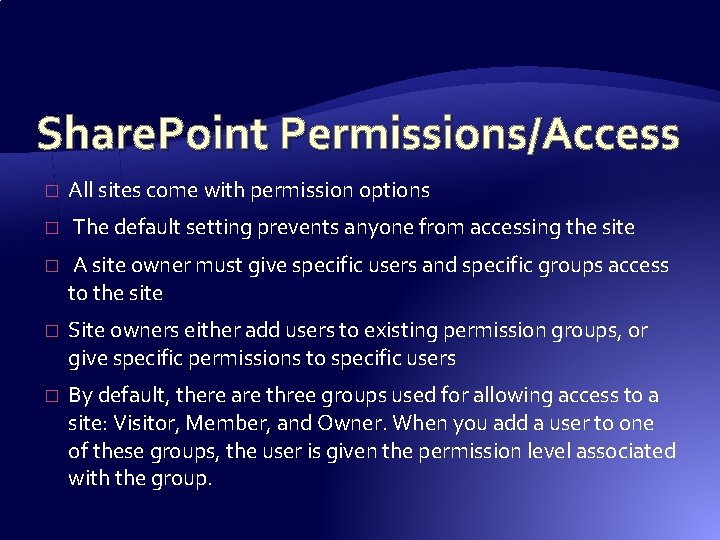
Share. Point Permissions/Access � All sites come with permission options � The default setting prevents anyone from accessing the site � A site owner must give specific users and specific groups access to the site � Site owners either add users to existing permission groups, or give specific permissions to specific users � By default, there are three groups used for allowing access to a site: Visitor, Member, and Owner. When you add a user to one of these groups, the user is given the permission level associated with the group.
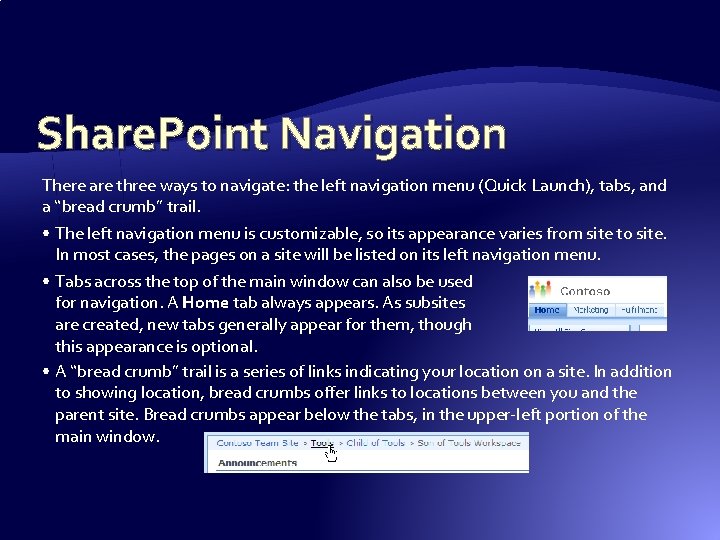
Share. Point Navigation There are three ways to navigate: the left navigation menu (Quick Launch), tabs, and a “bread crumb” trail. • The left navigation menu is customizable, so its appearance varies from site to site. In most cases, the pages on a site will be listed on its left navigation menu. • Tabs across the top of the main window can also be used for navigation. A Home tab always appears. As subsites are created, new tabs generally appear for them, though this appearance is optional. • A “bread crumb” trail is a series of links indicating your location on a site. In addition to showing location, bread crumbs offer links to locations between you and the parent site. Bread crumbs appear below the tabs, in the upper-left portion of the main window.
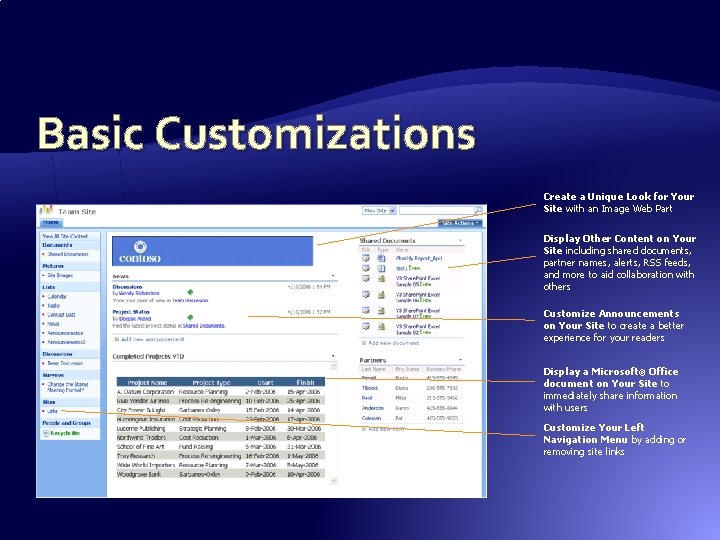
Basic Customizations Create a Unique Look for Your Site with an Image Web Part Display Other Content on Your Site including shared documents, partner names, alerts, RSS feeds, and more to aid collaboration with others Customize Announcements on Your Site to create a better experience for your readers Display a Microsoft® Office document on Your Site to immediately share information with users Customize Your Left Navigation Menu by adding or removing site links
Info. Path 2007 Forms � Info. Path 2007 is used to create custom forms or convert existing Microsoft Office Word 2007 documents to forms �Info. Path forms are distributed using Outlook 2007 or Share. Point Server 2007, or may be published on the Office Forms Server �Recipients of forms can complete and submit them electronically even if they don’t have Info. Path 2007 installed � Office Forms Server 2007 provides �Browser-based forms (common browsers, Windows & OS X) �Centralized forms management �“Design Once” development model �Form-based workflows
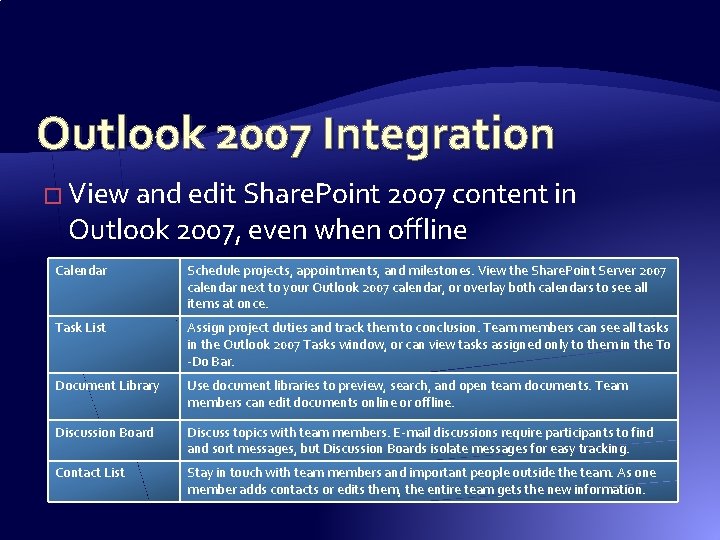
Outlook 2007 Integration � View and edit Share. Point 2007 content in Outlook 2007, even when offline Calendar Schedule projects, appointments, and milestones. View the Share. Point Server 2007 calendar next to your Outlook 2007 calendar, or overlay both calendars to see all items at once. Task List Assign project duties and track them to conclusion. Team members can see all tasks in the Outlook 2007 Tasks window, or can view tasks assigned only to them in the To -Do Bar. Document Library Use document libraries to preview, search, and open team documents. Team members can edit documents online or offline. Discussion Board Discuss topics with team members. E-mail discussions require participants to find and sort messages, but Discussion Boards isolate messages for easy tracking. Contact List Stay in touch with team members and important people outside the team. As one member adds contacts or edits them, the entire team gets the new information.
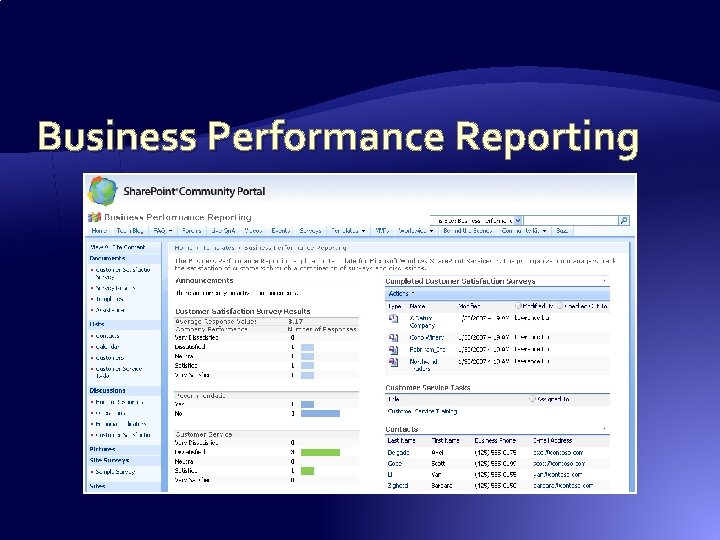
Business Performance Reporting
Share. Point 2007 RSS Feeds � RSS (Really Simple Syndication) is a method of publishing and distributing content on the Web � When you subscribe to an RSS feed – also known as a news feed – you receive an update every time the publisher releases new content � Content stored in any site list or library can be distributed through RSS – you can use a Document Library, Picture Library, Task List, Contact List, Calendar, or Discussion Board
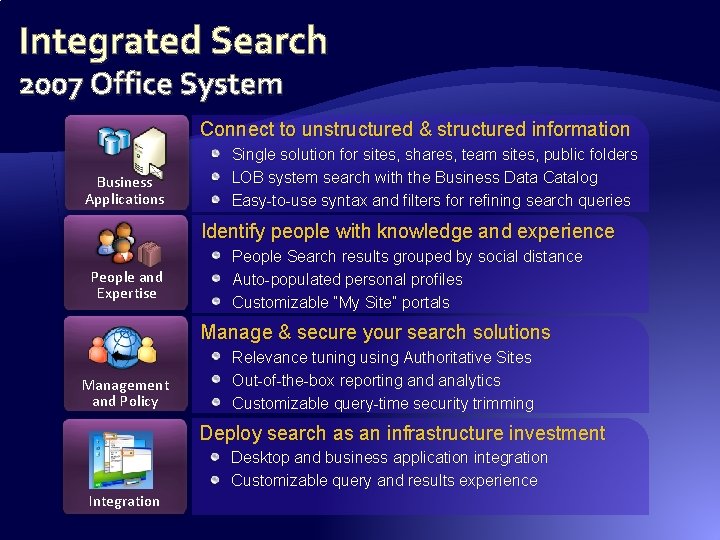
Integrated Search 2007 Office System Connect to unstructured & structured information Business Applications Single solution for sites, shares, team sites, public folders LOB system search with the Business Data Catalog Easy-to-use syntax and filters for refining search queries Identify people with knowledge and experience People and Expertise People Search results grouped by social distance Auto-populated personal profiles Customizable “My Site” portals Manage & secure your search solutions Management and Policy Relevance tuning using Authoritative Sites Out-of-the-box reporting and analytics Customizable query-time security trimming Deploy search as an infrastructure investment Desktop and business application integration Customizable query and results experience Integration
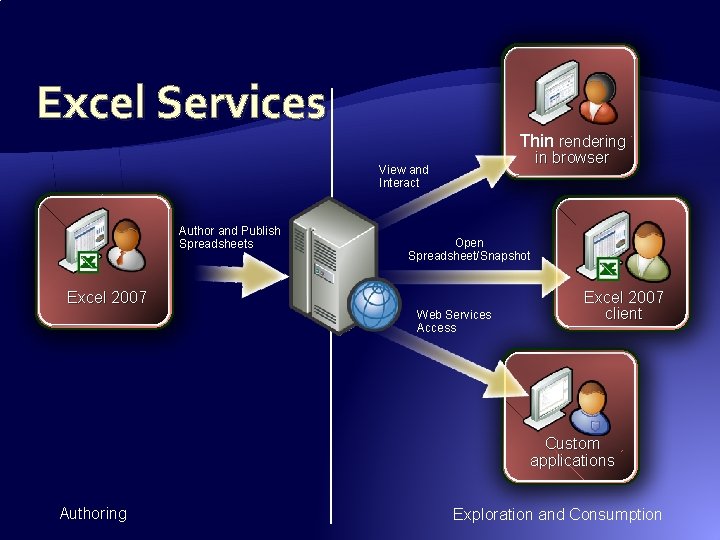
Excel Services Thin rendering in browser View and Interact Author and Publish Spreadsheets Open Spreadsheet/Snapshot Excel 2007 Web Services Access Excel 2007 client Custom applications Authoring Exploration and Consumption
Office Server Enterprise CAL � Excel spreadsheet web publishing � Excel services BI � Business data catalog and web parts � Report Center � Key Performance Indicators � Filter Web Parts
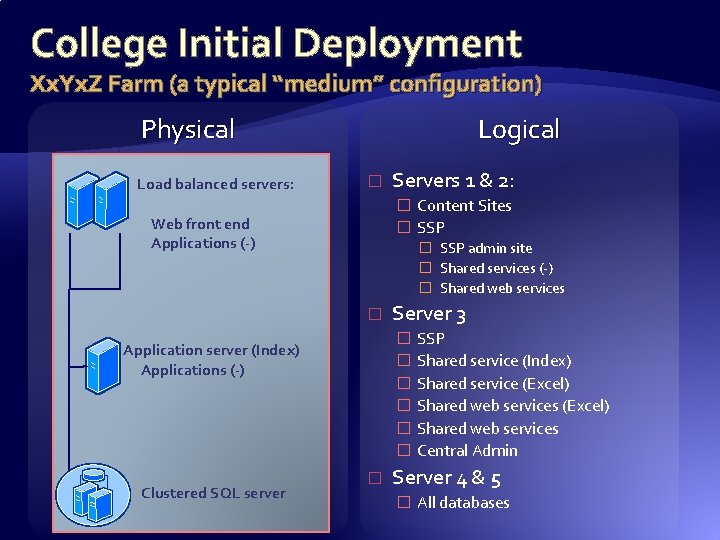
College Initial Deployment Xx. Yx. Z Farm (a typical “medium” configuration) Physical Load balanced servers: Logical � � Content Sites � SSP Web front end Applications (-) � SSP admin site � Shared services (-) � Shared web services � Server 3 � SSP � Shared service (Index) � Shared service (Excel) � Shared web services � Central Admin Application server (Index) Applications (-) Clustered SQL server Servers 1 & 2: � Server 4 & 5 � All databases
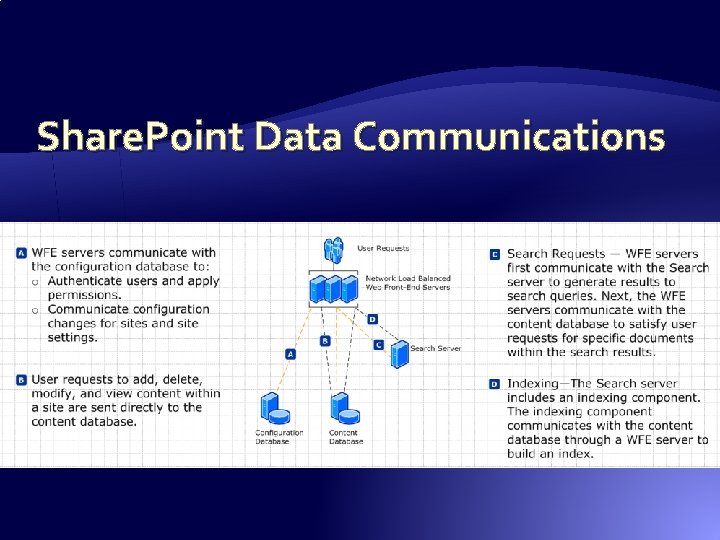
Share. Point Data Communications
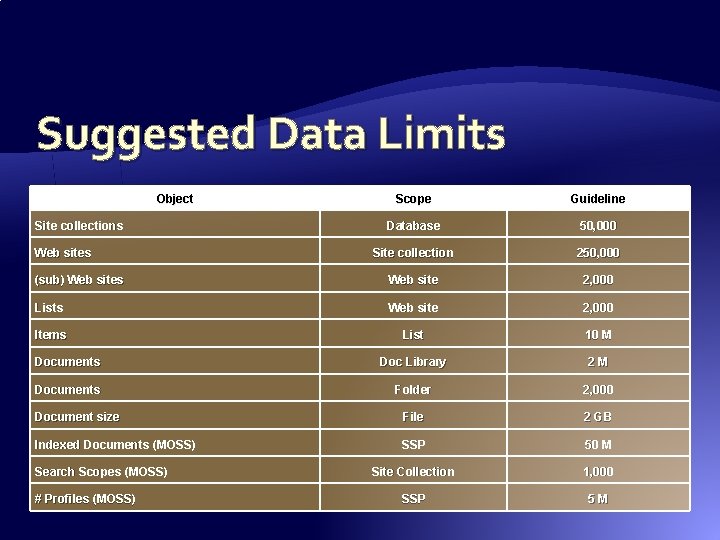
Suggested Data Limits Object Scope Guideline Database 50, 000 Site collection 250, 000 (sub) Web sites Web site 2, 000 Lists Web site 2, 000 Items List 10 M Documents Doc Library 2 M Documents Folder 2, 000 Document size File 2 GB Indexed Documents (MOSS) SSP 50 M Site Collection 1, 000 SSP 5 M Site collections Web sites Search Scopes (MOSS) # Profiles (MOSS)
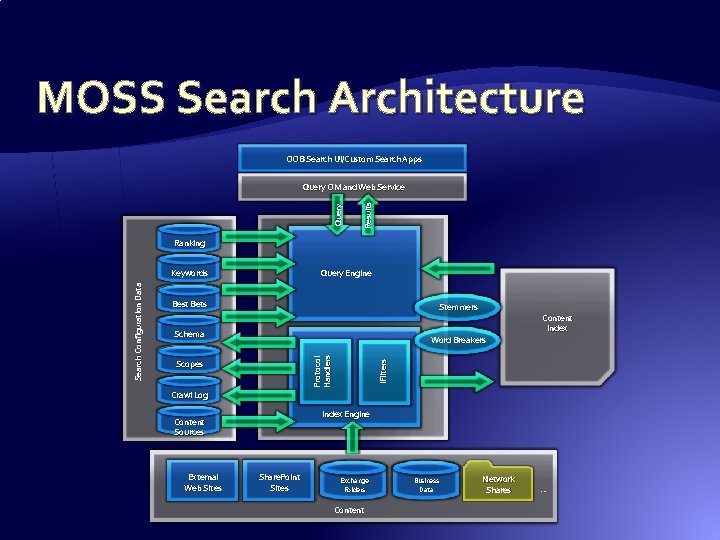
MOSS Search Architecture OOB Search UI/Custom Search Apps Results Query OM and Web Service Ranking Query Engine Best Bets Stemmers Schema Content Index Word Breakers Scopes i. Filters Protocol Handlers Search Configuration Data Keywords Crawl Log Index Engine Content Sources External Web Sites Share. Point Sites Exchange Folders Content Business Data Network Shares …
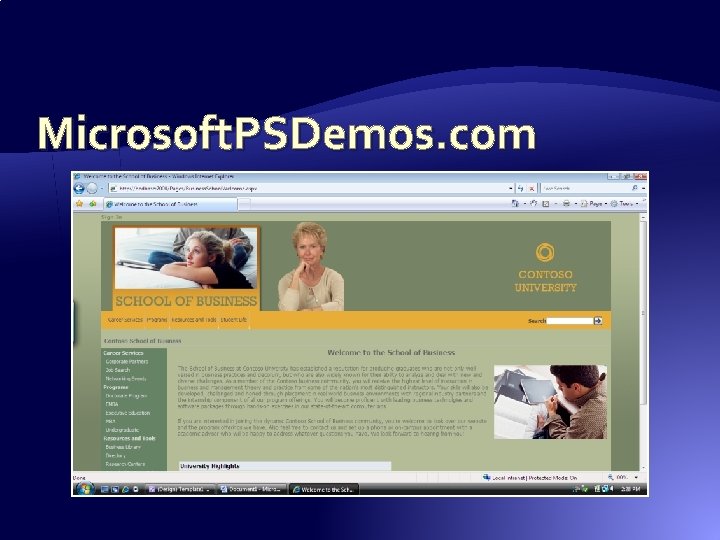
Microsoft. PSDemos. com
Applied Technologies � Microsoft Office 2003/2007 � Microsoft Exchange 2003 � Microsoft Office Share. Point Server 2007 � Microsoft SQL Server 2005 � Microsoft Office Forms Server 2007 � Adobe Presenter 6. 0 (Macromedia Breeze)
Intranets Are About People � Business needs drive the implementation (ROI) �What are the business goals? �What do you expect to achieve? �How will you measure success? � Plan before you deploy – address all four factors: People, Process, Training, Technology � Share. Point is all about document collaboration – remember that some people don’t like to share � Your IT department likely doesn’t understand taxonomies and cultural change management – don’t expect them to be the experts on how those impact Share. Point or portals
More Information � This slide deck is available at http: //www. stlcc. edu/presentations/ � Email us at: �rschumacher@stlcc. edu �cklimczak@stlcc. edu