
Revision You should know 1 The framework for
![DOM [Example 1] <html> <head> <title>Sample Page</title> </head> <body> <p>Hello World!</p> </body> </html>](https://slidetodoc.com/presentation_image_h2/767c3c206f396e83d8161f95334ee811/image-7.jpg "DOM [Example 1] <html> <head> <title>Sample Page</title> </head> <body> <p>Hello World!</p> </body> </html>")
![DOM [Example 2]](https://slidetodoc.com/presentation_image_h2/767c3c206f396e83d8161f95334ee811/image-8.jpg "DOM [Example 2]")
- Slides: 51
Revision
You should know: 1. The framework for Web GUI development (the interplay between HTML 5, CSS, and JS) 2. Selecting elements from the Document Object Model (DOM) 3. Different ways to define JS functions (function statement, function expression, IIFE, etc. ) 4. A way to subdivide the screen into multiple views (containers) (using Bootstrap, or CSS grid) 5. D 3: binding data to SVG elements 6. D 3: drawing different shapes (circle, rectangle, line)
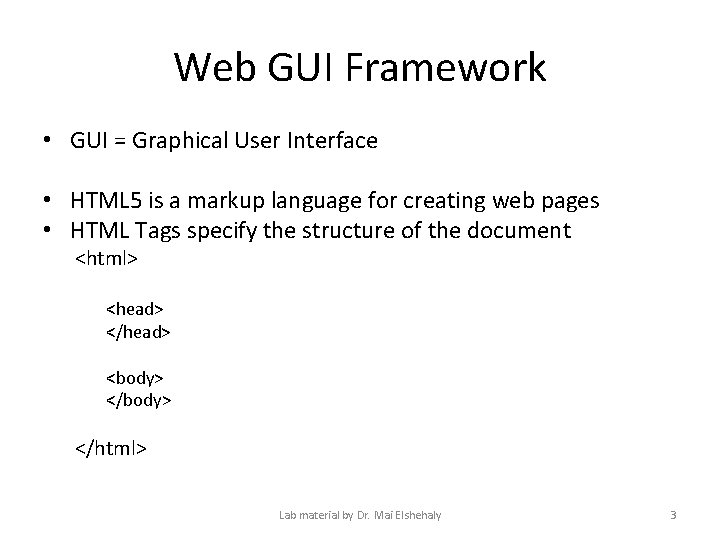
Web GUI Framework • GUI = Graphical User Interface • HTML 5 is a markup language for creating web pages • HTML Tags specify the structure of the document <html> <head> </head> <body> </html> Lab material by Dr. Mai Elshehaly 3
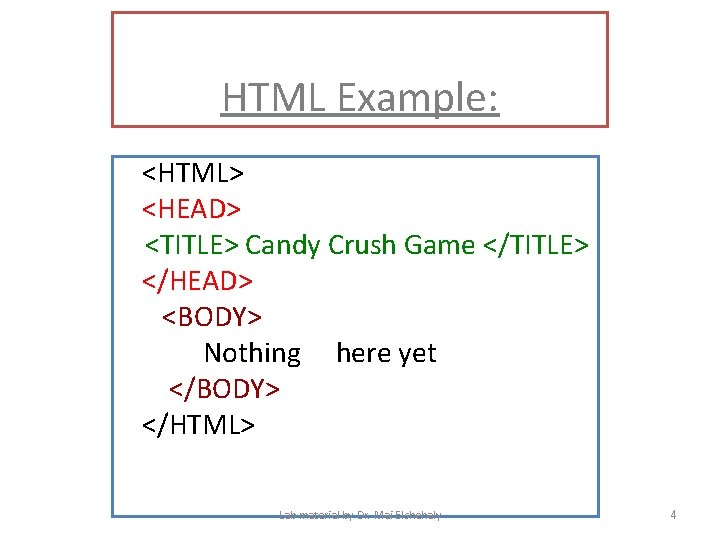
HTML Example: <HTML> <HEAD> <TITLE> Candy Crush Game </TITLE> </HEAD> <BODY> Nothing here yet </BODY> </HTML> Lab material by Dr. Mai Elshehaly 4
Selecting elements from the Document Object Model (DOM)
The Document Object Model (DOM) • It represents the page so that programs can change the document structure, style and content. • The DOM represents the document as nodes and objects. That way, programming languages can connect to the page. • The DOM is an object-oriented representation of the web page, which can be modified with a scripting language such as Java. Script. • Java. Script allows web pages to perform tasks such as: reading elements from the DOM, add elements to the DOM, manipulate or move elements of the DOM, react to events (e. g. mouse clicks), determine the user’s screen size, date and time, etc.
DOM [Example 1] <html> <head> <title>Sample Page</title> </head> <body> <p>Hello World!</p> </body> </html>
DOM [Example 2]
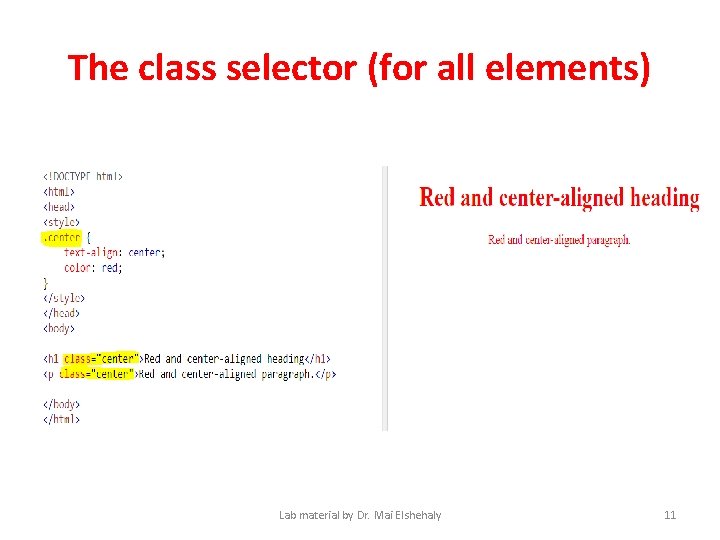
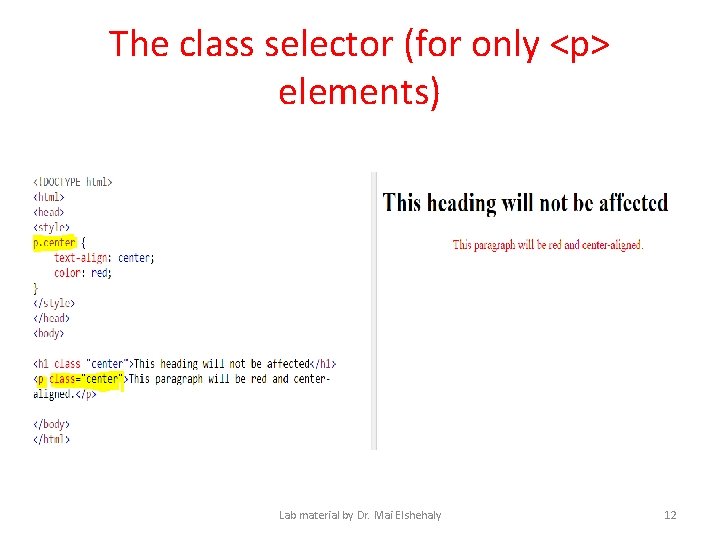
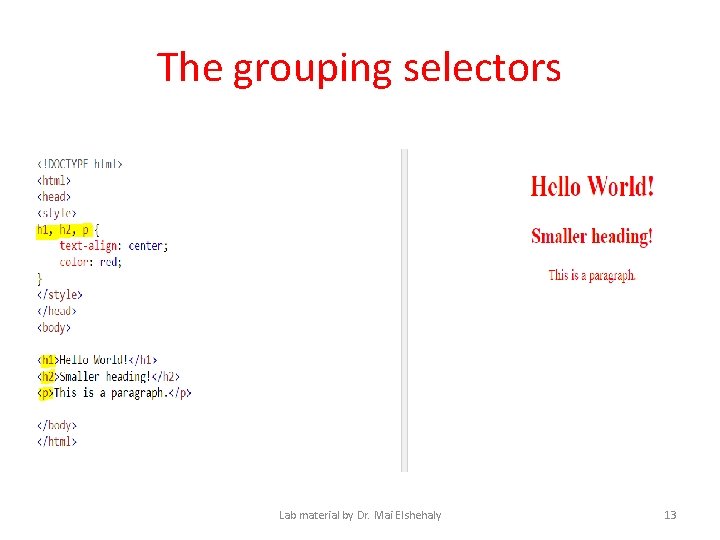
CSS Selectors • Go to: http: //www. w 3 schools. com/css_examples. asp • • Test the id selector Test the class selector (for all elements) Test the class selector (for only <p> elements) Test the grouping selectors Lab material by Dr. Mai Elshehaly 9
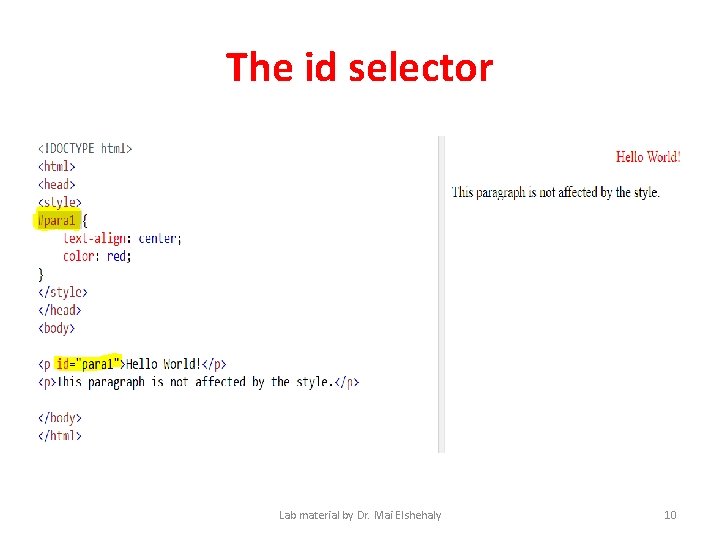
The id selector Lab material by Dr. Mai Elshehaly 10
The class selector (for all elements) Lab material by Dr. Mai Elshehaly 11
The class selector (for only <p> elements) Lab material by Dr. Mai Elshehaly 12
The grouping selectors Lab material by Dr. Mai Elshehaly 13
Built in functions in JS 1. The get. Element. By. Id(): method returns the element that has the ID attribute with the specified value. 2. The create. Element(): method creates an Element Node with the specified name. 3. Element. set. Attribute(name, value): method adds the specified attribute to an element, and gives it the specified value. 4. The Node. append. Child() method adds a node to the end of the list of children of a specified parent node. 5. The create. Text. Node() method creates a Text Node with the specified text.
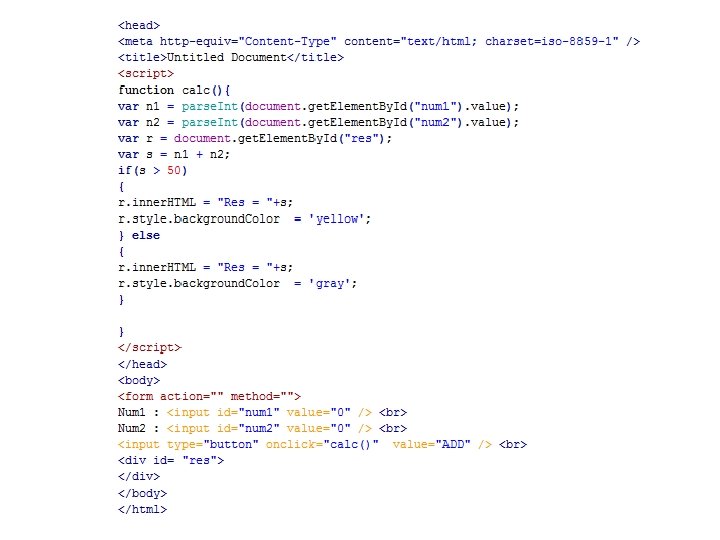
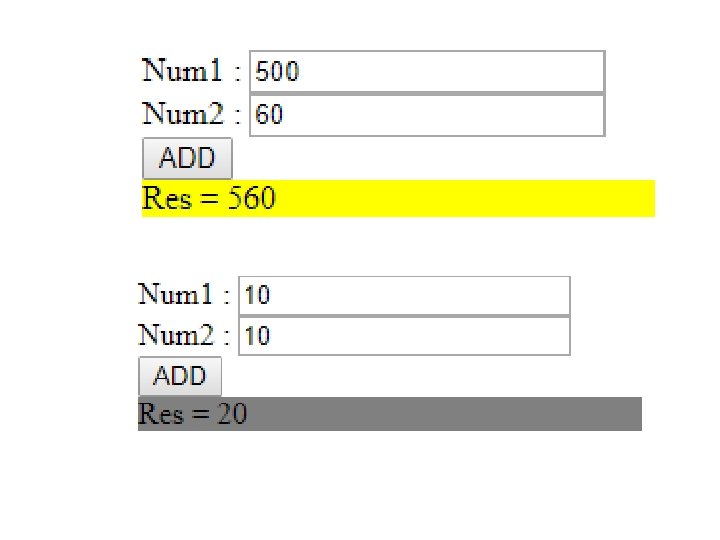
Example
JS Functions
JS Functions • The most important fact about functions is that in Java. Script, functions are first-class objects. • They are treated like any other Java. Script object. • Just like other Java. Script data types, they can be referenced by variables, declared with literals, assigned to variables or array entries, returned from other functions, and even passed as function parameters.
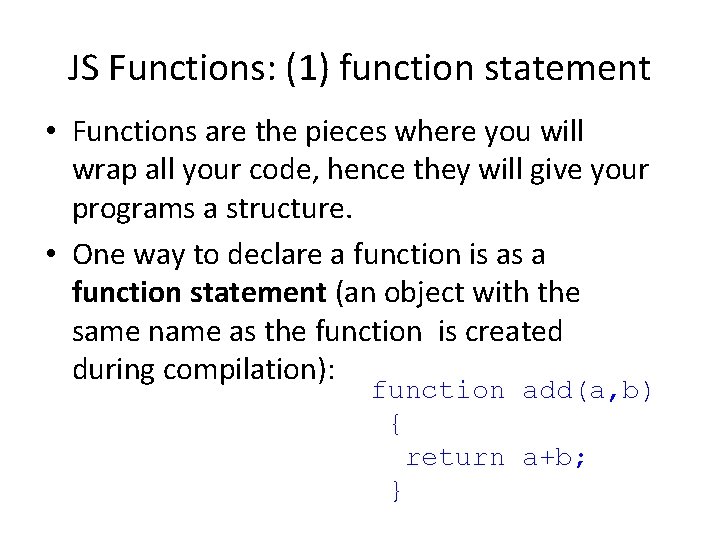
JS Functions: (1) function statement • Functions are the pieces where you will wrap all your code, hence they will give your programs a structure. • One way to declare a function is as a function statement (an object with the same name as the function is created during compilation): function add(a, b) { return a+b; }
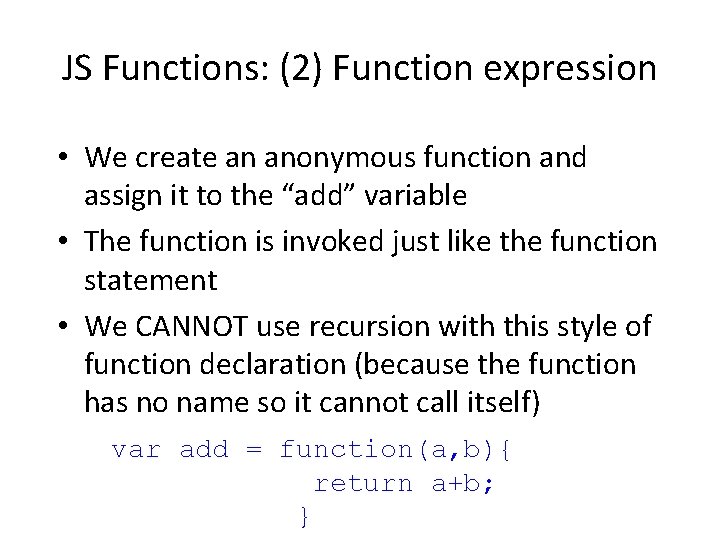
JS Functions: (2) Function expression • We create an anonymous function and assign it to the “add” variable • The function is invoked just like the function statement • We CANNOT use recursion with this style of function declaration (because the function has no name so it cannot call itself) var add = function(a, b){ return a+b; }
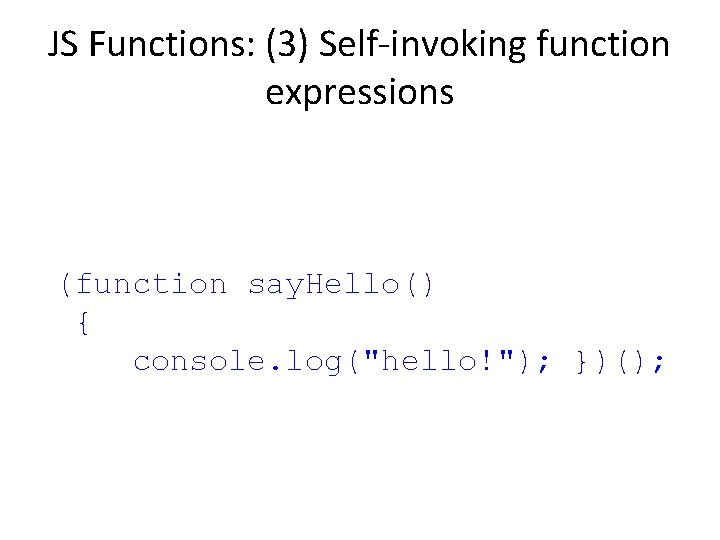
JS Functions: (3) Self-invoking function expressions (function say. Hello() { console. log("hello!"); })();
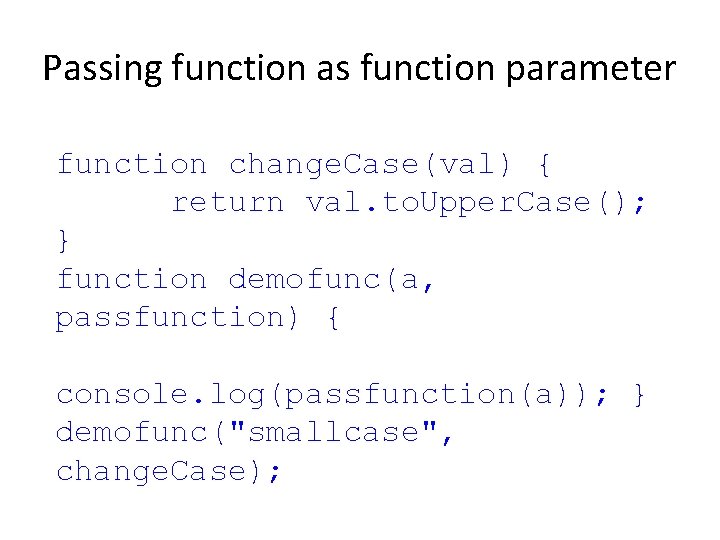
Passing function as function parameter function change. Case(val) { return val. to. Upper. Case(); } function demofunc(a, passfunction) { console. log(passfunction(a)); } demofunc("smallcase", change. Case);
A way to subdivide the screen into multiple views (containers) (using Bootstrap, or CSS grid)
Bootstrap • Bootstrap is an Open-Source front-end Frame-work. • It is for creating responsive websites and web applications. • It contains HTML and CSS-based design templates for typography, forms, buttons, navigation and other interface components, as well as optional Java. Script extensions. • It is the No. 1 project on Github with 65, 000+ stars and 23, 800 forks (as of March 2014)(http: //en. wikipedia. org/wiki/Bootstrap_(front-end_framework)). • Bootstrap Official Address (http: //getbootstrap. com/ ). Lab material by Dr. Mai Elshehaly 24
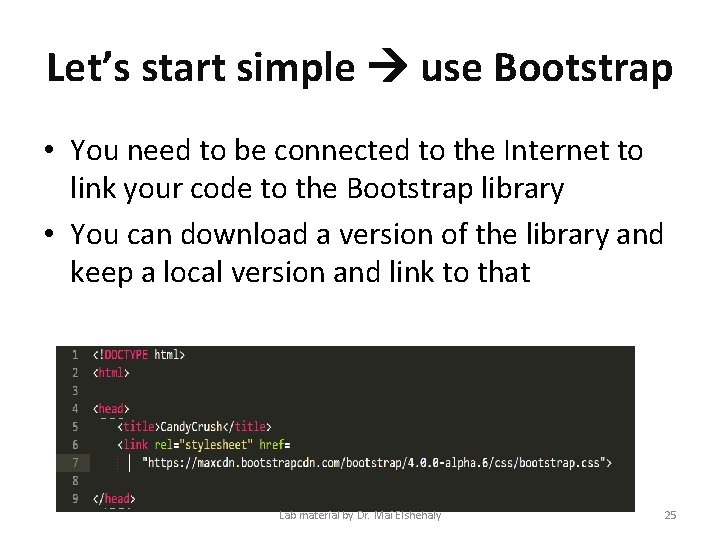
Let’s start simple use Bootstrap • You need to be connected to the Internet to link your code to the Bootstrap library • You can download a version of the library and keep a local version and link to that Lab material by Dr. Mai Elshehaly 25
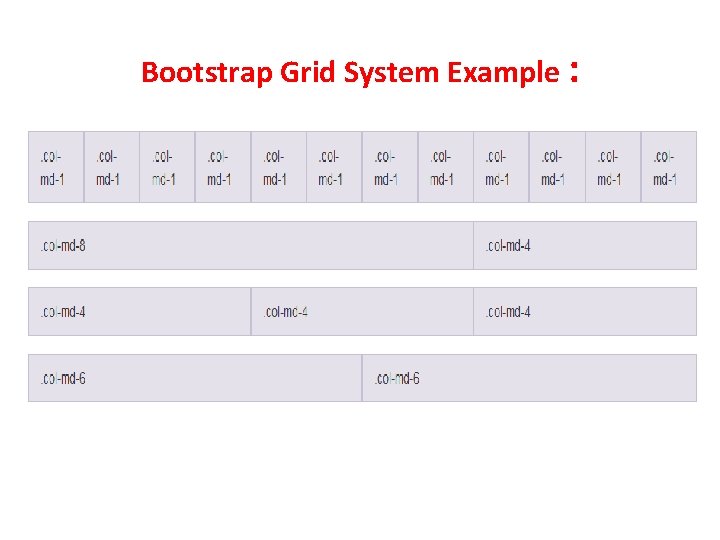
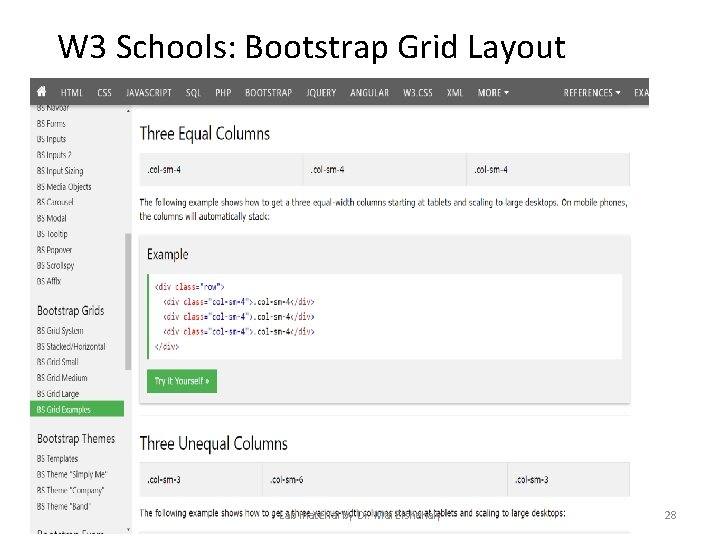
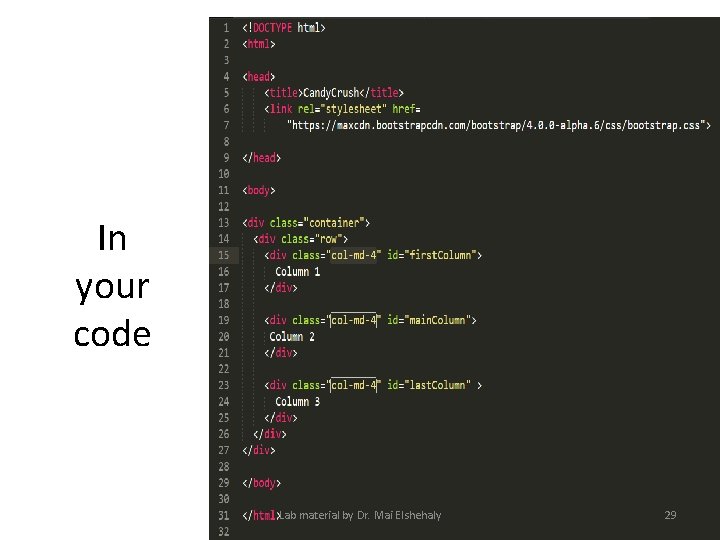
Bootstrap Grid Layout • Grid systems are used for creating page layouts through a series of rows and columns that house your content. • Grid classes apply to devices with screen widths greater than or equal to the breakpoint sizes, and override grid classes targeted at smaller devices. • The Bootstrap grid system has four classes: xs (phones), sm (tablets), md (desktops), and lg (larger desktops). The classes can be combined to create more dynamic and flexible layouts. • Therefore, applying any -md- class to an element will not only affect its styling on medium devices but also on large devices if a lg- class is not present. • We will use class col-md-4
Bootstrap Grid System Example :
W 3 Schools: Bootstrap Grid Layout Lab material by Dr. Mai Elshehaly 28
In your code Lab material by Dr. Mai Elshehaly 29
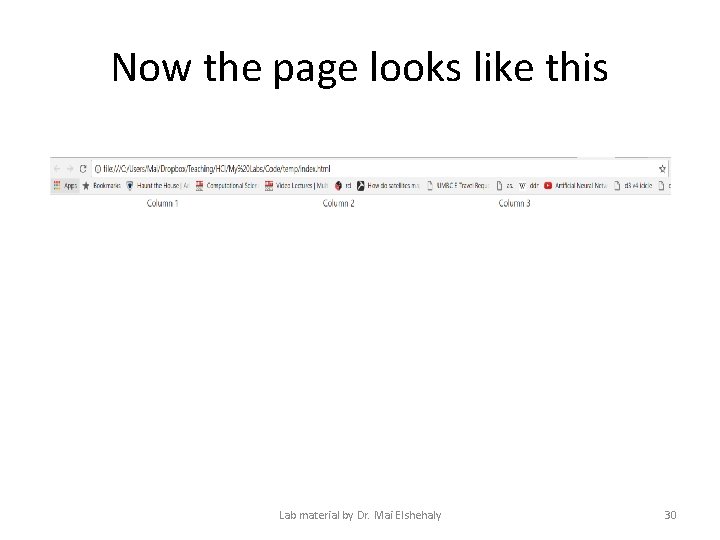
Now the page looks like this Lab material by Dr. Mai Elshehaly 30
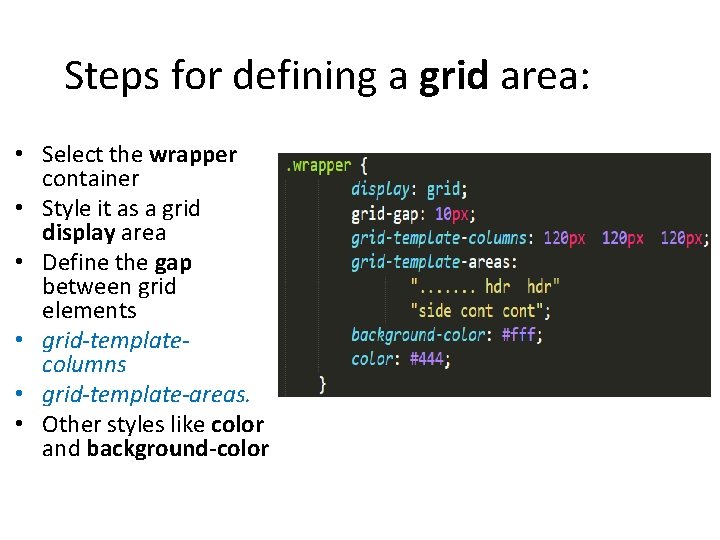
Steps for defining a grid area: • Select the wrapper container • Style it as a grid display area • Define the gap between grid elements • grid-templatecolumns • grid-template-areas. • Other styles like color and background-color
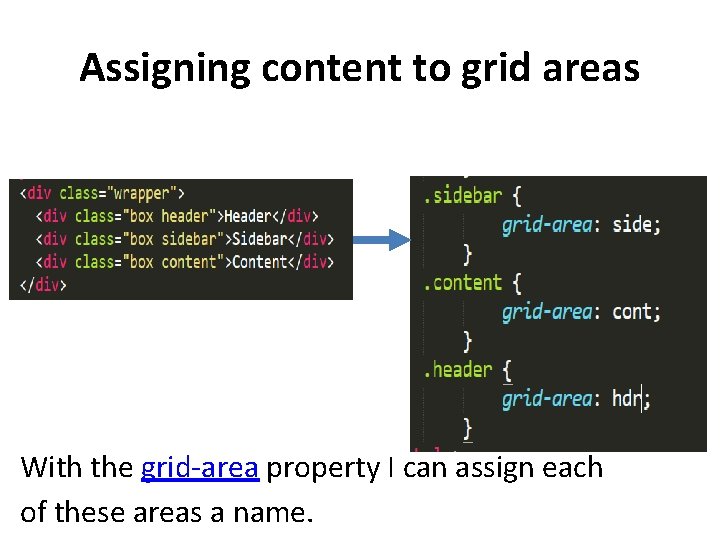
Assigning content to grid areas With the grid-area property I can assign each of these areas a name.
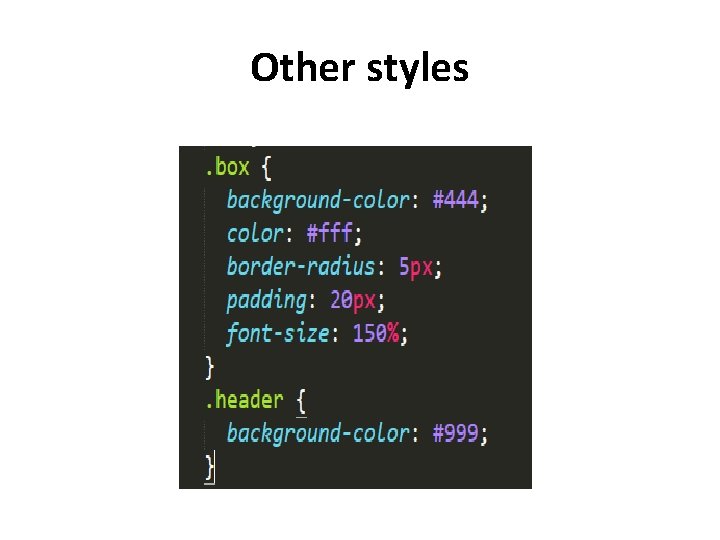
Other styles
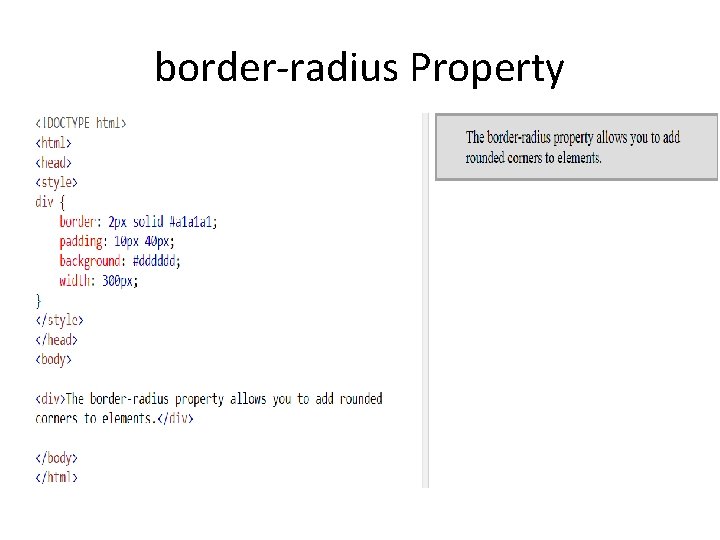
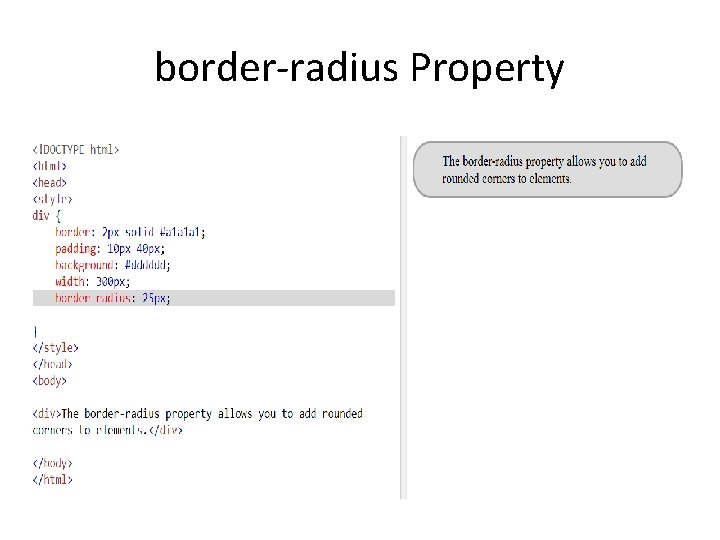
border-radius Property
border-radius Property
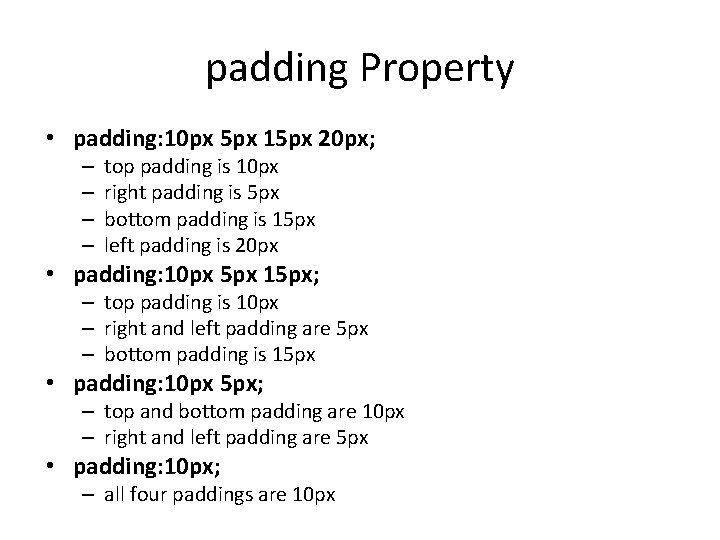
padding Property • padding: 10 px 5 px 15 px 20 px; – – top padding is 10 px right padding is 5 px bottom padding is 15 px left padding is 20 px • padding: 10 px 5 px 15 px; – top padding is 10 px – right and left padding are 5 px – bottom padding is 15 px • padding: 10 px 5 px; – top and bottom padding are 10 px – right and left padding are 5 px • padding: 10 px; – all four paddings are 10 px
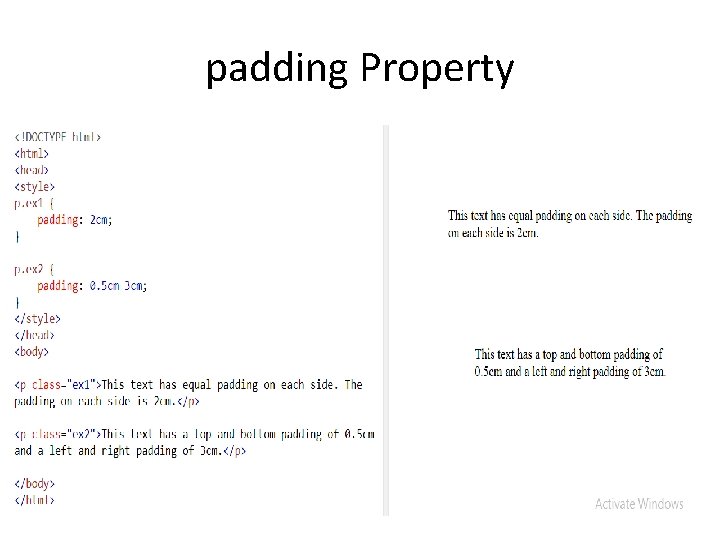
padding Property
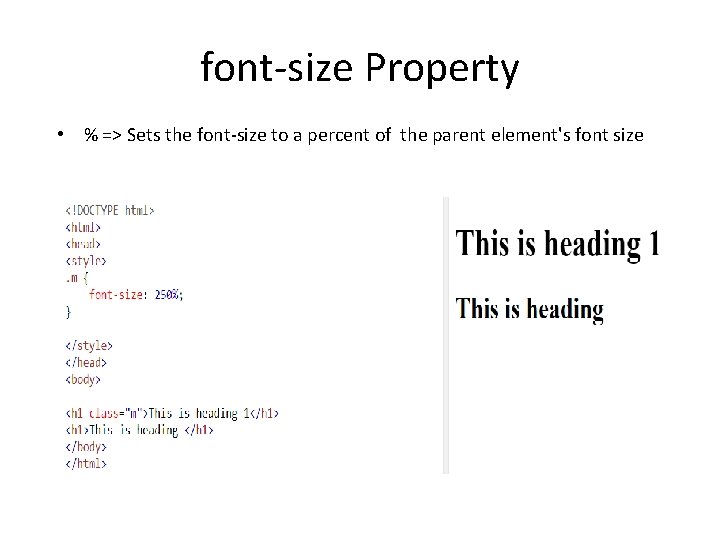
font-size Property • % => Sets the font-size to a percent of the parent element's font size
D 3: binding data to SVG elements
What is SVG? • SVG stands for Scalable Vector Graphics • SVG is used to define vector-based graphics for the Web • SVG defines the graphics in XML format • SVG graphics do NOT lose any quality if they are zoomed or resized • Every element and every attribute in SVG files can be animated
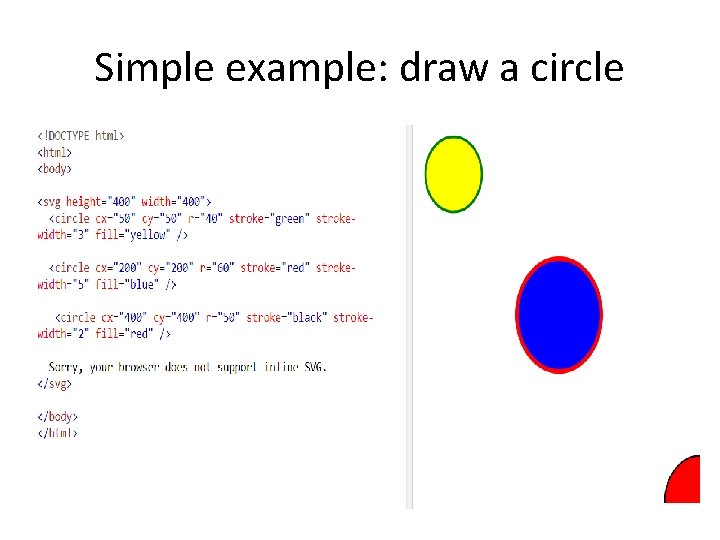
Simple example: draw a circle
What is D 3? • D 3. js (or just D 3 for Data-Driven Documents) is a Java. Script library for producing dynamic, interactive data visualizations in web browsers. It makes use of the widely implemented SVG, HTML 5, and CSS standards.
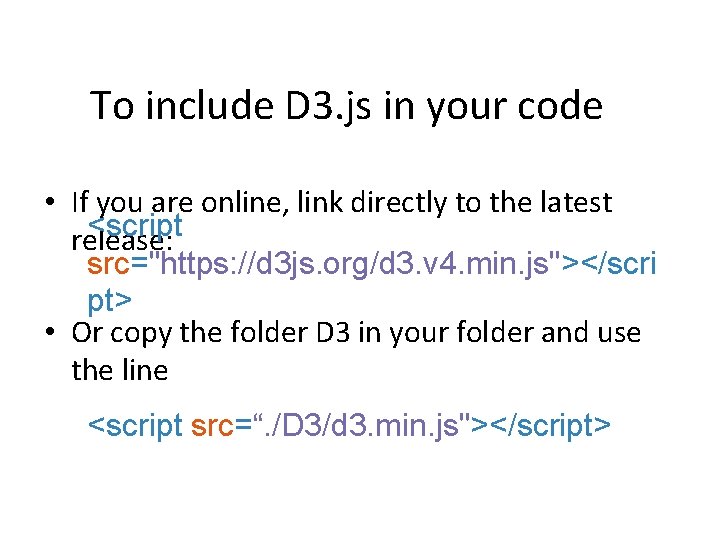
To include D 3. js in your code • If you are online, link directly to the latest <script release: src="https: //d 3 js. org/d 3. v 4. min. js"></scri pt> • Or copy the folder D 3 in your folder and use the line <script src=“. /D 3/d 3. min. js"></script>
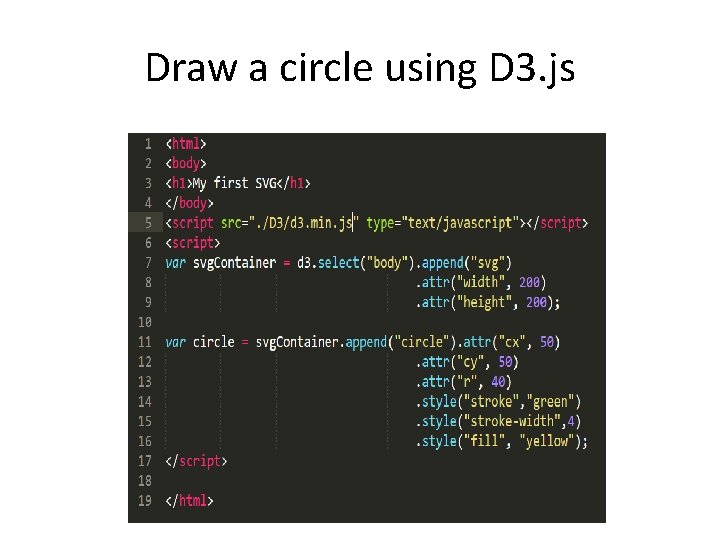
Draw a circle using D 3. js
D 3 selection • Purpose: obtain a handle of DOM element(s) to manipulate them in Javascript. • In this example, we used d 3. select(“body”) to get a handle of the HTML document’s <body> • Once this handle is returned, method cascading allows us to call append immediately on the returned handle • The result of the call is a document containing the same tags as on slide 25, except that we increased the height and width of the SVG from 100 x 100 to 200 x 200 • This increase has no effect on the displayed circle because the SVG is just a white container that we cannot see, we only see the circle which has a radius of 40 in both cases.
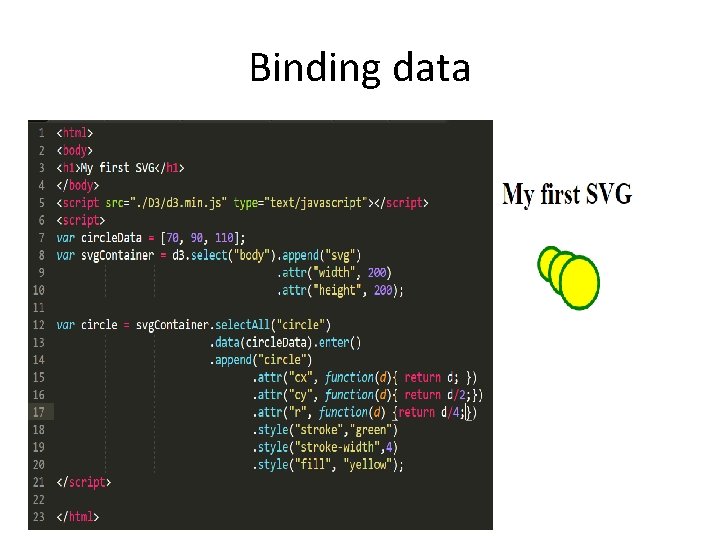
Binding data • D 3 stands for “Data-Driven Documents” • Drawing shapes without data is useless • In data visualization, we draw shapes to represent data • Let’s do this!
Binding data
D 3: drawing different shapes (circle, rectangle, line)
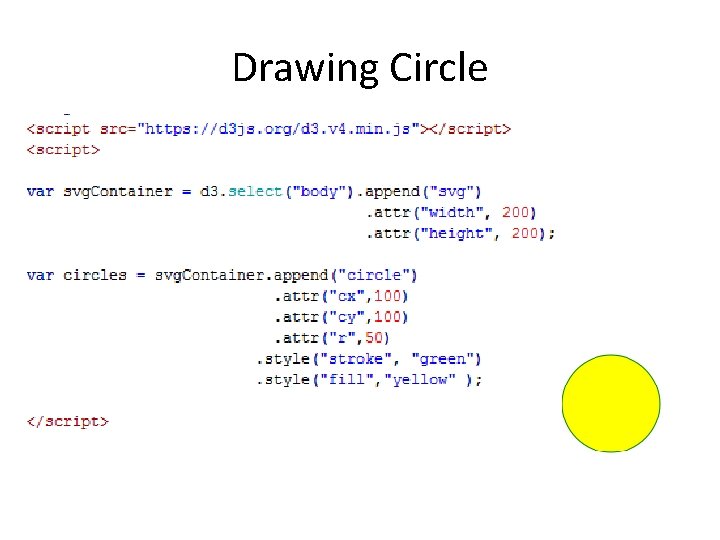
Drawing Circle
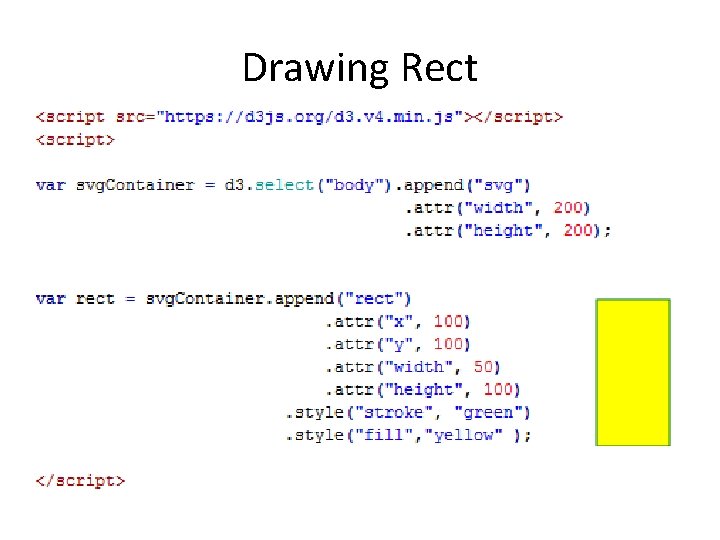
Drawing Rect
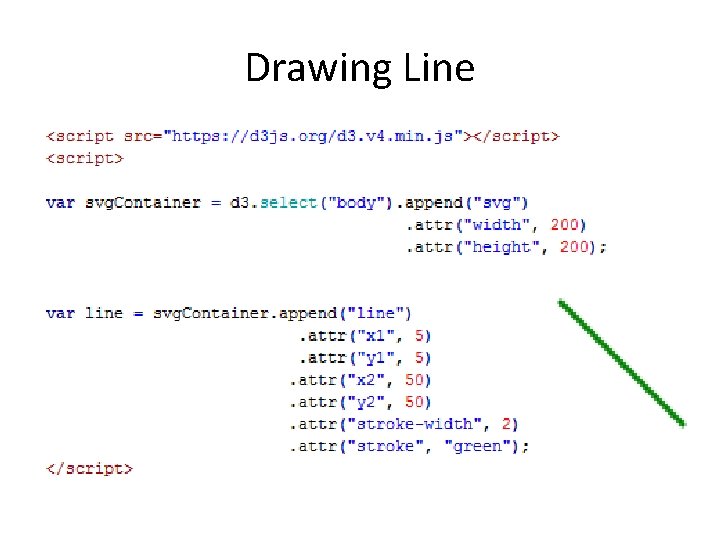
Drawing Line