
Review of Important Networking Concepts Introductory material This
- Slides: 22
Review of Important Networking Concepts Introductory material. This module uses the example from the previous module to review important networking concepts: protocol architecture, protocol layers, encapsulation, demultiplexing, network abstractions. 1
Networking Concepts • Protocol Architecture • Protocol Layers • Encapsulation • Network Abstractions 2
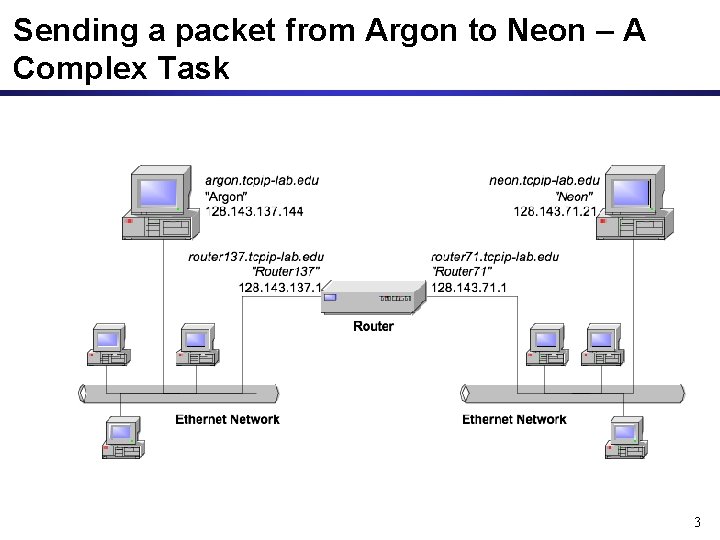
Sending a packet from Argon to Neon – A Complex Task 3
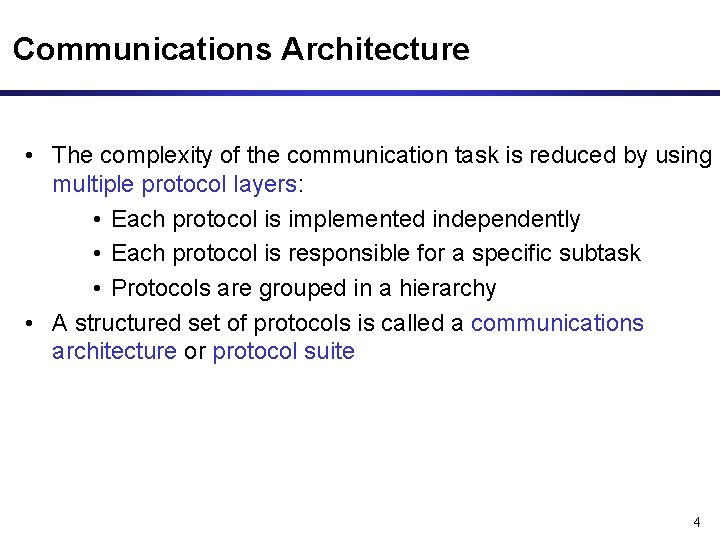
Communications Architecture • The complexity of the communication task is reduced by using multiple protocol layers: • Each protocol is implemented independently • Each protocol is responsible for a specific subtask • Protocols are grouped in a hierarchy • A structured set of protocols is called a communications architecture or protocol suite 4
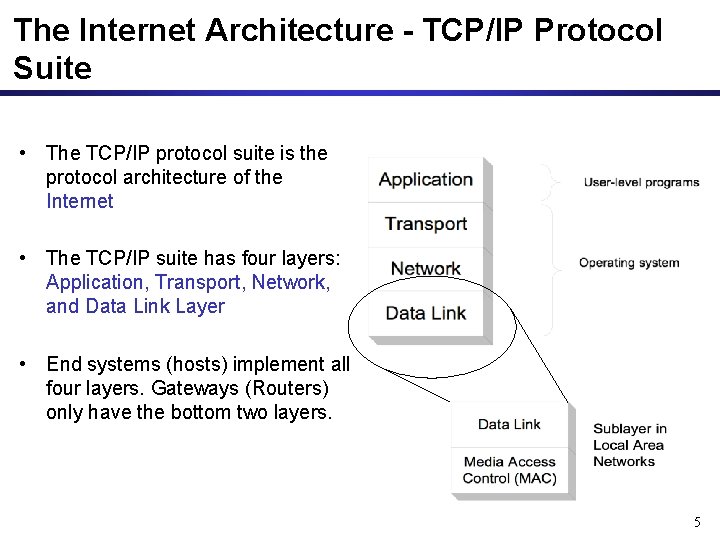
The Internet Architecture - TCP/IP Protocol Suite • The TCP/IP protocol suite is the protocol architecture of the Internet • The TCP/IP suite has four layers: Application, Transport, Network, and Data Link Layer • End systems (hosts) implement all four layers. Gateways (Routers) only have the bottom two layers. 5
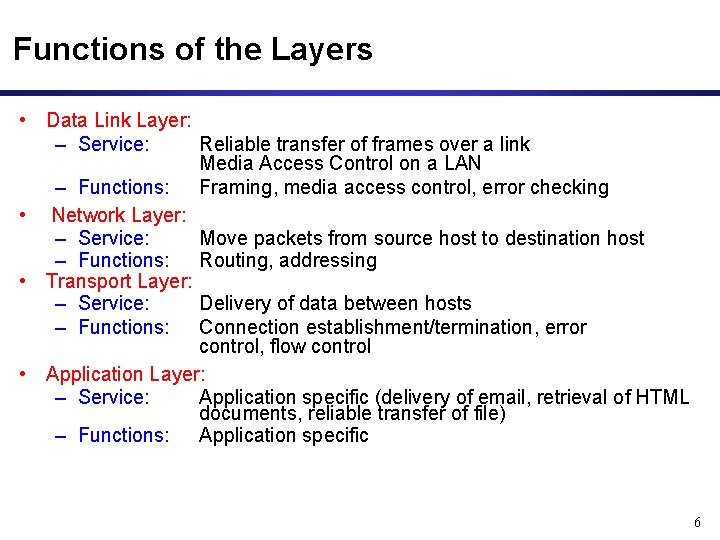
Functions of the Layers • Data Link Layer: – Service: Reliable transfer of frames over a link Media Access Control on a LAN – Functions: Framing, media access control, error checking • Network Layer: – Service: Move packets from source host to destination host – Functions: Routing, addressing • Transport Layer: – Service: Delivery of data between hosts – Functions: Connection establishment/termination, error control, flow control • Application Layer: – Service: Application specific (delivery of email, retrieval of HTML documents, reliable transfer of file) – Functions: Application specific 6
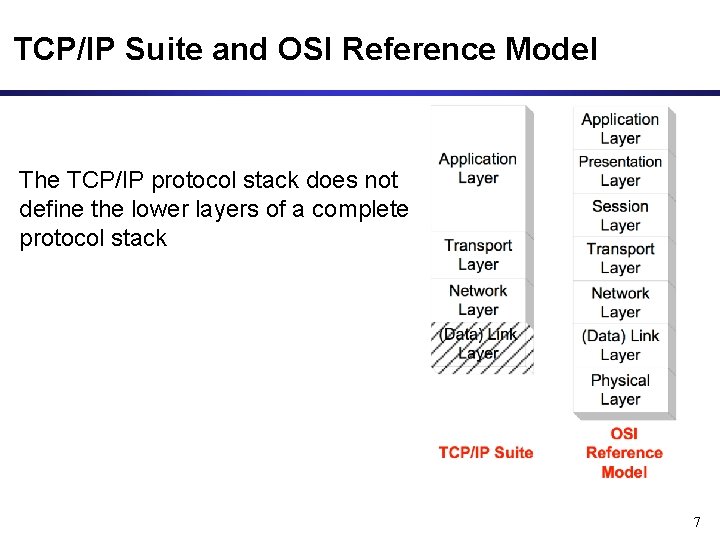
TCP/IP Suite and OSI Reference Model The TCP/IP protocol stack does not define the lower layers of a complete protocol stack 7
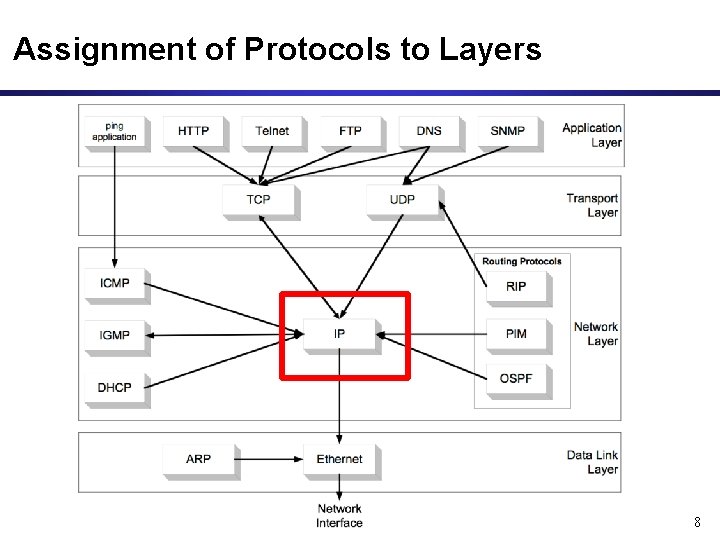
Assignment of Protocols to Layers 8
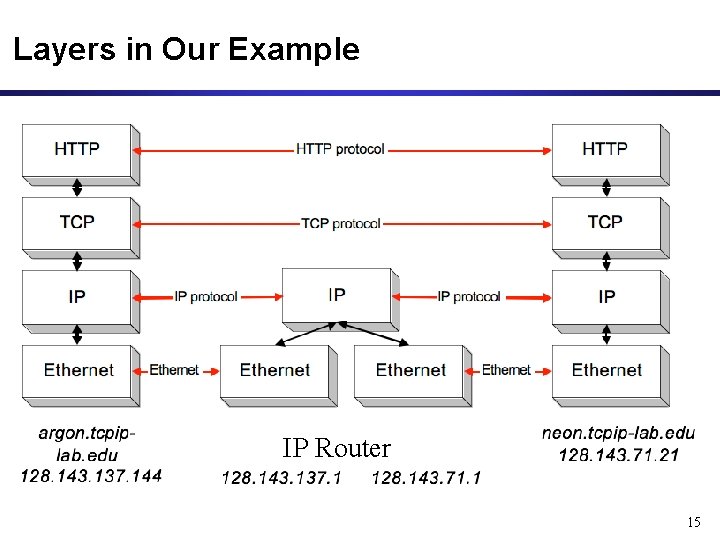
Layers in Our Example IP Router 15
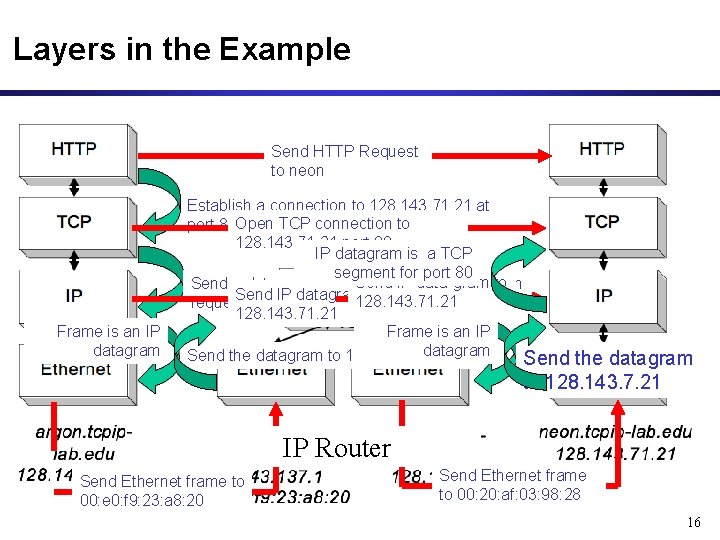
Layers in the Example Send HTTP Request to neon Frame is an IP datagram Establish a connection to 128. 143. 71. 21 at port 80 Open TCP connection to 128. 143. 71. 21 port 80 IP datagram is a TCP segment for port 80 Send IP data-gram to Send a datagram (which contains a connection Send IP datagram to 128. 143. 71. 21 request) to 128. 143. 71. 21 Frame is an IP datagram Send the datagram to 128. 143. 137. 1 Send the datagram to 128. 143. 7. 21 IP Router Send Ethernet frame to 00: e 0: f 9: 23: a 8: 20 Send Ethernet frame to 00: 20: af: 03: 98: 28 16
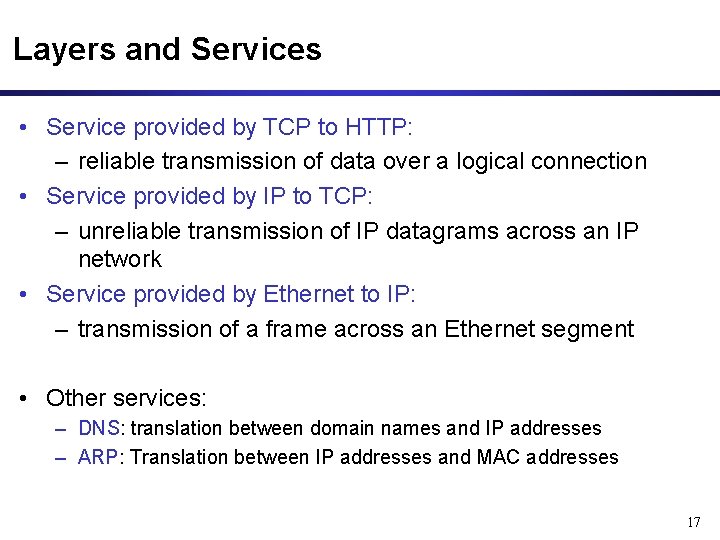
Layers and Services • Service provided by TCP to HTTP: – reliable transmission of data over a logical connection • Service provided by IP to TCP: – unreliable transmission of IP datagrams across an IP network • Service provided by Ethernet to IP: – transmission of a frame across an Ethernet segment • Other services: – DNS: translation between domain names and IP addresses – ARP: Translation between IP addresses and MAC addresses 17
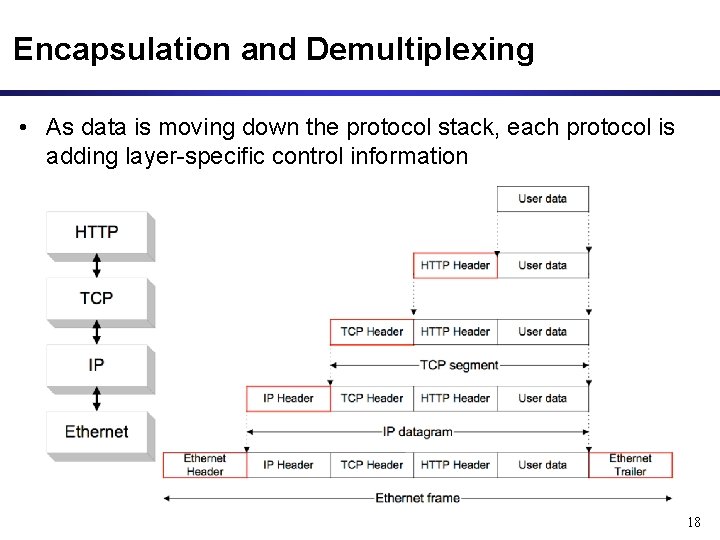
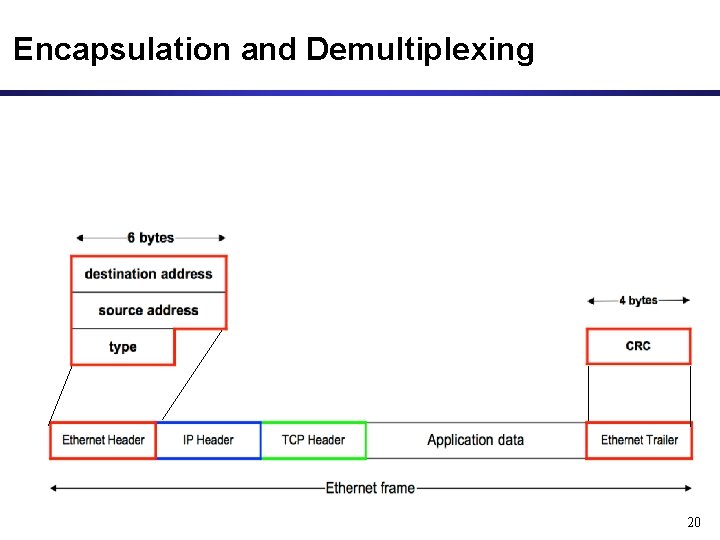
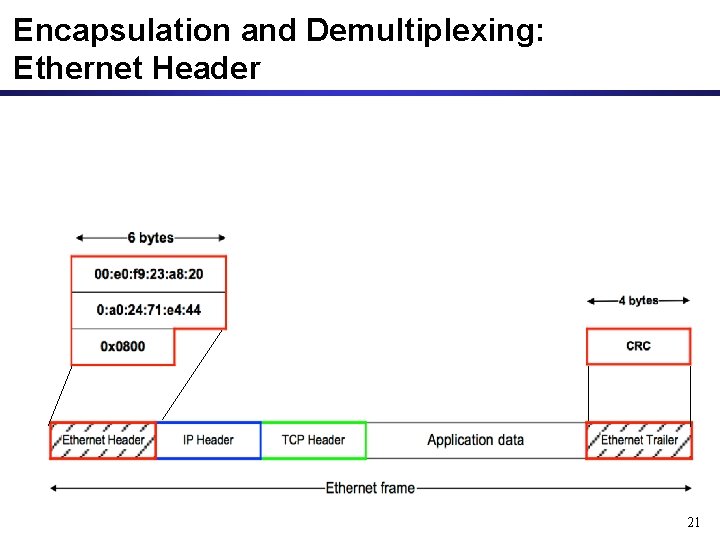
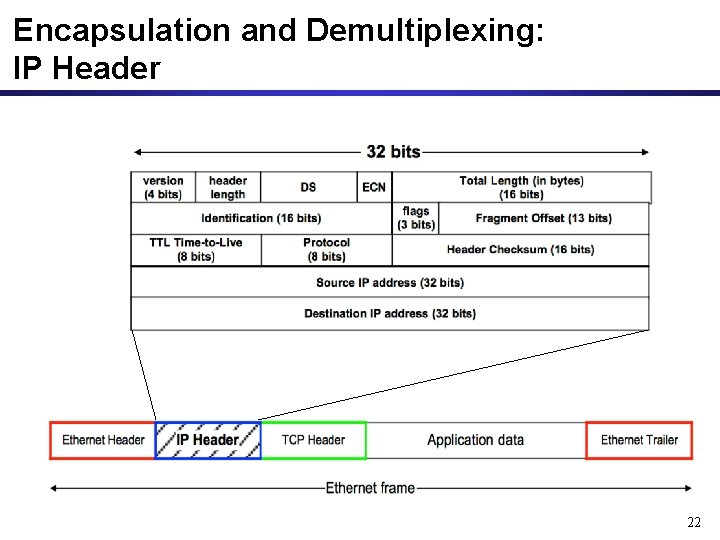
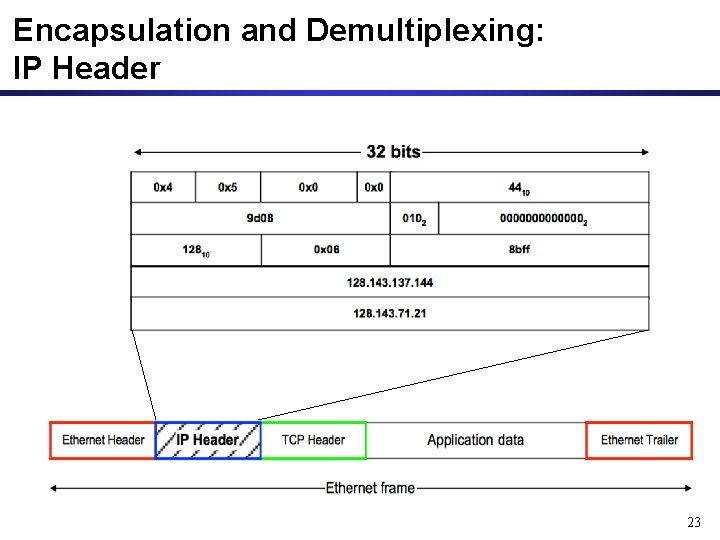
Encapsulation and Demultiplexing • As data is moving down the protocol stack, each protocol is adding layer-specific control information 18
Encapsulation and Demultiplexing 20
Encapsulation and Demultiplexing: Ethernet Header 21
Encapsulation and Demultiplexing: IP Header 22
Encapsulation and Demultiplexing: IP Header 23
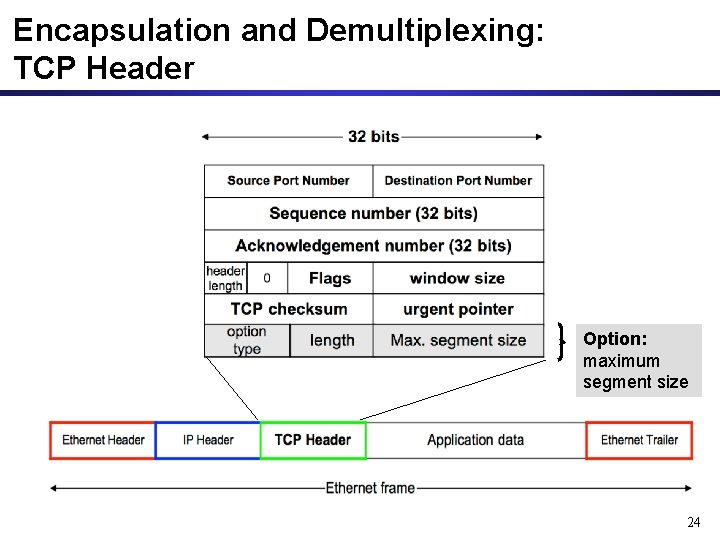
Encapsulation and Demultiplexing: TCP Header Option: maximum segment size 24
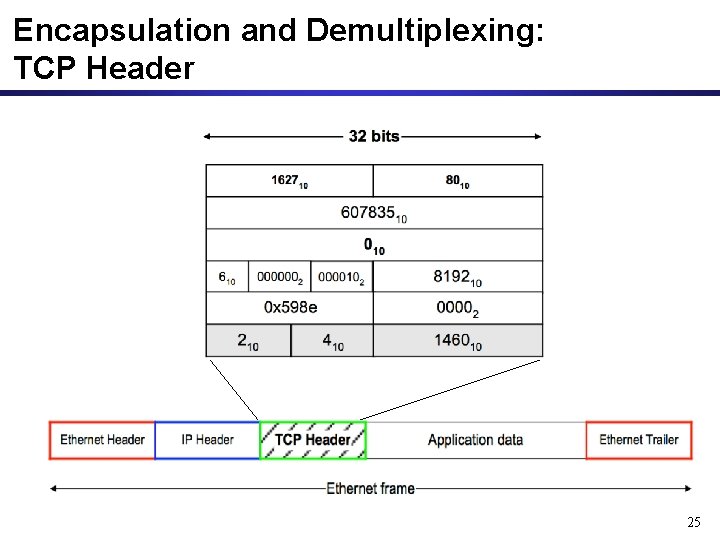
Encapsulation and Demultiplexing: TCP Header 25
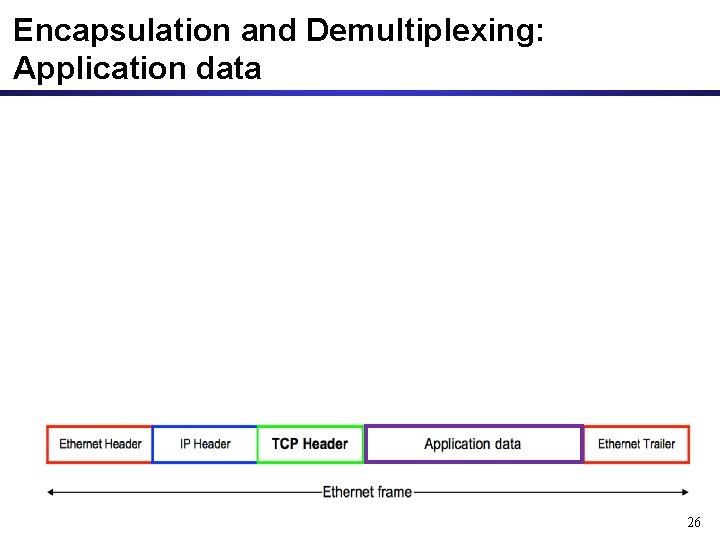
Encapsulation and Demultiplexing: Application data 26
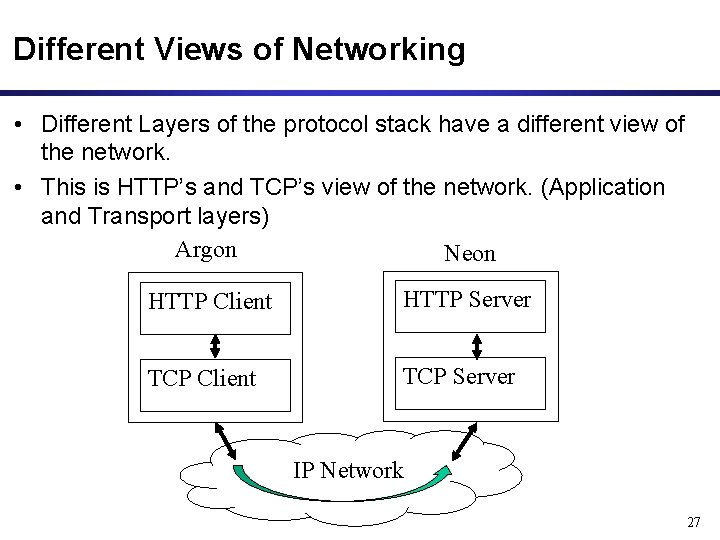
Different Views of Networking • Different Layers of the protocol stack have a different view of the network. • This is HTTP’s and TCP’s view of the network. (Application and Transport layers) Argon Neon HTTP Client HTTP Server TCP Client TCP Server IP Network 27
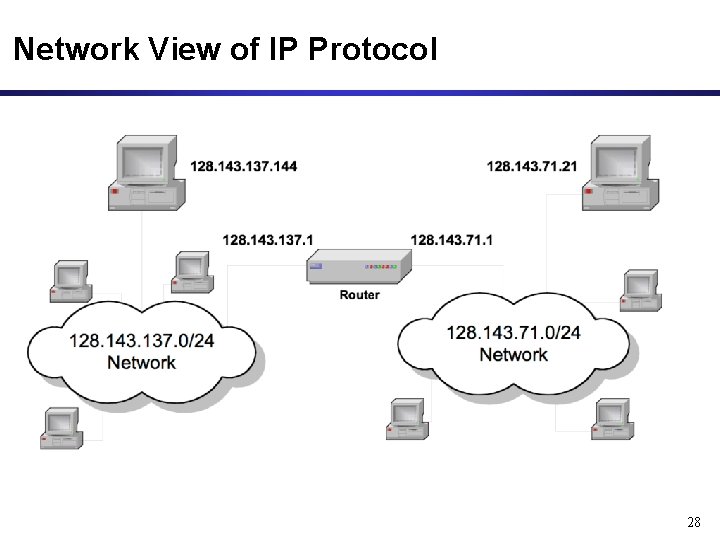
Network View of IP Protocol 28
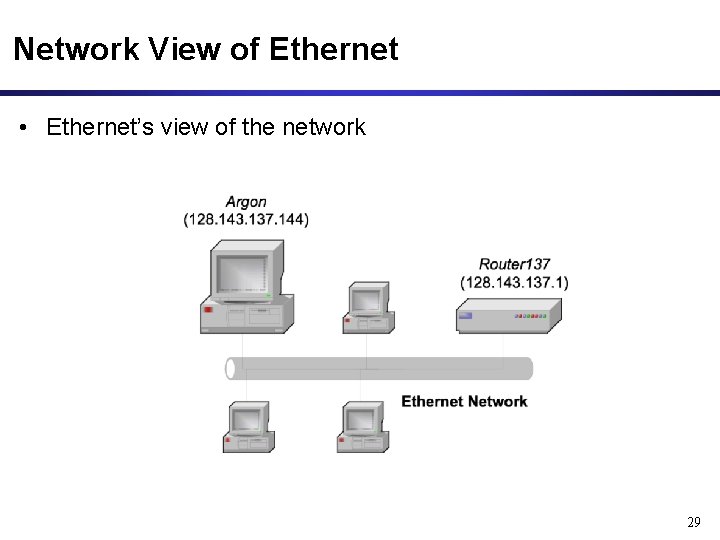
Network View of Ethernet • Ethernet’s view of the network 29