
Review of Important Networking Concepts Introductory material This



- Slides: 30
Review of Important Networking Concepts Introductory material. This module uses the example from the previous module to review important networking concepts: protocol architecture, protocol layers, encapsulation, demultiplexing, network abstractions. 1
Networking Concepts • Protocol Architecture • Protocol Layers • Encapsulation • Network Abstractions 2
Sending a packet from Argon to Neon 3
Sending a packet 128. 143. 71. 21 from Argon to Neon is not on my local network. Therefore, I need to send the packet to my 128. 143. 71. 21 on my local network. default gateway withisaddress 128. 143. 137. 1 DNS: The is IPisthe address of Therefore, I can send the packet directly. ARP: What the. IPMAC of“neon. tcpip-lab. edu ””is? of address 128. 143. 137. 1? ARP: Theof. MAC address 128. 143. 71. 21 128. 143. 137. 1 is 00: e 0: f 9: 23: a 8: 20 ARP: What is the MAC ARP: Theof. MAC address of address 128. 143. 71. 21? 128. 143. 137. 1 is 00: 20: af: 03: 98: 28 frame 4
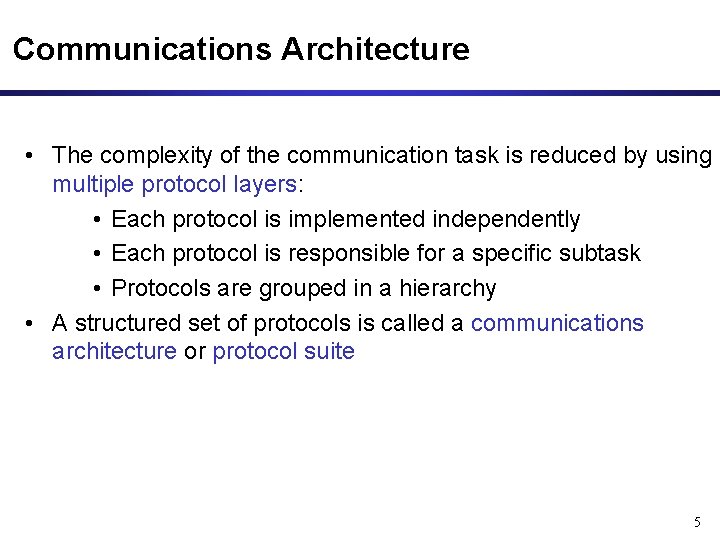
Communications Architecture • The complexity of the communication task is reduced by using multiple protocol layers: • Each protocol is implemented independently • Each protocol is responsible for a specific subtask • Protocols are grouped in a hierarchy • A structured set of protocols is called a communications architecture or protocol suite 5
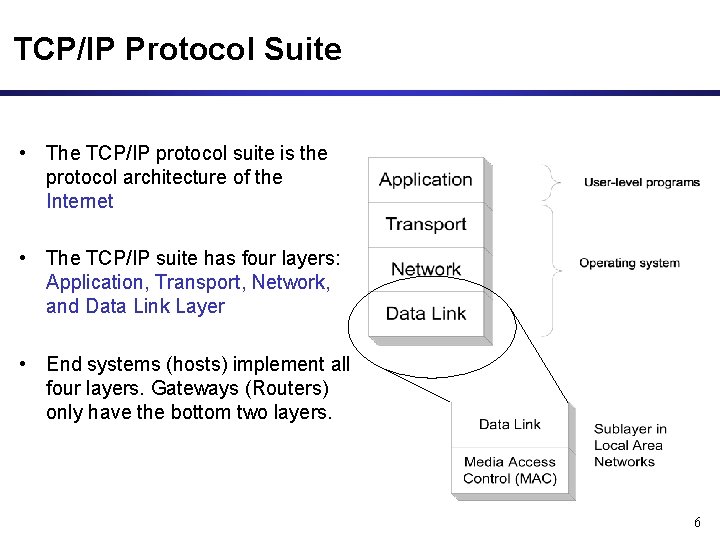
TCP/IP Protocol Suite • The TCP/IP protocol suite is the protocol architecture of the Internet • The TCP/IP suite has four layers: Application, Transport, Network, and Data Link Layer • End systems (hosts) implement all four layers. Gateways (Routers) only have the bottom two layers. 6
Functions of the Layers • Data Link Layer: – Service: Reliable transfer of frames over a link Media Access Control on a LAN – Functions: Framing, media access control, error checking • Network Layer: – Service: Move packets from source host to destination host – Functions: Routing, addressing • Transport Layer: – Service: Delivery of data between hosts – Functions: Connection establishment/termination, error control, flow control • Application Layer: – Service: Application specific (delivery of email, retrieval of HTML documents, reliable transfer of file) – Functions: Application specific 7
TCP/IP Suite and OSI Reference Model The TCP/IP protocol stack does not define the lower layers of a complete protocol stack 8
Assignment of Protocols to Layers 9
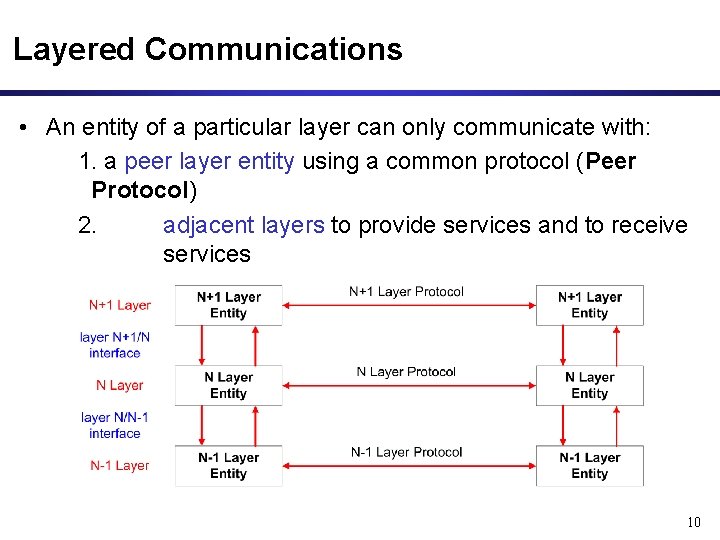
Layered Communications • An entity of a particular layer can only communicate with: 1. a peer layer entity using a common protocol (Peer Protocol) 2. adjacent layers to provide services and to receive services 10
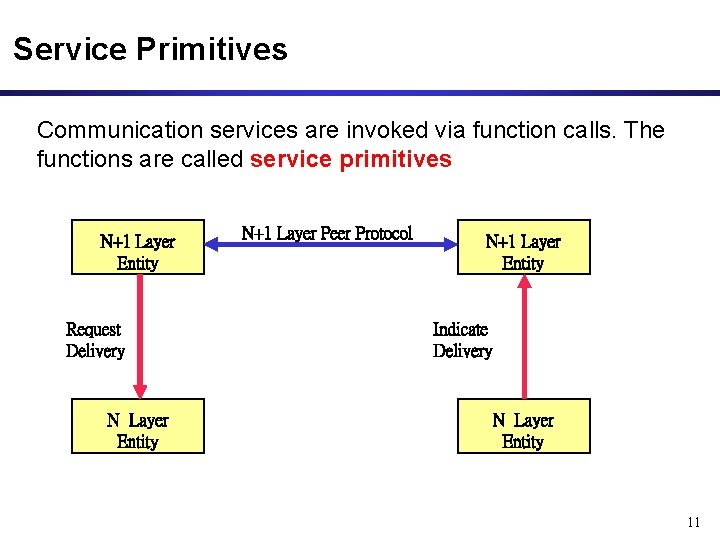
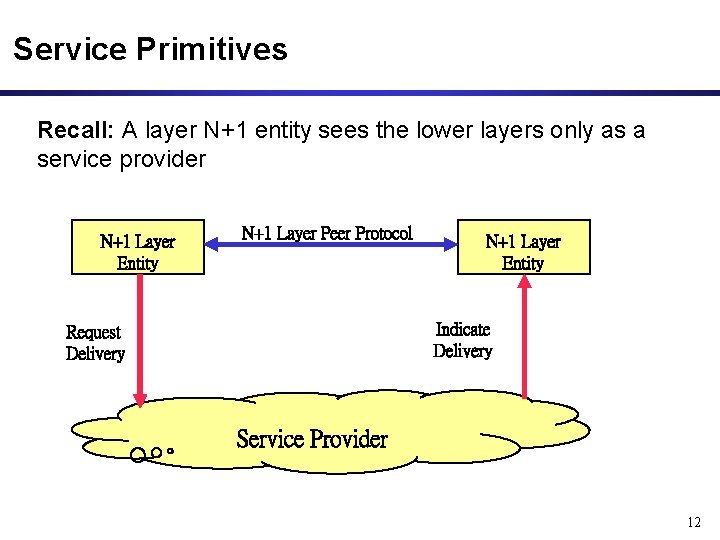
Service Primitives Communication services are invoked via function calls. The functions are called service primitives N+1 Layer Entity Request Delivery N Layer Entity N+1 Layer Peer Protocol N+1 Layer Entity Indicate Delivery N Layer Entity 11
Service Primitives Recall: A layer N+1 entity sees the lower layers only as a service provider N+1 Layer Entity N+1 Layer Peer Protocol N+1 Layer Entity Indicate Delivery Request Delivery Service Provider 12
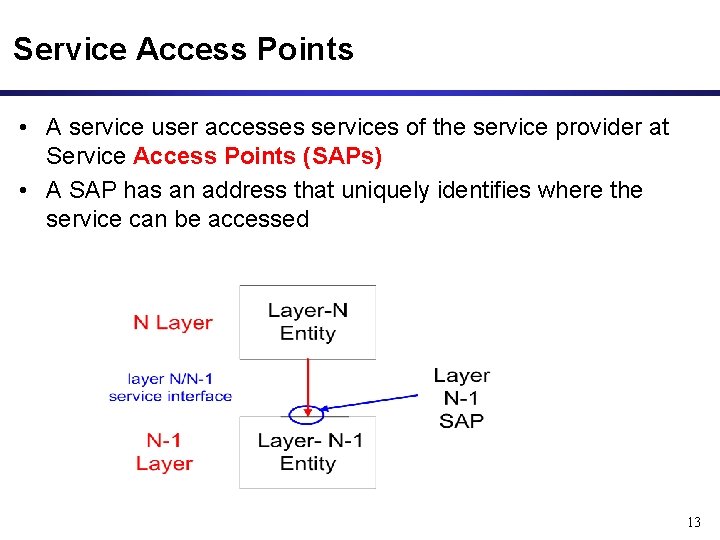
Service Access Points • A service user accesses services of the service provider at Service Access Points (SAPs) • A SAP has an address that uniquely identifies where the service can be accessed 13
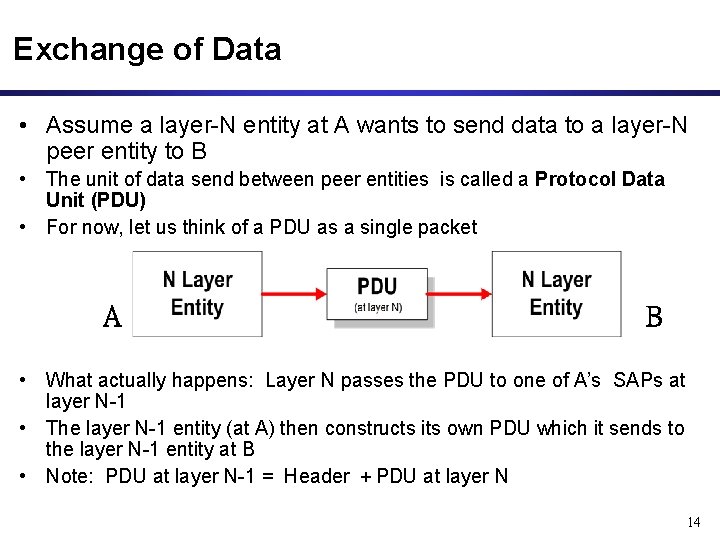
Exchange of Data • Assume a layer-N entity at A wants to send data to a layer-N peer entity to B • The unit of data send between peer entities is called a Protocol Data Unit (PDU) • For now, let us think of a PDU as a single packet A B • What actually happens: Layer N passes the PDU to one of A’s SAPs at layer N-1 • The layer N-1 entity (at A) then constructs its own PDU which it sends to the layer N-1 entity at B • Note: PDU at layer N-1 = Header + PDU at layer N 14
Exchange of Data A B 15
Layers in the Example 16
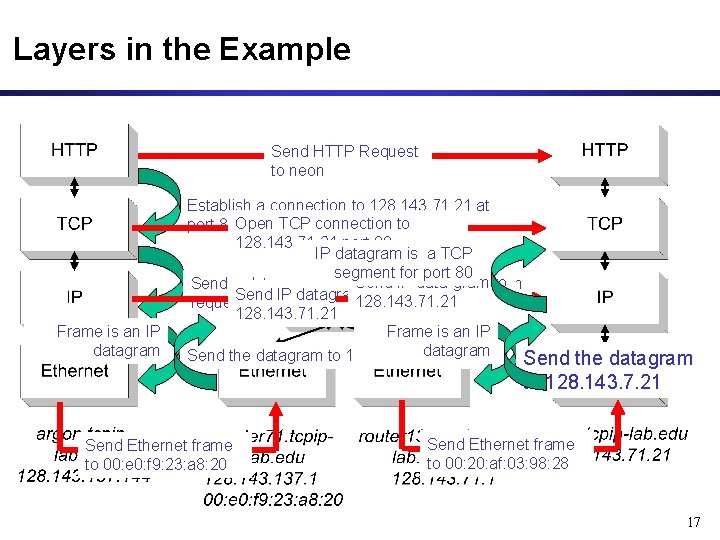
Layers in the Example Send HTTP Request to neon Frame is an IP datagram Establish a connection to 128. 143. 71. 21 at port 80 Open TCP connection to 128. 143. 71. 21 port 80 IP datagram is a TCP segment for port 80 Send IP data-gram to Send a datagram (which contains a connection Send IP datagram to 128. 143. 71. 21 request) to 128. 143. 71. 21 Frame is an IP datagram Send the datagram to 128. 143. 137. 1 Send Ethernet frame to 00: e 0: f 9: 23: a 8: 20 the datagram to 128. 143. 7. 21 Send Ethernet frame to 00: 20: af: 03: 98: 28 17
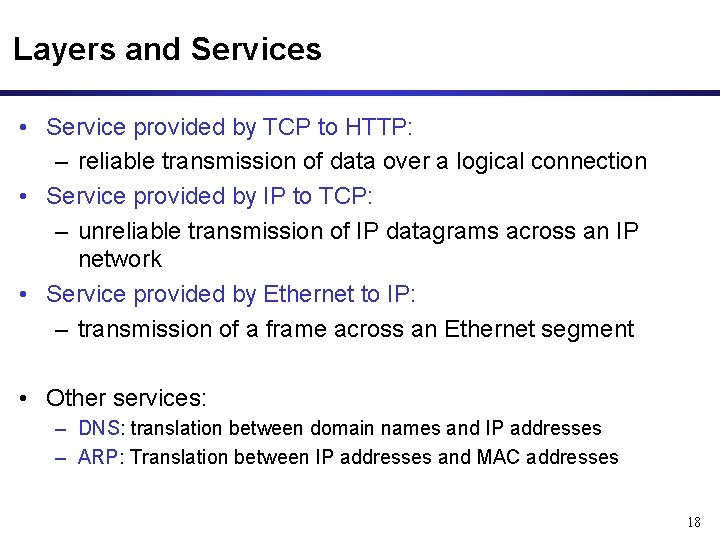
Layers and Services • Service provided by TCP to HTTP: – reliable transmission of data over a logical connection • Service provided by IP to TCP: – unreliable transmission of IP datagrams across an IP network • Service provided by Ethernet to IP: – transmission of a frame across an Ethernet segment • Other services: – DNS: translation between domain names and IP addresses – ARP: Translation between IP addresses and MAC addresses 18
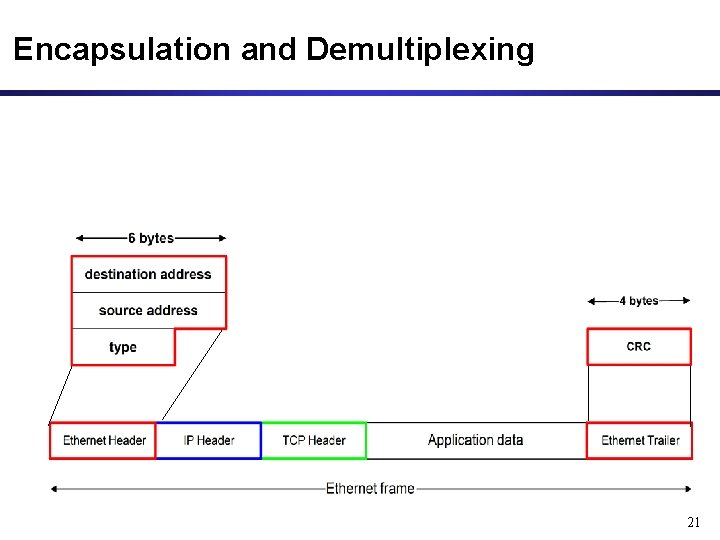
Encapsulation and Demultiplexing • As data is moving down the protocol stack, each protocol is adding layer-specific control information 19
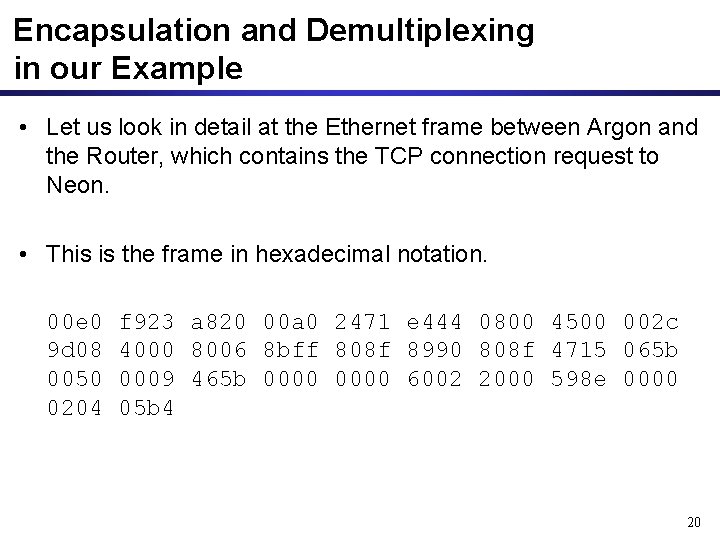
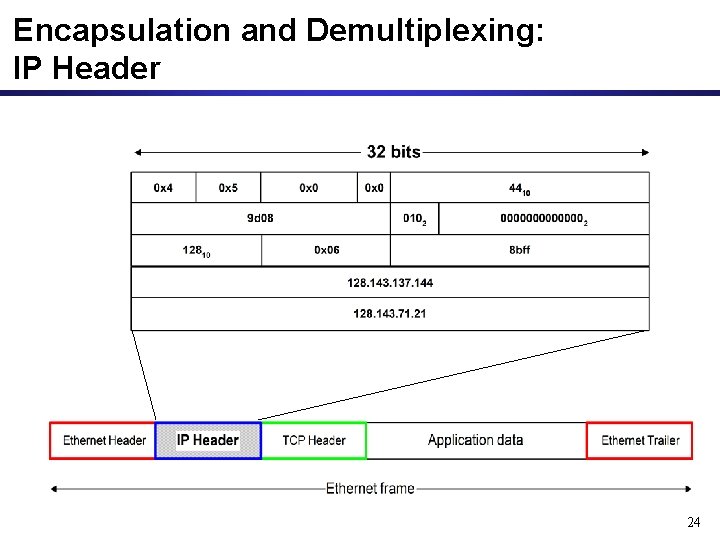
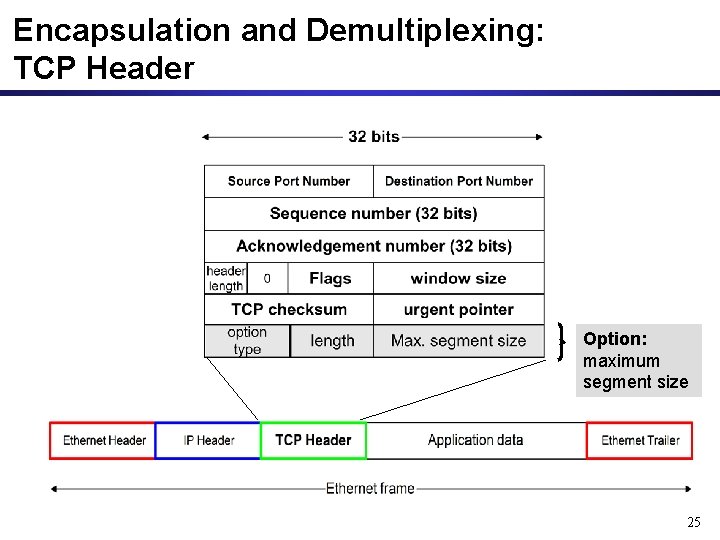
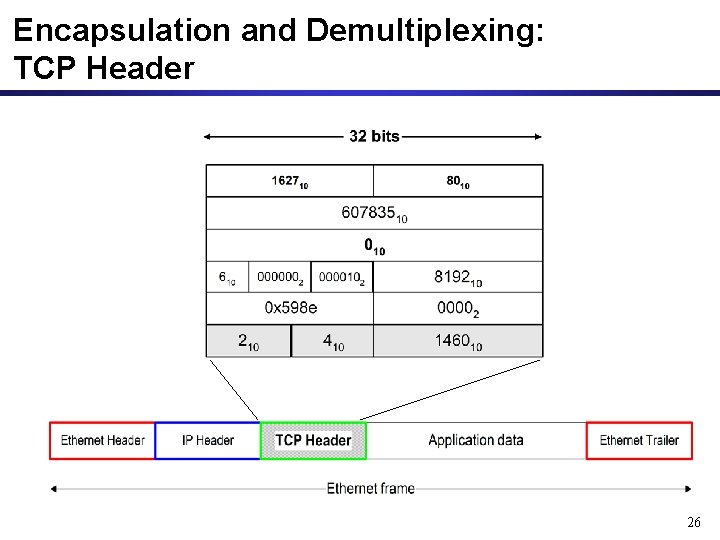
Encapsulation and Demultiplexing in our Example • Let us look in detail at the Ethernet frame between Argon and the Router, which contains the TCP connection request to Neon. • This is the frame in hexadecimal notation. 00 e 0 9 d 08 0050 0204 f 923 a 820 00 a 0 2471 e 444 0800 4500 002 c 4000 8006 8 bff 808 f 8990 808 f 4715 065 b 0009 465 b 0000 6002 2000 598 e 0000 05 b 4 20
Encapsulation and Demultiplexing 21
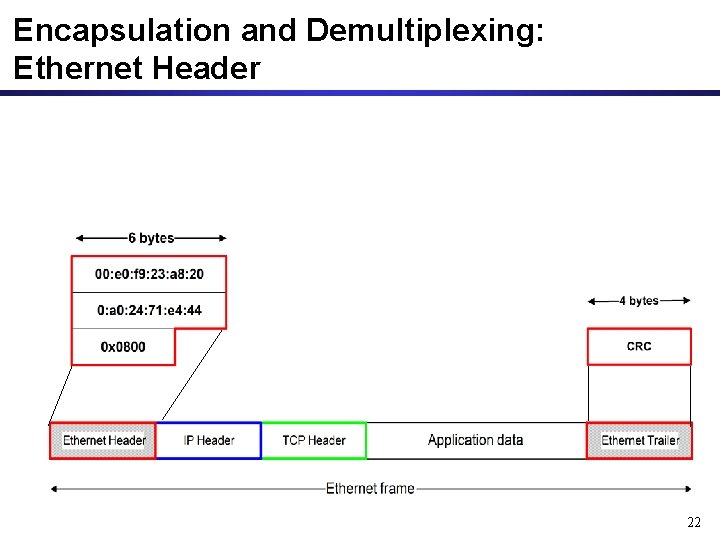
Encapsulation and Demultiplexing: Ethernet Header 22
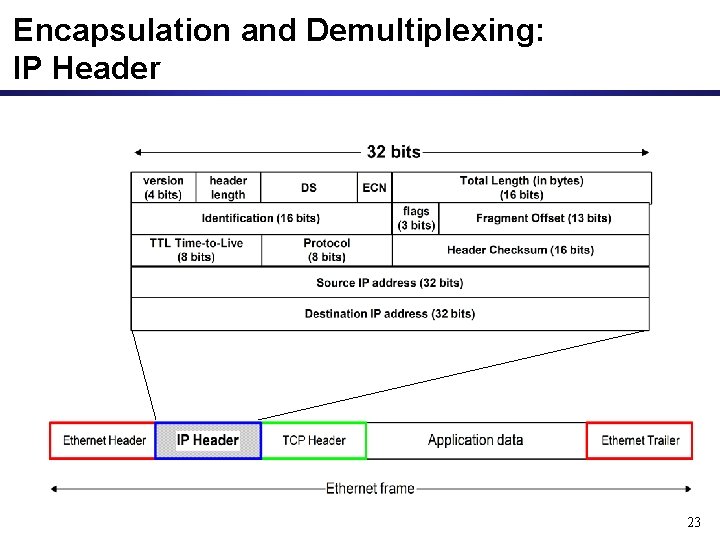
Encapsulation and Demultiplexing: IP Header 23
Encapsulation and Demultiplexing: IP Header 24
Encapsulation and Demultiplexing: TCP Header Option: maximum segment size 25
Encapsulation and Demultiplexing: TCP Header 26
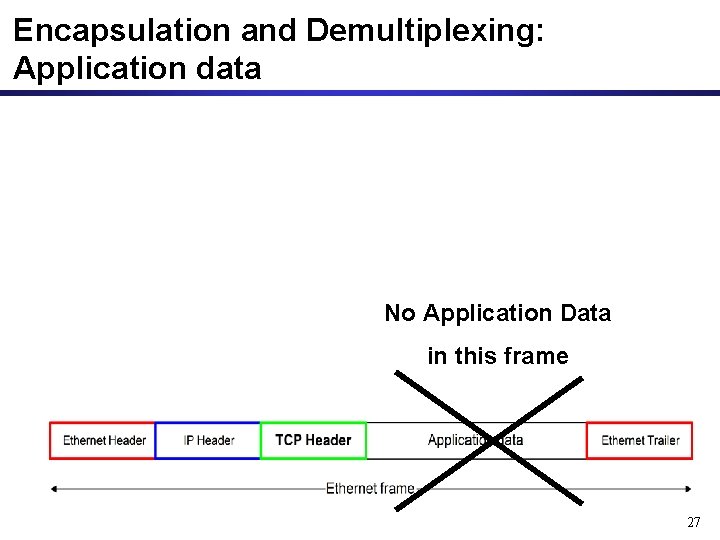
Encapsulation and Demultiplexing: Application data No Application Data in this frame 27
Different Views of Networking • Different Layers of the protocol stack have a different view of the network. This is HTTP’s and TCP’s view of the network. 28
Network View of IP Protocol 29
Network View of Ethernet • Ethernet’s view of the network 30