
Resource Sharing Request Renew Moshe Shechter Alma Product


- Slides: 14
Resource Sharing Request Renew Moshe Shechter | Alma Product Manager © 2016 Ex Libris | Confidential & Proprietary
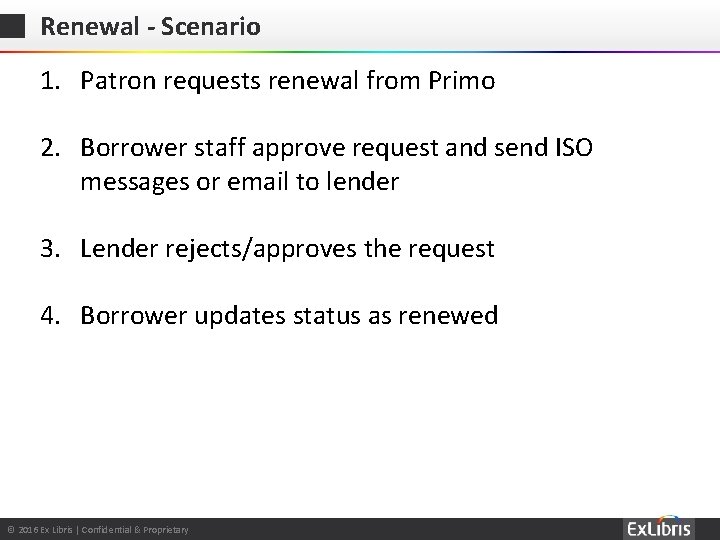
Renewal - Scenario 1. Patron requests renewal from Primo 2. Borrower staff approve request and send ISO messages or email to lender 3. Lender rejects/approves the request 4. Borrower updates status as renewed © 2016 Ex Libris | Confidential & Proprietary
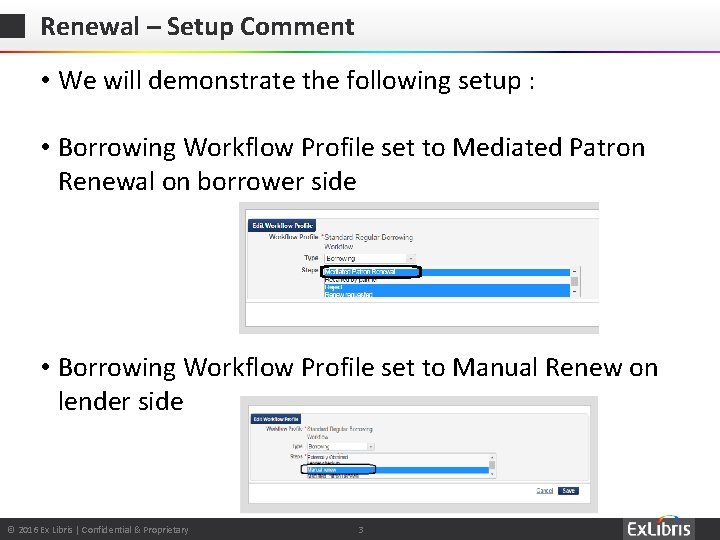
Renewal – Setup Comment • We will demonstrate the following setup : • Borrowing Workflow Profile set to Mediated Patron Renewal on borrower side • Borrowing Workflow Profile set to Manual Renew on lender side © 2016 Ex Libris | Confidential & Proprietary 3
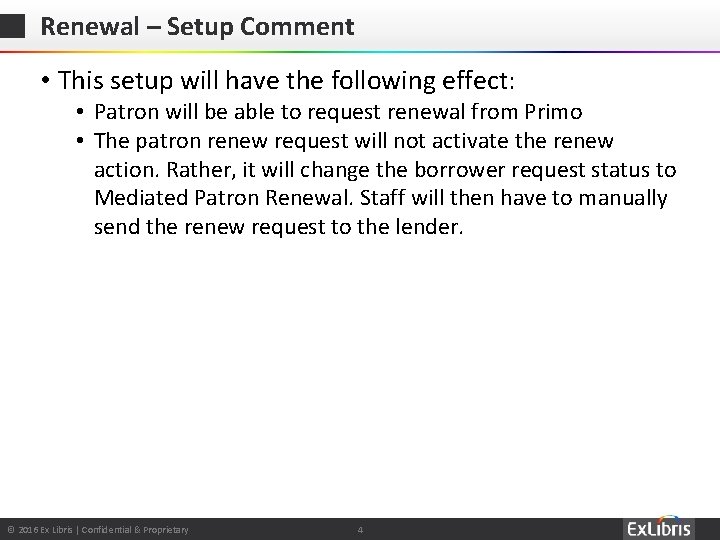
Renewal – Setup Comment • This setup will have the following effect: • Patron will be able to request renewal from Primo • The patron renew request will not activate the renew action. Rather, it will change the borrower request status to Mediated Patron Renewal. Staff will then have to manually send the renew request to the lender. © 2016 Ex Libris | Confidential & Proprietary 4
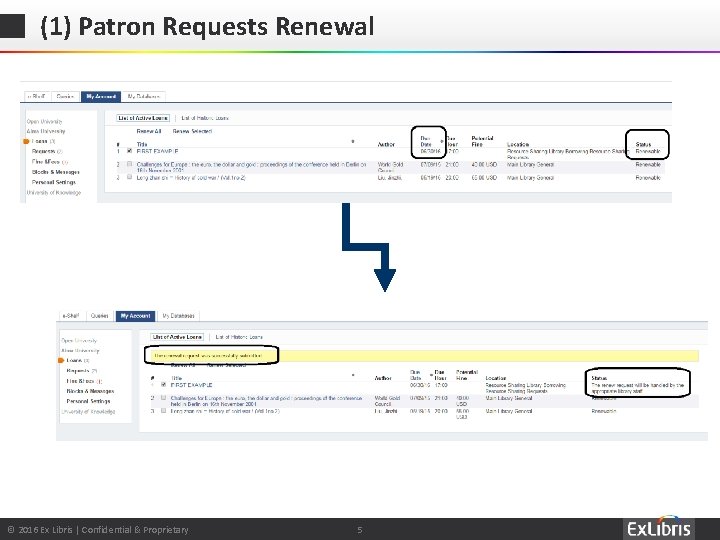
(1) Patron Requests Renewal © 2016 Ex Libris | Confidential & Proprietary 5
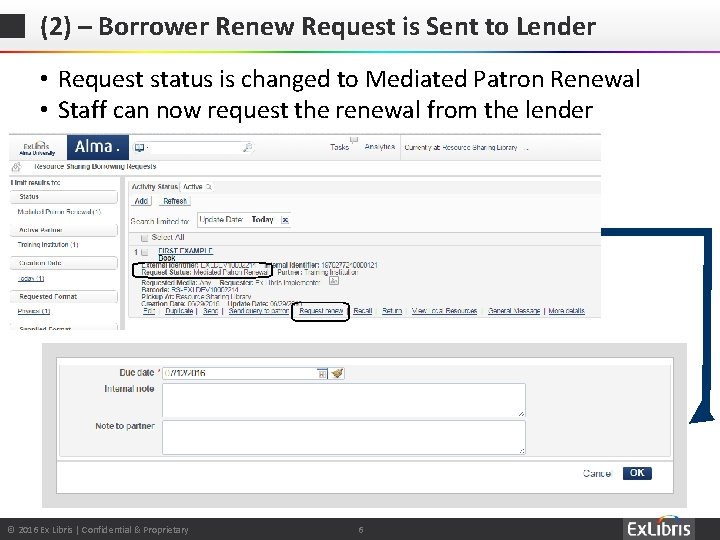
(2) – Borrower Renew Request is Sent to Lender • Request status is changed to Mediated Patron Renewal • Staff can now request the renewal from the lender © 2016 Ex Libris | Confidential & Proprietary 6
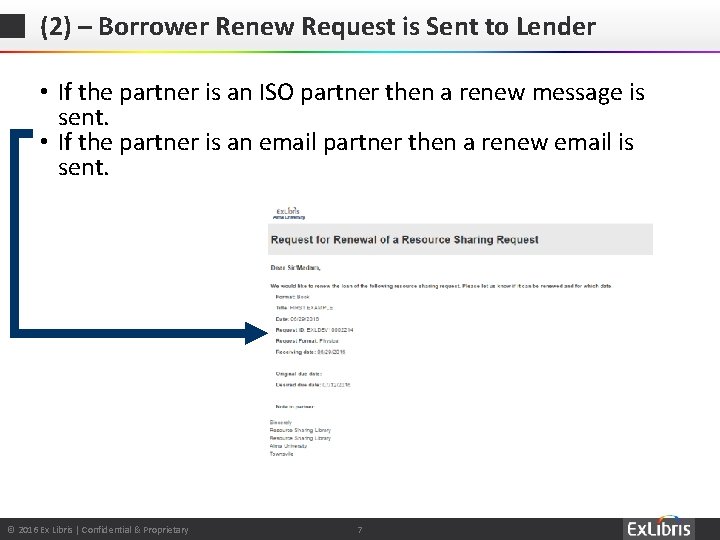
(2) – Borrower Renew Request is Sent to Lender • If the partner is an ISO partner then a renew message is sent. • If the partner is an email partner then a renew email is sent. © 2016 Ex Libris | Confidential & Proprietary 7
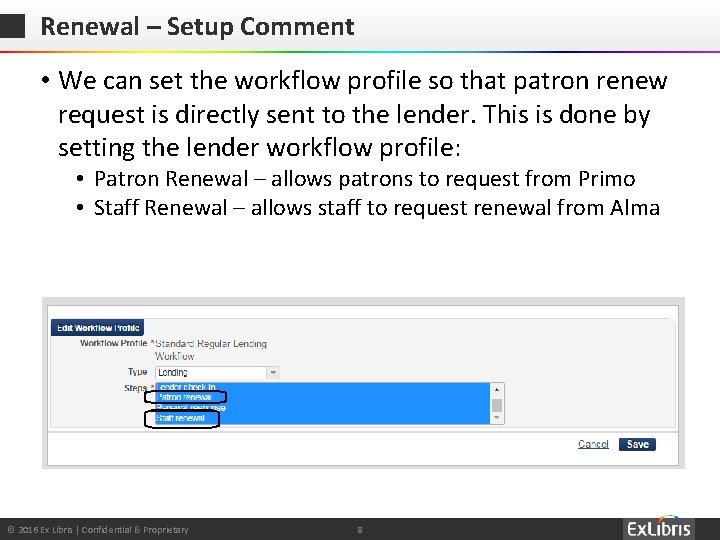
Renewal – Setup Comment • We can set the workflow profile so that patron renew request is directly sent to the lender. This is done by setting the lender workflow profile: • Patron Renewal – allows patrons to request from Primo • Staff Renewal – allows staff to request renewal from Alma © 2016 Ex Libris | Confidential & Proprietary 8
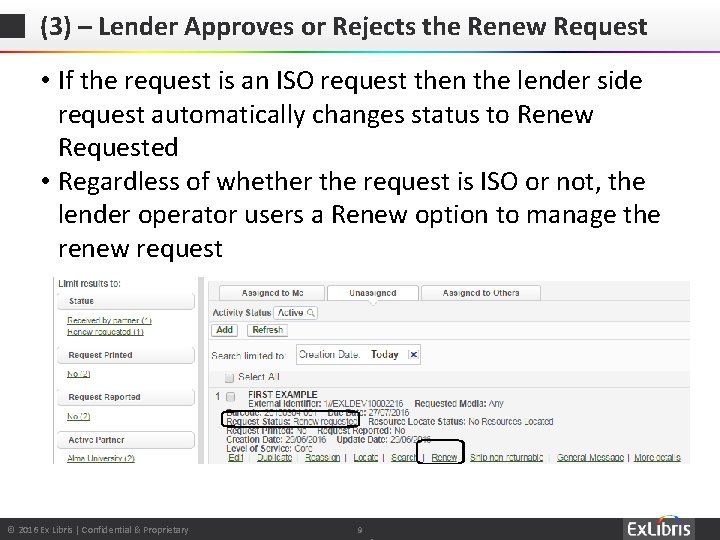
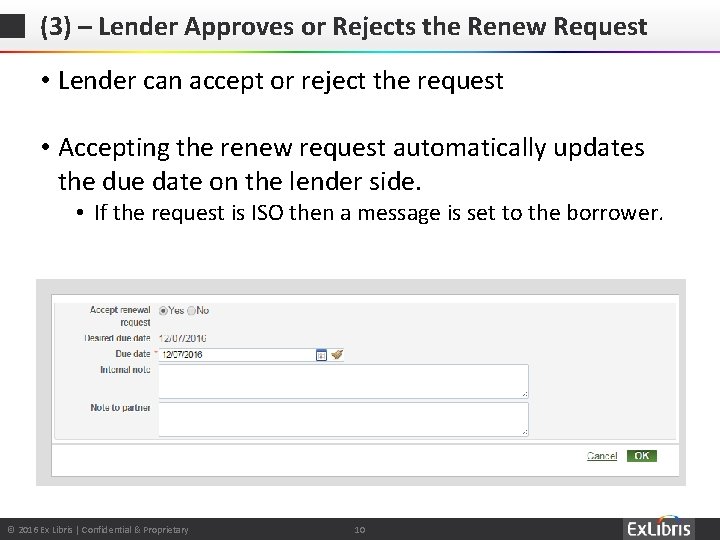
(3) – Lender Approves or Rejects the Renew Request • If the request is an ISO request then the lender side request automatically changes status to Renew Requested • Regardless of whether the request is ISO or not, the lender operator users a Renew option to manage the renew request © 2016 Ex Libris | Confidential & Proprietary 9
(3) – Lender Approves or Rejects the Renew Request • Lender can accept or reject the request • Accepting the renew request automatically updates the due date on the lender side. • If the request is ISO then a message is set to the borrower. © 2016 Ex Libris | Confidential & Proprietary 10
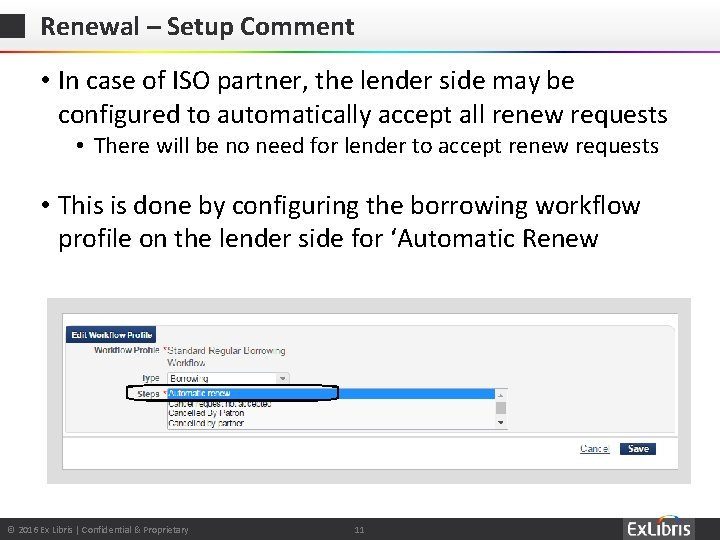
Renewal – Setup Comment • In case of ISO partner, the lender side may be configured to automatically accept all renew requests • There will be no need for lender to accept renew requests • This is done by configuring the borrowing workflow profile on the lender side for ‘Automatic Renew © 2016 Ex Libris | Confidential & Proprietary 11
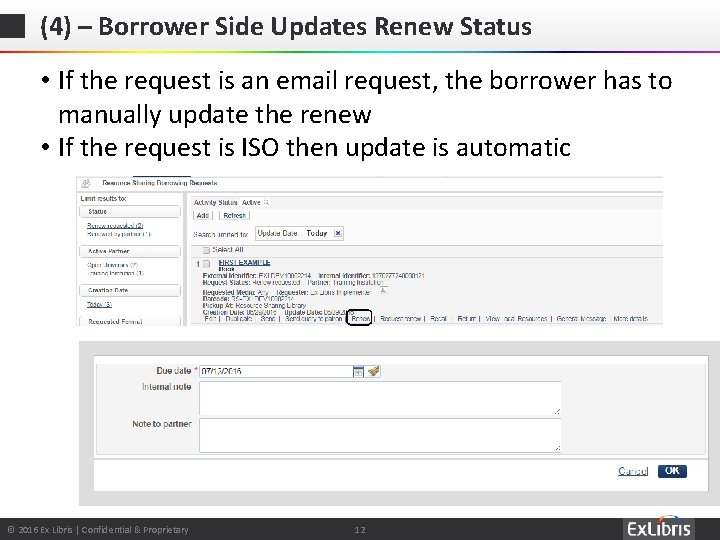
(4) – Borrower Side Updates Renew Status • If the request is an email request, the borrower has to manually update the renew • If the request is ISO then update is automatic © 2016 Ex Libris | Confidential & Proprietary 12
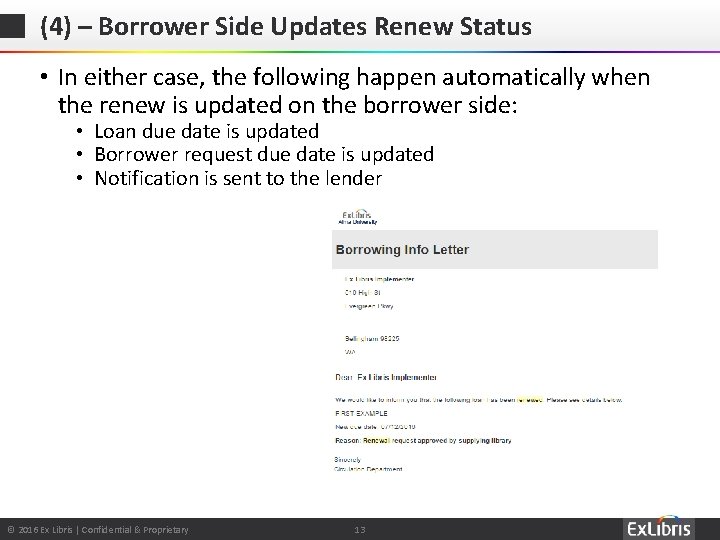
(4) – Borrower Side Updates Renew Status • In either case, the following happen automatically when the renew is updated on the borrower side: • Loan due date is updated • Borrower request due date is updated • Notification is sent to the lender © 2016 Ex Libris | Confidential & Proprietary 13
Thank You Moshe. shechter@exlibrisgroup. com © 2016 Ex Libris | Confidential & Proprietary 14