
Research Methodology Programming in Matlab Introduction to Matlab
Research Methodology Programming in Matlab Introduction to Matlab Vlachopoulos Georgios Lecturer of Computer Science and Informatics Technological Institute of Patras, Department of Optometry, Branch of Egion Lecturer of Biostatistics Technological Institute of Patras, Department of Physiotherapy, Branch of Egion
Introduction to Matlab � What is Matlab? ◦ Matlab is a programming language that includes built-in mathematical functions fundamental to solving engineering and scientific problems, and an interactive environment ideal for iterative exploration, design, and problem solving. Vlachopoulos Georgios
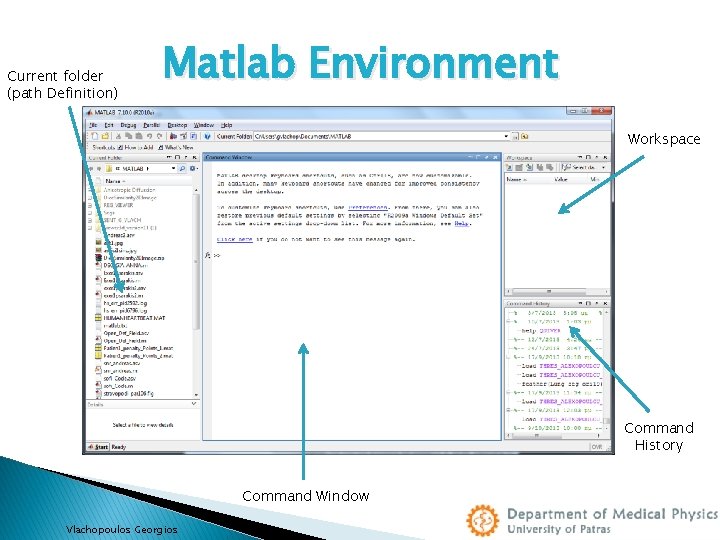
Current folder (path Definition) Matlab Environment Workspace Command History Command Window Vlachopoulos Georgios
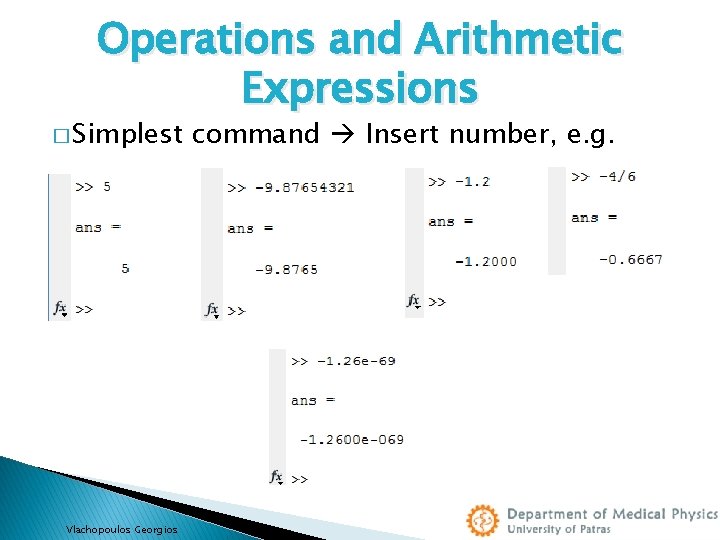
Operations and Arithmetic Expressions � Simplest Vlachopoulos Georgios command Insert number, e. g.
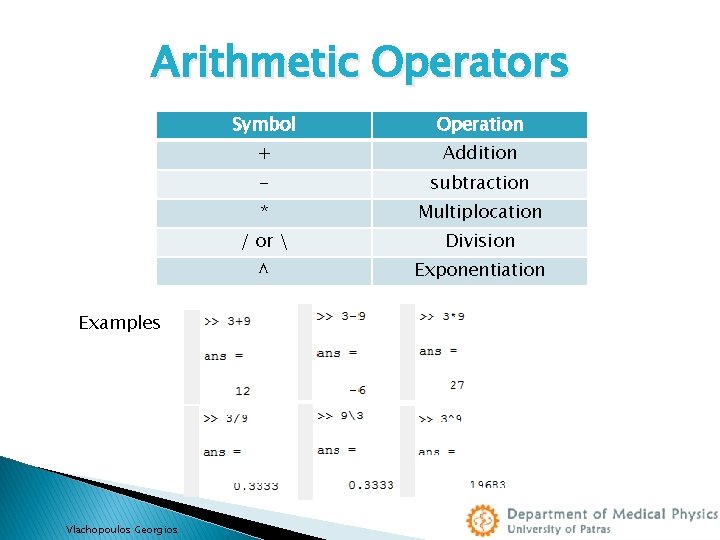
Arithmetic Operators Examples Vlachopoulos Georgios Symbol Operation + Addition - subtraction * Multiplocation / or Division ^ Exponentiation
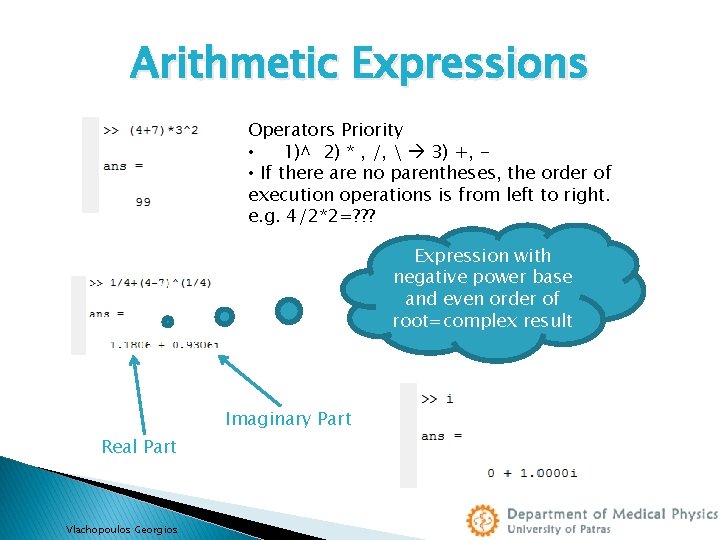
Arithmetic Expressions Operators Priority • 1)^ 2) * , /, 3) +, • If there are no parentheses, the order of execution operations is from left to right. e. g. 4/2*2=? ? ? Expression with negative power base and even order of root=complex result Imaginary Part Real Part Vlachopoulos Georgios
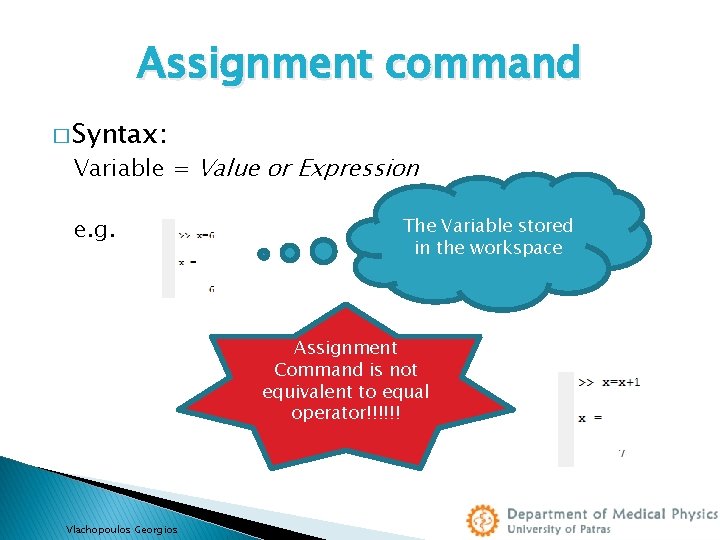
Assignment command � Syntax: Variable = Value or Expression e. g. The Variable stored in the workspace Assignment Command is not equivalent to equal operator!!!!!! Vlachopoulos Georgios
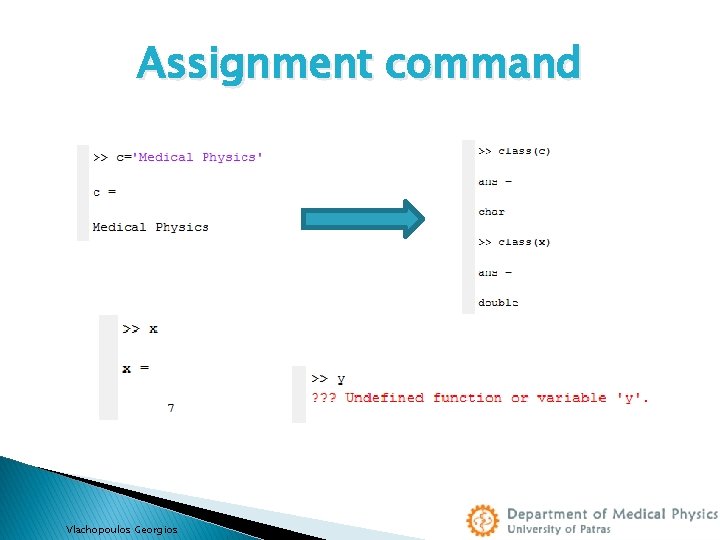
Assignment command Vlachopoulos Georgios
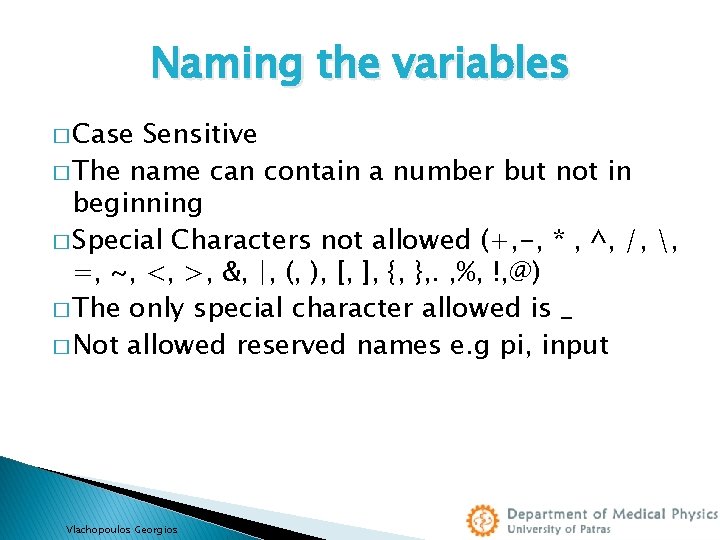
Naming the variables � Case Sensitive � The name can contain a number but not in beginning � Special Characters not allowed (+, -, * , ^, /, , =, ~, <, >, &, |, (, ), [, ], {, }, . , %, !, @) � The only special character allowed is _ � Not allowed reserved names e. g pi, input Vlachopoulos Georgios
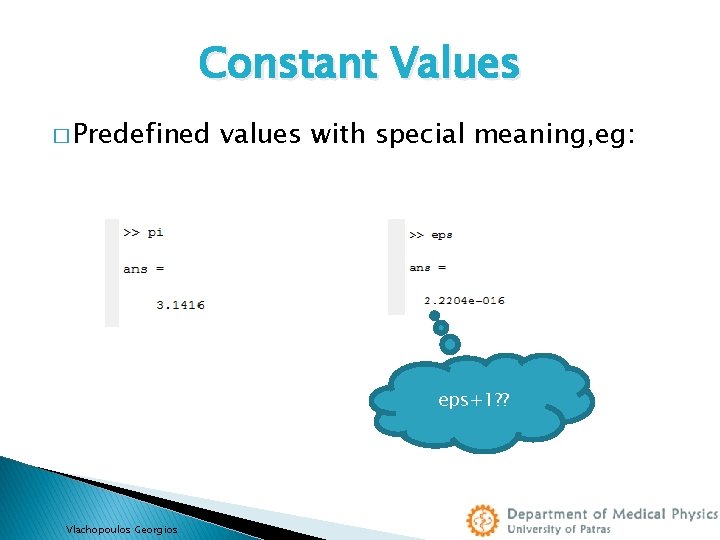
Constant Values � Predefined values with special meaning, eg: eps+1? ? Vlachopoulos Georgios
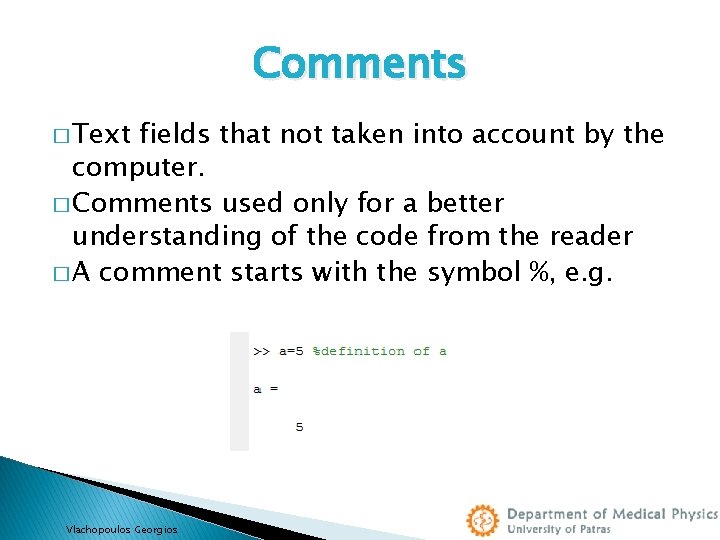
Comments � Text fields that not taken into account by the computer. � Comments used only for a better understanding of the code from the reader � A comment starts with the symbol %, e. g. Vlachopoulos Georgios
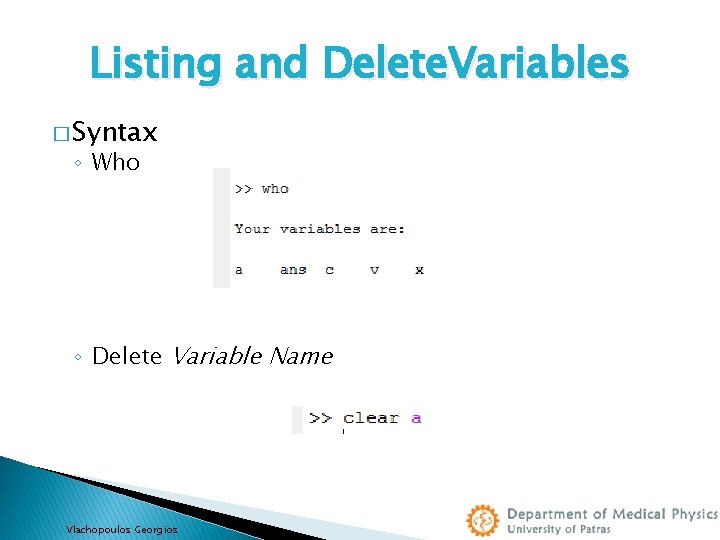
Listing and Delete. Variables � Syntax ◦ Who ◦ Delete Variable Name Vlachopoulos Georgios
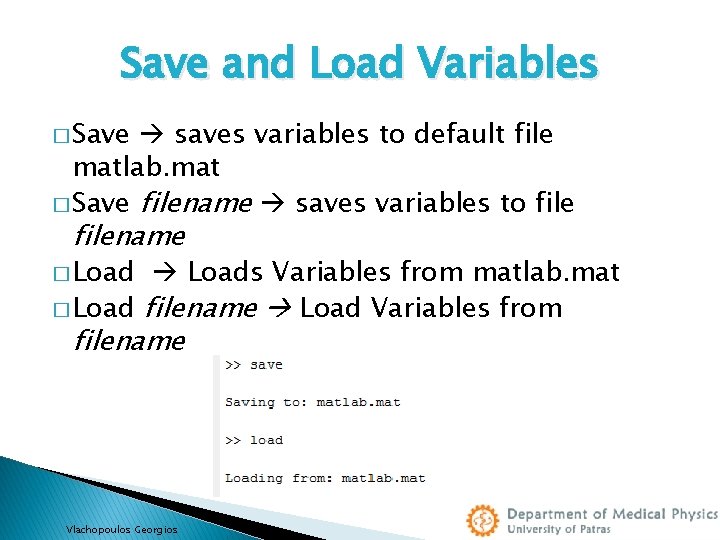
Save and Load Variables � Save saves variables to default file matlab. mat � Save filename saves variables to filename � Loads Variables from matlab. mat � Load filename Load Variables from filename Vlachopoulos Georgios
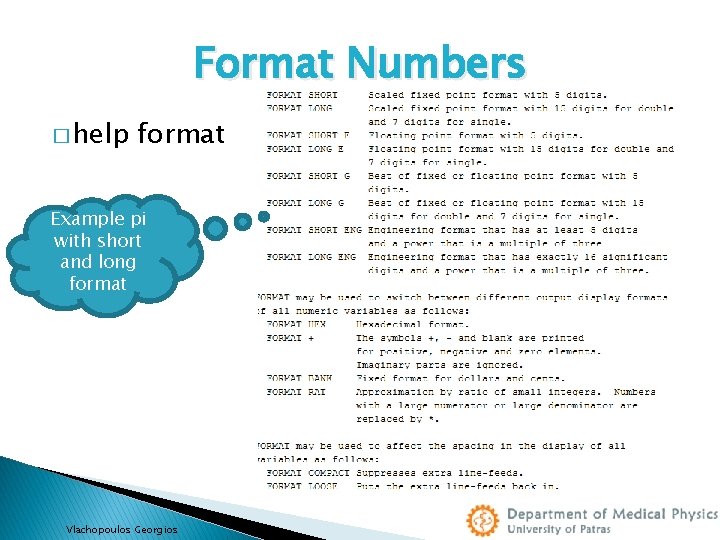
Format Numbers � help format Example pi with short and long format Vlachopoulos Georgios
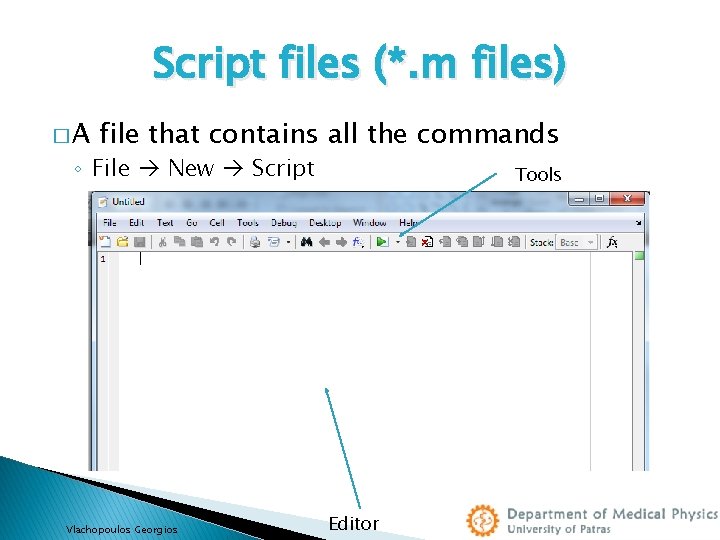
Script files (*. m files) �A file that contains all the commands ◦ File New Script Vlachopoulos Georgios Tools Editor
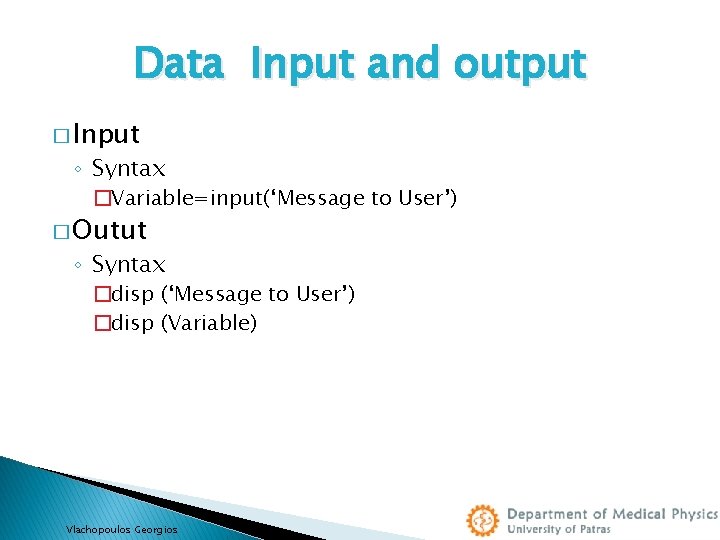
Data Input and output � Input ◦ Syntax �Variable=input(‘Message to User’) � Outut ◦ Syntax �disp (‘Message to User’) �disp (Variable) Vlachopoulos Georgios
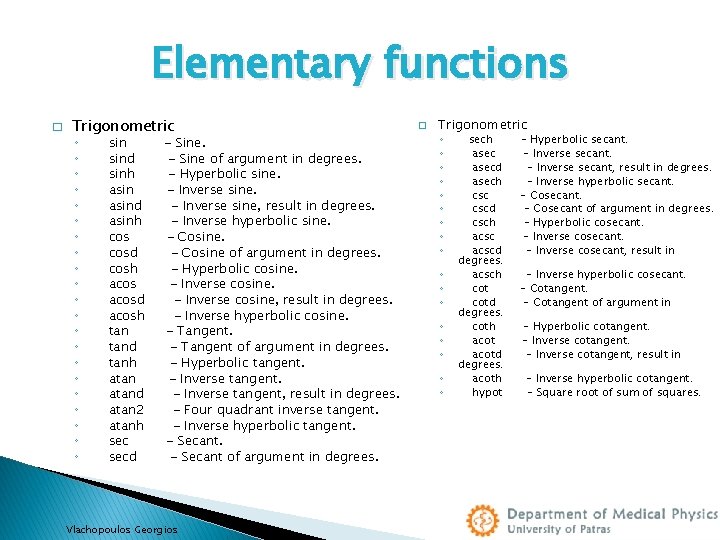
Elementary functions � Trigonometric ◦ ◦ ◦ ◦ ◦ ◦ sind sinh asind asinh cosd cosh acosd acosh tand tanh atand atan 2 atanh secd - Sine of argument in degrees. - Hyperbolic sine. - Inverse sine, result in degrees. - Inverse hyperbolic sine. - Cosine of argument in degrees. - Hyperbolic cosine. - Inverse cosine, result in degrees. - Inverse hyperbolic cosine. - Tangent of argument in degrees. - Hyperbolic tangent. - Inverse tangent, result in degrees. - Four quadrant inverse tangent. - Inverse hyperbolic tangent. - Secant of argument in degrees. Vlachopoulos Georgios � Trigonometric ◦ ◦ ◦ ◦ ◦ sech asecd asech cscd csch acscd degrees. acsch cotd degrees. coth acotd degrees. acoth hypot - Hyperbolic secant. - Inverse secant, result in degrees. - Inverse hyperbolic secant. - Cosecant of argument in degrees. - Hyperbolic cosecant. - Inverse cosecant, result in - Inverse hyperbolic cosecant. - Cotangent of argument in - Hyperbolic cotangent. - Inverse cotangent, result in - Inverse hyperbolic cotangent. - Square root of sum of squares.
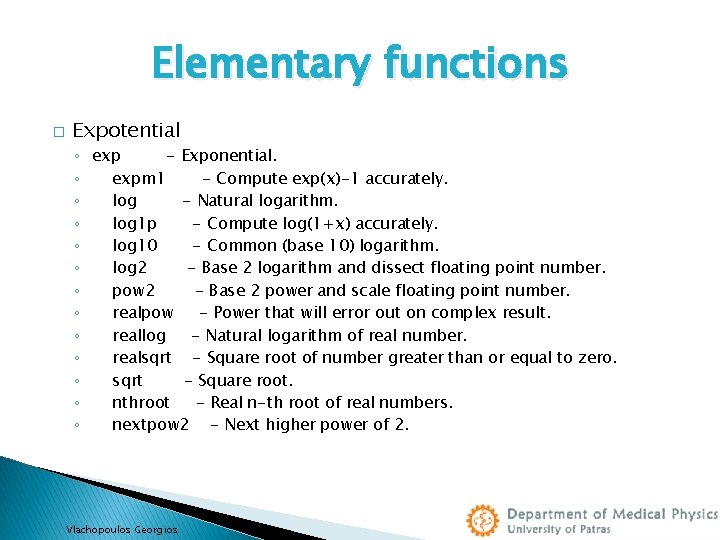
Elementary functions � Expotential ◦ exp - Exponential. ◦ expm 1 - Compute exp(x)-1 accurately. ◦ log - Natural logarithm. ◦ log 1 p - Compute log(1+x) accurately. ◦ log 10 - Common (base 10) logarithm. ◦ log 2 - Base 2 logarithm and dissect floating point number. ◦ pow 2 - Base 2 power and scale floating point number. ◦ realpow - Power that will error out on complex result. ◦ reallog - Natural logarithm of real number. ◦ realsqrt - Square root of number greater than or equal to zero. ◦ sqrt - Square root. ◦ nthroot - Real n-th root of real numbers. ◦ nextpow 2 - Next higher power of 2. Vlachopoulos Georgios
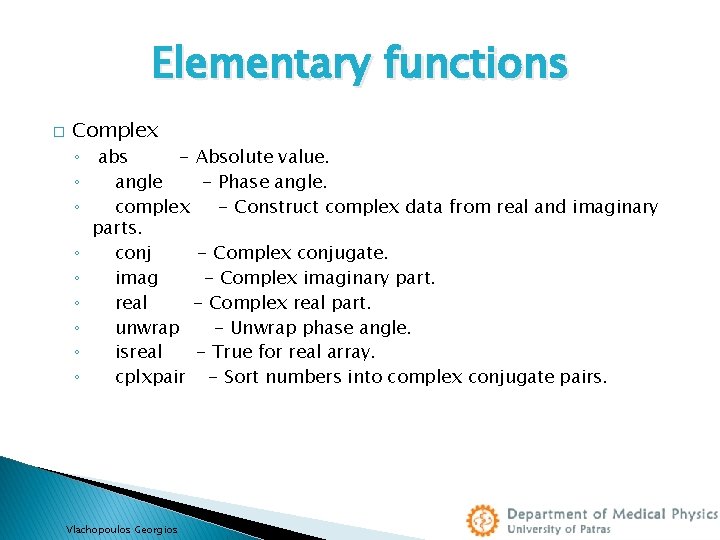
Elementary functions � Complex ◦ abs - Absolute value. ◦ angle - Phase angle. ◦ complex - Construct complex data from real and imaginary parts. ◦ conj - Complex conjugate. ◦ imag - Complex imaginary part. ◦ real - Complex real part. ◦ unwrap - Unwrap phase angle. ◦ isreal - True for real array. ◦ cplxpair - Sort numbers into complex conjugate pairs. Vlachopoulos Georgios
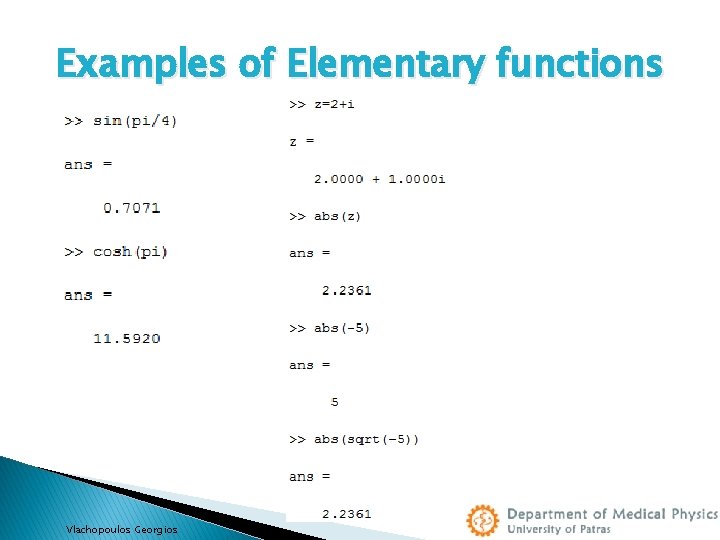
Examples of Elementary functions Vlachopoulos Georgios
![� Syntax Functions function[Output Variables]=Function Name(Input Variable) � Examlple 1 function[area]=trapezoid_area(b 1, b 2,](http://slidetodoc.com/presentation_image/4ca7c712ab11de03a6602bd0a13edbb7/image-21.jpg "� Syntax Functions function[Output Variables]=Function Name(Input Variable) � Examlple 1 function[area]=trapezoid_area(b 1, b 2,")
� Syntax Functions function[Output Variables]=Function Name(Input Variable) � Examlple 1 function[area]=trapezoid_area(b 1, b 2, h) % traparea(a, b, h) Computes the area of a trapezoid given % the dimensions a, b and h, where a and b % are the lengths of the parallel sides and % h is the distance between these sides % Compute the area, but suppress printing of the result area = 0. 5*(b 1+b 2)*h; Vlachopoulos Georgios
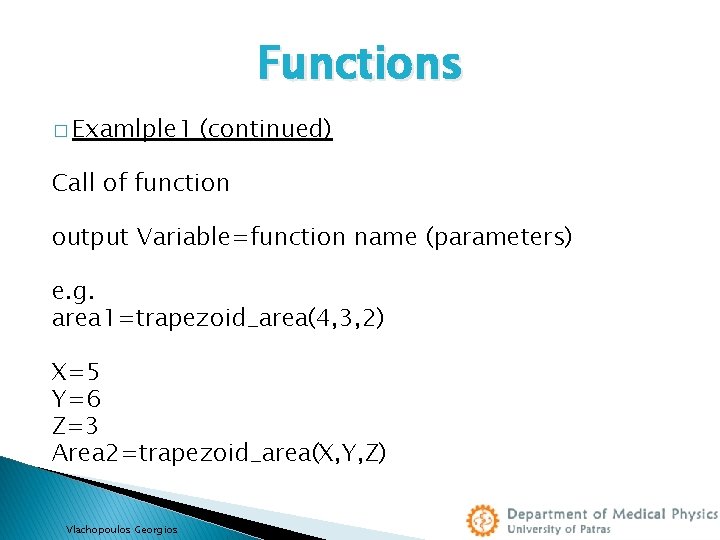
Functions � Examlple 1 (continued) Call of function output Variable=function name (parameters) e. g. area 1=trapezoid_area(4, 3, 2) X=5 Y=6 Z=3 Area 2=trapezoid_area(X, Y, Z) Vlachopoulos Georgios
![Functions � Example 2 function[area, per, diam]=circle(r) % circle(r) Computes the area, the perimeter](http://slidetodoc.com/presentation_image/4ca7c712ab11de03a6602bd0a13edbb7/image-23.jpg "Functions � Example 2 function[area, per, diam]=circle(r) % circle(r) Computes the area, the perimeter")
Functions � Example 2 function[area, per, diam]=circle(r) % circle(r) Computes the area, the perimeter and % the diameter of a circle given % the radius r, where area is the area, per the perimeter and diam % the diameter of the circle area=pi*r^2; per=2*pi*r; diam=2*r; Vlachopoulos Georgios
![Functions [area 1, per 1, diam 1]=circle(5) [area 2, per 2, diam 2]=circle(57) Vlachopoulos](http://slidetodoc.com/presentation_image/4ca7c712ab11de03a6602bd0a13edbb7/image-24.jpg "Functions [area 1, per 1, diam 1]=circle(5) [area 2, per 2, diam 2]=circle(57) Vlachopoulos")
Functions [area 1, per 1, diam 1]=circle(5) [area 2, per 2, diam 2]=circle(57) Vlachopoulos Georgios

Exercises Vlachopoulos Georgios
- Slides: 25