
Requirements Determination What is a Requirement n n
- Slides: 42
Requirements Determination
What is a Requirement? n n A statement of what the system must do A statement of characteristics the system must have Focus is on business user needs during analysis phase Requirements will change over time as project moves from analysis to design to implementation
Requirement Types n Functional Requirements • A process the system hast to perform • Information the system must contain n Nonfunctional Requirements • Behavioral properties the system must have Operational n Performance n Security n Cultural and political n
Documenting Requirements n Requirements definition report • Text document listing requirements in outline form • Priorities may be included n Key purpose is to define the project scope: what is and is not to be included.
Determining Requirements n n Participation by business users is essential Three techniques help users discover their needs for the new system: • Business Process Automation (BPA) • Business Process Improvement (BPI) • Business Process Reengineering (BPR)
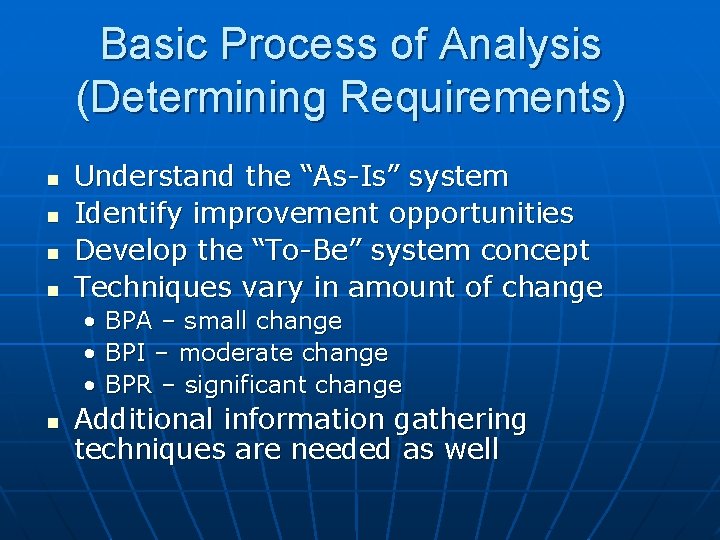
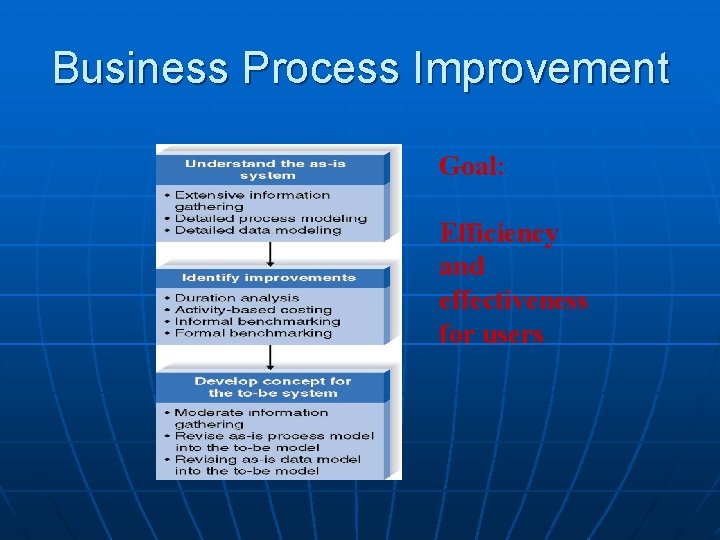
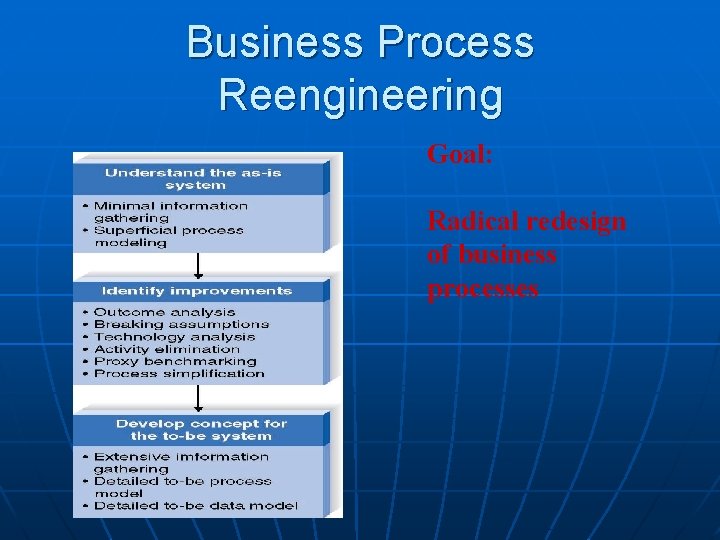
Basic Process of Analysis (Determining Requirements) n n Understand the “As-Is” system Identify improvement opportunities Develop the “To-Be” system concept Techniques vary in amount of change • BPA – small change • BPI – moderate change • BPR – significant change n Additional information gathering techniques are needed as well
Requirements Analysis Techniques
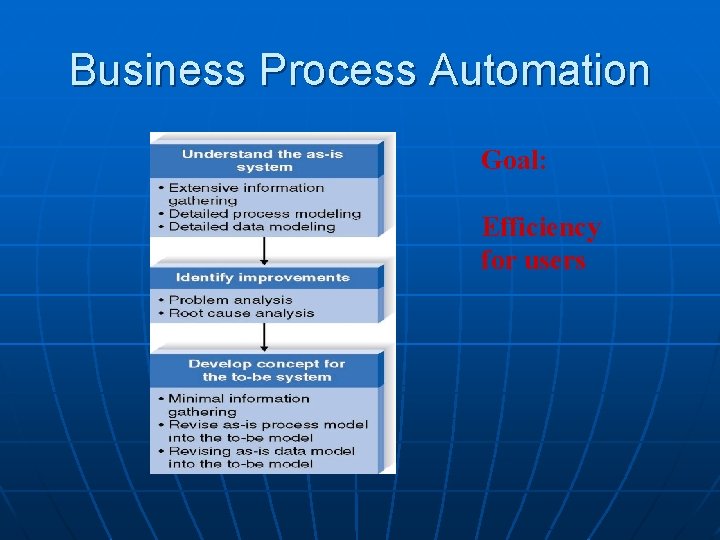
Business Process Automation Goal: Efficiency for users
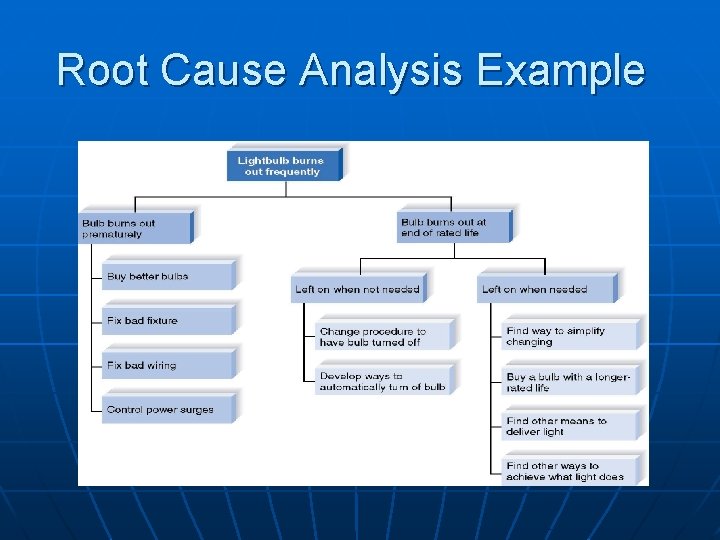
Identifying Improvements in As-Is Systems n Problem Analysis • Ask users to identify problems and solutions • Improvements tend to be small and incremental • Rarely finds improvements with significant business value n Root Cause Analysis • Challenge assumptions about why problem exists • Trace symptoms to their causes to discover the “real” problem
Root Cause Analysis Example
Business Process Improvement Goal: Efficiency and effectiveness for users
Duration Analysis n n Calculate time needed for each process step Calculate time needed for overall process Compare the two – a large difference indicates a badly fragmented process Potential solutions: • Process integration – change the process to use fewer people, each with broader responsibilities • Parallelization – change the process so that individual step are performed simultaneously
Activity-Based Costing n n n Calculate cost of each process step Consider both direct and indirect costs Identify most costly steps and focus improvement efforts on them
Benchmarking n n Studying how other organizations perform the same business process Informal benchmarking Common for customerfacing processes Interact with other business’ processes as if you are a customer
Business Process Reengineering Goal: Radical redesign of business processes
Outcome Analysis n n Consider desirable outcomes from customers’ perspective Consider what the organization could enable the customer to do
Technology Analysis n n n Analysts list important and interesting technologies Managers list important and interesting technologies The group identifies how each might be applied to the business and how the business might benefit
Activity Elimination n n Identify what would happen if each organizational activity were eliminated Use “force-fit” to test all possibilities
Selecting an Analysis Technique n n Potential business value Project cost Breadth of analysis Risk
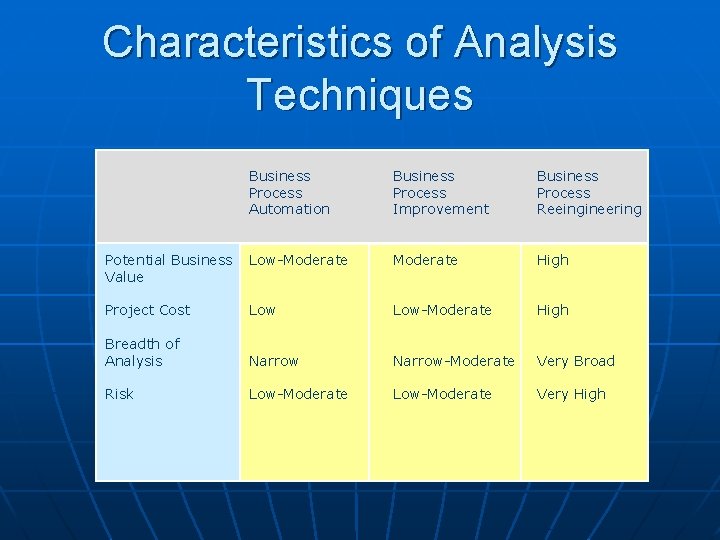
Characteristics of Analysis Techniques Business Process Automation Business Process Improvement Business Process Reeingineering Potential Business Value Low-Moderate High Project Cost Low-Moderate High Breadth of Analysis Narrow-Moderate Very Broad Risk Low-Moderate Very High
Requirements-gathering Techniques
Interviews n n Most commonly used technique Basic steps: • Selecting Interviewees • Designing Interview Questions • Preparing for the Interview • Conducting the Interview • Post-Interview Follow-up
Selecting Interviewees n n Based on information needs Best to get different perspectives • Managers • Users • Ideally, all key stakeholders n Keep organizational politics in mind
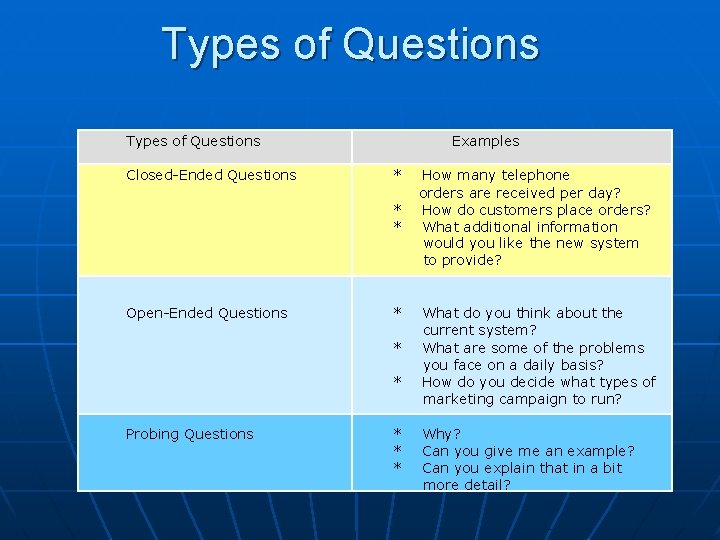
Types of Questions Closed-Ended Questions Examples * * * Open-Ended Questions * * * Probing Questions * * * How many telephone orders are received per day? How do customers place orders? What additional information would you like the new system to provide? What do you think about the current system? What are some of the problems you face on a daily basis? How do you decide what types of marketing campaign to run? Why? Can you give me an example? Can you explain that in a bit more detail?
Organizing Interview Questions n Unstructured interview useful early in information gathering • Goal is broad, roughly defined information n Structured interview useful later in process • Goal is very specific information
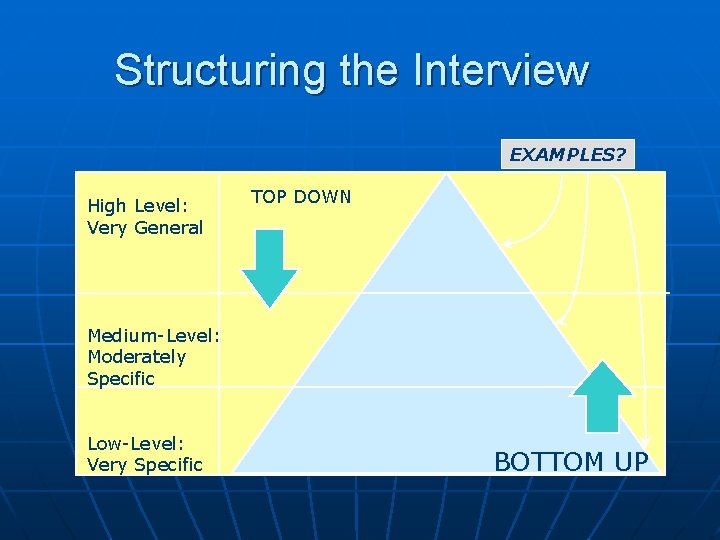
Structuring the Interview EXAMPLES? High Level: Very General TOP DOWN Medium-Level: Moderately Specific Low-Level: Very Specific BOTTOM UP
Interview Preparation Steps n n Prepare general interview plan • List of question • Anticipated answers and follow-ups Confirm areas of knowledge Set priorities in case of time shortage Prepare the interviewee • Schedule • Inform of reason for interview • Inform of areas of discussion
Conducting the Interview n n n n Appear professional and unbiased Record all information Check on organizational policy regarding tape recording Be sure you understand all issues and terms Separate facts from opinions Give interviewee time to ask questions Be sure to thank the interviewee End on time
Conducting the Interview Practical Tips n n n Take time to build rapport Pay attention Summarize key points Be succinct Be honest Watch body language
Post-Interview Follow-Up n n Prepare interview notes Prepare interview report Have interviewee review and confirm interview report Look for gaps and new questions
Joint Application Development n n A structured group process focused on determining requirements Involves project team, users, and management working together May reduce scope creep by 50% Very useful technique
JAD Participants n Facilitator • Trained in JAD techniques • Sets agenda and guides group processes n Scribe(s) • Record content of JAD sessions n Users and managers from business area with broad and detailed knowledge
JAD Sessions n n Time commitment – ½ day to several weeks Strong management support is needed to release key participants from their usual responsibilities Careful planning is essential e-JAD can help alleviate some problems inherent with groups
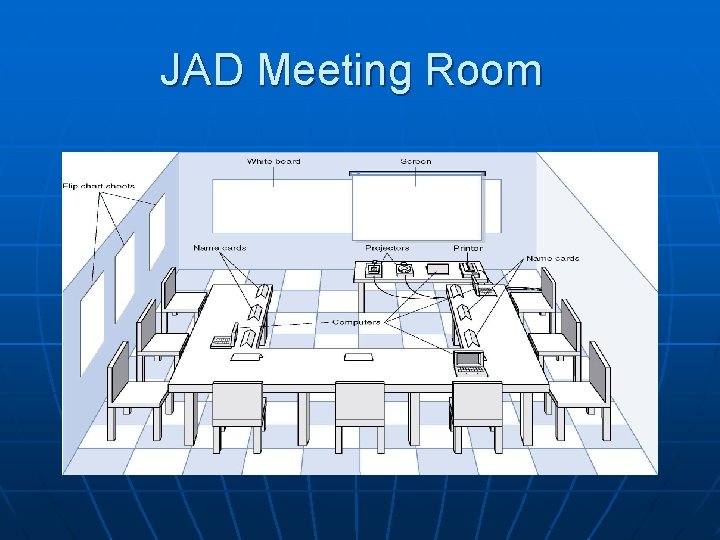
JAD Meeting Room
The JAD Session n Formal agenda and ground rules Top-down structure most successful Facilitator activities • Keep session on track • Help with technical terms and jargon • Record group input • Stay neutral, but help resolve issues n Post-session follow-up report
Managing Problems in JAD Sessions n n n n Reducing domination Encouraging non-contributors Side discussions Agenda merry-go-round Violent agreement Unresolved conflict True conflict Use humor
Questionnaires n n n A set of written questions, often sent to a large number of people May be paper-based or electronic Select participants using samples of the population Design the questions for clarity and ease of analysis Administer the questionnaire and take steps to get a good response rate Questionnaire follow-up report
Good Questionnaire Design • Begin with non-threatening and interesting questions • Group items into logically coherent sections • Do not put important items at the very end of the questionnaire • Do not crowd a page with too many items • Avoid abbreviations • Avoid biased or suggestive items or terms • Number questions to avoid confusion • Pretest the questionnaire to identify confusing questions • Provide anonymity to respondents
Document Analysis n n Study of existing material describing the current system Forms, reports, policy manuals, organization charts describe the formal system Look for the informal system in user additions to forms/report and unused form/report elements User changes to existing forms/reports or non-use of existing forms/reports suggest the system needs modification
Observation n n n Watch processes being performed Users/managers often don’t accurately recall everything they do Checks validity of information gathered other ways Be aware that behaviors change when people are watched Be unobtrusive Identify peak and lull periods
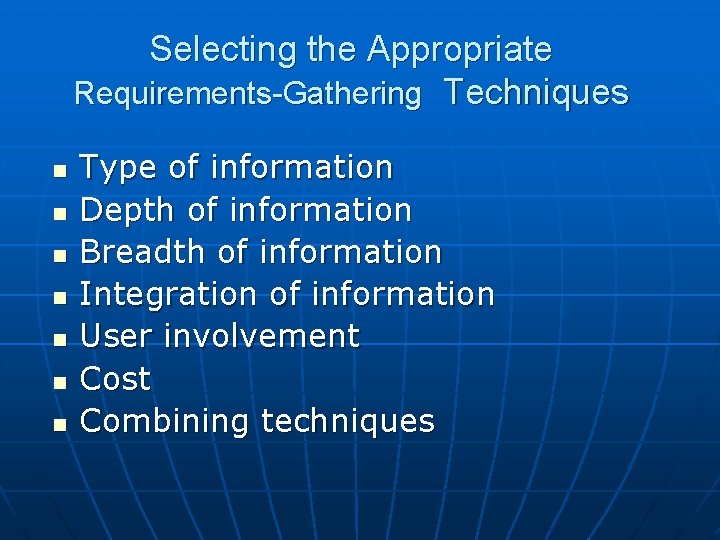
Selecting the Appropriate Requirements-Gathering Techniques n n n n Type of information Depth of information Breadth of information Integration of information User involvement Cost Combining techniques
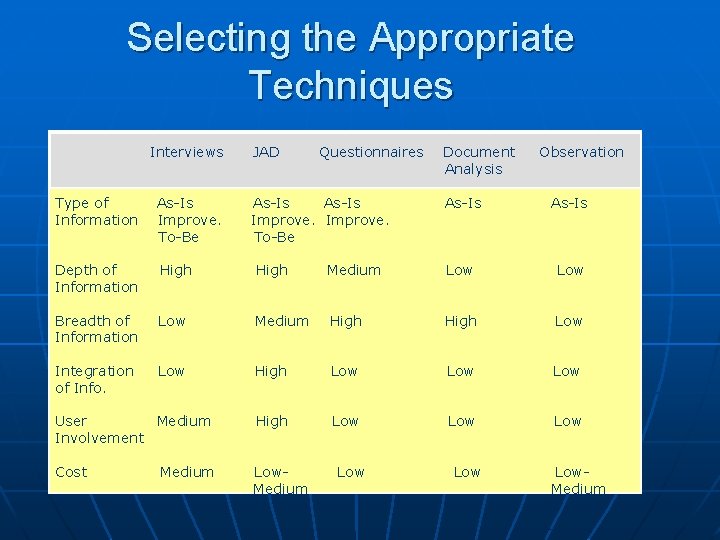
Selecting the Appropriate Techniques Interviews JAD Type of Information As-Is Improve. To-Be Depth of Information High Breadth of Information Low Integration of Info. Low Questionnaires Observation As-Is Medium Low Medium High Low Low User Medium Involvement High Low Low Cost Low. Medium As-Is Improve. To-Be Document Analysis Low Low. Medium